COWMODSКаталог модов

One Dimension

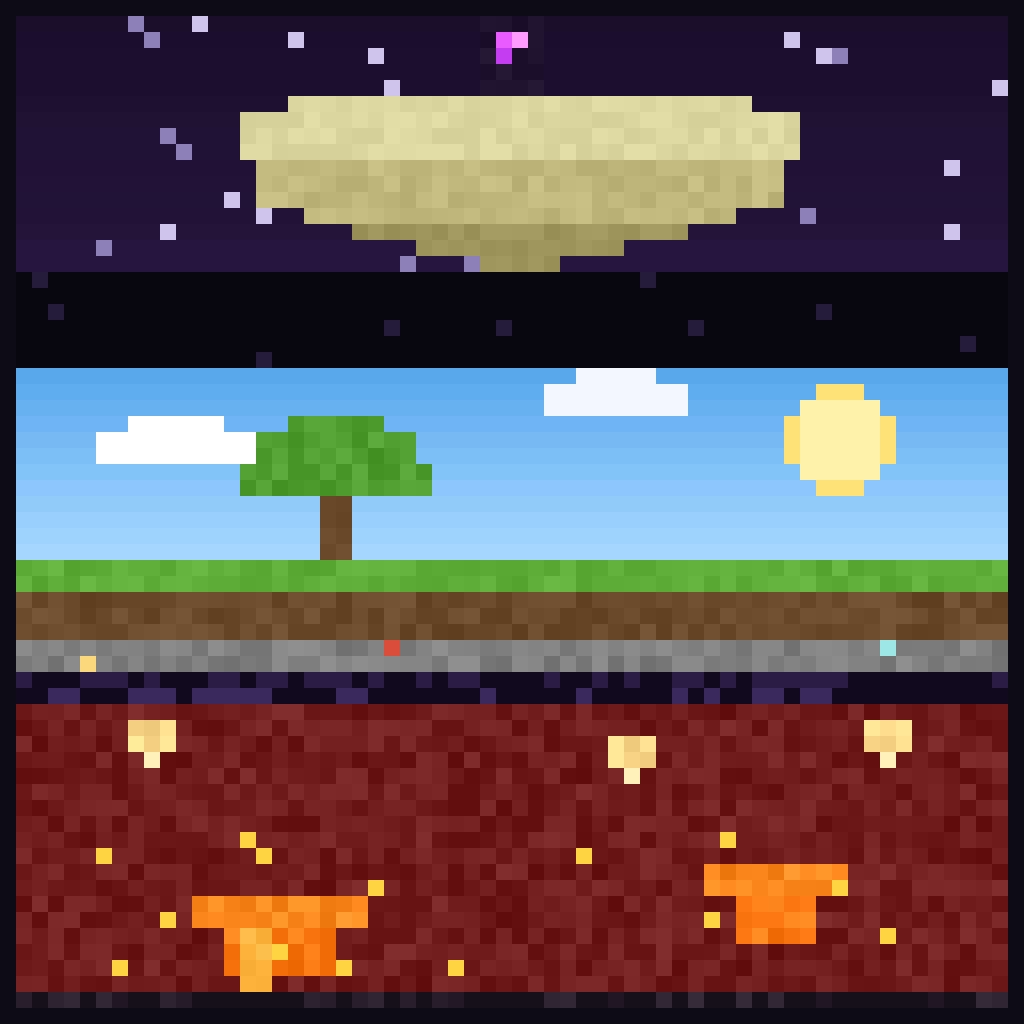
A vertical overhaul mod that merges all three vanilla dimensions into a single continuous world. Instead of separate Nether, Overworld, and End dimensions, the world is stacked by height inside one seamless dimension

8,6 тыс.83обновлён 30 авг. 2026 г.
Механики игрыГенерация мира

Описание

Buy me a coffee

OneDimension

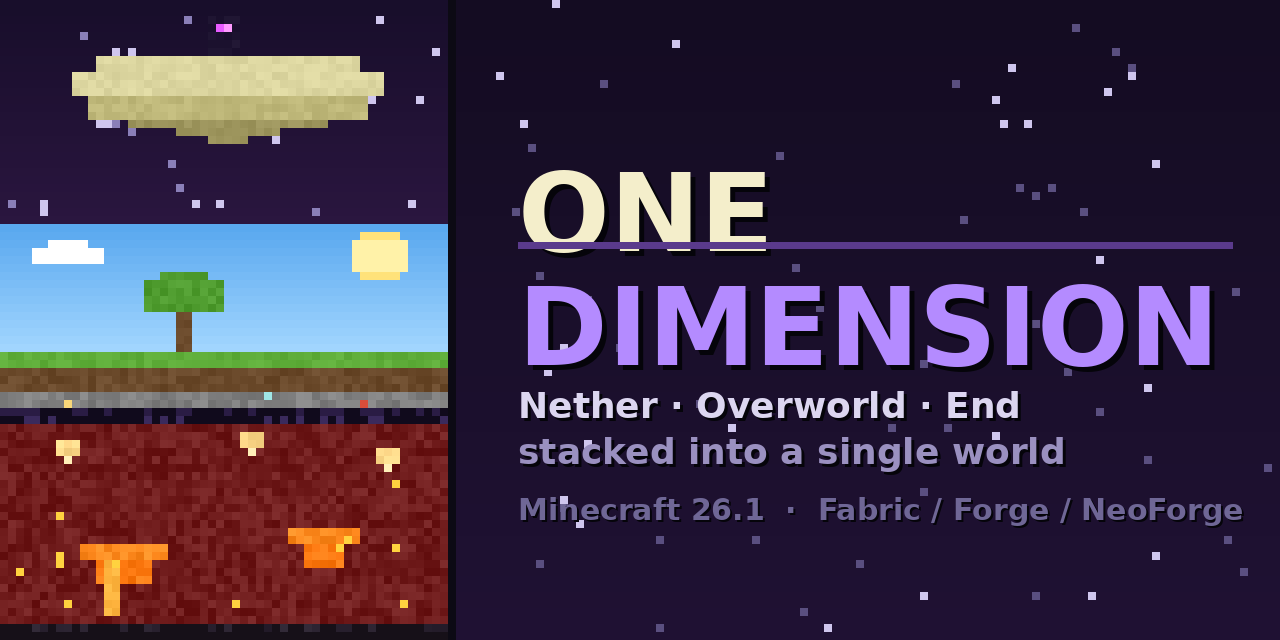
The Nether, the Overworld and the End — stacked into a single dimension.

OneDimension adds one new world type. Select "One Dimension" when creating a world and you get all three vanilla realms fused into one literal dimension, stacked by height. No portals to separate dimensions — dig down far enough and you punch through into the Nether; build up high enough and you reach the End. It's all one continuous world.

How it's stacked

From bottom to top, in a single 1536-block-tall dimension:

BandWhereWhat
The Endnear the world ceilingFloating islands, the dragon fight, End cities
The Void Gatehigh above the surfaceA dark, damaging stretch you must cross to reach the End (lifted once the dragon falls)
Overworldnormal Y (−64…319)Your familiar world — unchanged coordinates
Obsidian floorbeneath the surfaceThe one mineable barrier; the Nether ceiling sits flush right under it
Netherfar belowNative Nether terrain, biomes, fortresses, fast-flowing lava — on a solid bedrock world floor

The Overworld keeps its exact vanilla coordinates, so everything you know still works at the heights you expect.

What you get

  • A real stacked world — genuine Nether, Overworld and End terrain, each generated by vanilla worldgen, in one dimension.
  • Per-band biomes, mobs, features and structures — End cities and Nether fortresses generate in their bands and /locate finds them. Nether basalt/fire/ fungus and End chorus all grow where they should.
  • The full dragon fight — the bedrock fountain and all ten spikes build high in the End band, the dragon spawns, fights and dies as normal, and the end credits roll when you enter the exit portal.
  • In-world portals — End and Nether portals warp you within the stacked dimension (up to the End platform, down to the Nether) instead of to a separate one.
  • The Void Gate — an escalating-damage band (with a hard death zone) between the surface and the End, so reaching the top is a real journey — lifted for good once you defeat the dragon, opening a walk-up route to the End.
  • Real Nether lava — flows fast and far in the Nether band, just like a normal Nether; Overworld lava stays slow.
  • Vanilla-accurate dimension quirks — beds explode in the Nether and End bands (but work in the Overworld), and the Overworld band has a normal day/night cycle and working clocks.
  • A dig path to the Nether — break through the mineable obsidian floor to descend.
  • Correct atmospherics per band — Overworld lighting, sky, fog and rain; the End has its proper dark sky and fog with a full view distance; an ominous near-black fog in the Void Gate between; no clouds up top; a brighter Nether. The dragon only shows once you're up in the void zone or the End.

Admin controls

OPs can tune the Void Gate's hazards on the fly:

  • /onedimension menu — a chest-menu panel (works on a vanilla client) with toggles for the void damage and the instant-death band.
  • /onedimension voidgate damage|deathband <true|false> — toggle each hazard independently from the command line. Both are also editable in the config file.

Known issues

  • It's a tall dimension, so it's heavier than a normal world. Allocating more RAM (4 GB+) is recommended, especially at high render distances.

Starting a server

Make sure to set the level-type to onedimension:one_dimension and delete the existing world, start the server and it should generate a one dimension world.

Галерея
Последние версии

Все версии →
release

One Dimension 3.1.0 — NeoForge 26.2

3.1.0+26.2-neoforge
30 авг. 2026 г.320Minecraft: 26.2neoforge
Скачать
Что нового
# OneDimension 3.1.0 A release about the stack itself: how tall it is allowed to be, what happens when it doesn't fit, and what you can find out from the log when your terrain looks wrong. Everything here came from player reports — thank you. ## The world can be taller now `stacking.worldHeight` in `config/codxlib.onedimension.json` picks one of three sizes: | Value | Room below the Overworld band | Room above it | |---|---|---| | `"normal"` *(default, unchanged)* | 256 blocks | 960 blocks | | `"tall"` | 960 blocks | 1712 blocks | | `"extreme"` | 1968 blocks | 1712 blocks | That is the answer to **"my End won't go higher than about y 1000"** and to **stacking more than one dimension on a side**: `"normal"` has exactly enough room for one vanilla Nether below and one vanilla End above, and nothing was ever going to fit past it. Set this **before** you generate the world — a taller world costs memory, and changing it later leaves the chunks you already made where they are. Your client's setting is ignored when you join a server; the server's height wins, so a `"tall"` client can still join a `"normal"` server. ## When the stack doesn't fit, the gaps go first Previously a layout that was too tall either refused to load or was quietly trimmed — and trimming cuts terrain off the top of a band. Now the **empty space between bands is spent first** (largest gap first), so every band keeps its full terrain, and a warning in the log names exactly what changed and tells you which `worldHeight` would have avoided it. ## Fixes - **Only the band directly under the Overworld generated correctly** when you stacked two or more dimensions below it — the ones further down took the band above's biomes and mobs. Bands are now matched outward from the Overworld, so every band answers for itself. - **A modded band above the Overworld got the End's starless sky** — the Aether, for example. Only the End band and the empty gaps between bands use that sky now; a modded band keeps a normal one. (Its own custom sky is still on the list.) - **Removed a misleading warning** about `minecraft:overworld` "no longer being a separate dimension". ## New settings - **`stacking.barrierThickness`** — how thick the obsidian floor under the Overworld is. `0` (default) is the ragged vanilla-shaped layer you have now; `1` or more lays a flat obsidian slab that many blocks thick. - **`blockBuildingAboveOverworld`** — off by default. Turn it on and nothing can be *placed* at or above the top of the Overworld band, so nobody can tower up through the Void Gate into the band above. Breaking is untouched, so it can't strand anyone. Also `/onedimension buildceiling <true|false>` and a toggle in `/onedimension menu`. ## If your terrain looks wrong, the log now says why Every world load prints the layout it actually built: ``` One Dimension bands, bottom to top: minecraft:the_nether -192..-65 via …[minecraft:nether, MultiNoiseBiomeSource], minecraft:overworld -64..319 (anchor) via …[minecraft:overworld, MultiNoiseBiomeSource], … ``` Every band, its exact heights, and which generator and biome source ended up running it — including when a datapack or another mod replaced one. **If you are reporting bad generation, please include that line and any warning next to it.** Two open reports about a missing Overworld are waiting on exactly this. Requires **CodxLib 1.3.6** or newer.
release

One Dimension 3.1.0 — Forge 26.2

3.1.0+26.2-forge
30 авг. 2026 г.134Minecraft: 26.2forge
Скачать
Что нового
# OneDimension 3.1.0 A release about the stack itself: how tall it is allowed to be, what happens when it doesn't fit, and what you can find out from the log when your terrain looks wrong. Everything here came from player reports — thank you. ## The world can be taller now `stacking.worldHeight` in `config/codxlib.onedimension.json` picks one of three sizes: | Value | Room below the Overworld band | Room above it | |---|---|---| | `"normal"` *(default, unchanged)* | 256 blocks | 960 blocks | | `"tall"` | 960 blocks | 1712 blocks | | `"extreme"` | 1968 blocks | 1712 blocks | That is the answer to **"my End won't go higher than about y 1000"** and to **stacking more than one dimension on a side**: `"normal"` has exactly enough room for one vanilla Nether below and one vanilla End above, and nothing was ever going to fit past it. Set this **before** you generate the world — a taller world costs memory, and changing it later leaves the chunks you already made where they are. Your client's setting is ignored when you join a server; the server's height wins, so a `"tall"` client can still join a `"normal"` server. ## When the stack doesn't fit, the gaps go first Previously a layout that was too tall either refused to load or was quietly trimmed — and trimming cuts terrain off the top of a band. Now the **empty space between bands is spent first** (largest gap first), so every band keeps its full terrain, and a warning in the log names exactly what changed and tells you which `worldHeight` would have avoided it. ## Fixes - **Only the band directly under the Overworld generated correctly** when you stacked two or more dimensions below it — the ones further down took the band above's biomes and mobs. Bands are now matched outward from the Overworld, so every band answers for itself. - **A modded band above the Overworld got the End's starless sky** — the Aether, for example. Only the End band and the empty gaps between bands use that sky now; a modded band keeps a normal one. (Its own custom sky is still on the list.) - **Removed a misleading warning** about `minecraft:overworld` "no longer being a separate dimension". ## New settings - **`stacking.barrierThickness`** — how thick the obsidian floor under the Overworld is. `0` (default) is the ragged vanilla-shaped layer you have now; `1` or more lays a flat obsidian slab that many blocks thick. - **`blockBuildingAboveOverworld`** — off by default. Turn it on and nothing can be *placed* at or above the top of the Overworld band, so nobody can tower up through the Void Gate into the band above. Breaking is untouched, so it can't strand anyone. Also `/onedimension buildceiling <true|false>` and a toggle in `/onedimension menu`. ## If your terrain looks wrong, the log now says why Every world load prints the layout it actually built: ``` One Dimension bands, bottom to top: minecraft:the_nether -192..-65 via …[minecraft:nether, MultiNoiseBiomeSource], minecraft:overworld -64..319 (anchor) via …[minecraft:overworld, MultiNoiseBiomeSource], … ``` Every band, its exact heights, and which generator and biome source ended up running it — including when a datapack or another mod replaced one. **If you are reporting bad generation, please include that line and any warning next to it.** Two open reports about a missing Overworld are waiting on exactly this. Requires **CodxLib 1.3.6** or newer.
release

One Dimension 3.1.0 — NeoForge 26.1.2

3.1.0+26.1.2-neoforge
30 авг. 2026 г.121Minecraft: 26.1.2neoforge
Скачать
Что нового
# OneDimension 3.1.0 A release about the stack itself: how tall it is allowed to be, what happens when it doesn't fit, and what you can find out from the log when your terrain looks wrong. Everything here came from player reports — thank you. ## The world can be taller now `stacking.worldHeight` in `config/codxlib.onedimension.json` picks one of three sizes: | Value | Room below the Overworld band | Room above it | |---|---|---| | `"normal"` *(default, unchanged)* | 256 blocks | 960 blocks | | `"tall"` | 960 blocks | 1712 blocks | | `"extreme"` | 1968 blocks | 1712 blocks | That is the answer to **"my End won't go higher than about y 1000"** and to **stacking more than one dimension on a side**: `"normal"` has exactly enough room for one vanilla Nether below and one vanilla End above, and nothing was ever going to fit past it. Set this **before** you generate the world — a taller world costs memory, and changing it later leaves the chunks you already made where they are. Your client's setting is ignored when you join a server; the server's height wins, so a `"tall"` client can still join a `"normal"` server. ## When the stack doesn't fit, the gaps go first Previously a layout that was too tall either refused to load or was quietly trimmed — and trimming cuts terrain off the top of a band. Now the **empty space between bands is spent first** (largest gap first), so every band keeps its full terrain, and a warning in the log names exactly what changed and tells you which `worldHeight` would have avoided it. ## Fixes - **Only the band directly under the Overworld generated correctly** when you stacked two or more dimensions below it — the ones further down took the band above's biomes and mobs. Bands are now matched outward from the Overworld, so every band answers for itself. - **A modded band above the Overworld got the End's starless sky** — the Aether, for example. Only the End band and the empty gaps between bands use that sky now; a modded band keeps a normal one. (Its own custom sky is still on the list.) - **Removed a misleading warning** about `minecraft:overworld` "no longer being a separate dimension". ## New settings - **`stacking.barrierThickness`** — how thick the obsidian floor under the Overworld is. `0` (default) is the ragged vanilla-shaped layer you have now; `1` or more lays a flat obsidian slab that many blocks thick. - **`blockBuildingAboveOverworld`** — off by default. Turn it on and nothing can be *placed* at or above the top of the Overworld band, so nobody can tower up through the Void Gate into the band above. Breaking is untouched, so it can't strand anyone. Also `/onedimension buildceiling <true|false>` and a toggle in `/onedimension menu`. ## If your terrain looks wrong, the log now says why Every world load prints the layout it actually built: ``` One Dimension bands, bottom to top: minecraft:the_nether -192..-65 via …[minecraft:nether, MultiNoiseBiomeSource], minecraft:overworld -64..319 (anchor) via …[minecraft:overworld, MultiNoiseBiomeSource], … ``` Every band, its exact heights, and which generator and biome source ended up running it — including when a datapack or another mod replaced one. **If you are reporting bad generation, please include that line and any warning next to it.** Two open reports about a missing Overworld are waiting on exactly this. Requires **CodxLib 1.3.6** or newer.
release

One Dimension 3.1.0 — Forge 26.1.2

3.1.0+26.1.2-forge
30 авг. 2026 г.20Minecraft: 26.1.2forge
Скачать
Что нового
# OneDimension 3.1.0 A release about the stack itself: how tall it is allowed to be, what happens when it doesn't fit, and what you can find out from the log when your terrain looks wrong. Everything here came from player reports — thank you. ## The world can be taller now `stacking.worldHeight` in `config/codxlib.onedimension.json` picks one of three sizes: | Value | Room below the Overworld band | Room above it | |---|---|---| | `"normal"` *(default, unchanged)* | 256 blocks | 960 blocks | | `"tall"` | 960 blocks | 1712 blocks | | `"extreme"` | 1968 blocks | 1712 blocks | That is the answer to **"my End won't go higher than about y 1000"** and to **stacking more than one dimension on a side**: `"normal"` has exactly enough room for one vanilla Nether below and one vanilla End above, and nothing was ever going to fit past it. Set this **before** you generate the world — a taller world costs memory, and changing it later leaves the chunks you already made where they are. Your client's setting is ignored when you join a server; the server's height wins, so a `"tall"` client can still join a `"normal"` server. ## When the stack doesn't fit, the gaps go first Previously a layout that was too tall either refused to load or was quietly trimmed — and trimming cuts terrain off the top of a band. Now the **empty space between bands is spent first** (largest gap first), so every band keeps its full terrain, and a warning in the log names exactly what changed and tells you which `worldHeight` would have avoided it. ## Fixes - **Only the band directly under the Overworld generated correctly** when you stacked two or more dimensions below it — the ones further down took the band above's biomes and mobs. Bands are now matched outward from the Overworld, so every band answers for itself. - **A modded band above the Overworld got the End's starless sky** — the Aether, for example. Only the End band and the empty gaps between bands use that sky now; a modded band keeps a normal one. (Its own custom sky is still on the list.) - **Removed a misleading warning** about `minecraft:overworld` "no longer being a separate dimension". ## New settings - **`stacking.barrierThickness`** — how thick the obsidian floor under the Overworld is. `0` (default) is the ragged vanilla-shaped layer you have now; `1` or more lays a flat obsidian slab that many blocks thick. - **`blockBuildingAboveOverworld`** — off by default. Turn it on and nothing can be *placed* at or above the top of the Overworld band, so nobody can tower up through the Void Gate into the band above. Breaking is untouched, so it can't strand anyone. Also `/onedimension buildceiling <true|false>` and a toggle in `/onedimension menu`. ## If your terrain looks wrong, the log now says why Every world load prints the layout it actually built: ``` One Dimension bands, bottom to top: minecraft:the_nether -192..-65 via …[minecraft:nether, MultiNoiseBiomeSource], minecraft:overworld -64..319 (anchor) via …[minecraft:overworld, MultiNoiseBiomeSource], … ``` Every band, its exact heights, and which generator and biome source ended up running it — including when a datapack or another mod replaced one. **If you are reporting bad generation, please include that line and any warning next to it.** Two open reports about a missing Overworld are waiting on exactly this. Requires **CodxLib 1.3.6** or newer.
release

One Dimension 3.1.0 — Fabric 26.1.2

3.1.0+26.1.2-fabric
30 авг. 2026 г.265Minecraft: 26.1.2fabric
Скачать
Что нового
# OneDimension 3.1.0 A release about the stack itself: how tall it is allowed to be, what happens when it doesn't fit, and what you can find out from the log when your terrain looks wrong. Everything here came from player reports — thank you. ## The world can be taller now `stacking.worldHeight` in `config/codxlib.onedimension.json` picks one of three sizes: | Value | Room below the Overworld band | Room above it | |---|---|---| | `"normal"` *(default, unchanged)* | 256 blocks | 960 blocks | | `"tall"` | 960 blocks | 1712 blocks | | `"extreme"` | 1968 blocks | 1712 blocks | That is the answer to **"my End won't go higher than about y 1000"** and to **stacking more than one dimension on a side**: `"normal"` has exactly enough room for one vanilla Nether below and one vanilla End above, and nothing was ever going to fit past it. Set this **before** you generate the world — a taller world costs memory, and changing it later leaves the chunks you already made where they are. Your client's setting is ignored when you join a server; the server's height wins, so a `"tall"` client can still join a `"normal"` server. ## When the stack doesn't fit, the gaps go first Previously a layout that was too tall either refused to load or was quietly trimmed — and trimming cuts terrain off the top of a band. Now the **empty space between bands is spent first** (largest gap first), so every band keeps its full terrain, and a warning in the log names exactly what changed and tells you which `worldHeight` would have avoided it. ## Fixes - **Only the band directly under the Overworld generated correctly** when you stacked two or more dimensions below it — the ones further down took the band above's biomes and mobs. Bands are now matched outward from the Overworld, so every band answers for itself. - **A modded band above the Overworld got the End's starless sky** — the Aether, for example. Only the End band and the empty gaps between bands use that sky now; a modded band keeps a normal one. (Its own custom sky is still on the list.) - **Removed a misleading warning** about `minecraft:overworld` "no longer being a separate dimension". ## New settings - **`stacking.barrierThickness`** — how thick the obsidian floor under the Overworld is. `0` (default) is the ragged vanilla-shaped layer you have now; `1` or more lays a flat obsidian slab that many blocks thick. - **`blockBuildingAboveOverworld`** — off by default. Turn it on and nothing can be *placed* at or above the top of the Overworld band, so nobody can tower up through the Void Gate into the band above. Breaking is untouched, so it can't strand anyone. Also `/onedimension buildceiling <true|false>` and a toggle in `/onedimension menu`. ## If your terrain looks wrong, the log now says why Every world load prints the layout it actually built: ``` One Dimension bands, bottom to top: minecraft:the_nether -192..-65 via …[minecraft:nether, MultiNoiseBiomeSource], minecraft:overworld -64..319 (anchor) via …[minecraft:overworld, MultiNoiseBiomeSource], … ``` Every band, its exact heights, and which generator and biome source ended up running it — including when a datapack or another mod replaced one. **If you are reporting bad generation, please include that line and any warning next to it.** Two open reports about a missing Overworld are waiting on exactly this. Requires **CodxLib 1.3.6** or newer.
release

One Dimension 3.1.0 — NeoForge 26.1.1

3.1.0+26.1.1-neoforge
30 авг. 2026 г.7Minecraft: 26.1.1neoforge
Скачать
Что нового
# OneDimension 3.1.0 A release about the stack itself: how tall it is allowed to be, what happens when it doesn't fit, and what you can find out from the log when your terrain looks wrong. Everything here came from player reports — thank you. ## The world can be taller now `stacking.worldHeight` in `config/codxlib.onedimension.json` picks one of three sizes: | Value | Room below the Overworld band | Room above it | |---|---|---| | `"normal"` *(default, unchanged)* | 256 blocks | 960 blocks | | `"tall"` | 960 blocks | 1712 blocks | | `"extreme"` | 1968 blocks | 1712 blocks | That is the answer to **"my End won't go higher than about y 1000"** and to **stacking more than one dimension on a side**: `"normal"` has exactly enough room for one vanilla Nether below and one vanilla End above, and nothing was ever going to fit past it. Set this **before** you generate the world — a taller world costs memory, and changing it later leaves the chunks you already made where they are. Your client's setting is ignored when you join a server; the server's height wins, so a `"tall"` client can still join a `"normal"` server. ## When the stack doesn't fit, the gaps go first Previously a layout that was too tall either refused to load or was quietly trimmed — and trimming cuts terrain off the top of a band. Now the **empty space between bands is spent first** (largest gap first), so every band keeps its full terrain, and a warning in the log names exactly what changed and tells you which `worldHeight` would have avoided it. ## Fixes - **Only the band directly under the Overworld generated correctly** when you stacked two or more dimensions below it — the ones further down took the band above's biomes and mobs. Bands are now matched outward from the Overworld, so every band answers for itself. - **A modded band above the Overworld got the End's starless sky** — the Aether, for example. Only the End band and the empty gaps between bands use that sky now; a modded band keeps a normal one. (Its own custom sky is still on the list.) - **Removed a misleading warning** about `minecraft:overworld` "no longer being a separate dimension". ## New settings - **`stacking.barrierThickness`** — how thick the obsidian floor under the Overworld is. `0` (default) is the ragged vanilla-shaped layer you have now; `1` or more lays a flat obsidian slab that many blocks thick. - **`blockBuildingAboveOverworld`** — off by default. Turn it on and nothing can be *placed* at or above the top of the Overworld band, so nobody can tower up through the Void Gate into the band above. Breaking is untouched, so it can't strand anyone. Also `/onedimension buildceiling <true|false>` and a toggle in `/onedimension menu`. ## If your terrain looks wrong, the log now says why Every world load prints the layout it actually built: ``` One Dimension bands, bottom to top: minecraft:the_nether -192..-65 via …[minecraft:nether, MultiNoiseBiomeSource], minecraft:overworld -64..319 (anchor) via …[minecraft:overworld, MultiNoiseBiomeSource], … ``` Every band, its exact heights, and which generator and biome source ended up running it — including when a datapack or another mod replaced one. **If you are reporting bad generation, please include that line and any warning next to it.** Two open reports about a missing Overworld are waiting on exactly this. Requires **CodxLib 1.3.6** or newer.
release

One Dimension 3.1.0 — Forge 26.1.1

3.1.0+26.1.1-forge
30 авг. 2026 г.6Minecraft: 26.1.1forge
Скачать
Что нового
# OneDimension 3.1.0 A release about the stack itself: how tall it is allowed to be, what happens when it doesn't fit, and what you can find out from the log when your terrain looks wrong. Everything here came from player reports — thank you. ## The world can be taller now `stacking.worldHeight` in `config/codxlib.onedimension.json` picks one of three sizes: | Value | Room below the Overworld band | Room above it | |---|---|---| | `"normal"` *(default, unchanged)* | 256 blocks | 960 blocks | | `"tall"` | 960 blocks | 1712 blocks | | `"extreme"` | 1968 blocks | 1712 blocks | That is the answer to **"my End won't go higher than about y 1000"** and to **stacking more than one dimension on a side**: `"normal"` has exactly enough room for one vanilla Nether below and one vanilla End above, and nothing was ever going to fit past it. Set this **before** you generate the world — a taller world costs memory, and changing it later leaves the chunks you already made where they are. Your client's setting is ignored when you join a server; the server's height wins, so a `"tall"` client can still join a `"normal"` server. ## When the stack doesn't fit, the gaps go first Previously a layout that was too tall either refused to load or was quietly trimmed — and trimming cuts terrain off the top of a band. Now the **empty space between bands is spent first** (largest gap first), so every band keeps its full terrain, and a warning in the log names exactly what changed and tells you which `worldHeight` would have avoided it. ## Fixes - **Only the band directly under the Overworld generated correctly** when you stacked two or more dimensions below it — the ones further down took the band above's biomes and mobs. Bands are now matched outward from the Overworld, so every band answers for itself. - **A modded band above the Overworld got the End's starless sky** — the Aether, for example. Only the End band and the empty gaps between bands use that sky now; a modded band keeps a normal one. (Its own custom sky is still on the list.) - **Removed a misleading warning** about `minecraft:overworld` "no longer being a separate dimension". ## New settings - **`stacking.barrierThickness`** — how thick the obsidian floor under the Overworld is. `0` (default) is the ragged vanilla-shaped layer you have now; `1` or more lays a flat obsidian slab that many blocks thick. - **`blockBuildingAboveOverworld`** — off by default. Turn it on and nothing can be *placed* at or above the top of the Overworld band, so nobody can tower up through the Void Gate into the band above. Breaking is untouched, so it can't strand anyone. Also `/onedimension buildceiling <true|false>` and a toggle in `/onedimension menu`. ## If your terrain looks wrong, the log now says why Every world load prints the layout it actually built: ``` One Dimension bands, bottom to top: minecraft:the_nether -192..-65 via …[minecraft:nether, MultiNoiseBiomeSource], minecraft:overworld -64..319 (anchor) via …[minecraft:overworld, MultiNoiseBiomeSource], … ``` Every band, its exact heights, and which generator and biome source ended up running it — including when a datapack or another mod replaced one. **If you are reporting bad generation, please include that line and any warning next to it.** Two open reports about a missing Overworld are waiting on exactly this. Requires **CodxLib 1.3.6** or newer.
release

One Dimension 3.1.0 — Fabric 26.1.1

3.1.0+26.1.1-fabric
30 авг. 2026 г.18Minecraft: 26.1.1fabric
Скачать
Что нового
# OneDimension 3.1.0 A release about the stack itself: how tall it is allowed to be, what happens when it doesn't fit, and what you can find out from the log when your terrain looks wrong. Everything here came from player reports — thank you. ## The world can be taller now `stacking.worldHeight` in `config/codxlib.onedimension.json` picks one of three sizes: | Value | Room below the Overworld band | Room above it | |---|---|---| | `"normal"` *(default, unchanged)* | 256 blocks | 960 blocks | | `"tall"` | 960 blocks | 1712 blocks | | `"extreme"` | 1968 blocks | 1712 blocks | That is the answer to **"my End won't go higher than about y 1000"** and to **stacking more than one dimension on a side**: `"normal"` has exactly enough room for one vanilla Nether below and one vanilla End above, and nothing was ever going to fit past it. Set this **before** you generate the world — a taller world costs memory, and changing it later leaves the chunks you already made where they are. Your client's setting is ignored when you join a server; the server's height wins, so a `"tall"` client can still join a `"normal"` server. ## When the stack doesn't fit, the gaps go first Previously a layout that was too tall either refused to load or was quietly trimmed — and trimming cuts terrain off the top of a band. Now the **empty space between bands is spent first** (largest gap first), so every band keeps its full terrain, and a warning in the log names exactly what changed and tells you which `worldHeight` would have avoided it. ## Fixes - **Only the band directly under the Overworld generated correctly** when you stacked two or more dimensions below it — the ones further down took the band above's biomes and mobs. Bands are now matched outward from the Overworld, so every band answers for itself. - **A modded band above the Overworld got the End's starless sky** — the Aether, for example. Only the End band and the empty gaps between bands use that sky now; a modded band keeps a normal one. (Its own custom sky is still on the list.) - **Removed a misleading warning** about `minecraft:overworld` "no longer being a separate dimension". ## New settings - **`stacking.barrierThickness`** — how thick the obsidian floor under the Overworld is. `0` (default) is the ragged vanilla-shaped layer you have now; `1` or more lays a flat obsidian slab that many blocks thick. - **`blockBuildingAboveOverworld`** — off by default. Turn it on and nothing can be *placed* at or above the top of the Overworld band, so nobody can tower up through the Void Gate into the band above. Breaking is untouched, so it can't strand anyone. Also `/onedimension buildceiling <true|false>` and a toggle in `/onedimension menu`. ## If your terrain looks wrong, the log now says why Every world load prints the layout it actually built: ``` One Dimension bands, bottom to top: minecraft:the_nether -192..-65 via …[minecraft:nether, MultiNoiseBiomeSource], minecraft:overworld -64..319 (anchor) via …[minecraft:overworld, MultiNoiseBiomeSource], … ``` Every band, its exact heights, and which generator and biome source ended up running it — including when a datapack or another mod replaced one. **If you are reporting bad generation, please include that line and any warning next to it.** Two open reports about a missing Overworld are waiting on exactly this. Requires **CodxLib 1.3.6** or newer.
release

One Dimension 3.1.0 — NeoForge 26.1

3.1.0+26.1-neoforge
30 авг. 2026 г.6Minecraft: 26.1neoforge
Скачать
Что нового
# OneDimension 3.1.0 A release about the stack itself: how tall it is allowed to be, what happens when it doesn't fit, and what you can find out from the log when your terrain looks wrong. Everything here came from player reports — thank you. ## The world can be taller now `stacking.worldHeight` in `config/codxlib.onedimension.json` picks one of three sizes: | Value | Room below the Overworld band | Room above it | |---|---|---| | `"normal"` *(default, unchanged)* | 256 blocks | 960 blocks | | `"tall"` | 960 blocks | 1712 blocks | | `"extreme"` | 1968 blocks | 1712 blocks | That is the answer to **"my End won't go higher than about y 1000"** and to **stacking more than one dimension on a side**: `"normal"` has exactly enough room for one vanilla Nether below and one vanilla End above, and nothing was ever going to fit past it. Set this **before** you generate the world — a taller world costs memory, and changing it later leaves the chunks you already made where they are. Your client's setting is ignored when you join a server; the server's height wins, so a `"tall"` client can still join a `"normal"` server. ## When the stack doesn't fit, the gaps go first Previously a layout that was too tall either refused to load or was quietly trimmed — and trimming cuts terrain off the top of a band. Now the **empty space between bands is spent first** (largest gap first), so every band keeps its full terrain, and a warning in the log names exactly what changed and tells you which `worldHeight` would have avoided it. ## Fixes - **Only the band directly under the Overworld generated correctly** when you stacked two or more dimensions below it — the ones further down took the band above's biomes and mobs. Bands are now matched outward from the Overworld, so every band answers for itself. - **A modded band above the Overworld got the End's starless sky** — the Aether, for example. Only the End band and the empty gaps between bands use that sky now; a modded band keeps a normal one. (Its own custom sky is still on the list.) - **Removed a misleading warning** about `minecraft:overworld` "no longer being a separate dimension". ## New settings - **`stacking.barrierThickness`** — how thick the obsidian floor under the Overworld is. `0` (default) is the ragged vanilla-shaped layer you have now; `1` or more lays a flat obsidian slab that many blocks thick. - **`blockBuildingAboveOverworld`** — off by default. Turn it on and nothing can be *placed* at or above the top of the Overworld band, so nobody can tower up through the Void Gate into the band above. Breaking is untouched, so it can't strand anyone. Also `/onedimension buildceiling <true|false>` and a toggle in `/onedimension menu`. ## If your terrain looks wrong, the log now says why Every world load prints the layout it actually built: ``` One Dimension bands, bottom to top: minecraft:the_nether -192..-65 via …[minecraft:nether, MultiNoiseBiomeSource], minecraft:overworld -64..319 (anchor) via …[minecraft:overworld, MultiNoiseBiomeSource], … ``` Every band, its exact heights, and which generator and biome source ended up running it — including when a datapack or another mod replaced one. **If you are reporting bad generation, please include that line and any warning next to it.** Two open reports about a missing Overworld are waiting on exactly this. Requires **CodxLib 1.3.6** or newer.
release

One Dimension 3.1.0 — Forge 26.1

3.1.0+26.1-forge
30 авг. 2026 г.8Minecraft: 26.1forge
Скачать
Что нового
# OneDimension 3.1.0 A release about the stack itself: how tall it is allowed to be, what happens when it doesn't fit, and what you can find out from the log when your terrain looks wrong. Everything here came from player reports — thank you. ## The world can be taller now `stacking.worldHeight` in `config/codxlib.onedimension.json` picks one of three sizes: | Value | Room below the Overworld band | Room above it | |---|---|---| | `"normal"` *(default, unchanged)* | 256 blocks | 960 blocks | | `"tall"` | 960 blocks | 1712 blocks | | `"extreme"` | 1968 blocks | 1712 blocks | That is the answer to **"my End won't go higher than about y 1000"** and to **stacking more than one dimension on a side**: `"normal"` has exactly enough room for one vanilla Nether below and one vanilla End above, and nothing was ever going to fit past it. Set this **before** you generate the world — a taller world costs memory, and changing it later leaves the chunks you already made where they are. Your client's setting is ignored when you join a server; the server's height wins, so a `"tall"` client can still join a `"normal"` server. ## When the stack doesn't fit, the gaps go first Previously a layout that was too tall either refused to load or was quietly trimmed — and trimming cuts terrain off the top of a band. Now the **empty space between bands is spent first** (largest gap first), so every band keeps its full terrain, and a warning in the log names exactly what changed and tells you which `worldHeight` would have avoided it. ## Fixes - **Only the band directly under the Overworld generated correctly** when you stacked two or more dimensions below it — the ones further down took the band above's biomes and mobs. Bands are now matched outward from the Overworld, so every band answers for itself. - **A modded band above the Overworld got the End's starless sky** — the Aether, for example. Only the End band and the empty gaps between bands use that sky now; a modded band keeps a normal one. (Its own custom sky is still on the list.) - **Removed a misleading warning** about `minecraft:overworld` "no longer being a separate dimension". ## New settings - **`stacking.barrierThickness`** — how thick the obsidian floor under the Overworld is. `0` (default) is the ragged vanilla-shaped layer you have now; `1` or more lays a flat obsidian slab that many blocks thick. - **`blockBuildingAboveOverworld`** — off by default. Turn it on and nothing can be *placed* at or above the top of the Overworld band, so nobody can tower up through the Void Gate into the band above. Breaking is untouched, so it can't strand anyone. Also `/onedimension buildceiling <true|false>` and a toggle in `/onedimension menu`. ## If your terrain looks wrong, the log now says why Every world load prints the layout it actually built: ``` One Dimension bands, bottom to top: minecraft:the_nether -192..-65 via …[minecraft:nether, MultiNoiseBiomeSource], minecraft:overworld -64..319 (anchor) via …[minecraft:overworld, MultiNoiseBiomeSource], … ``` Every band, its exact heights, and which generator and biome source ended up running it — including when a datapack or another mod replaced one. **If you are reporting bad generation, please include that line and any warning next to it.** Two open reports about a missing Overworld are waiting on exactly this. Requires **CodxLib 1.3.6** or newer.
