COWMODSКаталог модов

Latitude

Latitude overhauls world generation so biomes follow realistic latitude bands—from equatorial jungles to polar tundras.

Автор: Peetsa5,5 тыс.56обновлён 24 окт. 2026 г.
ПриключенияМеханики игрыГенерация мира

Описание

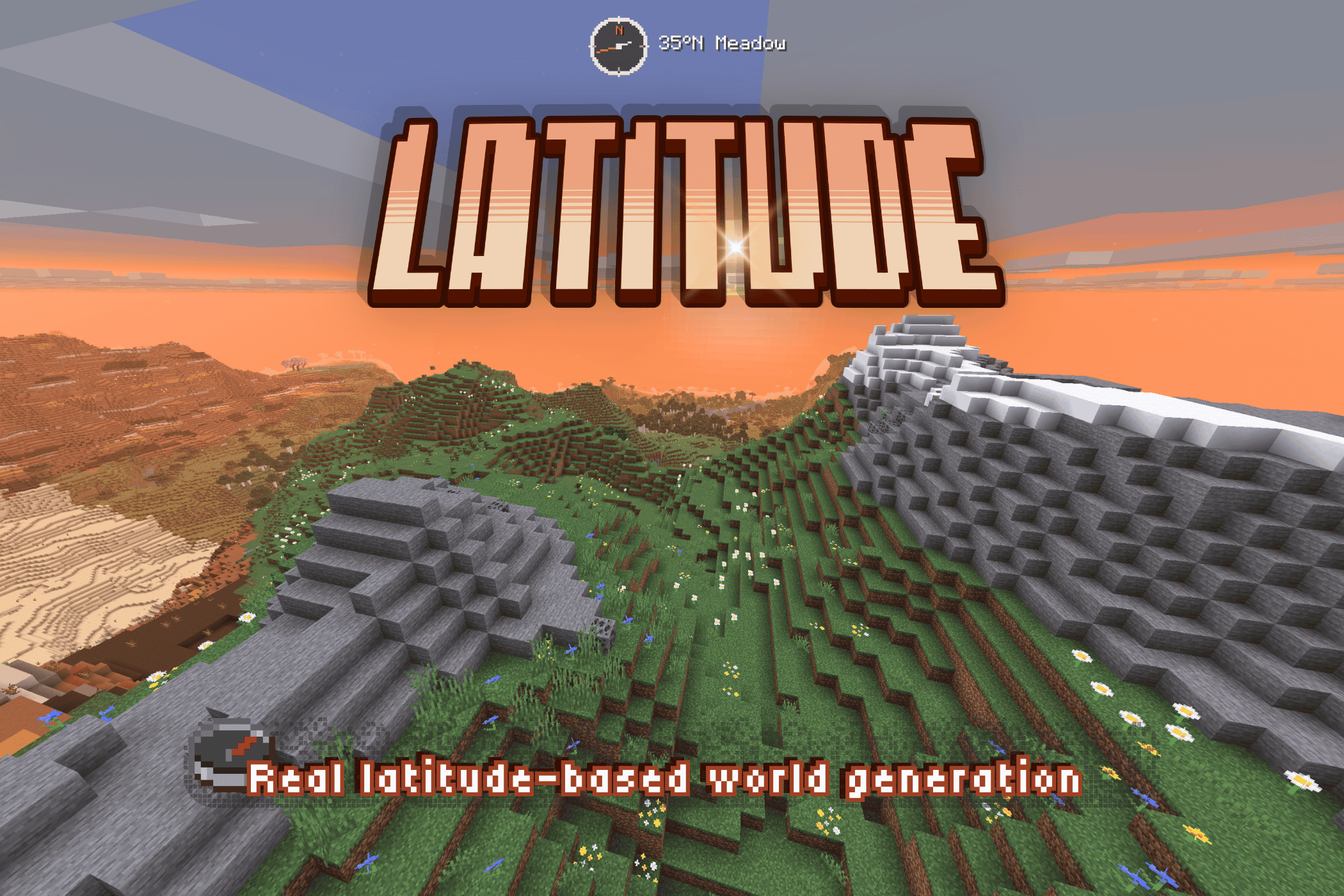
A landscape image of a Minecraft mod banner with the title LATITUDE written in large, stylized orange and yellow letters across the top center. Below the title, the tagline reads Real latitude-based world generation in white text. A HUD element at the top center shows an icon with 35°N Meadow. The background displays a grassy valley stepping up to a blocky, snow-capped mountain ridge against a warm sunset sky.


A finite world with latitude-based geography and climate bands.

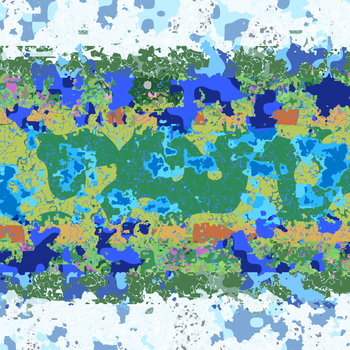
Latitude organizes biomes into five climate bands, from a warm equator at the center of the world to frozen regions at its northern and southern edges. As you travel north or south, the climate—and the biomes you encounter—gradually change.

I built Latitude to make Minecraft worlds feel finite and real, and to make the direction you travel matter.


⚠️ Latitude overhauls world generation and takes effect in new worlds. Existing chunks keep their current biomes. World-generation fixes, including those in 1.5.2, can affect newly explored terrain in existing Latitude worlds.


🗺️ Latitude-based geography

Five climate bands extend from the equator at the center of the world toward the poles at its northern and southern edges:

ZoneCharacterTypical biomes
🌴 TropicalHot, humid, and lushJungle, Bamboo Jungle, Mangrove Swamp, Savanna
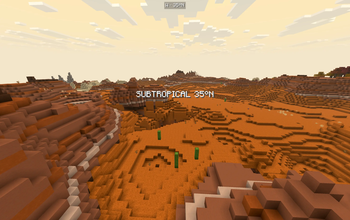
☀️ SubtropicalWarm and varied, drier toward the edgesSavanna, Desert, Badlands, Plains
🌿 TemperateMild and forestedForest, Birch Forest, Meadow
🌨️ SubpolarCold, with increasingly sparse vegetationTaiga, Snowy Plains, Grove
❄️ PolarFrozen and forbiddingSnowy Plains, Ice Spikes, Frozen Ocean

The bands blend gradually, so the landscape changes as you travel without abrupt jumps between hot and cold climates.


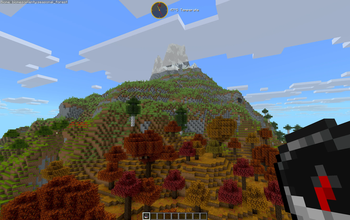
⛰️ Snow-capped mountains and tree lines

Forests thin as you climb. Above the tree line, grass and sparse foliage give way to bare rock and snow on the highest peaks.


🥾 Wanderlust

Latitude’s geography affects what you encounter along the way:

  • Freezing near the poles. The cold becomes a hazard as you approach either pole.
  • Fog at the world’s edges. Gradually thickening fog obscures the vanilla world border.
  • Climate and hemisphere titles. Cinematic titles announce your crossings between climate bands and hemispheres.

🌐 Finite by design

Pick a world size! Latitude worlds are finite, with six sizes to choose from.

SizeDimensions in blocks
Itty Bitty7,500 × 7,500
Tiny10,000 × 10,000
Small15,000 × 15,000
Regular20,000 × 20,000
Large30,000 × 30,000
Ginormous40,000 × 40,000

World size scales the whole climate system, including band widths, borders, and latitude calculations. Smaller worlds bring the climate bands closer together while keeping the full range from equator to poles. With custom biome packs installed, though, smaller worlds may not have room for every biome.

You can also choose your spawn zone. Start near the equator for jungles and warm weather, pick a milder climate, or head straight for the polar snow! ⛄️ Now with more snowballs (probably)!!


🧭 Navigate with ease

Latitude ships a built-in navigation HUD, fully customizable:

  • Compass — digital (cardinal, 8-way, or degrees) or analog with different color themes.
  • Latitude readout — your live position in the world
  • Biome & zone detail — see where you are, or not!
  • Customizable — size, color, opacity, position

HUD Studio: press F9 in-game (rebindable) to open a live editing screen — drag the title, compass, and location readout wherever you want, snap-to-grid or free. A quick keybind toggles the compass on and off.

For server operators, release builds include a small /latitude command set (here, explainHere, probe, tpLat, tpBand) for inspecting and navigating the climate map.


🧩 Compatibility

Latitude works through Minecraft's biome-tag system. Fabric builds include support for biome packs such as Biomes O' Plenty, Terralith, and CliffTree, and can be paired with terrain-shaping mods such as Tectonic, Geophilic, and William Wyther's Overhauled Overworld. Compatibility depends on the exact Minecraft, loader, Latitude, and pack versions; check the notes for your download.

The Fabric 1.5.2-beta file for 26.1 covers 26.1–26.1.2. The NeoForge counterpart is specifically for 26.1.2, with separate NeoForge files for 26.2 and 26.3. Biome packs and dedicated servers were not tested on those NeoForge 1.5.2-beta builds.

ℹ️ A note on big biome-pack stacks: each climate band draws from a finite pool, so the more packs you stack, the smaller each biome's share becomes — you won't necessarily see every biome from every pack. The mix stays coherent and climate-appropriate. Vanilla biomes are given preference.


🔭 What's next — Latitude 2.0 🌏

Latitude 2.0 is in production. The larger overhaul being showcased publicly — with its more elaborate mechanics — is a separate line and still in development: expanded biome support, broader worlds, and more earthlike generation shaped by continents, oceans, climate, and exploration. And all the cats you could ever want!!! 🐈‍⬛🐈

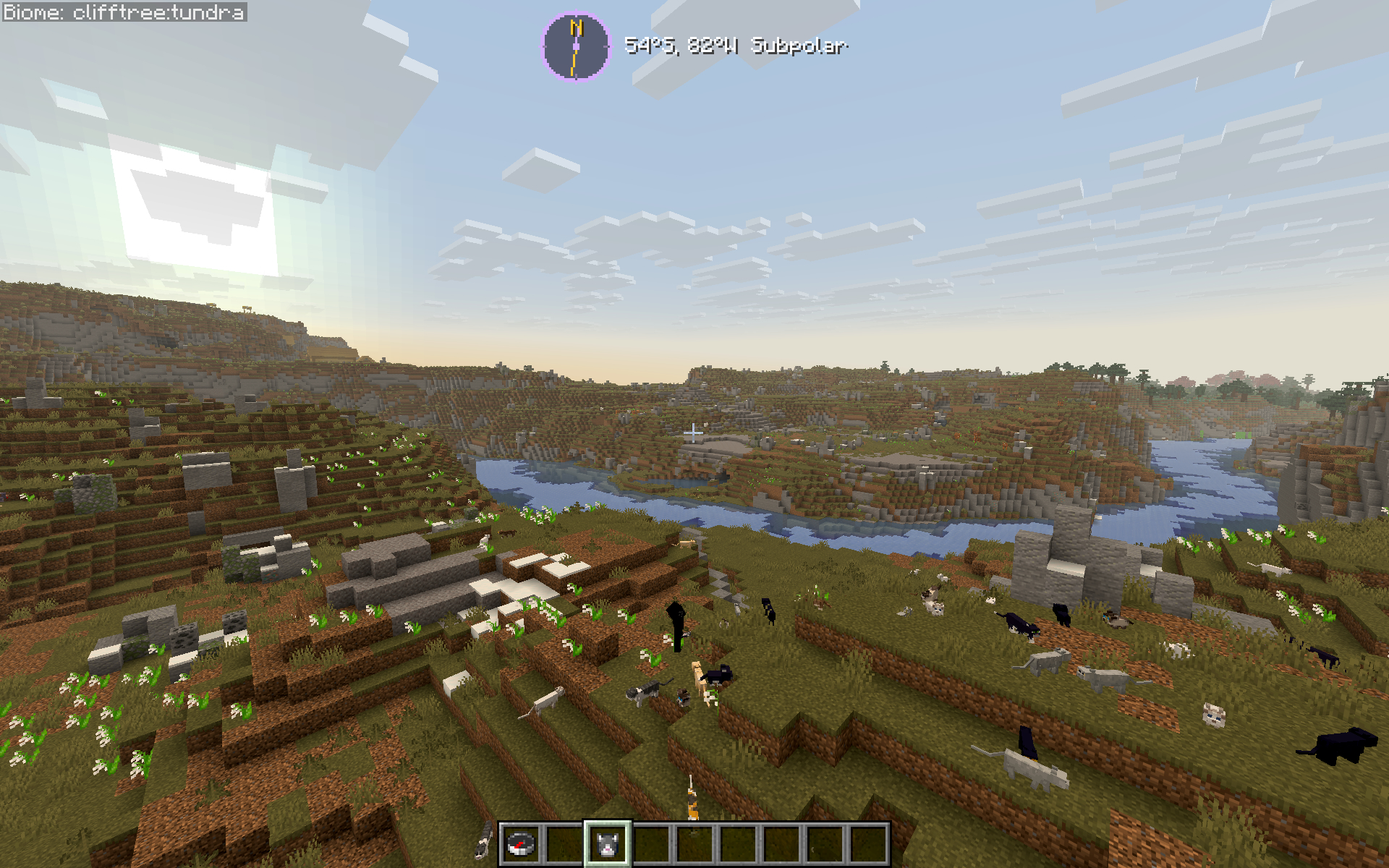
1.5 is the final polish release of the 1.x line, and the best version of this idea to date. A Minecraft screenshot showcasing a sprawling landscape generated by the Latitude mod. A wide, blue river winds through a rolling green and dirt valley, stretching toward steep cliffs with scattered trees under a bright, clear sky. In the immediate foreground, a grassy hillside is unexpectedly populated by over a dozen cats of various breeds (black, tuxedo, and tabby). At the top center of the screen, the mod's custom HUD element displays the location readout: "54°S, 82% Subpolar". The player's hotbar is visible at the bottom of the frame, showing a compass and an item slot.

💛 About & Support

If you've ever thought vanilla biome placement felt random and disconnected — this fixes that. Latitude is built for long-term survival worlds, exploration-focused playthroughs, and modpacks that want a world that feels like a real place without piling on new content.

🧭 Latitude is a solo passion project and my first mod. Thank you for playing -- I hope you enjoy it as much as I do! :D

🐛 Found a bug, or want to follow development? → GitHub

⭐ Enjoying Latitude? Leave a ❤️ on Modrinth — it genuinely helps a solo dev!
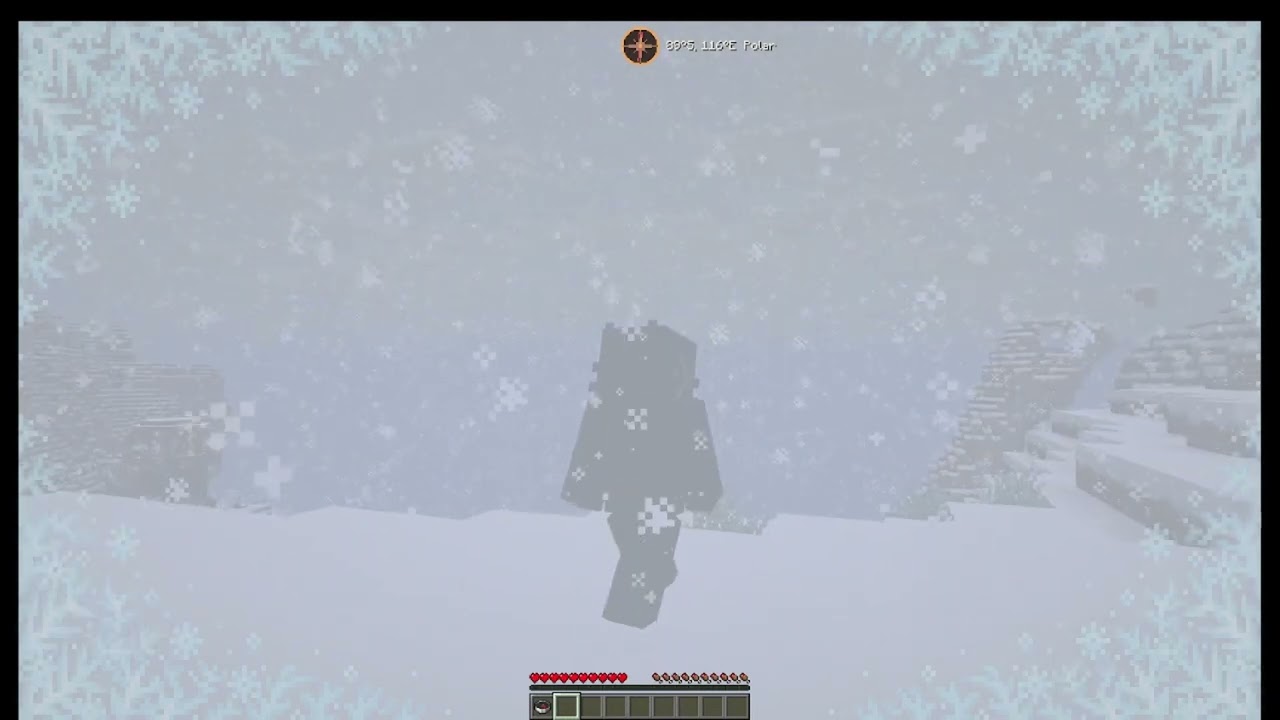

Watch the Latitude trailer

➢ Follow my mod development: https://www.youtube.com/@peetsamods

video lag is unrelated to actual gameplay--it's just my computer COOKING 🍳


🌍 A development journal for Latitude

Curious about the bigger idea behind the project? Read the Latitude Field Guide for a look behind the scenes at real-time development. Updated by Codex, designed and overseen by me.

Галерея
Latitude Climate Bands & Biome DistributionTree line & immersive mountaintopsLatitude titlesFlow

Последние версии

Все версии →
release

Latitude 1.5.3+26.3-neoforge

1.5.3+26.3-neoforge
24 окт. 2026 г.65Minecraft: 26.3neoforge
Скачать
Что нового
Stable release of Latitude 1.5.3. ### NEW - The analog compass can attach to the hotbar alongside the digital compass. The dial uses space beside the bar when available and moves above it when space is limited. - Drag either attached compass to detach it and position it freely. ### FIXED - Switching compass styles no longer leaves analog dragging blocked by saved digital attachment settings. - HUD Studio uses Minecraft 26.3's primary mouse-button mapping, restoring dragging for the compass, title, and detached location text. - Both Latitude shortcuts are registered with the loader so Minecraft can list and rebind them in Controls. - Biome fallback and reroll pools respect a saved world's original provider roster. - Known legacy cold-wetland roster entries are migrated without admitting unrelated new providers into existing worlds. - Obsolete spawn-picker networking has been removed. ### IMPROVED - Attached compass previews and hit bounds use the same placement rules. Detaching keeps the cursor grab point and updates the attachment switch. - Development-only clipboard utilities are excluded from the packaged game JARs and Gradle sources JARs. ### KNOWN ISSUES - An underwater initial spawn has been observed in a new Creative-mode world on NeoForge 26.1.2. Its scope across seeds, game modes, and loaders has not been established. This release does not claim to fix it.
release

Latitude 1.5.3+26.2-neoforge

1.5.3+26.2-neoforge
24 окт. 2026 г.7Minecraft: 26.2neoforge
Скачать
Что нового
Stable release of Latitude 1.5.3. ### NEW - The analog compass can attach to the hotbar alongside the digital compass. The dial uses space beside the bar when available and moves above it when space is limited. - Drag either attached compass to detach it and position it freely. ### FIXED - Switching compass styles no longer leaves analog dragging blocked by saved digital attachment settings. - Both Latitude shortcuts are registered with the loader so Minecraft can list and rebind them in Controls. - Biome fallback and reroll pools respect a saved world's original provider roster. - Known legacy cold-wetland roster entries are migrated without admitting unrelated new providers into existing worlds. - Obsolete spawn-picker networking has been removed. ### IMPROVED - Attached compass previews and hit bounds use the same placement rules. Detaching keeps the cursor grab point and updates the attachment switch. - Development-only clipboard utilities are excluded from the packaged game JARs and Gradle sources JARs. ### KNOWN ISSUES - An underwater initial spawn has been observed in a new Creative-mode world on NeoForge 26.1.2. Its scope across seeds, game modes, and loaders has not been established. This release does not claim to fix it.
release

Latitude 1.5.3+26.1-neoforge

1.5.3+26.1-neoforge
24 окт. 2026 г.11Minecraft: 26.1.2neoforge
Скачать
Что нового
Stable release of Latitude 1.5.3. ### NEW - The analog compass can attach to the hotbar alongside the digital compass. The dial uses space beside the bar when available and moves above it when space is limited. - Drag either attached compass to detach it and position it freely. ### FIXED - Switching compass styles no longer leaves analog dragging blocked by saved digital attachment settings. - Both Latitude shortcuts are registered with the loader so Minecraft can list and rebind them in Controls. - Biome fallback and reroll pools respect a saved world's original provider roster. - Known legacy cold-wetland roster entries are migrated without admitting unrelated new providers into existing worlds. - Obsolete spawn-picker networking has been removed. ### IMPROVED - Attached compass previews and hit bounds use the same placement rules. Detaching keeps the cursor grab point and updates the attachment switch. - Development-only clipboard utilities are excluded from the packaged game JARs and Gradle sources JARs. ### KNOWN ISSUES - An underwater initial spawn has been observed in a new Creative-mode world on NeoForge 26.1.2. Its scope across seeds, game modes, and loaders has not been established. This release does not claim to fix it.
release

Latitude 1.5.3+26.3

1.5.3+26.3
24 окт. 2026 г.98Minecraft: 26.3fabric
Скачать
Что нового
Stable release of Latitude 1.5.3. ### NEW - The analog compass can attach to the hotbar alongside the digital compass. The dial uses space beside the bar when available and moves above it when space is limited. - Drag either attached compass to detach it and position it freely. ### FIXED - Switching compass styles no longer leaves analog dragging blocked by saved digital attachment settings. - HUD Studio uses Minecraft 26.3's primary mouse-button mapping, restoring dragging for the compass, title, and detached location text. - Both Latitude shortcuts are registered with the loader so Minecraft can list and rebind them in Controls. - Biome fallback and reroll pools respect a saved world's original provider roster. - Known legacy cold-wetland roster entries are migrated without admitting unrelated new providers into existing worlds. - Obsolete spawn-picker networking has been removed. ### IMPROVED - Attached compass previews and hit bounds use the same placement rules. Detaching keeps the cursor grab point and updates the attachment switch. - Development-only clipboard utilities are excluded from the packaged game JARs and Gradle sources JARs. ### KNOWN ISSUES - An underwater initial spawn has been observed in a new Creative-mode world on NeoForge 26.1.2. Its scope across seeds, game modes, and loaders has not been established. This release does not claim to fix it.
release

Latitude 1.5.3+26.2

1.5.3+26.2
24 окт. 2026 г.33Minecraft: 26.2fabric
Скачать
Что нового
Stable release of Latitude 1.5.3. ### NEW - The analog compass can attach to the hotbar alongside the digital compass. The dial uses space beside the bar when available and moves above it when space is limited. - Drag either attached compass to detach it and position it freely. ### FIXED - Switching compass styles no longer leaves analog dragging blocked by saved digital attachment settings. - Both Latitude shortcuts are registered with the loader so Minecraft can list and rebind them in Controls. - Biome fallback and reroll pools respect a saved world's original provider roster. - Known legacy cold-wetland roster entries are migrated without admitting unrelated new providers into existing worlds. - Obsolete spawn-picker networking has been removed. ### IMPROVED - Attached compass previews and hit bounds use the same placement rules. Detaching keeps the cursor grab point and updates the attachment switch. - Development-only clipboard utilities are excluded from the packaged game JARs and Gradle sources JARs. ### KNOWN ISSUES - An underwater initial spawn has been observed in a new Creative-mode world on NeoForge 26.1.2. Its scope across seeds, game modes, and loaders has not been established. This release does not claim to fix it.
release

Latitude 1.5.3+26.1

1.5.3+26.1
24 окт. 2026 г.12Minecraft: 26.1, 26.1.1, 26.1.2fabric
Скачать
Что нового
Stable release of Latitude 1.5.3. ### NEW - The analog compass can attach to the hotbar alongside the digital compass. The dial uses space beside the bar when available and moves above it when space is limited. - Drag either attached compass to detach it and position it freely. ### FIXED - Switching compass styles no longer leaves analog dragging blocked by saved digital attachment settings. - Both Latitude shortcuts are registered with the loader so Minecraft can list and rebind them in Controls. - Biome fallback and reroll pools respect a saved world's original provider roster. - Known legacy cold-wetland roster entries are migrated without admitting unrelated new providers into existing worlds. - Obsolete spawn-picker networking has been removed. ### IMPROVED - Attached compass previews and hit bounds use the same placement rules. Detaching keeps the cursor grab point and updates the attachment switch. - Development-only clipboard utilities are excluded from the packaged game JARs and Gradle sources JARs. ### KNOWN ISSUES - An underwater initial spawn has been observed in a new Creative-mode world on NeoForge 26.1.2. Its scope across seeds, game modes, and loaders has not been established. This release does not claim to fix it.
release

Latitude 1.5.3+1.21.11

1.5.3+1.21.11
24 окт. 2026 г.27Minecraft: 1.21.11fabric
Скачать
Что нового
Stable release of Latitude 1.5.3. ### NEW - The analog compass can attach to the hotbar alongside the digital compass. The dial uses space beside the bar when available and moves above it when space is limited. - Drag either attached compass to detach it and position it freely. ### FIXED - Switching compass styles no longer leaves analog dragging blocked by saved digital attachment settings. - Both Latitude shortcuts are registered with the loader so Minecraft can list and rebind them in Controls. - Biome fallback and reroll pools respect a saved world's original provider roster. - Known legacy cold-wetland roster entries are migrated without admitting unrelated new providers into existing worlds. - Obsolete spawn-picker networking has been removed. ### IMPROVED - Attached compass previews and hit bounds use the same placement rules. Detaching keeps the cursor grab point and updates the attachment switch. - Development-only clipboard utilities are excluded from the packaged game JARs and Gradle sources JARs. ### KNOWN ISSUES - An underwater initial spawn has been observed in a new Creative-mode world on NeoForge 26.1.2. Its scope across seeds, game modes, and loaders has not been established. This release does not claim to fix it.
release

Latitude 1.5.3+1.21.1

1.5.3+1.21.1
24 окт. 2026 г.41Minecraft: 1.21.1fabric
Скачать
Что нового
Stable release of Latitude 1.5.3. ### NEW - The analog compass can attach to the hotbar alongside the digital compass. The dial uses space beside the bar when available and moves above it when space is limited. - Drag either attached compass to detach it and position it freely. ### FIXED - Switching compass styles no longer leaves analog dragging blocked by saved digital attachment settings. - Both Latitude shortcuts are registered with the loader so Minecraft can list and rebind them in Controls. - Biome fallback and reroll pools respect a saved world's original provider roster. - Known legacy cold-wetland roster entries are migrated without admitting unrelated new providers into existing worlds. - Obsolete spawn-picker networking has been removed. ### IMPROVED - Attached compass previews and hit bounds use the same placement rules. Detaching keeps the cursor grab point and updates the attachment switch. - Development-only clipboard utilities are excluded from the packaged game JARs and Gradle sources JARs. ### KNOWN ISSUES - An underwater initial spawn has been observed in a new Creative-mode world on NeoForge 26.1.2. Its scope across seeds, game modes, and loaders has not been established. This release does not claim to fix it.
release

Latitude 1.5.3+1.20.1

1.5.3+1.20.1
24 окт. 2026 г.37Minecraft: 1.20.1, 1.20.2, 1.20.3, 1.20.4fabric
Скачать
Что нового
Stable release of Latitude 1.5.3. ### NEW - The analog compass can attach to the hotbar alongside the digital compass. The dial uses space beside the bar when available and moves above it when space is limited. - Drag either attached compass to detach it and position it freely. ### FIXED - Switching compass styles no longer leaves analog dragging blocked by saved digital attachment settings. - Both Latitude shortcuts are registered with the loader so Minecraft can list and rebind them in Controls. - Biome fallback and reroll pools respect a saved world's original provider roster. - Known legacy cold-wetland roster entries are migrated without admitting unrelated new providers into existing worlds. - Obsolete spawn-picker networking has been removed. ### IMPROVED - Attached compass previews and hit bounds use the same placement rules. Detaching keeps the cursor grab point and updates the attachment switch. - Development-only clipboard utilities are excluded from the packaged game JARs and Gradle sources JARs. ### KNOWN ISSUES - An underwater initial spawn has been observed in a new Creative-mode world on NeoForge 26.1.2. Its scope across seeds, game modes, and loaders has not been established. This release does not claim to fix it.
beta

Latitude 1.5.2-beta+26.3 (NeoForge)

1.5.2-beta+26.3-neoforge
4 окт. 2026 г.126Minecraft: 26.3neoforge
Скачать
Что нового
## Latitude 1.5.2-beta for NeoForge (Minecraft 26.3) ### New - Latitude now runs on NeoForge! :D This is the same 1.5.2-beta as the Fabric release (same climate bands, world sizes, loading screen and HUD), just built for NeoForge. ### Notes - Tested with NeoForge 26.3.0.46-beta. NeoForge for 26.3 is still in beta itself, so expect the odd rough edge. - No other mods are required. - I haven't tested biome packs (TerraBlender, Biomes O' Plenty, Terralith) or dedicated servers on NeoForge yet, so if you try them I'd love to hear how it goes!