
Grid EasyСкачатьСкачатьСкачатьСкачатьСкачатьСкачатьСкачатьСкачатьСкачатьСкачатьСкачатьСкачатьСкачатьСкачатьСкачатьСкачатьСкачатьСкачатьСкачатьСкачатьСкачатьСкачатьСкачатьСкачатьСкачатьСкачатьСкачатьСкачатьСкачатьСкачатьСкачатьСкачатьСкачатьСкачатьСкачатьСкачатьСкачатьСкачатьСкачатьСкачатьСкачатьСкачатьСкачатьСкачатьСкачатьСкачатьСкачатьСкачатьСкачатьСкачатьСкачатьСкачатьСкачатьСкачатьСкачатьСкачатьСкачатьСкачатьСкачатьСкачатьСкачатьСкачатьСкачатьСкачатьСкачатьСкачатьСкачатьСкачатьСкачатьСкачатьСкачатьСкачатьСкачатьСкачатьСкачатьСкачатьСкачатьСкачатьСкачатьСкачатьСкачатьСкачатьСкачатьСкачатьСкачатьСкачатьСкачатьСкачатьСкачатьСкачатьСкачатьСкачатьСкачатьСкачатьСкачатьСкачатьСкачатьСкачатьСкачатьСкачатьСкачатьСкачатьСкачатьСкачатьСкачатьСкачатьСкачатьСкачатьСкачатьСкачатьСкачатьСкачатьСкачатьСкачатьСкачатьСкачатьСкачатьСкачатьСкачатьСкачатьСкачатьСкачатьСкачатьСкачатьСкачатьСкачатьСкачатьСкачатьСкачатьСкачатьСкачатьСкачатьСкачать
ВЕРСИИ (133)
release
Grid Easy 1.5.3 - Minecraft 26.3
grid-1.5.3+26.328 окт. 2026 г.166Minecraft: 26.3fabric
Что нового
# Grid Easy 1.5.3
## 한국어
- 격자에서 바라보는 블록을 미리 표시합니다. A핀을 찍으면 조준한 위치까지의 연결선과 거리, 축 방향 측정의 중간 빈칸을 미리 볼 수 있습니다.
- 격자를 시작하거나 기준점을 옮기면 기준 블록을 약 2초 동안 강조합니다.
- 격자, 마커·거리핀, 미리보기의 투명도를 각각 조절할 수 있습니다.
- 현재 설정 탭 검색, 마커의 저장순·거리순·이름순 정렬, 선택한 마커와 적용된 A/B 좌표 복사를 추가했습니다.
- 가까운 A/B핀과 격자·기준점 강조를 함께 표시할 때 발생하던 표시 오류를 수정했습니다.
- 아주 먼 핀을 표시할 때 측정값은 유지하면서 화면 표시가 깨지지 않도록 보완했습니다. 차원 이동·부활·재접속 때 이전 위치의 표시가 남지 않도록 정리합니다.
- Minecraft 1.20~1.21.1의 거리 글자, 1.21.11의 오버레이 표시, 26.3의 선 투명도를 수정했습니다.
## English
- Preview the block you are aiming at while using the grid. After placing pin A, preview the connecting line, distance and empty-block gap for axis-aligned measurements to the aimed position.
- The reference block is highlighted for about two seconds when starting or moving the grid origin.
- Adjust grid, marker/distance-pin and preview opacity separately.
- Added search within the current settings tab, marker sorting by saved order, distance or name, and copying coordinates of the selected marker or applied A/B pins.
- Fixed display errors when nearby A/B pins, the grid and the origin highlight are shown together.
- Improved display of very distant pins while preserving their measured distance. Old-position overlays are cleared during dimension changes, respawning and reconnecting.
- Fixed distance labels on Minecraft 1.20–1.21.1, overlay display on 1.21.11 and line opacity on 26.3.
release
Grid Easy 1.5.3 - Minecraft 26.2
grid-1.5.3+26.228 окт. 2026 г.8Minecraft: 26.2fabric
Что нового
# Grid Easy 1.5.3
## 한국어
- 격자에서 바라보는 블록을 미리 표시합니다. A핀을 찍으면 조준한 위치까지의 연결선과 거리, 축 방향 측정의 중간 빈칸을 미리 볼 수 있습니다.
- 격자를 시작하거나 기준점을 옮기면 기준 블록을 약 2초 동안 강조합니다.
- 격자, 마커·거리핀, 미리보기의 투명도를 각각 조절할 수 있습니다.
- 현재 설정 탭 검색, 마커의 저장순·거리순·이름순 정렬, 선택한 마커와 적용된 A/B 좌표 복사를 추가했습니다.
- 가까운 A/B핀과 격자·기준점 강조를 함께 표시할 때 발생하던 표시 오류를 수정했습니다.
- 아주 먼 핀을 표시할 때 측정값은 유지하면서 화면 표시가 깨지지 않도록 보완했습니다. 차원 이동·부활·재접속 때 이전 위치의 표시가 남지 않도록 정리합니다.
- Minecraft 1.20~1.21.1의 거리 글자, 1.21.11의 오버레이 표시, 26.3의 선 투명도를 수정했습니다.
## English
- Preview the block you are aiming at while using the grid. After placing pin A, preview the connecting line, distance and empty-block gap for axis-aligned measurements to the aimed position.
- The reference block is highlighted for about two seconds when starting or moving the grid origin.
- Adjust grid, marker/distance-pin and preview opacity separately.
- Added search within the current settings tab, marker sorting by saved order, distance or name, and copying coordinates of the selected marker or applied A/B pins.
- Fixed display errors when nearby A/B pins, the grid and the origin highlight are shown together.
- Improved display of very distant pins while preserving their measured distance. Old-position overlays are cleared during dimension changes, respawning and reconnecting.
- Fixed distance labels on Minecraft 1.20–1.21.1, overlay display on 1.21.11 and line opacity on 26.3.
release
Grid Easy 1.5.3 - Minecraft 26.1.2
grid-1.5.3+26.1.228 окт. 2026 г.5Minecraft: 26.1.2fabric
Что нового
# Grid Easy 1.5.3
## 한국어
- 격자에서 바라보는 블록을 미리 표시합니다. A핀을 찍으면 조준한 위치까지의 연결선과 거리, 축 방향 측정의 중간 빈칸을 미리 볼 수 있습니다.
- 격자를 시작하거나 기준점을 옮기면 기준 블록을 약 2초 동안 강조합니다.
- 격자, 마커·거리핀, 미리보기의 투명도를 각각 조절할 수 있습니다.
- 현재 설정 탭 검색, 마커의 저장순·거리순·이름순 정렬, 선택한 마커와 적용된 A/B 좌표 복사를 추가했습니다.
- 가까운 A/B핀과 격자·기준점 강조를 함께 표시할 때 발생하던 표시 오류를 수정했습니다.
- 아주 먼 핀을 표시할 때 측정값은 유지하면서 화면 표시가 깨지지 않도록 보완했습니다. 차원 이동·부활·재접속 때 이전 위치의 표시가 남지 않도록 정리합니다.
- Minecraft 1.20~1.21.1의 거리 글자, 1.21.11의 오버레이 표시, 26.3의 선 투명도를 수정했습니다.
## English
- Preview the block you are aiming at while using the grid. After placing pin A, preview the connecting line, distance and empty-block gap for axis-aligned measurements to the aimed position.
- The reference block is highlighted for about two seconds when starting or moving the grid origin.
- Adjust grid, marker/distance-pin and preview opacity separately.
- Added search within the current settings tab, marker sorting by saved order, distance or name, and copying coordinates of the selected marker or applied A/B pins.
- Fixed display errors when nearby A/B pins, the grid and the origin highlight are shown together.
- Improved display of very distant pins while preserving their measured distance. Old-position overlays are cleared during dimension changes, respawning and reconnecting.
- Fixed distance labels on Minecraft 1.20–1.21.1, overlay display on 1.21.11 and line opacity on 26.3.
release
Grid Easy 1.5.3 - Minecraft 26.1.1
grid-1.5.3+26.1.128 окт. 2026 г.4Minecraft: 26.1.1fabric
Что нового
# Grid Easy 1.5.3
## 한국어
- 격자에서 바라보는 블록을 미리 표시합니다. A핀을 찍으면 조준한 위치까지의 연결선과 거리, 축 방향 측정의 중간 빈칸을 미리 볼 수 있습니다.
- 격자를 시작하거나 기준점을 옮기면 기준 블록을 약 2초 동안 강조합니다.
- 격자, 마커·거리핀, 미리보기의 투명도를 각각 조절할 수 있습니다.
- 현재 설정 탭 검색, 마커의 저장순·거리순·이름순 정렬, 선택한 마커와 적용된 A/B 좌표 복사를 추가했습니다.
- 가까운 A/B핀과 격자·기준점 강조를 함께 표시할 때 발생하던 표시 오류를 수정했습니다.
- 아주 먼 핀을 표시할 때 측정값은 유지하면서 화면 표시가 깨지지 않도록 보완했습니다. 차원 이동·부활·재접속 때 이전 위치의 표시가 남지 않도록 정리합니다.
- Minecraft 1.20~1.21.1의 거리 글자, 1.21.11의 오버레이 표시, 26.3의 선 투명도를 수정했습니다.
## English
- Preview the block you are aiming at while using the grid. After placing pin A, preview the connecting line, distance and empty-block gap for axis-aligned measurements to the aimed position.
- The reference block is highlighted for about two seconds when starting or moving the grid origin.
- Adjust grid, marker/distance-pin and preview opacity separately.
- Added search within the current settings tab, marker sorting by saved order, distance or name, and copying coordinates of the selected marker or applied A/B pins.
- Fixed display errors when nearby A/B pins, the grid and the origin highlight are shown together.
- Improved display of very distant pins while preserving their measured distance. Old-position overlays are cleared during dimension changes, respawning and reconnecting.
- Fixed distance labels on Minecraft 1.20–1.21.1, overlay display on 1.21.11 and line opacity on 26.3.
release
Grid Easy 1.5.3 - Minecraft 26.1
grid-1.5.3+26.128 окт. 2026 г.2Minecraft: 26.1fabric
Что нового
# Grid Easy 1.5.3
## 한국어
- 격자에서 바라보는 블록을 미리 표시합니다. A핀을 찍으면 조준한 위치까지의 연결선과 거리, 축 방향 측정의 중간 빈칸을 미리 볼 수 있습니다.
- 격자를 시작하거나 기준점을 옮기면 기준 블록을 약 2초 동안 강조합니다.
- 격자, 마커·거리핀, 미리보기의 투명도를 각각 조절할 수 있습니다.
- 현재 설정 탭 검색, 마커의 저장순·거리순·이름순 정렬, 선택한 마커와 적용된 A/B 좌표 복사를 추가했습니다.
- 가까운 A/B핀과 격자·기준점 강조를 함께 표시할 때 발생하던 표시 오류를 수정했습니다.
- 아주 먼 핀을 표시할 때 측정값은 유지하면서 화면 표시가 깨지지 않도록 보완했습니다. 차원 이동·부활·재접속 때 이전 위치의 표시가 남지 않도록 정리합니다.
- Minecraft 1.20~1.21.1의 거리 글자, 1.21.11의 오버레이 표시, 26.3의 선 투명도를 수정했습니다.
## English
- Preview the block you are aiming at while using the grid. After placing pin A, preview the connecting line, distance and empty-block gap for axis-aligned measurements to the aimed position.
- The reference block is highlighted for about two seconds when starting or moving the grid origin.
- Adjust grid, marker/distance-pin and preview opacity separately.
- Added search within the current settings tab, marker sorting by saved order, distance or name, and copying coordinates of the selected marker or applied A/B pins.
- Fixed display errors when nearby A/B pins, the grid and the origin highlight are shown together.
- Improved display of very distant pins while preserving their measured distance. Old-position overlays are cleared during dimension changes, respawning and reconnecting.
- Fixed distance labels on Minecraft 1.20–1.21.1, overlay display on 1.21.11 and line opacity on 26.3.
release
Grid Easy 1.5.3 - Minecraft 1.21.11
grid-1.5.3+1.21.1128 окт. 2026 г.4Minecraft: 1.21.11fabric
Что нового
# Grid Easy 1.5.3
## 한국어
- 격자에서 바라보는 블록을 미리 표시합니다. A핀을 찍으면 조준한 위치까지의 연결선과 거리, 축 방향 측정의 중간 빈칸을 미리 볼 수 있습니다.
- 격자를 시작하거나 기준점을 옮기면 기준 블록을 약 2초 동안 강조합니다.
- 격자, 마커·거리핀, 미리보기의 투명도를 각각 조절할 수 있습니다.
- 현재 설정 탭 검색, 마커의 저장순·거리순·이름순 정렬, 선택한 마커와 적용된 A/B 좌표 복사를 추가했습니다.
- 가까운 A/B핀과 격자·기준점 강조를 함께 표시할 때 발생하던 표시 오류를 수정했습니다.
- 아주 먼 핀을 표시할 때 측정값은 유지하면서 화면 표시가 깨지지 않도록 보완했습니다. 차원 이동·부활·재접속 때 이전 위치의 표시가 남지 않도록 정리합니다.
- Minecraft 1.20~1.21.1의 거리 글자, 1.21.11의 오버레이 표시, 26.3의 선 투명도를 수정했습니다.
## English
- Preview the block you are aiming at while using the grid. After placing pin A, preview the connecting line, distance and empty-block gap for axis-aligned measurements to the aimed position.
- The reference block is highlighted for about two seconds when starting or moving the grid origin.
- Adjust grid, marker/distance-pin and preview opacity separately.
- Added search within the current settings tab, marker sorting by saved order, distance or name, and copying coordinates of the selected marker or applied A/B pins.
- Fixed display errors when nearby A/B pins, the grid and the origin highlight are shown together.
- Improved display of very distant pins while preserving their measured distance. Old-position overlays are cleared during dimension changes, respawning and reconnecting.
- Fixed distance labels on Minecraft 1.20–1.21.1, overlay display on 1.21.11 and line opacity on 26.3.
release
Grid Easy 1.5.3 - Minecraft 1.21.10
grid-1.5.3+1.21.1028 окт. 2026 г.5Minecraft: 1.21.10fabric
Что нового
# Grid Easy 1.5.3
## 한국어
- 격자에서 바라보는 블록을 미리 표시합니다. A핀을 찍으면 조준한 위치까지의 연결선과 거리, 축 방향 측정의 중간 빈칸을 미리 볼 수 있습니다.
- 격자를 시작하거나 기준점을 옮기면 기준 블록을 약 2초 동안 강조합니다.
- 격자, 마커·거리핀, 미리보기의 투명도를 각각 조절할 수 있습니다.
- 현재 설정 탭 검색, 마커의 저장순·거리순·이름순 정렬, 선택한 마커와 적용된 A/B 좌표 복사를 추가했습니다.
- 가까운 A/B핀과 격자·기준점 강조를 함께 표시할 때 발생하던 표시 오류를 수정했습니다.
- 아주 먼 핀을 표시할 때 측정값은 유지하면서 화면 표시가 깨지지 않도록 보완했습니다. 차원 이동·부활·재접속 때 이전 위치의 표시가 남지 않도록 정리합니다.
- Minecraft 1.20~1.21.1의 거리 글자, 1.21.11의 오버레이 표시, 26.3의 선 투명도를 수정했습니다.
## English
- Preview the block you are aiming at while using the grid. After placing pin A, preview the connecting line, distance and empty-block gap for axis-aligned measurements to the aimed position.
- The reference block is highlighted for about two seconds when starting or moving the grid origin.
- Adjust grid, marker/distance-pin and preview opacity separately.
- Added search within the current settings tab, marker sorting by saved order, distance or name, and copying coordinates of the selected marker or applied A/B pins.
- Fixed display errors when nearby A/B pins, the grid and the origin highlight are shown together.
- Improved display of very distant pins while preserving their measured distance. Old-position overlays are cleared during dimension changes, respawning and reconnecting.
- Fixed distance labels on Minecraft 1.20–1.21.1, overlay display on 1.21.11 and line opacity on 26.3.
release
Grid Easy 1.5.3 - Minecraft 1.21.9
grid-1.5.3+1.21.928 окт. 2026 г.3Minecraft: 1.21.9fabric
Что нового
# Grid Easy 1.5.3
## 한국어
- 격자에서 바라보는 블록을 미리 표시합니다. A핀을 찍으면 조준한 위치까지의 연결선과 거리, 축 방향 측정의 중간 빈칸을 미리 볼 수 있습니다.
- 격자를 시작하거나 기준점을 옮기면 기준 블록을 약 2초 동안 강조합니다.
- 격자, 마커·거리핀, 미리보기의 투명도를 각각 조절할 수 있습니다.
- 현재 설정 탭 검색, 마커의 저장순·거리순·이름순 정렬, 선택한 마커와 적용된 A/B 좌표 복사를 추가했습니다.
- 가까운 A/B핀과 격자·기준점 강조를 함께 표시할 때 발생하던 표시 오류를 수정했습니다.
- 아주 먼 핀을 표시할 때 측정값은 유지하면서 화면 표시가 깨지지 않도록 보완했습니다. 차원 이동·부활·재접속 때 이전 위치의 표시가 남지 않도록 정리합니다.
- Minecraft 1.20~1.21.1의 거리 글자, 1.21.11의 오버레이 표시, 26.3의 선 투명도를 수정했습니다.
## English
- Preview the block you are aiming at while using the grid. After placing pin A, preview the connecting line, distance and empty-block gap for axis-aligned measurements to the aimed position.
- The reference block is highlighted for about two seconds when starting or moving the grid origin.
- Adjust grid, marker/distance-pin and preview opacity separately.
- Added search within the current settings tab, marker sorting by saved order, distance or name, and copying coordinates of the selected marker or applied A/B pins.
- Fixed display errors when nearby A/B pins, the grid and the origin highlight are shown together.
- Improved display of very distant pins while preserving their measured distance. Old-position overlays are cleared during dimension changes, respawning and reconnecting.
- Fixed distance labels on Minecraft 1.20–1.21.1, overlay display on 1.21.11 and line opacity on 26.3.
release
Grid Easy 1.5.3 - Minecraft 1.21.8
grid-1.5.3+1.21.828 окт. 2026 г.0Minecraft: 1.21.8fabric
Что нового
# Grid Easy 1.5.3
## 한국어
- 격자에서 바라보는 블록을 미리 표시합니다. A핀을 찍으면 조준한 위치까지의 연결선과 거리, 축 방향 측정의 중간 빈칸을 미리 볼 수 있습니다.
- 격자를 시작하거나 기준점을 옮기면 기준 블록을 약 2초 동안 강조합니다.
- 격자, 마커·거리핀, 미리보기의 투명도를 각각 조절할 수 있습니다.
- 현재 설정 탭 검색, 마커의 저장순·거리순·이름순 정렬, 선택한 마커와 적용된 A/B 좌표 복사를 추가했습니다.
- 가까운 A/B핀과 격자·기준점 강조를 함께 표시할 때 발생하던 표시 오류를 수정했습니다.
- 아주 먼 핀을 표시할 때 측정값은 유지하면서 화면 표시가 깨지지 않도록 보완했습니다. 차원 이동·부활·재접속 때 이전 위치의 표시가 남지 않도록 정리합니다.
- Minecraft 1.20~1.21.1의 거리 글자, 1.21.11의 오버레이 표시, 26.3의 선 투명도를 수정했습니다.
## English
- Preview the block you are aiming at while using the grid. After placing pin A, preview the connecting line, distance and empty-block gap for axis-aligned measurements to the aimed position.
- The reference block is highlighted for about two seconds when starting or moving the grid origin.
- Adjust grid, marker/distance-pin and preview opacity separately.
- Added search within the current settings tab, marker sorting by saved order, distance or name, and copying coordinates of the selected marker or applied A/B pins.
- Fixed display errors when nearby A/B pins, the grid and the origin highlight are shown together.
- Improved display of very distant pins while preserving their measured distance. Old-position overlays are cleared during dimension changes, respawning and reconnecting.
- Fixed distance labels on Minecraft 1.20–1.21.1, overlay display on 1.21.11 and line opacity on 26.3.
release
Grid Easy 1.5.3 - Minecraft 1.21.7
grid-1.5.3+1.21.728 окт. 2026 г.2Minecraft: 1.21.7fabric
Что нового
# Grid Easy 1.5.3
## 한국어
- 격자에서 바라보는 블록을 미리 표시합니다. A핀을 찍으면 조준한 위치까지의 연결선과 거리, 축 방향 측정의 중간 빈칸을 미리 볼 수 있습니다.
- 격자를 시작하거나 기준점을 옮기면 기준 블록을 약 2초 동안 강조합니다.
- 격자, 마커·거리핀, 미리보기의 투명도를 각각 조절할 수 있습니다.
- 현재 설정 탭 검색, 마커의 저장순·거리순·이름순 정렬, 선택한 마커와 적용된 A/B 좌표 복사를 추가했습니다.
- 가까운 A/B핀과 격자·기준점 강조를 함께 표시할 때 발생하던 표시 오류를 수정했습니다.
- 아주 먼 핀을 표시할 때 측정값은 유지하면서 화면 표시가 깨지지 않도록 보완했습니다. 차원 이동·부활·재접속 때 이전 위치의 표시가 남지 않도록 정리합니다.
- Minecraft 1.20~1.21.1의 거리 글자, 1.21.11의 오버레이 표시, 26.3의 선 투명도를 수정했습니다.
## English
- Preview the block you are aiming at while using the grid. After placing pin A, preview the connecting line, distance and empty-block gap for axis-aligned measurements to the aimed position.
- The reference block is highlighted for about two seconds when starting or moving the grid origin.
- Adjust grid, marker/distance-pin and preview opacity separately.
- Added search within the current settings tab, marker sorting by saved order, distance or name, and copying coordinates of the selected marker or applied A/B pins.
- Fixed display errors when nearby A/B pins, the grid and the origin highlight are shown together.
- Improved display of very distant pins while preserving their measured distance. Old-position overlays are cleared during dimension changes, respawning and reconnecting.
- Fixed distance labels on Minecraft 1.20–1.21.1, overlay display on 1.21.11 and line opacity on 26.3.
release
Grid Easy 1.5.3 - Minecraft 1.21.6
grid-1.5.3+1.21.628 окт. 2026 г.2Minecraft: 1.21.6fabric
Что нового
# Grid Easy 1.5.3
## 한국어
- 격자에서 바라보는 블록을 미리 표시합니다. A핀을 찍으면 조준한 위치까지의 연결선과 거리, 축 방향 측정의 중간 빈칸을 미리 볼 수 있습니다.
- 격자를 시작하거나 기준점을 옮기면 기준 블록을 약 2초 동안 강조합니다.
- 격자, 마커·거리핀, 미리보기의 투명도를 각각 조절할 수 있습니다.
- 현재 설정 탭 검색, 마커의 저장순·거리순·이름순 정렬, 선택한 마커와 적용된 A/B 좌표 복사를 추가했습니다.
- 가까운 A/B핀과 격자·기준점 강조를 함께 표시할 때 발생하던 표시 오류를 수정했습니다.
- 아주 먼 핀을 표시할 때 측정값은 유지하면서 화면 표시가 깨지지 않도록 보완했습니다. 차원 이동·부활·재접속 때 이전 위치의 표시가 남지 않도록 정리합니다.
- Minecraft 1.20~1.21.1의 거리 글자, 1.21.11의 오버레이 표시, 26.3의 선 투명도를 수정했습니다.
## English
- Preview the block you are aiming at while using the grid. After placing pin A, preview the connecting line, distance and empty-block gap for axis-aligned measurements to the aimed position.
- The reference block is highlighted for about two seconds when starting or moving the grid origin.
- Adjust grid, marker/distance-pin and preview opacity separately.
- Added search within the current settings tab, marker sorting by saved order, distance or name, and copying coordinates of the selected marker or applied A/B pins.
- Fixed display errors when nearby A/B pins, the grid and the origin highlight are shown together.
- Improved display of very distant pins while preserving their measured distance. Old-position overlays are cleared during dimension changes, respawning and reconnecting.
- Fixed distance labels on Minecraft 1.20–1.21.1, overlay display on 1.21.11 and line opacity on 26.3.
release
Grid Easy 1.5.3 - Minecraft 1.21.5
grid-1.5.3+1.21.528 окт. 2026 г.0Minecraft: 1.21.5fabric
Что нового
# Grid Easy 1.5.3
## 한국어
- 격자에서 바라보는 블록을 미리 표시합니다. A핀을 찍으면 조준한 위치까지의 연결선과 거리, 축 방향 측정의 중간 빈칸을 미리 볼 수 있습니다.
- 격자를 시작하거나 기준점을 옮기면 기준 블록을 약 2초 동안 강조합니다.
- 격자, 마커·거리핀, 미리보기의 투명도를 각각 조절할 수 있습니다.
- 현재 설정 탭 검색, 마커의 저장순·거리순·이름순 정렬, 선택한 마커와 적용된 A/B 좌표 복사를 추가했습니다.
- 가까운 A/B핀과 격자·기준점 강조를 함께 표시할 때 발생하던 표시 오류를 수정했습니다.
- 아주 먼 핀을 표시할 때 측정값은 유지하면서 화면 표시가 깨지지 않도록 보완했습니다. 차원 이동·부활·재접속 때 이전 위치의 표시가 남지 않도록 정리합니다.
- Minecraft 1.20~1.21.1의 거리 글자, 1.21.11의 오버레이 표시, 26.3의 선 투명도를 수정했습니다.
## English
- Preview the block you are aiming at while using the grid. After placing pin A, preview the connecting line, distance and empty-block gap for axis-aligned measurements to the aimed position.
- The reference block is highlighted for about two seconds when starting or moving the grid origin.
- Adjust grid, marker/distance-pin and preview opacity separately.
- Added search within the current settings tab, marker sorting by saved order, distance or name, and copying coordinates of the selected marker or applied A/B pins.
- Fixed display errors when nearby A/B pins, the grid and the origin highlight are shown together.
- Improved display of very distant pins while preserving their measured distance. Old-position overlays are cleared during dimension changes, respawning and reconnecting.
- Fixed distance labels on Minecraft 1.20–1.21.1, overlay display on 1.21.11 and line opacity on 26.3.
release
Grid Easy 1.5.3 - Minecraft 1.21.4
grid-1.5.3+1.21.428 окт. 2026 г.36Minecraft: 1.21.4fabric
Что нового
# Grid Easy 1.5.3
## 한국어
- 격자에서 바라보는 블록을 미리 표시합니다. A핀을 찍으면 조준한 위치까지의 연결선과 거리, 축 방향 측정의 중간 빈칸을 미리 볼 수 있습니다.
- 격자를 시작하거나 기준점을 옮기면 기준 블록을 약 2초 동안 강조합니다.
- 격자, 마커·거리핀, 미리보기의 투명도를 각각 조절할 수 있습니다.
- 현재 설정 탭 검색, 마커의 저장순·거리순·이름순 정렬, 선택한 마커와 적용된 A/B 좌표 복사를 추가했습니다.
- 가까운 A/B핀과 격자·기준점 강조를 함께 표시할 때 발생하던 표시 오류를 수정했습니다.
- 아주 먼 핀을 표시할 때 측정값은 유지하면서 화면 표시가 깨지지 않도록 보완했습니다. 차원 이동·부활·재접속 때 이전 위치의 표시가 남지 않도록 정리합니다.
- Minecraft 1.20~1.21.1의 거리 글자, 1.21.11의 오버레이 표시, 26.3의 선 투명도를 수정했습니다.
## English
- Preview the block you are aiming at while using the grid. After placing pin A, preview the connecting line, distance and empty-block gap for axis-aligned measurements to the aimed position.
- The reference block is highlighted for about two seconds when starting or moving the grid origin.
- Adjust grid, marker/distance-pin and preview opacity separately.
- Added search within the current settings tab, marker sorting by saved order, distance or name, and copying coordinates of the selected marker or applied A/B pins.
- Fixed display errors when nearby A/B pins, the grid and the origin highlight are shown together.
- Improved display of very distant pins while preserving their measured distance. Old-position overlays are cleared during dimension changes, respawning and reconnecting.
- Fixed distance labels on Minecraft 1.20–1.21.1, overlay display on 1.21.11 and line opacity on 26.3.
release
Grid Easy 1.5.3 - Minecraft 1.21.3
grid-1.5.3+1.21.328 окт. 2026 г.3Minecraft: 1.21.3fabric
Что нового
# Grid Easy 1.5.3
## 한국어
- 격자에서 바라보는 블록을 미리 표시합니다. A핀을 찍으면 조준한 위치까지의 연결선과 거리, 축 방향 측정의 중간 빈칸을 미리 볼 수 있습니다.
- 격자를 시작하거나 기준점을 옮기면 기준 블록을 약 2초 동안 강조합니다.
- 격자, 마커·거리핀, 미리보기의 투명도를 각각 조절할 수 있습니다.
- 현재 설정 탭 검색, 마커의 저장순·거리순·이름순 정렬, 선택한 마커와 적용된 A/B 좌표 복사를 추가했습니다.
- 가까운 A/B핀과 격자·기준점 강조를 함께 표시할 때 발생하던 표시 오류를 수정했습니다.
- 아주 먼 핀을 표시할 때 측정값은 유지하면서 화면 표시가 깨지지 않도록 보완했습니다. 차원 이동·부활·재접속 때 이전 위치의 표시가 남지 않도록 정리합니다.
- Minecraft 1.20~1.21.1의 거리 글자, 1.21.11의 오버레이 표시, 26.3의 선 투명도를 수정했습니다.
## English
- Preview the block you are aiming at while using the grid. After placing pin A, preview the connecting line, distance and empty-block gap for axis-aligned measurements to the aimed position.
- The reference block is highlighted for about two seconds when starting or moving the grid origin.
- Adjust grid, marker/distance-pin and preview opacity separately.
- Added search within the current settings tab, marker sorting by saved order, distance or name, and copying coordinates of the selected marker or applied A/B pins.
- Fixed display errors when nearby A/B pins, the grid and the origin highlight are shown together.
- Improved display of very distant pins while preserving their measured distance. Old-position overlays are cleared during dimension changes, respawning and reconnecting.
- Fixed distance labels on Minecraft 1.20–1.21.1, overlay display on 1.21.11 and line opacity on 26.3.
release
Grid Easy 1.5.3 - Minecraft 1.21.2
grid-1.5.3+1.21.228 окт. 2026 г.3Minecraft: 1.21.2fabric
Что нового
# Grid Easy 1.5.3
## 한국어
- 격자에서 바라보는 블록을 미리 표시합니다. A핀을 찍으면 조준한 위치까지의 연결선과 거리, 축 방향 측정의 중간 빈칸을 미리 볼 수 있습니다.
- 격자를 시작하거나 기준점을 옮기면 기준 블록을 약 2초 동안 강조합니다.
- 격자, 마커·거리핀, 미리보기의 투명도를 각각 조절할 수 있습니다.
- 현재 설정 탭 검색, 마커의 저장순·거리순·이름순 정렬, 선택한 마커와 적용된 A/B 좌표 복사를 추가했습니다.
- 가까운 A/B핀과 격자·기준점 강조를 함께 표시할 때 발생하던 표시 오류를 수정했습니다.
- 아주 먼 핀을 표시할 때 측정값은 유지하면서 화면 표시가 깨지지 않도록 보완했습니다. 차원 이동·부활·재접속 때 이전 위치의 표시가 남지 않도록 정리합니다.
- Minecraft 1.20~1.21.1의 거리 글자, 1.21.11의 오버레이 표시, 26.3의 선 투명도를 수정했습니다.
## English
- Preview the block you are aiming at while using the grid. After placing pin A, preview the connecting line, distance and empty-block gap for axis-aligned measurements to the aimed position.
- The reference block is highlighted for about two seconds when starting or moving the grid origin.
- Adjust grid, marker/distance-pin and preview opacity separately.
- Added search within the current settings tab, marker sorting by saved order, distance or name, and copying coordinates of the selected marker or applied A/B pins.
- Fixed display errors when nearby A/B pins, the grid and the origin highlight are shown together.
- Improved display of very distant pins while preserving their measured distance. Old-position overlays are cleared during dimension changes, respawning and reconnecting.
- Fixed distance labels on Minecraft 1.20–1.21.1, overlay display on 1.21.11 and line opacity on 26.3.
release
Grid Easy 1.5.3 - Minecraft 1.21.1
grid-1.5.3+1.21.128 окт. 2026 г.4Minecraft: 1.21.1fabric
Что нового
# Grid Easy 1.5.3
## 한국어
- 격자에서 바라보는 블록을 미리 표시합니다. A핀을 찍으면 조준한 위치까지의 연결선과 거리, 축 방향 측정의 중간 빈칸을 미리 볼 수 있습니다.
- 격자를 시작하거나 기준점을 옮기면 기준 블록을 약 2초 동안 강조합니다.
- 격자, 마커·거리핀, 미리보기의 투명도를 각각 조절할 수 있습니다.
- 현재 설정 탭 검색, 마커의 저장순·거리순·이름순 정렬, 선택한 마커와 적용된 A/B 좌표 복사를 추가했습니다.
- 가까운 A/B핀과 격자·기준점 강조를 함께 표시할 때 발생하던 표시 오류를 수정했습니다.
- 아주 먼 핀을 표시할 때 측정값은 유지하면서 화면 표시가 깨지지 않도록 보완했습니다. 차원 이동·부활·재접속 때 이전 위치의 표시가 남지 않도록 정리합니다.
- Minecraft 1.20~1.21.1의 거리 글자, 1.21.11의 오버레이 표시, 26.3의 선 투명도를 수정했습니다.
## English
- Preview the block you are aiming at while using the grid. After placing pin A, preview the connecting line, distance and empty-block gap for axis-aligned measurements to the aimed position.
- The reference block is highlighted for about two seconds when starting or moving the grid origin.
- Adjust grid, marker/distance-pin and preview opacity separately.
- Added search within the current settings tab, marker sorting by saved order, distance or name, and copying coordinates of the selected marker or applied A/B pins.
- Fixed display errors when nearby A/B pins, the grid and the origin highlight are shown together.
- Improved display of very distant pins while preserving their measured distance. Old-position overlays are cleared during dimension changes, respawning and reconnecting.
- Fixed distance labels on Minecraft 1.20–1.21.1, overlay display on 1.21.11 and line opacity on 26.3.
release
Grid Easy 1.5.3 - Minecraft 1.21
grid-1.5.3+1.2128 окт. 2026 г.3Minecraft: 1.21fabric
Что нового
# Grid Easy 1.5.3
## 한국어
- 격자에서 바라보는 블록을 미리 표시합니다. A핀을 찍으면 조준한 위치까지의 연결선과 거리, 축 방향 측정의 중간 빈칸을 미리 볼 수 있습니다.
- 격자를 시작하거나 기준점을 옮기면 기준 블록을 약 2초 동안 강조합니다.
- 격자, 마커·거리핀, 미리보기의 투명도를 각각 조절할 수 있습니다.
- 현재 설정 탭 검색, 마커의 저장순·거리순·이름순 정렬, 선택한 마커와 적용된 A/B 좌표 복사를 추가했습니다.
- 가까운 A/B핀과 격자·기준점 강조를 함께 표시할 때 발생하던 표시 오류를 수정했습니다.
- 아주 먼 핀을 표시할 때 측정값은 유지하면서 화면 표시가 깨지지 않도록 보완했습니다. 차원 이동·부활·재접속 때 이전 위치의 표시가 남지 않도록 정리합니다.
- Minecraft 1.20~1.21.1의 거리 글자, 1.21.11의 오버레이 표시, 26.3의 선 투명도를 수정했습니다.
## English
- Preview the block you are aiming at while using the grid. After placing pin A, preview the connecting line, distance and empty-block gap for axis-aligned measurements to the aimed position.
- The reference block is highlighted for about two seconds when starting or moving the grid origin.
- Adjust grid, marker/distance-pin and preview opacity separately.
- Added search within the current settings tab, marker sorting by saved order, distance or name, and copying coordinates of the selected marker or applied A/B pins.
- Fixed display errors when nearby A/B pins, the grid and the origin highlight are shown together.
- Improved display of very distant pins while preserving their measured distance. Old-position overlays are cleared during dimension changes, respawning and reconnecting.
- Fixed distance labels on Minecraft 1.20–1.21.1, overlay display on 1.21.11 and line opacity on 26.3.
release
Grid Easy 1.5.3 - Minecraft 1.20.6
grid-1.5.3+1.20.628 окт. 2026 г.4Minecraft: 1.20.6fabric
Что нового
# Grid Easy 1.5.3
## 한국어
- 격자에서 바라보는 블록을 미리 표시합니다. A핀을 찍으면 조준한 위치까지의 연결선과 거리, 축 방향 측정의 중간 빈칸을 미리 볼 수 있습니다.
- 격자를 시작하거나 기준점을 옮기면 기준 블록을 약 2초 동안 강조합니다.
- 격자, 마커·거리핀, 미리보기의 투명도를 각각 조절할 수 있습니다.
- 현재 설정 탭 검색, 마커의 저장순·거리순·이름순 정렬, 선택한 마커와 적용된 A/B 좌표 복사를 추가했습니다.
- 가까운 A/B핀과 격자·기준점 강조를 함께 표시할 때 발생하던 표시 오류를 수정했습니다.
- 아주 먼 핀을 표시할 때 측정값은 유지하면서 화면 표시가 깨지지 않도록 보완했습니다. 차원 이동·부활·재접속 때 이전 위치의 표시가 남지 않도록 정리합니다.
- Minecraft 1.20~1.21.1의 거리 글자, 1.21.11의 오버레이 표시, 26.3의 선 투명도를 수정했습니다.
## English
- Preview the block you are aiming at while using the grid. After placing pin A, preview the connecting line, distance and empty-block gap for axis-aligned measurements to the aimed position.
- The reference block is highlighted for about two seconds when starting or moving the grid origin.
- Adjust grid, marker/distance-pin and preview opacity separately.
- Added search within the current settings tab, marker sorting by saved order, distance or name, and copying coordinates of the selected marker or applied A/B pins.
- Fixed display errors when nearby A/B pins, the grid and the origin highlight are shown together.
- Improved display of very distant pins while preserving their measured distance. Old-position overlays are cleared during dimension changes, respawning and reconnecting.
- Fixed distance labels on Minecraft 1.20–1.21.1, overlay display on 1.21.11 and line opacity on 26.3.
release
Grid Easy 1.5.3 - Minecraft 1.20.5
grid-1.5.3+1.20.528 окт. 2026 г.3Minecraft: 1.20.5fabric
Что нового
# Grid Easy 1.5.3
## 한국어
- 격자에서 바라보는 블록을 미리 표시합니다. A핀을 찍으면 조준한 위치까지의 연결선과 거리, 축 방향 측정의 중간 빈칸을 미리 볼 수 있습니다.
- 격자를 시작하거나 기준점을 옮기면 기준 블록을 약 2초 동안 강조합니다.
- 격자, 마커·거리핀, 미리보기의 투명도를 각각 조절할 수 있습니다.
- 현재 설정 탭 검색, 마커의 저장순·거리순·이름순 정렬, 선택한 마커와 적용된 A/B 좌표 복사를 추가했습니다.
- 가까운 A/B핀과 격자·기준점 강조를 함께 표시할 때 발생하던 표시 오류를 수정했습니다.
- 아주 먼 핀을 표시할 때 측정값은 유지하면서 화면 표시가 깨지지 않도록 보완했습니다. 차원 이동·부활·재접속 때 이전 위치의 표시가 남지 않도록 정리합니다.
- Minecraft 1.20~1.21.1의 거리 글자, 1.21.11의 오버레이 표시, 26.3의 선 투명도를 수정했습니다.
## English
- Preview the block you are aiming at while using the grid. After placing pin A, preview the connecting line, distance and empty-block gap for axis-aligned measurements to the aimed position.
- The reference block is highlighted for about two seconds when starting or moving the grid origin.
- Adjust grid, marker/distance-pin and preview opacity separately.
- Added search within the current settings tab, marker sorting by saved order, distance or name, and copying coordinates of the selected marker or applied A/B pins.
- Fixed display errors when nearby A/B pins, the grid and the origin highlight are shown together.
- Improved display of very distant pins while preserving their measured distance. Old-position overlays are cleared during dimension changes, respawning and reconnecting.
- Fixed distance labels on Minecraft 1.20–1.21.1, overlay display on 1.21.11 and line opacity on 26.3.
release
Grid Easy 1.5.3 - Minecraft 1.20.4
grid-1.5.3+1.20.428 окт. 2026 г.2Minecraft: 1.20.4fabric
Что нового
# Grid Easy 1.5.3
## 한국어
- 격자에서 바라보는 블록을 미리 표시합니다. A핀을 찍으면 조준한 위치까지의 연결선과 거리, 축 방향 측정의 중간 빈칸을 미리 볼 수 있습니다.
- 격자를 시작하거나 기준점을 옮기면 기준 블록을 약 2초 동안 강조합니다.
- 격자, 마커·거리핀, 미리보기의 투명도를 각각 조절할 수 있습니다.
- 현재 설정 탭 검색, 마커의 저장순·거리순·이름순 정렬, 선택한 마커와 적용된 A/B 좌표 복사를 추가했습니다.
- 가까운 A/B핀과 격자·기준점 강조를 함께 표시할 때 발생하던 표시 오류를 수정했습니다.
- 아주 먼 핀을 표시할 때 측정값은 유지하면서 화면 표시가 깨지지 않도록 보완했습니다. 차원 이동·부활·재접속 때 이전 위치의 표시가 남지 않도록 정리합니다.
- Minecraft 1.20~1.21.1의 거리 글자, 1.21.11의 오버레이 표시, 26.3의 선 투명도를 수정했습니다.
## English
- Preview the block you are aiming at while using the grid. After placing pin A, preview the connecting line, distance and empty-block gap for axis-aligned measurements to the aimed position.
- The reference block is highlighted for about two seconds when starting or moving the grid origin.
- Adjust grid, marker/distance-pin and preview opacity separately.
- Added search within the current settings tab, marker sorting by saved order, distance or name, and copying coordinates of the selected marker or applied A/B pins.
- Fixed display errors when nearby A/B pins, the grid and the origin highlight are shown together.
- Improved display of very distant pins while preserving their measured distance. Old-position overlays are cleared during dimension changes, respawning and reconnecting.
- Fixed distance labels on Minecraft 1.20–1.21.1, overlay display on 1.21.11 and line opacity on 26.3.
release
Grid Easy 1.5.3 - Minecraft 1.20.3
grid-1.5.3+1.20.328 окт. 2026 г.7Minecraft: 1.20.3fabric
Что нового
# Grid Easy 1.5.3
## 한국어
- 격자에서 바라보는 블록을 미리 표시합니다. A핀을 찍으면 조준한 위치까지의 연결선과 거리, 축 방향 측정의 중간 빈칸을 미리 볼 수 있습니다.
- 격자를 시작하거나 기준점을 옮기면 기준 블록을 약 2초 동안 강조합니다.
- 격자, 마커·거리핀, 미리보기의 투명도를 각각 조절할 수 있습니다.
- 현재 설정 탭 검색, 마커의 저장순·거리순·이름순 정렬, 선택한 마커와 적용된 A/B 좌표 복사를 추가했습니다.
- 가까운 A/B핀과 격자·기준점 강조를 함께 표시할 때 발생하던 표시 오류를 수정했습니다.
- 아주 먼 핀을 표시할 때 측정값은 유지하면서 화면 표시가 깨지지 않도록 보완했습니다. 차원 이동·부활·재접속 때 이전 위치의 표시가 남지 않도록 정리합니다.
- Minecraft 1.20~1.21.1의 거리 글자, 1.21.11의 오버레이 표시, 26.3의 선 투명도를 수정했습니다.
## English
- Preview the block you are aiming at while using the grid. After placing pin A, preview the connecting line, distance and empty-block gap for axis-aligned measurements to the aimed position.
- The reference block is highlighted for about two seconds when starting or moving the grid origin.
- Adjust grid, marker/distance-pin and preview opacity separately.
- Added search within the current settings tab, marker sorting by saved order, distance or name, and copying coordinates of the selected marker or applied A/B pins.
- Fixed display errors when nearby A/B pins, the grid and the origin highlight are shown together.
- Improved display of very distant pins while preserving their measured distance. Old-position overlays are cleared during dimension changes, respawning and reconnecting.
- Fixed distance labels on Minecraft 1.20–1.21.1, overlay display on 1.21.11 and line opacity on 26.3.
release
Grid Easy 1.5.3 - Minecraft 1.20.2
grid-1.5.3+1.20.228 окт. 2026 г.6Minecraft: 1.20.2fabric
Что нового
# Grid Easy 1.5.3
## 한국어
- 격자에서 바라보는 블록을 미리 표시합니다. A핀을 찍으면 조준한 위치까지의 연결선과 거리, 축 방향 측정의 중간 빈칸을 미리 볼 수 있습니다.
- 격자를 시작하거나 기준점을 옮기면 기준 블록을 약 2초 동안 강조합니다.
- 격자, 마커·거리핀, 미리보기의 투명도를 각각 조절할 수 있습니다.
- 현재 설정 탭 검색, 마커의 저장순·거리순·이름순 정렬, 선택한 마커와 적용된 A/B 좌표 복사를 추가했습니다.
- 가까운 A/B핀과 격자·기준점 강조를 함께 표시할 때 발생하던 표시 오류를 수정했습니다.
- 아주 먼 핀을 표시할 때 측정값은 유지하면서 화면 표시가 깨지지 않도록 보완했습니다. 차원 이동·부활·재접속 때 이전 위치의 표시가 남지 않도록 정리합니다.
- Minecraft 1.20~1.21.1의 거리 글자, 1.21.11의 오버레이 표시, 26.3의 선 투명도를 수정했습니다.
## English
- Preview the block you are aiming at while using the grid. After placing pin A, preview the connecting line, distance and empty-block gap for axis-aligned measurements to the aimed position.
- The reference block is highlighted for about two seconds when starting or moving the grid origin.
- Adjust grid, marker/distance-pin and preview opacity separately.
- Added search within the current settings tab, marker sorting by saved order, distance or name, and copying coordinates of the selected marker or applied A/B pins.
- Fixed display errors when nearby A/B pins, the grid and the origin highlight are shown together.
- Improved display of very distant pins while preserving their measured distance. Old-position overlays are cleared during dimension changes, respawning and reconnecting.
- Fixed distance labels on Minecraft 1.20–1.21.1, overlay display on 1.21.11 and line opacity on 26.3.
release
Grid Easy 1.5.3 - Minecraft 1.20.1
grid-1.5.3+1.20.128 окт. 2026 г.6Minecraft: 1.20.1fabric
Что нового
# Grid Easy 1.5.3
## 한국어
- 격자에서 바라보는 블록을 미리 표시합니다. A핀을 찍으면 조준한 위치까지의 연결선과 거리, 축 방향 측정의 중간 빈칸을 미리 볼 수 있습니다.
- 격자를 시작하거나 기준점을 옮기면 기준 블록을 약 2초 동안 강조합니다.
- 격자, 마커·거리핀, 미리보기의 투명도를 각각 조절할 수 있습니다.
- 현재 설정 탭 검색, 마커의 저장순·거리순·이름순 정렬, 선택한 마커와 적용된 A/B 좌표 복사를 추가했습니다.
- 가까운 A/B핀과 격자·기준점 강조를 함께 표시할 때 발생하던 표시 오류를 수정했습니다.
- 아주 먼 핀을 표시할 때 측정값은 유지하면서 화면 표시가 깨지지 않도록 보완했습니다. 차원 이동·부활·재접속 때 이전 위치의 표시가 남지 않도록 정리합니다.
- Minecraft 1.20~1.21.1의 거리 글자, 1.21.11의 오버레이 표시, 26.3의 선 투명도를 수정했습니다.
## English
- Preview the block you are aiming at while using the grid. After placing pin A, preview the connecting line, distance and empty-block gap for axis-aligned measurements to the aimed position.
- The reference block is highlighted for about two seconds when starting or moving the grid origin.
- Adjust grid, marker/distance-pin and preview opacity separately.
- Added search within the current settings tab, marker sorting by saved order, distance or name, and copying coordinates of the selected marker or applied A/B pins.
- Fixed display errors when nearby A/B pins, the grid and the origin highlight are shown together.
- Improved display of very distant pins while preserving their measured distance. Old-position overlays are cleared during dimension changes, respawning and reconnecting.
- Fixed distance labels on Minecraft 1.20–1.21.1, overlay display on 1.21.11 and line opacity on 26.3.
release
Grid Easy 1.5.3 - Minecraft 1.20
grid-1.5.3+1.2028 окт. 2026 г.6Minecraft: 1.20fabric
Что нового
# Grid Easy 1.5.3
## 한국어
- 격자에서 바라보는 블록을 미리 표시합니다. A핀을 찍으면 조준한 위치까지의 연결선과 거리, 축 방향 측정의 중간 빈칸을 미리 볼 수 있습니다.
- 격자를 시작하거나 기준점을 옮기면 기준 블록을 약 2초 동안 강조합니다.
- 격자, 마커·거리핀, 미리보기의 투명도를 각각 조절할 수 있습니다.
- 현재 설정 탭 검색, 마커의 저장순·거리순·이름순 정렬, 선택한 마커와 적용된 A/B 좌표 복사를 추가했습니다.
- 가까운 A/B핀과 격자·기준점 강조를 함께 표시할 때 발생하던 표시 오류를 수정했습니다.
- 아주 먼 핀을 표시할 때 측정값은 유지하면서 화면 표시가 깨지지 않도록 보완했습니다. 차원 이동·부활·재접속 때 이전 위치의 표시가 남지 않도록 정리합니다.
- Minecraft 1.20~1.21.1의 거리 글자, 1.21.11의 오버레이 표시, 26.3의 선 투명도를 수정했습니다.
## English
- Preview the block you are aiming at while using the grid. After placing pin A, preview the connecting line, distance and empty-block gap for axis-aligned measurements to the aimed position.
- The reference block is highlighted for about two seconds when starting or moving the grid origin.
- Adjust grid, marker/distance-pin and preview opacity separately.
- Added search within the current settings tab, marker sorting by saved order, distance or name, and copying coordinates of the selected marker or applied A/B pins.
- Fixed display errors when nearby A/B pins, the grid and the origin highlight are shown together.
- Improved display of very distant pins while preserving their measured distance. Old-position overlays are cleared during dimension changes, respawning and reconnecting.
- Fixed distance labels on Minecraft 1.20–1.21.1, overlay display on 1.21.11 and line opacity on 26.3.
release
Grid Easy 1.5.2 - Minecraft 26.3
grid-1.5.2+26.318 окт. 2026 г.90Minecraft: 26.3fabric
Что нового
## Grid Easy 1.5.2 · Minecraft 26.3
- 거리핀 A/B 좌표를 월드 절대좌표로 표시하고, 설정에서 직접 수정할 수 있습니다.
- 선택한 핀에 맞춰 색상 미리보기와 팔레트가 바뀌며, 거리와 중간 빈칸을 B핀 위에서 확인할 수 있습니다.
- 거리핀 설정을 반응형 A/B 카드와 한 줄 XYZ 입력으로 정리했습니다.
- 해당 Minecraft 버전의 렌더링·입력·설정 화면 API에 맞춰 호환성을 적용했습니다.
**Fabric · 클라이언트 전용 · Java 25 이상 · Fabric API 필수**
이 버전은 실제 Fabric 클라이언트와 별도 로컬 월드의 간단한 자동 인게임 테스트를 통과한 JAR입니다.
[통합 사용 설명서](https://github.com/yongho1067/grid-easy/blob/v1.5.2-multiversion/docs/USER_GUIDE_KO.md) · [버전별 소스·검증 기록](https://github.com/yongho1067/grid-easy/releases/tag/v1.5.2-multiversion)
release
Grid Easy 1.5.2 - Minecraft 26.2
grid-1.5.2+26.218 окт. 2026 г.13Minecraft: 26.2fabric
Что нового
## Grid Easy 1.5.2 · Minecraft 26.2
- 거리핀 A/B 좌표를 월드 절대좌표로 표시하고, 설정에서 직접 수정할 수 있습니다.
- 선택한 핀에 맞춰 색상 미리보기와 팔레트가 바뀌며, 거리와 중간 빈칸을 B핀 위에서 확인할 수 있습니다.
- 거리핀 설정을 반응형 A/B 카드와 한 줄 XYZ 입력으로 정리했습니다.
- 해당 Minecraft 버전의 렌더링·입력·설정 화면 API에 맞춰 호환성을 적용했습니다.
**Fabric · 클라이언트 전용 · Java 25 이상 · Fabric API 필수**
이 버전은 실제 Fabric 클라이언트와 별도 로컬 월드의 간단한 자동 인게임 테스트를 통과한 JAR입니다.
[통합 사용 설명서](https://github.com/yongho1067/grid-easy/blob/v1.5.2-multiversion/docs/USER_GUIDE_KO.md) · [버전별 소스·검증 기록](https://github.com/yongho1067/grid-easy/releases/tag/v1.5.2-multiversion)
release
Grid Easy 1.5.2 - Minecraft 26.1.2
grid-1.5.2+26.1.218 окт. 2026 г.10Minecraft: 26.1.2fabric
Что нового
## Grid Easy 1.5.2 · Minecraft 26.1.2
- 거리핀 A/B 좌표를 월드 절대좌표로 표시하고, 설정에서 직접 수정할 수 있습니다.
- 선택한 핀에 맞춰 색상 미리보기와 팔레트가 바뀌며, 거리와 중간 빈칸을 B핀 위에서 확인할 수 있습니다.
- 거리핀 설정을 반응형 A/B 카드와 한 줄 XYZ 입력으로 정리했습니다.
- 해당 Minecraft 버전의 렌더링·입력·설정 화면 API에 맞춰 호환성을 적용했습니다.
**Fabric · 클라이언트 전용 · Java 25 이상 · Fabric API 필수**
이 버전은 실제 Fabric 클라이언트와 별도 로컬 월드의 간단한 자동 인게임 테스트를 통과한 JAR입니다.
[통합 사용 설명서](https://github.com/yongho1067/grid-easy/blob/v1.5.2-multiversion/docs/USER_GUIDE_KO.md) · [버전별 소스·검증 기록](https://github.com/yongho1067/grid-easy/releases/tag/v1.5.2-multiversion)
release
Grid Easy 1.5.2 - Minecraft 26.1.1
grid-1.5.2+26.1.118 окт. 2026 г.9Minecraft: 26.1.1fabric
Что нового
## Grid Easy 1.5.2 · Minecraft 26.1.1
- 거리핀 A/B 좌표를 월드 절대좌표로 표시하고, 설정에서 직접 수정할 수 있습니다.
- 선택한 핀에 맞춰 색상 미리보기와 팔레트가 바뀌며, 거리와 중간 빈칸을 B핀 위에서 확인할 수 있습니다.
- 거리핀 설정을 반응형 A/B 카드와 한 줄 XYZ 입력으로 정리했습니다.
- 해당 Minecraft 버전의 렌더링·입력·설정 화면 API에 맞춰 호환성을 적용했습니다.
**Fabric · 클라이언트 전용 · Java 25 이상 · Fabric API 필수**
이 버전은 실제 Fabric 클라이언트와 별도 로컬 월드의 간단한 자동 인게임 테스트를 통과한 JAR입니다.
[통합 사용 설명서](https://github.com/yongho1067/grid-easy/blob/v1.5.2-multiversion/docs/USER_GUIDE_KO.md) · [버전별 소스·검증 기록](https://github.com/yongho1067/grid-easy/releases/tag/v1.5.2-multiversion)
release
Grid Easy 1.5.2 - Minecraft 26.1
grid-1.5.2+26.118 окт. 2026 г.2Minecraft: 26.1fabric
Что нового
## Grid Easy 1.5.2 · Minecraft 26.1
- 거리핀 A/B 좌표를 월드 절대좌표로 표시하고, 설정에서 직접 수정할 수 있습니다.
- 선택한 핀에 맞춰 색상 미리보기와 팔레트가 바뀌며, 거리와 중간 빈칸을 B핀 위에서 확인할 수 있습니다.
- 거리핀 설정을 반응형 A/B 카드와 한 줄 XYZ 입력으로 정리했습니다.
- 해당 Minecraft 버전의 렌더링·입력·설정 화면 API에 맞춰 호환성을 적용했습니다.
**Fabric · 클라이언트 전용 · Java 25 이상 · Fabric API 필수**
이 버전은 실제 Fabric 클라이언트와 별도 로컬 월드의 간단한 자동 인게임 테스트를 통과한 JAR입니다.
[통합 사용 설명서](https://github.com/yongho1067/grid-easy/blob/v1.5.2-multiversion/docs/USER_GUIDE_KO.md) · [버전별 소스·검증 기록](https://github.com/yongho1067/grid-easy/releases/tag/v1.5.2-multiversion)
release
Grid Easy 1.5.2 - Minecraft 1.21.11
grid-1.5.2+1.21.1118 окт. 2026 г.31Minecraft: 1.21.11fabric
Что нового
## Grid Easy 1.5.2 · Minecraft 1.21.11
- 거리핀 A/B 좌표를 월드 절대좌표로 표시하고, 설정에서 직접 수정할 수 있습니다.
- 선택한 핀에 맞춰 색상 미리보기와 팔레트가 바뀌며, 거리와 중간 빈칸을 B핀 위에서 확인할 수 있습니다.
- 거리핀 설정을 반응형 A/B 카드와 한 줄 XYZ 입력으로 정리했습니다.
- 해당 Minecraft 버전의 렌더링·입력·설정 화면 API에 맞춰 호환성을 적용했습니다.
**Fabric · 클라이언트 전용 · Java 21 이상 · Fabric API 필수**
이 버전은 실제 Fabric 클라이언트와 별도 로컬 월드의 간단한 자동 인게임 테스트를 통과한 JAR입니다.
[통합 사용 설명서](https://github.com/yongho1067/grid-easy/blob/v1.5.2-multiversion/docs/USER_GUIDE_KO.md) · [버전별 소스·검증 기록](https://github.com/yongho1067/grid-easy/releases/tag/v1.5.2-multiversion)
release
Grid Easy 1.5.2 - Minecraft 1.21.10
grid-1.5.2+1.21.1018 окт. 2026 г.10Minecraft: 1.21.10fabric
Что нового
## Grid Easy 1.5.2 · Minecraft 1.21.10
- 거리핀 A/B 좌표를 월드 절대좌표로 표시하고, 설정에서 직접 수정할 수 있습니다.
- 선택한 핀에 맞춰 색상 미리보기와 팔레트가 바뀌며, 거리와 중간 빈칸을 B핀 위에서 확인할 수 있습니다.
- 거리핀 설정을 반응형 A/B 카드와 한 줄 XYZ 입력으로 정리했습니다.
- 해당 Minecraft 버전의 렌더링·입력·설정 화면 API에 맞춰 호환성을 적용했습니다.
**Fabric · 클라이언트 전용 · Java 21 이상 · Fabric API 필수**
이 버전은 실제 Fabric 클라이언트와 별도 로컬 월드의 간단한 자동 인게임 테스트를 통과한 JAR입니다.
[통합 사용 설명서](https://github.com/yongho1067/grid-easy/blob/v1.5.2-multiversion/docs/USER_GUIDE_KO.md) · [버전별 소스·검증 기록](https://github.com/yongho1067/grid-easy/releases/tag/v1.5.2-multiversion)
release
Grid Easy 1.5.2 - Minecraft 1.21.9
grid-1.5.2+1.21.918 окт. 2026 г.13Minecraft: 1.21.9fabric
Что нового
## Grid Easy 1.5.2 · Minecraft 1.21.9
- 거리핀 A/B 좌표를 월드 절대좌표로 표시하고, 설정에서 직접 수정할 수 있습니다.
- 선택한 핀에 맞춰 색상 미리보기와 팔레트가 바뀌며, 거리와 중간 빈칸을 B핀 위에서 확인할 수 있습니다.
- 거리핀 설정을 반응형 A/B 카드와 한 줄 XYZ 입력으로 정리했습니다.
- 해당 Minecraft 버전의 렌더링·입력·설정 화면 API에 맞춰 호환성을 적용했습니다.
**Fabric · 클라이언트 전용 · Java 21 이상 · Fabric API 필수**
이 버전은 실제 Fabric 클라이언트와 별도 로컬 월드의 간단한 자동 인게임 테스트를 통과한 JAR입니다.
[통합 사용 설명서](https://github.com/yongho1067/grid-easy/blob/v1.5.2-multiversion/docs/USER_GUIDE_KO.md) · [버전별 소스·검증 기록](https://github.com/yongho1067/grid-easy/releases/tag/v1.5.2-multiversion)
release
Grid Easy 1.5.2 - Minecraft 1.21.8
grid-1.5.2+1.21.818 окт. 2026 г.7Minecraft: 1.21.8fabric
Что нового
## Grid Easy 1.5.2 · Minecraft 1.21.8
- 거리핀 A/B 좌표를 월드 절대좌표로 표시하고, 설정에서 직접 수정할 수 있습니다.
- 선택한 핀에 맞춰 색상 미리보기와 팔레트가 바뀌며, 거리와 중간 빈칸을 B핀 위에서 확인할 수 있습니다.
- 거리핀 설정을 반응형 A/B 카드와 한 줄 XYZ 입력으로 정리했습니다.
- 해당 Minecraft 버전의 렌더링·입력·설정 화면 API에 맞춰 호환성을 적용했습니다.
**Fabric · 클라이언트 전용 · Java 21 이상 · Fabric API 필수**
이 버전은 실제 Fabric 클라이언트와 별도 로컬 월드의 간단한 자동 인게임 테스트를 통과한 JAR입니다.
[통합 사용 설명서](https://github.com/yongho1067/grid-easy/blob/v1.5.2-multiversion/docs/USER_GUIDE_KO.md) · [버전별 소스·검증 기록](https://github.com/yongho1067/grid-easy/releases/tag/v1.5.2-multiversion)
release
Grid Easy 1.5.2 - Minecraft 1.21.7
grid-1.5.2+1.21.718 окт. 2026 г.8Minecraft: 1.21.7fabric
Что нового
## Grid Easy 1.5.2 · Minecraft 1.21.7
- 거리핀 A/B 좌표를 월드 절대좌표로 표시하고, 설정에서 직접 수정할 수 있습니다.
- 선택한 핀에 맞춰 색상 미리보기와 팔레트가 바뀌며, 거리와 중간 빈칸을 B핀 위에서 확인할 수 있습니다.
- 거리핀 설정을 반응형 A/B 카드와 한 줄 XYZ 입력으로 정리했습니다.
- 해당 Minecraft 버전의 렌더링·입력·설정 화면 API에 맞춰 호환성을 적용했습니다.
**Fabric · 클라이언트 전용 · Java 21 이상 · Fabric API 필수**
이 버전은 실제 Fabric 클라이언트와 별도 로컬 월드의 간단한 자동 인게임 테스트를 통과한 JAR입니다.
[통합 사용 설명서](https://github.com/yongho1067/grid-easy/blob/v1.5.2-multiversion/docs/USER_GUIDE_KO.md) · [버전별 소스·검증 기록](https://github.com/yongho1067/grid-easy/releases/tag/v1.5.2-multiversion)
release
Grid Easy 1.5.2 - Minecraft 1.21.6
grid-1.5.2+1.21.618 окт. 2026 г.8Minecraft: 1.21.6fabric
Что нового
## Grid Easy 1.5.2 · Minecraft 1.21.6
- 거리핀 A/B 좌표를 월드 절대좌표로 표시하고, 설정에서 직접 수정할 수 있습니다.
- 선택한 핀에 맞춰 색상 미리보기와 팔레트가 바뀌며, 거리와 중간 빈칸을 B핀 위에서 확인할 수 있습니다.
- 거리핀 설정을 반응형 A/B 카드와 한 줄 XYZ 입력으로 정리했습니다.
- 해당 Minecraft 버전의 렌더링·입력·설정 화면 API에 맞춰 호환성을 적용했습니다.
**Fabric · 클라이언트 전용 · Java 21 이상 · Fabric API 필수**
이 버전은 실제 Fabric 클라이언트와 별도 로컬 월드의 간단한 자동 인게임 테스트를 통과한 JAR입니다.
[통합 사용 설명서](https://github.com/yongho1067/grid-easy/blob/v1.5.2-multiversion/docs/USER_GUIDE_KO.md) · [버전별 소스·검증 기록](https://github.com/yongho1067/grid-easy/releases/tag/v1.5.2-multiversion)
release
Grid Easy 1.5.2 - Minecraft 1.21.5
grid-1.5.2+1.21.518 окт. 2026 г.9Minecraft: 1.21.5fabric
Что нового
## Grid Easy 1.5.2 · Minecraft 1.21.5
- 거리핀 A/B 좌표를 월드 절대좌표로 표시하고, 설정에서 직접 수정할 수 있습니다.
- 선택한 핀에 맞춰 색상 미리보기와 팔레트가 바뀌며, 거리와 중간 빈칸을 B핀 위에서 확인할 수 있습니다.
- 거리핀 설정을 반응형 A/B 카드와 한 줄 XYZ 입력으로 정리했습니다.
- 해당 Minecraft 버전의 렌더링·입력·설정 화면 API에 맞춰 호환성을 적용했습니다.
**Fabric · 클라이언트 전용 · Java 21 이상 · Fabric API 필수**
이 버전은 실제 Fabric 클라이언트와 별도 로컬 월드의 간단한 자동 인게임 테스트를 통과한 JAR입니다.
[통합 사용 설명서](https://github.com/yongho1067/grid-easy/blob/v1.5.2-multiversion/docs/USER_GUIDE_KO.md) · [버전별 소스·검증 기록](https://github.com/yongho1067/grid-easy/releases/tag/v1.5.2-multiversion)
release
Grid Easy 1.5.2 - Minecraft 1.21.4
grid-1.5.2+1.21.418 окт. 2026 г.74Minecraft: 1.21.4fabric
Что нового
## Grid Easy 1.5.2 · Minecraft 1.21.4
- 거리핀 A/B 좌표를 월드 절대좌표로 표시하고, 설정에서 직접 수정할 수 있습니다.
- 선택한 핀에 맞춰 색상 미리보기와 팔레트가 바뀌며, 거리와 중간 빈칸을 B핀 위에서 확인할 수 있습니다.
- 거리핀 설정을 반응형 A/B 카드와 한 줄 XYZ 입력으로 정리했습니다.
- 해당 Minecraft 버전의 렌더링·입력·설정 화면 API에 맞춰 호환성을 적용했습니다.
**Fabric · 클라이언트 전용 · Java 21 이상 · Fabric API 필수**
이 버전은 실제 Fabric 클라이언트와 별도 로컬 월드의 간단한 자동 인게임 테스트를 통과한 JAR입니다.
[통합 사용 설명서](https://github.com/yongho1067/grid-easy/blob/v1.5.2-multiversion/docs/USER_GUIDE_KO.md) · [버전별 소스·검증 기록](https://github.com/yongho1067/grid-easy/releases/tag/v1.5.2-multiversion)
release
Grid Easy 1.5.2 - Minecraft 1.21.3
grid-1.5.2+1.21.318 окт. 2026 г.4Minecraft: 1.21.3fabric
Что нового
## Grid Easy 1.5.2 · Minecraft 1.21.3
- 거리핀 A/B 좌표를 월드 절대좌표로 표시하고, 설정에서 직접 수정할 수 있습니다.
- 선택한 핀에 맞춰 색상 미리보기와 팔레트가 바뀌며, 거리와 중간 빈칸을 B핀 위에서 확인할 수 있습니다.
- 거리핀 설정을 반응형 A/B 카드와 한 줄 XYZ 입력으로 정리했습니다.
- 해당 Minecraft 버전의 렌더링·입력·설정 화면 API에 맞춰 호환성을 적용했습니다.
**Fabric · 클라이언트 전용 · Java 21 이상 · Fabric API 필수**
이 버전은 실제 Fabric 클라이언트와 별도 로컬 월드의 간단한 자동 인게임 테스트를 통과한 JAR입니다.
[통합 사용 설명서](https://github.com/yongho1067/grid-easy/blob/v1.5.2-multiversion/docs/USER_GUIDE_KO.md) · [버전별 소스·검증 기록](https://github.com/yongho1067/grid-easy/releases/tag/v1.5.2-multiversion)
release
Grid Easy 1.5.2 - Minecraft 1.21.2
grid-1.5.2+1.21.218 окт. 2026 г.5Minecraft: 1.21.2fabric
Что нового
## Grid Easy 1.5.2 · Minecraft 1.21.2
- 거리핀 A/B 좌표를 월드 절대좌표로 표시하고, 설정에서 직접 수정할 수 있습니다.
- 선택한 핀에 맞춰 색상 미리보기와 팔레트가 바뀌며, 거리와 중간 빈칸을 B핀 위에서 확인할 수 있습니다.
- 거리핀 설정을 반응형 A/B 카드와 한 줄 XYZ 입력으로 정리했습니다.
- 해당 Minecraft 버전의 렌더링·입력·설정 화면 API에 맞춰 호환성을 적용했습니다.
**Fabric · 클라이언트 전용 · Java 21 이상 · Fabric API 필수**
이 버전은 실제 Fabric 클라이언트와 별도 로컬 월드의 간단한 자동 인게임 테스트를 통과한 JAR입니다.
[통합 사용 설명서](https://github.com/yongho1067/grid-easy/blob/v1.5.2-multiversion/docs/USER_GUIDE_KO.md) · [버전별 소스·검증 기록](https://github.com/yongho1067/grid-easy/releases/tag/v1.5.2-multiversion)
release
Grid Easy 1.5.2 - Minecraft 1.21.1
grid-1.5.2+1.21.118 окт. 2026 г.21Minecraft: 1.21.1fabric
Что нового
## Grid Easy 1.5.2 · Minecraft 1.21.1
- 거리핀 A/B 좌표를 월드 절대좌표로 표시하고, 설정에서 직접 수정할 수 있습니다.
- 선택한 핀에 맞춰 색상 미리보기와 팔레트가 바뀌며, 거리와 중간 빈칸을 B핀 위에서 확인할 수 있습니다.
- 거리핀 설정을 반응형 A/B 카드와 한 줄 XYZ 입력으로 정리했습니다.
- 해당 Minecraft 버전의 렌더링·입력·설정 화면 API에 맞춰 호환성을 적용했습니다.
**Fabric · 클라이언트 전용 · Java 21 이상 · Fabric API 필수**
이 버전은 실제 Fabric 클라이언트와 별도 로컬 월드의 간단한 자동 인게임 테스트를 통과한 JAR입니다.
[통합 사용 설명서](https://github.com/yongho1067/grid-easy/blob/v1.5.2-multiversion/docs/USER_GUIDE_KO.md) · [버전별 소스·검증 기록](https://github.com/yongho1067/grid-easy/releases/tag/v1.5.2-multiversion)
release
Grid Easy 1.5.2 - Minecraft 1.21
grid-1.5.2+1.2118 окт. 2026 г.8Minecraft: 1.21fabric
Что нового
## Grid Easy 1.5.2 · Minecraft 1.21
- 거리핀 A/B 좌표를 월드 절대좌표로 표시하고, 설정에서 직접 수정할 수 있습니다.
- 선택한 핀에 맞춰 색상 미리보기와 팔레트가 바뀌며, 거리와 중간 빈칸을 B핀 위에서 확인할 수 있습니다.
- 거리핀 설정을 반응형 A/B 카드와 한 줄 XYZ 입력으로 정리했습니다.
- 해당 Minecraft 버전의 렌더링·입력·설정 화면 API에 맞춰 호환성을 적용했습니다.
**Fabric · 클라이언트 전용 · Java 21 이상 · Fabric API 필수**
이 버전은 실제 Fabric 클라이언트와 별도 로컬 월드의 간단한 자동 인게임 테스트를 통과한 JAR입니다.
[통합 사용 설명서](https://github.com/yongho1067/grid-easy/blob/v1.5.2-multiversion/docs/USER_GUIDE_KO.md) · [버전별 소스·검증 기록](https://github.com/yongho1067/grid-easy/releases/tag/v1.5.2-multiversion)
release
Grid Easy 1.5.2 - Minecraft 1.20.6
grid-1.5.2+1.20.618 окт. 2026 г.3Minecraft: 1.20.6fabric
Что нового
## Grid Easy 1.5.2 · Minecraft 1.20.6
- 거리핀 A/B 좌표를 월드 절대좌표로 표시하고, 설정에서 직접 수정할 수 있습니다.
- 선택한 핀에 맞춰 색상 미리보기와 팔레트가 바뀌며, 거리와 중간 빈칸을 B핀 위에서 확인할 수 있습니다.
- 거리핀 설정을 반응형 A/B 카드와 한 줄 XYZ 입력으로 정리했습니다.
- 해당 Minecraft 버전의 렌더링·입력·설정 화면 API에 맞춰 호환성을 적용했습니다.
**Fabric · 클라이언트 전용 · Java 21 이상 · Fabric API 필수**
이 버전은 실제 Fabric 클라이언트와 별도 로컬 월드의 간단한 자동 인게임 테스트를 통과한 JAR입니다.
[통합 사용 설명서](https://github.com/yongho1067/grid-easy/blob/v1.5.2-multiversion/docs/USER_GUIDE_KO.md) · [버전별 소스·검증 기록](https://github.com/yongho1067/grid-easy/releases/tag/v1.5.2-multiversion)
release
Grid Easy 1.5.2 - Minecraft 1.20.5
grid-1.5.2+1.20.518 окт. 2026 г.5Minecraft: 1.20.5fabric
Что нового
## Grid Easy 1.5.2 · Minecraft 1.20.5
- 거리핀 A/B 좌표를 월드 절대좌표로 표시하고, 설정에서 직접 수정할 수 있습니다.
- 선택한 핀에 맞춰 색상 미리보기와 팔레트가 바뀌며, 거리와 중간 빈칸을 B핀 위에서 확인할 수 있습니다.
- 거리핀 설정을 반응형 A/B 카드와 한 줄 XYZ 입력으로 정리했습니다.
- 해당 Minecraft 버전의 렌더링·입력·설정 화면 API에 맞춰 호환성을 적용했습니다.
**Fabric · 클라이언트 전용 · Java 21 이상 · Fabric API 필수**
이 버전은 실제 Fabric 클라이언트와 별도 로컬 월드의 간단한 자동 인게임 테스트를 통과한 JAR입니다.
[통합 사용 설명서](https://github.com/yongho1067/grid-easy/blob/v1.5.2-multiversion/docs/USER_GUIDE_KO.md) · [버전별 소스·검증 기록](https://github.com/yongho1067/grid-easy/releases/tag/v1.5.2-multiversion)
release
Grid Easy 1.5.2 - Minecraft 1.20.4
grid-1.5.2+1.20.418 окт. 2026 г.2Minecraft: 1.20.4fabric
Что нового
## Grid Easy 1.5.2 · Minecraft 1.20.4
- 거리핀 A/B 좌표를 월드 절대좌표로 표시하고, 설정에서 직접 수정할 수 있습니다.
- 선택한 핀에 맞춰 색상 미리보기와 팔레트가 바뀌며, 거리와 중간 빈칸을 B핀 위에서 확인할 수 있습니다.
- 거리핀 설정을 반응형 A/B 카드와 한 줄 XYZ 입력으로 정리했습니다.
- 해당 Minecraft 버전의 렌더링·입력·설정 화면 API에 맞춰 호환성을 적용했습니다.
**Fabric · 클라이언트 전용 · Java 17 이상 · Fabric API 필수**
이 버전은 실제 Fabric 클라이언트와 별도 로컬 월드의 간단한 자동 인게임 테스트를 통과한 JAR입니다.
[통합 사용 설명서](https://github.com/yongho1067/grid-easy/blob/v1.5.2-multiversion/docs/USER_GUIDE_KO.md) · [버전별 소스·검증 기록](https://github.com/yongho1067/grid-easy/releases/tag/v1.5.2-multiversion)
release
Grid Easy 1.5.2 - Minecraft 1.20.3
grid-1.5.2+1.20.318 окт. 2026 г.8Minecraft: 1.20.3fabric
Что нового
## Grid Easy 1.5.2 · Minecraft 1.20.3
- 거리핀 A/B 좌표를 월드 절대좌표로 표시하고, 설정에서 직접 수정할 수 있습니다.
- 선택한 핀에 맞춰 색상 미리보기와 팔레트가 바뀌며, 거리와 중간 빈칸을 B핀 위에서 확인할 수 있습니다.
- 거리핀 설정을 반응형 A/B 카드와 한 줄 XYZ 입력으로 정리했습니다.
- 해당 Minecraft 버전의 렌더링·입력·설정 화면 API에 맞춰 호환성을 적용했습니다.
**Fabric · 클라이언트 전용 · Java 17 이상 · Fabric API 필수**
이 버전은 실제 Fabric 클라이언트와 별도 로컬 월드의 간단한 자동 인게임 테스트를 통과한 JAR입니다.
[통합 사용 설명서](https://github.com/yongho1067/grid-easy/blob/v1.5.2-multiversion/docs/USER_GUIDE_KO.md) · [버전별 소스·검증 기록](https://github.com/yongho1067/grid-easy/releases/tag/v1.5.2-multiversion)
release
Grid Easy 1.5.2 - Minecraft 1.20.2
grid-1.5.2+1.20.218 окт. 2026 г.8Minecraft: 1.20.2fabric
Что нового
## Grid Easy 1.5.2 · Minecraft 1.20.2
- 거리핀 A/B 좌표를 월드 절대좌표로 표시하고, 설정에서 직접 수정할 수 있습니다.
- 선택한 핀에 맞춰 색상 미리보기와 팔레트가 바뀌며, 거리와 중간 빈칸을 B핀 위에서 확인할 수 있습니다.
- 거리핀 설정을 반응형 A/B 카드와 한 줄 XYZ 입력으로 정리했습니다.
- 해당 Minecraft 버전의 렌더링·입력·설정 화면 API에 맞춰 호환성을 적용했습니다.
**Fabric · 클라이언트 전용 · Java 17 이상 · Fabric API 필수**
이 버전은 실제 Fabric 클라이언트와 별도 로컬 월드의 간단한 자동 인게임 테스트를 통과한 JAR입니다.
[통합 사용 설명서](https://github.com/yongho1067/grid-easy/blob/v1.5.2-multiversion/docs/USER_GUIDE_KO.md) · [버전별 소스·검증 기록](https://github.com/yongho1067/grid-easy/releases/tag/v1.5.2-multiversion)
release
Grid Easy 1.5.2 - Minecraft 1.20.1
grid-1.5.2+1.20.118 окт. 2026 г.9Minecraft: 1.20.1fabric
Что нового
## Grid Easy 1.5.2 · Minecraft 1.20.1
- 거리핀 A/B 좌표를 월드 절대좌표로 표시하고, 설정에서 직접 수정할 수 있습니다.
- 선택한 핀에 맞춰 색상 미리보기와 팔레트가 바뀌며, 거리와 중간 빈칸을 B핀 위에서 확인할 수 있습니다.
- 거리핀 설정을 반응형 A/B 카드와 한 줄 XYZ 입력으로 정리했습니다.
- 해당 Minecraft 버전의 렌더링·입력·설정 화면 API에 맞춰 호환성을 적용했습니다.
**Fabric · 클라이언트 전용 · Java 17 이상 · Fabric API 필수**
이 버전은 실제 Fabric 클라이언트와 별도 로컬 월드의 간단한 자동 인게임 테스트를 통과한 JAR입니다.
[통합 사용 설명서](https://github.com/yongho1067/grid-easy/blob/v1.5.2-multiversion/docs/USER_GUIDE_KO.md) · [버전별 소스·검증 기록](https://github.com/yongho1067/grid-easy/releases/tag/v1.5.2-multiversion)
release
Grid Easy 1.5.2 - Minecraft 1.20
grid-1.5.2+1.2018 окт. 2026 г.4Minecraft: 1.20fabric
Что нового
## Grid Easy 1.5.2 · Minecraft 1.20
- 거리핀 A/B 좌표를 월드 절대좌표로 표시하고, 설정에서 직접 수정할 수 있습니다.
- 선택한 핀에 맞춰 색상 미리보기와 팔레트가 바뀌며, 거리와 중간 빈칸을 B핀 위에서 확인할 수 있습니다.
- 거리핀 설정을 반응형 A/B 카드와 한 줄 XYZ 입력으로 정리했습니다.
- 해당 Minecraft 버전의 렌더링·입력·설정 화면 API에 맞춰 호환성을 적용했습니다.
**Fabric · 클라이언트 전용 · Java 17 이상 · Fabric API 필수**
이 버전은 실제 Fabric 클라이언트와 별도 로컬 월드의 간단한 자동 인게임 테스트를 통과한 JAR입니다.
[통합 사용 설명서](https://github.com/yongho1067/grid-easy/blob/v1.5.2-multiversion/docs/USER_GUIDE_KO.md) · [버전별 소스·검증 기록](https://github.com/yongho1067/grid-easy/releases/tag/v1.5.2-multiversion)
release
Grid Easy 1.5.1-hotfix
grid-1.5.1_hotfix+1.21.415 окт. 2026 г.70Minecraft: 1.21.4fabric
Что нового
설정 탭 구성과 기본 격자 색상 설정을 복원하고 버전 정보를 표시합니다.
프로필 관리·빠른 전환과 클립보드/JSON 공유 기능을 복원했습니다.
격자선 두께와 휠 조절 동작을 개선했습니다.
새 기준점을 상대좌표 (0, 0, 0)으로 표시하도록 수정했습니다.
A/B 핀 사이 거리와 동일 축의 중간 빈칸 표시를 복원했습니다.
건축 도구·층 관리 기능은 제거 상태를 유지합니다.
release
Grid Easy 1.5.1
grid-1.5.1+1.21.414 окт. 2026 г.22Minecraft: 1.21.4fabric
Что нового
# Grid Easy 1.5.1
### English
- Simplified settings into three tabs: Grid, Markers, and Distance Pins.
- Removed advanced building tools, area/block quantity calculations, floor management, profile management/switching, sharing, and the status HUD.
- Added expandable advanced grid settings.
- Improved A/B measurement completion messages and last-pin removal controls.
- Simplified selected marker labels to show names only.
### 한국어
- 설정을 **격자·마커·거리핀** 3개 탭으로 간소화했습니다.
- 건축 도구·영역/블록 수 계산·층 관리·프로필 관리/전환·공유·상태 HUD를 제거했습니다.
- 자세한 격자 설정을 필요할 때 펼치고 접을 수 있습니다.
- A/B 거리 측정 완료 안내와 마지막 핀 제거 기능을 개선했습니다.
- 선택한 마커는 이름만 표시하도록 간소화했습니다.
release
Grid Easy 1.5.0
grid-1.5.0+1.21.413 окт. 2026 г.38Minecraft: 1.21.4fabric
Что нового
# Grid Easy 1.5.0
Minecraft 1.21.4 · Fabric
## English
New tools for measuring building areas, estimating block quantities, managing floor heights, and sharing profiles and markers.
### 📐 Building Tools & Area Measurement
- Added two-point boxes, three-point triangles, free three-point measurements, three-point parallelograms, four-point areas, and inclined four-point areas.
- View dimensions, side lengths, areas, perimeters, and angles, with dimension lines and labels displayed in the world.
- Place pins by entering coordinates directly, or remove only the last pin to continue a measurement.
- Preview distances and baseline information before placing the next pin.
### 🧱 Block Quantities & Slope Measurement
- Calculate the blocks required to fill a box, including the number of 64-block stacks needed.
- Calculate quantities for one-block-thick side walls and a single floor or ceiling layer.
- View horizontal distance, height difference, straight-line distance, slope angle, and gradient percentage.
- Coordinate differences and dimensions including both endpoint blocks are shown separately.
Block quantities include both endpoint blocks. Doors, windows, and blocks already placed are not deducted.
### 📏 Alignment & Equal Divisions
- Lock pin placement to the X, Y, or Z axis, or to the working plane.
- Snap pins to the grid or nearby pins and markers.
- Display parallel guides and equal-division marks along a baseline.
- Generate markers at the division positions in one operation.
### 🏢 Floor Height Management
- Save up to 16 named floor heights.
- Select a saved floor to align the horizontal working grid with its height.
- Floor heights are saved separately for each world and dimension and remain available after reconnecting.
### ↩️ Undo, Redo & Settings Recovery
- Undo or redo up to 64 marker, measurement pin, building tool, and floor editing operations.
- Undo a batch of generated markers in a single operation.
- Undo a settings reset, or recover the settings from before a saved reset during the same game session.
### 🎛️ Quick Adjustments & Status Display
- While the grid is enabled, hold a modifier key and scroll to adjust spacing or the origin.
- Adjust X, Y, and Z individually or all axes together.
- A status HUD shows the active profile, grid spacing, measurement tool, and next action.
- Display the selected marker’s name and distance from the player.
### 📤 Profile & Marker Sharing
- Export and import profiles and markers through the clipboard or JSON files.
- Preview profile and marker counts and choose which types to import.
- Imported entries are added alongside existing entries. Markers at duplicate positions are skipped.
### New Default Controls
- `N`: Place a pin for the selected measurement tool
- `[` + mouse wheel: Adjust grid spacing
- `]` + mouse wheel: Adjust the grid origin
- `\`: Cycle the quick-adjustment axis
Undo, redo, and HUD toggle keys can be assigned in **Options → Controls → Grid Easy**.
Various other bug fixes.
---
## 한국어
건축 영역 측정부터 블록 수 계산, 층별 높이 관리와 설정 공유까지! 건축 계획을 더 편하게 확인할 수 있는 도구를 추가했습니다.
### 📐 건축 도구·영역 측정 추가
- 2점 박스·3점 삼각형·자유 3점 측정·3점 평행사변형·4점 영역·기울어진 4점 영역을 지원합니다.
- 측정한 크기·변 길이·면적·둘레·각도를 확인하고, 월드에 치수선과 수치를 표시할 수 있습니다.
- 좌표를 직접 입력해 핀을 추가하거나, 마지막 핀만 제거하고 측정을 이어갈 수 있습니다.
- 핀을 배치하기 전에 거리와 기준선 정보를 미리 확인할 수 있습니다.
### 🧱 블록 수·경사 계산
- 박스 영역을 채우는 블록 수와 64개 기준 묶음 수를 계산합니다.
- 두께 1블록의 옆벽과 바닥·천장 한 겹에 필요한 블록 수도 확인할 수 있습니다.
- 두 지점의 수평 거리·높이 차이·직선거리·경사각·구배를 표시합니다.
- 좌표 차이와 양끝 블록을 포함한 크기를 구분해 보여줍니다.
블록 수는 양끝 블록을 포함한 전체 영역 기준이며, 문·창문이나 이미 놓인 블록은 차감하지 않습니다.
### 📏 정렬·균등 분할 보조
- X·Y·Z축 또는 작업 평면을 잠가 핀을 정렬할 수 있습니다.
- 핀을 격자나 가까운 핀·마커에 맞추는 기능을 추가했습니다.
- 기준선의 평행 보조선과 균등 분할 눈금을 표시할 수 있습니다.
- 기준선을 나눈 위치에 마커를 한 번에 생성할 수 있습니다.
### 🏢 층별 기준 높이 관리
- 층 이름과 Y 좌표를 최대 16개까지 저장할 수 있습니다.
- 저장한 층을 선택하면 해당 높이에 수평 작업 격자를 맞춥니다.
- 층별 높이는 월드·차원별로 저장되어 재접속 후에도 유지됩니다.
### ↩️ 작업 되돌리기·설정 복구
- 마커·측정 핀·건축 도구·층 편집 작업을 최대 64회 되돌리거나 다시 실행할 수 있습니다.
- 여러 마커를 한 번에 생성한 작업도 한 번에 되돌릴 수 있습니다.
- 설정 초기화를 되돌리고, 같은 게임 실행 중에는 초기화를 저장하기 전 설정도 다시 불러올 수 있습니다.
### 🎛️ 빠른 조절·상태 표시
- 격자가 켜진 상태에서 보조키와 마우스 휠로 간격·기준점을 조절할 수 있습니다.
- X·Y·Z축을 따로 조절하거나 모든 축을 함께 조절할 수 있습니다.
- 상태 HUD에서 현재 프로필·격자 간격·측정 도구·다음 조작을 확인할 수 있습니다.
- 선택한 마커의 이름과 플레이어와의 거리를 표시할 수 있습니다.
### 📤 프로필·마커 공유
- 프로필과 마커를 클립보드 또는 JSON 파일로 내보내고 가져올 수 있습니다.
- 가져오기 전에 프로필·마커 개수를 확인하고 적용할 항목을 선택할 수 있습니다.
- 기존 항목을 유지하면서 추가하며, 같은 위치의 마커는 중복으로 생성하지 않습니다.
### 새로운 기본 조작
- `N` : 선택한 측정 도구의 핀 배치
- `[` + 마우스 휠 : 격자 간격 조절
- `]` + 마우스 휠 : 격자 기준점 조절
- `\` : 빠른 조절 축 전환
되돌리기·다시 실행·HUD 전환 단축키는 **설정 → 조작 → Grid Easy**에서 지정할 수 있습니다.
그 외 버그 다수 수정
release
grid-1.4.2+1.21.6
grid-1.4.2+1.21.65 окт. 2026 г.20Minecraft: 1.21.6fabric
Что нового
# Grid Easy 1.4.2 — Minecraft 1.21.6
## 한국어
- 설정 화면의 숫자·HEX 입력란에서 글자가 보이지 않던 문제를 수정했습니다.
- 정상 입력값은 흰색, 잘못된 입력값은 빨간색으로 표시됩니다.
- Spacing, Radius, Display, Origin, Grid/Marker 색상, 마커 관리 및 거리 측정 색상 입력란에 적용됩니다.
- 기존 격자·마커·거리 측정·프로필·단축키 동작은 유지했습니다.
## English
- Fixed invisible numbers and HEX text in the settings screen.
- Valid values appear white and invalid values appear red.
- Applies to spacing, radius, display, origin, grid/marker colors, marker management and distance measurement color fields.
- Preserved existing grid, marker, distance measurement, profile and key binding behavior.
release
grid-1.4.2+1.21.7
grid-1.4.2+1.21.75 окт. 2026 г.16Minecraft: 1.21.7fabric
Что нового
# Grid Easy 1.4.2 — Minecraft 1.21.7
## 한국어
- 설정 화면의 숫자·HEX 입력란에서 글자가 보이지 않던 문제를 수정했습니다.
- 정상 입력값은 흰색, 잘못된 입력값은 빨간색으로 표시됩니다.
- Spacing, Radius, Display, Origin, Grid/Marker 색상, 마커 관리 및 거리 측정 색상 입력란에 적용됩니다.
- 기존 격자·마커·거리 측정·프로필·단축키 동작은 유지했습니다.
## English
- Fixed invisible numbers and HEX text in the settings screen.
- Valid values appear white and invalid values appear red.
- Applies to spacing, radius, display, origin, grid/marker colors, marker management and distance measurement color fields.
- Preserved existing grid, marker, distance measurement, profile and key binding behavior.
release
grid-1.4.2+1.21.8
grid-1.4.2+1.21.85 окт. 2026 г.19Minecraft: 1.21.8fabric
Что нового
# Grid Easy 1.4.2 — Minecraft 1.21.8
## 한국어
- 설정 화면의 숫자·HEX 입력란에서 글자가 보이지 않던 문제를 수정했습니다.
- 정상 입력값은 흰색, 잘못된 입력값은 빨간색으로 표시됩니다.
- Spacing, Radius, Display, Origin, Grid/Marker 색상, 마커 관리 및 거리 측정 색상 입력란에 적용됩니다.
- 기존 격자·마커·거리 측정·프로필·단축키 동작은 유지했습니다.
## English
- Fixed invisible numbers and HEX text in the settings screen.
- Valid values appear white and invalid values appear red.
- Applies to spacing, radius, display, origin, grid/marker colors, marker management and distance measurement color fields.
- Preserved existing grid, marker, distance measurement, profile and key binding behavior.
release
grid-1.4.2+1.21.9
grid-1.4.2+1.21.95 окт. 2026 г.12Minecraft: 1.21.9fabric
Что нового
# Grid Easy 1.4.2 — Minecraft 1.21.9
## 한국어
- 설정 화면의 숫자·HEX 입력란에서 글자가 보이지 않던 문제를 수정했습니다.
- 정상 입력값은 흰색, 잘못된 입력값은 빨간색으로 표시됩니다.
- Spacing, Radius, Display, Origin, Grid/Marker 색상, 마커 관리 및 거리 측정 색상 입력란에 적용됩니다.
- 기존 격자·마커·거리 측정·프로필·단축키 동작은 유지했습니다.
## English
- Fixed invisible numbers and HEX text in the settings screen.
- Valid values appear white and invalid values appear red.
- Applies to spacing, radius, display, origin, grid/marker colors, marker management and distance measurement color fields.
- Preserved existing grid, marker, distance measurement, profile and key binding behavior.
release
grid-1.4.2+1.21.10
grid-1.4.2+1.21.105 окт. 2026 г.14Minecraft: 1.21.10fabric
Что нового
# Grid Easy 1.4.2 — Minecraft 1.21.10
## 한국어
- 설정 화면의 숫자·HEX 입력란에서 글자가 보이지 않던 문제를 수정했습니다.
- 정상 입력값은 흰색, 잘못된 입력값은 빨간색으로 표시됩니다.
- Spacing, Radius, Display, Origin, Grid/Marker 색상, 마커 관리 및 거리 측정 색상 입력란에 적용됩니다.
- 기존 격자·마커·거리 측정·프로필·단축키 동작은 유지했습니다.
## English
- Fixed invisible numbers and HEX text in the settings screen.
- Valid values appear white and invalid values appear red.
- Applies to spacing, radius, display, origin, grid/marker colors, marker management and distance measurement color fields.
- Preserved existing grid, marker, distance measurement, profile and key binding behavior.
release
grid-1.4.2+1.21.11
grid-1.4.2+1.21.115 окт. 2026 г.40Minecraft: 1.21.11fabric
Что нового
# Grid Easy 1.4.2 — Minecraft 1.21.11
## 한국어
- 월드 진입 시 초기 렌더 상태가 준비되지 않았을 때 발생하던 NullPointerException을 수정했습니다. 상태가 준비되지 않은 프레임을 건너뜁니다.
- 설정 화면의 숫자·HEX 입력란에서 글자가 보이지 않던 문제를 수정했습니다.
- 정상 입력값은 흰색, 잘못된 입력값은 빨간색으로 표시됩니다.
- Spacing, Radius, Display, Origin, Grid/Marker 색상, 마커 관리 및 거리 측정 색상 입력란에 적용됩니다.
- 기존 격자·마커·거리 측정·프로필·단축키 동작은 유지했습니다.
## English
- Fixed the reported world-entry NullPointerException by skipping frames whose initial world or camera render state is unavailable.
- Fixed invisible numbers and HEX text in the settings screen.
- Valid values appear white and invalid values appear red.
- Applies to spacing, radius, display, origin, grid/marker colors, marker management and distance measurement color fields.
- Preserved existing grid, marker, distance measurement, profile and key binding behavior.
release
grid-1.4.2+26.1
grid-1.4.2+26.15 окт. 2026 г.13Minecraft: 26.1fabric
Что нового
# Grid Easy 1.4.2 — Minecraft 26.1
## 한국어
- 설정 화면에서 숫자와 HEX 색상 입력값이 보이지 않던 문제를 수정했습니다.
- 정상 입력은 흰색, 잘못된 입력은 빨간색으로 표시되도록 입력 글자색의 알파 값을 수정했습니다.
- 격자 및 마커 색상 입력, 수치 설정 입력에 동일한 수정이 적용됩니다.
## English
- Fixed invisible numeric and HEX color text in the settings screen.
- Corrected input text alpha so valid values appear white and invalid values appear red.
- Applied the fix to numeric settings and grid/marker color inputs.
**Minecraft:** 26.1
**Loader:** Fabric
**Client-side only**
release
grid-1.4.2+26.1.1
grid-1.4.2+26.1.15 окт. 2026 г.13Minecraft: 26.1.1fabric
Что нового
# Grid Easy 1.4.2 — Minecraft 26.1.1
## 한국어
- 설정 화면에서 숫자와 HEX 색상 입력값이 보이지 않던 문제를 수정했습니다.
- 정상 입력은 흰색, 잘못된 입력은 빨간색으로 표시되도록 입력 글자색의 알파 값을 수정했습니다.
- 격자 및 마커 색상 입력, 수치 설정 입력에 동일한 수정이 적용됩니다.
## English
- Fixed invisible numeric and HEX color text in the settings screen.
- Corrected input text alpha so valid values appear white and invalid values appear red.
- Applied the fix to numeric settings and grid/marker color inputs.
**Minecraft:** 26.1.1
**Loader:** Fabric
**Client-side only**
release
grid-1.4.2+26.1.2
grid-1.4.2+26.1.25 окт. 2026 г.19Minecraft: 26.1.2fabric
Что нового
# Grid Easy 1.4.2 — Minecraft 26.1.2
## 한국어
- 설정 화면에서 숫자와 HEX 색상 입력값이 보이지 않던 문제를 수정했습니다.
- 정상 입력은 흰색, 잘못된 입력은 빨간색으로 표시되도록 입력 글자색의 알파 값을 수정했습니다.
- 격자 및 마커 색상 입력, 수치 설정 입력에 동일한 수정이 적용됩니다.
## English
- Fixed invisible numeric and HEX color text in the settings screen.
- Corrected input text alpha so valid values appear white and invalid values appear red.
- Applied the fix to numeric settings and grid/marker color inputs.
**Minecraft:** 26.1.2
**Loader:** Fabric
**Client-side only**
release
grid-1.4.2+26.2
grid-1.4.2+26.25 окт. 2026 г.46Minecraft: 26.2fabric
Что нового
# Grid Easy 1.4.2 — Minecraft 26.2
## 한국어
- 설정 화면에서 숫자와 HEX 색상 입력값이 보이지 않던 문제를 수정했습니다.
- 정상 입력은 흰색, 잘못된 입력은 빨간색으로 표시되도록 입력 글자색의 알파 값을 수정했습니다.
- 격자 및 마커 색상 입력, 수치 설정 입력에 동일한 수정이 적용됩니다.
## English
- Fixed invisible numeric and HEX color text in the settings screen.
- Corrected input text alpha so valid values appear white and invalid values appear red.
- Applied the fix to numeric settings and grid/marker color inputs.
**Minecraft:** 26.2
**Loader:** Fabric
**Client-side only**
release
grid-1.4.2+26.3
grid-1.4.2+26.35 окт. 2026 г.100Minecraft: 26.3fabric
Что нового
# Grid Easy 1.4.2 — Minecraft 26.3
## 한국어
- 설정 화면에서 숫자와 HEX 색상 입력값이 보이지 않던 문제를 수정했습니다.
- 정상 입력은 흰색, 잘못된 입력은 빨간색으로 표시되도록 입력 글자색의 알파 값을 수정했습니다.
- 격자 및 마커 색상 입력, 수치 설정 입력에 동일한 수정이 적용됩니다.
## English
- Fixed invisible numeric and HEX color text in the settings screen.
- Corrected input text alpha so valid values appear white and invalid values appear red.
- Applied the fix to numeric settings and grid/marker color inputs.
**Minecraft:** 26.3
**Loader:** Fabric
**Client-side only**
release
grid-1.4.1+26.3
grid-1.4.1+26.32 окт. 2026 г.33Minecraft: 26.3fabric
Что нового
# Grid Easy 1.4.1
## English
### A/B Distance Measure
- Added temporary A/B distance pins (`N` by default).
- First press places A, second press places B, and the third press clears both pins.
- Axis-aligned measurements report the empty-block gap; 3D measurements report X/Y/Z deltas and straight-line distance.
- Completed results are shown on screen and copied to the clipboard.
- Added a Distance Measure settings page and independent A/B pin colors.
### Grid & Settings
- Added richer Grid status feedback and an optional Re-anchor key binding.
- Added shared opacity for Grid lines, markers, measurement pins, and the connecting line.
- Removed distance-based Grid LOD and strengthened Grid Easy line rendering.
- Added per-world/server restoration of the last-used Grid settings.
- Improved background saving, backups, failure protection/retry, input validation, and small-screen marker/palette layout.
- Added new localization keys with English fallback where a translation is unavailable.
## 한국어
### A/B 거리 측정
- 기본 `N` 키로 A/B 임시 거리 측정 핀을 추가했습니다.
- 첫 입력은 A, 두 번째 입력은 B를 지정하며 세 번째 입력은 A/B를 모두 제거합니다.
- 한 축으로 정렬된 경우 두 지점 사이의 빈 칸 수를 표시하고, 3차원 위치에서는 X/Y/Z 차이와 직선 거리를 표시합니다.
- 측정 완료 결과를 화면에 표시하고 클립보드에 자동 복사합니다.
- 거리 측정 설정 페이지와 A/B 핀 개별 색상 설정을 추가했습니다.
### 격자 및 설정
- 격자 상태 안내를 강화하고 선택형 Re-anchor 키 바인딩을 추가했습니다.
- 격자, 마커, 측정 핀/연결선에 공통 불투명도 설정을 추가했습니다.
- 거리 기반 Grid LOD를 제거하고 Grid Easy 전용 선 렌더링을 강화했습니다.
- 월드/서버별 마지막 Grid 설정 복원 기능을 추가했습니다.
- 백그라운드 저장, 백업, 저장 실패 보호/재시도, 입력 검증, 작은 화면의 마커/팔레트 배치를 개선했습니다.
- 새 UI/메시지 키를 보완하고 미번역 항목에는 영어 대체 문구를 사용합니다.
**Minecraft:** 26.3
**Loader:** Fabric
**Client-side only**
release
grid-1.4.1+26.2
grid-1.4.1+26.22 окт. 2026 г.21Minecraft: 26.2fabric
Что нового
# Grid Easy 1.4.1
## English
### A/B Distance Measure
- Added temporary A/B distance pins (`N` by default).
- First press places A, second press places B, and the third press clears both pins.
- Axis-aligned measurements report the empty-block gap; 3D measurements report X/Y/Z deltas and straight-line distance.
- Completed results are shown on screen and copied to the clipboard.
- Added a Distance Measure settings page and independent A/B pin colors.
### Grid & Settings
- Added richer Grid status feedback and an optional Re-anchor key binding.
- Added shared opacity for Grid lines, markers, measurement pins, and the connecting line.
- Removed distance-based Grid LOD and strengthened Grid Easy line rendering.
- Added per-world/server restoration of the last-used Grid settings.
- Improved background saving, backups, failure protection/retry, input validation, and small-screen marker/palette layout.
- Added new localization keys with English fallback where a translation is unavailable.
## 한국어
### A/B 거리 측정
- 기본 `N` 키로 A/B 임시 거리 측정 핀을 추가했습니다.
- 첫 입력은 A, 두 번째 입력은 B를 지정하며 세 번째 입력은 A/B를 모두 제거합니다.
- 한 축으로 정렬된 경우 두 지점 사이의 빈 칸 수를 표시하고, 3차원 위치에서는 X/Y/Z 차이와 직선 거리를 표시합니다.
- 측정 완료 결과를 화면에 표시하고 클립보드에 자동 복사합니다.
- 거리 측정 설정 페이지와 A/B 핀 개별 색상 설정을 추가했습니다.
### 격자 및 설정
- 격자 상태 안내를 강화하고 선택형 Re-anchor 키 바인딩을 추가했습니다.
- 격자, 마커, 측정 핀/연결선에 공통 불투명도 설정을 추가했습니다.
- 거리 기반 Grid LOD를 제거하고 Grid Easy 전용 선 렌더링을 강화했습니다.
- 월드/서버별 마지막 Grid 설정 복원 기능을 추가했습니다.
- 백그라운드 저장, 백업, 저장 실패 보호/재시도, 입력 검증, 작은 화면의 마커/팔레트 배치를 개선했습니다.
- 새 UI/메시지 키를 보완하고 미번역 항목에는 영어 대체 문구를 사용합니다.
**Minecraft:** 26.2
**Loader:** Fabric
**Client-side only**
release
grid-1.4.1+26.1.2
grid-1.4.1+26.1.22 окт. 2026 г.17Minecraft: 26.1.2fabric
Что нового
# Grid Easy 1.4.1
## English
### A/B Distance Measure
- Added temporary A/B distance pins (`N` by default).
- First press places A, second press places B, and the third press clears both pins.
- Axis-aligned measurements report the empty-block gap; 3D measurements report X/Y/Z deltas and straight-line distance.
- Completed results are shown on screen and copied to the clipboard.
- Added a Distance Measure settings page and independent A/B pin colors.
### Grid & Settings
- Added richer Grid status feedback and an optional Re-anchor key binding.
- Added shared opacity for Grid lines, markers, measurement pins, and the connecting line.
- Removed distance-based Grid LOD and strengthened Grid Easy line rendering.
- Added per-world/server restoration of the last-used Grid settings.
- Improved background saving, backups, failure protection/retry, input validation, and small-screen marker/palette layout.
- Added new localization keys with English fallback where a translation is unavailable.
## 한국어
### A/B 거리 측정
- 기본 `N` 키로 A/B 임시 거리 측정 핀을 추가했습니다.
- 첫 입력은 A, 두 번째 입력은 B를 지정하며 세 번째 입력은 A/B를 모두 제거합니다.
- 한 축으로 정렬된 경우 두 지점 사이의 빈 칸 수를 표시하고, 3차원 위치에서는 X/Y/Z 차이와 직선 거리를 표시합니다.
- 측정 완료 결과를 화면에 표시하고 클립보드에 자동 복사합니다.
- 거리 측정 설정 페이지와 A/B 핀 개별 색상 설정을 추가했습니다.
### 격자 및 설정
- 격자 상태 안내를 강화하고 선택형 Re-anchor 키 바인딩을 추가했습니다.
- 격자, 마커, 측정 핀/연결선에 공통 불투명도 설정을 추가했습니다.
- 거리 기반 Grid LOD를 제거하고 Grid Easy 전용 선 렌더링을 강화했습니다.
- 월드/서버별 마지막 Grid 설정 복원 기능을 추가했습니다.
- 백그라운드 저장, 백업, 저장 실패 보호/재시도, 입력 검증, 작은 화면의 마커/팔레트 배치를 개선했습니다.
- 새 UI/메시지 키를 보완하고 미번역 항목에는 영어 대체 문구를 사용합니다.
**Minecraft:** 26.1.2
**Loader:** Fabric
**Client-side only**
release
grid-1.4.1+26.1.1
grid-1.4.1+26.1.12 окт. 2026 г.15Minecraft: 26.1.1fabric
Что нового
# Grid Easy 1.4.1
## English
### A/B Distance Measure
- Added temporary A/B distance pins (`N` by default).
- First press places A, second press places B, and the third press clears both pins.
- Axis-aligned measurements report the empty-block gap; 3D measurements report X/Y/Z deltas and straight-line distance.
- Completed results are shown on screen and copied to the clipboard.
- Added a Distance Measure settings page and independent A/B pin colors.
### Grid & Settings
- Added richer Grid status feedback and an optional Re-anchor key binding.
- Added shared opacity for Grid lines, markers, measurement pins, and the connecting line.
- Removed distance-based Grid LOD and strengthened Grid Easy line rendering.
- Added per-world/server restoration of the last-used Grid settings.
- Improved background saving, backups, failure protection/retry, input validation, and small-screen marker/palette layout.
- Added new localization keys with English fallback where a translation is unavailable.
## 한국어
### A/B 거리 측정
- 기본 `N` 키로 A/B 임시 거리 측정 핀을 추가했습니다.
- 첫 입력은 A, 두 번째 입력은 B를 지정하며 세 번째 입력은 A/B를 모두 제거합니다.
- 한 축으로 정렬된 경우 두 지점 사이의 빈 칸 수를 표시하고, 3차원 위치에서는 X/Y/Z 차이와 직선 거리를 표시합니다.
- 측정 완료 결과를 화면에 표시하고 클립보드에 자동 복사합니다.
- 거리 측정 설정 페이지와 A/B 핀 개별 색상 설정을 추가했습니다.
### 격자 및 설정
- 격자 상태 안내를 강화하고 선택형 Re-anchor 키 바인딩을 추가했습니다.
- 격자, 마커, 측정 핀/연결선에 공통 불투명도 설정을 추가했습니다.
- 거리 기반 Grid LOD를 제거하고 Grid Easy 전용 선 렌더링을 강화했습니다.
- 월드/서버별 마지막 Grid 설정 복원 기능을 추가했습니다.
- 백그라운드 저장, 백업, 저장 실패 보호/재시도, 입력 검증, 작은 화면의 마커/팔레트 배치를 개선했습니다.
- 새 UI/메시지 키를 보완하고 미번역 항목에는 영어 대체 문구를 사용합니다.
**Minecraft:** 26.1.1
**Loader:** Fabric
**Client-side only**
release
grid-1.4.1+26.1
grid-1.4.1+26.12 окт. 2026 г.13Minecraft: 26.1fabric
Что нового
# Grid Easy 1.4.1
## English
### A/B Distance Measure
- Added temporary A/B distance pins (`N` by default).
- First press places A, second press places B, and the third press clears both pins.
- Axis-aligned measurements report the empty-block gap; 3D measurements report X/Y/Z deltas and straight-line distance.
- Completed results are shown on screen and copied to the clipboard.
- Added a Distance Measure settings page and independent A/B pin colors.
### Grid & Settings
- Added richer Grid status feedback and an optional Re-anchor key binding.
- Added shared opacity for Grid lines, markers, measurement pins, and the connecting line.
- Removed distance-based Grid LOD and strengthened Grid Easy line rendering.
- Added per-world/server restoration of the last-used Grid settings.
- Improved background saving, backups, failure protection/retry, input validation, and small-screen marker/palette layout.
- Added new localization keys with English fallback where a translation is unavailable.
## 한국어
### A/B 거리 측정
- 기본 `N` 키로 A/B 임시 거리 측정 핀을 추가했습니다.
- 첫 입력은 A, 두 번째 입력은 B를 지정하며 세 번째 입력은 A/B를 모두 제거합니다.
- 한 축으로 정렬된 경우 두 지점 사이의 빈 칸 수를 표시하고, 3차원 위치에서는 X/Y/Z 차이와 직선 거리를 표시합니다.
- 측정 완료 결과를 화면에 표시하고 클립보드에 자동 복사합니다.
- 거리 측정 설정 페이지와 A/B 핀 개별 색상 설정을 추가했습니다.
### 격자 및 설정
- 격자 상태 안내를 강화하고 선택형 Re-anchor 키 바인딩을 추가했습니다.
- 격자, 마커, 측정 핀/연결선에 공통 불투명도 설정을 추가했습니다.
- 거리 기반 Grid LOD를 제거하고 Grid Easy 전용 선 렌더링을 강화했습니다.
- 월드/서버별 마지막 Grid 설정 복원 기능을 추가했습니다.
- 백그라운드 저장, 백업, 저장 실패 보호/재시도, 입력 검증, 작은 화면의 마커/팔레트 배치를 개선했습니다.
- 새 UI/메시지 키를 보완하고 미번역 항목에는 영어 대체 문구를 사용합니다.
**Minecraft:** 26.1
**Loader:** Fabric
**Client-side only**
release
grid-1.4.1+1.21.11
grid-1.4.1+1.21.112 окт. 2026 г.16Minecraft: 1.21.11fabric
Что нового
# Grid Easy 1.4.1
## English
### A/B Distance Measure
- Added temporary A/B distance pins (`N` by default).
- First press places A, second press places B, and the third press clears both pins.
- Axis-aligned measurements report the empty-block gap; 3D measurements report X/Y/Z deltas and straight-line distance.
- Completed results are shown on screen and copied to the clipboard.
- Added a Distance Measure settings page and independent A/B pin colors.
### Grid & Settings
- Added richer Grid status feedback and an optional Re-anchor key binding.
- Added shared opacity for Grid lines, markers, measurement pins, and the connecting line.
- Removed distance-based Grid LOD and strengthened Grid Easy line rendering.
- Added per-world/server restoration of the last-used Grid settings.
- Improved background saving, backups, failure protection/retry, input validation, and small-screen marker/palette layout.
- Added new localization keys with English fallback where a translation is unavailable.
## 한국어
### A/B 거리 측정
- 기본 `N` 키로 A/B 임시 거리 측정 핀을 추가했습니다.
- 첫 입력은 A, 두 번째 입력은 B를 지정하며 세 번째 입력은 A/B를 모두 제거합니다.
- 한 축으로 정렬된 경우 두 지점 사이의 빈 칸 수를 표시하고, 3차원 위치에서는 X/Y/Z 차이와 직선 거리를 표시합니다.
- 측정 완료 결과를 화면에 표시하고 클립보드에 자동 복사합니다.
- 거리 측정 설정 페이지와 A/B 핀 개별 색상 설정을 추가했습니다.
### 격자 및 설정
- 격자 상태 안내를 강화하고 선택형 Re-anchor 키 바인딩을 추가했습니다.
- 격자, 마커, 측정 핀/연결선에 공통 불투명도 설정을 추가했습니다.
- 거리 기반 Grid LOD를 제거하고 Grid Easy 전용 선 렌더링을 강화했습니다.
- 월드/서버별 마지막 Grid 설정 복원 기능을 추가했습니다.
- 백그라운드 저장, 백업, 저장 실패 보호/재시도, 입력 검증, 작은 화면의 마커/팔레트 배치를 개선했습니다.
- 새 UI/메시지 키를 보완하고 미번역 항목에는 영어 대체 문구를 사용합니다.
**Minecraft:** 1.21.11
**Loader:** Fabric
**Client-side only**
release
grid-1.4.1+1.21.10
grid-1.4.1+1.21.102 окт. 2026 г.11Minecraft: 1.21.10fabric
Что нового
# Grid Easy 1.4.1
## English
### A/B Distance Measure
- Added temporary A/B distance pins (`N` by default).
- First press places A, second press places B, and the third press clears both pins.
- Axis-aligned measurements report the empty-block gap; 3D measurements report X/Y/Z deltas and straight-line distance.
- Completed results are shown on screen and copied to the clipboard.
- Added a Distance Measure settings page and independent A/B pin colors.
### Grid & Settings
- Added richer Grid status feedback and an optional Re-anchor key binding.
- Added shared opacity for Grid lines, markers, measurement pins, and the connecting line.
- Removed distance-based Grid LOD and strengthened Grid Easy line rendering.
- Added per-world/server restoration of the last-used Grid settings.
- Improved background saving, backups, failure protection/retry, input validation, and small-screen marker/palette layout.
- Added new localization keys with English fallback where a translation is unavailable.
## 한국어
### A/B 거리 측정
- 기본 `N` 키로 A/B 임시 거리 측정 핀을 추가했습니다.
- 첫 입력은 A, 두 번째 입력은 B를 지정하며 세 번째 입력은 A/B를 모두 제거합니다.
- 한 축으로 정렬된 경우 두 지점 사이의 빈 칸 수를 표시하고, 3차원 위치에서는 X/Y/Z 차이와 직선 거리를 표시합니다.
- 측정 완료 결과를 화면에 표시하고 클립보드에 자동 복사합니다.
- 거리 측정 설정 페이지와 A/B 핀 개별 색상 설정을 추가했습니다.
### 격자 및 설정
- 격자 상태 안내를 강화하고 선택형 Re-anchor 키 바인딩을 추가했습니다.
- 격자, 마커, 측정 핀/연결선에 공통 불투명도 설정을 추가했습니다.
- 거리 기반 Grid LOD를 제거하고 Grid Easy 전용 선 렌더링을 강화했습니다.
- 월드/서버별 마지막 Grid 설정 복원 기능을 추가했습니다.
- 백그라운드 저장, 백업, 저장 실패 보호/재시도, 입력 검증, 작은 화면의 마커/팔레트 배치를 개선했습니다.
- 새 UI/메시지 키를 보완하고 미번역 항목에는 영어 대체 문구를 사용합니다.
**Minecraft:** 1.21.10
**Loader:** Fabric
**Client-side only**
release
grid-1.4.1+1.21.9
grid-1.4.1+1.21.92 окт. 2026 г.8Minecraft: 1.21.9fabric
Что нового
# Grid Easy 1.4.1
## English
### A/B Distance Measure
- Added temporary A/B distance pins (`N` by default).
- First press places A, second press places B, and the third press clears both pins.
- Axis-aligned measurements report the empty-block gap; 3D measurements report X/Y/Z deltas and straight-line distance.
- Completed results are shown on screen and copied to the clipboard.
- Added a Distance Measure settings page and independent A/B pin colors.
### Grid & Settings
- Added richer Grid status feedback and an optional Re-anchor key binding.
- Added shared opacity for Grid lines, markers, measurement pins, and the connecting line.
- Removed distance-based Grid LOD and strengthened Grid Easy line rendering.
- Added per-world/server restoration of the last-used Grid settings.
- Improved background saving, backups, failure protection/retry, input validation, and small-screen marker/palette layout.
- Added new localization keys with English fallback where a translation is unavailable.
## 한국어
### A/B 거리 측정
- 기본 `N` 키로 A/B 임시 거리 측정 핀을 추가했습니다.
- 첫 입력은 A, 두 번째 입력은 B를 지정하며 세 번째 입력은 A/B를 모두 제거합니다.
- 한 축으로 정렬된 경우 두 지점 사이의 빈 칸 수를 표시하고, 3차원 위치에서는 X/Y/Z 차이와 직선 거리를 표시합니다.
- 측정 완료 결과를 화면에 표시하고 클립보드에 자동 복사합니다.
- 거리 측정 설정 페이지와 A/B 핀 개별 색상 설정을 추가했습니다.
### 격자 및 설정
- 격자 상태 안내를 강화하고 선택형 Re-anchor 키 바인딩을 추가했습니다.
- 격자, 마커, 측정 핀/연결선에 공통 불투명도 설정을 추가했습니다.
- 거리 기반 Grid LOD를 제거하고 Grid Easy 전용 선 렌더링을 강화했습니다.
- 월드/서버별 마지막 Grid 설정 복원 기능을 추가했습니다.
- 백그라운드 저장, 백업, 저장 실패 보호/재시도, 입력 검증, 작은 화면의 마커/팔레트 배치를 개선했습니다.
- 새 UI/메시지 키를 보완하고 미번역 항목에는 영어 대체 문구를 사용합니다.
**Minecraft:** 1.21.9
**Loader:** Fabric
**Client-side only**
release
grid-1.4.1+1.21.8
grid-1.4.1+1.21.82 окт. 2026 г.10Minecraft: 1.21.8fabric
Что нового
# Grid Easy 1.4.1
## English
### A/B Distance Measure
- Added temporary A/B distance pins (`N` by default).
- First press places A, second press places B, and the third press clears both pins.
- Axis-aligned measurements report the empty-block gap; 3D measurements report X/Y/Z deltas and straight-line distance.
- Completed results are shown on screen and copied to the clipboard.
- Added a Distance Measure settings page and independent A/B pin colors.
### Grid & Settings
- Added richer Grid status feedback and an optional Re-anchor key binding.
- Added shared opacity for Grid lines, markers, measurement pins, and the connecting line.
- Removed distance-based Grid LOD and strengthened Grid Easy line rendering.
- Added per-world/server restoration of the last-used Grid settings.
- Improved background saving, backups, failure protection/retry, input validation, and small-screen marker/palette layout.
- Added new localization keys with English fallback where a translation is unavailable.
## 한국어
### A/B 거리 측정
- 기본 `N` 키로 A/B 임시 거리 측정 핀을 추가했습니다.
- 첫 입력은 A, 두 번째 입력은 B를 지정하며 세 번째 입력은 A/B를 모두 제거합니다.
- 한 축으로 정렬된 경우 두 지점 사이의 빈 칸 수를 표시하고, 3차원 위치에서는 X/Y/Z 차이와 직선 거리를 표시합니다.
- 측정 완료 결과를 화면에 표시하고 클립보드에 자동 복사합니다.
- 거리 측정 설정 페이지와 A/B 핀 개별 색상 설정을 추가했습니다.
### 격자 및 설정
- 격자 상태 안내를 강화하고 선택형 Re-anchor 키 바인딩을 추가했습니다.
- 격자, 마커, 측정 핀/연결선에 공통 불투명도 설정을 추가했습니다.
- 거리 기반 Grid LOD를 제거하고 Grid Easy 전용 선 렌더링을 강화했습니다.
- 월드/서버별 마지막 Grid 설정 복원 기능을 추가했습니다.
- 백그라운드 저장, 백업, 저장 실패 보호/재시도, 입력 검증, 작은 화면의 마커/팔레트 배치를 개선했습니다.
- 새 UI/메시지 키를 보완하고 미번역 항목에는 영어 대체 문구를 사용합니다.
**Minecraft:** 1.21.8
**Loader:** Fabric
**Client-side only**
release
grid-1.4.1+1.21.7
grid-1.4.1+1.21.72 окт. 2026 г.11Minecraft: 1.21.7fabric
Что нового
# Grid Easy 1.4.1
## English
### A/B Distance Measure
- Added temporary A/B distance pins (`N` by default).
- First press places A, second press places B, and the third press clears both pins.
- Axis-aligned measurements report the empty-block gap; 3D measurements report X/Y/Z deltas and straight-line distance.
- Completed results are shown on screen and copied to the clipboard.
- Added a Distance Measure settings page and independent A/B pin colors.
### Grid & Settings
- Added richer Grid status feedback and an optional Re-anchor key binding.
- Added shared opacity for Grid lines, markers, measurement pins, and the connecting line.
- Removed distance-based Grid LOD and strengthened Grid Easy line rendering.
- Added per-world/server restoration of the last-used Grid settings.
- Improved background saving, backups, failure protection/retry, input validation, and small-screen marker/palette layout.
- Added new localization keys with English fallback where a translation is unavailable.
## 한국어
### A/B 거리 측정
- 기본 `N` 키로 A/B 임시 거리 측정 핀을 추가했습니다.
- 첫 입력은 A, 두 번째 입력은 B를 지정하며 세 번째 입력은 A/B를 모두 제거합니다.
- 한 축으로 정렬된 경우 두 지점 사이의 빈 칸 수를 표시하고, 3차원 위치에서는 X/Y/Z 차이와 직선 거리를 표시합니다.
- 측정 완료 결과를 화면에 표시하고 클립보드에 자동 복사합니다.
- 거리 측정 설정 페이지와 A/B 핀 개별 색상 설정을 추가했습니다.
### 격자 및 설정
- 격자 상태 안내를 강화하고 선택형 Re-anchor 키 바인딩을 추가했습니다.
- 격자, 마커, 측정 핀/연결선에 공통 불투명도 설정을 추가했습니다.
- 거리 기반 Grid LOD를 제거하고 Grid Easy 전용 선 렌더링을 강화했습니다.
- 월드/서버별 마지막 Grid 설정 복원 기능을 추가했습니다.
- 백그라운드 저장, 백업, 저장 실패 보호/재시도, 입력 검증, 작은 화면의 마커/팔레트 배치를 개선했습니다.
- 새 UI/메시지 키를 보완하고 미번역 항목에는 영어 대체 문구를 사용합니다.
**Minecraft:** 1.21.7
**Loader:** Fabric
**Client-side only**
release
grid-1.4.1+1.21.6
grid-1.4.1+1.21.62 окт. 2026 г.8Minecraft: 1.21.6fabric
Что нового
# Grid Easy 1.4.1
## English
### A/B Distance Measure
- Added temporary A/B distance pins (`N` by default).
- First press places A, second press places B, and the third press clears both pins.
- Axis-aligned measurements report the empty-block gap; 3D measurements report X/Y/Z deltas and straight-line distance.
- Completed results are shown on screen and copied to the clipboard.
- Added a Distance Measure settings page and independent A/B pin colors.
### Grid & Settings
- Added richer Grid status feedback and an optional Re-anchor key binding.
- Added shared opacity for Grid lines, markers, measurement pins, and the connecting line.
- Removed distance-based Grid LOD and strengthened Grid Easy line rendering.
- Added per-world/server restoration of the last-used Grid settings.
- Improved background saving, backups, failure protection/retry, input validation, and small-screen marker/palette layout.
- Added new localization keys with English fallback where a translation is unavailable.
## 한국어
### A/B 거리 측정
- 기본 `N` 키로 A/B 임시 거리 측정 핀을 추가했습니다.
- 첫 입력은 A, 두 번째 입력은 B를 지정하며 세 번째 입력은 A/B를 모두 제거합니다.
- 한 축으로 정렬된 경우 두 지점 사이의 빈 칸 수를 표시하고, 3차원 위치에서는 X/Y/Z 차이와 직선 거리를 표시합니다.
- 측정 완료 결과를 화면에 표시하고 클립보드에 자동 복사합니다.
- 거리 측정 설정 페이지와 A/B 핀 개별 색상 설정을 추가했습니다.
### 격자 및 설정
- 격자 상태 안내를 강화하고 선택형 Re-anchor 키 바인딩을 추가했습니다.
- 격자, 마커, 측정 핀/연결선에 공통 불투명도 설정을 추가했습니다.
- 거리 기반 Grid LOD를 제거하고 Grid Easy 전용 선 렌더링을 강화했습니다.
- 월드/서버별 마지막 Grid 설정 복원 기능을 추가했습니다.
- 백그라운드 저장, 백업, 저장 실패 보호/재시도, 입력 검증, 작은 화면의 마커/팔레트 배치를 개선했습니다.
- 새 UI/메시지 키를 보완하고 미번역 항목에는 영어 대체 문구를 사용합니다.
**Minecraft:** 1.21.6
**Loader:** Fabric
**Client-side only**
release
grid-1.4.1+1.21.5
grid-1.4.1+1.21.52 окт. 2026 г.7Minecraft: 1.21.5fabric
Что нового
# Grid Easy 1.4.1
## English
### A/B Distance Measure
- Added temporary A/B distance pins (`N` by default).
- First press places A, second press places B, and the third press clears both pins.
- Axis-aligned measurements report the empty-block gap; 3D measurements report X/Y/Z deltas and straight-line distance.
- Completed results are shown on screen and copied to the clipboard.
- Added a Distance Measure settings page and independent A/B pin colors.
### Grid & Settings
- Added richer Grid status feedback and an optional Re-anchor key binding.
- Added shared opacity for Grid lines, markers, measurement pins, and the connecting line.
- Removed distance-based Grid LOD and strengthened Grid Easy line rendering.
- Added per-world/server restoration of the last-used Grid settings.
- Improved background saving, backups, failure protection/retry, input validation, and small-screen marker/palette layout.
- Added new localization keys with English fallback where a translation is unavailable.
## 한국어
### A/B 거리 측정
- 기본 `N` 키로 A/B 임시 거리 측정 핀을 추가했습니다.
- 첫 입력은 A, 두 번째 입력은 B를 지정하며 세 번째 입력은 A/B를 모두 제거합니다.
- 한 축으로 정렬된 경우 두 지점 사이의 빈 칸 수를 표시하고, 3차원 위치에서는 X/Y/Z 차이와 직선 거리를 표시합니다.
- 측정 완료 결과를 화면에 표시하고 클립보드에 자동 복사합니다.
- 거리 측정 설정 페이지와 A/B 핀 개별 색상 설정을 추가했습니다.
### 격자 및 설정
- 격자 상태 안내를 강화하고 선택형 Re-anchor 키 바인딩을 추가했습니다.
- 격자, 마커, 측정 핀/연결선에 공통 불투명도 설정을 추가했습니다.
- 거리 기반 Grid LOD를 제거하고 Grid Easy 전용 선 렌더링을 강화했습니다.
- 월드/서버별 마지막 Grid 설정 복원 기능을 추가했습니다.
- 백그라운드 저장, 백업, 저장 실패 보호/재시도, 입력 검증, 작은 화면의 마커/팔레트 배치를 개선했습니다.
- 새 UI/메시지 키를 보완하고 미번역 항목에는 영어 대체 문구를 사용합니다.
**Minecraft:** 1.21.5
**Loader:** Fabric
**Client-side only**
release
grid-1.4.1+1.21.4
grid-1.4.1+1.21.42 окт. 2026 г.71Minecraft: 1.21.4fabric
Что нового
# Grid Easy 1.4.1
## English
### A/B Distance Measure
- Added temporary A/B distance pins (`N` by default).
- First press places A, second press places B, and the third press clears both pins.
- Axis-aligned measurements report the empty-block gap; 3D measurements report X/Y/Z deltas and straight-line distance.
- Completed results are shown on screen and copied to the clipboard.
- Added a Distance Measure settings page and independent A/B pin colors.
### Grid & Settings
- Added richer Grid status feedback and an optional Re-anchor key binding.
- Added shared opacity for Grid lines, markers, measurement pins, and the connecting line.
- Removed distance-based Grid LOD and strengthened Grid Easy line rendering.
- Added per-world/server restoration of the last-used Grid settings.
- Improved background saving, backups, failure protection/retry, input validation, and small-screen marker/palette layout.
- Added new localization keys with English fallback where a translation is unavailable.
## 한국어
### A/B 거리 측정
- 기본 `N` 키로 A/B 임시 거리 측정 핀을 추가했습니다.
- 첫 입력은 A, 두 번째 입력은 B를 지정하며 세 번째 입력은 A/B를 모두 제거합니다.
- 한 축으로 정렬된 경우 두 지점 사이의 빈 칸 수를 표시하고, 3차원 위치에서는 X/Y/Z 차이와 직선 거리를 표시합니다.
- 측정 완료 결과를 화면에 표시하고 클립보드에 자동 복사합니다.
- 거리 측정 설정 페이지와 A/B 핀 개별 색상 설정을 추가했습니다.
### 격자 및 설정
- 격자 상태 안내를 강화하고 선택형 Re-anchor 키 바인딩을 추가했습니다.
- 격자, 마커, 측정 핀/연결선에 공통 불투명도 설정을 추가했습니다.
- 거리 기반 Grid LOD를 제거하고 Grid Easy 전용 선 렌더링을 강화했습니다.
- 월드/서버별 마지막 Grid 설정 복원 기능을 추가했습니다.
- 백그라운드 저장, 백업, 저장 실패 보호/재시도, 입력 검증, 작은 화면의 마커/팔레트 배치를 개선했습니다.
- 새 UI/메시지 키를 보완하고 미번역 항목에는 영어 대체 문구를 사용합니다.
**Minecraft:** 1.21.4
**Loader:** Fabric
**Client-side only**
release
grid-1.4.1+1.21.3
grid-1.4.1+1.21.32 окт. 2026 г.2Minecraft: 1.21.3fabric
Что нового
# Grid Easy 1.4.1
## English
### A/B Distance Measure
- Added temporary A/B distance pins (`N` by default).
- First press places A, second press places B, and the third press clears both pins.
- Axis-aligned measurements report the empty-block gap; 3D measurements report X/Y/Z deltas and straight-line distance.
- Completed results are shown on screen and copied to the clipboard.
- Added a Distance Measure settings page and independent A/B pin colors.
### Grid & Settings
- Added richer Grid status feedback and an optional Re-anchor key binding.
- Added shared opacity for Grid lines, markers, measurement pins, and the connecting line.
- Removed distance-based Grid LOD and strengthened Grid Easy line rendering.
- Added per-world/server restoration of the last-used Grid settings.
- Improved background saving, backups, failure protection/retry, input validation, and small-screen marker/palette layout.
- Added new localization keys with English fallback where a translation is unavailable.
## 한국어
### A/B 거리 측정
- 기본 `N` 키로 A/B 임시 거리 측정 핀을 추가했습니다.
- 첫 입력은 A, 두 번째 입력은 B를 지정하며 세 번째 입력은 A/B를 모두 제거합니다.
- 한 축으로 정렬된 경우 두 지점 사이의 빈 칸 수를 표시하고, 3차원 위치에서는 X/Y/Z 차이와 직선 거리를 표시합니다.
- 측정 완료 결과를 화면에 표시하고 클립보드에 자동 복사합니다.
- 거리 측정 설정 페이지와 A/B 핀 개별 색상 설정을 추가했습니다.
### 격자 및 설정
- 격자 상태 안내를 강화하고 선택형 Re-anchor 키 바인딩을 추가했습니다.
- 격자, 마커, 측정 핀/연결선에 공통 불투명도 설정을 추가했습니다.
- 거리 기반 Grid LOD를 제거하고 Grid Easy 전용 선 렌더링을 강화했습니다.
- 월드/서버별 마지막 Grid 설정 복원 기능을 추가했습니다.
- 백그라운드 저장, 백업, 저장 실패 보호/재시도, 입력 검증, 작은 화면의 마커/팔레트 배치를 개선했습니다.
- 새 UI/메시지 키를 보완하고 미번역 항목에는 영어 대체 문구를 사용합니다.
**Minecraft:** 1.21.3
**Loader:** Fabric
**Client-side only**
release
grid-1.4.1+1.21.2
grid-1.4.1+1.21.22 окт. 2026 г.1Minecraft: 1.21.2fabric
Что нового
# Grid Easy 1.4.1
## English
### A/B Distance Measure
- Added temporary A/B distance pins (`N` by default).
- First press places A, second press places B, and the third press clears both pins.
- Axis-aligned measurements report the empty-block gap; 3D measurements report X/Y/Z deltas and straight-line distance.
- Completed results are shown on screen and copied to the clipboard.
- Added a Distance Measure settings page and independent A/B pin colors.
### Grid & Settings
- Added richer Grid status feedback and an optional Re-anchor key binding.
- Added shared opacity for Grid lines, markers, measurement pins, and the connecting line.
- Removed distance-based Grid LOD and strengthened Grid Easy line rendering.
- Added per-world/server restoration of the last-used Grid settings.
- Improved background saving, backups, failure protection/retry, input validation, and small-screen marker/palette layout.
- Added new localization keys with English fallback where a translation is unavailable.
## 한국어
### A/B 거리 측정
- 기본 `N` 키로 A/B 임시 거리 측정 핀을 추가했습니다.
- 첫 입력은 A, 두 번째 입력은 B를 지정하며 세 번째 입력은 A/B를 모두 제거합니다.
- 한 축으로 정렬된 경우 두 지점 사이의 빈 칸 수를 표시하고, 3차원 위치에서는 X/Y/Z 차이와 직선 거리를 표시합니다.
- 측정 완료 결과를 화면에 표시하고 클립보드에 자동 복사합니다.
- 거리 측정 설정 페이지와 A/B 핀 개별 색상 설정을 추가했습니다.
### 격자 및 설정
- 격자 상태 안내를 강화하고 선택형 Re-anchor 키 바인딩을 추가했습니다.
- 격자, 마커, 측정 핀/연결선에 공통 불투명도 설정을 추가했습니다.
- 거리 기반 Grid LOD를 제거하고 Grid Easy 전용 선 렌더링을 강화했습니다.
- 월드/서버별 마지막 Grid 설정 복원 기능을 추가했습니다.
- 백그라운드 저장, 백업, 저장 실패 보호/재시도, 입력 검증, 작은 화면의 마커/팔레트 배치를 개선했습니다.
- 새 UI/메시지 키를 보완하고 미번역 항목에는 영어 대체 문구를 사용합니다.
**Minecraft:** 1.21.2
**Loader:** Fabric
**Client-side only**
release
grid-1.4.1+1.21.1
grid-1.4.1+1.21.12 окт. 2026 г.30Minecraft: 1.21.1fabric
Что нового
# Grid Easy 1.4.1
## English
### A/B Distance Measure
- Added temporary A/B distance pins (`N` by default).
- First press places A, second press places B, and the third press clears both pins.
- Axis-aligned measurements report the empty-block gap; 3D measurements report X/Y/Z deltas and straight-line distance.
- Completed results are shown on screen and copied to the clipboard.
- Added a Distance Measure settings page and independent A/B pin colors.
### Grid & Settings
- Added richer Grid status feedback and an optional Re-anchor key binding.
- Added shared opacity for Grid lines, markers, measurement pins, and the connecting line.
- Removed distance-based Grid LOD and strengthened Grid Easy line rendering.
- Added per-world/server restoration of the last-used Grid settings.
- Improved background saving, backups, failure protection/retry, input validation, and small-screen marker/palette layout.
- Added new localization keys with English fallback where a translation is unavailable.
## 한국어
### A/B 거리 측정
- 기본 `N` 키로 A/B 임시 거리 측정 핀을 추가했습니다.
- 첫 입력은 A, 두 번째 입력은 B를 지정하며 세 번째 입력은 A/B를 모두 제거합니다.
- 한 축으로 정렬된 경우 두 지점 사이의 빈 칸 수를 표시하고, 3차원 위치에서는 X/Y/Z 차이와 직선 거리를 표시합니다.
- 측정 완료 결과를 화면에 표시하고 클립보드에 자동 복사합니다.
- 거리 측정 설정 페이지와 A/B 핀 개별 색상 설정을 추가했습니다.
### 격자 및 설정
- 격자 상태 안내를 강화하고 선택형 Re-anchor 키 바인딩을 추가했습니다.
- 격자, 마커, 측정 핀/연결선에 공통 불투명도 설정을 추가했습니다.
- 거리 기반 Grid LOD를 제거하고 Grid Easy 전용 선 렌더링을 강화했습니다.
- 월드/서버별 마지막 Grid 설정 복원 기능을 추가했습니다.
- 백그라운드 저장, 백업, 저장 실패 보호/재시도, 입력 검증, 작은 화면의 마커/팔레트 배치를 개선했습니다.
- 새 UI/메시지 키를 보완하고 미번역 항목에는 영어 대체 문구를 사용합니다.
**Minecraft:** 1.21.1
**Loader:** Fabric
**Client-side only**
release
grid-1.4.1+1.21
grid-1.4.1+1.212 окт. 2026 г.3Minecraft: 1.21fabric
Что нового
# Grid Easy 1.4.1
## English
### A/B Distance Measure
- Added temporary A/B distance pins (`N` by default).
- First press places A, second press places B, and the third press clears both pins.
- Axis-aligned measurements report the empty-block gap; 3D measurements report X/Y/Z deltas and straight-line distance.
- Completed results are shown on screen and copied to the clipboard.
- Added a Distance Measure settings page and independent A/B pin colors.
### Grid & Settings
- Added richer Grid status feedback and an optional Re-anchor key binding.
- Added shared opacity for Grid lines, markers, measurement pins, and the connecting line.
- Removed distance-based Grid LOD and strengthened Grid Easy line rendering.
- Added per-world/server restoration of the last-used Grid settings.
- Improved background saving, backups, failure protection/retry, input validation, and small-screen marker/palette layout.
- Added new localization keys with English fallback where a translation is unavailable.
## 한국어
### A/B 거리 측정
- 기본 `N` 키로 A/B 임시 거리 측정 핀을 추가했습니다.
- 첫 입력은 A, 두 번째 입력은 B를 지정하며 세 번째 입력은 A/B를 모두 제거합니다.
- 한 축으로 정렬된 경우 두 지점 사이의 빈 칸 수를 표시하고, 3차원 위치에서는 X/Y/Z 차이와 직선 거리를 표시합니다.
- 측정 완료 결과를 화면에 표시하고 클립보드에 자동 복사합니다.
- 거리 측정 설정 페이지와 A/B 핀 개별 색상 설정을 추가했습니다.
### 격자 및 설정
- 격자 상태 안내를 강화하고 선택형 Re-anchor 키 바인딩을 추가했습니다.
- 격자, 마커, 측정 핀/연결선에 공통 불투명도 설정을 추가했습니다.
- 거리 기반 Grid LOD를 제거하고 Grid Easy 전용 선 렌더링을 강화했습니다.
- 월드/서버별 마지막 Grid 설정 복원 기능을 추가했습니다.
- 백그라운드 저장, 백업, 저장 실패 보호/재시도, 입력 검증, 작은 화면의 마커/팔레트 배치를 개선했습니다.
- 새 UI/메시지 키를 보완하고 미번역 항목에는 영어 대체 문구를 사용합니다.
**Minecraft:** 1.21
**Loader:** Fabric
**Client-side only**
release
grid-1.4.1+1.20.6
grid-1.4.1+1.20.62 окт. 2026 г.3Minecraft: 1.20.6fabric
Что нового
# Grid Easy 1.4.1
## English
### A/B Distance Measure
- Added temporary A/B distance pins (`N` by default).
- First press places A, second press places B, and the third press clears both pins.
- Axis-aligned measurements report the empty-block gap; 3D measurements report X/Y/Z deltas and straight-line distance.
- Completed results are shown on screen and copied to the clipboard.
- Added a Distance Measure settings page and independent A/B pin colors.
### Grid & Settings
- Added richer Grid status feedback and an optional Re-anchor key binding.
- Added shared opacity for Grid lines, markers, measurement pins, and the connecting line.
- Removed distance-based Grid LOD and strengthened Grid Easy line rendering.
- Added per-world/server restoration of the last-used Grid settings.
- Improved background saving, backups, failure protection/retry, input validation, and small-screen marker/palette layout.
- Added new localization keys with English fallback where a translation is unavailable.
## 한국어
### A/B 거리 측정
- 기본 `N` 키로 A/B 임시 거리 측정 핀을 추가했습니다.
- 첫 입력은 A, 두 번째 입력은 B를 지정하며 세 번째 입력은 A/B를 모두 제거합니다.
- 한 축으로 정렬된 경우 두 지점 사이의 빈 칸 수를 표시하고, 3차원 위치에서는 X/Y/Z 차이와 직선 거리를 표시합니다.
- 측정 완료 결과를 화면에 표시하고 클립보드에 자동 복사합니다.
- 거리 측정 설정 페이지와 A/B 핀 개별 색상 설정을 추가했습니다.
### 격자 및 설정
- 격자 상태 안내를 강화하고 선택형 Re-anchor 키 바인딩을 추가했습니다.
- 격자, 마커, 측정 핀/연결선에 공통 불투명도 설정을 추가했습니다.
- 거리 기반 Grid LOD를 제거하고 Grid Easy 전용 선 렌더링을 강화했습니다.
- 월드/서버별 마지막 Grid 설정 복원 기능을 추가했습니다.
- 백그라운드 저장, 백업, 저장 실패 보호/재시도, 입력 검증, 작은 화면의 마커/팔레트 배치를 개선했습니다.
- 새 UI/메시지 키를 보완하고 미번역 항목에는 영어 대체 문구를 사용합니다.
**Minecraft:** 1.20.6
**Loader:** Fabric
**Client-side only**
release
grid-1.4.1+1.20.5
grid-1.4.1+1.20.52 окт. 2026 г.5Minecraft: 1.20.5fabric
Что нового
# Grid Easy 1.4.1
## English
### A/B Distance Measure
- Added temporary A/B distance pins (`N` by default).
- First press places A, second press places B, and the third press clears both pins.
- Axis-aligned measurements report the empty-block gap; 3D measurements report X/Y/Z deltas and straight-line distance.
- Completed results are shown on screen and copied to the clipboard.
- Added a Distance Measure settings page and independent A/B pin colors.
### Grid & Settings
- Added richer Grid status feedback and an optional Re-anchor key binding.
- Added shared opacity for Grid lines, markers, measurement pins, and the connecting line.
- Removed distance-based Grid LOD and strengthened Grid Easy line rendering.
- Added per-world/server restoration of the last-used Grid settings.
- Improved background saving, backups, failure protection/retry, input validation, and small-screen marker/palette layout.
- Added new localization keys with English fallback where a translation is unavailable.
## 한국어
### A/B 거리 측정
- 기본 `N` 키로 A/B 임시 거리 측정 핀을 추가했습니다.
- 첫 입력은 A, 두 번째 입력은 B를 지정하며 세 번째 입력은 A/B를 모두 제거합니다.
- 한 축으로 정렬된 경우 두 지점 사이의 빈 칸 수를 표시하고, 3차원 위치에서는 X/Y/Z 차이와 직선 거리를 표시합니다.
- 측정 완료 결과를 화면에 표시하고 클립보드에 자동 복사합니다.
- 거리 측정 설정 페이지와 A/B 핀 개별 색상 설정을 추가했습니다.
### 격자 및 설정
- 격자 상태 안내를 강화하고 선택형 Re-anchor 키 바인딩을 추가했습니다.
- 격자, 마커, 측정 핀/연결선에 공통 불투명도 설정을 추가했습니다.
- 거리 기반 Grid LOD를 제거하고 Grid Easy 전용 선 렌더링을 강화했습니다.
- 월드/서버별 마지막 Grid 설정 복원 기능을 추가했습니다.
- 백그라운드 저장, 백업, 저장 실패 보호/재시도, 입력 검증, 작은 화면의 마커/팔레트 배치를 개선했습니다.
- 새 UI/메시지 키를 보완하고 미번역 항목에는 영어 대체 문구를 사용합니다.
**Minecraft:** 1.20.5
**Loader:** Fabric
**Client-side only**
release
grid-1.4.1+1.20.4
grid-1.4.1+1.20.42 окт. 2026 г.1Minecraft: 1.20.4fabric
Что нового
# Grid Easy 1.4.1
## English
### A/B Distance Measure
- Added temporary A/B distance pins (`N` by default).
- First press places A, second press places B, and the third press clears both pins.
- Axis-aligned measurements report the empty-block gap; 3D measurements report X/Y/Z deltas and straight-line distance.
- Completed results are shown on screen and copied to the clipboard.
- Added a Distance Measure settings page and independent A/B pin colors.
### Grid & Settings
- Added richer Grid status feedback and an optional Re-anchor key binding.
- Added shared opacity for Grid lines, markers, measurement pins, and the connecting line.
- Removed distance-based Grid LOD and strengthened Grid Easy line rendering.
- Added per-world/server restoration of the last-used Grid settings.
- Improved background saving, backups, failure protection/retry, input validation, and small-screen marker/palette layout.
- Added new localization keys with English fallback where a translation is unavailable.
## 한국어
### A/B 거리 측정
- 기본 `N` 키로 A/B 임시 거리 측정 핀을 추가했습니다.
- 첫 입력은 A, 두 번째 입력은 B를 지정하며 세 번째 입력은 A/B를 모두 제거합니다.
- 한 축으로 정렬된 경우 두 지점 사이의 빈 칸 수를 표시하고, 3차원 위치에서는 X/Y/Z 차이와 직선 거리를 표시합니다.
- 측정 완료 결과를 화면에 표시하고 클립보드에 자동 복사합니다.
- 거리 측정 설정 페이지와 A/B 핀 개별 색상 설정을 추가했습니다.
### 격자 및 설정
- 격자 상태 안내를 강화하고 선택형 Re-anchor 키 바인딩을 추가했습니다.
- 격자, 마커, 측정 핀/연결선에 공통 불투명도 설정을 추가했습니다.
- 거리 기반 Grid LOD를 제거하고 Grid Easy 전용 선 렌더링을 강화했습니다.
- 월드/서버별 마지막 Grid 설정 복원 기능을 추가했습니다.
- 백그라운드 저장, 백업, 저장 실패 보호/재시도, 입력 검증, 작은 화면의 마커/팔레트 배치를 개선했습니다.
- 새 UI/메시지 키를 보완하고 미번역 항목에는 영어 대체 문구를 사용합니다.
**Minecraft:** 1.20.4
**Loader:** Fabric
**Client-side only**
release
grid-1.4.1+1.20.3
grid-1.4.1+1.20.32 окт. 2026 г.3Minecraft: 1.20.3fabric
Что нового
# Grid Easy 1.4.1
## English
### A/B Distance Measure
- Added temporary A/B distance pins (`N` by default).
- First press places A, second press places B, and the third press clears both pins.
- Axis-aligned measurements report the empty-block gap; 3D measurements report X/Y/Z deltas and straight-line distance.
- Completed results are shown on screen and copied to the clipboard.
- Added a Distance Measure settings page and independent A/B pin colors.
### Grid & Settings
- Added richer Grid status feedback and an optional Re-anchor key binding.
- Added shared opacity for Grid lines, markers, measurement pins, and the connecting line.
- Removed distance-based Grid LOD and strengthened Grid Easy line rendering.
- Added per-world/server restoration of the last-used Grid settings.
- Improved background saving, backups, failure protection/retry, input validation, and small-screen marker/palette layout.
- Added new localization keys with English fallback where a translation is unavailable.
## 한국어
### A/B 거리 측정
- 기본 `N` 키로 A/B 임시 거리 측정 핀을 추가했습니다.
- 첫 입력은 A, 두 번째 입력은 B를 지정하며 세 번째 입력은 A/B를 모두 제거합니다.
- 한 축으로 정렬된 경우 두 지점 사이의 빈 칸 수를 표시하고, 3차원 위치에서는 X/Y/Z 차이와 직선 거리를 표시합니다.
- 측정 완료 결과를 화면에 표시하고 클립보드에 자동 복사합니다.
- 거리 측정 설정 페이지와 A/B 핀 개별 색상 설정을 추가했습니다.
### 격자 및 설정
- 격자 상태 안내를 강화하고 선택형 Re-anchor 키 바인딩을 추가했습니다.
- 격자, 마커, 측정 핀/연결선에 공통 불투명도 설정을 추가했습니다.
- 거리 기반 Grid LOD를 제거하고 Grid Easy 전용 선 렌더링을 강화했습니다.
- 월드/서버별 마지막 Grid 설정 복원 기능을 추가했습니다.
- 백그라운드 저장, 백업, 저장 실패 보호/재시도, 입력 검증, 작은 화면의 마커/팔레트 배치를 개선했습니다.
- 새 UI/메시지 키를 보완하고 미번역 항목에는 영어 대체 문구를 사용합니다.
**Minecraft:** 1.20.3
**Loader:** Fabric
**Client-side only**
release
grid-1.4.1+1.20.2
grid-1.4.1+1.20.22 окт. 2026 г.2Minecraft: 1.20.2fabric
Что нового
# Grid Easy 1.4.1
## English
### A/B Distance Measure
- Added temporary A/B distance pins (`N` by default).
- First press places A, second press places B, and the third press clears both pins.
- Axis-aligned measurements report the empty-block gap; 3D measurements report X/Y/Z deltas and straight-line distance.
- Completed results are shown on screen and copied to the clipboard.
- Added a Distance Measure settings page and independent A/B pin colors.
### Grid & Settings
- Added richer Grid status feedback and an optional Re-anchor key binding.
- Added shared opacity for Grid lines, markers, measurement pins, and the connecting line.
- Removed distance-based Grid LOD and strengthened Grid Easy line rendering.
- Added per-world/server restoration of the last-used Grid settings.
- Improved background saving, backups, failure protection/retry, input validation, and small-screen marker/palette layout.
- Added new localization keys with English fallback where a translation is unavailable.
## 한국어
### A/B 거리 측정
- 기본 `N` 키로 A/B 임시 거리 측정 핀을 추가했습니다.
- 첫 입력은 A, 두 번째 입력은 B를 지정하며 세 번째 입력은 A/B를 모두 제거합니다.
- 한 축으로 정렬된 경우 두 지점 사이의 빈 칸 수를 표시하고, 3차원 위치에서는 X/Y/Z 차이와 직선 거리를 표시합니다.
- 측정 완료 결과를 화면에 표시하고 클립보드에 자동 복사합니다.
- 거리 측정 설정 페이지와 A/B 핀 개별 색상 설정을 추가했습니다.
### 격자 및 설정
- 격자 상태 안내를 강화하고 선택형 Re-anchor 키 바인딩을 추가했습니다.
- 격자, 마커, 측정 핀/연결선에 공통 불투명도 설정을 추가했습니다.
- 거리 기반 Grid LOD를 제거하고 Grid Easy 전용 선 렌더링을 강화했습니다.
- 월드/서버별 마지막 Grid 설정 복원 기능을 추가했습니다.
- 백그라운드 저장, 백업, 저장 실패 보호/재시도, 입력 검증, 작은 화면의 마커/팔레트 배치를 개선했습니다.
- 새 UI/메시지 키를 보완하고 미번역 항목에는 영어 대체 문구를 사용합니다.
**Minecraft:** 1.20.2
**Loader:** Fabric
**Client-side only**
release
grid-1.4.1+1.20.1
grid-1.4.1+1.20.12 окт. 2026 г.11Minecraft: 1.20.1fabric
Что нового
# Grid Easy 1.4.1
## English
### A/B Distance Measure
- Added temporary A/B distance pins (`N` by default).
- First press places A, second press places B, and the third press clears both pins.
- Axis-aligned measurements report the empty-block gap; 3D measurements report X/Y/Z deltas and straight-line distance.
- Completed results are shown on screen and copied to the clipboard.
- Added a Distance Measure settings page and independent A/B pin colors.
### Grid & Settings
- Added richer Grid status feedback and an optional Re-anchor key binding.
- Added shared opacity for Grid lines, markers, measurement pins, and the connecting line.
- Removed distance-based Grid LOD and strengthened Grid Easy line rendering.
- Added per-world/server restoration of the last-used Grid settings.
- Improved background saving, backups, failure protection/retry, input validation, and small-screen marker/palette layout.
- Added new localization keys with English fallback where a translation is unavailable.
## 한국어
### A/B 거리 측정
- 기본 `N` 키로 A/B 임시 거리 측정 핀을 추가했습니다.
- 첫 입력은 A, 두 번째 입력은 B를 지정하며 세 번째 입력은 A/B를 모두 제거합니다.
- 한 축으로 정렬된 경우 두 지점 사이의 빈 칸 수를 표시하고, 3차원 위치에서는 X/Y/Z 차이와 직선 거리를 표시합니다.
- 측정 완료 결과를 화면에 표시하고 클립보드에 자동 복사합니다.
- 거리 측정 설정 페이지와 A/B 핀 개별 색상 설정을 추가했습니다.
### 격자 및 설정
- 격자 상태 안내를 강화하고 선택형 Re-anchor 키 바인딩을 추가했습니다.
- 격자, 마커, 측정 핀/연결선에 공통 불투명도 설정을 추가했습니다.
- 거리 기반 Grid LOD를 제거하고 Grid Easy 전용 선 렌더링을 강화했습니다.
- 월드/서버별 마지막 Grid 설정 복원 기능을 추가했습니다.
- 백그라운드 저장, 백업, 저장 실패 보호/재시도, 입력 검증, 작은 화면의 마커/팔레트 배치를 개선했습니다.
- 새 UI/메시지 키를 보완하고 미번역 항목에는 영어 대체 문구를 사용합니다.
**Minecraft:** 1.20.1
**Loader:** Fabric
**Client-side only**
release
grid-1.4.1+1.20
grid-1.4.1+1.202 окт. 2026 г.6Minecraft: 1.20fabric
Что нового
# Grid Easy 1.4.1
## English
### A/B Distance Measure
- Added temporary A/B distance pins (`N` by default).
- First press places A, second press places B, and the third press clears both pins.
- Axis-aligned measurements report the empty-block gap; 3D measurements report X/Y/Z deltas and straight-line distance.
- Completed results are shown on screen and copied to the clipboard.
- Added a Distance Measure settings page and independent A/B pin colors.
### Grid & Settings
- Added richer Grid status feedback and an optional Re-anchor key binding.
- Added shared opacity for Grid lines, markers, measurement pins, and the connecting line.
- Removed distance-based Grid LOD and strengthened Grid Easy line rendering.
- Added per-world/server restoration of the last-used Grid settings.
- Improved background saving, backups, failure protection/retry, input validation, and small-screen marker/palette layout.
- Added new localization keys with English fallback where a translation is unavailable.
## 한국어
### A/B 거리 측정
- 기본 `N` 키로 A/B 임시 거리 측정 핀을 추가했습니다.
- 첫 입력은 A, 두 번째 입력은 B를 지정하며 세 번째 입력은 A/B를 모두 제거합니다.
- 한 축으로 정렬된 경우 두 지점 사이의 빈 칸 수를 표시하고, 3차원 위치에서는 X/Y/Z 차이와 직선 거리를 표시합니다.
- 측정 완료 결과를 화면에 표시하고 클립보드에 자동 복사합니다.
- 거리 측정 설정 페이지와 A/B 핀 개별 색상 설정을 추가했습니다.
### 격자 및 설정
- 격자 상태 안내를 강화하고 선택형 Re-anchor 키 바인딩을 추가했습니다.
- 격자, 마커, 측정 핀/연결선에 공통 불투명도 설정을 추가했습니다.
- 거리 기반 Grid LOD를 제거하고 Grid Easy 전용 선 렌더링을 강화했습니다.
- 월드/서버별 마지막 Grid 설정 복원 기능을 추가했습니다.
- 백그라운드 저장, 백업, 저장 실패 보호/재시도, 입력 검증, 작은 화면의 마커/팔레트 배치를 개선했습니다.
- 새 UI/메시지 키를 보완하고 미번역 항목에는 영어 대체 문구를 사용합니다.
**Minecraft:** 1.20
**Loader:** Fabric
**Client-side only**
release
grid-1.4.0+1.21.9
grid-1.4.0+1.21.91 окт. 2026 г.12Minecraft: 1.21.9fabric
Что нового
# Grid Easy 1.4.0
This update adds persistent markers, new grid display options, and quick profile switching, alongside improvements to saving and the settings interface.
### 📍 Persistent Grid Markers
- Place or remove a fixed marker using the marker key, defaulting to `M`.
- Mark the block you are looking at, or your current position when looking into the air.
- Markers remain in place when you move or turn off the repeating grid.
- Manage up to **256 markers per world/server and dimension**.
- Edit marker names, coordinates, and individual colors in the new **Markers** tab.
- Delete markers individually or clear the current marker set.
- Markers are saved locally and remain available after restarting the game.
### 📐 Grid Display Options
- The grid now uses the targeted block as its origin when enabled. If no block is targeted, it uses your position.
- Added **XYZ, XZ, XY, and YZ** placement modes.
- Added individual toggles for lines along the X, Y, and Z axes.
- Added an adjustable repeating-grid display radius of **8–96 blocks**, with a default of 16.
- Added quick switching between saved profiles using `P`.
### 🎨 Settings and Colors
- Added **Display** and **Markers** tabs while retaining the familiar left-hand tab layout.
- Improved marker and profile management.
- Added a separate default color for new markers and individual marker color editing.
- Expanded the color palette to **16 presets**.
- Improved field layout, palette wrapping, and scrolling on smaller screens.
- Marker instructions now reflect the key assigned in Minecraft’s Controls menu.
- Pressing `Esc` now saves valid settings before closing. Use **Cancel** to discard unapplied settings and profile edits. Marker changes are applied separately.
### 💾 Safer Saving
- Moved file writing to a background worker and grouped rapid changes to reduce saving-related interruptions.
- Added backups of previously saved files.
- Prevented unreadable files from being overwritten with empty data.
- Added protection against overwriting files changed externally while the game is running.
- Added save-failure messages and a **Retry Save** button.
- Added handling for pending saves during normal game shutdown.
- Retained compatibility with existing 1.3.x profiles.
### ⚡ Marker Rendering
- Markers outside the camera’s view or Minecraft’s render distance are skipped.
- Adding or removing markers does not rebuild the repeating grid’s geometry cache.
- Existing grid caching and duplicate-line removal remain in place.
### 🌐 Localization
- Expanded localized text to English, Korean, Japanese, Simplified Chinese, Traditional Chinese, and Traditional Chinese (Hong Kong).
- Other included locales use English fallback text.
**Minecraft:** 1.21.9 · **Loader:** Fabric · **Client-side only**
**Default controls:** `.` Grid toggle · `,` Settings · `M` Marker · `P` Next profile
All keybindings can be changed in Minecraft’s Controls menu.
# Grid Easy 1.4.0
원하는 위치를 저장하는 마커 기능과 다양한 격자 표시 옵션, 빠른 프로필 전환을 추가했습니다. 저장 안정성과 설정 화면의 사용성도 개선했습니다.
### 📍 고정 마커 추가
- 마커 단축키인 기본 `M` 키로 원하는 위치에 마커를 생성하거나 제거할 수 있습니다.
- 블록을 바라보면 해당 블록에, 허공을 바라보면 현재 플레이어 위치에 생성됩니다.
- 이동하거나 반복 격자를 꺼도 마커는 지정한 위치에 유지됩니다.
- **월드·서버·차원별 최대 256개**의 마커를 관리할 수 있습니다.
- 새로운 **마커 탭**에서 이름, 좌표, 개별 색상을 수정할 수 있습니다.
- 개별 삭제와 현재 마커 목록 전체 삭제를 지원합니다.
- 마커는 로컬에 저장되어 게임을 재실행해도 유지됩니다.
### 📐 격자 표시 기능 확장
- 격자를 켤 때 바라보는 블록을 기준점으로 사용하도록 개선했습니다. 대상 블록이 없으면 플레이어 위치를 사용합니다.
- **XYZ / XZ / XY / YZ** 배치 모드를 추가했습니다.
- X·Y·Z 방향의 선을 개별적으로 표시하거나 숨길 수 있습니다.
- 반복 격자의 표시 반경을 **8~96블록**으로 조절할 수 있습니다. 기본값은 16블록입니다.
- `P` 키로 저장된 프로필을 빠르게 전환할 수 있습니다.
### 🎨 설정 및 색상 개선
- 기존 왼쪽 탭 방식을 유지하면서 **표시·마커 탭**을 추가했습니다.
- 마커와 프로필 관리 화면을 개선했습니다.
- 새 마커의 기본 색상과 마커별 개별 색상을 설정할 수 있습니다.
- 색상 팔레트를 **16개 프리셋**으로 확장했습니다.
- 작은 화면에서 입력칸 배치, 팔레트 줄바꿈, 스크롤 처리를 개선했습니다.
- 마커 안내 문구가 사용자가 지정한 단축키를 따라 표시됩니다.
- `Esc`로 닫을 때 유효한 설정을 저장하도록 변경했습니다. 적용하지 않은 설정·프로필 편집을 버리려면 **취소**를 사용하세요. 마커 변경은 별도로 적용됩니다.
### 💾 저장 안정성 개선
- 파일 쓰기를 백그라운드에서 처리하고 연속 변경을 묶어 저장하여 저장 시 끊김 가능성을 줄였습니다.
- 이전 저장 파일의 백업을 추가했습니다.
- 읽기에 실패한 파일이 빈 데이터로 덮어써지는 것을 방지했습니다.
- 게임 실행 중 외부에서 변경된 파일을 덮어쓰지 않도록 보호했습니다.
- 저장 실패 안내와 **저장 재시도** 버튼을 추가했습니다.
- 정상 게임 종료 시 대기 중인 저장을 처리하도록 개선했습니다.
- 기존 1.3.x 프로필과의 호환성을 유지했습니다.
### ⚡ 마커 렌더링 개선
- 화면 밖이나 마인크래프트 렌더 거리 밖의 마커는 그리기를 생략합니다.
- 마커 추가·삭제 시 반복 격자의 좌표 캐시를 다시 만들지 않습니다.
- 기존 격자 캐싱과 중복 선 제거 최적화는 유지했습니다.
### 🌐 언어 지원 확대
- 한국어, 영어, 일본어, 중국어 간체·번체·홍콩 번체 번역을 제공합니다.
- 그 외 포함된 로케일에는 영어 대체 문구를 제공합니다.
**Minecraft:** 1.21.9 · **Loader:** Fabric · **Client-side only**
**기본 단축키:** `.` 격자 표시 · `,` 설정 · `M` 마커 · `P` 다음 프로필
모든 단축키는 마인크래프트 조작 설정에서 변경할 수 있습니다.
release
grid-1.4.0+1.21.8
grid-1.4.0+1.21.81 окт. 2026 г.7Minecraft: 1.21.8fabric
Что нового
# Grid Easy 1.4.0
This update adds persistent markers, new grid display options, and quick profile switching, alongside improvements to saving and the settings interface.
### 📍 Persistent Grid Markers
- Place or remove a fixed marker using the marker key, defaulting to `M`.
- Mark the block you are looking at, or your current position when looking into the air.
- Markers remain in place when you move or turn off the repeating grid.
- Manage up to **256 markers per world/server and dimension**.
- Edit marker names, coordinates, and individual colors in the new **Markers** tab.
- Delete markers individually or clear the current marker set.
- Markers are saved locally and remain available after restarting the game.
### 📐 Grid Display Options
- The grid now uses the targeted block as its origin when enabled. If no block is targeted, it uses your position.
- Added **XYZ, XZ, XY, and YZ** placement modes.
- Added individual toggles for lines along the X, Y, and Z axes.
- Added an adjustable repeating-grid display radius of **8–96 blocks**, with a default of 16.
- Added quick switching between saved profiles using `P`.
### 🎨 Settings and Colors
- Added **Display** and **Markers** tabs while retaining the familiar left-hand tab layout.
- Improved marker and profile management.
- Added a separate default color for new markers and individual marker color editing.
- Expanded the color palette to **16 presets**.
- Improved field layout, palette wrapping, and scrolling on smaller screens.
- Marker instructions now reflect the key assigned in Minecraft’s Controls menu.
- Pressing `Esc` now saves valid settings before closing. Use **Cancel** to discard unapplied settings and profile edits. Marker changes are applied separately.
### 💾 Safer Saving
- Moved file writing to a background worker and grouped rapid changes to reduce saving-related interruptions.
- Added backups of previously saved files.
- Prevented unreadable files from being overwritten with empty data.
- Added protection against overwriting files changed externally while the game is running.
- Added save-failure messages and a **Retry Save** button.
- Added handling for pending saves during normal game shutdown.
- Retained compatibility with existing 1.3.x profiles.
### ⚡ Marker Rendering
- Markers outside the camera’s view or Minecraft’s render distance are skipped.
- Adding or removing markers does not rebuild the repeating grid’s geometry cache.
- Existing grid caching and duplicate-line removal remain in place.
### 🌐 Localization
- Expanded localized text to English, Korean, Japanese, Simplified Chinese, Traditional Chinese, and Traditional Chinese (Hong Kong).
- Other included locales use English fallback text.
**Minecraft:** 1.21.8 · **Loader:** Fabric · **Client-side only**
**Default controls:** `.` Grid toggle · `,` Settings · `M` Marker · `P` Next profile
All keybindings can be changed in Minecraft’s Controls menu.
# Grid Easy 1.4.0
원하는 위치를 저장하는 마커 기능과 다양한 격자 표시 옵션, 빠른 프로필 전환을 추가했습니다. 저장 안정성과 설정 화면의 사용성도 개선했습니다.
### 📍 고정 마커 추가
- 마커 단축키인 기본 `M` 키로 원하는 위치에 마커를 생성하거나 제거할 수 있습니다.
- 블록을 바라보면 해당 블록에, 허공을 바라보면 현재 플레이어 위치에 생성됩니다.
- 이동하거나 반복 격자를 꺼도 마커는 지정한 위치에 유지됩니다.
- **월드·서버·차원별 최대 256개**의 마커를 관리할 수 있습니다.
- 새로운 **마커 탭**에서 이름, 좌표, 개별 색상을 수정할 수 있습니다.
- 개별 삭제와 현재 마커 목록 전체 삭제를 지원합니다.
- 마커는 로컬에 저장되어 게임을 재실행해도 유지됩니다.
### 📐 격자 표시 기능 확장
- 격자를 켤 때 바라보는 블록을 기준점으로 사용하도록 개선했습니다. 대상 블록이 없으면 플레이어 위치를 사용합니다.
- **XYZ / XZ / XY / YZ** 배치 모드를 추가했습니다.
- X·Y·Z 방향의 선을 개별적으로 표시하거나 숨길 수 있습니다.
- 반복 격자의 표시 반경을 **8~96블록**으로 조절할 수 있습니다. 기본값은 16블록입니다.
- `P` 키로 저장된 프로필을 빠르게 전환할 수 있습니다.
### 🎨 설정 및 색상 개선
- 기존 왼쪽 탭 방식을 유지하면서 **표시·마커 탭**을 추가했습니다.
- 마커와 프로필 관리 화면을 개선했습니다.
- 새 마커의 기본 색상과 마커별 개별 색상을 설정할 수 있습니다.
- 색상 팔레트를 **16개 프리셋**으로 확장했습니다.
- 작은 화면에서 입력칸 배치, 팔레트 줄바꿈, 스크롤 처리를 개선했습니다.
- 마커 안내 문구가 사용자가 지정한 단축키를 따라 표시됩니다.
- `Esc`로 닫을 때 유효한 설정을 저장하도록 변경했습니다. 적용하지 않은 설정·프로필 편집을 버리려면 **취소**를 사용하세요. 마커 변경은 별도로 적용됩니다.
### 💾 저장 안정성 개선
- 파일 쓰기를 백그라운드에서 처리하고 연속 변경을 묶어 저장하여 저장 시 끊김 가능성을 줄였습니다.
- 이전 저장 파일의 백업을 추가했습니다.
- 읽기에 실패한 파일이 빈 데이터로 덮어써지는 것을 방지했습니다.
- 게임 실행 중 외부에서 변경된 파일을 덮어쓰지 않도록 보호했습니다.
- 저장 실패 안내와 **저장 재시도** 버튼을 추가했습니다.
- 정상 게임 종료 시 대기 중인 저장을 처리하도록 개선했습니다.
- 기존 1.3.x 프로필과의 호환성을 유지했습니다.
### ⚡ 마커 렌더링 개선
- 화면 밖이나 마인크래프트 렌더 거리 밖의 마커는 그리기를 생략합니다.
- 마커 추가·삭제 시 반복 격자의 좌표 캐시를 다시 만들지 않습니다.
- 기존 격자 캐싱과 중복 선 제거 최적화는 유지했습니다.
### 🌐 언어 지원 확대
- 한국어, 영어, 일본어, 중국어 간체·번체·홍콩 번체 번역을 제공합니다.
- 그 외 포함된 로케일에는 영어 대체 문구를 제공합니다.
**Minecraft:** 1.21.8 · **Loader:** Fabric · **Client-side only**
**기본 단축키:** `.` 격자 표시 · `,` 설정 · `M` 마커 · `P` 다음 프로필
모든 단축키는 마인크래프트 조작 설정에서 변경할 수 있습니다.
release
grid-1.4.0+1.21.7
grid-1.4.0+1.21.71 окт. 2026 г.11Minecraft: 1.21.7fabric
Что нового
# Grid Easy 1.4.0
This update adds persistent markers, new grid display options, and quick profile switching, alongside improvements to saving and the settings interface.
### 📍 Persistent Grid Markers
- Place or remove a fixed marker using the marker key, defaulting to `M`.
- Mark the block you are looking at, or your current position when looking into the air.
- Markers remain in place when you move or turn off the repeating grid.
- Manage up to **256 markers per world/server and dimension**.
- Edit marker names, coordinates, and individual colors in the new **Markers** tab.
- Delete markers individually or clear the current marker set.
- Markers are saved locally and remain available after restarting the game.
### 📐 Grid Display Options
- The grid now uses the targeted block as its origin when enabled. If no block is targeted, it uses your position.
- Added **XYZ, XZ, XY, and YZ** placement modes.
- Added individual toggles for lines along the X, Y, and Z axes.
- Added an adjustable repeating-grid display radius of **8–96 blocks**, with a default of 16.
- Added quick switching between saved profiles using `P`.
### 🎨 Settings and Colors
- Added **Display** and **Markers** tabs while retaining the familiar left-hand tab layout.
- Improved marker and profile management.
- Added a separate default color for new markers and individual marker color editing.
- Expanded the color palette to **16 presets**.
- Improved field layout, palette wrapping, and scrolling on smaller screens.
- Marker instructions now reflect the key assigned in Minecraft’s Controls menu.
- Pressing `Esc` now saves valid settings before closing. Use **Cancel** to discard unapplied settings and profile edits. Marker changes are applied separately.
### 💾 Safer Saving
- Moved file writing to a background worker and grouped rapid changes to reduce saving-related interruptions.
- Added backups of previously saved files.
- Prevented unreadable files from being overwritten with empty data.
- Added protection against overwriting files changed externally while the game is running.
- Added save-failure messages and a **Retry Save** button.
- Added handling for pending saves during normal game shutdown.
- Retained compatibility with existing 1.3.x profiles.
### ⚡ Marker Rendering
- Markers outside the camera’s view or Minecraft’s render distance are skipped.
- Adding or removing markers does not rebuild the repeating grid’s geometry cache.
- Existing grid caching and duplicate-line removal remain in place.
### 🌐 Localization
- Expanded localized text to English, Korean, Japanese, Simplified Chinese, Traditional Chinese, and Traditional Chinese (Hong Kong).
- Other included locales use English fallback text.
**Minecraft:** 1.21.7 · **Loader:** Fabric · **Client-side only**
**Default controls:** `.` Grid toggle · `,` Settings · `M` Marker · `P` Next profile
All keybindings can be changed in Minecraft’s Controls menu.
# Grid Easy 1.4.0
원하는 위치를 저장하는 마커 기능과 다양한 격자 표시 옵션, 빠른 프로필 전환을 추가했습니다. 저장 안정성과 설정 화면의 사용성도 개선했습니다.
### 📍 고정 마커 추가
- 마커 단축키인 기본 `M` 키로 원하는 위치에 마커를 생성하거나 제거할 수 있습니다.
- 블록을 바라보면 해당 블록에, 허공을 바라보면 현재 플레이어 위치에 생성됩니다.
- 이동하거나 반복 격자를 꺼도 마커는 지정한 위치에 유지됩니다.
- **월드·서버·차원별 최대 256개**의 마커를 관리할 수 있습니다.
- 새로운 **마커 탭**에서 이름, 좌표, 개별 색상을 수정할 수 있습니다.
- 개별 삭제와 현재 마커 목록 전체 삭제를 지원합니다.
- 마커는 로컬에 저장되어 게임을 재실행해도 유지됩니다.
### 📐 격자 표시 기능 확장
- 격자를 켤 때 바라보는 블록을 기준점으로 사용하도록 개선했습니다. 대상 블록이 없으면 플레이어 위치를 사용합니다.
- **XYZ / XZ / XY / YZ** 배치 모드를 추가했습니다.
- X·Y·Z 방향의 선을 개별적으로 표시하거나 숨길 수 있습니다.
- 반복 격자의 표시 반경을 **8~96블록**으로 조절할 수 있습니다. 기본값은 16블록입니다.
- `P` 키로 저장된 프로필을 빠르게 전환할 수 있습니다.
### 🎨 설정 및 색상 개선
- 기존 왼쪽 탭 방식을 유지하면서 **표시·마커 탭**을 추가했습니다.
- 마커와 프로필 관리 화면을 개선했습니다.
- 새 마커의 기본 색상과 마커별 개별 색상을 설정할 수 있습니다.
- 색상 팔레트를 **16개 프리셋**으로 확장했습니다.
- 작은 화면에서 입력칸 배치, 팔레트 줄바꿈, 스크롤 처리를 개선했습니다.
- 마커 안내 문구가 사용자가 지정한 단축키를 따라 표시됩니다.
- `Esc`로 닫을 때 유효한 설정을 저장하도록 변경했습니다. 적용하지 않은 설정·프로필 편집을 버리려면 **취소**를 사용하세요. 마커 변경은 별도로 적용됩니다.
### 💾 저장 안정성 개선
- 파일 쓰기를 백그라운드에서 처리하고 연속 변경을 묶어 저장하여 저장 시 끊김 가능성을 줄였습니다.
- 이전 저장 파일의 백업을 추가했습니다.
- 읽기에 실패한 파일이 빈 데이터로 덮어써지는 것을 방지했습니다.
- 게임 실행 중 외부에서 변경된 파일을 덮어쓰지 않도록 보호했습니다.
- 저장 실패 안내와 **저장 재시도** 버튼을 추가했습니다.
- 정상 게임 종료 시 대기 중인 저장을 처리하도록 개선했습니다.
- 기존 1.3.x 프로필과의 호환성을 유지했습니다.
### ⚡ 마커 렌더링 개선
- 화면 밖이나 마인크래프트 렌더 거리 밖의 마커는 그리기를 생략합니다.
- 마커 추가·삭제 시 반복 격자의 좌표 캐시를 다시 만들지 않습니다.
- 기존 격자 캐싱과 중복 선 제거 최적화는 유지했습니다.
### 🌐 언어 지원 확대
- 한국어, 영어, 일본어, 중국어 간체·번체·홍콩 번체 번역을 제공합니다.
- 그 외 포함된 로케일에는 영어 대체 문구를 제공합니다.
**Minecraft:** 1.21.7 · **Loader:** Fabric · **Client-side only**
**기본 단축키:** `.` 격자 표시 · `,` 설정 · `M` 마커 · `P` 다음 프로필
모든 단축키는 마인크래프트 조작 설정에서 변경할 수 있습니다.
release
grid-1.4.0+1.21.6
grid-1.4.0+1.21.61 окт. 2026 г.8Minecraft: 1.21.6fabric
Что нового
# Grid Easy 1.4.0
This update adds persistent markers, new grid display options, and quick profile switching, alongside improvements to saving and the settings interface.
### 📍 Persistent Grid Markers
- Place or remove a fixed marker using the marker key, defaulting to `M`.
- Mark the block you are looking at, or your current position when looking into the air.
- Markers remain in place when you move or turn off the repeating grid.
- Manage up to **256 markers per world/server and dimension**.
- Edit marker names, coordinates, and individual colors in the new **Markers** tab.
- Delete markers individually or clear the current marker set.
- Markers are saved locally and remain available after restarting the game.
### 📐 Grid Display Options
- The grid now uses the targeted block as its origin when enabled. If no block is targeted, it uses your position.
- Added **XYZ, XZ, XY, and YZ** placement modes.
- Added individual toggles for lines along the X, Y, and Z axes.
- Added an adjustable repeating-grid display radius of **8–96 blocks**, with a default of 16.
- Added quick switching between saved profiles using `P`.
### 🎨 Settings and Colors
- Added **Display** and **Markers** tabs while retaining the familiar left-hand tab layout.
- Improved marker and profile management.
- Added a separate default color for new markers and individual marker color editing.
- Expanded the color palette to **16 presets**.
- Improved field layout, palette wrapping, and scrolling on smaller screens.
- Marker instructions now reflect the key assigned in Minecraft’s Controls menu.
- Pressing `Esc` now saves valid settings before closing. Use **Cancel** to discard unapplied settings and profile edits. Marker changes are applied separately.
### 💾 Safer Saving
- Moved file writing to a background worker and grouped rapid changes to reduce saving-related interruptions.
- Added backups of previously saved files.
- Prevented unreadable files from being overwritten with empty data.
- Added protection against overwriting files changed externally while the game is running.
- Added save-failure messages and a **Retry Save** button.
- Added handling for pending saves during normal game shutdown.
- Retained compatibility with existing 1.3.x profiles.
### ⚡ Marker Rendering
- Markers outside the camera’s view or Minecraft’s render distance are skipped.
- Adding or removing markers does not rebuild the repeating grid’s geometry cache.
- Existing grid caching and duplicate-line removal remain in place.
### 🌐 Localization
- Expanded localized text to English, Korean, Japanese, Simplified Chinese, Traditional Chinese, and Traditional Chinese (Hong Kong).
- Other included locales use English fallback text.
**Minecraft:** 1.21.6 · **Loader:** Fabric · **Client-side only**
**Default controls:** `.` Grid toggle · `,` Settings · `M` Marker · `P` Next profile
All keybindings can be changed in Minecraft’s Controls menu.
# Grid Easy 1.4.0
원하는 위치를 저장하는 마커 기능과 다양한 격자 표시 옵션, 빠른 프로필 전환을 추가했습니다. 저장 안정성과 설정 화면의 사용성도 개선했습니다.
### 📍 고정 마커 추가
- 마커 단축키인 기본 `M` 키로 원하는 위치에 마커를 생성하거나 제거할 수 있습니다.
- 블록을 바라보면 해당 블록에, 허공을 바라보면 현재 플레이어 위치에 생성됩니다.
- 이동하거나 반복 격자를 꺼도 마커는 지정한 위치에 유지됩니다.
- **월드·서버·차원별 최대 256개**의 마커를 관리할 수 있습니다.
- 새로운 **마커 탭**에서 이름, 좌표, 개별 색상을 수정할 수 있습니다.
- 개별 삭제와 현재 마커 목록 전체 삭제를 지원합니다.
- 마커는 로컬에 저장되어 게임을 재실행해도 유지됩니다.
### 📐 격자 표시 기능 확장
- 격자를 켤 때 바라보는 블록을 기준점으로 사용하도록 개선했습니다. 대상 블록이 없으면 플레이어 위치를 사용합니다.
- **XYZ / XZ / XY / YZ** 배치 모드를 추가했습니다.
- X·Y·Z 방향의 선을 개별적으로 표시하거나 숨길 수 있습니다.
- 반복 격자의 표시 반경을 **8~96블록**으로 조절할 수 있습니다. 기본값은 16블록입니다.
- `P` 키로 저장된 프로필을 빠르게 전환할 수 있습니다.
### 🎨 설정 및 색상 개선
- 기존 왼쪽 탭 방식을 유지하면서 **표시·마커 탭**을 추가했습니다.
- 마커와 프로필 관리 화면을 개선했습니다.
- 새 마커의 기본 색상과 마커별 개별 색상을 설정할 수 있습니다.
- 색상 팔레트를 **16개 프리셋**으로 확장했습니다.
- 작은 화면에서 입력칸 배치, 팔레트 줄바꿈, 스크롤 처리를 개선했습니다.
- 마커 안내 문구가 사용자가 지정한 단축키를 따라 표시됩니다.
- `Esc`로 닫을 때 유효한 설정을 저장하도록 변경했습니다. 적용하지 않은 설정·프로필 편집을 버리려면 **취소**를 사용하세요. 마커 변경은 별도로 적용됩니다.
### 💾 저장 안정성 개선
- 파일 쓰기를 백그라운드에서 처리하고 연속 변경을 묶어 저장하여 저장 시 끊김 가능성을 줄였습니다.
- 이전 저장 파일의 백업을 추가했습니다.
- 읽기에 실패한 파일이 빈 데이터로 덮어써지는 것을 방지했습니다.
- 게임 실행 중 외부에서 변경된 파일을 덮어쓰지 않도록 보호했습니다.
- 저장 실패 안내와 **저장 재시도** 버튼을 추가했습니다.
- 정상 게임 종료 시 대기 중인 저장을 처리하도록 개선했습니다.
- 기존 1.3.x 프로필과의 호환성을 유지했습니다.
### ⚡ 마커 렌더링 개선
- 화면 밖이나 마인크래프트 렌더 거리 밖의 마커는 그리기를 생략합니다.
- 마커 추가·삭제 시 반복 격자의 좌표 캐시를 다시 만들지 않습니다.
- 기존 격자 캐싱과 중복 선 제거 최적화는 유지했습니다.
### 🌐 언어 지원 확대
- 한국어, 영어, 일본어, 중국어 간체·번체·홍콩 번체 번역을 제공합니다.
- 그 외 포함된 로케일에는 영어 대체 문구를 제공합니다.
**Minecraft:** 1.21.6 · **Loader:** Fabric · **Client-side only**
**기본 단축키:** `.` 격자 표시 · `,` 설정 · `M` 마커 · `P` 다음 프로필
모든 단축키는 마인크래프트 조작 설정에서 변경할 수 있습니다.
release
grid-1.4.0+1.21.5
grid-1.4.0+1.21.51 окт. 2026 г.11Minecraft: 1.21.5fabric
Что нового
# Grid Easy 1.4.0
This update adds persistent markers, new grid display options, and quick profile switching, alongside improvements to saving and the settings interface.
### 📍 Persistent Grid Markers
- Place or remove a fixed marker using the marker key, defaulting to `M`.
- Mark the block you are looking at, or your current position when looking into the air.
- Markers remain in place when you move or turn off the repeating grid.
- Manage up to **256 markers per world/server and dimension**.
- Edit marker names, coordinates, and individual colors in the new **Markers** tab.
- Delete markers individually or clear the current marker set.
- Markers are saved locally and remain available after restarting the game.
### 📐 Grid Display Options
- The grid now uses the targeted block as its origin when enabled. If no block is targeted, it uses your position.
- Added **XYZ, XZ, XY, and YZ** placement modes.
- Added individual toggles for lines along the X, Y, and Z axes.
- Added an adjustable repeating-grid display radius of **8–96 blocks**, with a default of 16.
- Added quick switching between saved profiles using `P`.
### 🎨 Settings and Colors
- Added **Display** and **Markers** tabs while retaining the familiar left-hand tab layout.
- Improved marker and profile management.
- Added a separate default color for new markers and individual marker color editing.
- Expanded the color palette to **16 presets**.
- Improved field layout, palette wrapping, and scrolling on smaller screens.
- Marker instructions now reflect the key assigned in Minecraft’s Controls menu.
- Pressing `Esc` now saves valid settings before closing. Use **Cancel** to discard unapplied settings and profile edits. Marker changes are applied separately.
### 💾 Safer Saving
- Moved file writing to a background worker and grouped rapid changes to reduce saving-related interruptions.
- Added backups of previously saved files.
- Prevented unreadable files from being overwritten with empty data.
- Added protection against overwriting files changed externally while the game is running.
- Added save-failure messages and a **Retry Save** button.
- Added handling for pending saves during normal game shutdown.
- Retained compatibility with existing 1.3.x profiles.
### ⚡ Marker Rendering
- Markers outside the camera’s view or Minecraft’s render distance are skipped.
- Adding or removing markers does not rebuild the repeating grid’s geometry cache.
- Existing grid caching and duplicate-line removal remain in place.
### 🌐 Localization
- Expanded localized text to English, Korean, Japanese, Simplified Chinese, Traditional Chinese, and Traditional Chinese (Hong Kong).
- Other included locales use English fallback text.
**Minecraft:** 1.21.5 · **Loader:** Fabric · **Client-side only**
**Default controls:** `.` Grid toggle · `,` Settings · `M` Marker · `P` Next profile
All keybindings can be changed in Minecraft’s Controls menu.
# Grid Easy 1.4.0
원하는 위치를 저장하는 마커 기능과 다양한 격자 표시 옵션, 빠른 프로필 전환을 추가했습니다. 저장 안정성과 설정 화면의 사용성도 개선했습니다.
### 📍 고정 마커 추가
- 마커 단축키인 기본 `M` 키로 원하는 위치에 마커를 생성하거나 제거할 수 있습니다.
- 블록을 바라보면 해당 블록에, 허공을 바라보면 현재 플레이어 위치에 생성됩니다.
- 이동하거나 반복 격자를 꺼도 마커는 지정한 위치에 유지됩니다.
- **월드·서버·차원별 최대 256개**의 마커를 관리할 수 있습니다.
- 새로운 **마커 탭**에서 이름, 좌표, 개별 색상을 수정할 수 있습니다.
- 개별 삭제와 현재 마커 목록 전체 삭제를 지원합니다.
- 마커는 로컬에 저장되어 게임을 재실행해도 유지됩니다.
### 📐 격자 표시 기능 확장
- 격자를 켤 때 바라보는 블록을 기준점으로 사용하도록 개선했습니다. 대상 블록이 없으면 플레이어 위치를 사용합니다.
- **XYZ / XZ / XY / YZ** 배치 모드를 추가했습니다.
- X·Y·Z 방향의 선을 개별적으로 표시하거나 숨길 수 있습니다.
- 반복 격자의 표시 반경을 **8~96블록**으로 조절할 수 있습니다. 기본값은 16블록입니다.
- `P` 키로 저장된 프로필을 빠르게 전환할 수 있습니다.
### 🎨 설정 및 색상 개선
- 기존 왼쪽 탭 방식을 유지하면서 **표시·마커 탭**을 추가했습니다.
- 마커와 프로필 관리 화면을 개선했습니다.
- 새 마커의 기본 색상과 마커별 개별 색상을 설정할 수 있습니다.
- 색상 팔레트를 **16개 프리셋**으로 확장했습니다.
- 작은 화면에서 입력칸 배치, 팔레트 줄바꿈, 스크롤 처리를 개선했습니다.
- 마커 안내 문구가 사용자가 지정한 단축키를 따라 표시됩니다.
- `Esc`로 닫을 때 유효한 설정을 저장하도록 변경했습니다. 적용하지 않은 설정·프로필 편집을 버리려면 **취소**를 사용하세요. 마커 변경은 별도로 적용됩니다.
### 💾 저장 안정성 개선
- 파일 쓰기를 백그라운드에서 처리하고 연속 변경을 묶어 저장하여 저장 시 끊김 가능성을 줄였습니다.
- 이전 저장 파일의 백업을 추가했습니다.
- 읽기에 실패한 파일이 빈 데이터로 덮어써지는 것을 방지했습니다.
- 게임 실행 중 외부에서 변경된 파일을 덮어쓰지 않도록 보호했습니다.
- 저장 실패 안내와 **저장 재시도** 버튼을 추가했습니다.
- 정상 게임 종료 시 대기 중인 저장을 처리하도록 개선했습니다.
- 기존 1.3.x 프로필과의 호환성을 유지했습니다.
### ⚡ 마커 렌더링 개선
- 화면 밖이나 마인크래프트 렌더 거리 밖의 마커는 그리기를 생략합니다.
- 마커 추가·삭제 시 반복 격자의 좌표 캐시를 다시 만들지 않습니다.
- 기존 격자 캐싱과 중복 선 제거 최적화는 유지했습니다.
### 🌐 언어 지원 확대
- 한국어, 영어, 일본어, 중국어 간체·번체·홍콩 번체 번역을 제공합니다.
- 그 외 포함된 로케일에는 영어 대체 문구를 제공합니다.
**Minecraft:** 1.21.5 · **Loader:** Fabric · **Client-side only**
**기본 단축키:** `.` 격자 표시 · `,` 설정 · `M` 마커 · `P` 다음 프로필
모든 단축키는 마인크래프트 조작 설정에서 변경할 수 있습니다.
release
grid-1.4.0+1.21.3
grid-1.4.0+1.21.31 окт. 2026 г.2Minecraft: 1.21.3fabric
Что нового
# Grid Easy 1.4.0
This update adds persistent markers, new grid display options, and quick profile switching, alongside improvements to saving and the settings interface.
### 📍 Persistent Grid Markers
- Place or remove a fixed marker using the marker key, defaulting to `M`.
- Mark the block you are looking at, or your current position when looking into the air.
- Markers remain in place when you move or turn off the repeating grid.
- Manage up to **256 markers per world/server and dimension**.
- Edit marker names, coordinates, and individual colors in the new **Markers** tab.
- Delete markers individually or clear the current marker set.
- Markers are saved locally and remain available after restarting the game.
### 📐 Grid Display Options
- The grid now uses the targeted block as its origin when enabled. If no block is targeted, it uses your position.
- Added **XYZ, XZ, XY, and YZ** placement modes.
- Added individual toggles for lines along the X, Y, and Z axes.
- Added an adjustable repeating-grid display radius of **8–96 blocks**, with a default of 16.
- Added quick switching between saved profiles using `P`.
### 🎨 Settings and Colors
- Added **Display** and **Markers** tabs while retaining the familiar left-hand tab layout.
- Improved marker and profile management.
- Added a separate default color for new markers and individual marker color editing.
- Expanded the color palette to **16 presets**.
- Improved field layout, palette wrapping, and scrolling on smaller screens.
- Marker instructions now reflect the key assigned in Minecraft’s Controls menu.
- Pressing `Esc` now saves valid settings before closing. Use **Cancel** to discard unapplied settings and profile edits. Marker changes are applied separately.
### 💾 Safer Saving
- Moved file writing to a background worker and grouped rapid changes to reduce saving-related interruptions.
- Added backups of previously saved files.
- Prevented unreadable files from being overwritten with empty data.
- Added protection against overwriting files changed externally while the game is running.
- Added save-failure messages and a **Retry Save** button.
- Added handling for pending saves during normal game shutdown.
- Retained compatibility with existing 1.3.x profiles.
### ⚡ Marker Rendering
- Markers outside the camera’s view or Minecraft’s render distance are skipped.
- Adding or removing markers does not rebuild the repeating grid’s geometry cache.
- Existing grid caching and duplicate-line removal remain in place.
### 🌐 Localization
- Expanded localized text to English, Korean, Japanese, Simplified Chinese, Traditional Chinese, and Traditional Chinese (Hong Kong).
- Other included locales use English fallback text.
**Minecraft:** 1.21.3 · **Loader:** Fabric · **Client-side only**
**Default controls:** `.` Grid toggle · `,` Settings · `M` Marker · `P` Next profile
All keybindings can be changed in Minecraft’s Controls menu.
# Grid Easy 1.4.0
원하는 위치를 저장하는 마커 기능과 다양한 격자 표시 옵션, 빠른 프로필 전환을 추가했습니다. 저장 안정성과 설정 화면의 사용성도 개선했습니다.
### 📍 고정 마커 추가
- 마커 단축키인 기본 `M` 키로 원하는 위치에 마커를 생성하거나 제거할 수 있습니다.
- 블록을 바라보면 해당 블록에, 허공을 바라보면 현재 플레이어 위치에 생성됩니다.
- 이동하거나 반복 격자를 꺼도 마커는 지정한 위치에 유지됩니다.
- **월드·서버·차원별 최대 256개**의 마커를 관리할 수 있습니다.
- 새로운 **마커 탭**에서 이름, 좌표, 개별 색상을 수정할 수 있습니다.
- 개별 삭제와 현재 마커 목록 전체 삭제를 지원합니다.
- 마커는 로컬에 저장되어 게임을 재실행해도 유지됩니다.
### 📐 격자 표시 기능 확장
- 격자를 켤 때 바라보는 블록을 기준점으로 사용하도록 개선했습니다. 대상 블록이 없으면 플레이어 위치를 사용합니다.
- **XYZ / XZ / XY / YZ** 배치 모드를 추가했습니다.
- X·Y·Z 방향의 선을 개별적으로 표시하거나 숨길 수 있습니다.
- 반복 격자의 표시 반경을 **8~96블록**으로 조절할 수 있습니다. 기본값은 16블록입니다.
- `P` 키로 저장된 프로필을 빠르게 전환할 수 있습니다.
### 🎨 설정 및 색상 개선
- 기존 왼쪽 탭 방식을 유지하면서 **표시·마커 탭**을 추가했습니다.
- 마커와 프로필 관리 화면을 개선했습니다.
- 새 마커의 기본 색상과 마커별 개별 색상을 설정할 수 있습니다.
- 색상 팔레트를 **16개 프리셋**으로 확장했습니다.
- 작은 화면에서 입력칸 배치, 팔레트 줄바꿈, 스크롤 처리를 개선했습니다.
- 마커 안내 문구가 사용자가 지정한 단축키를 따라 표시됩니다.
- `Esc`로 닫을 때 유효한 설정을 저장하도록 변경했습니다. 적용하지 않은 설정·프로필 편집을 버리려면 **취소**를 사용하세요. 마커 변경은 별도로 적용됩니다.
### 💾 저장 안정성 개선
- 파일 쓰기를 백그라운드에서 처리하고 연속 변경을 묶어 저장하여 저장 시 끊김 가능성을 줄였습니다.
- 이전 저장 파일의 백업을 추가했습니다.
- 읽기에 실패한 파일이 빈 데이터로 덮어써지는 것을 방지했습니다.
- 게임 실행 중 외부에서 변경된 파일을 덮어쓰지 않도록 보호했습니다.
- 저장 실패 안내와 **저장 재시도** 버튼을 추가했습니다.
- 정상 게임 종료 시 대기 중인 저장을 처리하도록 개선했습니다.
- 기존 1.3.x 프로필과의 호환성을 유지했습니다.
### ⚡ 마커 렌더링 개선
- 화면 밖이나 마인크래프트 렌더 거리 밖의 마커는 그리기를 생략합니다.
- 마커 추가·삭제 시 반복 격자의 좌표 캐시를 다시 만들지 않습니다.
- 기존 격자 캐싱과 중복 선 제거 최적화는 유지했습니다.
### 🌐 언어 지원 확대
- 한국어, 영어, 일본어, 중국어 간체·번체·홍콩 번체 번역을 제공합니다.
- 그 외 포함된 로케일에는 영어 대체 문구를 제공합니다.
**Minecraft:** 1.21.3 · **Loader:** Fabric · **Client-side only**
**기본 단축키:** `.` 격자 표시 · `,` 설정 · `M` 마커 · `P` 다음 프로필
모든 단축키는 마인크래프트 조작 설정에서 변경할 수 있습니다.
release
grid-1.4.0+1.21.2
grid-1.4.0+1.21.21 окт. 2026 г.2Minecraft: 1.21.2fabric
Что нового
# Grid Easy 1.4.0
This update adds persistent markers, new grid display options, and quick profile switching, alongside improvements to saving and the settings interface.
### 📍 Persistent Grid Markers
- Place or remove a fixed marker using the marker key, defaulting to `M`.
- Mark the block you are looking at, or your current position when looking into the air.
- Markers remain in place when you move or turn off the repeating grid.
- Manage up to **256 markers per world/server and dimension**.
- Edit marker names, coordinates, and individual colors in the new **Markers** tab.
- Delete markers individually or clear the current marker set.
- Markers are saved locally and remain available after restarting the game.
### 📐 Grid Display Options
- The grid now uses the targeted block as its origin when enabled. If no block is targeted, it uses your position.
- Added **XYZ, XZ, XY, and YZ** placement modes.
- Added individual toggles for lines along the X, Y, and Z axes.
- Added an adjustable repeating-grid display radius of **8–96 blocks**, with a default of 16.
- Added quick switching between saved profiles using `P`.
### 🎨 Settings and Colors
- Added **Display** and **Markers** tabs while retaining the familiar left-hand tab layout.
- Improved marker and profile management.
- Added a separate default color for new markers and individual marker color editing.
- Expanded the color palette to **16 presets**.
- Improved field layout, palette wrapping, and scrolling on smaller screens.
- Marker instructions now reflect the key assigned in Minecraft’s Controls menu.
- Pressing `Esc` now saves valid settings before closing. Use **Cancel** to discard unapplied settings and profile edits. Marker changes are applied separately.
### 💾 Safer Saving
- Moved file writing to a background worker and grouped rapid changes to reduce saving-related interruptions.
- Added backups of previously saved files.
- Prevented unreadable files from being overwritten with empty data.
- Added protection against overwriting files changed externally while the game is running.
- Added save-failure messages and a **Retry Save** button.
- Added handling for pending saves during normal game shutdown.
- Retained compatibility with existing 1.3.x profiles.
### ⚡ Marker Rendering
- Markers outside the camera’s view or Minecraft’s render distance are skipped.
- Adding or removing markers does not rebuild the repeating grid’s geometry cache.
- Existing grid caching and duplicate-line removal remain in place.
### 🌐 Localization
- Expanded localized text to English, Korean, Japanese, Simplified Chinese, Traditional Chinese, and Traditional Chinese (Hong Kong).
- Other included locales use English fallback text.
**Minecraft:** 1.21.2 · **Loader:** Fabric · **Client-side only**
**Default controls:** `.` Grid toggle · `,` Settings · `M` Marker · `P` Next profile
All keybindings can be changed in Minecraft’s Controls menu.
# Grid Easy 1.4.0
원하는 위치를 저장하는 마커 기능과 다양한 격자 표시 옵션, 빠른 프로필 전환을 추가했습니다. 저장 안정성과 설정 화면의 사용성도 개선했습니다.
### 📍 고정 마커 추가
- 마커 단축키인 기본 `M` 키로 원하는 위치에 마커를 생성하거나 제거할 수 있습니다.
- 블록을 바라보면 해당 블록에, 허공을 바라보면 현재 플레이어 위치에 생성됩니다.
- 이동하거나 반복 격자를 꺼도 마커는 지정한 위치에 유지됩니다.
- **월드·서버·차원별 최대 256개**의 마커를 관리할 수 있습니다.
- 새로운 **마커 탭**에서 이름, 좌표, 개별 색상을 수정할 수 있습니다.
- 개별 삭제와 현재 마커 목록 전체 삭제를 지원합니다.
- 마커는 로컬에 저장되어 게임을 재실행해도 유지됩니다.
### 📐 격자 표시 기능 확장
- 격자를 켤 때 바라보는 블록을 기준점으로 사용하도록 개선했습니다. 대상 블록이 없으면 플레이어 위치를 사용합니다.
- **XYZ / XZ / XY / YZ** 배치 모드를 추가했습니다.
- X·Y·Z 방향의 선을 개별적으로 표시하거나 숨길 수 있습니다.
- 반복 격자의 표시 반경을 **8~96블록**으로 조절할 수 있습니다. 기본값은 16블록입니다.
- `P` 키로 저장된 프로필을 빠르게 전환할 수 있습니다.
### 🎨 설정 및 색상 개선
- 기존 왼쪽 탭 방식을 유지하면서 **표시·마커 탭**을 추가했습니다.
- 마커와 프로필 관리 화면을 개선했습니다.
- 새 마커의 기본 색상과 마커별 개별 색상을 설정할 수 있습니다.
- 색상 팔레트를 **16개 프리셋**으로 확장했습니다.
- 작은 화면에서 입력칸 배치, 팔레트 줄바꿈, 스크롤 처리를 개선했습니다.
- 마커 안내 문구가 사용자가 지정한 단축키를 따라 표시됩니다.
- `Esc`로 닫을 때 유효한 설정을 저장하도록 변경했습니다. 적용하지 않은 설정·프로필 편집을 버리려면 **취소**를 사용하세요. 마커 변경은 별도로 적용됩니다.
### 💾 저장 안정성 개선
- 파일 쓰기를 백그라운드에서 처리하고 연속 변경을 묶어 저장하여 저장 시 끊김 가능성을 줄였습니다.
- 이전 저장 파일의 백업을 추가했습니다.
- 읽기에 실패한 파일이 빈 데이터로 덮어써지는 것을 방지했습니다.
- 게임 실행 중 외부에서 변경된 파일을 덮어쓰지 않도록 보호했습니다.
- 저장 실패 안내와 **저장 재시도** 버튼을 추가했습니다.
- 정상 게임 종료 시 대기 중인 저장을 처리하도록 개선했습니다.
- 기존 1.3.x 프로필과의 호환성을 유지했습니다.
### ⚡ 마커 렌더링 개선
- 화면 밖이나 마인크래프트 렌더 거리 밖의 마커는 그리기를 생략합니다.
- 마커 추가·삭제 시 반복 격자의 좌표 캐시를 다시 만들지 않습니다.
- 기존 격자 캐싱과 중복 선 제거 최적화는 유지했습니다.
### 🌐 언어 지원 확대
- 한국어, 영어, 일본어, 중국어 간체·번체·홍콩 번체 번역을 제공합니다.
- 그 외 포함된 로케일에는 영어 대체 문구를 제공합니다.
**Minecraft:** 1.21.2 · **Loader:** Fabric · **Client-side only**
**기본 단축키:** `.` 격자 표시 · `,` 설정 · `M` 마커 · `P` 다음 프로필
모든 단축키는 마인크래프트 조작 설정에서 변경할 수 있습니다.
release
grid-1.4.0+1.21.11
grid-1.4.0+1.21.111 окт. 2026 г.16Minecraft: 1.21.11fabric
Что нового
# Grid Easy 1.4.0
This update adds persistent markers, new grid display options, and quick profile switching, alongside improvements to saving and the settings interface.
### 📍 Persistent Grid Markers
- Place or remove a fixed marker using the marker key, defaulting to `M`.
- Mark the block you are looking at, or your current position when looking into the air.
- Markers remain in place when you move or turn off the repeating grid.
- Manage up to **256 markers per world/server and dimension**.
- Edit marker names, coordinates, and individual colors in the new **Markers** tab.
- Delete markers individually or clear the current marker set.
- Markers are saved locally and remain available after restarting the game.
### 📐 Grid Display Options
- The grid now uses the targeted block as its origin when enabled. If no block is targeted, it uses your position.
- Added **XYZ, XZ, XY, and YZ** placement modes.
- Added individual toggles for lines along the X, Y, and Z axes.
- Added an adjustable repeating-grid display radius of **8–96 blocks**, with a default of 16.
- Added quick switching between saved profiles using `P`.
### 🎨 Settings and Colors
- Added **Display** and **Markers** tabs while retaining the familiar left-hand tab layout.
- Improved marker and profile management.
- Added a separate default color for new markers and individual marker color editing.
- Expanded the color palette to **16 presets**.
- Improved field layout, palette wrapping, and scrolling on smaller screens.
- Marker instructions now reflect the key assigned in Minecraft’s Controls menu.
- Pressing `Esc` now saves valid settings before closing. Use **Cancel** to discard unapplied settings and profile edits. Marker changes are applied separately.
### 💾 Safer Saving
- Moved file writing to a background worker and grouped rapid changes to reduce saving-related interruptions.
- Added backups of previously saved files.
- Prevented unreadable files from being overwritten with empty data.
- Added protection against overwriting files changed externally while the game is running.
- Added save-failure messages and a **Retry Save** button.
- Added handling for pending saves during normal game shutdown.
- Retained compatibility with existing 1.3.x profiles.
### ⚡ Marker Rendering
- Markers outside the camera’s view or Minecraft’s render distance are skipped.
- Adding or removing markers does not rebuild the repeating grid’s geometry cache.
- Existing grid caching and duplicate-line removal remain in place.
### 🌐 Localization
- Expanded localized text to English, Korean, Japanese, Simplified Chinese, Traditional Chinese, and Traditional Chinese (Hong Kong).
- Other included locales use English fallback text.
**Minecraft:** 1.21.11 · **Loader:** Fabric · **Client-side only**
**Default controls:** `.` Grid toggle · `,` Settings · `M` Marker · `P` Next profile
All keybindings can be changed in Minecraft’s Controls menu.
# Grid Easy 1.4.0
원하는 위치를 저장하는 마커 기능과 다양한 격자 표시 옵션, 빠른 프로필 전환을 추가했습니다. 저장 안정성과 설정 화면의 사용성도 개선했습니다.
### 📍 고정 마커 추가
- 마커 단축키인 기본 `M` 키로 원하는 위치에 마커를 생성하거나 제거할 수 있습니다.
- 블록을 바라보면 해당 블록에, 허공을 바라보면 현재 플레이어 위치에 생성됩니다.
- 이동하거나 반복 격자를 꺼도 마커는 지정한 위치에 유지됩니다.
- **월드·서버·차원별 최대 256개**의 마커를 관리할 수 있습니다.
- 새로운 **마커 탭**에서 이름, 좌표, 개별 색상을 수정할 수 있습니다.
- 개별 삭제와 현재 마커 목록 전체 삭제를 지원합니다.
- 마커는 로컬에 저장되어 게임을 재실행해도 유지됩니다.
### 📐 격자 표시 기능 확장
- 격자를 켤 때 바라보는 블록을 기준점으로 사용하도록 개선했습니다. 대상 블록이 없으면 플레이어 위치를 사용합니다.
- **XYZ / XZ / XY / YZ** 배치 모드를 추가했습니다.
- X·Y·Z 방향의 선을 개별적으로 표시하거나 숨길 수 있습니다.
- 반복 격자의 표시 반경을 **8~96블록**으로 조절할 수 있습니다. 기본값은 16블록입니다.
- `P` 키로 저장된 프로필을 빠르게 전환할 수 있습니다.
### 🎨 설정 및 색상 개선
- 기존 왼쪽 탭 방식을 유지하면서 **표시·마커 탭**을 추가했습니다.
- 마커와 프로필 관리 화면을 개선했습니다.
- 새 마커의 기본 색상과 마커별 개별 색상을 설정할 수 있습니다.
- 색상 팔레트를 **16개 프리셋**으로 확장했습니다.
- 작은 화면에서 입력칸 배치, 팔레트 줄바꿈, 스크롤 처리를 개선했습니다.
- 마커 안내 문구가 사용자가 지정한 단축키를 따라 표시됩니다.
- `Esc`로 닫을 때 유효한 설정을 저장하도록 변경했습니다. 적용하지 않은 설정·프로필 편집을 버리려면 **취소**를 사용하세요. 마커 변경은 별도로 적용됩니다.
### 💾 저장 안정성 개선
- 파일 쓰기를 백그라운드에서 처리하고 연속 변경을 묶어 저장하여 저장 시 끊김 가능성을 줄였습니다.
- 이전 저장 파일의 백업을 추가했습니다.
- 읽기에 실패한 파일이 빈 데이터로 덮어써지는 것을 방지했습니다.
- 게임 실행 중 외부에서 변경된 파일을 덮어쓰지 않도록 보호했습니다.
- 저장 실패 안내와 **저장 재시도** 버튼을 추가했습니다.
- 정상 게임 종료 시 대기 중인 저장을 처리하도록 개선했습니다.
- 기존 1.3.x 프로필과의 호환성을 유지했습니다.
### ⚡ 마커 렌더링 개선
- 화면 밖이나 마인크래프트 렌더 거리 밖의 마커는 그리기를 생략합니다.
- 마커 추가·삭제 시 반복 격자의 좌표 캐시를 다시 만들지 않습니다.
- 기존 격자 캐싱과 중복 선 제거 최적화는 유지했습니다.
### 🌐 언어 지원 확대
- 한국어, 영어, 일본어, 중국어 간체·번체·홍콩 번체 번역을 제공합니다.
- 그 외 포함된 로케일에는 영어 대체 문구를 제공합니다.
**Minecraft:** 1.21.11 · **Loader:** Fabric · **Client-side only**
**기본 단축키:** `.` 격자 표시 · `,` 설정 · `M` 마커 · `P` 다음 프로필
모든 단축키는 마인크래프트 조작 설정에서 변경할 수 있습니다.
release
grid-1.4.0+1.21.10
grid-1.4.0+1.21.101 окт. 2026 г.11Minecraft: 1.21.10fabric
Что нового
# Grid Easy 1.4.0
This update adds persistent markers, new grid display options, and quick profile switching, alongside improvements to saving and the settings interface.
### 📍 Persistent Grid Markers
- Place or remove a fixed marker using the marker key, defaulting to `M`.
- Mark the block you are looking at, or your current position when looking into the air.
- Markers remain in place when you move or turn off the repeating grid.
- Manage up to **256 markers per world/server and dimension**.
- Edit marker names, coordinates, and individual colors in the new **Markers** tab.
- Delete markers individually or clear the current marker set.
- Markers are saved locally and remain available after restarting the game.
### 📐 Grid Display Options
- The grid now uses the targeted block as its origin when enabled. If no block is targeted, it uses your position.
- Added **XYZ, XZ, XY, and YZ** placement modes.
- Added individual toggles for lines along the X, Y, and Z axes.
- Added an adjustable repeating-grid display radius of **8–96 blocks**, with a default of 16.
- Added quick switching between saved profiles using `P`.
### 🎨 Settings and Colors
- Added **Display** and **Markers** tabs while retaining the familiar left-hand tab layout.
- Improved marker and profile management.
- Added a separate default color for new markers and individual marker color editing.
- Expanded the color palette to **16 presets**.
- Improved field layout, palette wrapping, and scrolling on smaller screens.
- Marker instructions now reflect the key assigned in Minecraft’s Controls menu.
- Pressing `Esc` now saves valid settings before closing. Use **Cancel** to discard unapplied settings and profile edits. Marker changes are applied separately.
### 💾 Safer Saving
- Moved file writing to a background worker and grouped rapid changes to reduce saving-related interruptions.
- Added backups of previously saved files.
- Prevented unreadable files from being overwritten with empty data.
- Added protection against overwriting files changed externally while the game is running.
- Added save-failure messages and a **Retry Save** button.
- Added handling for pending saves during normal game shutdown.
- Retained compatibility with existing 1.3.x profiles.
### ⚡ Marker Rendering
- Markers outside the camera’s view or Minecraft’s render distance are skipped.
- Adding or removing markers does not rebuild the repeating grid’s geometry cache.
- Existing grid caching and duplicate-line removal remain in place.
### 🌐 Localization
- Expanded localized text to English, Korean, Japanese, Simplified Chinese, Traditional Chinese, and Traditional Chinese (Hong Kong).
- Other included locales use English fallback text.
**Minecraft:** 1.21.10 · **Loader:** Fabric · **Client-side only**
**Default controls:** `.` Grid toggle · `,` Settings · `M` Marker · `P` Next profile
All keybindings can be changed in Minecraft’s Controls menu.
# Grid Easy 1.4.0
원하는 위치를 저장하는 마커 기능과 다양한 격자 표시 옵션, 빠른 프로필 전환을 추가했습니다. 저장 안정성과 설정 화면의 사용성도 개선했습니다.
### 📍 고정 마커 추가
- 마커 단축키인 기본 `M` 키로 원하는 위치에 마커를 생성하거나 제거할 수 있습니다.
- 블록을 바라보면 해당 블록에, 허공을 바라보면 현재 플레이어 위치에 생성됩니다.
- 이동하거나 반복 격자를 꺼도 마커는 지정한 위치에 유지됩니다.
- **월드·서버·차원별 최대 256개**의 마커를 관리할 수 있습니다.
- 새로운 **마커 탭**에서 이름, 좌표, 개별 색상을 수정할 수 있습니다.
- 개별 삭제와 현재 마커 목록 전체 삭제를 지원합니다.
- 마커는 로컬에 저장되어 게임을 재실행해도 유지됩니다.
### 📐 격자 표시 기능 확장
- 격자를 켤 때 바라보는 블록을 기준점으로 사용하도록 개선했습니다. 대상 블록이 없으면 플레이어 위치를 사용합니다.
- **XYZ / XZ / XY / YZ** 배치 모드를 추가했습니다.
- X·Y·Z 방향의 선을 개별적으로 표시하거나 숨길 수 있습니다.
- 반복 격자의 표시 반경을 **8~96블록**으로 조절할 수 있습니다. 기본값은 16블록입니다.
- `P` 키로 저장된 프로필을 빠르게 전환할 수 있습니다.
### 🎨 설정 및 색상 개선
- 기존 왼쪽 탭 방식을 유지하면서 **표시·마커 탭**을 추가했습니다.
- 마커와 프로필 관리 화면을 개선했습니다.
- 새 마커의 기본 색상과 마커별 개별 색상을 설정할 수 있습니다.
- 색상 팔레트를 **16개 프리셋**으로 확장했습니다.
- 작은 화면에서 입력칸 배치, 팔레트 줄바꿈, 스크롤 처리를 개선했습니다.
- 마커 안내 문구가 사용자가 지정한 단축키를 따라 표시됩니다.
- `Esc`로 닫을 때 유효한 설정을 저장하도록 변경했습니다. 적용하지 않은 설정·프로필 편집을 버리려면 **취소**를 사용하세요. 마커 변경은 별도로 적용됩니다.
### 💾 저장 안정성 개선
- 파일 쓰기를 백그라운드에서 처리하고 연속 변경을 묶어 저장하여 저장 시 끊김 가능성을 줄였습니다.
- 이전 저장 파일의 백업을 추가했습니다.
- 읽기에 실패한 파일이 빈 데이터로 덮어써지는 것을 방지했습니다.
- 게임 실행 중 외부에서 변경된 파일을 덮어쓰지 않도록 보호했습니다.
- 저장 실패 안내와 **저장 재시도** 버튼을 추가했습니다.
- 정상 게임 종료 시 대기 중인 저장을 처리하도록 개선했습니다.
- 기존 1.3.x 프로필과의 호환성을 유지했습니다.
### ⚡ 마커 렌더링 개선
- 화면 밖이나 마인크래프트 렌더 거리 밖의 마커는 그리기를 생략합니다.
- 마커 추가·삭제 시 반복 격자의 좌표 캐시를 다시 만들지 않습니다.
- 기존 격자 캐싱과 중복 선 제거 최적화는 유지했습니다.
### 🌐 언어 지원 확대
- 한국어, 영어, 일본어, 중국어 간체·번체·홍콩 번체 번역을 제공합니다.
- 그 외 포함된 로케일에는 영어 대체 문구를 제공합니다.
**Minecraft:** 1.21.10 · **Loader:** Fabric · **Client-side only**
**기본 단축키:** `.` 격자 표시 · `,` 설정 · `M` 마커 · `P` 다음 프로필
모든 단축키는 마인크래프트 조작 설정에서 변경할 수 있습니다.
release
grid-1.4.0+1.21.1
grid-1.4.0+1.21.11 окт. 2026 г.7Minecraft: 1.21.1fabric
Что нового
# Grid Easy 1.4.0
This update adds persistent markers, new grid display options, and quick profile switching, alongside improvements to saving and the settings interface.
### 📍 Persistent Grid Markers
- Place or remove a fixed marker using the marker key, defaulting to `M`.
- Mark the block you are looking at, or your current position when looking into the air.
- Markers remain in place when you move or turn off the repeating grid.
- Manage up to **256 markers per world/server and dimension**.
- Edit marker names, coordinates, and individual colors in the new **Markers** tab.
- Delete markers individually or clear the current marker set.
- Markers are saved locally and remain available after restarting the game.
### 📐 Grid Display Options
- The grid now uses the targeted block as its origin when enabled. If no block is targeted, it uses your position.
- Added **XYZ, XZ, XY, and YZ** placement modes.
- Added individual toggles for lines along the X, Y, and Z axes.
- Added an adjustable repeating-grid display radius of **8–96 blocks**, with a default of 16.
- Added quick switching between saved profiles using `P`.
### 🎨 Settings and Colors
- Added **Display** and **Markers** tabs while retaining the familiar left-hand tab layout.
- Improved marker and profile management.
- Added a separate default color for new markers and individual marker color editing.
- Expanded the color palette to **16 presets**.
- Improved field layout, palette wrapping, and scrolling on smaller screens.
- Marker instructions now reflect the key assigned in Minecraft’s Controls menu.
- Pressing `Esc` now saves valid settings before closing. Use **Cancel** to discard unapplied settings and profile edits. Marker changes are applied separately.
### 💾 Safer Saving
- Moved file writing to a background worker and grouped rapid changes to reduce saving-related interruptions.
- Added backups of previously saved files.
- Prevented unreadable files from being overwritten with empty data.
- Added protection against overwriting files changed externally while the game is running.
- Added save-failure messages and a **Retry Save** button.
- Added handling for pending saves during normal game shutdown.
- Retained compatibility with existing 1.3.x profiles.
### ⚡ Marker Rendering
- Markers outside the camera’s view or Minecraft’s render distance are skipped.
- Adding or removing markers does not rebuild the repeating grid’s geometry cache.
- Existing grid caching and duplicate-line removal remain in place.
### 🌐 Localization
- Expanded localized text to English, Korean, Japanese, Simplified Chinese, Traditional Chinese, and Traditional Chinese (Hong Kong).
- Other included locales use English fallback text.
**Minecraft:** 1.21.1 · **Loader:** Fabric · **Client-side only**
**Default controls:** `.` Grid toggle · `,` Settings · `M` Marker · `P` Next profile
All keybindings can be changed in Minecraft’s Controls menu.
# Grid Easy 1.4.0
원하는 위치를 저장하는 마커 기능과 다양한 격자 표시 옵션, 빠른 프로필 전환을 추가했습니다. 저장 안정성과 설정 화면의 사용성도 개선했습니다.
### 📍 고정 마커 추가
- 마커 단축키인 기본 `M` 키로 원하는 위치에 마커를 생성하거나 제거할 수 있습니다.
- 블록을 바라보면 해당 블록에, 허공을 바라보면 현재 플레이어 위치에 생성됩니다.
- 이동하거나 반복 격자를 꺼도 마커는 지정한 위치에 유지됩니다.
- **월드·서버·차원별 최대 256개**의 마커를 관리할 수 있습니다.
- 새로운 **마커 탭**에서 이름, 좌표, 개별 색상을 수정할 수 있습니다.
- 개별 삭제와 현재 마커 목록 전체 삭제를 지원합니다.
- 마커는 로컬에 저장되어 게임을 재실행해도 유지됩니다.
### 📐 격자 표시 기능 확장
- 격자를 켤 때 바라보는 블록을 기준점으로 사용하도록 개선했습니다. 대상 블록이 없으면 플레이어 위치를 사용합니다.
- **XYZ / XZ / XY / YZ** 배치 모드를 추가했습니다.
- X·Y·Z 방향의 선을 개별적으로 표시하거나 숨길 수 있습니다.
- 반복 격자의 표시 반경을 **8~96블록**으로 조절할 수 있습니다. 기본값은 16블록입니다.
- `P` 키로 저장된 프로필을 빠르게 전환할 수 있습니다.
### 🎨 설정 및 색상 개선
- 기존 왼쪽 탭 방식을 유지하면서 **표시·마커 탭**을 추가했습니다.
- 마커와 프로필 관리 화면을 개선했습니다.
- 새 마커의 기본 색상과 마커별 개별 색상을 설정할 수 있습니다.
- 색상 팔레트를 **16개 프리셋**으로 확장했습니다.
- 작은 화면에서 입력칸 배치, 팔레트 줄바꿈, 스크롤 처리를 개선했습니다.
- 마커 안내 문구가 사용자가 지정한 단축키를 따라 표시됩니다.
- `Esc`로 닫을 때 유효한 설정을 저장하도록 변경했습니다. 적용하지 않은 설정·프로필 편집을 버리려면 **취소**를 사용하세요. 마커 변경은 별도로 적용됩니다.
### 💾 저장 안정성 개선
- 파일 쓰기를 백그라운드에서 처리하고 연속 변경을 묶어 저장하여 저장 시 끊김 가능성을 줄였습니다.
- 이전 저장 파일의 백업을 추가했습니다.
- 읽기에 실패한 파일이 빈 데이터로 덮어써지는 것을 방지했습니다.
- 게임 실행 중 외부에서 변경된 파일을 덮어쓰지 않도록 보호했습니다.
- 저장 실패 안내와 **저장 재시도** 버튼을 추가했습니다.
- 정상 게임 종료 시 대기 중인 저장을 처리하도록 개선했습니다.
- 기존 1.3.x 프로필과의 호환성을 유지했습니다.
### ⚡ 마커 렌더링 개선
- 화면 밖이나 마인크래프트 렌더 거리 밖의 마커는 그리기를 생략합니다.
- 마커 추가·삭제 시 반복 격자의 좌표 캐시를 다시 만들지 않습니다.
- 기존 격자 캐싱과 중복 선 제거 최적화는 유지했습니다.
### 🌐 언어 지원 확대
- 한국어, 영어, 일본어, 중국어 간체·번체·홍콩 번체 번역을 제공합니다.
- 그 외 포함된 로케일에는 영어 대체 문구를 제공합니다.
**Minecraft:** 1.21.1 · **Loader:** Fabric · **Client-side only**
**기본 단축키:** `.` 격자 표시 · `,` 설정 · `M` 마커 · `P` 다음 프로필
모든 단축키는 마인크래프트 조작 설정에서 변경할 수 있습니다.
release
grid-1.4.0+1.21
grid-1.4.0+1.211 окт. 2026 г.1Minecraft: 1.21fabric
Что нового
# Grid Easy 1.4.0
This update adds persistent markers, new grid display options, and quick profile switching, alongside improvements to saving and the settings interface.
### 📍 Persistent Grid Markers
- Place or remove a fixed marker using the marker key, defaulting to `M`.
- Mark the block you are looking at, or your current position when looking into the air.
- Markers remain in place when you move or turn off the repeating grid.
- Manage up to **256 markers per world/server and dimension**.
- Edit marker names, coordinates, and individual colors in the new **Markers** tab.
- Delete markers individually or clear the current marker set.
- Markers are saved locally and remain available after restarting the game.
### 📐 Grid Display Options
- The grid now uses the targeted block as its origin when enabled. If no block is targeted, it uses your position.
- Added **XYZ, XZ, XY, and YZ** placement modes.
- Added individual toggles for lines along the X, Y, and Z axes.
- Added an adjustable repeating-grid display radius of **8–96 blocks**, with a default of 16.
- Added quick switching between saved profiles using `P`.
### 🎨 Settings and Colors
- Added **Display** and **Markers** tabs while retaining the familiar left-hand tab layout.
- Improved marker and profile management.
- Added a separate default color for new markers and individual marker color editing.
- Expanded the color palette to **16 presets**.
- Improved field layout, palette wrapping, and scrolling on smaller screens.
- Marker instructions now reflect the key assigned in Minecraft’s Controls menu.
- Pressing `Esc` now saves valid settings before closing. Use **Cancel** to discard unapplied settings and profile edits. Marker changes are applied separately.
### 💾 Safer Saving
- Moved file writing to a background worker and grouped rapid changes to reduce saving-related interruptions.
- Added backups of previously saved files.
- Prevented unreadable files from being overwritten with empty data.
- Added protection against overwriting files changed externally while the game is running.
- Added save-failure messages and a **Retry Save** button.
- Added handling for pending saves during normal game shutdown.
- Retained compatibility with existing 1.3.x profiles.
### ⚡ Marker Rendering
- Markers outside the camera’s view or Minecraft’s render distance are skipped.
- Adding or removing markers does not rebuild the repeating grid’s geometry cache.
- Existing grid caching and duplicate-line removal remain in place.
### 🌐 Localization
- Expanded localized text to English, Korean, Japanese, Simplified Chinese, Traditional Chinese, and Traditional Chinese (Hong Kong).
- Other included locales use English fallback text.
**Minecraft:** 1.21 · **Loader:** Fabric · **Client-side only**
**Default controls:** `.` Grid toggle · `,` Settings · `M` Marker · `P` Next profile
All keybindings can be changed in Minecraft’s Controls menu.
# Grid Easy 1.4.0
원하는 위치를 저장하는 마커 기능과 다양한 격자 표시 옵션, 빠른 프로필 전환을 추가했습니다. 저장 안정성과 설정 화면의 사용성도 개선했습니다.
### 📍 고정 마커 추가
- 마커 단축키인 기본 `M` 키로 원하는 위치에 마커를 생성하거나 제거할 수 있습니다.
- 블록을 바라보면 해당 블록에, 허공을 바라보면 현재 플레이어 위치에 생성됩니다.
- 이동하거나 반복 격자를 꺼도 마커는 지정한 위치에 유지됩니다.
- **월드·서버·차원별 최대 256개**의 마커를 관리할 수 있습니다.
- 새로운 **마커 탭**에서 이름, 좌표, 개별 색상을 수정할 수 있습니다.
- 개별 삭제와 현재 마커 목록 전체 삭제를 지원합니다.
- 마커는 로컬에 저장되어 게임을 재실행해도 유지됩니다.
### 📐 격자 표시 기능 확장
- 격자를 켤 때 바라보는 블록을 기준점으로 사용하도록 개선했습니다. 대상 블록이 없으면 플레이어 위치를 사용합니다.
- **XYZ / XZ / XY / YZ** 배치 모드를 추가했습니다.
- X·Y·Z 방향의 선을 개별적으로 표시하거나 숨길 수 있습니다.
- 반복 격자의 표시 반경을 **8~96블록**으로 조절할 수 있습니다. 기본값은 16블록입니다.
- `P` 키로 저장된 프로필을 빠르게 전환할 수 있습니다.
### 🎨 설정 및 색상 개선
- 기존 왼쪽 탭 방식을 유지하면서 **표시·마커 탭**을 추가했습니다.
- 마커와 프로필 관리 화면을 개선했습니다.
- 새 마커의 기본 색상과 마커별 개별 색상을 설정할 수 있습니다.
- 색상 팔레트를 **16개 프리셋**으로 확장했습니다.
- 작은 화면에서 입력칸 배치, 팔레트 줄바꿈, 스크롤 처리를 개선했습니다.
- 마커 안내 문구가 사용자가 지정한 단축키를 따라 표시됩니다.
- `Esc`로 닫을 때 유효한 설정을 저장하도록 변경했습니다. 적용하지 않은 설정·프로필 편집을 버리려면 **취소**를 사용하세요. 마커 변경은 별도로 적용됩니다.
### 💾 저장 안정성 개선
- 파일 쓰기를 백그라운드에서 처리하고 연속 변경을 묶어 저장하여 저장 시 끊김 가능성을 줄였습니다.
- 이전 저장 파일의 백업을 추가했습니다.
- 읽기에 실패한 파일이 빈 데이터로 덮어써지는 것을 방지했습니다.
- 게임 실행 중 외부에서 변경된 파일을 덮어쓰지 않도록 보호했습니다.
- 저장 실패 안내와 **저장 재시도** 버튼을 추가했습니다.
- 정상 게임 종료 시 대기 중인 저장을 처리하도록 개선했습니다.
- 기존 1.3.x 프로필과의 호환성을 유지했습니다.
### ⚡ 마커 렌더링 개선
- 화면 밖이나 마인크래프트 렌더 거리 밖의 마커는 그리기를 생략합니다.
- 마커 추가·삭제 시 반복 격자의 좌표 캐시를 다시 만들지 않습니다.
- 기존 격자 캐싱과 중복 선 제거 최적화는 유지했습니다.
### 🌐 언어 지원 확대
- 한국어, 영어, 일본어, 중국어 간체·번체·홍콩 번체 번역을 제공합니다.
- 그 외 포함된 로케일에는 영어 대체 문구를 제공합니다.
**Minecraft:** 1.21 · **Loader:** Fabric · **Client-side only**
**기본 단축키:** `.` 격자 표시 · `,` 설정 · `M` 마커 · `P` 다음 프로필
모든 단축키는 마인크래프트 조작 설정에서 변경할 수 있습니다.
release
grid-1.4.0+1.20.6
grid-1.4.0+1.20.61 окт. 2026 г.6Minecraft: 1.20.6fabric
Что нового
# Grid Easy 1.4.0
This update adds persistent markers, new grid display options, and quick profile switching, alongside improvements to saving and the settings interface.
### 📍 Persistent Grid Markers
- Place or remove a fixed marker using the marker key, defaulting to `M`.
- Mark the block you are looking at, or your current position when looking into the air.
- Markers remain in place when you move or turn off the repeating grid.
- Manage up to **256 markers per world/server and dimension**.
- Edit marker names, coordinates, and individual colors in the new **Markers** tab.
- Delete markers individually or clear the current marker set.
- Markers are saved locally and remain available after restarting the game.
### 📐 Grid Display Options
- The grid now uses the targeted block as its origin when enabled. If no block is targeted, it uses your position.
- Added **XYZ, XZ, XY, and YZ** placement modes.
- Added individual toggles for lines along the X, Y, and Z axes.
- Added an adjustable repeating-grid display radius of **8–96 blocks**, with a default of 16.
- Added quick switching between saved profiles using `P`.
### 🎨 Settings and Colors
- Added **Display** and **Markers** tabs while retaining the familiar left-hand tab layout.
- Improved marker and profile management.
- Added a separate default color for new markers and individual marker color editing.
- Expanded the color palette to **16 presets**.
- Improved field layout, palette wrapping, and scrolling on smaller screens.
- Marker instructions now reflect the key assigned in Minecraft’s Controls menu.
- Pressing `Esc` now saves valid settings before closing. Use **Cancel** to discard unapplied settings and profile edits. Marker changes are applied separately.
### 💾 Safer Saving
- Moved file writing to a background worker and grouped rapid changes to reduce saving-related interruptions.
- Added backups of previously saved files.
- Prevented unreadable files from being overwritten with empty data.
- Added protection against overwriting files changed externally while the game is running.
- Added save-failure messages and a **Retry Save** button.
- Added handling for pending saves during normal game shutdown.
- Retained compatibility with existing 1.3.x profiles.
### ⚡ Marker Rendering
- Markers outside the camera’s view or Minecraft’s render distance are skipped.
- Adding or removing markers does not rebuild the repeating grid’s geometry cache.
- Existing grid caching and duplicate-line removal remain in place.
### 🌐 Localization
- Expanded localized text to English, Korean, Japanese, Simplified Chinese, Traditional Chinese, and Traditional Chinese (Hong Kong).
- Other included locales use English fallback text.
**Minecraft:** 1.20.6 · **Loader:** Fabric · **Client-side only**
**Default controls:** `.` Grid toggle · `,` Settings · `M` Marker · `P` Next profile
All keybindings can be changed in Minecraft’s Controls menu.
# Grid Easy 1.4.0
원하는 위치를 저장하는 마커 기능과 다양한 격자 표시 옵션, 빠른 프로필 전환을 추가했습니다. 저장 안정성과 설정 화면의 사용성도 개선했습니다.
### 📍 고정 마커 추가
- 마커 단축키인 기본 `M` 키로 원하는 위치에 마커를 생성하거나 제거할 수 있습니다.
- 블록을 바라보면 해당 블록에, 허공을 바라보면 현재 플레이어 위치에 생성됩니다.
- 이동하거나 반복 격자를 꺼도 마커는 지정한 위치에 유지됩니다.
- **월드·서버·차원별 최대 256개**의 마커를 관리할 수 있습니다.
- 새로운 **마커 탭**에서 이름, 좌표, 개별 색상을 수정할 수 있습니다.
- 개별 삭제와 현재 마커 목록 전체 삭제를 지원합니다.
- 마커는 로컬에 저장되어 게임을 재실행해도 유지됩니다.
### 📐 격자 표시 기능 확장
- 격자를 켤 때 바라보는 블록을 기준점으로 사용하도록 개선했습니다. 대상 블록이 없으면 플레이어 위치를 사용합니다.
- **XYZ / XZ / XY / YZ** 배치 모드를 추가했습니다.
- X·Y·Z 방향의 선을 개별적으로 표시하거나 숨길 수 있습니다.
- 반복 격자의 표시 반경을 **8~96블록**으로 조절할 수 있습니다. 기본값은 16블록입니다.
- `P` 키로 저장된 프로필을 빠르게 전환할 수 있습니다.
### 🎨 설정 및 색상 개선
- 기존 왼쪽 탭 방식을 유지하면서 **표시·마커 탭**을 추가했습니다.
- 마커와 프로필 관리 화면을 개선했습니다.
- 새 마커의 기본 색상과 마커별 개별 색상을 설정할 수 있습니다.
- 색상 팔레트를 **16개 프리셋**으로 확장했습니다.
- 작은 화면에서 입력칸 배치, 팔레트 줄바꿈, 스크롤 처리를 개선했습니다.
- 마커 안내 문구가 사용자가 지정한 단축키를 따라 표시됩니다.
- `Esc`로 닫을 때 유효한 설정을 저장하도록 변경했습니다. 적용하지 않은 설정·프로필 편집을 버리려면 **취소**를 사용하세요. 마커 변경은 별도로 적용됩니다.
### 💾 저장 안정성 개선
- 파일 쓰기를 백그라운드에서 처리하고 연속 변경을 묶어 저장하여 저장 시 끊김 가능성을 줄였습니다.
- 이전 저장 파일의 백업을 추가했습니다.
- 읽기에 실패한 파일이 빈 데이터로 덮어써지는 것을 방지했습니다.
- 게임 실행 중 외부에서 변경된 파일을 덮어쓰지 않도록 보호했습니다.
- 저장 실패 안내와 **저장 재시도** 버튼을 추가했습니다.
- 정상 게임 종료 시 대기 중인 저장을 처리하도록 개선했습니다.
- 기존 1.3.x 프로필과의 호환성을 유지했습니다.
### ⚡ 마커 렌더링 개선
- 화면 밖이나 마인크래프트 렌더 거리 밖의 마커는 그리기를 생략합니다.
- 마커 추가·삭제 시 반복 격자의 좌표 캐시를 다시 만들지 않습니다.
- 기존 격자 캐싱과 중복 선 제거 최적화는 유지했습니다.
### 🌐 언어 지원 확대
- 한국어, 영어, 일본어, 중국어 간체·번체·홍콩 번체 번역을 제공합니다.
- 그 외 포함된 로케일에는 영어 대체 문구를 제공합니다.
**Minecraft:** 1.20.6 · **Loader:** Fabric · **Client-side only**
**기본 단축키:** `.` 격자 표시 · `,` 설정 · `M` 마커 · `P` 다음 프로필
모든 단축키는 마인크래프트 조작 설정에서 변경할 수 있습니다.
release
grid-1.4.0+1.20.5
grid-1.4.0+1.20.51 окт. 2026 г.2Minecraft: 1.20.5fabric
Что нового
# Grid Easy 1.4.0
This update adds persistent markers, new grid display options, and quick profile switching, alongside improvements to saving and the settings interface.
### 📍 Persistent Grid Markers
- Place or remove a fixed marker using the marker key, defaulting to `M`.
- Mark the block you are looking at, or your current position when looking into the air.
- Markers remain in place when you move or turn off the repeating grid.
- Manage up to **256 markers per world/server and dimension**.
- Edit marker names, coordinates, and individual colors in the new **Markers** tab.
- Delete markers individually or clear the current marker set.
- Markers are saved locally and remain available after restarting the game.
### 📐 Grid Display Options
- The grid now uses the targeted block as its origin when enabled. If no block is targeted, it uses your position.
- Added **XYZ, XZ, XY, and YZ** placement modes.
- Added individual toggles for lines along the X, Y, and Z axes.
- Added an adjustable repeating-grid display radius of **8–96 blocks**, with a default of 16.
- Added quick switching between saved profiles using `P`.
### 🎨 Settings and Colors
- Added **Display** and **Markers** tabs while retaining the familiar left-hand tab layout.
- Improved marker and profile management.
- Added a separate default color for new markers and individual marker color editing.
- Expanded the color palette to **16 presets**.
- Improved field layout, palette wrapping, and scrolling on smaller screens.
- Marker instructions now reflect the key assigned in Minecraft’s Controls menu.
- Pressing `Esc` now saves valid settings before closing. Use **Cancel** to discard unapplied settings and profile edits. Marker changes are applied separately.
### 💾 Safer Saving
- Moved file writing to a background worker and grouped rapid changes to reduce saving-related interruptions.
- Added backups of previously saved files.
- Prevented unreadable files from being overwritten with empty data.
- Added protection against overwriting files changed externally while the game is running.
- Added save-failure messages and a **Retry Save** button.
- Added handling for pending saves during normal game shutdown.
- Retained compatibility with existing 1.3.x profiles.
### ⚡ Marker Rendering
- Markers outside the camera’s view or Minecraft’s render distance are skipped.
- Adding or removing markers does not rebuild the repeating grid’s geometry cache.
- Existing grid caching and duplicate-line removal remain in place.
### 🌐 Localization
- Expanded localized text to English, Korean, Japanese, Simplified Chinese, Traditional Chinese, and Traditional Chinese (Hong Kong).
- Other included locales use English fallback text.
**Minecraft:** 1.20.5 · **Loader:** Fabric · **Client-side only**
**Default controls:** `.` Grid toggle · `,` Settings · `M` Marker · `P` Next profile
All keybindings can be changed in Minecraft’s Controls menu.
# Grid Easy 1.4.0
원하는 위치를 저장하는 마커 기능과 다양한 격자 표시 옵션, 빠른 프로필 전환을 추가했습니다. 저장 안정성과 설정 화면의 사용성도 개선했습니다.
### 📍 고정 마커 추가
- 마커 단축키인 기본 `M` 키로 원하는 위치에 마커를 생성하거나 제거할 수 있습니다.
- 블록을 바라보면 해당 블록에, 허공을 바라보면 현재 플레이어 위치에 생성됩니다.
- 이동하거나 반복 격자를 꺼도 마커는 지정한 위치에 유지됩니다.
- **월드·서버·차원별 최대 256개**의 마커를 관리할 수 있습니다.
- 새로운 **마커 탭**에서 이름, 좌표, 개별 색상을 수정할 수 있습니다.
- 개별 삭제와 현재 마커 목록 전체 삭제를 지원합니다.
- 마커는 로컬에 저장되어 게임을 재실행해도 유지됩니다.
### 📐 격자 표시 기능 확장
- 격자를 켤 때 바라보는 블록을 기준점으로 사용하도록 개선했습니다. 대상 블록이 없으면 플레이어 위치를 사용합니다.
- **XYZ / XZ / XY / YZ** 배치 모드를 추가했습니다.
- X·Y·Z 방향의 선을 개별적으로 표시하거나 숨길 수 있습니다.
- 반복 격자의 표시 반경을 **8~96블록**으로 조절할 수 있습니다. 기본값은 16블록입니다.
- `P` 키로 저장된 프로필을 빠르게 전환할 수 있습니다.
### 🎨 설정 및 색상 개선
- 기존 왼쪽 탭 방식을 유지하면서 **표시·마커 탭**을 추가했습니다.
- 마커와 프로필 관리 화면을 개선했습니다.
- 새 마커의 기본 색상과 마커별 개별 색상을 설정할 수 있습니다.
- 색상 팔레트를 **16개 프리셋**으로 확장했습니다.
- 작은 화면에서 입력칸 배치, 팔레트 줄바꿈, 스크롤 처리를 개선했습니다.
- 마커 안내 문구가 사용자가 지정한 단축키를 따라 표시됩니다.
- `Esc`로 닫을 때 유효한 설정을 저장하도록 변경했습니다. 적용하지 않은 설정·프로필 편집을 버리려면 **취소**를 사용하세요. 마커 변경은 별도로 적용됩니다.
### 💾 저장 안정성 개선
- 파일 쓰기를 백그라운드에서 처리하고 연속 변경을 묶어 저장하여 저장 시 끊김 가능성을 줄였습니다.
- 이전 저장 파일의 백업을 추가했습니다.
- 읽기에 실패한 파일이 빈 데이터로 덮어써지는 것을 방지했습니다.
- 게임 실행 중 외부에서 변경된 파일을 덮어쓰지 않도록 보호했습니다.
- 저장 실패 안내와 **저장 재시도** 버튼을 추가했습니다.
- 정상 게임 종료 시 대기 중인 저장을 처리하도록 개선했습니다.
- 기존 1.3.x 프로필과의 호환성을 유지했습니다.
### ⚡ 마커 렌더링 개선
- 화면 밖이나 마인크래프트 렌더 거리 밖의 마커는 그리기를 생략합니다.
- 마커 추가·삭제 시 반복 격자의 좌표 캐시를 다시 만들지 않습니다.
- 기존 격자 캐싱과 중복 선 제거 최적화는 유지했습니다.
### 🌐 언어 지원 확대
- 한국어, 영어, 일본어, 중국어 간체·번체·홍콩 번체 번역을 제공합니다.
- 그 외 포함된 로케일에는 영어 대체 문구를 제공합니다.
**Minecraft:** 1.20.5 · **Loader:** Fabric · **Client-side only**
**기본 단축키:** `.` 격자 표시 · `,` 설정 · `M` 마커 · `P` 다음 프로필
모든 단축키는 마인크래프트 조작 설정에서 변경할 수 있습니다.
release
grid-1.4.0+1.20.4
grid-1.4.0+1.20.41 окт. 2026 г.2Minecraft: 1.20.4fabric
Что нового
# Grid Easy 1.4.0
This update adds persistent markers, new grid display options, and quick profile switching, alongside improvements to saving and the settings interface.
### 📍 Persistent Grid Markers
- Place or remove a fixed marker using the marker key, defaulting to `M`.
- Mark the block you are looking at, or your current position when looking into the air.
- Markers remain in place when you move or turn off the repeating grid.
- Manage up to **256 markers per world/server and dimension**.
- Edit marker names, coordinates, and individual colors in the new **Markers** tab.
- Delete markers individually or clear the current marker set.
- Markers are saved locally and remain available after restarting the game.
### 📐 Grid Display Options
- The grid now uses the targeted block as its origin when enabled. If no block is targeted, it uses your position.
- Added **XYZ, XZ, XY, and YZ** placement modes.
- Added individual toggles for lines along the X, Y, and Z axes.
- Added an adjustable repeating-grid display radius of **8–96 blocks**, with a default of 16.
- Added quick switching between saved profiles using `P`.
### 🎨 Settings and Colors
- Added **Display** and **Markers** tabs while retaining the familiar left-hand tab layout.
- Improved marker and profile management.
- Added a separate default color for new markers and individual marker color editing.
- Expanded the color palette to **16 presets**.
- Improved field layout, palette wrapping, and scrolling on smaller screens.
- Marker instructions now reflect the key assigned in Minecraft’s Controls menu.
- Pressing `Esc` now saves valid settings before closing. Use **Cancel** to discard unapplied settings and profile edits. Marker changes are applied separately.
### 💾 Safer Saving
- Moved file writing to a background worker and grouped rapid changes to reduce saving-related interruptions.
- Added backups of previously saved files.
- Prevented unreadable files from being overwritten with empty data.
- Added protection against overwriting files changed externally while the game is running.
- Added save-failure messages and a **Retry Save** button.
- Added handling for pending saves during normal game shutdown.
- Retained compatibility with existing 1.3.x profiles.
### ⚡ Marker Rendering
- Markers outside the camera’s view or Minecraft’s render distance are skipped.
- Adding or removing markers does not rebuild the repeating grid’s geometry cache.
- Existing grid caching and duplicate-line removal remain in place.
### 🌐 Localization
- Expanded localized text to English, Korean, Japanese, Simplified Chinese, Traditional Chinese, and Traditional Chinese (Hong Kong).
- Other included locales use English fallback text.
**Minecraft:** 1.20.4 · **Loader:** Fabric · **Client-side only**
**Default controls:** `.` Grid toggle · `,` Settings · `M` Marker · `P` Next profile
All keybindings can be changed in Minecraft’s Controls menu.
# Grid Easy 1.4.0
원하는 위치를 저장하는 마커 기능과 다양한 격자 표시 옵션, 빠른 프로필 전환을 추가했습니다. 저장 안정성과 설정 화면의 사용성도 개선했습니다.
### 📍 고정 마커 추가
- 마커 단축키인 기본 `M` 키로 원하는 위치에 마커를 생성하거나 제거할 수 있습니다.
- 블록을 바라보면 해당 블록에, 허공을 바라보면 현재 플레이어 위치에 생성됩니다.
- 이동하거나 반복 격자를 꺼도 마커는 지정한 위치에 유지됩니다.
- **월드·서버·차원별 최대 256개**의 마커를 관리할 수 있습니다.
- 새로운 **마커 탭**에서 이름, 좌표, 개별 색상을 수정할 수 있습니다.
- 개별 삭제와 현재 마커 목록 전체 삭제를 지원합니다.
- 마커는 로컬에 저장되어 게임을 재실행해도 유지됩니다.
### 📐 격자 표시 기능 확장
- 격자를 켤 때 바라보는 블록을 기준점으로 사용하도록 개선했습니다. 대상 블록이 없으면 플레이어 위치를 사용합니다.
- **XYZ / XZ / XY / YZ** 배치 모드를 추가했습니다.
- X·Y·Z 방향의 선을 개별적으로 표시하거나 숨길 수 있습니다.
- 반복 격자의 표시 반경을 **8~96블록**으로 조절할 수 있습니다. 기본값은 16블록입니다.
- `P` 키로 저장된 프로필을 빠르게 전환할 수 있습니다.
### 🎨 설정 및 색상 개선
- 기존 왼쪽 탭 방식을 유지하면서 **표시·마커 탭**을 추가했습니다.
- 마커와 프로필 관리 화면을 개선했습니다.
- 새 마커의 기본 색상과 마커별 개별 색상을 설정할 수 있습니다.
- 색상 팔레트를 **16개 프리셋**으로 확장했습니다.
- 작은 화면에서 입력칸 배치, 팔레트 줄바꿈, 스크롤 처리를 개선했습니다.
- 마커 안내 문구가 사용자가 지정한 단축키를 따라 표시됩니다.
- `Esc`로 닫을 때 유효한 설정을 저장하도록 변경했습니다. 적용하지 않은 설정·프로필 편집을 버리려면 **취소**를 사용하세요. 마커 변경은 별도로 적용됩니다.
### 💾 저장 안정성 개선
- 파일 쓰기를 백그라운드에서 처리하고 연속 변경을 묶어 저장하여 저장 시 끊김 가능성을 줄였습니다.
- 이전 저장 파일의 백업을 추가했습니다.
- 읽기에 실패한 파일이 빈 데이터로 덮어써지는 것을 방지했습니다.
- 게임 실행 중 외부에서 변경된 파일을 덮어쓰지 않도록 보호했습니다.
- 저장 실패 안내와 **저장 재시도** 버튼을 추가했습니다.
- 정상 게임 종료 시 대기 중인 저장을 처리하도록 개선했습니다.
- 기존 1.3.x 프로필과의 호환성을 유지했습니다.
### ⚡ 마커 렌더링 개선
- 화면 밖이나 마인크래프트 렌더 거리 밖의 마커는 그리기를 생략합니다.
- 마커 추가·삭제 시 반복 격자의 좌표 캐시를 다시 만들지 않습니다.
- 기존 격자 캐싱과 중복 선 제거 최적화는 유지했습니다.
### 🌐 언어 지원 확대
- 한국어, 영어, 일본어, 중국어 간체·번체·홍콩 번체 번역을 제공합니다.
- 그 외 포함된 로케일에는 영어 대체 문구를 제공합니다.
**Minecraft:** 1.20.4 · **Loader:** Fabric · **Client-side only**
**기본 단축키:** `.` 격자 표시 · `,` 설정 · `M` 마커 · `P` 다음 프로필
모든 단축키는 마인크래프트 조작 설정에서 변경할 수 있습니다.
release
grid-1.4.0+1.20.3
grid-1.4.0+1.20.31 окт. 2026 г.1Minecraft: 1.20.3fabric
Что нового
# Grid Easy 1.4.0
This update adds persistent markers, new grid display options, and quick profile switching, alongside improvements to saving and the settings interface.
### 📍 Persistent Grid Markers
- Place or remove a fixed marker using the marker key, defaulting to `M`.
- Mark the block you are looking at, or your current position when looking into the air.
- Markers remain in place when you move or turn off the repeating grid.
- Manage up to **256 markers per world/server and dimension**.
- Edit marker names, coordinates, and individual colors in the new **Markers** tab.
- Delete markers individually or clear the current marker set.
- Markers are saved locally and remain available after restarting the game.
### 📐 Grid Display Options
- The grid now uses the targeted block as its origin when enabled. If no block is targeted, it uses your position.
- Added **XYZ, XZ, XY, and YZ** placement modes.
- Added individual toggles for lines along the X, Y, and Z axes.
- Added an adjustable repeating-grid display radius of **8–96 blocks**, with a default of 16.
- Added quick switching between saved profiles using `P`.
### 🎨 Settings and Colors
- Added **Display** and **Markers** tabs while retaining the familiar left-hand tab layout.
- Improved marker and profile management.
- Added a separate default color for new markers and individual marker color editing.
- Expanded the color palette to **16 presets**.
- Improved field layout, palette wrapping, and scrolling on smaller screens.
- Marker instructions now reflect the key assigned in Minecraft’s Controls menu.
- Pressing `Esc` now saves valid settings before closing. Use **Cancel** to discard unapplied settings and profile edits. Marker changes are applied separately.
### 💾 Safer Saving
- Moved file writing to a background worker and grouped rapid changes to reduce saving-related interruptions.
- Added backups of previously saved files.
- Prevented unreadable files from being overwritten with empty data.
- Added protection against overwriting files changed externally while the game is running.
- Added save-failure messages and a **Retry Save** button.
- Added handling for pending saves during normal game shutdown.
- Retained compatibility with existing 1.3.x profiles.
### ⚡ Marker Rendering
- Markers outside the camera’s view or Minecraft’s render distance are skipped.
- Adding or removing markers does not rebuild the repeating grid’s geometry cache.
- Existing grid caching and duplicate-line removal remain in place.
### 🌐 Localization
- Expanded localized text to English, Korean, Japanese, Simplified Chinese, Traditional Chinese, and Traditional Chinese (Hong Kong).
- Other included locales use English fallback text.
**Minecraft:** 1.20.3 · **Loader:** Fabric · **Client-side only**
**Default controls:** `.` Grid toggle · `,` Settings · `M` Marker · `P` Next profile
All keybindings can be changed in Minecraft’s Controls menu.
# Grid Easy 1.4.0
원하는 위치를 저장하는 마커 기능과 다양한 격자 표시 옵션, 빠른 프로필 전환을 추가했습니다. 저장 안정성과 설정 화면의 사용성도 개선했습니다.
### 📍 고정 마커 추가
- 마커 단축키인 기본 `M` 키로 원하는 위치에 마커를 생성하거나 제거할 수 있습니다.
- 블록을 바라보면 해당 블록에, 허공을 바라보면 현재 플레이어 위치에 생성됩니다.
- 이동하거나 반복 격자를 꺼도 마커는 지정한 위치에 유지됩니다.
- **월드·서버·차원별 최대 256개**의 마커를 관리할 수 있습니다.
- 새로운 **마커 탭**에서 이름, 좌표, 개별 색상을 수정할 수 있습니다.
- 개별 삭제와 현재 마커 목록 전체 삭제를 지원합니다.
- 마커는 로컬에 저장되어 게임을 재실행해도 유지됩니다.
### 📐 격자 표시 기능 확장
- 격자를 켤 때 바라보는 블록을 기준점으로 사용하도록 개선했습니다. 대상 블록이 없으면 플레이어 위치를 사용합니다.
- **XYZ / XZ / XY / YZ** 배치 모드를 추가했습니다.
- X·Y·Z 방향의 선을 개별적으로 표시하거나 숨길 수 있습니다.
- 반복 격자의 표시 반경을 **8~96블록**으로 조절할 수 있습니다. 기본값은 16블록입니다.
- `P` 키로 저장된 프로필을 빠르게 전환할 수 있습니다.
### 🎨 설정 및 색상 개선
- 기존 왼쪽 탭 방식을 유지하면서 **표시·마커 탭**을 추가했습니다.
- 마커와 프로필 관리 화면을 개선했습니다.
- 새 마커의 기본 색상과 마커별 개별 색상을 설정할 수 있습니다.
- 색상 팔레트를 **16개 프리셋**으로 확장했습니다.
- 작은 화면에서 입력칸 배치, 팔레트 줄바꿈, 스크롤 처리를 개선했습니다.
- 마커 안내 문구가 사용자가 지정한 단축키를 따라 표시됩니다.
- `Esc`로 닫을 때 유효한 설정을 저장하도록 변경했습니다. 적용하지 않은 설정·프로필 편집을 버리려면 **취소**를 사용하세요. 마커 변경은 별도로 적용됩니다.
### 💾 저장 안정성 개선
- 파일 쓰기를 백그라운드에서 처리하고 연속 변경을 묶어 저장하여 저장 시 끊김 가능성을 줄였습니다.
- 이전 저장 파일의 백업을 추가했습니다.
- 읽기에 실패한 파일이 빈 데이터로 덮어써지는 것을 방지했습니다.
- 게임 실행 중 외부에서 변경된 파일을 덮어쓰지 않도록 보호했습니다.
- 저장 실패 안내와 **저장 재시도** 버튼을 추가했습니다.
- 정상 게임 종료 시 대기 중인 저장을 처리하도록 개선했습니다.
- 기존 1.3.x 프로필과의 호환성을 유지했습니다.
### ⚡ 마커 렌더링 개선
- 화면 밖이나 마인크래프트 렌더 거리 밖의 마커는 그리기를 생략합니다.
- 마커 추가·삭제 시 반복 격자의 좌표 캐시를 다시 만들지 않습니다.
- 기존 격자 캐싱과 중복 선 제거 최적화는 유지했습니다.
### 🌐 언어 지원 확대
- 한국어, 영어, 일본어, 중국어 간체·번체·홍콩 번체 번역을 제공합니다.
- 그 외 포함된 로케일에는 영어 대체 문구를 제공합니다.
**Minecraft:** 1.20.3 · **Loader:** Fabric · **Client-side only**
**기본 단축키:** `.` 격자 표시 · `,` 설정 · `M` 마커 · `P` 다음 프로필
모든 단축키는 마인크래프트 조작 설정에서 변경할 수 있습니다.
release
grid-1.4.0+1.20.2
grid-1.4.0+1.20.21 окт. 2026 г.2Minecraft: 1.20.2fabric
Что нового
# Grid Easy 1.4.0
This update adds persistent markers, new grid display options, and quick profile switching, alongside improvements to saving and the settings interface.
### 📍 Persistent Grid Markers
- Place or remove a fixed marker using the marker key, defaulting to `M`.
- Mark the block you are looking at, or your current position when looking into the air.
- Markers remain in place when you move or turn off the repeating grid.
- Manage up to **256 markers per world/server and dimension**.
- Edit marker names, coordinates, and individual colors in the new **Markers** tab.
- Delete markers individually or clear the current marker set.
- Markers are saved locally and remain available after restarting the game.
### 📐 Grid Display Options
- The grid now uses the targeted block as its origin when enabled. If no block is targeted, it uses your position.
- Added **XYZ, XZ, XY, and YZ** placement modes.
- Added individual toggles for lines along the X, Y, and Z axes.
- Added an adjustable repeating-grid display radius of **8–96 blocks**, with a default of 16.
- Added quick switching between saved profiles using `P`.
### 🎨 Settings and Colors
- Added **Display** and **Markers** tabs while retaining the familiar left-hand tab layout.
- Improved marker and profile management.
- Added a separate default color for new markers and individual marker color editing.
- Expanded the color palette to **16 presets**.
- Improved field layout, palette wrapping, and scrolling on smaller screens.
- Marker instructions now reflect the key assigned in Minecraft’s Controls menu.
- Pressing `Esc` now saves valid settings before closing. Use **Cancel** to discard unapplied settings and profile edits. Marker changes are applied separately.
### 💾 Safer Saving
- Moved file writing to a background worker and grouped rapid changes to reduce saving-related interruptions.
- Added backups of previously saved files.
- Prevented unreadable files from being overwritten with empty data.
- Added protection against overwriting files changed externally while the game is running.
- Added save-failure messages and a **Retry Save** button.
- Added handling for pending saves during normal game shutdown.
- Retained compatibility with existing 1.3.x profiles.
### ⚡ Marker Rendering
- Markers outside the camera’s view or Minecraft’s render distance are skipped.
- Adding or removing markers does not rebuild the repeating grid’s geometry cache.
- Existing grid caching and duplicate-line removal remain in place.
### 🌐 Localization
- Expanded localized text to English, Korean, Japanese, Simplified Chinese, Traditional Chinese, and Traditional Chinese (Hong Kong).
- Other included locales use English fallback text.
**Minecraft:** 1.20.2 · **Loader:** Fabric · **Client-side only**
**Default controls:** `.` Grid toggle · `,` Settings · `M` Marker · `P` Next profile
All keybindings can be changed in Minecraft’s Controls menu.
# Grid Easy 1.4.0
원하는 위치를 저장하는 마커 기능과 다양한 격자 표시 옵션, 빠른 프로필 전환을 추가했습니다. 저장 안정성과 설정 화면의 사용성도 개선했습니다.
### 📍 고정 마커 추가
- 마커 단축키인 기본 `M` 키로 원하는 위치에 마커를 생성하거나 제거할 수 있습니다.
- 블록을 바라보면 해당 블록에, 허공을 바라보면 현재 플레이어 위치에 생성됩니다.
- 이동하거나 반복 격자를 꺼도 마커는 지정한 위치에 유지됩니다.
- **월드·서버·차원별 최대 256개**의 마커를 관리할 수 있습니다.
- 새로운 **마커 탭**에서 이름, 좌표, 개별 색상을 수정할 수 있습니다.
- 개별 삭제와 현재 마커 목록 전체 삭제를 지원합니다.
- 마커는 로컬에 저장되어 게임을 재실행해도 유지됩니다.
### 📐 격자 표시 기능 확장
- 격자를 켤 때 바라보는 블록을 기준점으로 사용하도록 개선했습니다. 대상 블록이 없으면 플레이어 위치를 사용합니다.
- **XYZ / XZ / XY / YZ** 배치 모드를 추가했습니다.
- X·Y·Z 방향의 선을 개별적으로 표시하거나 숨길 수 있습니다.
- 반복 격자의 표시 반경을 **8~96블록**으로 조절할 수 있습니다. 기본값은 16블록입니다.
- `P` 키로 저장된 프로필을 빠르게 전환할 수 있습니다.
### 🎨 설정 및 색상 개선
- 기존 왼쪽 탭 방식을 유지하면서 **표시·마커 탭**을 추가했습니다.
- 마커와 프로필 관리 화면을 개선했습니다.
- 새 마커의 기본 색상과 마커별 개별 색상을 설정할 수 있습니다.
- 색상 팔레트를 **16개 프리셋**으로 확장했습니다.
- 작은 화면에서 입력칸 배치, 팔레트 줄바꿈, 스크롤 처리를 개선했습니다.
- 마커 안내 문구가 사용자가 지정한 단축키를 따라 표시됩니다.
- `Esc`로 닫을 때 유효한 설정을 저장하도록 변경했습니다. 적용하지 않은 설정·프로필 편집을 버리려면 **취소**를 사용하세요. 마커 변경은 별도로 적용됩니다.
### 💾 저장 안정성 개선
- 파일 쓰기를 백그라운드에서 처리하고 연속 변경을 묶어 저장하여 저장 시 끊김 가능성을 줄였습니다.
- 이전 저장 파일의 백업을 추가했습니다.
- 읽기에 실패한 파일이 빈 데이터로 덮어써지는 것을 방지했습니다.
- 게임 실행 중 외부에서 변경된 파일을 덮어쓰지 않도록 보호했습니다.
- 저장 실패 안내와 **저장 재시도** 버튼을 추가했습니다.
- 정상 게임 종료 시 대기 중인 저장을 처리하도록 개선했습니다.
- 기존 1.3.x 프로필과의 호환성을 유지했습니다.
### ⚡ 마커 렌더링 개선
- 화면 밖이나 마인크래프트 렌더 거리 밖의 마커는 그리기를 생략합니다.
- 마커 추가·삭제 시 반복 격자의 좌표 캐시를 다시 만들지 않습니다.
- 기존 격자 캐싱과 중복 선 제거 최적화는 유지했습니다.
### 🌐 언어 지원 확대
- 한국어, 영어, 일본어, 중국어 간체·번체·홍콩 번체 번역을 제공합니다.
- 그 외 포함된 로케일에는 영어 대체 문구를 제공합니다.
**Minecraft:** 1.20.2 · **Loader:** Fabric · **Client-side only**
**기본 단축키:** `.` 격자 표시 · `,` 설정 · `M` 마커 · `P` 다음 프로필
모든 단축키는 마인크래프트 조작 설정에서 변경할 수 있습니다.
release
grid-1.4.0+1.20.1
grid-1.4.0+1.20.11 окт. 2026 г.1Minecraft: 1.20.1fabric
Что нового
# Grid Easy 1.4.0
This update adds persistent markers, new grid display options, and quick profile switching, alongside improvements to saving and the settings interface.
### 📍 Persistent Grid Markers
- Place or remove a fixed marker using the marker key, defaulting to `M`.
- Mark the block you are looking at, or your current position when looking into the air.
- Markers remain in place when you move or turn off the repeating grid.
- Manage up to **256 markers per world/server and dimension**.
- Edit marker names, coordinates, and individual colors in the new **Markers** tab.
- Delete markers individually or clear the current marker set.
- Markers are saved locally and remain available after restarting the game.
### 📐 Grid Display Options
- The grid now uses the targeted block as its origin when enabled. If no block is targeted, it uses your position.
- Added **XYZ, XZ, XY, and YZ** placement modes.
- Added individual toggles for lines along the X, Y, and Z axes.
- Added an adjustable repeating-grid display radius of **8–96 blocks**, with a default of 16.
- Added quick switching between saved profiles using `P`.
### 🎨 Settings and Colors
- Added **Display** and **Markers** tabs while retaining the familiar left-hand tab layout.
- Improved marker and profile management.
- Added a separate default color for new markers and individual marker color editing.
- Expanded the color palette to **16 presets**.
- Improved field layout, palette wrapping, and scrolling on smaller screens.
- Marker instructions now reflect the key assigned in Minecraft’s Controls menu.
- Pressing `Esc` now saves valid settings before closing. Use **Cancel** to discard unapplied settings and profile edits. Marker changes are applied separately.
### 💾 Safer Saving
- Moved file writing to a background worker and grouped rapid changes to reduce saving-related interruptions.
- Added backups of previously saved files.
- Prevented unreadable files from being overwritten with empty data.
- Added protection against overwriting files changed externally while the game is running.
- Added save-failure messages and a **Retry Save** button.
- Added handling for pending saves during normal game shutdown.
- Retained compatibility with existing 1.3.x profiles.
### ⚡ Marker Rendering
- Markers outside the camera’s view or Minecraft’s render distance are skipped.
- Adding or removing markers does not rebuild the repeating grid’s geometry cache.
- Existing grid caching and duplicate-line removal remain in place.
### 🌐 Localization
- Expanded localized text to English, Korean, Japanese, Simplified Chinese, Traditional Chinese, and Traditional Chinese (Hong Kong).
- Other included locales use English fallback text.
**Minecraft:** 1.20.1 · **Loader:** Fabric · **Client-side only**
**Default controls:** `.` Grid toggle · `,` Settings · `M` Marker · `P` Next profile
All keybindings can be changed in Minecraft’s Controls menu.
# Grid Easy 1.4.0
원하는 위치를 저장하는 마커 기능과 다양한 격자 표시 옵션, 빠른 프로필 전환을 추가했습니다. 저장 안정성과 설정 화면의 사용성도 개선했습니다.
### 📍 고정 마커 추가
- 마커 단축키인 기본 `M` 키로 원하는 위치에 마커를 생성하거나 제거할 수 있습니다.
- 블록을 바라보면 해당 블록에, 허공을 바라보면 현재 플레이어 위치에 생성됩니다.
- 이동하거나 반복 격자를 꺼도 마커는 지정한 위치에 유지됩니다.
- **월드·서버·차원별 최대 256개**의 마커를 관리할 수 있습니다.
- 새로운 **마커 탭**에서 이름, 좌표, 개별 색상을 수정할 수 있습니다.
- 개별 삭제와 현재 마커 목록 전체 삭제를 지원합니다.
- 마커는 로컬에 저장되어 게임을 재실행해도 유지됩니다.
### 📐 격자 표시 기능 확장
- 격자를 켤 때 바라보는 블록을 기준점으로 사용하도록 개선했습니다. 대상 블록이 없으면 플레이어 위치를 사용합니다.
- **XYZ / XZ / XY / YZ** 배치 모드를 추가했습니다.
- X·Y·Z 방향의 선을 개별적으로 표시하거나 숨길 수 있습니다.
- 반복 격자의 표시 반경을 **8~96블록**으로 조절할 수 있습니다. 기본값은 16블록입니다.
- `P` 키로 저장된 프로필을 빠르게 전환할 수 있습니다.
### 🎨 설정 및 색상 개선
- 기존 왼쪽 탭 방식을 유지하면서 **표시·마커 탭**을 추가했습니다.
- 마커와 프로필 관리 화면을 개선했습니다.
- 새 마커의 기본 색상과 마커별 개별 색상을 설정할 수 있습니다.
- 색상 팔레트를 **16개 프리셋**으로 확장했습니다.
- 작은 화면에서 입력칸 배치, 팔레트 줄바꿈, 스크롤 처리를 개선했습니다.
- 마커 안내 문구가 사용자가 지정한 단축키를 따라 표시됩니다.
- `Esc`로 닫을 때 유효한 설정을 저장하도록 변경했습니다. 적용하지 않은 설정·프로필 편집을 버리려면 **취소**를 사용하세요. 마커 변경은 별도로 적용됩니다.
### 💾 저장 안정성 개선
- 파일 쓰기를 백그라운드에서 처리하고 연속 변경을 묶어 저장하여 저장 시 끊김 가능성을 줄였습니다.
- 이전 저장 파일의 백업을 추가했습니다.
- 읽기에 실패한 파일이 빈 데이터로 덮어써지는 것을 방지했습니다.
- 게임 실행 중 외부에서 변경된 파일을 덮어쓰지 않도록 보호했습니다.
- 저장 실패 안내와 **저장 재시도** 버튼을 추가했습니다.
- 정상 게임 종료 시 대기 중인 저장을 처리하도록 개선했습니다.
- 기존 1.3.x 프로필과의 호환성을 유지했습니다.
### ⚡ 마커 렌더링 개선
- 화면 밖이나 마인크래프트 렌더 거리 밖의 마커는 그리기를 생략합니다.
- 마커 추가·삭제 시 반복 격자의 좌표 캐시를 다시 만들지 않습니다.
- 기존 격자 캐싱과 중복 선 제거 최적화는 유지했습니다.
### 🌐 언어 지원 확대
- 한국어, 영어, 일본어, 중국어 간체·번체·홍콩 번체 번역을 제공합니다.
- 그 외 포함된 로케일에는 영어 대체 문구를 제공합니다.
**Minecraft:** 1.20.1 · **Loader:** Fabric · **Client-side only**
**기본 단축키:** `.` 격자 표시 · `,` 설정 · `M` 마커 · `P` 다음 프로필
모든 단축키는 마인크래프트 조작 설정에서 변경할 수 있습니다.
release
grid-1.4.0+1.20
grid-1.4.0+1.201 окт. 2026 г.3Minecraft: 1.20fabric
Что нового
# Grid Easy 1.4.0
This update adds persistent markers, new grid display options, and quick profile switching, alongside improvements to saving and the settings interface.
### 📍 Persistent Grid Markers
- Place or remove a fixed marker using the marker key, defaulting to `M`.
- Mark the block you are looking at, or your current position when looking into the air.
- Markers remain in place when you move or turn off the repeating grid.
- Manage up to **256 markers per world/server and dimension**.
- Edit marker names, coordinates, and individual colors in the new **Markers** tab.
- Delete markers individually or clear the current marker set.
- Markers are saved locally and remain available after restarting the game.
### 📐 Grid Display Options
- The grid now uses the targeted block as its origin when enabled. If no block is targeted, it uses your position.
- Added **XYZ, XZ, XY, and YZ** placement modes.
- Added individual toggles for lines along the X, Y, and Z axes.
- Added an adjustable repeating-grid display radius of **8–96 blocks**, with a default of 16.
- Added quick switching between saved profiles using `P`.
### 🎨 Settings and Colors
- Added **Display** and **Markers** tabs while retaining the familiar left-hand tab layout.
- Improved marker and profile management.
- Added a separate default color for new markers and individual marker color editing.
- Expanded the color palette to **16 presets**.
- Improved field layout, palette wrapping, and scrolling on smaller screens.
- Marker instructions now reflect the key assigned in Minecraft’s Controls menu.
- Pressing `Esc` now saves valid settings before closing. Use **Cancel** to discard unapplied settings and profile edits. Marker changes are applied separately.
### 💾 Safer Saving
- Moved file writing to a background worker and grouped rapid changes to reduce saving-related interruptions.
- Added backups of previously saved files.
- Prevented unreadable files from being overwritten with empty data.
- Added protection against overwriting files changed externally while the game is running.
- Added save-failure messages and a **Retry Save** button.
- Added handling for pending saves during normal game shutdown.
- Retained compatibility with existing 1.3.x profiles.
### ⚡ Marker Rendering
- Markers outside the camera’s view or Minecraft’s render distance are skipped.
- Adding or removing markers does not rebuild the repeating grid’s geometry cache.
- Existing grid caching and duplicate-line removal remain in place.
### 🌐 Localization
- Expanded localized text to English, Korean, Japanese, Simplified Chinese, Traditional Chinese, and Traditional Chinese (Hong Kong).
- Other included locales use English fallback text.
**Minecraft:** 1.20 · **Loader:** Fabric · **Client-side only**
**Default controls:** `.` Grid toggle · `,` Settings · `M` Marker · `P` Next profile
All keybindings can be changed in Minecraft’s Controls menu.
# Grid Easy 1.4.0
원하는 위치를 저장하는 마커 기능과 다양한 격자 표시 옵션, 빠른 프로필 전환을 추가했습니다. 저장 안정성과 설정 화면의 사용성도 개선했습니다.
### 📍 고정 마커 추가
- 마커 단축키인 기본 `M` 키로 원하는 위치에 마커를 생성하거나 제거할 수 있습니다.
- 블록을 바라보면 해당 블록에, 허공을 바라보면 현재 플레이어 위치에 생성됩니다.
- 이동하거나 반복 격자를 꺼도 마커는 지정한 위치에 유지됩니다.
- **월드·서버·차원별 최대 256개**의 마커를 관리할 수 있습니다.
- 새로운 **마커 탭**에서 이름, 좌표, 개별 색상을 수정할 수 있습니다.
- 개별 삭제와 현재 마커 목록 전체 삭제를 지원합니다.
- 마커는 로컬에 저장되어 게임을 재실행해도 유지됩니다.
### 📐 격자 표시 기능 확장
- 격자를 켤 때 바라보는 블록을 기준점으로 사용하도록 개선했습니다. 대상 블록이 없으면 플레이어 위치를 사용합니다.
- **XYZ / XZ / XY / YZ** 배치 모드를 추가했습니다.
- X·Y·Z 방향의 선을 개별적으로 표시하거나 숨길 수 있습니다.
- 반복 격자의 표시 반경을 **8~96블록**으로 조절할 수 있습니다. 기본값은 16블록입니다.
- `P` 키로 저장된 프로필을 빠르게 전환할 수 있습니다.
### 🎨 설정 및 색상 개선
- 기존 왼쪽 탭 방식을 유지하면서 **표시·마커 탭**을 추가했습니다.
- 마커와 프로필 관리 화면을 개선했습니다.
- 새 마커의 기본 색상과 마커별 개별 색상을 설정할 수 있습니다.
- 색상 팔레트를 **16개 프리셋**으로 확장했습니다.
- 작은 화면에서 입력칸 배치, 팔레트 줄바꿈, 스크롤 처리를 개선했습니다.
- 마커 안내 문구가 사용자가 지정한 단축키를 따라 표시됩니다.
- `Esc`로 닫을 때 유효한 설정을 저장하도록 변경했습니다. 적용하지 않은 설정·프로필 편집을 버리려면 **취소**를 사용하세요. 마커 변경은 별도로 적용됩니다.
### 💾 저장 안정성 개선
- 파일 쓰기를 백그라운드에서 처리하고 연속 변경을 묶어 저장하여 저장 시 끊김 가능성을 줄였습니다.
- 이전 저장 파일의 백업을 추가했습니다.
- 읽기에 실패한 파일이 빈 데이터로 덮어써지는 것을 방지했습니다.
- 게임 실행 중 외부에서 변경된 파일을 덮어쓰지 않도록 보호했습니다.
- 저장 실패 안내와 **저장 재시도** 버튼을 추가했습니다.
- 정상 게임 종료 시 대기 중인 저장을 처리하도록 개선했습니다.
- 기존 1.3.x 프로필과의 호환성을 유지했습니다.
### ⚡ 마커 렌더링 개선
- 화면 밖이나 마인크래프트 렌더 거리 밖의 마커는 그리기를 생략합니다.
- 마커 추가·삭제 시 반복 격자의 좌표 캐시를 다시 만들지 않습니다.
- 기존 격자 캐싱과 중복 선 제거 최적화는 유지했습니다.
### 🌐 언어 지원 확대
- 한국어, 영어, 일본어, 중국어 간체·번체·홍콩 번체 번역을 제공합니다.
- 그 외 포함된 로케일에는 영어 대체 문구를 제공합니다.
**Minecraft:** 1.20 · **Loader:** Fabric · **Client-side only**
**기본 단축키:** `.` 격자 표시 · `,` 설정 · `M` 마커 · `P` 다음 프로필
모든 단축키는 마인크래프트 조작 설정에서 변경할 수 있습니다.
release
1.4.0+mc1.21.4
1.4.0+mc1.21.41 окт. 2026 г.10Minecraft: 1.21.4fabric
Что нового
# Grid Easy 1.4.0
This update adds persistent markers, new grid display options, and quick profile switching, alongside improvements to saving and the settings interface.
### 📍 Persistent Grid Markers
- Place or remove a fixed marker using the marker key, defaulting to `M`.
- Mark the block you are looking at, or your current position when looking into the air.
- Markers remain in place when you move or turn off the repeating grid.
- Manage up to **256 markers per world/server and dimension**.
- Edit marker names, coordinates, and individual colors in the new **Markers** tab.
- Delete markers individually or clear the current marker set.
- Markers are saved locally and remain available after restarting the game.
### 📐 Grid Display Options
- The grid now uses the targeted block as its origin when enabled. If no block is targeted, it uses your position.
- Added **XYZ, XZ, XY, and YZ** placement modes.
- Added individual toggles for lines along the X, Y, and Z axes.
- Added an adjustable repeating-grid display radius of **8–96 blocks**, with a default of 16.
- Added quick switching between saved profiles using `P`.
### 🎨 Settings and Colors
- Added **Display** and **Markers** tabs while retaining the familiar left-hand tab layout.
- Improved marker and profile management.
- Added a separate default color for new markers and individual marker color editing.
- Expanded the color palette to **16 presets**.
- Improved field layout, palette wrapping, and scrolling on smaller screens.
- Marker instructions now reflect the key assigned in Minecraft’s Controls menu.
- Pressing `Esc` now saves valid settings before closing. Use **Cancel** to discard unapplied settings and profile edits. Marker changes are applied separately.
### 💾 Safer Saving
- Moved file writing to a background worker and grouped rapid changes to reduce saving-related interruptions.
- Added backups of previously saved files.
- Prevented unreadable files from being overwritten with empty data.
- Added protection against overwriting files changed externally while the game is running.
- Added save-failure messages and a **Retry Save** button.
- Added handling for pending saves during normal game shutdown.
- Retained compatibility with existing 1.3.x profiles.
### ⚡ Marker Rendering
- Markers outside the camera’s view or Minecraft’s render distance are skipped.
- Adding or removing markers does not rebuild the repeating grid’s geometry cache.
- Existing grid caching and duplicate-line removal remain in place.
### 🌐 Localization
- Expanded localized text to English, Korean, Japanese, Simplified Chinese, Traditional Chinese, and Traditional Chinese (Hong Kong).
- Other included locales use English fallback text.
**Minecraft:** 1.21.4 · **Loader:** Fabric · **Client-side only**
**Default controls:** `.` Grid toggle · `,` Settings · `M` Marker · `P` Next profile
All keybindings can be changed in Minecraft’s Controls menu.
# Grid Easy 1.4.0
원하는 위치를 저장하는 마커 기능과 다양한 격자 표시 옵션, 빠른 프로필 전환을 추가했습니다. 저장 안정성과 설정 화면의 사용성도 개선했습니다.
### 📍 고정 마커 추가
- 마커 단축키인 기본 `M` 키로 원하는 위치에 마커를 생성하거나 제거할 수 있습니다.
- 블록을 바라보면 해당 블록에, 허공을 바라보면 현재 플레이어 위치에 생성됩니다.
- 이동하거나 반복 격자를 꺼도 마커는 지정한 위치에 유지됩니다.
- **월드·서버·차원별 최대 256개**의 마커를 관리할 수 있습니다.
- 새로운 **마커 탭**에서 이름, 좌표, 개별 색상을 수정할 수 있습니다.
- 개별 삭제와 현재 마커 목록 전체 삭제를 지원합니다.
- 마커는 로컬에 저장되어 게임을 재실행해도 유지됩니다.
### 📐 격자 표시 기능 확장
- 격자를 켤 때 바라보는 블록을 기준점으로 사용하도록 개선했습니다. 대상 블록이 없으면 플레이어 위치를 사용합니다.
- **XYZ / XZ / XY / YZ** 배치 모드를 추가했습니다.
- X·Y·Z 방향의 선을 개별적으로 표시하거나 숨길 수 있습니다.
- 반복 격자의 표시 반경을 **8~96블록**으로 조절할 수 있습니다. 기본값은 16블록입니다.
- `P` 키로 저장된 프로필을 빠르게 전환할 수 있습니다.
### 🎨 설정 및 색상 개선
- 기존 왼쪽 탭 방식을 유지하면서 **표시·마커 탭**을 추가했습니다.
- 마커와 프로필 관리 화면을 개선했습니다.
- 새 마커의 기본 색상과 마커별 개별 색상을 설정할 수 있습니다.
- 색상 팔레트를 **16개 프리셋**으로 확장했습니다.
- 작은 화면에서 입력칸 배치, 팔레트 줄바꿈, 스크롤 처리를 개선했습니다.
- 마커 안내 문구가 사용자가 지정한 단축키를 따라 표시됩니다.
- `Esc`로 닫을 때 유효한 설정을 저장하도록 변경했습니다. 적용하지 않은 설정·프로필 편집을 버리려면 **취소**를 사용하세요. 마커 변경은 별도로 적용됩니다.
### 💾 저장 안정성 개선
- 파일 쓰기를 백그라운드에서 처리하고 연속 변경을 묶어 저장하여 저장 시 끊김 가능성을 줄였습니다.
- 이전 저장 파일의 백업을 추가했습니다.
- 읽기에 실패한 파일이 빈 데이터로 덮어써지는 것을 방지했습니다.
- 게임 실행 중 외부에서 변경된 파일을 덮어쓰지 않도록 보호했습니다.
- 저장 실패 안내와 **저장 재시도** 버튼을 추가했습니다.
- 정상 게임 종료 시 대기 중인 저장을 처리하도록 개선했습니다.
- 기존 1.3.x 프로필과의 호환성을 유지했습니다.
### ⚡ 마커 렌더링 개선
- 화면 밖이나 마인크래프트 렌더 거리 밖의 마커는 그리기를 생략합니다.
- 마커 추가·삭제 시 반복 격자의 좌표 캐시를 다시 만들지 않습니다.
- 기존 격자 캐싱과 중복 선 제거 최적화는 유지했습니다.
### 🌐 언어 지원 확대
- 한국어, 영어, 일본어, 중국어 간체·번체·홍콩 번체 번역을 제공합니다.
- 그 외 포함된 로케일에는 영어 대체 문구를 제공합니다.
**지원 환경:** Minecraft 1.21.4 · Fabric · 클라이언트 전용
**기본 단축키:** `.` 격자 표시 · `,` 설정 · `M` 마커 · `P` 다음 프로필
모든 단축키는 마인크래프트 조작 설정에서 변경할 수 있습니다.
release
1.3.0+mc1.20.6
1.3.0+mc1.20.630 сент. 2026 г.3Minecraft: 1.20.6fabric
Что нового
# Grid Easy 1.3.0
Optimized grid rendering and redesigned the settings screen.
### ⚡ Rendering Optimizations
- Cached grid coordinates to reduce redundant calculations each frame.
- Removed overlapping grid lines to avoid unnecessary rendering.
- Added culling to skip rendering grid regions outside the camera’s view.
- Paused grid rendering and coordinate updates while settings or other screens are open.
### 🎨 Redesigned Settings Screen
- Organized settings into **Grid · Origin · Color · Profiles** tabs.
- Added a **search feature** to quickly find settings.
- Added scrolling and a layout that adapts to the screen size.
- Added direct numeric input and increment/decrement buttons, with clearer feedback for invalid values.
- Added color code input, color presets, and a preview.
- Added separate **Save / Cancel** actions so you can apply or discard your changes.
### 💾 Settings and Profiles
- Your last saved settings now persist between game sessions.
- Add, load, overwrite, and delete profiles from the redesigned settings screen.
- Maintained compatibility with existing profile files.
- Improved settings file saving and added feedback when saving fails.
### 🔧 Usability Improvements
- Prevented unintended shortcut activation while chat or other screens are open.
- Reset grid visibility and cached data when switching worlds or disconnecting from a server.
**Default Shortcuts:** Toggle grid `.` / Open settings `,`
# 🟩 Grid Easy 1.3 업데이트
### ⚡ 격자는 더 효율적으로, 설정은 더 편리하게!
**🚀 격자 렌더링 최적화**
겹치는 선과 불필요한 반복 계산을 줄이고, 화면에 보이지 않는 영역은 그리지 않도록 개선했습니다.
**🎨 설정창 전면 개편**
설정을 **격자 · 기준점 · 색상 · 프로필** 탭으로 깔끔하게 정리했습니다.
🔎 설정 검색
🎨 색상 프리셋 및 미리보기
🔢 숫자 직접 입력 및 증감 버튼
✅ 저장 / 취소 기능
**💾 설정 저장 개선**
게임을 다시 실행해도 마지막으로 저장한 설정이 유지됩니다.
기존 프로필도 그대로 사용할 수 있어요!
**🔧 사용성 개선**
채팅 중 단축키 오작동을 방지하고, 다른 화면을 열면 격자 렌더링을 잠시 멈추도록 개선했습니다.
⌨️ **기본 단축키**
**`.`** 격자 켜기 / 끄기
**`,`** 설정창 열기
release
1.3.0+mc1.20.5
1.3.0+mc1.20.530 сент. 2026 г.5Minecraft: 1.20.5fabric
Что нового
# Grid Easy 1.3.0
Optimized grid rendering and redesigned the settings screen.
### ⚡ Rendering Optimizations
- Cached grid coordinates to reduce redundant calculations each frame.
- Removed overlapping grid lines to avoid unnecessary rendering.
- Added culling to skip rendering grid regions outside the camera’s view.
- Paused grid rendering and coordinate updates while settings or other screens are open.
### 🎨 Redesigned Settings Screen
- Organized settings into **Grid · Origin · Color · Profiles** tabs.
- Added a **search feature** to quickly find settings.
- Added scrolling and a layout that adapts to the screen size.
- Added direct numeric input and increment/decrement buttons, with clearer feedback for invalid values.
- Added color code input, color presets, and a preview.
- Added separate **Save / Cancel** actions so you can apply or discard your changes.
### 💾 Settings and Profiles
- Your last saved settings now persist between game sessions.
- Add, load, overwrite, and delete profiles from the redesigned settings screen.
- Maintained compatibility with existing profile files.
- Improved settings file saving and added feedback when saving fails.
### 🔧 Usability Improvements
- Prevented unintended shortcut activation while chat or other screens are open.
- Reset grid visibility and cached data when switching worlds or disconnecting from a server.
**Default Shortcuts:** Toggle grid `.` / Open settings `,`
# 🟩 Grid Easy 1.3 업데이트
### ⚡ 격자는 더 효율적으로, 설정은 더 편리하게!
**🚀 격자 렌더링 최적화**
겹치는 선과 불필요한 반복 계산을 줄이고, 화면에 보이지 않는 영역은 그리지 않도록 개선했습니다.
**🎨 설정창 전면 개편**
설정을 **격자 · 기준점 · 색상 · 프로필** 탭으로 깔끔하게 정리했습니다.
🔎 설정 검색
🎨 색상 프리셋 및 미리보기
🔢 숫자 직접 입력 및 증감 버튼
✅ 저장 / 취소 기능
**💾 설정 저장 개선**
게임을 다시 실행해도 마지막으로 저장한 설정이 유지됩니다.
기존 프로필도 그대로 사용할 수 있어요!
**🔧 사용성 개선**
채팅 중 단축키 오작동을 방지하고, 다른 화면을 열면 격자 렌더링을 잠시 멈추도록 개선했습니다.
⌨️ **기본 단축키**
**`.`** 격자 켜기 / 끄기
**`,`** 설정창 열기
release
1.3.0+mc1.20.4
1.3.0+mc1.20.430 сент. 2026 г.1Minecraft: 1.20.4fabric
Что нового
# Grid Easy 1.3.0
Optimized grid rendering and redesigned the settings screen.
### ⚡ Rendering Optimizations
- Cached grid coordinates to reduce redundant calculations each frame.
- Removed overlapping grid lines to avoid unnecessary rendering.
- Added culling to skip rendering grid regions outside the camera’s view.
- Paused grid rendering and coordinate updates while settings or other screens are open.
### 🎨 Redesigned Settings Screen
- Organized settings into **Grid · Origin · Color · Profiles** tabs.
- Added a **search feature** to quickly find settings.
- Added scrolling and a layout that adapts to the screen size.
- Added direct numeric input and increment/decrement buttons, with clearer feedback for invalid values.
- Added color code input, color presets, and a preview.
- Added separate **Save / Cancel** actions so you can apply or discard your changes.
### 💾 Settings and Profiles
- Your last saved settings now persist between game sessions.
- Add, load, overwrite, and delete profiles from the redesigned settings screen.
- Maintained compatibility with existing profile files.
- Improved settings file saving and added feedback when saving fails.
### 🔧 Usability Improvements
- Prevented unintended shortcut activation while chat or other screens are open.
- Reset grid visibility and cached data when switching worlds or disconnecting from a server.
**Default Shortcuts:** Toggle grid `.` / Open settings `,`
# 🟩 Grid Easy 1.3 업데이트
### ⚡ 격자는 더 효율적으로, 설정은 더 편리하게!
**🚀 격자 렌더링 최적화**
겹치는 선과 불필요한 반복 계산을 줄이고, 화면에 보이지 않는 영역은 그리지 않도록 개선했습니다.
**🎨 설정창 전면 개편**
설정을 **격자 · 기준점 · 색상 · 프로필** 탭으로 깔끔하게 정리했습니다.
🔎 설정 검색
🎨 색상 프리셋 및 미리보기
🔢 숫자 직접 입력 및 증감 버튼
✅ 저장 / 취소 기능
**💾 설정 저장 개선**
게임을 다시 실행해도 마지막으로 저장한 설정이 유지됩니다.
기존 프로필도 그대로 사용할 수 있어요!
**🔧 사용성 개선**
채팅 중 단축키 오작동을 방지하고, 다른 화면을 열면 격자 렌더링을 잠시 멈추도록 개선했습니다.
⌨️ **기본 단축키**
**`.`** 격자 켜기 / 끄기
**`,`** 설정창 열기
release
1.3.0+mc1.20.3
1.3.0+mc1.20.330 сент. 2026 г.0Minecraft: 1.20.3fabric
Что нового
# Grid Easy 1.3.0
Optimized grid rendering and redesigned the settings screen.
### ⚡ Rendering Optimizations
- Cached grid coordinates to reduce redundant calculations each frame.
- Removed overlapping grid lines to avoid unnecessary rendering.
- Added culling to skip rendering grid regions outside the camera’s view.
- Paused grid rendering and coordinate updates while settings or other screens are open.
### 🎨 Redesigned Settings Screen
- Organized settings into **Grid · Origin · Color · Profiles** tabs.
- Added a **search feature** to quickly find settings.
- Added scrolling and a layout that adapts to the screen size.
- Added direct numeric input and increment/decrement buttons, with clearer feedback for invalid values.
- Added color code input, color presets, and a preview.
- Added separate **Save / Cancel** actions so you can apply or discard your changes.
### 💾 Settings and Profiles
- Your last saved settings now persist between game sessions.
- Add, load, overwrite, and delete profiles from the redesigned settings screen.
- Maintained compatibility with existing profile files.
- Improved settings file saving and added feedback when saving fails.
### 🔧 Usability Improvements
- Prevented unintended shortcut activation while chat or other screens are open.
- Reset grid visibility and cached data when switching worlds or disconnecting from a server.
**Default Shortcuts:** Toggle grid `.` / Open settings `,`
# 🟩 Grid Easy 1.3 업데이트
### ⚡ 격자는 더 효율적으로, 설정은 더 편리하게!
**🚀 격자 렌더링 최적화**
겹치는 선과 불필요한 반복 계산을 줄이고, 화면에 보이지 않는 영역은 그리지 않도록 개선했습니다.
**🎨 설정창 전면 개편**
설정을 **격자 · 기준점 · 색상 · 프로필** 탭으로 깔끔하게 정리했습니다.
🔎 설정 검색
🎨 색상 프리셋 및 미리보기
🔢 숫자 직접 입력 및 증감 버튼
✅ 저장 / 취소 기능
**💾 설정 저장 개선**
게임을 다시 실행해도 마지막으로 저장한 설정이 유지됩니다.
기존 프로필도 그대로 사용할 수 있어요!
**🔧 사용성 개선**
채팅 중 단축키 오작동을 방지하고, 다른 화면을 열면 격자 렌더링을 잠시 멈추도록 개선했습니다.
⌨️ **기본 단축키**
**`.`** 격자 켜기 / 끄기
**`,`** 설정창 열기
release
1.3.0+mc1.20.2
1.3.0+mc1.20.230 сент. 2026 г.3Minecraft: 1.20.2fabric
Что нового
# Grid Easy 1.3.0
Optimized grid rendering and redesigned the settings screen.
### ⚡ Rendering Optimizations
- Cached grid coordinates to reduce redundant calculations each frame.
- Removed overlapping grid lines to avoid unnecessary rendering.
- Added culling to skip rendering grid regions outside the camera’s view.
- Paused grid rendering and coordinate updates while settings or other screens are open.
### 🎨 Redesigned Settings Screen
- Organized settings into **Grid · Origin · Color · Profiles** tabs.
- Added a **search feature** to quickly find settings.
- Added scrolling and a layout that adapts to the screen size.
- Added direct numeric input and increment/decrement buttons, with clearer feedback for invalid values.
- Added color code input, color presets, and a preview.
- Added separate **Save / Cancel** actions so you can apply or discard your changes.
### 💾 Settings and Profiles
- Your last saved settings now persist between game sessions.
- Add, load, overwrite, and delete profiles from the redesigned settings screen.
- Maintained compatibility with existing profile files.
- Improved settings file saving and added feedback when saving fails.
### 🔧 Usability Improvements
- Prevented unintended shortcut activation while chat or other screens are open.
- Reset grid visibility and cached data when switching worlds or disconnecting from a server.
**Default Shortcuts:** Toggle grid `.` / Open settings `,`
# 🟩 Grid Easy 1.3 업데이트
### ⚡ 격자는 더 효율적으로, 설정은 더 편리하게!
**🚀 격자 렌더링 최적화**
겹치는 선과 불필요한 반복 계산을 줄이고, 화면에 보이지 않는 영역은 그리지 않도록 개선했습니다.
**🎨 설정창 전면 개편**
설정을 **격자 · 기준점 · 색상 · 프로필** 탭으로 깔끔하게 정리했습니다.
🔎 설정 검색
🎨 색상 프리셋 및 미리보기
🔢 숫자 직접 입력 및 증감 버튼
✅ 저장 / 취소 기능
**💾 설정 저장 개선**
게임을 다시 실행해도 마지막으로 저장한 설정이 유지됩니다.
기존 프로필도 그대로 사용할 수 있어요!
**🔧 사용성 개선**
채팅 중 단축키 오작동을 방지하고, 다른 화면을 열면 격자 렌더링을 잠시 멈추도록 개선했습니다.
⌨️ **기본 단축키**
**`.`** 격자 켜기 / 끄기
**`,`** 설정창 열기
release
1.3.0+mc1.20.1
1.3.0+mc1.20.130 сент. 2026 г.1Minecraft: 1.20.1fabric
Что нового
# Grid Easy 1.3.0
Optimized grid rendering and redesigned the settings screen.
### ⚡ Rendering Optimizations
- Cached grid coordinates to reduce redundant calculations each frame.
- Removed overlapping grid lines to avoid unnecessary rendering.
- Added culling to skip rendering grid regions outside the camera’s view.
- Paused grid rendering and coordinate updates while settings or other screens are open.
### 🎨 Redesigned Settings Screen
- Organized settings into **Grid · Origin · Color · Profiles** tabs.
- Added a **search feature** to quickly find settings.
- Added scrolling and a layout that adapts to the screen size.
- Added direct numeric input and increment/decrement buttons, with clearer feedback for invalid values.
- Added color code input, color presets, and a preview.
- Added separate **Save / Cancel** actions so you can apply or discard your changes.
### 💾 Settings and Profiles
- Your last saved settings now persist between game sessions.
- Add, load, overwrite, and delete profiles from the redesigned settings screen.
- Maintained compatibility with existing profile files.
- Improved settings file saving and added feedback when saving fails.
### 🔧 Usability Improvements
- Prevented unintended shortcut activation while chat or other screens are open.
- Reset grid visibility and cached data when switching worlds or disconnecting from a server.
**Default Shortcuts:** Toggle grid `.` / Open settings `,`
# 🟩 Grid Easy 1.3 업데이트
### ⚡ 격자는 더 효율적으로, 설정은 더 편리하게!
**🚀 격자 렌더링 최적화**
겹치는 선과 불필요한 반복 계산을 줄이고, 화면에 보이지 않는 영역은 그리지 않도록 개선했습니다.
**🎨 설정창 전면 개편**
설정을 **격자 · 기준점 · 색상 · 프로필** 탭으로 깔끔하게 정리했습니다.
🔎 설정 검색
🎨 색상 프리셋 및 미리보기
🔢 숫자 직접 입력 및 증감 버튼
✅ 저장 / 취소 기능
**💾 설정 저장 개선**
게임을 다시 실행해도 마지막으로 저장한 설정이 유지됩니다.
기존 프로필도 그대로 사용할 수 있어요!
**🔧 사용성 개선**
채팅 중 단축키 오작동을 방지하고, 다른 화면을 열면 격자 렌더링을 잠시 멈추도록 개선했습니다.
⌨️ **기본 단축키**
**`.`** 격자 켜기 / 끄기
**`,`** 설정창 열기
release
1.3.0+mc1.20
1.3.0+mc1.2030 сент. 2026 г.1Minecraft: 1.20fabric
Что нового
# Grid Easy 1.3.0
Optimized grid rendering and redesigned the settings screen.
### ⚡ Rendering Optimizations
- Cached grid coordinates to reduce redundant calculations each frame.
- Removed overlapping grid lines to avoid unnecessary rendering.
- Added culling to skip rendering grid regions outside the camera’s view.
- Paused grid rendering and coordinate updates while settings or other screens are open.
### 🎨 Redesigned Settings Screen
- Organized settings into **Grid · Origin · Color · Profiles** tabs.
- Added a **search feature** to quickly find settings.
- Added scrolling and a layout that adapts to the screen size.
- Added direct numeric input and increment/decrement buttons, with clearer feedback for invalid values.
- Added color code input, color presets, and a preview.
- Added separate **Save / Cancel** actions so you can apply or discard your changes.
### 💾 Settings and Profiles
- Your last saved settings now persist between game sessions.
- Add, load, overwrite, and delete profiles from the redesigned settings screen.
- Maintained compatibility with existing profile files.
- Improved settings file saving and added feedback when saving fails.
### 🔧 Usability Improvements
- Prevented unintended shortcut activation while chat or other screens are open.
- Reset grid visibility and cached data when switching worlds or disconnecting from a server.
**Default Shortcuts:** Toggle grid `.` / Open settings `,`
# 🟩 Grid Easy 1.3 업데이트
### ⚡ 격자는 더 효율적으로, 설정은 더 편리하게!
**🚀 격자 렌더링 최적화**
겹치는 선과 불필요한 반복 계산을 줄이고, 화면에 보이지 않는 영역은 그리지 않도록 개선했습니다.
**🎨 설정창 전면 개편**
설정을 **격자 · 기준점 · 색상 · 프로필** 탭으로 깔끔하게 정리했습니다.
🔎 설정 검색
🎨 색상 프리셋 및 미리보기
🔢 숫자 직접 입력 및 증감 버튼
✅ 저장 / 취소 기능
**💾 설정 저장 개선**
게임을 다시 실행해도 마지막으로 저장한 설정이 유지됩니다.
기존 프로필도 그대로 사용할 수 있어요!
**🔧 사용성 개선**
채팅 중 단축키 오작동을 방지하고, 다른 화면을 열면 격자 렌더링을 잠시 멈추도록 개선했습니다.
⌨️ **기본 단축키**
**`.`** 격자 켜기 / 끄기
**`,`** 설정창 열기
release
1.3.0+mc1.21
1.3.0+mc1.2130 сент. 2026 г.5Minecraft: 1.21fabric
Что нового
# Grid Easy 1.3.0
Optimized grid rendering and redesigned the settings screen.
### ⚡ Rendering Optimizations
- Cached grid coordinates to reduce redundant calculations each frame.
- Removed overlapping grid lines to avoid unnecessary rendering.
- Added culling to skip rendering grid regions outside the camera’s view.
- Paused grid rendering and coordinate updates while settings or other screens are open.
### 🎨 Redesigned Settings Screen
- Organized settings into **Grid · Origin · Color · Profiles** tabs.
- Added a **search feature** to quickly find settings.
- Added scrolling and a layout that adapts to the screen size.
- Added direct numeric input and increment/decrement buttons, with clearer feedback for invalid values.
- Added color code input, color presets, and a preview.
- Added separate **Save / Cancel** actions so you can apply or discard your changes.
### 💾 Settings and Profiles
- Your last saved settings now persist between game sessions.
- Add, load, overwrite, and delete profiles from the redesigned settings screen.
- Maintained compatibility with existing profile files.
- Improved settings file saving and added feedback when saving fails.
### 🔧 Usability Improvements
- Prevented unintended shortcut activation while chat or other screens are open.
- Reset grid visibility and cached data when switching worlds or disconnecting from a server.
**Default Shortcuts:** Toggle grid `.` / Open settings `,`
# 🟩 Grid Easy 1.3 업데이트
### ⚡ 격자는 더 효율적으로, 설정은 더 편리하게!
**🚀 격자 렌더링 최적화**
겹치는 선과 불필요한 반복 계산을 줄이고, 화면에 보이지 않는 영역은 그리지 않도록 개선했습니다.
**🎨 설정창 전면 개편**
설정을 **격자 · 기준점 · 색상 · 프로필** 탭으로 깔끔하게 정리했습니다.
🔎 설정 검색
🎨 색상 프리셋 및 미리보기
🔢 숫자 직접 입력 및 증감 버튼
✅ 저장 / 취소 기능
**💾 설정 저장 개선**
게임을 다시 실행해도 마지막으로 저장한 설정이 유지됩니다.
기존 프로필도 그대로 사용할 수 있어요!
**🔧 사용성 개선**
채팅 중 단축키 오작동을 방지하고, 다른 화면을 열면 격자 렌더링을 잠시 멈추도록 개선했습니다.
⌨️ **기본 단축키**
**`.`** 격자 켜기 / 끄기
**`,`** 설정창 열기
release
1.3.0+mc1.21.11
1.3.0+mc1.21.1130 сент. 2026 г.13Minecraft: 1.21.11fabric
Что нового
# Grid Easy 1.3.0
Optimized grid rendering and redesigned the settings screen.
### ⚡ Rendering Optimizations
- Cached grid coordinates to reduce redundant calculations each frame.
- Removed overlapping grid lines to avoid unnecessary rendering.
- Added culling to skip rendering grid regions outside the camera’s view.
- Paused grid rendering and coordinate updates while settings or other screens are open.
### 🎨 Redesigned Settings Screen
- Organized settings into **Grid · Origin · Color · Profiles** tabs.
- Added a **search feature** to quickly find settings.
- Added scrolling and a layout that adapts to the screen size.
- Added direct numeric input and increment/decrement buttons, with clearer feedback for invalid values.
- Added color code input, color presets, and a preview.
- Added separate **Save / Cancel** actions so you can apply or discard your changes.
### 💾 Settings and Profiles
- Your last saved settings now persist between game sessions.
- Add, load, overwrite, and delete profiles from the redesigned settings screen.
- Maintained compatibility with existing profile files.
- Improved settings file saving and added feedback when saving fails.
### 🔧 Usability Improvements
- Prevented unintended shortcut activation while chat or other screens are open.
- Reset grid visibility and cached data when switching worlds or disconnecting from a server.
**Default Shortcuts:** Toggle grid `.` / Open settings `,`
# 🟩 Grid Easy 1.3 업데이트
### ⚡ 격자는 더 효율적으로, 설정은 더 편리하게!
**🚀 격자 렌더링 최적화**
겹치는 선과 불필요한 반복 계산을 줄이고, 화면에 보이지 않는 영역은 그리지 않도록 개선했습니다.
**🎨 설정창 전면 개편**
설정을 **격자 · 기준점 · 색상 · 프로필** 탭으로 깔끔하게 정리했습니다.
🔎 설정 검색
🎨 색상 프리셋 및 미리보기
🔢 숫자 직접 입력 및 증감 버튼
✅ 저장 / 취소 기능
**💾 설정 저장 개선**
게임을 다시 실행해도 마지막으로 저장한 설정이 유지됩니다.
기존 프로필도 그대로 사용할 수 있어요!
**🔧 사용성 개선**
채팅 중 단축키 오작동을 방지하고, 다른 화면을 열면 격자 렌더링을 잠시 멈추도록 개선했습니다.
⌨️ **기본 단축키**
**`.`** 격자 켜기 / 끄기
**`,`** 설정창 열기
release
1.3.0+mc1.21.10
1.3.0+mc1.21.1030 сент. 2026 г.10Minecraft: 1.21.10fabric
Что нового
# Grid Easy 1.3.0
Optimized grid rendering and redesigned the settings screen.
### ⚡ Rendering Optimizations
- Cached grid coordinates to reduce redundant calculations each frame.
- Removed overlapping grid lines to avoid unnecessary rendering.
- Added culling to skip rendering grid regions outside the camera’s view.
- Paused grid rendering and coordinate updates while settings or other screens are open.
### 🎨 Redesigned Settings Screen
- Organized settings into **Grid · Origin · Color · Profiles** tabs.
- Added a **search feature** to quickly find settings.
- Added scrolling and a layout that adapts to the screen size.
- Added direct numeric input and increment/decrement buttons, with clearer feedback for invalid values.
- Added color code input, color presets, and a preview.
- Added separate **Save / Cancel** actions so you can apply or discard your changes.
### 💾 Settings and Profiles
- Your last saved settings now persist between game sessions.
- Add, load, overwrite, and delete profiles from the redesigned settings screen.
- Maintained compatibility with existing profile files.
- Improved settings file saving and added feedback when saving fails.
### 🔧 Usability Improvements
- Prevented unintended shortcut activation while chat or other screens are open.
- Reset grid visibility and cached data when switching worlds or disconnecting from a server.
**Default Shortcuts:** Toggle grid `.` / Open settings `,`
# 🟩 Grid Easy 1.3 업데이트
### ⚡ 격자는 더 효율적으로, 설정은 더 편리하게!
**🚀 격자 렌더링 최적화**
겹치는 선과 불필요한 반복 계산을 줄이고, 화면에 보이지 않는 영역은 그리지 않도록 개선했습니다.
**🎨 설정창 전면 개편**
설정을 **격자 · 기준점 · 색상 · 프로필** 탭으로 깔끔하게 정리했습니다.
🔎 설정 검색
🎨 색상 프리셋 및 미리보기
🔢 숫자 직접 입력 및 증감 버튼
✅ 저장 / 취소 기능
**💾 설정 저장 개선**
게임을 다시 실행해도 마지막으로 저장한 설정이 유지됩니다.
기존 프로필도 그대로 사용할 수 있어요!
**🔧 사용성 개선**
채팅 중 단축키 오작동을 방지하고, 다른 화면을 열면 격자 렌더링을 잠시 멈추도록 개선했습니다.
⌨️ **기본 단축키**
**`.`** 격자 켜기 / 끄기
**`,`** 설정창 열기
release
1.3.0+mc1.21.9
1.3.0+mc1.21.930 сент. 2026 г.10Minecraft: 1.21.9fabric
Что нового
# Grid Easy 1.3.0
Optimized grid rendering and redesigned the settings screen.
### ⚡ Rendering Optimizations
- Cached grid coordinates to reduce redundant calculations each frame.
- Removed overlapping grid lines to avoid unnecessary rendering.
- Added culling to skip rendering grid regions outside the camera’s view.
- Paused grid rendering and coordinate updates while settings or other screens are open.
### 🎨 Redesigned Settings Screen
- Organized settings into **Grid · Origin · Color · Profiles** tabs.
- Added a **search feature** to quickly find settings.
- Added scrolling and a layout that adapts to the screen size.
- Added direct numeric input and increment/decrement buttons, with clearer feedback for invalid values.
- Added color code input, color presets, and a preview.
- Added separate **Save / Cancel** actions so you can apply or discard your changes.
### 💾 Settings and Profiles
- Your last saved settings now persist between game sessions.
- Add, load, overwrite, and delete profiles from the redesigned settings screen.
- Maintained compatibility with existing profile files.
- Improved settings file saving and added feedback when saving fails.
### 🔧 Usability Improvements
- Prevented unintended shortcut activation while chat or other screens are open.
- Reset grid visibility and cached data when switching worlds or disconnecting from a server.
**Default Shortcuts:** Toggle grid `.` / Open settings `,`
# 🟩 Grid Easy 1.3 업데이트
### ⚡ 격자는 더 효율적으로, 설정은 더 편리하게!
**🚀 격자 렌더링 최적화**
겹치는 선과 불필요한 반복 계산을 줄이고, 화면에 보이지 않는 영역은 그리지 않도록 개선했습니다.
**🎨 설정창 전면 개편**
설정을 **격자 · 기준점 · 색상 · 프로필** 탭으로 깔끔하게 정리했습니다.
🔎 설정 검색
🎨 색상 프리셋 및 미리보기
🔢 숫자 직접 입력 및 증감 버튼
✅ 저장 / 취소 기능
**💾 설정 저장 개선**
게임을 다시 실행해도 마지막으로 저장한 설정이 유지됩니다.
기존 프로필도 그대로 사용할 수 있어요!
**🔧 사용성 개선**
채팅 중 단축키 오작동을 방지하고, 다른 화면을 열면 격자 렌더링을 잠시 멈추도록 개선했습니다.
⌨️ **기본 단축키**
**`.`** 격자 켜기 / 끄기
**`,`** 설정창 열기
release
1.3.0+mc1.21.8
1.3.0+mc1.21.830 сент. 2026 г.13Minecraft: 1.21.8fabric
Что нового
# Grid Easy 1.3.0
Optimized grid rendering and redesigned the settings screen.
### ⚡ Rendering Optimizations
- Cached grid coordinates to reduce redundant calculations each frame.
- Removed overlapping grid lines to avoid unnecessary rendering.
- Added culling to skip rendering grid regions outside the camera’s view.
- Paused grid rendering and coordinate updates while settings or other screens are open.
### 🎨 Redesigned Settings Screen
- Organized settings into **Grid · Origin · Color · Profiles** tabs.
- Added a **search feature** to quickly find settings.
- Added scrolling and a layout that adapts to the screen size.
- Added direct numeric input and increment/decrement buttons, with clearer feedback for invalid values.
- Added color code input, color presets, and a preview.
- Added separate **Save / Cancel** actions so you can apply or discard your changes.
### 💾 Settings and Profiles
- Your last saved settings now persist between game sessions.
- Add, load, overwrite, and delete profiles from the redesigned settings screen.
- Maintained compatibility with existing profile files.
- Improved settings file saving and added feedback when saving fails.
### 🔧 Usability Improvements
- Prevented unintended shortcut activation while chat or other screens are open.
- Reset grid visibility and cached data when switching worlds or disconnecting from a server.
**Default Shortcuts:** Toggle grid `.` / Open settings `,`
# 🟩 Grid Easy 1.3 업데이트
### ⚡ 격자는 더 효율적으로, 설정은 더 편리하게!
**🚀 격자 렌더링 최적화**
겹치는 선과 불필요한 반복 계산을 줄이고, 화면에 보이지 않는 영역은 그리지 않도록 개선했습니다.
**🎨 설정창 전면 개편**
설정을 **격자 · 기준점 · 색상 · 프로필** 탭으로 깔끔하게 정리했습니다.
🔎 설정 검색
🎨 색상 프리셋 및 미리보기
🔢 숫자 직접 입력 및 증감 버튼
✅ 저장 / 취소 기능
**💾 설정 저장 개선**
게임을 다시 실행해도 마지막으로 저장한 설정이 유지됩니다.
기존 프로필도 그대로 사용할 수 있어요!
**🔧 사용성 개선**
채팅 중 단축키 오작동을 방지하고, 다른 화면을 열면 격자 렌더링을 잠시 멈추도록 개선했습니다.
⌨️ **기본 단축키**
**`.`** 격자 켜기 / 끄기
**`,`** 설정창 열기
release
1.3.0+mc1.21.7
1.3.0+mc1.21.730 сент. 2026 г.11Minecraft: 1.21.7fabric
Что нового
# Grid Easy 1.3.0
Optimized grid rendering and redesigned the settings screen.
### ⚡ Rendering Optimizations
- Cached grid coordinates to reduce redundant calculations each frame.
- Removed overlapping grid lines to avoid unnecessary rendering.
- Added culling to skip rendering grid regions outside the camera’s view.
- Paused grid rendering and coordinate updates while settings or other screens are open.
### 🎨 Redesigned Settings Screen
- Organized settings into **Grid · Origin · Color · Profiles** tabs.
- Added a **search feature** to quickly find settings.
- Added scrolling and a layout that adapts to the screen size.
- Added direct numeric input and increment/decrement buttons, with clearer feedback for invalid values.
- Added color code input, color presets, and a preview.
- Added separate **Save / Cancel** actions so you can apply or discard your changes.
### 💾 Settings and Profiles
- Your last saved settings now persist between game sessions.
- Add, load, overwrite, and delete profiles from the redesigned settings screen.
- Maintained compatibility with existing profile files.
- Improved settings file saving and added feedback when saving fails.
### 🔧 Usability Improvements
- Prevented unintended shortcut activation while chat or other screens are open.
- Reset grid visibility and cached data when switching worlds or disconnecting from a server.
**Default Shortcuts:** Toggle grid `.` / Open settings `,`
# 🟩 Grid Easy 1.3 업데이트
### ⚡ 격자는 더 효율적으로, 설정은 더 편리하게!
**🚀 격자 렌더링 최적화**
겹치는 선과 불필요한 반복 계산을 줄이고, 화면에 보이지 않는 영역은 그리지 않도록 개선했습니다.
**🎨 설정창 전면 개편**
설정을 **격자 · 기준점 · 색상 · 프로필** 탭으로 깔끔하게 정리했습니다.
🔎 설정 검색
🎨 색상 프리셋 및 미리보기
🔢 숫자 직접 입력 및 증감 버튼
✅ 저장 / 취소 기능
**💾 설정 저장 개선**
게임을 다시 실행해도 마지막으로 저장한 설정이 유지됩니다.
기존 프로필도 그대로 사용할 수 있어요!
**🔧 사용성 개선**
채팅 중 단축키 오작동을 방지하고, 다른 화면을 열면 격자 렌더링을 잠시 멈추도록 개선했습니다.
⌨️ **기본 단축키**
**`.`** 격자 켜기 / 끄기
**`,`** 설정창 열기
release
1.3.0+mc1.21.6
1.3.0+mc1.21.630 сент. 2026 г.14Minecraft: 1.21.6fabric
Что нового
# Grid Easy 1.3.0
Optimized grid rendering and redesigned the settings screen.
### ⚡ Rendering Optimizations
- Cached grid coordinates to reduce redundant calculations each frame.
- Removed overlapping grid lines to avoid unnecessary rendering.
- Added culling to skip rendering grid regions outside the camera’s view.
- Paused grid rendering and coordinate updates while settings or other screens are open.
### 🎨 Redesigned Settings Screen
- Organized settings into **Grid · Origin · Color · Profiles** tabs.
- Added a **search feature** to quickly find settings.
- Added scrolling and a layout that adapts to the screen size.
- Added direct numeric input and increment/decrement buttons, with clearer feedback for invalid values.
- Added color code input, color presets, and a preview.
- Added separate **Save / Cancel** actions so you can apply or discard your changes.
### 💾 Settings and Profiles
- Your last saved settings now persist between game sessions.
- Add, load, overwrite, and delete profiles from the redesigned settings screen.
- Maintained compatibility with existing profile files.
- Improved settings file saving and added feedback when saving fails.
### 🔧 Usability Improvements
- Prevented unintended shortcut activation while chat or other screens are open.
- Reset grid visibility and cached data when switching worlds or disconnecting from a server.
**Default Shortcuts:** Toggle grid `.` / Open settings `,`
# 🟩 Grid Easy 1.3 업데이트
### ⚡ 격자는 더 효율적으로, 설정은 더 편리하게!
**🚀 격자 렌더링 최적화**
겹치는 선과 불필요한 반복 계산을 줄이고, 화면에 보이지 않는 영역은 그리지 않도록 개선했습니다.
**🎨 설정창 전면 개편**
설정을 **격자 · 기준점 · 색상 · 프로필** 탭으로 깔끔하게 정리했습니다.
🔎 설정 검색
🎨 색상 프리셋 및 미리보기
🔢 숫자 직접 입력 및 증감 버튼
✅ 저장 / 취소 기능
**💾 설정 저장 개선**
게임을 다시 실행해도 마지막으로 저장한 설정이 유지됩니다.
기존 프로필도 그대로 사용할 수 있어요!
**🔧 사용성 개선**
채팅 중 단축키 오작동을 방지하고, 다른 화면을 열면 격자 렌더링을 잠시 멈추도록 개선했습니다.
⌨️ **기본 단축키**
**`.`** 격자 켜기 / 끄기
**`,`** 설정창 열기
release
1.3.0+mc1.21.5
1.3.0+mc1.21.530 сент. 2026 г.11Minecraft: 1.21.5fabric
Что нового
# Grid Easy 1.3.0
Optimized grid rendering and redesigned the settings screen.
### ⚡ Rendering Optimizations
- Cached grid coordinates to reduce redundant calculations each frame.
- Removed overlapping grid lines to avoid unnecessary rendering.
- Added culling to skip rendering grid regions outside the camera’s view.
- Paused grid rendering and coordinate updates while settings or other screens are open.
### 🎨 Redesigned Settings Screen
- Organized settings into **Grid · Origin · Color · Profiles** tabs.
- Added a **search feature** to quickly find settings.
- Added scrolling and a layout that adapts to the screen size.
- Added direct numeric input and increment/decrement buttons, with clearer feedback for invalid values.
- Added color code input, color presets, and a preview.
- Added separate **Save / Cancel** actions so you can apply or discard your changes.
### 💾 Settings and Profiles
- Your last saved settings now persist between game sessions.
- Add, load, overwrite, and delete profiles from the redesigned settings screen.
- Maintained compatibility with existing profile files.
- Improved settings file saving and added feedback when saving fails.
### 🔧 Usability Improvements
- Prevented unintended shortcut activation while chat or other screens are open.
- Reset grid visibility and cached data when switching worlds or disconnecting from a server.
**Default Shortcuts:** Toggle grid `.` / Open settings `,`
# 🟩 Grid Easy 1.3 업데이트
### ⚡ 격자는 더 효율적으로, 설정은 더 편리하게!
**🚀 격자 렌더링 최적화**
겹치는 선과 불필요한 반복 계산을 줄이고, 화면에 보이지 않는 영역은 그리지 않도록 개선했습니다.
**🎨 설정창 전면 개편**
설정을 **격자 · 기준점 · 색상 · 프로필** 탭으로 깔끔하게 정리했습니다.
🔎 설정 검색
🎨 색상 프리셋 및 미리보기
🔢 숫자 직접 입력 및 증감 버튼
✅ 저장 / 취소 기능
**💾 설정 저장 개선**
게임을 다시 실행해도 마지막으로 저장한 설정이 유지됩니다.
기존 프로필도 그대로 사용할 수 있어요!
**🔧 사용성 개선**
채팅 중 단축키 오작동을 방지하고, 다른 화면을 열면 격자 렌더링을 잠시 멈추도록 개선했습니다.
⌨️ **기본 단축키**
**`.`** 격자 켜기 / 끄기
**`,`** 설정창 열기
release
1.3.0+mc1.21.3
1.3.0+mc1.21.330 сент. 2026 г.3Minecraft: 1.21.3fabric
Что нового
# Grid Easy 1.3.0
Optimized grid rendering and redesigned the settings screen.
### ⚡ Rendering Optimizations
- Cached grid coordinates to reduce redundant calculations each frame.
- Removed overlapping grid lines to avoid unnecessary rendering.
- Added culling to skip rendering grid regions outside the camera’s view.
- Paused grid rendering and coordinate updates while settings or other screens are open.
### 🎨 Redesigned Settings Screen
- Organized settings into **Grid · Origin · Color · Profiles** tabs.
- Added a **search feature** to quickly find settings.
- Added scrolling and a layout that adapts to the screen size.
- Added direct numeric input and increment/decrement buttons, with clearer feedback for invalid values.
- Added color code input, color presets, and a preview.
- Added separate **Save / Cancel** actions so you can apply or discard your changes.
### 💾 Settings and Profiles
- Your last saved settings now persist between game sessions.
- Add, load, overwrite, and delete profiles from the redesigned settings screen.
- Maintained compatibility with existing profile files.
- Improved settings file saving and added feedback when saving fails.
### 🔧 Usability Improvements
- Prevented unintended shortcut activation while chat or other screens are open.
- Reset grid visibility and cached data when switching worlds or disconnecting from a server.
**Default Shortcuts:** Toggle grid `.` / Open settings `,`
# 🟩 Grid Easy 1.3 업데이트
### ⚡ 격자는 더 효율적으로, 설정은 더 편리하게!
**🚀 격자 렌더링 최적화**
겹치는 선과 불필요한 반복 계산을 줄이고, 화면에 보이지 않는 영역은 그리지 않도록 개선했습니다.
**🎨 설정창 전면 개편**
설정을 **격자 · 기준점 · 색상 · 프로필** 탭으로 깔끔하게 정리했습니다.
🔎 설정 검색
🎨 색상 프리셋 및 미리보기
🔢 숫자 직접 입력 및 증감 버튼
✅ 저장 / 취소 기능
**💾 설정 저장 개선**
게임을 다시 실행해도 마지막으로 저장한 설정이 유지됩니다.
기존 프로필도 그대로 사용할 수 있어요!
**🔧 사용성 개선**
채팅 중 단축키 오작동을 방지하고, 다른 화면을 열면 격자 렌더링을 잠시 멈추도록 개선했습니다.
⌨️ **기본 단축키**
**`.`** 격자 켜기 / 끄기
**`,`** 설정창 열기
release
1.3.0+mc1.21.2
1.3.0+mc1.21.230 сент. 2026 г.3Minecraft: 1.21.2fabric
Что нового
# Grid Easy 1.3.0
Optimized grid rendering and redesigned the settings screen.
### ⚡ Rendering Optimizations
- Cached grid coordinates to reduce redundant calculations each frame.
- Removed overlapping grid lines to avoid unnecessary rendering.
- Added culling to skip rendering grid regions outside the camera’s view.
- Paused grid rendering and coordinate updates while settings or other screens are open.
### 🎨 Redesigned Settings Screen
- Organized settings into **Grid · Origin · Color · Profiles** tabs.
- Added a **search feature** to quickly find settings.
- Added scrolling and a layout that adapts to the screen size.
- Added direct numeric input and increment/decrement buttons, with clearer feedback for invalid values.
- Added color code input, color presets, and a preview.
- Added separate **Save / Cancel** actions so you can apply or discard your changes.
### 💾 Settings and Profiles
- Your last saved settings now persist between game sessions.
- Add, load, overwrite, and delete profiles from the redesigned settings screen.
- Maintained compatibility with existing profile files.
- Improved settings file saving and added feedback when saving fails.
### 🔧 Usability Improvements
- Prevented unintended shortcut activation while chat or other screens are open.
- Reset grid visibility and cached data when switching worlds or disconnecting from a server.
**Default Shortcuts:** Toggle grid `.` / Open settings `,`
# 🟩 Grid Easy 1.3 업데이트
### ⚡ 격자는 더 효율적으로, 설정은 더 편리하게!
**🚀 격자 렌더링 최적화**
겹치는 선과 불필요한 반복 계산을 줄이고, 화면에 보이지 않는 영역은 그리지 않도록 개선했습니다.
**🎨 설정창 전면 개편**
설정을 **격자 · 기준점 · 색상 · 프로필** 탭으로 깔끔하게 정리했습니다.
🔎 설정 검색
🎨 색상 프리셋 및 미리보기
🔢 숫자 직접 입력 및 증감 버튼
✅ 저장 / 취소 기능
**💾 설정 저장 개선**
게임을 다시 실행해도 마지막으로 저장한 설정이 유지됩니다.
기존 프로필도 그대로 사용할 수 있어요!
**🔧 사용성 개선**
채팅 중 단축키 오작동을 방지하고, 다른 화면을 열면 격자 렌더링을 잠시 멈추도록 개선했습니다.
⌨️ **기본 단축키**
**`.`** 격자 켜기 / 끄기
**`,`** 설정창 열기
release
1.3.0+mc1.21.1
1.3.0+mc1.21.130 сент. 2026 г.6Minecraft: 1.21.1fabric
Что нового
# Grid Easy 1.3.0
Optimized grid rendering and redesigned the settings screen.
### ⚡ Rendering Optimizations
- Cached grid coordinates to reduce redundant calculations each frame.
- Removed overlapping grid lines to avoid unnecessary rendering.
- Added culling to skip rendering grid regions outside the camera’s view.
- Paused grid rendering and coordinate updates while settings or other screens are open.
### 🎨 Redesigned Settings Screen
- Organized settings into **Grid · Origin · Color · Profiles** tabs.
- Added a **search feature** to quickly find settings.
- Added scrolling and a layout that adapts to the screen size.
- Added direct numeric input and increment/decrement buttons, with clearer feedback for invalid values.
- Added color code input, color presets, and a preview.
- Added separate **Save / Cancel** actions so you can apply or discard your changes.
### 💾 Settings and Profiles
- Your last saved settings now persist between game sessions.
- Add, load, overwrite, and delete profiles from the redesigned settings screen.
- Maintained compatibility with existing profile files.
- Improved settings file saving and added feedback when saving fails.
### 🔧 Usability Improvements
- Prevented unintended shortcut activation while chat or other screens are open.
- Reset grid visibility and cached data when switching worlds or disconnecting from a server.
**Default Shortcuts:** Toggle grid `.` / Open settings `,`
# 🟩 Grid Easy 1.3 업데이트
### ⚡ 격자는 더 효율적으로, 설정은 더 편리하게!
**🚀 격자 렌더링 최적화**
겹치는 선과 불필요한 반복 계산을 줄이고, 화면에 보이지 않는 영역은 그리지 않도록 개선했습니다.
**🎨 설정창 전면 개편**
설정을 **격자 · 기준점 · 색상 · 프로필** 탭으로 깔끔하게 정리했습니다.
🔎 설정 검색
🎨 색상 프리셋 및 미리보기
🔢 숫자 직접 입력 및 증감 버튼
✅ 저장 / 취소 기능
**💾 설정 저장 개선**
게임을 다시 실행해도 마지막으로 저장한 설정이 유지됩니다.
기존 프로필도 그대로 사용할 수 있어요!
**🔧 사용성 개선**
채팅 중 단축키 오작동을 방지하고, 다른 화면을 열면 격자 렌더링을 잠시 멈추도록 개선했습니다.
⌨️ **기본 단축키**
**`.`** 격자 켜기 / 끄기
**`,`** 설정창 열기
release
Grid Easy 1.3.0 · Minecraft 1.21.4
1.3.0+mc1.21.429 сент. 2026 г.10Minecraft: 1.21.4fabric
Что нового
# Grid Easy 1.3.0
Optimized grid rendering and redesigned the settings screen.
### ⚡ Rendering Optimizations
- Cached grid coordinates to reduce redundant calculations each frame.
- Removed overlapping grid lines to avoid unnecessary rendering.
- Added culling to skip rendering grid regions outside the camera’s view.
- Paused grid rendering and coordinate updates while settings or other screens are open.
### 🎨 Redesigned Settings Screen
- Organized settings into **Grid · Origin · Color · Profiles** tabs.
- Added a **search feature** to quickly find settings.
- Added scrolling and a layout that adapts to the screen size.
- Added direct numeric input and increment/decrement buttons, with clearer feedback for invalid values.
- Added color code input, color presets, and a preview.
- Added separate **Save / Cancel** actions so you can apply or discard your changes.
### 💾 Settings and Profiles
- Your last saved settings now persist between game sessions.
- Add, load, overwrite, and delete profiles from the redesigned settings screen.
- Maintained compatibility with existing profile files.
- Improved settings file saving and added feedback when saving fails.
### 🔧 Usability Improvements
- Prevented unintended shortcut activation while chat or other screens are open.
- Reset grid visibility and cached data when switching worlds or disconnecting from a server.
**Default Shortcuts:** Toggle grid `.` / Open settings `,`
# Grid Easy 1.3.0
격자 렌더링을 최적화하고 설정 화면을 새롭게 구성했습니다.
### ⚡ 렌더링 최적화
- 격자 좌표를 캐싱하여 동일한 좌표를 매 프레임 반복 계산하는 작업을 줄였습니다.
- 격자 사이에 겹치는 선을 제거하여 불필요한 렌더링을 줄였습니다.
- 화면에 보이지 않는 영역의 격자는 렌더링 대상에서 제외하도록 개선했습니다.
- 설정창 등 다른 화면이 열려 있는 동안 격자 렌더링과 좌표 갱신을 일시 중단하도록 변경했습니다.
### 🎨 설정 화면 개편
- 설정을 **격자 · 기준점 · 색상 · 프로필** 탭으로 구분했습니다.
- 원하는 설정을 빠르게 찾을 수 있는 **검색 기능**을 추가했습니다.
- 스크롤과 화면 크기에 대응하는 레이아웃을 적용했습니다.
- 숫자 직접 입력과 증감 버튼을 제공하고, 잘못된 입력을 확인할 수 있도록 개선했습니다.
- 색상 코드 입력, 색상 프리셋, 미리보기를 추가했습니다.
- **저장 / 취소**를 구분하여 변경 사항을 선택적으로 적용할 수 있도록 개선했습니다.
### 💾 설정 및 프로필
- 마지막으로 저장한 설정이 게임 재실행 후에도 유지됩니다.
- 프로필 추가, 불러오기, 덮어쓰기, 삭제를 새 설정 화면에서 관리할 수 있습니다.
- 기존 프로필 파일을 계속 사용할 수 있도록 유지했습니다.
- 설정 파일 저장 방식을 개선하고 저장 실패 안내를 추가했습니다.
### 🔧 사용성 개선
- 채팅창이나 다른 화면에서 단축키가 의도치 않게 작동하지 않도록 개선했습니다.
- 월드 변경 및 서버 연결 종료 시 격자 표시 상태와 캐시를 초기화하도록 정리했습니다.
**기본 단축키:** 격자 표시 `.` / 설정창 `,`
release
Minecraft 1.21.2 Support
grid-1.2.1+1.21.212 июн. 2026 г.71Minecraft: 1.21.2fabric
Что нового
## 🌍 Grid Easy 1.2.1 - Minecraft 1.21.2 Support
Grid Easy is now available for Minecraft 1.21.2.
This is a dedicated compatibility build for Minecraft 1.21.2, keeping the same Grid Easy features while adjusting the mod for the 1.21.2 Fabric environment.
---
## ✨ Compatibility
* Added support for Minecraft 1.21.2
* Prepared a dedicated build for the 1.21.2 environment
* Updated dependencies for Minecraft 1.21.2
* Maintained the same Grid Easy 1.2.1 feature set
---
## 📐 Included Grid Fixes
* Includes the Grid Height Fix from version 1.2.1
* Fixed Y-level grid alignment on farmland and partial-height blocks
* Improved grid origin calculation when standing on lower-height blocks
---
## 💾 Profile Compatibility
* Existing Grid profile system is supported
* Saved profile data format remains unchanged
* No profile reset or migration required
---
## 🧠 Notes
* Client-side only
* Safe for vanilla servers
* Fabric API required
* Mod Menu support is optional
---
# 🇰🇷 Grid Easy 1.2.1 - Minecraft 1.21.2 지원
Grid Easy가 Minecraft 1.21.2 버전을 지원합니다.
이번 빌드는 Minecraft 1.21.2 Fabric 환경에 맞춘 전용 호환성 빌드이며, 기존 Grid Easy 1.2.1 기능은 그대로 유지됩니다.
---
## ✨ 호환성
* Minecraft 1.21.2 지원 추가
* 1.21.2 환경에 맞는 전용 빌드 제공
* Minecraft 1.21.2에 맞게 의존성 조정
* 기존 Grid Easy 1.2.1 기능 동일하게 유지
---
## 📐 포함된 Grid 수정 사항
* 1.2.1의 Grid 높이 보정 패치 포함
* 갈린 흙 위에서 Grid가 1칸 아래에 표시되던 문제 수정
* 낮은 높이 블록 위에서도 Grid 기준점이 더 안정적으로 계산되도록 개선
---
## 💾 프로필 호환성
* 기존 Grid 프로필 시스템 지원
* 저장된 프로필 데이터 형식 변경 없음
* 별도의 프로필 초기화 또는 마이그레이션 필요 없음
---
## 🧠 참고 사항
* 클라이언트 전용 모드
* 바닐라 서버에서도 안전하게 사용 가능
* Fabric API 필요
* Mod Menu 연동은 선택 사항입니다
release
Minecraft 1.21.3 Support
grid-1.2.1+1.21.312 июн. 2026 г.29Minecraft: 1.21.3fabric
Что нового
## 🌍 Grid Easy 1.2.1 - Minecraft 1.21.3 Support
Grid Easy is now available for Minecraft 1.21.3.
This is a dedicated compatibility build for Minecraft 1.21.3, keeping the same Grid Easy features while adjusting the mod for the 1.21.3 Fabric environment.
---
## ✨ Compatibility
* Added support for Minecraft 1.21.3
* Prepared a dedicated build for the 1.21.3 environment
* Updated dependencies for Minecraft 1.21.3
* Maintained the same Grid Easy 1.2.1 feature set
---
## 📐 Included Grid Fixes
* Includes the Grid Height Fix from version 1.2.1
* Fixed Y-level grid alignment on farmland and partial-height blocks
* Improved grid origin calculation when standing on lower-height blocks
---
## 💾 Profile Compatibility
* Existing Grid profile system is supported
* Saved profile data format remains unchanged
* No profile reset or migration required
---
## 🧠 Notes
* Client-side only
* Safe for vanilla servers
* Fabric API required
* Mod Menu support is optional
---
# 🇰🇷 Grid Easy 1.2.1 - Minecraft 1.21.3 지원
Grid Easy가 Minecraft 1.21.3 버전을 지원합니다.
이번 빌드는 Minecraft 1.21.3 Fabric 환경에 맞춘 전용 호환성 빌드이며, 기존 Grid Easy 1.2.1 기능은 그대로 유지됩니다.
---
## ✨ 호환성
* Minecraft 1.21.3 지원 추가
* 1.21.3 환경에 맞는 전용 빌드 제공
* Minecraft 1.21.3에 맞게 의존성 조정
* 기존 Grid Easy 1.2.1 기능 동일하게 유지
---
## 📐 포함된 Grid 수정 사항
* 1.2.1의 Grid 높이 보정 패치 포함
* 갈린 흙 위에서 Grid가 1칸 아래에 표시되던 문제 수정
* 낮은 높이 블록 위에서도 Grid 기준점이 더 안정적으로 계산되도록 개선
---
## 💾 프로필 호환성
* 기존 Grid 프로필 시스템 지원
* 저장된 프로필 데이터 형식 변경 없음
* 별도의 프로필 초기화 또는 마이그레이션 필요 없음
---
## 🧠 참고 사항
* 클라이언트 전용 모드
* 바닐라 서버에서도 안전하게 사용 가능
* Fabric API 필요
* Mod Menu 연동은 선택 사항입니다
release
Minecraft 1.21.11 Support
grid-1.2.1+1.21.1112 июн. 2026 г.382Minecraft: 1.21.11fabric
Что нового
## 🌍 Grid Easy 1.2.1 - Minecraft 1.21.11 Support
Grid Easy is now available for Minecraft 1.21.11.
This build updates the mod to work with Minecraft 1.21.11’s newer client rendering, key mapping, and UI systems.
---
## ✨ Compatibility
* Added support for Minecraft 1.21.11
* Prepared a dedicated build for the 1.21.11 environment
* Updated client rendering compatibility for the newer 1.21.11 rendering system
* Updated key binding category handling for newer Minecraft versions
* Updated config screen input handling for 1.21.11
---
## 🛠️ Fixes & Adjustments
* Fixed config screen crash when opening the settings menu
* Fixed background blur conflict on Minecraft 1.21.11
* Fixed missing or invisible UI text in the config screen
* Restored `,` key behavior to close the Grid Easy settings screen
* Adjusted GUI text rendering for the newer UI rendering system
---
## 📐 Included Grid Fixes
* Includes the Grid Height Fix from version 1.2.1
* Fixed Y-level grid alignment on farmland and partial-height blocks
* Improved grid origin calculation when standing on lower-height blocks
---
## 💾 Profile Compatibility
* Existing Grid profile system is supported
* Saved profile data format remains unchanged
* No profile reset or migration required
---
## 🧠 Notes
* Client-side only
* Safe for vanilla servers
* Fabric API required
* Mod Menu support is optional
---
# 🇰🇷 Grid Easy 1.2.1 - Minecraft 1.21.11 지원
Grid Easy가 Minecraft 1.21.11 버전을 지원합니다.
이번 빌드는 Minecraft 1.21.11의 변경된 클라이언트 렌더링, 키 바인딩, 설정창 UI 구조에 맞춰 수정된 전용 빌드입니다.
---
## ✨ 호환성
* Minecraft 1.21.11 지원 추가
* 1.21.11 환경에 맞는 전용 빌드 제공
* 최신 1.21.11 렌더링 구조에 맞게 클라이언트 렌더링 수정
* 최신 Minecraft 버전에 맞게 키 바인딩 카테고리 처리 방식 수정
* 1.21.11 환경에 맞게 설정창 입력 처리 방식 수정
---
## 🛠️ 수정 및 조정
* 설정창을 열 때 게임이 종료되던 문제 수정
* Minecraft 1.21.11에서 발생하던 배경 블러 충돌 문제 수정
* 설정창의 일부 UI 문구가 보이지 않던 문제 수정
* `,` 키로 Grid Easy 설정창을 다시 닫을 수 있도록 복구
* 최신 UI 렌더링 구조에 맞게 설정창 텍스트 출력 방식 조정
---
## 📐 포함된 Grid 수정 사항
* 1.2.1의 Grid 높이 보정 패치 포함
* 갈린 흙 위에서 Grid가 1칸 아래에 표시되던 문제 수정
* 낮은 높이 블록 위에서도 Grid 기준점이 더 안정적으로 계산되도록 개선
---
## 💾 프로필 호환성
* 기존 Grid 프로필 시스템 지원
* 저장된 프로필 데이터 형식 변경 없음
* 별도의 프로필 초기화 또는 마이그레이션 필요 없음
---
## 🧠 참고 사항
* 클라이언트 전용 모드
* 바닐라 서버에서도 안전하게 사용 가능
* Fabric API 필요
* Mod Menu 연동은 선택 사항입니다
release
Minecraft 1.21.1 Support
grid-1.2.1+1.21.112 июн. 2026 г.94Minecraft: 1.21.1fabric
Что нового
## 🌍 Grid Easy 1.2.1 - Minecraft 1.21.1 Support
Grid Easy is now available for Minecraft 1.21.1.
---
## ✨ Compatibility
* Added support for Minecraft 1.21.1
* Prepared a dedicated build for the 1.21.1 environment
* Maintained the same features as the existing Grid Easy 1.2.1 release
---
## 🛠️ Included Fixes
* Includes the Grid Height Fix from version 1.2.1
* Fixed Y-level grid alignment on farmland and partial-height blocks
* Improved grid origin calculation when standing on lower-height blocks
---
## 💾 Profile Compatibility
* Existing Grid profile system is supported
* Saved profile data format remains unchanged
* No reset or migration required
---
## 🧠 Notes
* Client-side only
* Safe for vanilla servers
* Fabric API required
* Mod Menu support is optional
---
# 🇰🇷 Grid Easy 1.2.1 - Minecraft 1.21.1 지원
Grid Easy가 Minecraft 1.21.1 버전을 지원합니다.
---
## ✨ 호환성
* Minecraft 1.21.1 지원 추가
* 1.21.1 환경에 맞는 전용 빌드 제공
* 기존 Grid Easy 1.2.1 기능 동일하게 유지
---
## 🛠️ 포함된 수정 사항
* 1.2.1의 Grid 높이 보정 패치 포함
* 갈린 흙 위에서 Grid가 1칸 아래로 표시되던 문제 수정
* 낮은 높이 블록 위에서도 Grid 기준점이 더 안정적으로 계산되도록 개선
---
## 💾 프로필 호환성
* 기존 Grid 프로필 시스템 지원
* 저장된 프로필 데이터 형식 변경 없음
* 별도의 초기화 또는 마이그레이션 필요 없음
---
## 🧠 참고 사항
* 클라이언트 전용 모드
* 바닐라 서버에서도 안전하게 사용 가능
* Fabric API 필요
* Mod Menu 연동은 선택 사항입니다
release
Grid Height Fix
1.2.13 июн. 2026 г.489Minecraft: 1.21.4fabric
Что нового
## 🛠️ Grid Easy 1.2.1 - Grid Height Fix
A small but important patch update focused on fixing Y-level alignment issues on partial-height blocks.
---
## 🐛 Bug Fixes
### 🌱 Fixed Farmland Y-Level Offset
* Fixed an issue where the grid appeared 1 block lower when enabled while standing on farmland
* Improved grid origin calculation on partial-height blocks
* Grid Y position now aligns more consistently with the player’s actual standing level
* Origin Y `0` now behaves correctly on farmland and similar lower-height blocks
---
## 🔧 Improvements
### 📐 More Stable Grid Positioning
* Updated player position handling for grid origin calculation
* Improved consistency between normal blocks and lower-height blocks
* Reduced unexpected Y-axis offset behavior when toggling the grid
---
## 🧠 Notes
* No changes to profile data
* No changes to saved grid settings
* No UI changes
* Fully compatible with Grid Easy 1.2.0 profiles
---
# 🇰🇷 Grid Easy 1.2.1 - Grid 높이 보정 패치
갈린 흙과 같은 낮은 높이의 블록 위에서 Grid가 1칸 아래에 표시되던 문제를 수정한 소규모 버그 패치입니다.
---
## 🐛 버그 수정
### 🌱 갈린 흙 Y 좌표 밀림 문제 수정
* 갈린 흙 위에서 Grid를 켰을 때 Grid가 1칸 아래에 표시되던 문제 수정
* 낮은 높이의 블록 위에서도 Grid 기준점이 더 정확하게 계산되도록 개선
* 플레이어가 서 있는 실제 높이를 기준으로 Grid Y 위치가 더 안정적으로 반영되도록 수정
* 기준 Y 값이 `0`일 때 갈린 흙에서도 정상적으로 Grid가 표시되도록 개선
---
## 🔧 개선 사항
### 📐 Grid 위치 계산 안정성 개선
* Grid Origin 계산 시 플레이어 위치 처리 방식 개선
* 일반 블록과 낮은 높이 블록 간의 Y축 기준 차이 완화
* Grid ON/OFF 시 의도치 않은 Y축 오프셋 발생 가능성 감소
---
## 🧠 참고 사항
* 저장된 프로필 데이터 변경 없음
* 기존 Grid 설정 변경 없음
* 설정 UI 변경 없음
* Grid Easy 1.2.0 프로필과 완전히 호환됩니다
release
Profile Presets
1.2.02 июн. 2026 г.27Minecraft: 1.21.4fabric
Что нового
## 🧱 Grid Easy 1.2.0 - Builder Profiles Update
A major quality-of-life update focused on custom grid profiles, cleaner controls, and improved usability for repeated building workflows.
---
## ✨ New Features
### 💾 Custom Grid Profiles
- Added support for saving custom grid profiles
- Profile names can be freely customized by the user
- Saved profiles store:
- X / Y / Z spacing
- Origin X / Y / Z offset
- Grid color
- Profiles are saved locally and can be reused later
### 📋 Profile List UI
- Added a dedicated Saved Profiles section
- Select profiles from a list
- Load, save, and delete profiles directly from the config screen
---
## 🎮 Control Changes
- Removed grid spacing increase/decrease keybinds
- Grid spacing is now managed through the config screen
- Radius is now fixed internally for a cleaner setup experience
---
## 🎨 UI Improvements
- Improved config screen layout
- Better separation between Grid Settings and Saved Profiles
- Improved Korean / English localization support
- Removed hardcoded UI text where possible
- Updated color preset layout
---
## ⚡ Performance & Stability
- Radius is fixed to a safe default value
- Reduced unnecessary configuration complexity
- Maintained render safety protection for heavy grid settings
---
## 🧠 Notes
- Client-side only
- Safe for vanilla servers
- Fabric API required
- Mod Menu support is optional
---
# 🇰🇷 Grid Easy 1.2.0 - 빌더 프로필 업데이트
반복 건축 작업을 더 빠르고 편하게 진행할 수 있도록 사용자 지정 Grid 프로필, 더 깔끔한 조작 방식, 개선된 설정 UI를 중심으로 업데이트했습니다.
---
## ✨ 신규 기능
### 💾 사용자 지정 Grid 프로필
- 사용자 지정 Grid 프로필 저장 기능 추가
- 프로필 이름을 원하는 대로 설정 가능
- 저장 프로필에는 다음 값이 저장됩니다:
- X / Y / Z 간격
- 기준 X / Y / Z 좌표 오프셋
- Grid 색상
- 저장한 프로필은 이후 다시 불러와 사용할 수 있습니다
### 📋 프로필 리스트 UI
- 설정창에 저장 프로필 영역 추가
- 저장된 프로필을 리스트에서 선택 가능
- 설정창에서 바로 불러오기, 저장, 삭제 가능
---
## 🎮 조작 방식 변경
- Grid 간격 증가 / 감소 단축키 제거
- Grid 간격은 이제 설정창에서 관리
- 범위 값은 내부적으로 안전한 기본값으로 고정
---
## 🎨 UI 개선
- 설정창 레이아웃 개선
- Grid 설정과 저장 프로필 영역 분리
- 한국어 / 영어 언어팩 호환성 개선
- 하드코딩된 UI 문구 정리
- 색상 프리셋 배치 개선
---
## ⚡ 성능 및 안정성
- 범위 값을 안전한 기본값으로 고정
- 불필요한 설정 복잡도 감소
- 무거운 Grid 설정에 대한 렌더링 보호 로직 유지
---
## 🧠 참고 사항
- 클라이언트 전용 모드
- 바닐라 서버에서도 안전하게 사용 가능
- Fabric API 필요
- Mod Menu 연동은 선택 사항입니다
release
Grid Easy 1.1.1
1.1.18 мая 2026 г.214Minecraft: 1.21.4fabric
Что нового
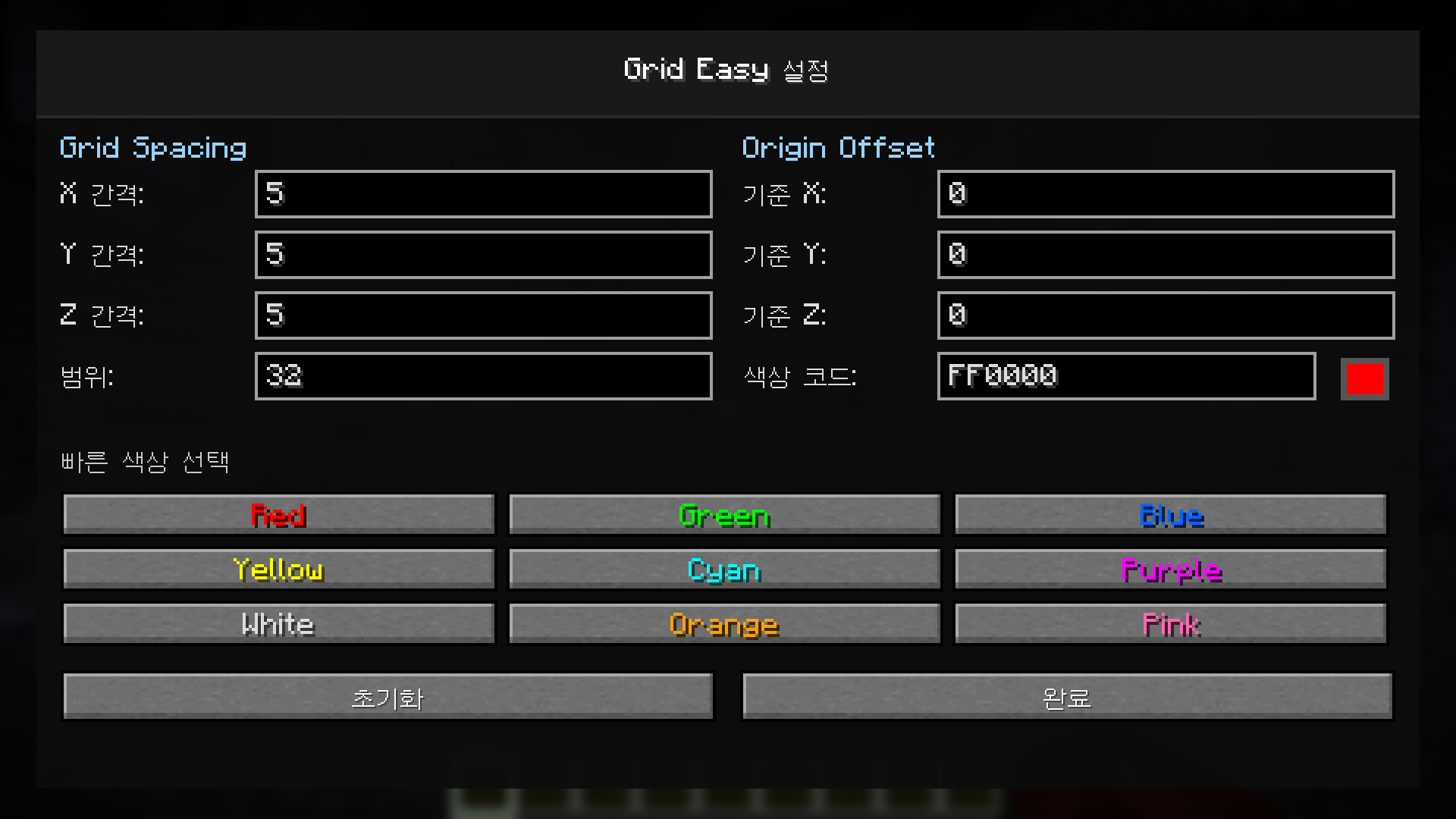
## 🎨 Grid Easy 1.1.1 - UI Polish Update
A small quality update focused on improving the configuration screen readability and overall visual polish.
---
## ✨ Improvements
### 🎨 Colored Preset Labels
- Color preset button labels now match their actual colors
- `Red` is displayed in red
- `Green` is displayed in green
- `Blue` is displayed in blue
- `Pink` is displayed in pink
- Other preset labels now visually match their grid color
### 🧼 Cleaner Config UI
- Improved visual clarity of the color preset section
- Made color selection easier to understand at a glance
- Slightly improved the overall polished feel of the settings screen
---
## 🐛 Bug Fixes
- Adjusted the `White` preset label color for better visibility on button backgrounds
---
## 🧠 Notes
- No gameplay behavior changes
- No rendering behavior changes
- Fully compatible with Grid Easy 1.1.0 settings
---
# 🇰🇷 Grid Easy 1.1.1 - UI 개선 업데이트
설정창의 가독성과 전체적인 시각적 완성도를 개선한 소규모 품질 개선 업데이트입니다.
---
## ✨ 개선 사항
### 🎨 색상 프리셋 글씨 색상 적용
- 색상 프리셋 버튼의 글씨 색상이 실제 색상과 맞도록 변경되었습니다.
- `Red`는 빨간색으로 표시됩니다.
- `Green`은 초록색으로 표시됩니다.
- `Blue`는 파란색으로 표시됩니다.
- `Pink`는 핑크색으로 표시됩니다.
- 다른 색상 프리셋도 실제 Grid 색상에 맞춰 표시됩니다.
### 🧼 더 깔끔한 설정 UI
- 색상 프리셋 영역의 가독성을 개선했습니다.
- 색상 선택을 더 직관적으로 확인할 수 있도록 개선했습니다.
- 설정창의 전체적인 완성도를 조금 더 다듬었습니다.
---
## 🐛 버그 수정
- `White` 프리셋 글씨가 버튼 배경에서 잘 보이도록 색상을 조정했습니다.
---
## 🧠 참고 사항
- 게임플레이 동작 변경 없음
- Grid 렌더링 동작 변경 없음
- Grid Easy 1.1.0 설정과 호환됩니다.
release
Grid 1.1.0
1.1.08 мая 2026 г.26Minecraft: 1.21.4fabric
Что нового
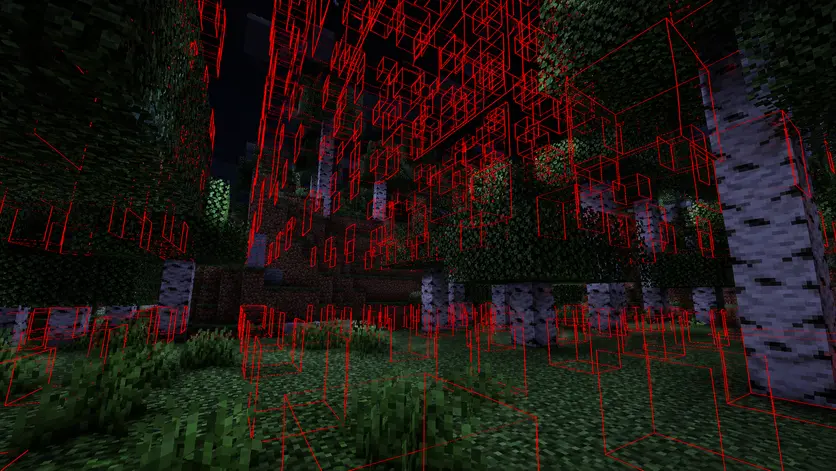##
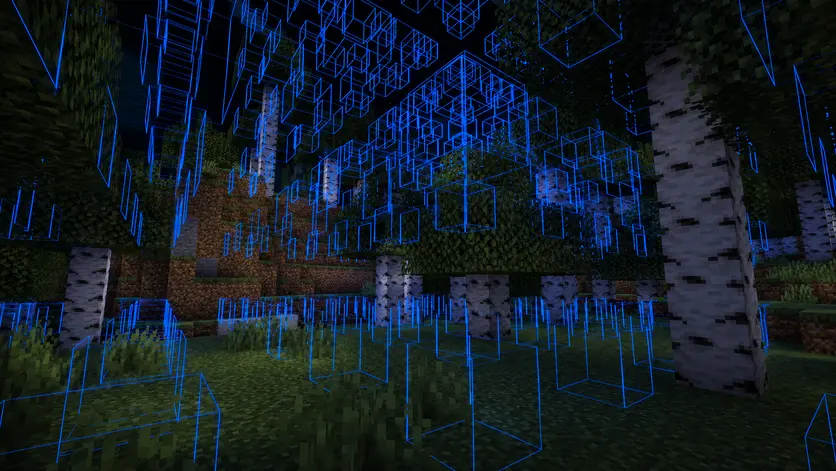
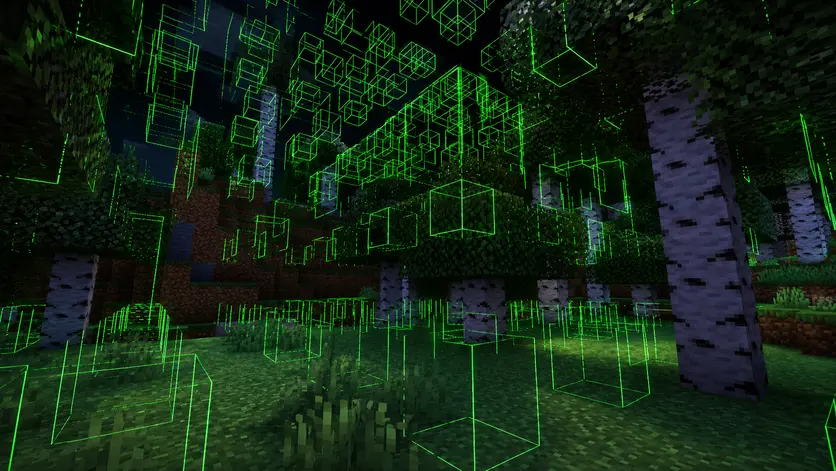
🚀 Grid Easy 1.1.0 - Advanced 3D Grid Update
A major feature update focused on 3D grid rendering, per-axis spacing control, improved origin behavior, and a cleaner configuration experience.
---
## ✨ New Features
### 🌐 Full 3D Grid Rendering
- Added full X / Y / Z axis grid rendering
- Grid now renders in 3D space instead of a single flat layer
- Improved support for vertical alignment and multi-level structures
- Better visualization for large builds, towers, interiors, and layered layouts
### 📏 Per-Axis Grid Spacing
- Added independent X axis spacing
- Added independent Y axis spacing
- Added independent Z axis spacing
- You can now create custom grid layouts such as:
- X 5 / Y 1 / Z 5
- X 16 / Y 4 / Z 16
- X 8 / Y 2 / Z 12
### 🎯 Relative Origin Offset System
- Added a cleaner relative origin offset system
- Origin values in the config screen now stay stable while moving
- Grid now uses the player’s current position as the base origin when enabled
- Relative offsets are applied correctly when toggling the grid
---
## 🎨 UI Improvements
- Redesigned the config screen with a cleaner two-column layout
- Added separate controls for X / Y / Z spacing
- Improved layout readability on different screen sizes
- Added a more polished and mod-like settings interface
- Grid now automatically turns OFF when opening the config screen
---
## ⚡ Performance & Stability
- Improved 3D render safety logic
- Updated render count protection for 3D grid usage
- Improved radius safety scaling with independent axis spacing
- Reduced unnecessary calculations during grid rendering
- Better protection against heavy Step / Radius combinations
---
## 🐛 Bug Fixes
- Fixed an issue where Origin values changed while the player moved
- Fixed an issue where saved Origin X / Y / Z values were not applied correctly
- Fixed an issue where the grid could appear at a fixed world position instead of near the player
- Fixed inconsistent config values when reopening the settings screen
- Fixed grid activation behavior after editing settings
---
## 🎮 Controls
| Key | Action |
|-----|--------|
| `.` | Toggle Grid ON / OFF |
| `,` | Open Config Screen |
| `[` | Decrease Grid Spacing |
| `]` | Increase Grid Spacing |
---
## 🧠 Notes
- Client-side only
- Safe for vanilla servers
- Fabric API required
- Mod Menu support included but optional
---
# 🇰🇷 Grid Easy 1.1.0 - 고급 3D Grid 업데이트
3D Grid 렌더링, X / Y / Z 축별 개별 간격 설정, Origin 동작 개선, 그리고 더 깔끔한 설정 UI를 중심으로 한 주요 기능 업데이트입니다.
---
## ✨ 신규 기능
### 🌐 완전한 3D Grid 렌더링
- X / Y / Z 축 기반 3D Grid 렌더링 추가
- 기존 단일 평면 Grid가 아닌 3차원 공간 Grid 지원
- 수직 정렬 및 다층 구조 설계 지원 향상
- 대형 건축, 탑, 인테리어, 층 구조 작업에 더 적합하도록 개선
### 📏 축별 개별 간격 설정
- X축 간격 개별 설정 추가
- Y축 간격 개별 설정 추가
- Z축 간격 개별 설정 추가
- 이제 다음과 같은 세부 Grid 구성이 가능합니다:
- X 5 / Y 1 / Z 5
- X 16 / Y 4 / Z 16
- X 8 / Y 2 / Z 12
### 🎯 상대좌표 Origin Offset 시스템
- 상대좌표 기반 Origin Offset 시스템 개선
- 플레이어가 이동해도 설정창의 Origin 값이 변경되지 않도록 수정
- Grid 활성화 시 플레이어 현재 위치를 기준 Origin으로 사용
- Grid ON/OFF 시 상대좌표 Offset이 올바르게 적용되도록 개선
---
## 🎨 UI 개선
- 설정창을 더 보기 좋은 2열 레이아웃으로 개선
- X / Y / Z 간격을 각각 조절할 수 있는 입력칸 추가
- 다양한 화면 크기에서 가독성 개선
- 더 깔끔하고 모드다운 설정 화면으로 개선
- Grid ON 상태에서 설정창을 열면 Grid가 자동으로 OFF 되도록 변경
---
## ⚡ 성능 및 안정성 개선
- 3D Grid 렌더링에 맞춘 안전 로직 개선
- 3D Grid 사용 환경에 맞게 렌더 개수 보호 로직 개선
- 축별 간격 설정에 맞춰 Radius 안전 보정 로직 개선
- Grid 렌더링 중 불필요한 계산 감소
- 낮은 Step / 높은 Radius 조합에서의 안정성 개선
---
## 🐛 버그 수정
- 플레이어 이동 시 Origin 값이 변경되던 문제 수정
- 저장한 Origin X / Y / Z 값이 제대로 적용되지 않던 문제 수정
- Grid가 플레이어 주변이 아닌 고정된 월드 위치에 생성되던 문제 수정
- 설정창을 다시 열었을 때 값이 일관되지 않게 보이던 문제 수정
- 설정 변경 후 Grid 활성화 동작이 어색하던 문제 수정
---
## 🎮 조작 방법
| 키 | 기능 |
|-----|------|
| `.` | Grid ON / OFF |
| `,` | 설정창 열기 |
| `[` | Grid 간격 감소 |
| `]` | Grid 간격 증가 |
---
## 🧠 참고 사항
- 클라이언트 전용 모드
- 바닐라 서버에서도 안전하게 사용 가능
- Fabric API 필요
- Mod Menu 연동 지원, 단 필수는 아님
release
Grid Easy 1.0.0
1.0.04 мая 2026 г.78Minecraft: 1.21.4fabric
Что нового
## 🚀 Grid Easy 1.0.0 - Initial Release
First public release of Grid Easy.
---
### ✨ Features
- Origin-based grid system
- Adjustable step (grid spacing)
- Adjustable render radius
- Custom color support + presets
- Real-time configuration UI
- Keybind controls for quick adjustments
---
### ⚡ Performance
- Optimized rendering loop
- Render count limit to prevent FPS drops
- Safe step/radius scaling to avoid overload
---
### 🎮 Controls
- `.` Toggle grid ON/OFF
- `,` Open config screen
- `[` `]` Adjust step size
---
### 🧠 Notes
- Client-side only (safe for servers)
- Works without Mod Menu (optional support included)
---
## 🇰🇷 Grid Easy 1.0.0 - 최초 출시
Grid Easy의 첫 번째 공개 버전입니다.
---
### ✨ 주요 기능
- 기준점(Origin) 기반 격자 시스템
- 간격(Step) 조절 가능
- 렌더 범위(Radius) 조절 가능
- 색상 커스터마이징 및 프리셋 제공
- 실시간 설정 UI (재접속 없이 적용)
- 키 바인드로 빠른 조작 지원
---
### ⚡ 성능 최적화
- 렌더링 루프 최적화
- FPS 저하 방지를 위한 렌더 개수 제한
- 과부하 방지를 위한 Step/Radius 자동 보정
---
### 🎮 조작 방법
- `.` Grid ON/OFF
- `,` 설정창 열기
- `[` `]` 간격 조절
---
### 🧠 참고 사항
- 클라이언트 전용 모드 (서버 영향 없음)
- Mod Menu 없이도 사용 가능 (연동 선택)