FlectoneGrowth
Lightweight plugin for player growth by played time
Описание
FlectoneGrowth
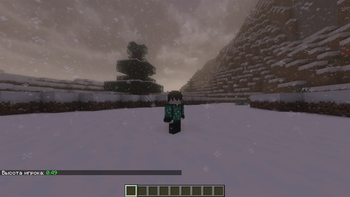
FlectoneGrowth is a Minecraft server plugin that grows a player's in-game height gradually over played time, instead of every player being the same fixed size from the moment they join. Height is applied through the vanilla scale attribute, so it works with any resource pack or skin and needs no client-side mod.
Features
Growth
- Gradual growth over played time. Each player grows from a configurable
minimum height toward a maximum, linearly, based on minutes actually
played — not wall-clock time, so it can't be cheesed by staying connected
AFK. Growth can also pause automatically while a player is boxed in by
solid blocks (
growth.pause-when-boxed-in). The check is cached per block position, so standing still costs nothing. - Fixed or randomized growth duration. Either every player takes the
same configured number of minutes to reach full height
(
growth.time-minutes), or — if a min/max range is configured instead (growth.time-min-minutes/growth.time-max-minutes) — each player is assigned their own random target on first join, persisted so it stays the same across restarts. - Per-gender height caps. Gender types are fully configurable in
gender.yml— add, rename, or alias as many as you like, each with its own maximum height — or turn the whole gender system off and use one shared cap for everyone. - Manual overrides. Players (or admins, for other players) can set an exact custom height at any time, which is then respected as-is instead of being overwritten by the growth curve. Custom heights are always kept within the configured bounds, including when changing gender or receiving a value synced from another server.
Networks and cross-server play
- Centralized playtime tracking. On a network sharing one database
(
network.sync-enabled: true), a player's growth-driving playtime is tracked centrally instead of separately per server, so splitting time between backend servers doesn't desync their growth. Two settings apply per server, not network-wide:network.per-server— track this server's played time in its own bucket instead of contributing to one network-wide total.network.include-server— whether time spent on this server counts toward growth at all; set tofalseon a hub/lobby so idling there doesn't help a player grow.
- Live cross-server sync. A lightweight Velocity proxy relay
(
minecraft/velocity) propagates height/gender changes between backend servers immediately, instead of players seeing stale values until they reconnect. Incoming values are clamped to the receiving server's limits. The database stays the single source of truth — sync is a latency optimization, not a requirement. Optional: skip the Velocity module on a single-server setup. Changingnetwork.sync-enabledrequires a restart (the plugin warns about this on reload). - FlectonePulse-aware. If FlectonePulse is installed, FlectoneGrowth
uses its stable API to reuse its server identifier, deliver messages
through its pipeline, and match its
<fcolor:N>color palette. It keeps working if FlectonePulse starts late or is restarted. Each part is toggled independently inintegrations.yml.
Storage
- Four backends: H2 (embedded, zero setup, the default), MySQL, MariaDB,
or plain YAML files — switch with
storage.type. - Configurable table prefix.
storage.database.table-prefix(defaultflectonegrowth, separator added automatically) lets a network sharing one physical MySQL/MariaDB/H2 database run more than one FlectoneGrowth instance against it without their tables colliding. Existing tables are renamed automatically the first time this changes. - Configurable connection parameters.
storage.database.paramslets you override the JDBC URL's query string (e.g.useSSL=true&characterEncoding=utf8) for MySQL/MariaDB instead of using the plugin's built-in defaults. - Crash-safe writes. YAML storage and config files are written through a temp file and an atomic rename, so a crash can't leave a truncated file.
- Automatic fallback. If the configured backend fails to connect on startup, FlectoneGrowth falls back to YAML storage and logs a warning instead of leaving the plugin half-broken.
- Fast lookups. Players are stored in a dedicated table with an indexed username, and join-time reads are combined into a single query.
Integrations
- PlaceholderAPI support. A rich set of
%flectonegrowth_*%placeholders covering current/min/max height (in meters and as a raw scale value), gender, growth percentage, time remaining, and custom-scale status — documented in-game via/papi info flectonegrowth. Works for offline players too (e.g. leaderboard/hologram plugins) without blocking the server thread. Gender, units and remaining time are shown in the viewer's own language. - API for other plugins. A typed, read-only Java API (
FlectoneGrowthAPI) registered through Bukkit'sServicesManager, exposing the same height/gender/growth-progress data as the placeholders above without needing PlaceholderAPI installed or string parsing. - Per-integration toggles.
integrations.ymllets you turn off PlaceholderAPI support, or any individual part of the FlectonePulse integration (color matching, server-id reuse, message dispatch), independently — without removing the other plugin. Everything defaults to on.
Messages and locale
- Localized messages. Bundled English and Russian translations, fully
MiniMessage-formatted so colors and styling are easy to customize; more
locales can be added by dropping in another
messages_<locale>.yml. - Per-player locale. Each player sees messages in their own Minecraft
client language when a matching translation file is bundled, falling back
to
config.yml's configuredlocaleotherwise (and for console senders). - Theme colors. Every message supports
<primary>/<secondary>theme-color tags, configurable once inconfig.ymlso the whole plugin can be reskinned from one place, alongside any of MiniMessage's own tags. Theme colors may be hex, legacy, or FlectonePulse's<fcolor:N>. - Clickable, hoverable messages. Command-syntax hints fill your chat
input when clicked, the
/growth summaryheader and the reload message can be clicked to run again, and the update notice contains a clickable download link. This also works on non-Paper servers. - One message per command. Multi-line output such as
/growth summaryarrives as a single chat message.
Operations
- Safe config/database migrations. Upgrading the plugin merges in newly
added config keys automatically without discarding your customizations or
comments, and applies any needed database schema changes. Config files are
backed up to
backups/first, and a file is never rewritten if its backup failed. - Update notifications. Checks GitHub once on startup for a newer
version; if one exists, warns in console and notifies players with
flectonegrowth.update-notify(default: op) on join. Disable entirely withupdate-checker.enabled: false. - Live reload.
/flectonegrowth reloadre-reads every config file and re-applies growth settings to already-online players, without a restart. It runs off the main thread, reports how long it took, and tells you if it failed (for example on a YAML syntax error). Overlapping reloads are serialized, and database setting changes apply without a restart. - Playtime import.
/flectonegrowth migrate playtimeimports every known player's vanilla playtime statistic into FlectoneGrowth's own tracking, adding to any existing record rather than overwriting it. - Quiet console. Failures are logged as one line with the root cause, identical errors are rate-limited to one per minute, and full stack traces only appear at FINE log level.
Supported platforms
| Module | Use when... |
|---|---|
minecraft/bukkit | Your backend server — works unmodified on Spigot, CraftBukkit, Paper, Purpur, and any other Bukkit-API server software. Detects Paper's native Adventure support at runtime and uses it automatically when available. |
minecraft/velocity | You run a Velocity proxy and want cross-server sync between backend servers. Optional — skip it on a single-server setup. |
Install minecraft/bukkit on every backend server. There is no BungeeCord
support; Velocity is the only supported proxy. Folia is not supported.
Commands
Usage hints are shown for a mistyped command and only list what applies to what you typed.
| Command | Description | Permission (default) |
|---|---|---|
/height <type> | Set your own custom height. | flectonegrowth.height (everyone) |
/height remove | Remove your custom height and resume natural growth. | flectonegrowth.height (everyone) |
/height set <player> <type> | Set another player's custom height. | flectonegrowth.height.others (op) |
/height remove <player> | Remove another player's custom height. | flectonegrowth.height.others (op) |
/gender <type> | Set your own gender. | flectonegrowth.gender (everyone) |
/gender set <player> <type> | Set another player's gender. | flectonegrowth.gender.others (op) |
/growth summary [player] | View height, gender, and growth progress. Works for offline players by username. | flectonegrowth.info (everyone) / .others (op) |
/growth height [player] | View height and growth progress only. | flectonegrowth.info (everyone) / .others (op) |
/growth gender [player] | View gender only. | flectonegrowth.info (everyone) / .others (op) |
/flectonegrowth reload (alias /fg reload) | Reload config/gender/messages without a restart. | flectonegrowth.admin.reload (op) |
/flectonegrowth migrate playtime (alias /fg migrate playtime) | Import vanilla playtime statistics into FlectoneGrowth's own tracking. | flectonegrowth.admin.migrate (op) |
flectonegrowth.update-notify (default: op) is not a command permission —
it controls who gets notified in-game about a pending plugin update.
Configuration
Each installed module ships with:
config.yml— server id, growth speed/curve, scale bounds, theme colors, storage backend (including table prefix/connection params), cross-server network settings, update checker.gender.yml— gender types, aliases, per-type max height.integrations.yml— per-integration on/off toggles (PlaceholderAPI, FlectonePulse and its submodules).localizations/messages_<locale>.yml— every player-facing message, one file per locale.
All four are commented in place and regenerate automatically if deleted.
Existing installs are migrated forward on version upgrades, with a
timestamped backup in backups/ first, without losing customizations or
comments.
Back up your database before upgrading across a schema change (for example from a version before 0.2.7). MySQL and MariaDB can't roll back a failed table change.
Галерея