COWMODSКаталог модов

Corpse: Refined

Your death leaves behind a corpse wearing your own skin, holding everything you had on you — recover it and your armor equips itself automatically. Left too long, it slowly decays down to bone.

Автор: nothurn12,6 тыс.1обновлён 7 сент. 2026 г.
ПриключенияХранениеУтилиты

Описание

Corpse: Refined

A quieter place to keep what you leave behind.

When you die, a corpse appears wearing your own skin and holding everything you had on you. Recover it, and your gear finds its way back to you — no digging through menus required.

Features

The corpse appears at your death location with your real player skin applied. It holds everything you had — general items, armor, and your offhand item — with no capacity limit.

Right-click the corpse to open it.
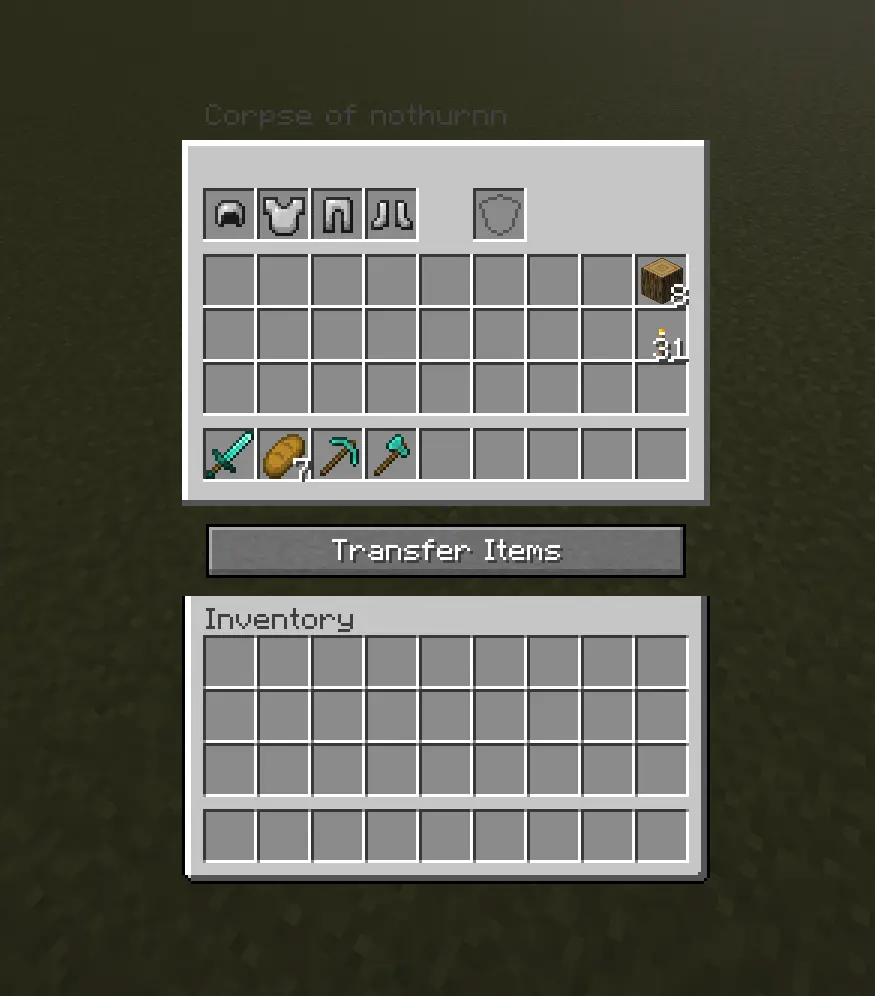
Screenshot of the Corpse: Refined inventory screen, titled "Corpse of nothurnn". The top row shows four armor slots (helmet, chestplate, leggings, boots) followed by a gap and a separate offhand slot. Below that is a 4-row storage grid holding a sword, a piece of bread, a pickaxe, an axe, a stack of wood, and a stack of gold nuggets, with the rest of the slots empty. A "Transfer Items" button sits below the storage grid, followed by the player's own empty inventory at the bottom.

When you recover your items, armor and your offhand piece re-equip themselves automatically — but only into slots that are currently empty, so nothing you're already wearing gets overwritten.
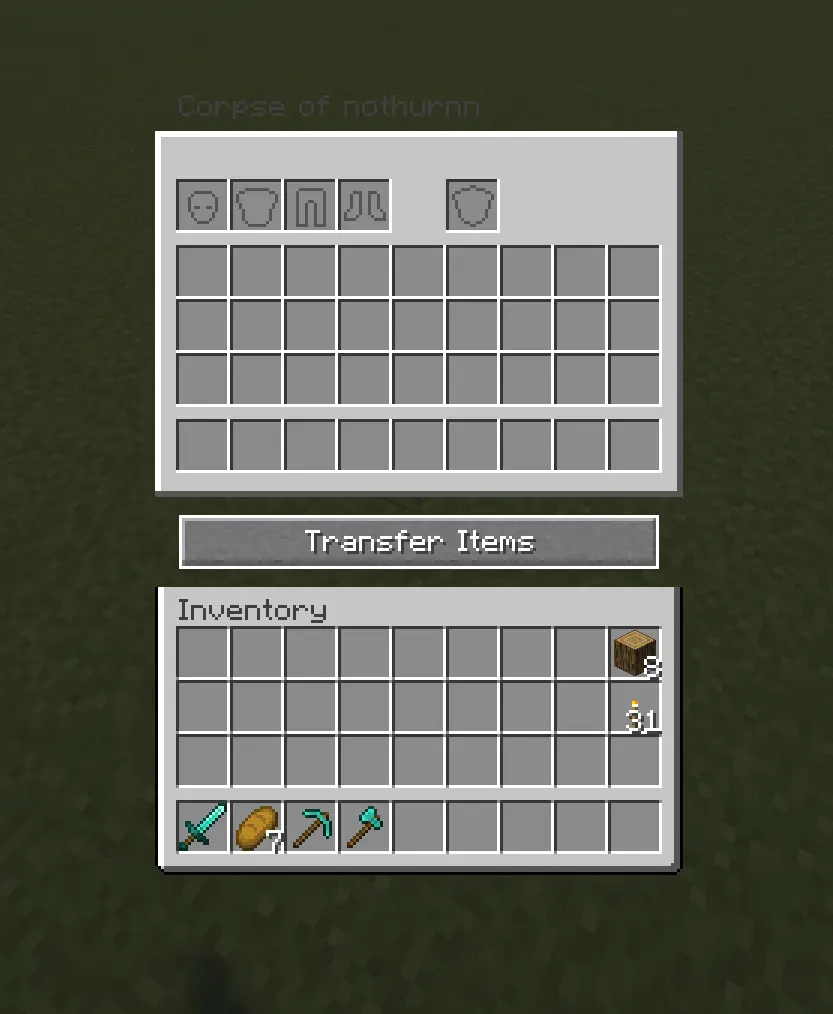
Screenshot of the Corpse: Refined inventory screen, titled "Corpse of nothurnn", shown while the corpse is empty. The top row shows four grayed-out placeholder icons for armor (helmet, chestplate, leggings, boots), a gap, and a separate grayed-out offhand slot. Below is an empty 4-row storage grid, a "Transfer Items" button, and the player's own inventory beneath it — mostly empty except a stack of 8 wood and a stack of 31 torches in the rightmost column, and a sword, 7 bread, a pickaxe, and an axe in the hotbar.

Corpses don't just disappear once emptied. A shroud slowly forms over the body, holds, then gradually wears away to reveal a skeleton underneath — your death site stays marked instead of vanishing.
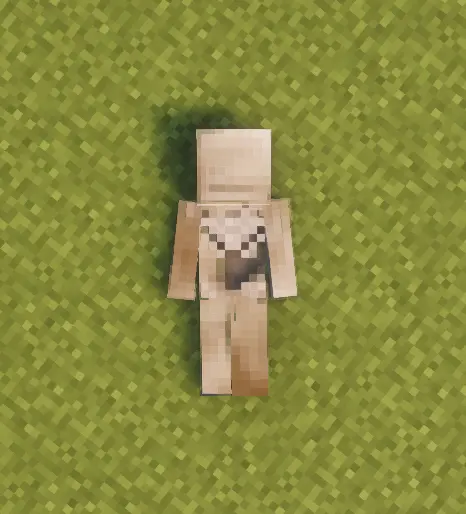
Top-down screenshot of a player corpse lying flat on grass, viewed from above. The body is oriented head-up, feet-down, lying face-up with arms spread slightly to the sides. The skin is a pale tan tone, with a lighter, whitish patch visible across the chest and upper abdomen — consistent with the early stage of the shroud forming over the body. A soft shadow is cast on the grass beneath the corpse.

Death History

Press C to view your past deaths — where, when, and what killed you.
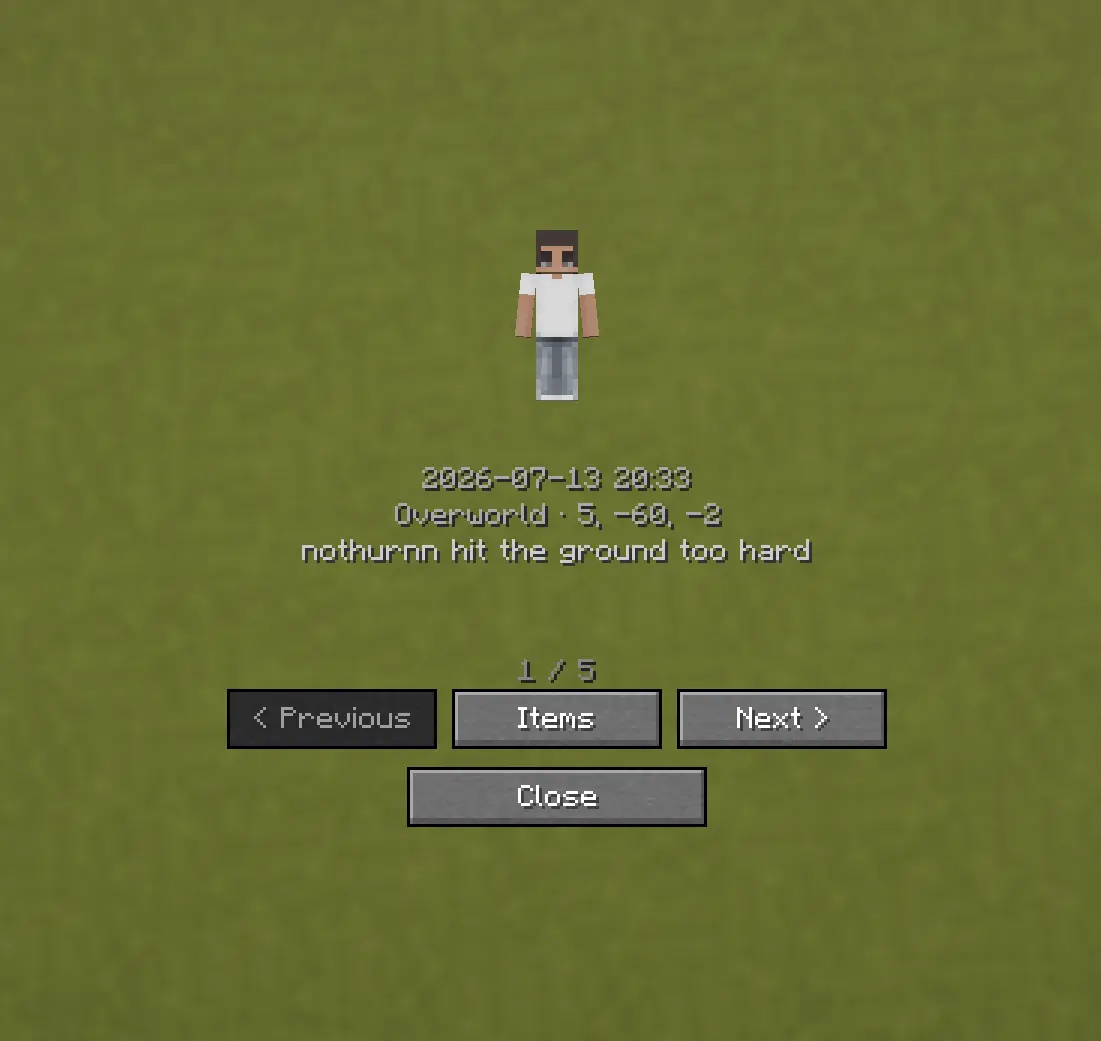
Screenshot of the Corpse: Refined Death History screen. It shows a default Steve-style skin preview, followed by the date and time "2026-07-13 20:33", the location "Overworld · 5, -60, -2", and the death cause "nothurnn hit the ground too hard". Below that, a page indicator reads "1 / 5", with Previous, Items, and Next buttons in one row, and a Close button beneath them.

Optional Features (Config Options)

  • How long the shroud takes to form (decay_ticks)
  • How long the shroud takes to wear away and reveal the skeleton (shroud_erosion_ticks)
  • Whether a forced hard despawn ever kicks in for very old corpses, and after how long (force_despawn_enabled, force_despawn_ticks) — disabled by default
  • [check PlayerCorpseConfig.java for anything else — e.g. owner-only access, lava/fire damage toggle — and add here if present]

Последние версии

Все версии →
release

Corpse: Refined 2.0.3 — NeoForge 1.21.1

2.0.3
7 сент. 2026 г.6,1 тыс.Minecraft: 1.21.1neoforge
Скачать
Что нового
Fixed the grave recovery menu so it closes when the grave is removed, replaced, or more than eight blocks away. This prevents items from being placed into a detached inventory after another player mines the grave.
release

Corpse: Refined 2.0.3 — Forge 1.20.1

2.0.3
7 сент. 2026 г.1,1 тыс.Minecraft: 1.20.1forge
Скачать
Что нового
Fixed the grave recovery menu so it closes when the grave is removed, replaced, or more than eight blocks away. This prevents items from being placed into a detached inventory after another player mines the grave.
release

Corpse: Refined 2.0.3 — Forge 1.19.2

2.0.3
7 сент. 2026 г.242Minecraft: 1.19.2forge
Скачать
Что нового
Fixed the grave recovery menu so it closes when the grave is removed, replaced, or more than eight blocks away. This prevents items from being placed into a detached inventory after another player mines the grave.
release

Corpse: Refined 2.0.2 — NeoForge 1.21.1

2.0.2
5 сент. 2026 г.225Minecraft: 1.21.1neoforge
Скачать
Что нового
Added Forge 1.19.2 and Forge 1.20.1 support alongside NeoForge 1.21.1. Grave markers are now persistent, breakable blocks that drop their stored items exactly once. A new Corpse Settings submenu lets server operators disable the creation of future grave markers without affecting existing graves. Improved corpse placement around fluids, held-item cleanup, ash-particle alignment, and the final skeleton-to-grave transition.
release

Corpse: Refined 2.0.2 — Forge 1.20.1

2.0.2
5 сент. 2026 г.27Minecraft: 1.20.1forge
Скачать
Что нового
Added Forge 1.19.2 and Forge 1.20.1 support alongside NeoForge 1.21.1. Grave markers are now persistent, breakable blocks that drop their stored items exactly once. A new Corpse Settings submenu lets server operators disable the creation of future grave markers without affecting existing graves. Improved corpse placement around fluids, held-item cleanup, ash-particle alignment, and the final skeleton-to-grave transition.
release

Corpse: Refined 2.0.2 — Forge 1.19.2

2.0.2
5 сент. 2026 г.15Minecraft: 1.19.2forge
Скачать
Что нового
Added Forge 1.19.2 and Forge 1.20.1 support alongside NeoForge 1.21.1. Grave markers are now persistent, breakable blocks that drop their stored items exactly once. A new Corpse Settings submenu lets server operators disable the creation of future grave markers without affecting existing graves. Improved corpse placement around fluids, held-item cleanup, ash-particle alignment, and the final skeleton-to-grave transition.
release

Corpse: Refined 2.0.1

2.0.1
29 авг. 2026 г.108Minecraft: 1.21.1neoforge
Скачать
Что нового
# Changelog All notable changes to Corpse: Refined are documented here. ## 2.0.1 - 2026-08-30 Minecraft 1.21.1 / NeoForge 21.1 ### Added - Ash particles and a small ash pile now accompany the final skeleton decay. - Configurable environmental decay: water speeds decay up and freezing biomes slow it down. - Server owners can optionally leave an empty memorial grave marker after decay; this remains disabled by default. ### Changed - The default full decay cycle now lasts 15 minutes under normal conditions. - Exact former 10.5- and 30-minute default presets are migrated to the new timing, while custom phase timings remain untouched. - Skeleton decay now uses progressive pixel erosion instead of shrinking, hiding, or deforming whole body parts. - Empty corpses still complete their shortened decay without creating a grave marker by default. Corpses containing loot continue to transfer it safely into a grave marker at the end. ### Fixed - Corpses no longer spawn submerged in lava or water solely because the fluid block has no solid collision shape. - The complete lying-corpse hitbox is checked during placement, preventing corpses from intersecting nearby walls. - Unsafe saved corpses and grave markers are relocated to a nearby dry position when their chunk loads. - Death History and overflow drops now use the corpse's verified final position. - The skeleton skull no longer gains a second outer shell, samples the ash-pile texture, changes shape, or moves independently during decay. - The first ash stage now matches the intact skeleton, removing the visual pop at the start of the ash phase. - Skeleton pixels retain their bone colour until they erode instead of gaining a pale overlay. - The corpse direction arrow disappears immediately when the tracked corpse is opened, including after reconnecting. ### Recovery and verification - Existing inaccessible corpses and grave markers are recovered automatically when possible, provided the entity still exists in the world. - Confirmed in game: a corpse created by dying in lava spawned safely beside the lava lake and remained visible and accessible. - Verified with a clean Gradle build, texture regression checks, and placement checks for lava, wall intersections, unsupported fluid pools, and saved grave markers.
release

Corpse: Refined 2.0.0

2.0.0
24 июл. 2026 г.4,8 тыс.Minecraft: 1.21.1neoforge
Скачать
Что нового
- Fixed: armor and held items equipped at death weren't rendering on the corpse. - New: Death History now shows your live distance to each corpse. - New: an optional HUD arrow points toward your most recent corpse — disappears once you open it or it fully decays. Toggle it off in the config if you'd rather not have it.
release

Corpse: Refined 1.0.0

1.0.0
14 июл. 2026 г.43Minecraft: 1.21.1neoforge
Скачать
Что нового
## Corpse: Refined 1.0.0 Initial release. **Features** - On death, a corpse spawns wearing your own real player skin and holding everything you had on you — general items, armor, and your offhand item - Armor and your offhand item are visibly worn on the corpse itself, and automatically re-equip when you recover your items — only into slots that are currently empty, nothing you're already wearing gets overwritten - Items return to their original inventory slots, both at the moment of death and when you transfer them back — your layout stays exactly as it was - Death History screen (default key: **C**) shows where, when, and how you died, with quick teleport and recovery for any past death - Corpses left unclaimed don't just disappear: a textured shroud gradually forms over the body, holds briefly, then tears away in stages — including across the face — to reveal a real skeleton underneath. Your death site stays marked instead of vanishing - The corpse holds a correct, lying-down hitbox that matches how it actually looks on the ground, and stays in a fixed, static pose — no idle animation - Corpses can't fall into the void, don't count toward the mob cap, and don't take fire/lava damage - No shadow is cast, keeping the corpse from standing out unnaturally **Config** - Decay timing: how long the shroud takes to form and how long it takes to fully erode into a skeleton -