
CC: HUD Glasses
What the computer writes to the modem is visible to the player in the glasses.
Автор: semakol8,6 тыс.12обновлён 1 сент. 2026 г.
СнаряжениеТехнологии
Описание
CC: HUD Glasses
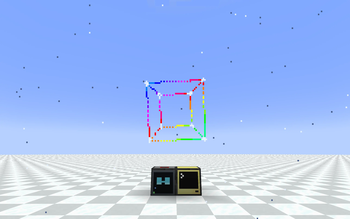
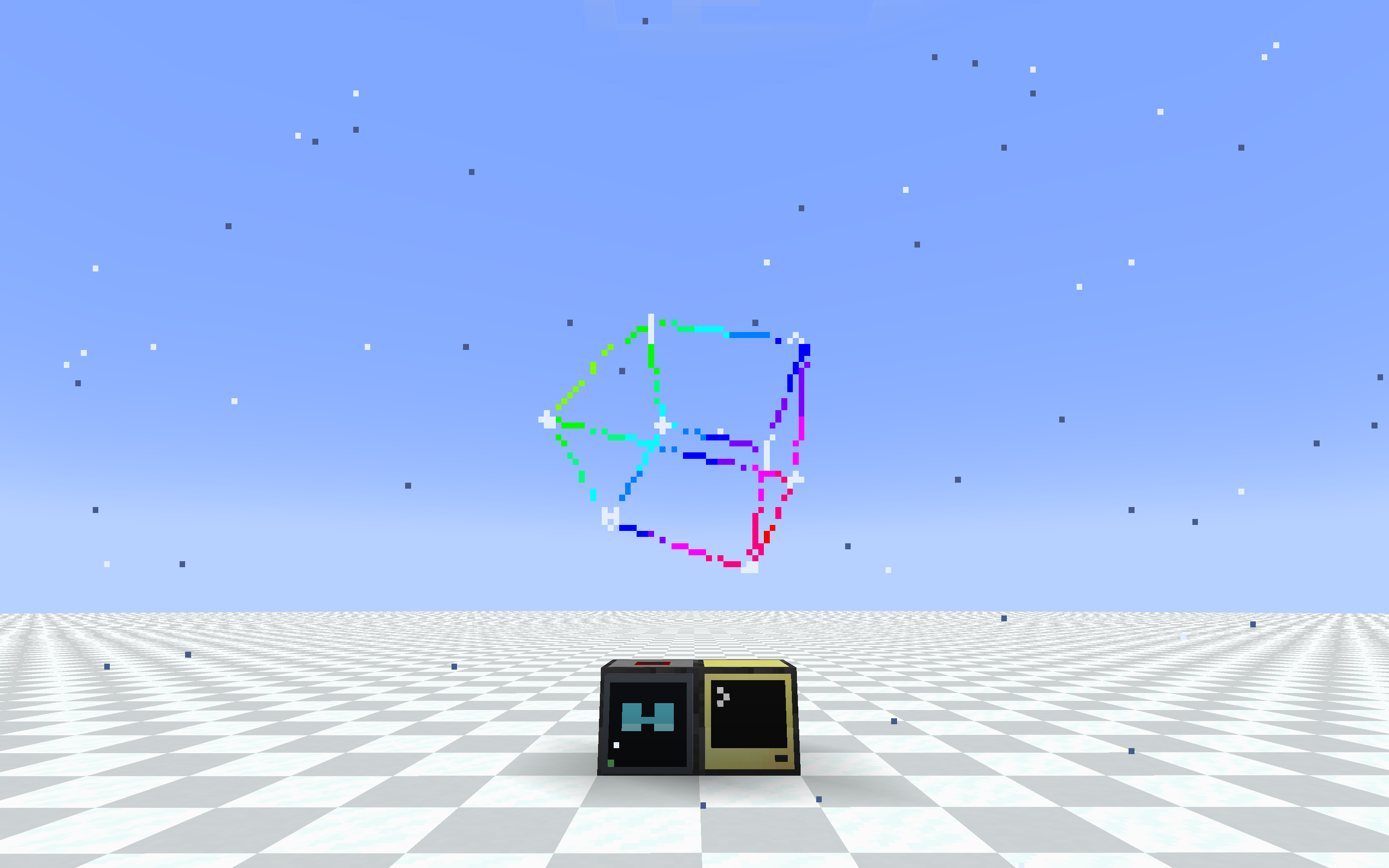 3d cube
Wear a ComputerCraft monitor on your face. A pair of glasses and a special modem
let any computer draw a heads-up display straight onto a player's screen, using
the same monitor/term API you already know.
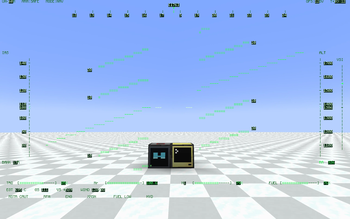
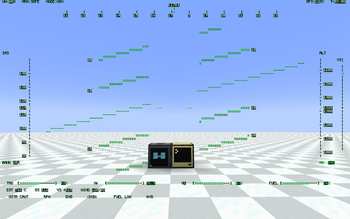
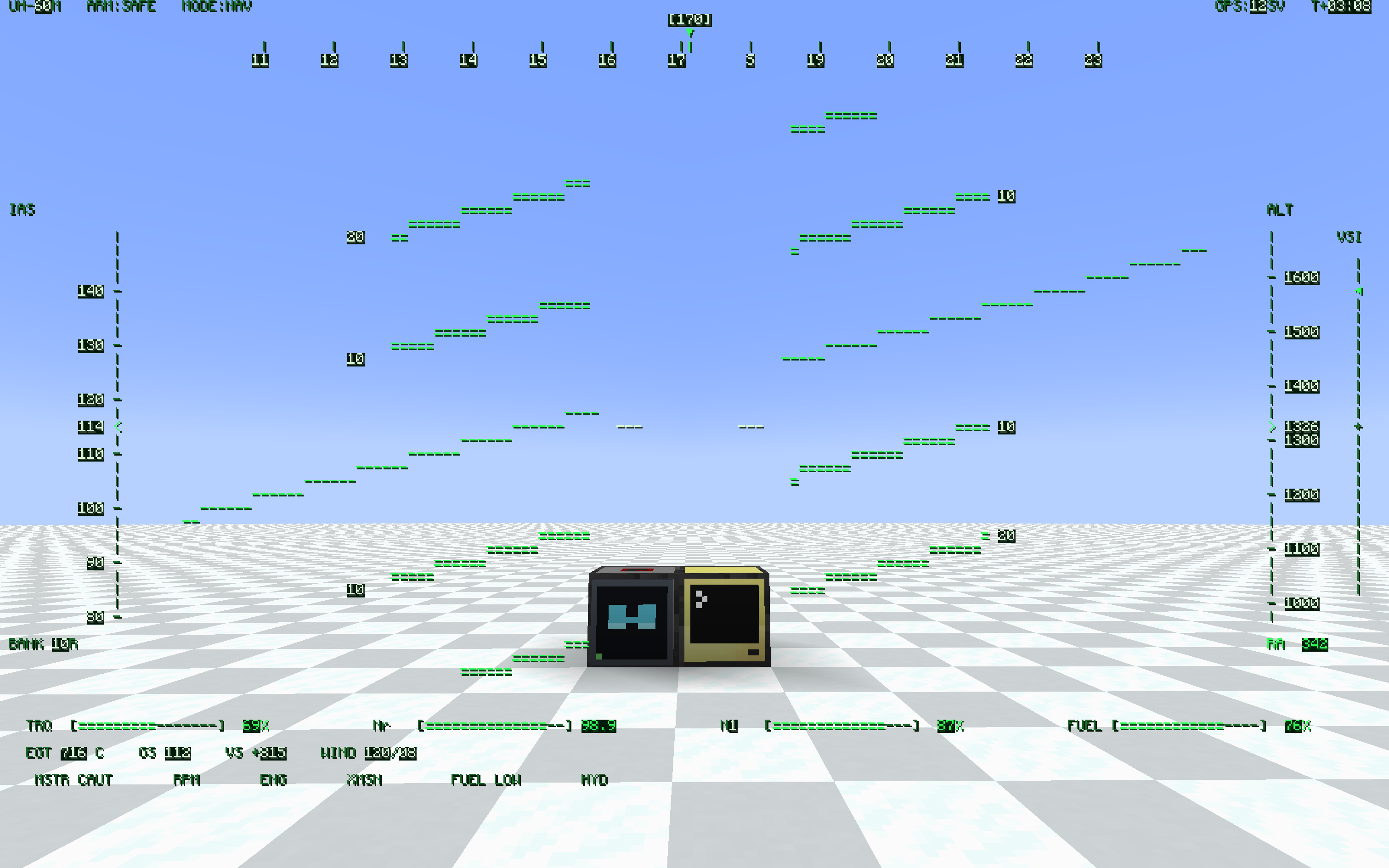 helicopter hud with shadow
What it does
- HUD Glasses — worn in the helmet slot (or a Curios slot). Whatever the bound modem outputs is drawn as a full-screen overlay.
- HUD Modem — a ComputerCraft peripheral (
type = "hud_glasses"). Wire it to a computer like any other peripheral and write to it like a monitor. - Binding lives on the glasses. Right-click a modem with the glasses in hand and they're bound to it. Hand the glasses to a friend and the HUD goes with them. Any number of players can watch the same modem.
local hud = peripheral.find("hud_glasses")
hud.setBackgroundColour(0)        -- transparent background
hud.setTextColour(colors.lime)
hud.setCursorPos(1, 1)
hud.write("Hello, HUD!")
If you've ever written a monitor program, you already know this peripheral.
Features
- Monitor-compatible API: write, blit, clear, scroll, setCursorPos, setTextColour, setBackgroundColour, setPaletteColour, getSize, and more. Most monitor scripts run unchanged.
- Transparent background — setBackgroundColour(0) (or
-in blit) lets the world show through, so the HUD overlays the game instead of covering it. - Pixel-perfect CC font — reuses CC: Tweaked's own glyph sheet, so all 256 characters (box-drawing, sub-pixel blocks, arrows) look exactly like a real terminal.
- Runtime resolution — setSize(w, h) from Lua, or set defaults in the config. Fewer cells means bigger text. Choose how the grid maps to the screen: FIT (keep aspect, letterbox), STRETCH (fill the screen), or COVER (fill + crop).
- Shared screens — bind several glasses to one modem and everyone sees the same display. Good for team status boards, base alarms, and shared coordinates.
- Place anywhere — the modem mounts on any block face (floor, wall, ceiling), screen facing out.
- Portable HUD — craft a pocket computer together with a HUD Modem to give it the HUD upgrade, and carry the display with you. Same hud_glasses peripheral; bind your worn glasses to it with sneak + right-click (a plain right-click still opens the terminal).
- HUD + ender modem in one slot — a pocket computer only has one upgrade slot, so craft a HUD Ender Modem (HUD Modem + Ender Modem) and fit it to the pocket: one peripheral that is both screen and radio. rednet works on it, peripheral.find("hud_glasses") finds it, and the modem half is interdimensional. Servers can turn the recipe off in config.
- In-game config — edit settings from the Mods list "Config" button, or bind a key to jump straight to the client settings.
- Toggle key — press H to hide or show the HUD; the setting persists.
- Optimized rendering — batched draws and a server-side payload cache keep the overhead low even for large, frequently-updated displays.
Requirements
- NeoForge 1.21.1
- CC: Tweaked 1.119.0 or newer (required)
Optional integrations
- Curios — adds a dedicated Glasses accessory slot so the glasses don't occupy your helmet. Works with the vanilla helmet slot too; the glasses render on the head either way.
- Create: Aeronautics / Sable — the binding uses a stable modem ID and a Sable-aware distance check, so the HUD keeps working when the modem rides inside a flying sub-level. Sable Companion is bundled, so there's nothing extra to install.
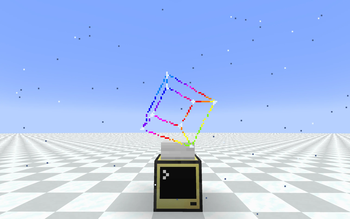
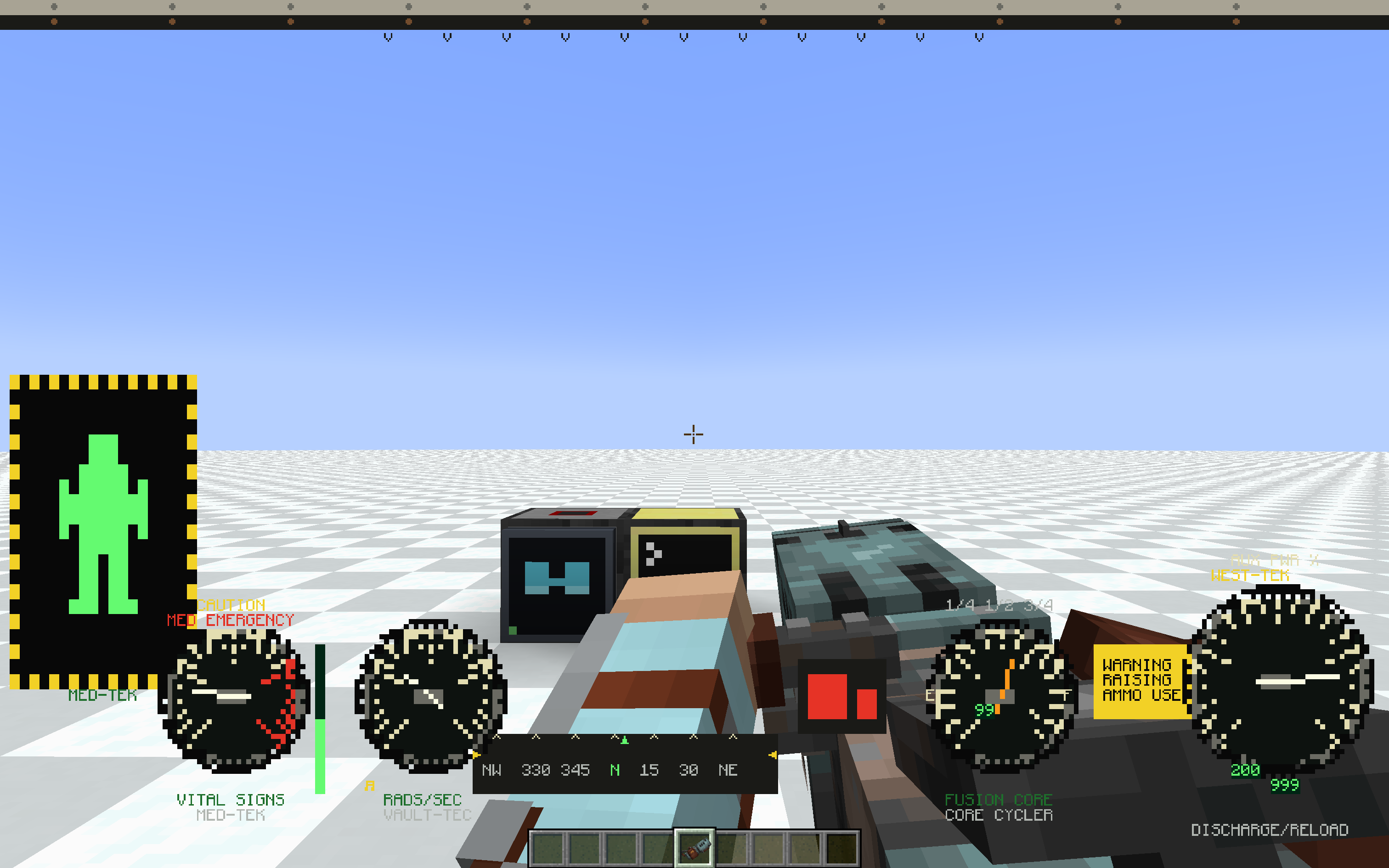 power armor hud with weapon
Configuration
Server (hudglassescc-common.toml, applied live):
- hudWidth (default 80) — default grid width in characters
- hudHeight (default 28) — default grid height in characters
- maxRangeBlocks (default -1) — max modem-to-player distance in blocks, -1 means unlimited
- allowPocketHudEnderCraft (default true) — whether the HUD Ender Modem can be crafted. false removes the recipe entirely; pockets that already have the upgrade keep working
Client (hudglassescc-client.toml, per-player):
- hudEnabled (default true) — render the HUD, toggle with the H key
- hudFit (default FIT) — how the HUD scales to the screen: FIT (keep aspect, letterbox), STRETCH (fill, may distort), COVER (fill, crops overflow)
- textShadow (default NONE) — text shadow style: NONE / SHADOW / OUTLINE (experimental)
- textShadowLayer (default OVER_BACKGROUND) — whether the shadow/outline is drawn over or under the cell backgrounds (experimental)
- fastGlyphRendering (default true) — draw HUD text from cached glyphs, much faster at large HUD sizes. Turn off only if another mod's text rendering conflicts with it
Status
Beta. Core features are in and stable, but expect rough edges and breaking changes while the mod settles. Bug reports and feedback are welcome.
Галерея
Последние версии
Все версии →beta
CC: HUD Glasses 0.1.4-beta
0.1.4-beta1 сент. 2026 г.2,9 тыс.Minecraft: 1.21.1neoforge
Что нового
- **OUTLINE text shadow is much cheaper.** It used to draw every glyph five times (four
black copies plus the glyph). The mod now ships a pre-dilated copy of the font atlas,
so the outline is a single black draw and OUTLINE costs two draws per glyph instead of
five. It looks identical: dilating a glyph by 1px in four directions is exactly what the
four offset copies produced, and the font is 1-bit pixel art so nothing blurs. If the
outline atlas ever fails to load, the old four-copy path still runs.
- **The F3 debug screen, chat and the player list now draw on top of the HUD.** The
overlay used to sit above every other GUI layer, so a full-screen HUD buried them with
no way to read them short of switching the HUD off. It now renders just below the debug
overlay instead.
- **Much faster rendering at large HUD sizes.** The glyph pass no longer goes through
`Font#drawInBatch` per cell, which allocated twice and re-resolved the font set, glyph
info, baked glyph and style for every character, every frame. Glyphs are now baked
once and their vertices written straight into the batch, so the pass is allocation-free
and the palette is unpacked once per frame instead of once per cell. This scaled with
cell count, so the bigger the HUD the bigger the win (`setSize(256, 96)` was hit hardest).
New client setting `fastGlyphRendering` (default `true`) turns this off again if another
mod's text/HUD rendering conflicts with it.
beta
CC: HUD Glasses 0.1.3-beta
0.1.3-beta18 июл. 2026 г.3,7 тыс.Minecraft: 1.21.1neoforge
Что нового
- **HUD on a pocket computer.** Craft `pocket computer + HUD Modem` to give it the HUD
upgrade — the same `hud_glasses` peripheral, but portable. Bind your **worn** glasses
to it with **sneak + right-click** (a plain right-click still opens the terminal).
Modem blocks and pocket computers share one id space, so switching sources is just
right-clicking whichever you want, and the glasses never come off.
The pocket's buffer size is per-session; its id persists.
- **HUD + Ender Modem in one upgrade slot.** A pocket computer has only one slot, so a
HUD-only upgrade would leave it with no networking. Craft a **HUD Ender Modem**
(`HUD Modem + Ender Modem`) and fit it to a pocket computer for a peripheral that is both:
its primary type is `modem` (so `rednet.open("back")` works) with `hud_glasses` as an
additional type (so `peripheral.find("hud_glasses")` finds the same object). The modem
half is interdimensional and supports `open`/`isOpen`/`close`/`closeAll`/`transmit`/
`isWireless` plus `modem_message` events. Fitting it uses CC's own upgrade recipe, so
the computer's id and files are preserved; removing it returns the item.
- New server config `allowPocketHudEnderCraft` (default `true`) — set `false` and the
HUD Ender Modem recipe is removed outright (gone from JEI, item unlisted). Pockets that
already have the upgrade keep working. Read at recipe load, so it needs a `/reload`.
- Fixed `getBackgroundColour()` returning `0` when the background was transparent. `0`
isn't a valid CC colour, which broke term-compatible libraries (e.g. More Fonts) that
map the result through a colour table and got `nil`. It now reports `colors.black`;
`setBackgroundColour(0)` still sets transparency.
beta
CC: HUD Glasses 0.1.2-beta
0.1.2-beta17 июн. 2026 г.1,5 тыс.Minecraft: 1.21.1neoforge
Что нового
- Computers can now override a viewer's display settings per modem from Lua: setTextShadow, setHudFit, setShadowLayer (plus getters). Each accepts "auto" (the default), which defers to the player's own config. Overrides apply to everyone wearing glasses bound to the modem, persist with the modem, and never modify any player's config file.
- New client setting "Shadow layer" (textShadowLayer): choose whether the text shadow/outline is drawn OVER_BACKGROUND (default) or UNDER_BACKGROUND — under the cell backgrounds, so it only shows where it bleeds past an opaque cell.
beta
CC: HUD Glasses 0.1.1-beta
0.1.1-beta13 июн. 2026 г.203Minecraft: 1.21.1neoforge
Что нового
- Modem can now be placed on any block face (floor, wall, ceiling) — it orients to the surface, screen facing out.
- Modem has its own flat model and custom textures (no longer using the iron block look).
- Empty-hand right-click on a modem now binds/unbinds the glasses you're already wearing (helmet or Curios slot) — no need to take them off.
- New "Screen fit" setting: FIT (default, letterbox), STRETCH (fill screen), COVER (fill + crop).
- Mod config is now editable from the Mods list "Config" button.
- New keybind "Open settings" (unbound by default) opens the client config directly.
- Toggle HUD default key changed from G to H.
- Added a mod icon.
beta
CC: HUD glasses 0.1.0-beta
0.1.0-beta7 июн. 2026 г.165Minecraft: 1.21.1neoforge