

WFinder
A simple ore finder mod that helps players locate nearby ores easily with a smart compass. 🧭✨
Автор: woztgaming3460обновлён 13 авг. 2026 г.
ПриключенияСнаряжениеТехнологии
Описание

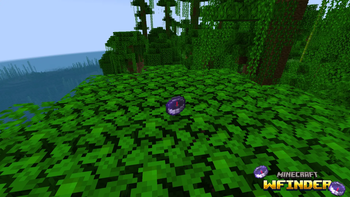
WFinder is a handy Minecraft mod that adds a custom directional compass to help you locate hidden ores effortlessly! 💎⛏️
✨ Key Features
- ⛏️ Deepslate Supported: Detects both standard blocks and deepslate variants (Diamond, Gold, Iron, and Ancient Debris).
- 📡 40-Block Detection Radius: Quickly scans nearby blocks up to a 40-block radius.
- ⌨️ Easy Selection Menu: Hold the compass in your hand and press
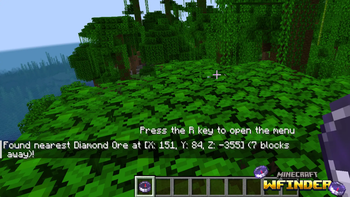
Rto choose your target ore. - 📍 Exact Coordinates: Displays exact coordinates and distance directly in your action bar/chat.
🎮 How to Use
- Hold the WFinder Compass in your main hand.
- Press
Rto open the Ore Selection Screen. - Choose the ore you want to find.
- Follow the coordinates to find your ore! 🚀
📥 Installation Guide
🟢 For Fabric:
- Download and install Fabric Loader.
- ⚠️ REQUIRED: Download Fabric API and put the
.jarfile into your.minecraft/modsfolder! - Download WFinder (Fabric version) and place it into your
.minecraft/modsfolder.
🟠 For Forge:
- Download and install Minecraft Forge.
- Download WFinder (Forge version) and place it into your
.minecraft/modsfolder.
Галерея
Последние версии
Все версии →release
WFinder 1.0.0
1.0.013 авг. 2026 г.235Minecraft: 1.20.1forge
Что нового
### 🎉 Initial Release (v1.0.0)
- 🧭 Added WFinder Ore Compass item.
- 💎 Supports Diamond, Gold, Iron, and Ancient Debris (including Deepslate variants!).
- 📡 40-block detection radius.
- ⌨️ Press `R` while holding the compass to open the selection GUI.
release
WFinder 1.0.0
1.0.013 авг. 2026 г.111Minecraft: 1.20.1fabric
Что нового
### 🎉 Initial Release (v1.0.0)
- 🧭 Added WFinder Ore Compass item.
- 💎 Supports Diamond, Gold, Iron, and Ancient Debris (including Deepslate variants!).
- 📡 40-block detection radius.
- ⌨️ Press `R` while holding the compass to open the selection GUI.