VexFPS
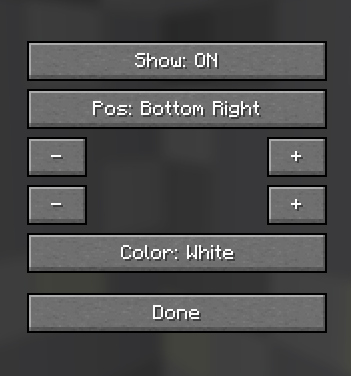
A lightweight client-side FPS counter with customizable position. Toggle display with U, open position GUI with J
Описание
VexFPS
VexFPS is a lightweight and minimalist FPS counter for Minecraft Fabric. It displays your current frames per second directly on the screen with a clean design and virtually no performance impact.
Designed for players who want a simple FPS display without opening the F3 debug screen.

Features
- Lightweight client-side FPS counter
- Clean and minimal HUD
- No backgrounds or unnecessary UI elements
- Fully customizable position
- Multiple color presets
- Automatic settings saving
- Smart auto-hide with the F3 screen
- Optimized for maximum performance
Display
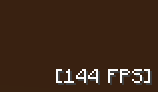
The FPS counter is displayed in a simple format:
[144 FPS]
The text includes a shadow for improved readability while keeping the interface clean and unobtrusive.
Customization
Customize the HUD to match your preferences.
Available options:
- Enable or disable the FPS counter
- Move the counter anywhere on the screen
- Choose from multiple anchor positions
- Adjust X and Y offsets
- Select one of 8 text colors
Available colors:
- White
- Red
- Green
- Blue
- Yellow
- Cyan
- Pink
- Orange
All settings are saved automatically.
Default Hotkeys
U — Toggle the FPS counter
J — Open the settings menu
Both keybindings can be changed in Minecraft's Controls menu.
Smart Features
- Automatically hides while the F3 debug screen is open
- Works on every world and server
- Runs entirely on the client
- Safe for multiplayer servers
Performance
VexFPS is designed to be as lightweight as possible.
Performance optimizations include:
- FPS updates every 250 ms
- Minimal CPU usage
- Minimal memory usage
- Virtually zero performance impact
Installation
- Install Fabric Loader.
- Install Fabric API.
- Place the VexFPS
.jarfile into the mods folder. - Launch Minecraft.
The FPS counter appears in the bottom-left corner by default.
Compatibility
- Minecraft 1.21.11
- Fabric Loader
- Client-side
- Singleplayer
- Multiplayer
Requirements
- Fabric API
Галерея