COWMODSКаталог модов

Ultimate Weapons

A datapack that adds fun items from major Minecraft servers

Автор: akastrmix8204обновлён 25 июл. 2025 г.
СнаряжениеУтилиты

Описание

Description

Ultimate Weapons introduces powerful and highly customizable items for Minecraft 1.21.4+ that draws inspiration from major Minecraft servers, especially Hypixel, and aims to minimize performance impact by avoiding the use of tick functions.

How to use

Get item

To obtain an UWS item, simply run this command:

/function uws:get_item/<item_name>

Currently, there are 14 available items, and more unique ones will be coming in future updates. All items are now only obtainable through commands, so as to give server admins full control over how items are distributed and utilized, allowing for flexible adaptation to gameplay without directly affecting mechanics through predefined recipes.

For the documentation of all UWS items, visit this page.

Customize item / effect

UWS items are driven by UWS effects that are customizable and independent, meaning the effects are not bound to a specific item and you have full control over their application, making things possible like stacking as many effects as you like onto an item. These effects are usually triggered through enchantments, advancements, or consumable components. Each UWS item is associated with a unique UWS effect. Visit this page for the full documentation of all UWS effects.

To customize an UWS item / effect, first use this command:

/function uws:get_item_config/<item_name>

This will give you two command blocks with name <item_name> Template and <item_name> Modifier. The <item_name> Template block is responsible for giving you an UWS item whilst allowing you to tweak its effects by editing its arguments, while the <item_name> Modifier lets you modify the effects of your held item.

  • In Template block: Inside this block, look for this data:
"minecraft:custom_data":"{uws_effects:{<effect_name>:{key1:value,key2:value,...}}}"

The <effect_name> refers to the effect that will apply to this item; in this case, it is the effect that the UWS item is associated with. You can customize it by editing the value of specific fields in the object. A complete list of effect fields and their details can be found on the wiki.

Once you've finished editing, activate the command block to receive the customized version of the target UWS item.

  • In Modifier block: Inside this block, look for the this data:
"minecraft:set_custom_data","tag":"{uws_effects:{<effect_name>:{key1:value,key2:value,...}}}"

This is similar to above. Modify the value of a given field in the object, then activate it to apply the changes to your held item's effect. This also ensures the item gains the necessary trigger to activate the effect.

[NOTE] Customization will only work if all arguments of the effect are complete and correctly formatted. Missing or incorrectly formatted arguments could result in all values falling back to their default ones when triggering the effect.

Apply effect to other item

To apply an UWS effect to your held item, use the command below:

/function uws:set_effect/<effect_name>

If you're not sure which effect is associated with which item, use this command to get the effect info of your held item:

/function uws:help/lookup_held_item
Manage effects

Ban an UWS effect:

/function uws:ban_effect/<effect_name>

This will prevent the effect from being triggered. For blocks or items that are consumable, this also cancels their placement or consumption.

Unban an UWS effect or clear banlist:

/function uws:unban_effect/<effect_name>
/function uws:unban_effect/all
Adjust your preferences

Whether or not you have permission, you can use this command to view available options and adjust settings such as language, cooldown displays, and more:

/trigger uws_options

Add set <number> at the end of the command to target a specific option.

Notes

  • Ultimate Weapons requires a persistent entity and a forceloaded chunk to function properly. Please avoid killing all entities (use /kill @e[tag=!uws.persistent] instead) or removing all forceloaded chunks in the overworld.
  • Ultimate Weapons overrides vanilla loot tables to implement some advanced features, so it's advisable to ensure there are no conflicts with other packs.
  • If you need to uninstall the datapack, you can use /function uws:unload to remove all traces left by it (player database not included).

Supported languages

Ultimate Weapons supports the following languages (covering text messages and UWS item lores):

  • English
  • Simplified Chinese
  • Cantonese (Hong Kong)
Switch language

Set default language:

/function uws:language/default/<lang>

Set your preferred language:

/function uws:language/prefer/<lang>

*The language for item lores may not update immediately after switching.

Галерея
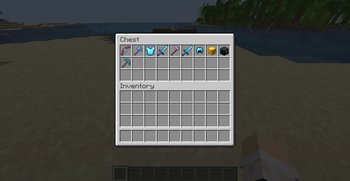
Items

Последние версии

Все версии →
release

Ultimate Weapons v1.1.1

1.1.1
25 июл. 2025 г.366Minecraft: 1.21.5, 1.21.6, 1.21.7, 1.21.8datapack
Скачать
Что нового
### Addition - Added new `/function uws:reload` command for quickly unloading and reloading the datapack. - Added new `/function uws:version` command for checking the current version info. ### Changes - Removed quotation marks from `deactivate_conditions` values for the **Shadow Step** effect. ### Fixes - Fixed Cooldown Display keeping showing 0.0 seconds. - Fixed missing translations for some messages in Cantonese (Hong Kong). - Fixed `force_origin_view` argument in Voidbox config being incorrectly set to true. - Fixed Homing effect arrows targeting players in Creative or Spectator.
release

Ultimate Weapons v1.1

1.1
4 мая 2025 г.86Minecraft: 1.21.5, 1.21.6, 1.21.7, 1.21.8datapack
Скачать
Что нового
Ultimate Weapons is now based on **Minecraft 1.21.5**. ### Addition - Added new **Cooldown Ready Notifications** system, which is intended to notify you when your weapon’s effect cooldown expires and is ready to be activated again, off by default and can be turned on in Options. - Added new `/function uws:help/lookup_held_item` command for viewing details of your held UWS item. ### Changes - Added new `valid_blocks` field for the **Shatter** and **Raze** effect. - Added new `mode` field for the **Raze** effect. - Added new `force_origin_view` field for the **Anchor** effect. - Now teleporting with **Anchor** effect no longer forcefully changes your rotation to the one you had when placing the first Anchor block by default. - Renamed field `healing_percentage` to `heal_percentage` for the **Lifesteal** effect. - Lightning Immunity in **Lightning Strike** effect now utilizes saddle slot to take effect rather than the helmet slot. - Optimized **Barbarian Chestplate** language update logics in non-manual cases. - Refined some translations and improved letter spacing. ### Fixes - Fixed missing and outdated effect entries in `/function uws:help/reset_cooldown` command. - Fixed hitting non-target blocks with weapon that has Shatter effect while in cooldown still showing cooldown hints. - Fixed Shatter effect particles not being forced. - Fixed forced deactivation on Shadow Step effect weapons causing a second deactivation in 1 tick.
release

Ultimate Weapons v1.0.8

1.0.8
23 мар. 2025 г.210Minecraft: 1.21.4datapack
Скачать
Что нового
### Addition - Added item **Cultivator's Hoe**. - Added item **War Pick**. - Added language support for **Cantonese (Hong Kong)**. - Added `/function uws:get_item/all` command for obtaining all UWS items at once. ### Changes - Mining ores with tools that have **Smelting** effect will now drop XP by default. - Added new `xp_multiplier` field for the **Smelting** effect. - Optimized **Smelting** effect for improved performance. - Renamed field `deactivate_condition` to `deactivate_conditions` for the **Shadow Step** effect. - Tweaked the lore of the **World Breaker** in English. - Tweaked the lore of the **Smelter's Pickaxe**. - Simplified and standardized the structure of JSON files in the default namespace loot tables. ### Fixes - Fixed running `/function uws:unload` command in dimensions other than the overworld failing to remove forceloaded chunks. - Fixed items modified with Shadow Blade Modifier becoming unusable.
release

Ultimate Weapons v1.0.5

1.0.5
4 мар. 2025 г.50Minecraft: 1.21.4datapack
Скачать
Что нового
### Changes - Updated all UWS item lores to the latest format for enhanced consistency and clarity. - Renamed **Phantom** effect to **Shadow Step**. - Finalized the design of the **Shadow Blade**. - Removed **Edging** and **Eternity** enchantments. - Added Speed I (10 seconds) as one of the default status effects for the **Goldregen** effect. - Added new `edging_ignored` tag to designate entities that are ignored by the **Edging** effect. - Cooldown display is now set separately for weapons and armor, and with three options (actionbar / chat / off). - Updated Schedule library to support canceling scheduled tasks. - Adjusted effect ban hints to require a 2-tick delay before triggering again, to prevent spam when holding right-click on some weapons. ### Fixes - Fixed turning off Toggle Cooldown Hints causing some weapons to bypass their cooldown and allow infinite use. - Fixed Shadow Blade being a one-time use item. - Fixed the Axe of Perun’s lore to properly reflect its actual damage (1.5 hearts → 2 hearts).
release

Ultimate Weapons v1.0.1

1.0.1
5 февр. 2025 г.63Minecraft: 1.21.4datapack
Скачать
Что нового
### Addition - Added item **Smelter's Pickaxe**. - Added item **Shadow Blade**. - Added **UWS Options**. Use `/trigger uws_options` to access. - Added new **Cooldown Display** system. Use `/trigger uws_options` for more details. ### Changes - Added new `ignored_entities` field for the **Homing** effect. - Added new `effective_time` field for the **Homing** effect. - Renamed field `effective_radius` to `tracking_radius` for the **Homing** effect. - Optimized **Homing** effect for improved performance. - Arrows with the Homing effect will no longer target themselves under any circumstances. - Lightning Immunity enchantment on helmets or the placeholder button will now be removed when no lightning bolts are nearby. - Added new `can_be_broken_by` field for the **Anchor** effect. - Optimized **Anchor** effect for improved performance. - Player language score is now validated and lore language of all equipment is updated upon login. - Moved the item usage hints toggle guide from Help to the new Options. - Cooldown display for the **Death's Scythe** and the **Golden Head** is now controlled by the Toggle Cooldown Hints in Options, rather than their respective usage hints toggle. ### Fixes - Fixed arrows with Homing effect stopping working when the xz coordinates exceed 21.47m. - Fixed issue where Anchor hints might not appear if the original location was not loaded and a later teleport attempt failed. - Fixed issue where Anchor might incorrectly save position data before teleporting. - Fixed issue where the Anchor teleporter block might not be removed after placing across dimensions. - Fixed missing language score validation in `/function uws:help/list` and `/function uws:help/reset_cooldown` commands. - Fixed some `playsound` commands with missing or incorrect category arguments. - Fixed some player tags not being namespace-prefixed.
release

Ultimate Weapons v1.0

1.0
15 янв. 2025 г.45Minecraft: 1.21.4datapack
Скачать