TpWithMe
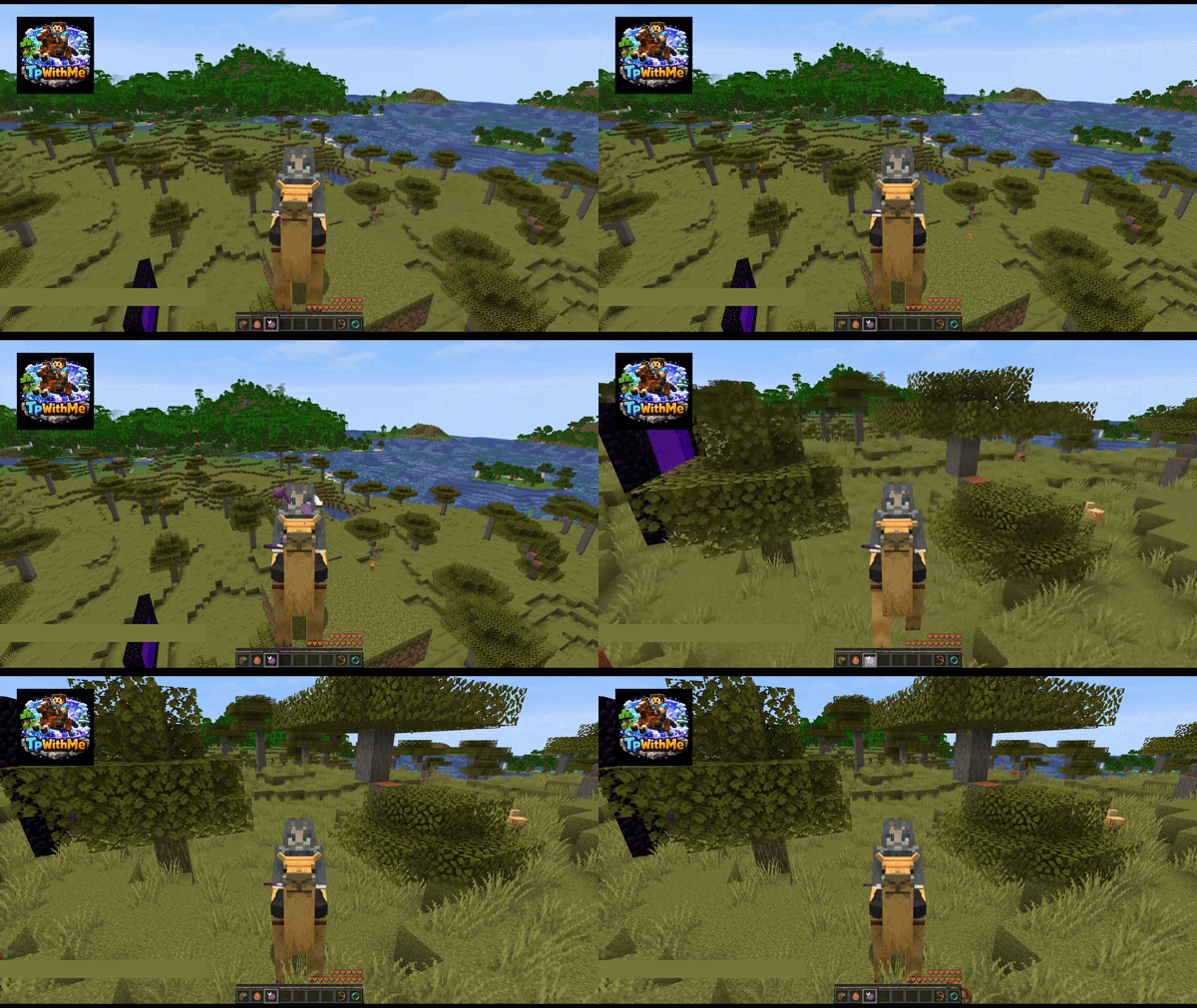
Your mount follows you through every teleport — commands, plugins, portals, you name it. Stay seated, arrive together.
Описание

TpWithMe – Teleport With Me
Like your horse? Now you won't teleport without it. Also works on all rideable mobs!
Your mount follows you through every teleport — commands, plugins, portals, you name it. Stay seated, arrive together.
✨ Features
- 🐴 Mount teleports with you on every
/tp,/home, portal, ender pearl, chorus fruit, or any other teleport - 🧑🤝🧑 Player stays seated on the mount after teleporting
- 🌍 Cross-dimensional travel — Overworld ↔ Nether ↔ End (configurable)
- 🔒 Safety check — mount won't teleport into solid blocks (configurable)
- 🛡️ Damage resistance applied to mount during transition to prevent death
- 🚫 Entity blacklist — exclude specific mounts from ever teleporting
- 🔁 Post-teleport remount watcher — catches edge-case dismounts and fixes them automatically
- 🧩 Optional Open Parties and Claims support — respects claim access, chorus fruit rules, and ender pearl barrier groups
- ⚙️ Optional Mod Menu + Cloth Config support for an in-game client config screen
- 🔄 Supports Moonrise, C2ME and Async
🐴 Supported Mounts
All 14 vanilla rideable entities:
| Mount | Control item | Notes |
|---|---|---|
| Horse | Saddle | |
| Donkey | Saddle | |
| Mule | Saddle | |
| Skeleton Horse | Saddle | |
| Zombie Horse | Saddle | |
| Camel | Saddle | Auto lies down if space is tight |
| Camel Husk | Saddle | Auto lies down if space is tight |
| Pig | Saddle | |
| Strider | Saddle | |
| Nautilus | Saddle | |
| Zombie Nautilus | Saddle | |
| Llama | (none — lead-controlled) | No saddle check |
| Trader Llama | (none — lead-controlled) | No saddle check |
| Happy Ghast | Harness |
🎮 Commands
| Command | Permission | Description |
|---|---|---|
/tpwithme info | Operator (gamemaster) | Show current config values in chat |
/tpwithme reload | Operator (gamemaster) | Reload tpwithme.json from disk |
⚙️ Configuration
File: config/tpwithme.json
Created automatically on first launch. Use /tpwithme reload to apply changes without restarting.
{
  "enabled": true,
  "useLuckPerms": false,
  "crossDimensionalTeleport": true,
  "enderPearlTeleport": true,
  "chorusFruitTeleport": true,
  "respectOpenPartiesAndClaims": true,
  "requireSaddle": true,
  "checkSafety": true,
  "applyTeleportProtection": true,
  "protectionDurationTicks": 60,
  "safetySearchRadius": 2,
  "blacklistedEntities": []
}
🔄 Options
enabled
Master switch. Set to false to disable the mod entirely without removing it.
Default: true
useLuckPerms
Enable LuckPerms permission checks when the luckperms mod is installed.
If true and LuckPerms is present, TpWithMe checks:
tpwithme.usetpwithme.crossdimensionalteleporttpwithme.enderpearlteleporttpwithme.chorusfruitteleport
When LuckPerms is active, players must be explicitly granted these permissions.
If LuckPerms is not installed, TpWithMe automatically falls back to allowing everyone to use the mod.
Default: false
crossDimensionalTeleport
Allow mounts to follow through dimension changes (Overworld ↔ Nether ↔ End).
When false, only same-dimension teleports carry the mount.
Default: true
enderPearlTeleport
Allow ender pearls to take your mount along.
When false, mounted ender pearls use vanilla behaviour and only teleport the player.
Default: true
chorusFruitTeleport
Allow chorus fruit to take your mount along.
Grounding uses actual collision surfaces, including slabs, and respects Minecraft's consumable_does_not_teleport_to block tag (including datapack additions).
When false, mounted chorus fruit uses vanilla behaviour and only teleports the player.
Default: true
respectOpenPartiesAndClaims
Respect Open Parties and Claims claim protection when it is installed.
TpWithMe checks claim access before moving the mount into a claim. For mounted chorus fruit it respects OPAC's chorus fruit exception option. For mounted ender pearls it respects OPAC's configured Ender Pearls entity barrier group when present.
Disable this only if you deliberately want TpWithMe to ignore OPAC claim protection.
If OPAC is installed but its API fails, mount carry is blocked until the server restarts or this setting is explicitly disabled. The mod does not silently allow protected destinations.
Default: true
requireSaddle
Only teleport a mount if it has the appropriate control item equipped:
- Saddle — Horse, Donkey, Mule, Skeleton Horse, Zombie Horse, Camel, Camel Husk, Pig, Strider, Nautilus, Zombie Nautilus
- Harness — Happy Ghast
- Exempt — Llama and Trader Llama (lead-controlled, no saddle slot)
Default: true
checkSafety
Before teleporting, check whether there is enough room at the destination for the mount to stand upright and the rider to sit on top.
If the space is too small, the mount stays behind and a message is sent to the player.
Uses direct block collision shape iteration — reliable even for large mounts like Happy Ghast (4×4×4 blocks).
Default: true
applyTeleportProtection
Apply Resistance V to the mount for protectionDurationTicks ticks immediately after teleporting. This prevents death from suffocation or fall damage during the transition.
Default: true
protectionDurationTicks
Duration of the post-teleport damage immunity in game ticks (20 ticks = 1 second).
Default: 60 (3 seconds)
safetySearchRadius
When checkSafety is true and the exact destination is blocked, the mod searches for a safe nearby position within this radius (in blocks).
Searches horizontally, upward and downward, choosing the nearest safe candidate by distance. Actual collision surfaces (including slabs) are considered, so fractional pearl impact heights can be adjusted to the ground. The radius limits displacement on each axis. The selected destination still undergoes world-border and OPAC checks; searching does not load new chunks.
Set to 0 to disable the search and only check the exact destination.
Allowed range: 0 to 4. Larger values are clamped to prevent excessive server tick work.
Default: 2
blacklistedEntities
A list of entity type IDs that must never teleport, regardless of other settings.
Use namespaced IDs, e.g. "minecraft:horse" or "mymod:custom_mount".
Default: [] (empty)
🔐 LuckPerms
TpWithMe only uses LuckPerms when both conditions are true:
useLuckPermsis set totrueinconfig/tpwithme.json- The
luckpermsmod is actually installed on the server
If either condition is false, everyone can use TpWithMe and no permission plugin is required.
If LuckPerms is active, missing permission nodes default to false.
Permission nodes
| Permission | Description |
|---|---|
tpwithme.use | Allow a player to take their mount along during teleports |
tpwithme.crossdimensionalteleport | Allow a player to take their mount across dimensions |
tpwithme.enderpearlteleport | Allow a player to take their mount along with an ender pearl |
tpwithme.chorusfruitteleport | Allow a player to take their mount along when eating chorus fruit |
Examples
Example groups
group.default:
  permissions:
    - tpwithme.use

group.vip:
  permissions:
    - tpwithme.use
    - tpwithme.crossdimensionalteleport
    - tpwithme.enderpearlteleport
    - tpwithme.chorusfruitteleport
Example commands
/lp group default permission set tpwithme.use true
/lp group default permission set tpwithme.crossdimensionalteleport false
/lp group default permission set tpwithme.enderpearlteleport false
/lp group default permission set tpwithme.chorusfruitteleport false

/lp group vip permission set tpwithme.use true
/lp group vip permission set tpwithme.crossdimensionalteleport true
/lp group vip permission set tpwithme.enderpearlteleport true
/lp group vip permission set tpwithme.chorusfruitteleport true
/tpwithme info
/tpwithme info now also shows whether LuckPerms is:
disabledconfigured, but mod not installedactive
🧑🤝🧑 Compatibility
This mod works with Moonrise, C2ME and Async. Some of these mods cannot be loaded together.
| Mod | Status |
|---|---|
| Essential Commands | ✅ Compatible |
| Fabric Essentials | ✅ Compatible |
| Moonrise | ✅ Compatible |
| C2ME | ✅ Compatible |
| Async | ✅ Compatible |
| Leashed Teleport | ✅ Compatible |
Other mods
If another mod forcibly dismounts the player before TpWithMe's HEAD injection, the vehicle cannot be captured. The RemountWatcher may recover this in some cases. Please open an issue if you encounter a conflict.
📦 Installation
- Install Fabric Loader for Minecraft.
- Download Fabric API and place it in
mods/. - Download
tpwithme-<version>.jarand place it inmods/. - Launch Minecraft. The config is created automatically on first run.
🏜️ Test Server
Feel free to join my Minecraft server to test my mods: play.swordfishbe.eu
Галерея