COWMODSКаталог модов

Take It Out — Minecraft Mod (Shulker Picking + Easy Place)

Minecraft mod that lets you pick blocks from shulker boxes using mouse wheel, Easy Place, or right-click — perfect for Litematica schematics and printers.

Автор: rofumer120 тыс.107обновлён 16 окт. 2026 г.
Механики игрыХранениеУтилиты

Описание

⚡ TakeItOut — Fast Shulker Block Picking + Easy Place

Pick blocks directly from shulker boxes — whether they’re in your inventory or placed in the world — using:

  • the pick block key (mouse wheel)
  • Litematica Easy Place (right-click in schematics)
  • or regular right-click in schematics with Auto Take Out enabled

Build faster than ever — whether you use Easy Place or place blocks manually.

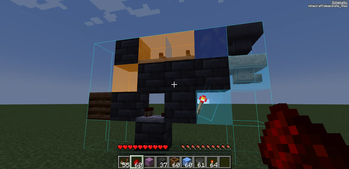
Works seamlessly with Litematica schematics and is especially useful with any Litematica printer.


🎥 Video Guide


✨ Key Features

  • 📦 Pick blocks directly from:

    • shulker boxes in your inventory
    • linked containers placed in the world
  • 🧱 Litematica Easy Place support
    Right-click schematic blocks to auto-pick and place them exactly as defined by the schematic

  • 🖱️ Manual placement support (Auto Take Out)
    Right-click in schematics to automatically take the required item while placing blocks normally

  • ⚡ Works with Litematica schematics

  • 🖨️ Compatible with:

    • original Litematica printer
    • litematica-printer (BiliXWhite fork)
  • 🔄 Support for Tweakeroo Restock

  • 🖱️ Pick block support using the mouse wheel

  • 🔄 Auto pick mode (toggle with R)

  • 📦 Extraction Modes:

    • SINGLE ITEM
    • FULL STACK
      (switch with B)
  • 📁 Container Groups
    Save, switch and share named container setups with other players on the server

  • 🌐 Server-side Shared Groups
    Publish container groups to the server and let other players import them instantly

  • 📦 Box Selection Tool
    Select a cuboid area to automatically link all containers inside it


📦 Linked World Containers

Link placed containers using the configurable Link Looked-at Container hotkey (H by default).

Supported:

  • shulker boxes
  • chests
  • barrels

Features:

  • 🌐 Cross-container item access
  • 🌍 Cross-dimension support
  • 📊 Litematica material list integration
  • 🟢 Linked container outline rendering
  • 🧭 Container management UI

You can also create:

  • 📁 Container Groups — save, switch and share named container setups
  • 🌐 Shared Server Groups — publish groups for all players on the server
  • 🗑️ Dump Containers — automatically store displaced inventory items during swaps
  • 📦 Box Selection — bulk-link containers inside a selected area

🧭 UI & Item Management

All Items Tab

  • View all available items
  • 🔍 Search/filter items
  • 🖱️ Left-click → request full stack
  • 🖱️ Right-click → request single item

Containers Tab

Manage:

  • linked containers
  • dump containers
  • container groups

Includes:

  • linked container counters
  • Delete All actions
  • improved item pulling UX

⌨️ Keybindings

ActionDefault
Toggle Auto PickR
Switch Extraction ModeB
Link Looked-at ContainerH
Mark Dump ContainerG

🆕 Recent Updates

  • Added server-side shared container groups with import/remove support
  • Added Box Selection mode for bulk container linking
  • Improved Easy Place reliability after reconnects
  • Correct block placement in water
  • Better redstone wire matching
  • Fixed inventory overflow and item merge issues
  • Tools no longer get moved into world containers accidentally
  • Chat notifications for scan limits and server restrictions
  • Server config option to disable item requests from All Items tab

⚠️ Compatibility Notice

Item Swapper

TakeItOut may conflict with Item Swapper because both modify item picking behavior.

Possible issues:

  • incorrect item selection
  • unexpected hotbar swaps

👉 If problems occur, try disabling Item Swapper or adjusting its settings.


🌐 Multiplayer Support

Install the mod on the server to use it on public servers
or use the companion plugin for:

  • Paper
  • Purpur
  • Spigot
  • Bukkit

⚠️ Client Compatibility

Older client versions are not compatible with current server versions.

This changed after introducing Single Item Mode.

👉 Please update the client to the latest version.


⚙️ Settings

Open the full settings screen with:

  • X + T
  • Controls menu
  • Mod Menu

🔗 Links

Discord
My Projects
Ko-fi


☕ Support

Made by Max Bel — support the project:
https://ko-fi.com/maxbel


KCB Hosting

Used in 12 modpacks on Modpack Index

Галерея

Linked ContainersAll Items Full Settings Screen

Последние версии

Все версии →
beta

TakeItOut (Take It Out) 1.1.29-26.3

1.1.29-26.3
16 окт. 2026 г.2,8 тыс.Minecraft: 26.3fabric
Скачать
Что нового
## 1.1.29 ### Added - **Litematica Printer fluid removal refill.** When the printer (1.3-beta.4) runs out of the configured fill blocks (sand by default) while drying fluids, TakeItOut now takes more from a shulker in your inventory or from linked world containers, trying every configured fill item. ### Fixed - **Return To Container When Full now works with Pick Block.** Previously the stack in your hand was never chosen for return, so when you picked a new material it was pushed into the container the new material came from instead of going back home. - The held stack is now returned to the container it was taken from, and the new material lands in your hand. - If that container is full only because TakeItOut earlier put something else into it (for example the stack you were holding when you took from it), the two swap places, and that item moves on into the container the new material comes from. ### Requirements - Minecraft 26.2 - `Return To Container When Full` needs the server to run TakeItOut 1.1.29 as well; the setting is off by default (TakeItOut settings screen).
beta

TakeItOut (Take It Out) 1.1.29-26.2

1.1.29-26.2
16 окт. 2026 г.878Minecraft: 26.2fabric
Скачать
Что нового
## 1.1.29 ### Added - **Litematica Printer fluid removal refill.** When the printer (1.3-beta.4) runs out of the configured fill blocks (sand by default) while drying fluids, TakeItOut now takes more from a shulker in your inventory or from linked world containers, trying every configured fill item. ### Fixed - **Return To Container When Full now works with Pick Block.** Previously the stack in your hand was never chosen for return, so when you picked a new material it was pushed into the container the new material came from instead of going back home. - The held stack is now returned to the container it was taken from, and the new material lands in your hand. - If that container is full only because TakeItOut earlier put something else into it (for example the stack you were holding when you took from it), the two swap places, and that item moves on into the container the new material comes from. ### Requirements - Minecraft 26.2 - `Return To Container When Full` needs the server to run TakeItOut 1.1.29 as well; the setting is off by default (TakeItOut settings screen).
release

TakeItOut (Take It Out) 1.1.28-26.3

1.1.28-26.3
29 сент. 2026 г.7,6 тыс.Minecraft: 26.3fabric
Скачать
Что нового
## 1.1.28 ### Fixed - **Litematica 0.29.1 compatibility — material lists could not be opened.** Litematica 0.29.1 added stackable-entity counts to its material list, which changed the signature of `MaterialListUtils.getMaterialList`. TakeItOut's material list integration still expected the old signature, so with both mods installed opening any material list failed. The integration now works with both the old and the new signature, so material lists open again and linked world containers are still counted as available materials. ### Changed - Built against Litematica `26.3-0.29.1` (previously `0.29.0`). ### Requirements - Minecraft 26.3 - Works with Litematica 0.29.0 and 0.29.1.
beta

TakeItOut (Take It Out) 1.1.27-26.3

1.1.27-26.3
22 сент. 2026 г.1,8 тыс.Minecraft: 26.3fabric
Скачать
release

1.1.27-forge-1.20.1

1.1.27-forge-1.20.1
19 авг. 2026 г.699Minecraft: 1.20.1forge
Скачать
Что нового
--- 1.1.27 Added - Sophisticated Backpacks support (optional): - Placed/wall-mounted backpacks can now be linked as world container sources, the same way chests, barrels, and shulker boxes are. - Item requests now also fall back to a matching Sophisticated Backpack carried by the player — in their main inventory, offhand, worn instead of a chestplate, or equipped in a Curios slot (if Curios API is installed) — when the item isn't found directly or in a linked container. - Fully optional: works out of the box if Sophisticated Backpacks (and, for the Curios slot check, Curios API) isn't installed.
release

1.1.27-26.2

1.1.27-26.2
19 авг. 2026 г.563Minecraft: 26.2neoforge
Скачать
Что нового
--- 1.1.27 Added - Sophisticated Backpacks support (optional): - Placed/wall-mounted backpacks can now be linked as world container sources, the same way chests, barrels, and shulker boxes are. - Item requests now also fall back to a matching Sophisticated Backpack carried by the player — in their main inventory, offhand, worn instead of a chestplate, or equipped in a Curios slot (if Curios API is installed) — when the item isn't found directly or in a linked container. - Fully optional: works out of the box if Sophisticated Backpacks (and, for the Curios slot check, Curios API) isn't installed.
release

1.1.27-neoforge-1.21.1

1.1.27-neoforge-1.21.1
19 авг. 2026 г.1,1 тыс.Minecraft: 1.21.1neoforge
Скачать
Что нового
--- 1.1.27 Added - Sophisticated Backpacks support (optional): - Placed/wall-mounted backpacks can now be linked as world container sources, the same way chests, barrels, and shulker boxes are. - Item requests now also fall back to a matching Sophisticated Backpack carried by the player — in their main inventory, offhand, worn instead of a chestplate, or equipped in a Curios slot (if Curios API is installed) — when the item isn't found directly or in a linked container. - Fully optional: works out of the box if Sophisticated Backpacks (and, for the Curios slot check, Curios API) isn't installed.
release

TakeItOut (Take It Out) 1.1.27-26.2

1.1.27-26.2
6 авг. 2026 г.12,1 тыс.Minecraft: 26.2fabric
Скачать
Что нового
## 1.1.27 ### Fixed - **Litematica Printer (BiliXWhite) 1.3-beta.4 compatibility.** The printer refactored its tick handling — `ClientPlayerTickManager` was replaced by the new module system (`ModuleManager`), which made TakeItOut's integration mixin fail to apply with: @Mixin target me.aleksilassila.litematica.printer.handler.ClientPlayerTickManager was not found takeitout.client.mixins.json:NewPrinterMixin from mod takeitout Auto Take Out now hooks into `ModuleManager` instead, so automatic item pulling works again while the printer is running. ### Changed - Built against litematica-printer `26.2-1.3-beta.4` (previously `1.3-beta.3`). ### Requirements - Minecraft 26.2 - Litematica Printer users: update to **1.3-beta.4**
release

TakeItOut (Take It Out) 1.1.27-26.1.2

1.1.27-26.1.2
30 июл. 2026 г.298Minecraft: 26.1.2neoforge
Скачать
Что нового
--- 1.1.27 Added - Sophisticated Backpacks support (optional): - Placed/wall-mounted backpacks can now be linked as world container sources, the same way chests, barrels, and shulker boxes are. - Item requests now also fall back to a matching Sophisticated Backpack carried by the player — in their main inventory, offhand, worn instead of a chestplate, or equipped in a Curios slot (if Curios API is installed) — when the item isn't found directly or in a linked container. - Fully optional: works out of the box if Sophisticated Backpacks (and, for the Curios slot check, Curios API) isn't installed.
release

TakeItOut (Take It Out) 1.1.26-neoforge-1.21.1

1.1.26-neoforge-1.21.1
13 июл. 2026 г.760Minecraft: 1.21.1neoforge
Скачать
Что нового
Port to NeoForge. Works with Forgematica.