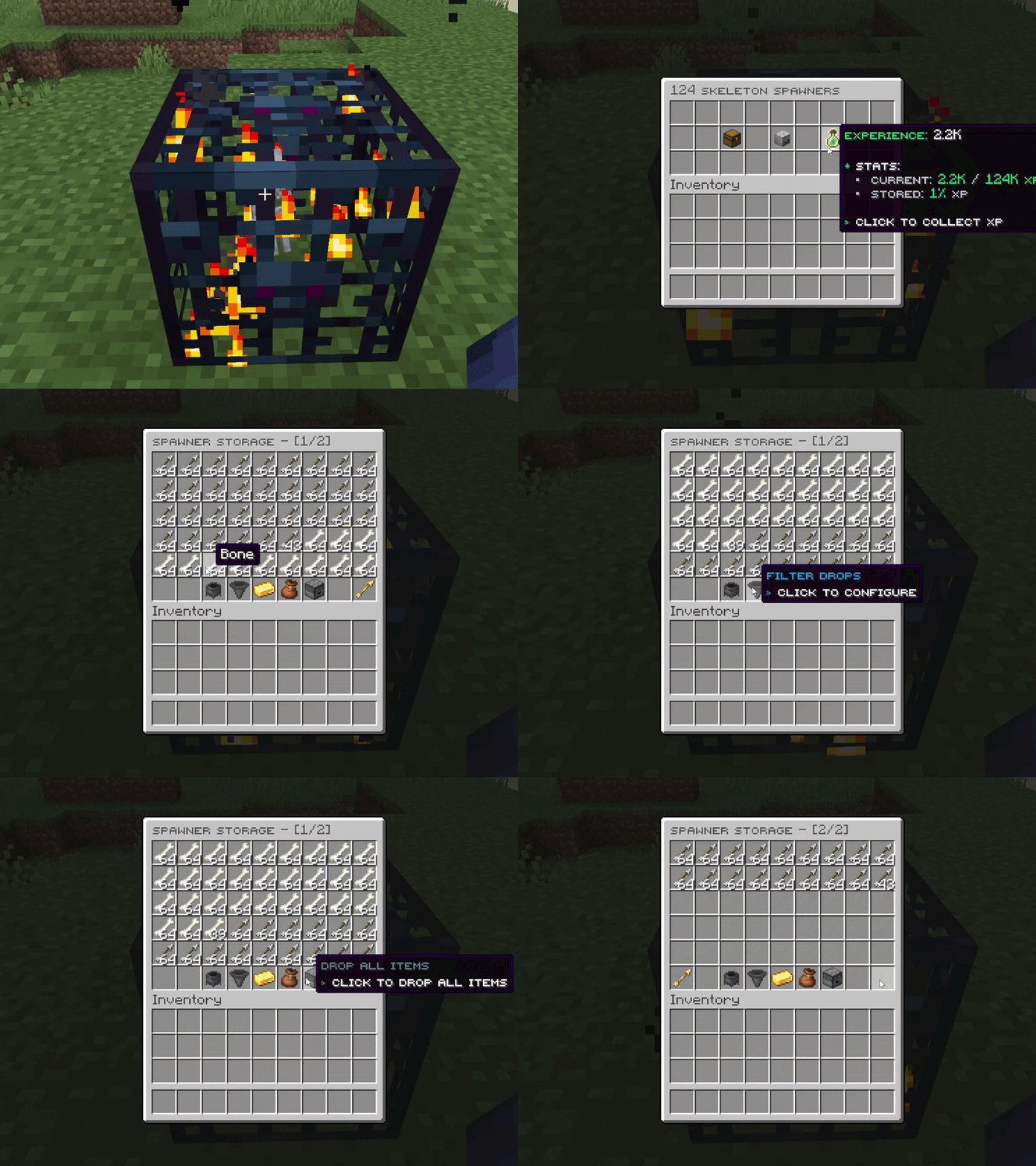
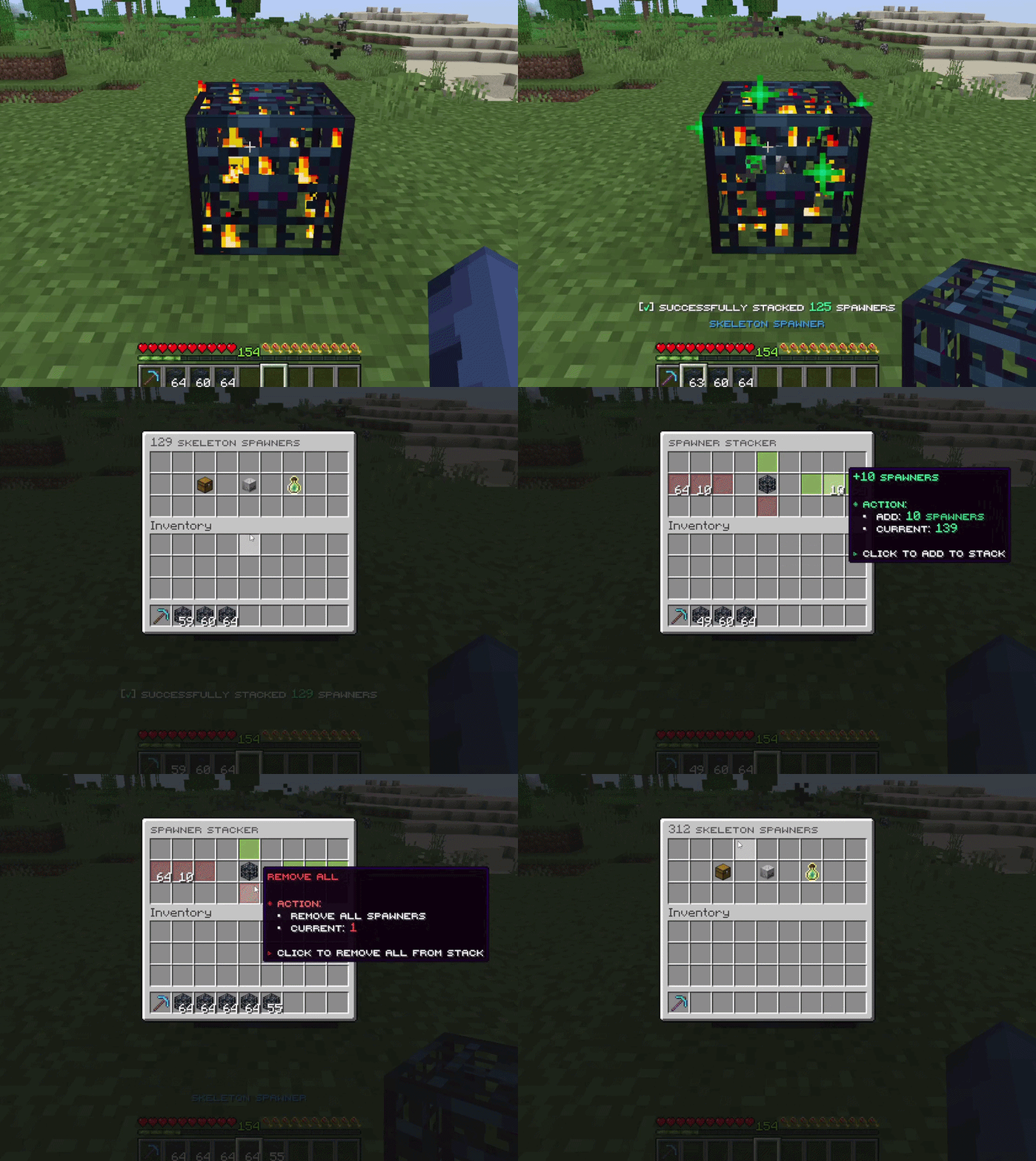
Say goodbye to entity lag forever. SmartSpawner calculates mob drops and XP virtually - no actual mobs spawn, no AI processing, zero pathfinding eating your tick. This plugin is inspired by the iconic spawner mechanic from DonutSMP now available on your own server.
Perfect for: Survival servers • Skyblock • Prison • Factions • Any server where spawners matter
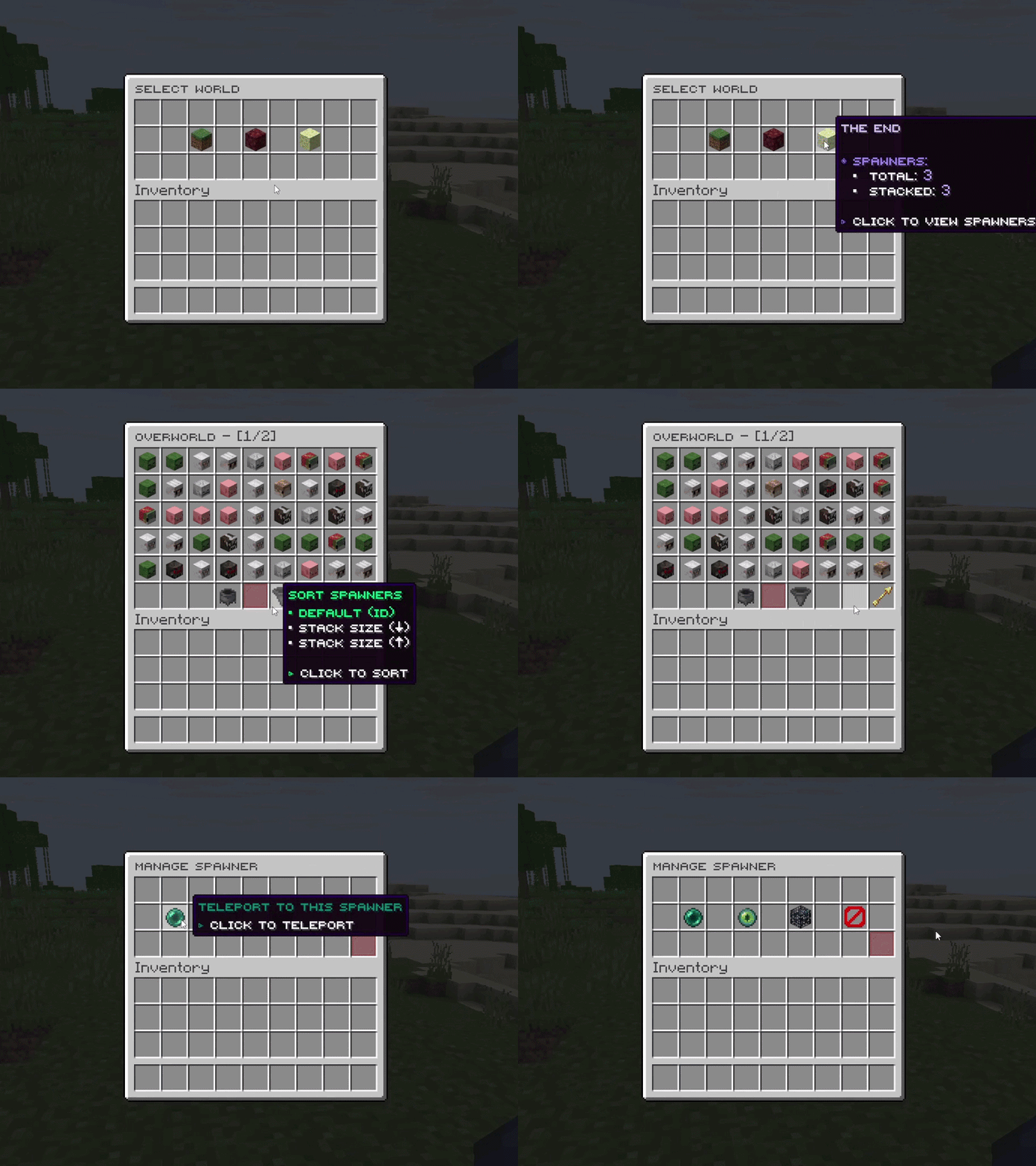
Your all-in-one admin panel for managing every spawner on the server. Instantly teleport to any spawner, inspect detailed data, and make real-time adjustments such as editing stack sizes or removing spawners with ease.
Fully configurable breaking mechanics - require Silk Touch to drop spawners, set custom drop chances, and tailor the behavior to perfectly fit your server's rules.
Supports both MySQL/MariaDB and SQLite for spawner data storage. MySQL mode enables cross-server data sync, making it ideal for networks and multi-instance setups.
Auto-detects and integrates with 20+ popular plugins - economy (Vault, CoinsEngine), shops (EconomyShopGUI, ShopGUI+,...), protection (WorldGuard, Towny, Lands,..), SkyBlock (SuperiorSkyblock2, BentoBox), and more. View full list →
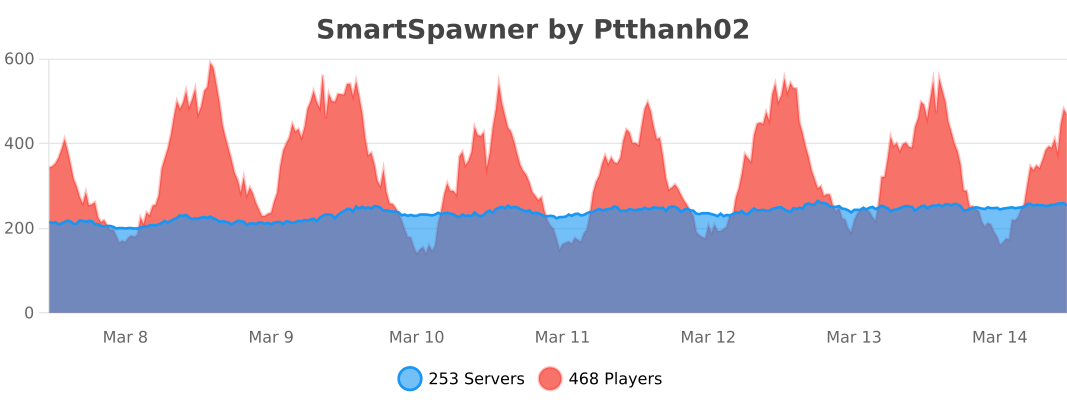
Over 3,000+ Minecraft servers trust and using SmartSpawner for their spawner management needs. The plugin has proven to be reliable and efficient, making it a popular free choice among server administrators
### Fixed
- Opening a spawner's storage while another player was using it could leave the menu stuck open with its ghost items takeable. In creative mode those items were kept. The player now stays on the spawner menu with a "storage in use" message.
### Added
- Custom spawners: any number of extra spawners for the same mob or item, each with its own loot, set up under `custom_spawners`. They stack only with each other and are given by their own name.
- `display_name` gives a spawner its own name on the item, in menus and on the hologram, so players can tell custom spawners apart.
- Each spawner can have its own menu head and drop chance. A custom spawner takes anything it leaves out, except loot, from the normal spawner of its mob or item.
- A custom spawner can be renamed without losing the ones already placed by listing the old name under `aliases`.
- The console warns about spawner names that clash, and about placed spawners whose spawner was removed from the settings files.
### Changed
- `/ss give` is shorter: `/ss give <player> <spawner> [amount]`, for example `/ss give Steve zombie 5`. Vanilla spawners use `/ss give <player> vanilla <mob> [amount]`.
- `spawner_mobs.yml` and `spawner_items.yml` use a simpler layout. Each mob or item is listed under its own name, and custom spawners have their own section. See the details below.
### Notes
- Both settings files are converted on the first start, and the old files are kept with a `.1.8-backup` ending. Placed spawners and spawner items keep working and stack with new ones. No action is required.
- The old give form (`smart_spawner`, `item_spawner`, `vanilla_spawner`) still works from the console and command blocks, so shop, crate and vote setups need no changes.
<details>
<summary>Configuration file details</summary>
- Entries are keyed by the mob or item itself: `zombie_spawner:` with `entity: ZOMBIE` becomes `zombie:`, and `diamond_spawner:` with `item: DIAMOND` becomes `diamond:`.
- Entries that were not named after their mob or item move under `custom_spawners`, keeping their `entity` or `item` line.
- New optional keys on every entry: `display_name` and `aliases`.
- Spawner names now match the entry keys, so `zombie_spawner` is `zombie` in commands. The old names are still accepted.
</details>
**This release fixes a critical item duplication exploit. Update as soon as possible.**
### Fixed
- Item duplication in the spawner storage menu involving multiple players with Autism Client.
- Clicking items quickly in the storage menu no longer floods chat with "clicking too fast" and "inventory full" messages.
### Added
- Spanish (es_ES) language.
- Sulfur Cube spawner support for servers on Minecraft 26.2. Its spawner drops no items and gives 2 experience.
### Changed
- Happy Ghast, Copper Golem and Sulfur Cube now show a translated name in every language.
### Fixed
- Breaking a spawner and placing a new one at the same spot no longer triggers a database save error. Spawner data now saves reliably in this case.
### Changed
- Spawners that store tools, weapons or armor with different durability now save using less database space.
- Sorting items in the storage menu is faster.
- When a claim or region plugin blocks an action on a spawner, only that plugin's own message shows. SmartSpawner no longer adds a second protection message on top.
- GriefPrevention now uses separate trust levels for each action. Breaking or placing a spawner needs build trust, while opening a spawner's storage menu only needs container trust.
### Notes
- Spawner storage now uses a more compact save format. Existing data is read and upgraded automatically, and no action is required.
**This release contains several breaking changes.** Back up the `plugins/SmartSpawner/` folder before updating. The give commands changed shape, spawner settings files were renamed and are not carried over, YAML storage and the Bedrock form menus were removed, and several config keys moved. Read the Removed and Notes sections below before updating a live server.
### Added
- Custom spawners can now be created. The same mob or item can be set up under several names, each with its own drop table, so one entity can power many different spawners.
- Custom items can now be spawner drops, including potions, enchanted gear, named items and items from other plugins. They keep all of their data and show their real in-game name in every menu.
- `/ss editloot <name>` opens an in-game loot editor for mob and item spawners. Drop an item into the menu to add it as a drop, captured exactly with all of its data, then set its amount, chance and durability. Existing drops can be edited or removed. Durability is shown only for tools and weapons.
- Sneak stacking and sneak placing can each be turned off with `sneak_stack` and `sneak_place` in `config.yml`. Both stay on by default.
### Fixed
- Item Spawner holograms now show the spawned item's name instead of a generic entity label.
- Sneak-placing a whole stack of spawners now fires the stacking event in the API, so it can be cancelled and limited like normal stacking.
- A spawner type change cancelled through the API no longer takes the player's spawn egg.
### Changed
- Give commands now put the player first, as `/ss give <player> smart_spawner|item_spawner|vanilla_spawner`, and only suggest names of online players. The `spawner` type was renamed to `smart_spawner`. Smart and item spawners are still selected by their configured name.
- SQLite is now the default storage and is faster than the old YAML files on servers of any size. MySQL and MariaDB work as before, including cross-server spawner listing.
- How often spawner data is saved can now be set with `database.autosave-interval`, which defaults to 3 minutes.
- Large spawner stacks and full storages use far less CPU and memory. Loot generation, storage menus, hoppers and selling were all reworked to stay fast with large amounts of items.
- Menus respond faster to clicks.
- Settings that only take effect after a full restart are now marked RESTART in `config.yml`.
- Selling and action logging settings moved into clearer files, and the `database` section was simplified. Existing settings move across automatically on the first start. See the details below.
- The two spawner settings files were renamed and loot entries use a new format. See the details below.
### Removed
- YAML storage was removed. Servers still set to `YAML` are switched to `SQLITE` automatically.
- Bedrock form menus were removed. Bedrock players now use the same chest menus as Java players, and the `bedrock_support` section of `config.yml` is gone.
- The stacker menu was removed, along with the admin stack editor in `/ss list`. Spawners still stack by placing one spawner on another of the same type, controlled by the `smartspawner.stack` permission.
### Notes
- **Spawner settings are not carried over.** The two renamed files are created fresh in the new format, and the old files are left untouched beside them so customised drop tables can be copied across by hand. The console reports this on the first start.
- Spawner data is migrated automatically. `spawners_data.yml` is renamed to `spawners_data.yml.migrated` so nothing is imported twice.
- Back up the `plugins/SmartSpawner/` folder before updating. The plugin also copies the old data inside the database before converting it.
- If the database cannot be opened, the plugin stops instead of running without saving. The console reports the reason.
- Every renamed config key is migrated on the first start, so no config file needs editing by hand after updating.
<details>
<summary>Configuration file details</summary>
- `spawners_settings.yml` is now `spawner_mobs.yml`, and `item_spawners_settings.yml` is now `spawner_items.yml`.
- Each loot entry names its item on an `item` line. It accepts a material, the item text `/give` completes in game, or a code copied from the game.
- The name above each entry is now only a label, so one mob can drop several versions of the same item, such as two different tipped arrows.
- The old format, where the entry name doubled as the material name, is no longer read. The `material` line in item spawner entries was removed with it.
- The `potion_type` line was removed. Name the potion inside `item` instead.
- The spawner block head moved to `mob_head`, with `item` for the material and `hash_texture` for the texture code. It replaces `head_texture` with `material` and `custom_texture`.
- The `default_material` line was removed. The fallback head is now built in.
- A loot entry the server cannot read is skipped, and the console names the mob and the entry.
- The guide in the comments at the top of both files was replaced with a link to the documentation site.
- The storage button in the main menu now accepts the `{total_sell_price}` placeholder, showing the sell value of everything stored, as the info button already does.
- `discord_logging.yml` is now `activity_log.yml`, and the `logging` section of `config.yml` became its `file` section. Both moves happen on the first start and keep the configured values.
- Inside that file the Discord settings sit under `discord`, and the per-event message templates sit under `embeds`, one block per event with the `embed` line removed.
- The `sell_integration` section of `config.yml` became the top level of `sell_integration.yml`, so its keys lost the `sell_integration.` prefix. `item_prices.yml` became the `custom_prices.prices` section of that file and is deleted once its prices have been copied across.
- A price removed from `custom_prices.prices` stays removed and is not added back on the next start.
- The `database` section was flattened and its keys now use hyphens. `mode` is `type`, `table_prefix` is `table-prefix`, `server_name` is `server-name`, `sync_across_servers` is `sync-across-servers`, `migrate_from_local` is `migrate-from-local`, `sqlite.file` is `sqlite-file`, and the four `sql` connection keys moved up a level.
- `sql.pool.maximum-size` is now `pool-size` and covers both storage modes. The other pool tuning keys and `sqlite.pool_size` were removed and are set internally.
- The new `database.autosave-interval` accepts the usual time format, with a minimum of 30 seconds. It is the only setting in the section that `/ss reload` applies.
- Database columns were shortened: `world_name` is `world`, `item_spawner_material` is `itemspawner_type`, `spawner_exp` is `exp`, `spawner_active` is `active`, `spawner_range` is `activation_range`, `spawner_stop` is `stop`, `spawn_delay` is `delay`, and `max_spawner_loot_slots` is `max_loot_slots`. `entity_type` keeps its name.
- Columns are now grouped by subject in the table, so location, spawner type, stacking, spawning, stored loot, stored experience and player settings each sit together.
- The `server_name` column was removed. A table now holds one server's spawners and says which in its name, so the column held the same value on every row.
- With `sync-across-servers` on, this server's table is `<prefix><server-name>_data` instead of `<prefix>data`. Switching the setting renames the table, and an existing table at the target name is never overwritten.
</details>
### Fixed
- GUI layout button changes now persist correctly after a restart or `/ss reload`, including moved and deleted buttons.
- Clicking the sell button in an empty storage no longer returns to the main menu. Stored experience is collected when available; otherwise, the storage empty message is shown.
- Updated the bundled `sell_confirm_gui.yml` layouts to the current click-action format, preventing unnecessary value migrations on fresh installations.
- DonutSMP storage titles now use the correct singular or plural form and remain consistent after pagination or refreshes.
- Dynamic storage lore placeholders, including `{total_sell_price}` and `{current_exp}`, are now replaced correctly.
### Notes
- Previously restored buttons must be moved or deleted once after updating.
- Customized button sections no longer receive new bundled buttons automatically. Other layout settings continue to update normally.
- Delete a layout file and restart the server to restore its default content
### Fixed
- Removed mob drops in `spawners_settings.yml` are no longer restored after a restart or `/ss reload`.
- Removed message components, such as chat messages, action bars, sounds, titles, and subtitles, are no longer restored automatically.
### Removed
- Removed generation of the outdated `language/CHANGELOG.txt` file.
### Notes
- Previously restored drops or message components must be removed once after updating.
- Customized drop lists and messages are preserved, while entirely new mobs and messages are still added with their default content.
- Existing `language/CHANGELOG.txt` files are left unchanged and can be removed safely.
- GUI and formatting language files retain their previous update behavior.
### Added
- Added FactionsUUID support. Spawners now respect faction access rules when opening menus or stacking.
- Added BlockLocker support. Spawners protected by `[Private]` signs now restrict menu access, stacking, and breaking to authorized players.
### Changed
- Config and language files now update automatically while preserving existing values and comments.
- Update backups are no longer created because configuration changes are applied in place.
- Obsolete `config_version` entries are now removed automatically.
### Fixed
- Fixed a crash that could happen when breaking a vanilla spawner that had no mob type set. This no longer throws an error and the spawner now breaks normally.
- Fixed an error that could appear in the console when a Bedrock player (via Floodgate/Geyser) opened a spawner menu or storage on Folia based servers. Menus now open reliably for these players.
- Removed the "Server Version Not Supported" warning message. It was showing up incorrectly on newer supported server versions and is no longer needed.
- Update notifications will no longer mention SmartSpawner2 versions (2.0.0 and above). SmartSpawner2 is a separate product, so 1.x servers will only be notified about relevant 1.x updates.
### Added
- Re-added RedProtect support. Spawners inside RedProtect regions now respect region permissions again when opening menus or stacking spawners.
### Notes
- This is a maintenance release focused on stability. No configuration changes are required to update.
### Bug Fixes
- Fixed `sell_and_xp_break` preventing players from breaking a spawner when its
stored items had no sell value (or the sale was cancelled). Breaking a spawner
now always succeeds - auto-sell and XP collection remain a best-effort bonus.
- Fixed the configured `open_sound` not playing when `skip_main_gui` opens the
storage GUI directly.
### Compatibility
- Updated EconomyShopGUI integration to API 1.10.1.
- Updated Towny integrations to their latest supported versions.
### Features
- Introduced GUI layout API with support for dynamic layouts and buttons.
- Enhanced natural spawner drop chance loading and added configurable open sound for GUI.
- Added global default drop chance configuration for natural spawners.
- Enhanced sell functionality to include experience collection with combined messaging.
- Added comprehensive Vietnamese language support, updated spawner messages, and improved configuration documentation.
- Added Turkish language support across configuration and language files.
- Refactored language file handling and updated metrics integration.
- Refactored GUI button actions and sound configurations to improve overall user experience.
### Bug Fixes
- Fixed SuperiorSkyblock2 permission hook integration.
### Documentation
- Updated repository references from NighterDevelopment to OpenVdra.