Skyblock Structure
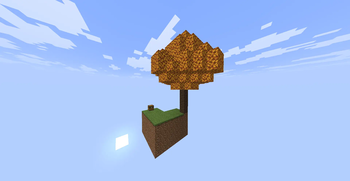
Create a completely empty world geared towards a Skyblock experience, while maintaining biome generation and allowing various in-game structures to spawn.
Описание
Skyblock Structure
A datapack for Minecraft Java Edition 26.3 that allows you to create a completely empty world geared towards a Skyblock experience, while maintaining biome generation and allowing various in-game structures to spawn.
The goal is to start in a world without natural terrain while retaining the ability to find structures during exploration.
✨ Features
- 🌍 Empty world for a Skyblock experience.
- 🧬 Preserves biome generation.
- 🏛️ Allows for the generation of various Minecraft structures.
- 🌌 Designed to be used when creating a new world.
- 🧱 The world does not generate conventional natural terrain.
- ⚔️ Retains structures to facilitate survival progression and exploration.
🏛️ Structures
Structures that can generate include:
- Strongholds
- Trial Chambers
- Witch Huts
- Ocean Monuments
- Icebergs
- Pillager Outposts
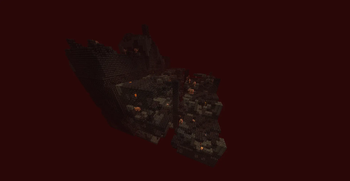
- Nether Fortresses
- Bastions
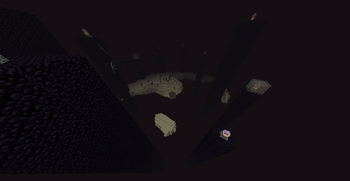
- End Cities
- And other structures.
Note: Not all Minecraft structures are enabled to generate in this world. For example, Mineshafts and Villages do not currently generate.
The list is subject to change as the datapack continues to be developed.
📸 Screenshots
Empty World

Structures


Exploration


📥 Installation
Important: The datapack must be installed when creating a new world. Adding it to an existing world later is not recommended.
1. Download the datapack
Download the version of the datapack compatible with Minecraft Java Edition 26.3.
Do not unzip the datapack if the downloaded file is already in .zip format.
2. Create a new world
In Minecraft:
- Open Singleplayer.
- Select Create New World.
- Configure the world according to your preferences.
- Before creating the world, go to Data Packs.
- Add the Empty World Skyblock datapack.
- Enable the datapack.
- Create the world.
3. Verify the datapack
Once inside the world, you can check the active datapacks using:
/datapack list
The datapack should appear among the enabled packs.
⚠️ Important
Do not install the datapack after the world has already been created expecting it to regenerate the empty world.
World generation settings are used during world creation and chunk generation. To achieve the expected result, always create a new world with the datapack enabled from the start.
Credits
- C4miloN — Dev

Галерея