
Simple Atlas
A no-nonsense Vanilla+ Atlas for all your mapping needs! Heavily inspired by Map Atlases by Pepperoni-Jabroni
Автор: RubberToe20,5 тыс.58обновлён 9 окт. 2026 г.
ПриключенияМеханики игрыУтилиты
Описание
Simple Atlas
Carry your mapped world in one item.
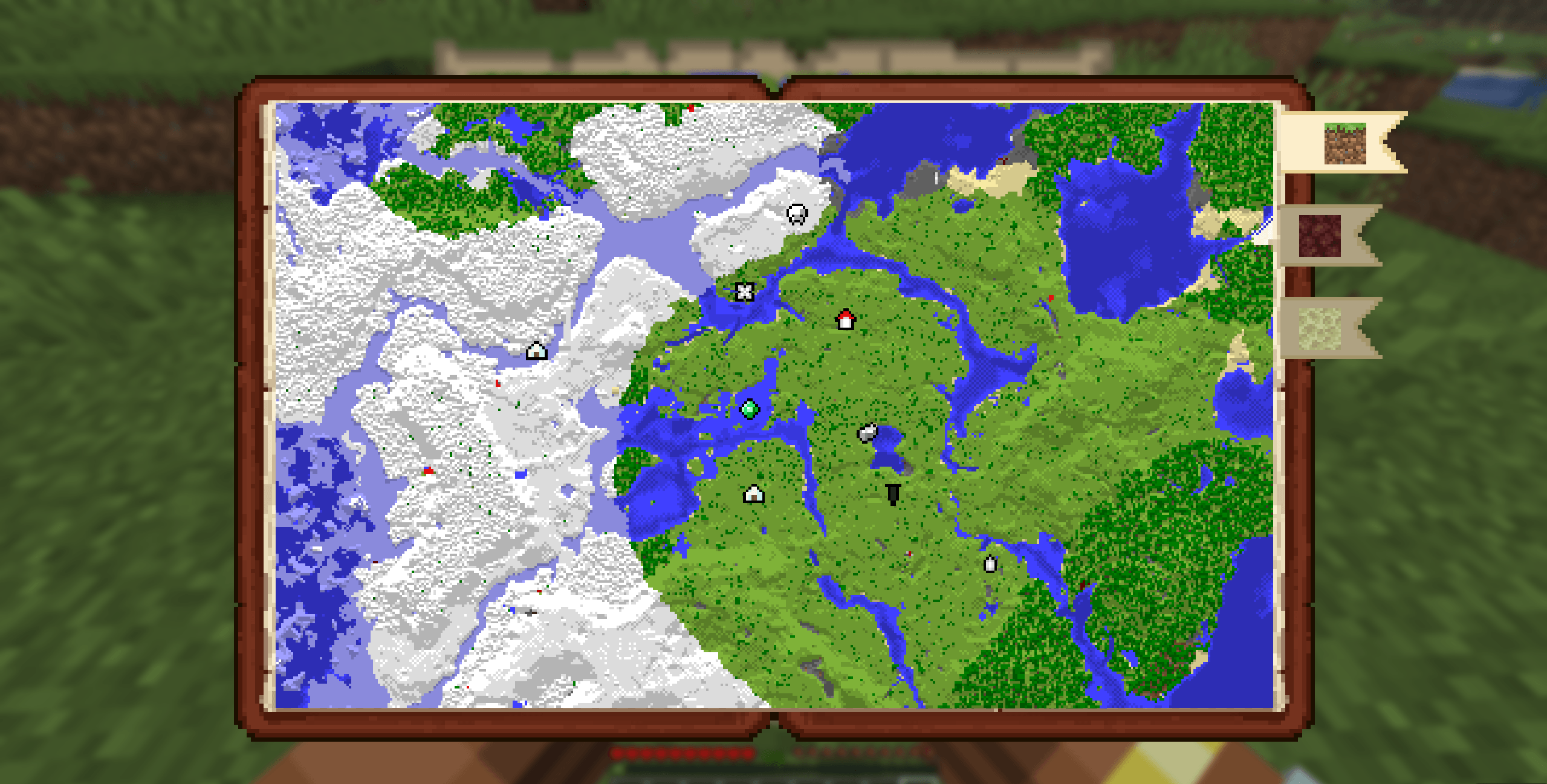
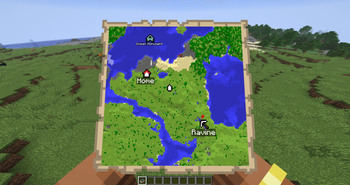
Simple Atlas adds an Atlas item that stores multiple filled maps and opens into a single interactive view, so you can pan around your explored area without juggling lots of maps.
Features
Atlas item
- Craft an Atlas and add filled maps through the cartography table
- Atlas only accepts maps with the same scale as the first map inserted
- Use a book at the cartography table to duplicate an atlas
- Use paper at the cartography table to scale every atlas map up by one level
- Merge two atlases of equal size at the cartography table to combine their maps and waypoints
- Lower-scale maps can be integrated into an existing atlas through the cartography table
Interactive world map
- Scroll to zoom
- Left-drag to pan
- Press
Rto reset zoom/pan to your current player position - Player marker is shown directly on the atlas
- Dimension bookmark tabs separate Overworld, Nether, End, and other-dimension atlas tiles
Waypoints
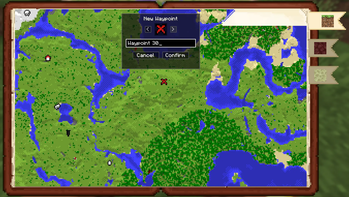
- Right-click on the atlas to create waypoints
- Use an atlas on a banner to add a waypoint from the banner's color and name
- Right-click existing waypoint markers for context actions
- User can edit or delete waypoints
- Waypoint and map-point context menus can copy coordinates
- Waypoint names are capped to keep labels readable
- Waypoints are saved in the atlas item itself
- Right-clicking a mapped tile can remove that map from the atlas and return the filled map item
Navigation compass
- Choose Locate on a waypoint to pin the waypoint to the locator bar
- Choose Stop Locating to remove pin
- Multiple waypoints can be pinned
Multiplayer-aware map syncing
- While a player is holding an atlas, map data is synced live from the server
- Atlas viewers are tracked server-side
How to use
- Craft an Atlas.
- Use the cartography table to add maps, duplicate atlases with books, scale atlases with paper, or merge equal-scale atlases.
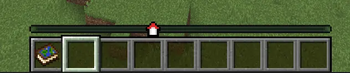
- Hold the atlas in your main hand and use it to open the atlas screen.
- Scroll, drag, and switch dimension tabs to inspect your mapped area.
- Right-click map points or waypoints to manage waypoints, copy coordinates, remove maps, and optional navigation.
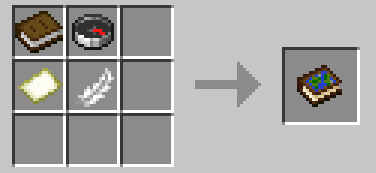
Recipe
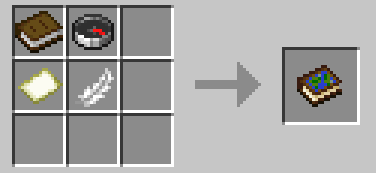
- shapeless
Compatibility
- Minecraft:
26.1.x - Loader: Fabric (
fabric-loader >= 0.18.6) - Java:
25+ - Fabric API: required
Notes
- The atlas layout expects maps of the same scale and will scale up smaller maps, but larger ones will be rejected
- Waypoint and navigation state is tied to each atlas item.
- Teleport actions in the atlas UI use player commands and may require permission depending on the server.
- Designed for both singleplayer and multiplayer survival workflows.
Issues/Feedback
- Report bugs or suggest improvements on the GitHub Issues page
Галерея
Последние версии
Все версии →release
2.0.0 for 26.2
2.0.0+26.29 окт. 2026 г.3,6 тыс.Minecraft: 26.2fabric
Что нового
**Breaking:** the mod ID changed from `simple-atlas` to `simple_atlas` to prepare for NeoForge support.
Atlases from existing worlds will not carry over. Your config file is migrated automatically.
- Fixed map markers and the player icon being offset on the atlas when it contains maps from more than one dimension (thanks @lemonpie03)
- Added German translation (thanks @MadByteDE)
- Added Simplified Chinese translation (thanks @AuserTI)
release
2.0.0 for 26.2
2.0.0+26.29 окт. 2026 г.24Minecraft: 26.2fabric
Что нового
**Breaking:** the mod ID changed from `simple-atlas` to `simple_atlas` to prepare for NeoForge support.
Atlases from existing worlds will not carry over. Your config file is migrated automatically.
- Fixed map markers and the player icon being offset on the atlas when it contains maps from more than one dimension (thanks @lemonpie03)
- Added German translation (thanks @MadByteDE)
- Added Simplified Chinese translation (thanks @AuserTI)
release
Simple Atlas 1.2.0
1.2.018 июн. 2026 г.9 тыс.Minecraft: 26.2fabric, quilt
Что нового
26.2 support
release
Simple Atlas 1.2.0
1.2.031 мая 2026 г.6,4 тыс.Minecraft: 26.1, 26.1.1, 26.1.2fabric, quilt
Что нового
Config Support!
- Config options for max maps in atlas, max waypoints, icon sizes, and more
release
Simple Atlas 1.1.0
1.1.031 мая 2026 г.114Minecraft: 26.1, 26.1.1, 26.1.2fabric, quilt
Что нового
Minor texture overhaul
- Credit to PepperoniJabroni for the bookmark icon textures
release
Simple Atlas 1.0.1
1.0.11 мая 2026 г.835Minecraft: 26.1, 26.1.1, 26.1.2fabric, quilt
Что нового
Minor bug fixes with map scaling and UI performance improvements
release
Simple Atlas 1.0.0
1.0.023 апр. 2026 г.233Minecraft: 26.1, 26.1.1, 26.1.2fabric, quilt
Что нового
FULL RELEASE!!
- Improved waypoint logic
- Support for dimension tabs (including modded dimensions)
- ability to remove and rescale maps
- ability to clone, dupe, and upscale atlas
- advancements to guide players into mod features
- translateable text
- handheld map for easy navigation
beta
Simple Atlas 0.4.0
0.4.021 апр. 2026 г.104Minecraft: 26.1, 26.1.1, 26.1.2fabric, quilt
Что нового
Waypoint changes, bug fixes, and advancements!
beta
Simple Atlas 0.3.0
0.3.014 апр. 2026 г.86Minecraft: 26.1, 26.1.1, 26.1.2fabric, quilt
Что нового
GUI Rework, Map preview in hand, and Atlas merging
beta
Simple Atlas 0.2.0
0.2.013 апр. 2026 г.50Minecraft: 26.1, 26.1.1, 26.1.2fabric, quilt
Что нового
new locator system and waypoint handling