Reusable Smithing Templates
A Minecraft: Java Edition data pack that makes smithing templates reusable and netherite upgrades easily craftable.
Описание
Reusable Smithing Templates
A Minecraft: Java Edition data pack that makes smithing templates reusable and netherite upgrades easily craftable.
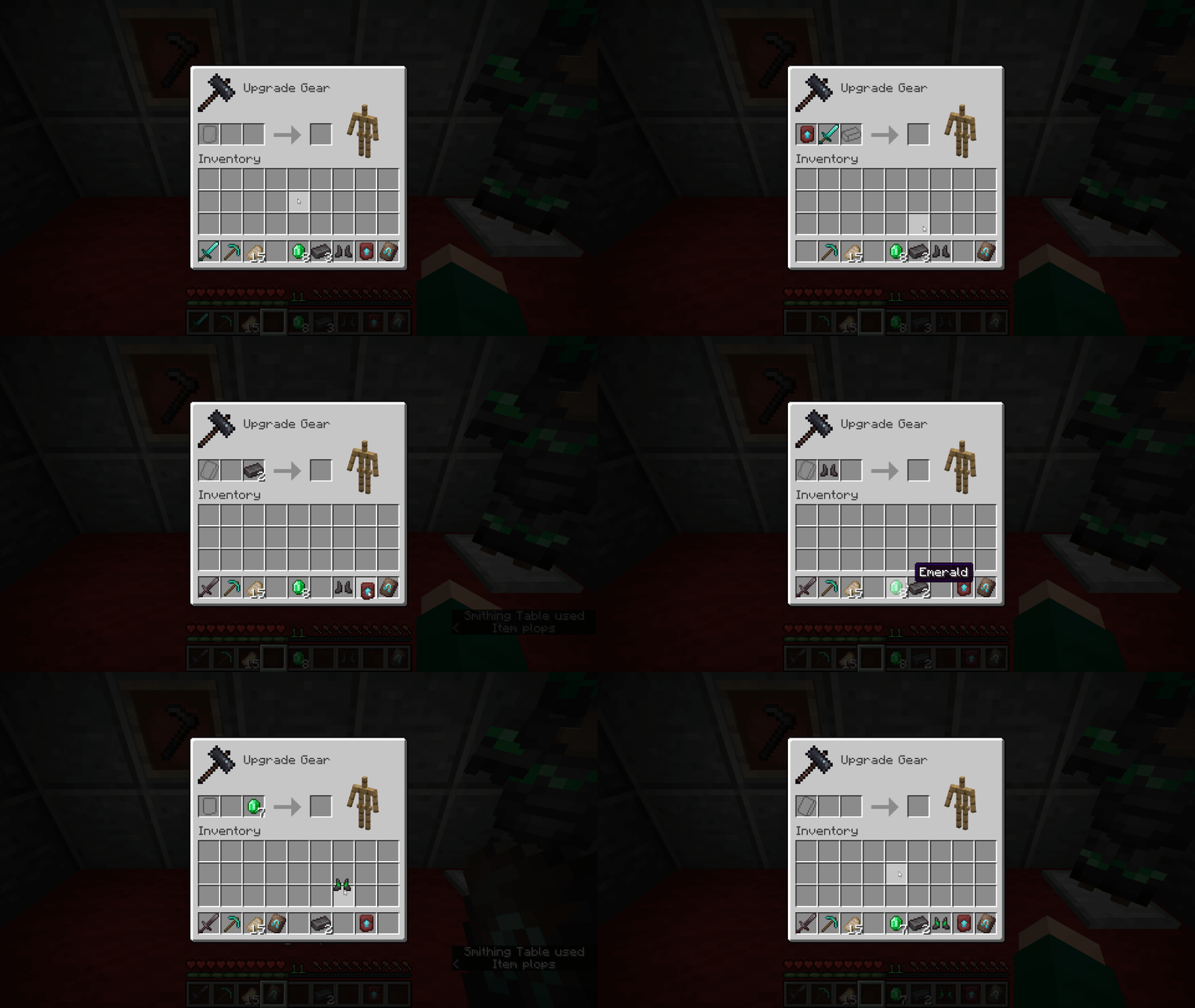
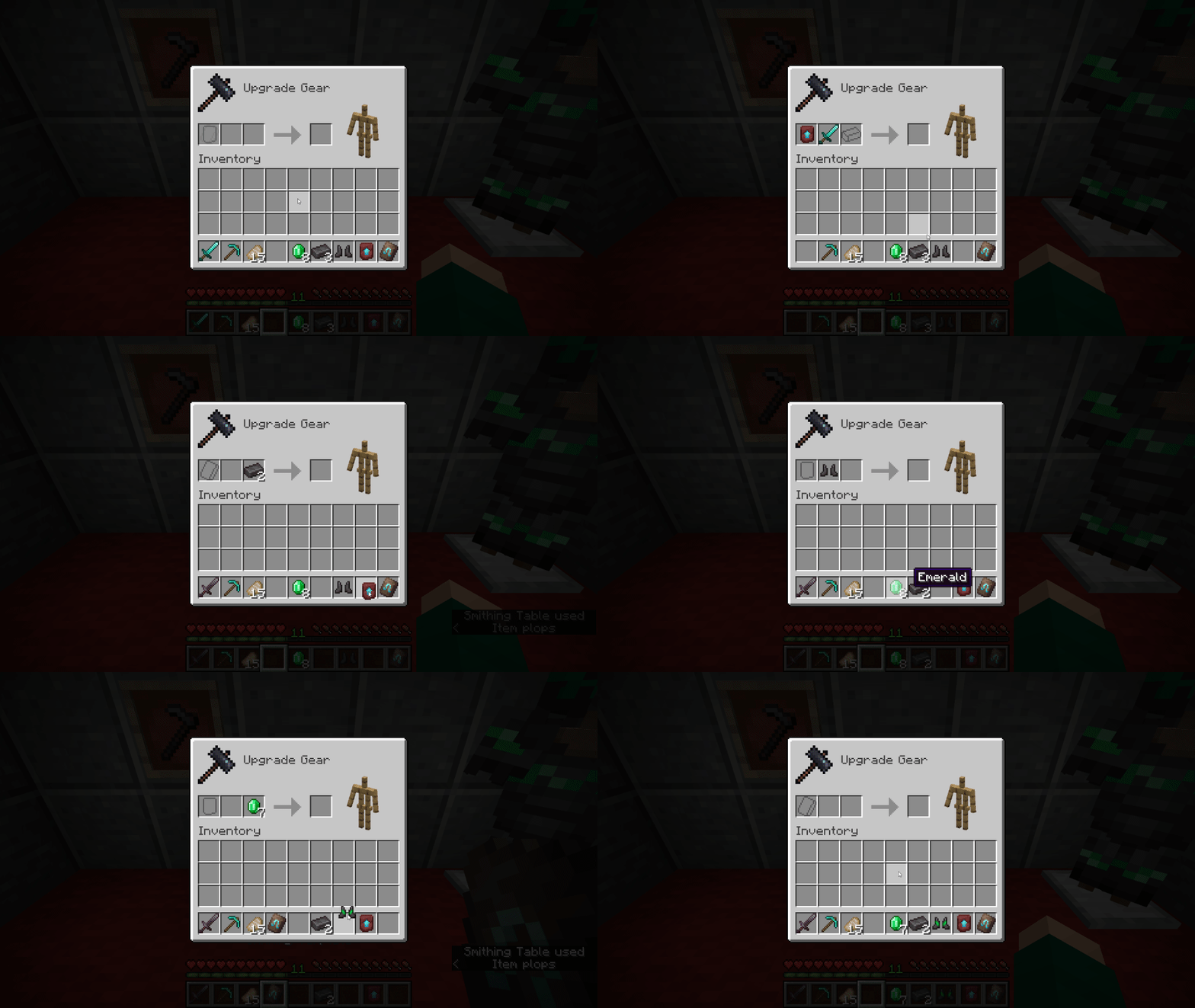
Smithing templates are items that can be found at structures and are used to alter weapons, tools and armor on a smithing table. Personally, I didn't like how smithing templates would be consumed when used. It limits creativity with armor trims and makes obtaining netherite items more difficult than it needs to be. This data pack fixes this issue by returning the smithing template back to the player when it's used on a smithing table.
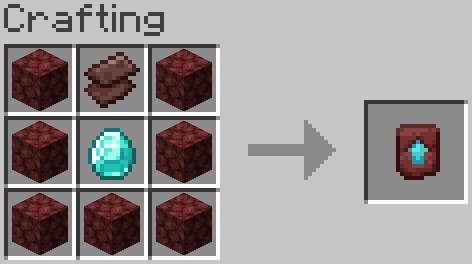
Additionally, it adds a crafting recipe for the Netherite Upgrade Smithing Template that's much less resource intensive and doesn't require you to hunt it down in a generated structure.
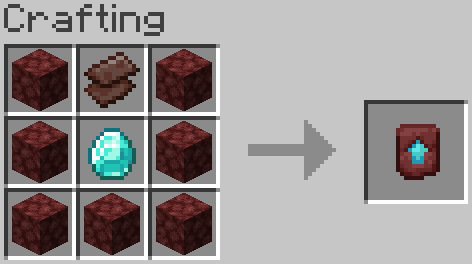
This data pack does not affect the odds of finding smithing templates in generated structures. The existing duplication recipes for smithing templates are also not affected.
Supported Minecraft: Java Edition versions:
- For 1.21 or later, use the latest version.
- For 1.20.3 - 1.20.6, use v1.0.0.
How to Install
Singleplayer
In a New World
- Get the latest release
- Open Minecraft and go to Singleplayer -> Create New World -> More tab -> Data Packs -> Open Data Pack Folder
- Drag or copy & paste the
zipfile into the window that appears - Click on the ▶️ right arrow on the
reusable-smithing-templatesicon, then click Done. - Create the world
In an Existing World
- Get the latest release
- Open Minecraft, go to Singleplayer and select the world you want to add the data pack to
- Go to Edit -> Open World Folder
- Open the folder named
datapacks, and drag or copy & paste thezipfile into the folder - Open the world
- If the world was open while you added the pack and have commands enabled, run the
/reloadcommand or press F3 + T
Multiplayer
These instructions may be different if you're using a third party server host. If you need help, refer to your host's support website or knowledgebase, or contact their support team.
- Get the latest release
- In your server directory, find your world folder (default:
world) - Open the folder named
datapacks, and drag or copy & paste thezipfile into the folder - If the server was running while you added the pack, run the command
reloadin the server console, or/reloadin-game as a level 3 operator
License
This data pack is licensed under the MIT License. The license can be found here.
Credits
- Thanks to Misode for his Data Pack Generators Website. Some files were made using this website.
- Special thanks to the Minecraft Wiki team for maintaining a high quality resource on all things Minecraft, including exhaustive documentation on data packs.
- Minecraft © 2024 Mojang AB, TM & © Microsoft Corporation.
Contact
- Twitter: @dlljs
- Discord: dlljs
- Email: contact@dlljs.uk
NOT AN OFFICIAL MINECRAFT PRODUCT. NOT APPROVED BY OR ASSOCIATED WITH MOJANG OR MICROSOFT.
Галерея