RC Vehicles
"Remote-control cars, Planes, Boats, and heli with a bindable remote and first-person camera"
Описание
🚗 RC Vehicles
Remote-control vehicles for Minecraft. Drive, sail and fly them yourself, control them from a distance with a handheld remote — or build your own from parts. Upgrade them, park them in garages, pave roads for them, and repair them when they break down.

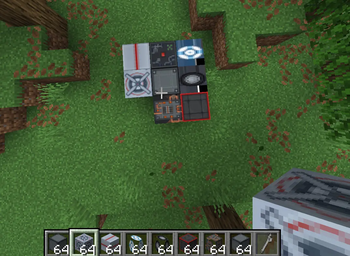
🔧 Build Your Own
Place part blocks — Controller, Engine, Wheel, Wing, Rotor, Pontoon, Seat, Cargo, and Frame — then use the Wrench on the Controller to assemble them into a working vehicle. It faces whichever way you're looking. How you build it decides how it behaves:
- Rotor — hovers like a helicopter, up and down with your view
- Wing — flies like a plane: build up airspeed for lift, stall if you slow down
- Pontoon — floats on water
- Wheels — drives on land; more wheels turn sharper
- Engines — more engines, more speed
- Seat — required to ride, or control any build with the RC Remote
- Cargo — adds a storage crate you can haul goods in
- Frames — structure and weight; bigger builds are heavier
When you assemble a vehicle it tells you how to fuel it up, so you're never left wondering why it won't move. Wrench the vehicle again to disassemble it and get every part back, in exactly the shape you built it.
⚡ Upgrades & Boosters
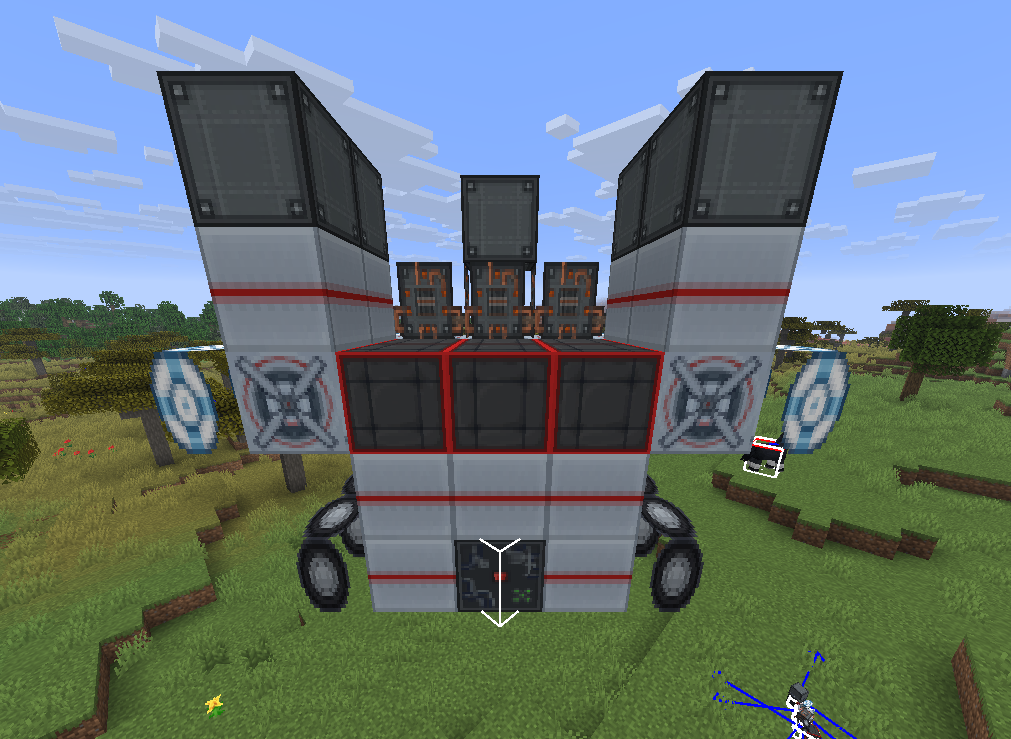
Take your builds further with upgrade parts:
- Booster — hold R for a burst of speed with flames out the back. More boosters, more power — but it burns fuel 3x faster
- Fuel Tank — each tank increases how much fuel your vehicle holds
- Diamond & Netherite Engines — faster than the regular engine
- Diamond & Netherite Wheels — more speed and sharper turning
- Netherite parts are upgraded from diamond parts in the Smithing Table

🏎️ Four Prebuilt Vehicles
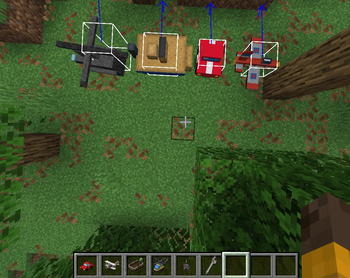
Prefer to just drive? Four ready-made vehicles are included:
- RC Car — climbs blocks and handles rough terrain
- RC Boat — floats and cuts through water, and crawls if you beach it
- RC Plane — realistic flight: build up airspeed to stay airborne, and stall if you slow down too much
- RC Helicopter — hovers in place, takes off vertically, and rotates on the spot. No stall speed
🧳 Trunk
Every prebuilt vehicle has a 27-slot trunk. Sneak + right-click the vehicle to open it. Your items stay in it when you save and quit.

👥 Passengers
Vehicles carry more than just the driver. Build with multiple Seats and passengers ride along at their own spots while the driver steers. Bring your friends — or your animals — along for the ride.
📦 Cargo
Add a Cargo block to your build and it becomes a crate on the vehicle with its own 27-slot inventory. Right-click the crate to open it, load it up, and haul your goods wherever you drive. The crate rides locked to the vehicle and turns with it.
Nothing gets lost: when you disassemble, the crate turns back into a Cargo block with your items still inside, and they go straight back into the crate when you rebuild.
🅿️ Garages & Capsules
Pack your vehicles up and park them away.
- Vehicle Capsule — sneak + Wrench a built vehicle to pack the whole thing into one item: its parts, fuel, cargo and name are all saved. Right-click the ground to deploy it again, facing where you look

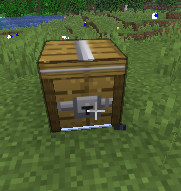
- Garage — holds up to 27 capsules. Pack a vehicle within 8 blocks of a Garage and it parks straight in. Open the Garage, take a capsule out, and you're ready to go

🏆 Display Stand
Build a showroom. Any vehicle on a Display Stand stays parked for show, and right-clicking the stand turns it 45°. Break the stand or pack the vehicle to take it off.

🛣️ Roads
Pave the way with Road and Road Line blocks. Vehicles drive faster on roads, so build a highway between your bases.

⛽ Fuel
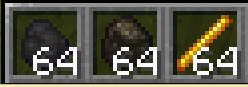
Every vehicle runs on coal, charcoal, or blaze powder — right-click a vehicle with fuel to top it up. A newly built vehicle tells you to fuel it, warns you when it's running dry, and shows its fuel level each time you refuel. Add Fuel Tanks to your build to carry more.
💥 Vehicle Health
Vehicles can take damage from mobs, players, arrows, explosions, fire and lava. A damaged vehicle starts smoking, and at 0 HP it's wrecked — it won't drive until you fix it.
- Right-click with iron ingots to repair
- Bigger builds have more health
- Your own passengers can't damage it
- Can be turned off in the settings

🚚 Towing
Craft a Tow Lead, then use it on two vehicles to hitch one to the other. The towed vehicle follows behind, swinging round corners. It works on wrecks too, so you can tow a broken-down vehicle home.

💡 Headlights & Horn
Press G to switch on the headlights. They shine beams ahead and really light up the ground around you at night. Press J to sound the horn — everyone nearby hears it.

🎨 Paint & Customize
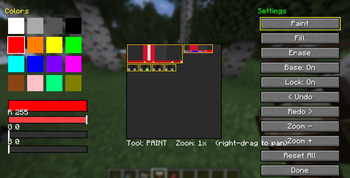
Make every vehicle yours. Craft a Paintbrush, right-click any vehicle, and design its look pixel by pixel in a full painter.
- Mix any color with RGB sliders, or grab one of 16 presets
- Paint, fill, and erase straight onto the vehicle's texture
- Undo and redo every change, zoom in for fine detail, and right-drag to pan around
- Part outlines mark out the body, cabin, wheels, and other sections so you know exactly what you're painting
- Toggle the base texture — paint over the original design, or start from a blank canvas
- Copy & Paste a design onto another vehicle of the same type
- 8 preset slots to save your favourite designs and load them any time
- Every design saves to that specific vehicle and is visible to everyone in multiplayer
Works on all five vehicles — car, plane, boat, helicopter, and your own assembled builds. The Paintbrush is craftable in survival and unlocked from the start.
📡 The Remote
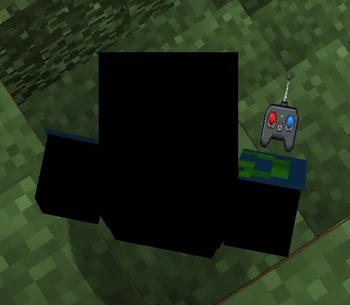
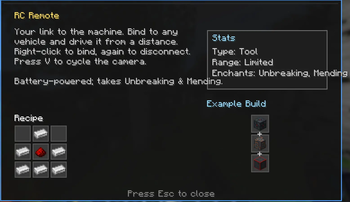
Craft an RC Remote, then right-click any vehicle to bind to it. Right-click it again to disconnect. Once bound, you control that vehicle from a distance.
Press V to cycle the camera: first-person from the vehicle, third-person behind it, then back to yourself.
The remote runs on a battery — its durability drains while you're driving, and it accepts Unbreaking and Mending.
Like a real RC, the remote has a limited range. Send a vehicle too far and you'll lose the signal.

📊 Dashboard & Info HUD
While you drive — seated or with the remote — a dashboard shows your speed, HP, fuel, boost and headlights. Pick which corner of the screen it sits in, and show speed in km/h or blocks per second.

Press H to bring up an on-screen readout for the vehicle you're looking at — a quick tooltip showing its stats and status at a glance. Works on every vehicle, both the prebuilt ones and your own custom builds.
📖 Guide & Driver's License
New to the mod? Craft the RC Vehicles Guide — an in-game book that explains everything, from your first build to garages and upgrades.
Then grab a Driver's License. Right-click to sign it with your name, and it keeps track of your distance driven, top speed and vehicles built.

⚙️ Settings
Press K to open the RC Vehicles settings screen:
- Engine volume
- Item tooltips and tooltip examples on or off
- Dashboard on or off, and which corner it sits in
- Speed units — km/h or blocks per second
- Vehicle damage on or off
- Reset everything to defaults
Display settings are personal — each player controls their own.

🎮 Controls
- Right-click a vehicle with the remote — bind or disconnect
- W / S — throttle and brake
- A / D — turn
- Space / Shift — climb and dive (plane, helicopter, rotor builds)
- R — boost (needs a Booster)
- G — headlights
- J — horn
- V — cycle camera
- H — show the info HUD
- K — open settings
- Wrench a Controller to assemble, or a vehicle to disassemble
- Sneak + Wrench a built vehicle to pack it into a capsule
- Sneak + right-click a prebuilt vehicle to open its trunk
- Iron ingot on a damaged vehicle to repair it
- Tow Lead on two vehicles to hitch them together
- Paintbrush a vehicle to customize its look
- Right-click a Cargo crate on a vehicle to open its storage
- Right-click a Display Stand to turn the vehicle on it
All keys can be changed in Minecraft's Controls menu.
🛠️ Crafting
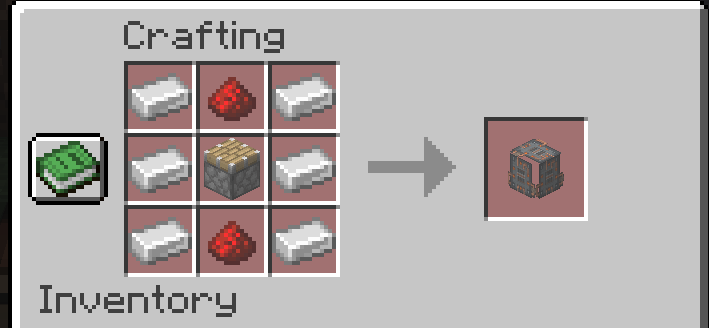
Every vehicle, every part, every upgrade, the remote, the paintbrush, the garage, roads and more are crafted from common survival materials — iron, redstone, diamonds, netherite and more — and all recipes unlock in your recipe book automatically.
✅ Requirements
- Fabric Loader + Fabric API
- Minecraft 1.21.4–1.21.11
- Required on both client and server
📺 Subscribe: MC_Infographic
Галерея