COWMODSКаталог модов

RandomCamera

A camera that randomly teleport to specified points.

Автор: Terra_Stadis3675обновлён 13 июл. 2025 г.
Механики игрыТехнологииУтилиты

Описание

Русский

Создан по образу и подобию камеры с MineShield с личными изменениями и улучшениями.

По всем вопросам обращаться ко мне в Telegram

Основные функции

Рандомный режим

  • /rancam create ID Пример подписи

    • Создание ракурса
    • Нужны права rancam.rancam
    • Только игрок
  • /rancam delete ID

    • Удаление ракурса
    • Нужны права rancam.rancam
    • Консоль и игрок
  • /rancam teleport ID

    • Телепорт к ракурсу
    • Нужны права rancam.rancam
    • Только игрок
  • /rancam list

    • Список, установленный для рандомного режима.
    • Все ракурсы в списке, установленном для рандомного режима.
    • Нужны права rancam.list
    • Только игрок
  • /rancam mode *

    • intaractive
      • Стандартный, в котором с камерой могут взаимодействовать другие игроки.
      • Неубиваемая.
      • При её вылете плагин будет искать камеру до тех пор, пока она снова не зайдёт (в консоли будет писаться Камера не найдена)
    • nonIntaractive
      • Режим, в котором ни сама камера, ни игроки её сдвинуть не смогут.
      • Оставляет режим игры тот, что был при написании команды start.
      • При вылете плагин автоматически завершает работу камеры.
  • /rancam start Игрок

    • Превращает игрока в камеру, которая будет телепортироваться по заданным точкам по заданному в конфиге времени
    • Нужны права rancam.rancam
    • Консоль и игрок
  • /rancam stop

    • Остановить камеру
    • Нужны права rancam.rancam
    • Консоль и игрок
  • /rancam reload

    • Перезагружает конфиг (иногда нужно прописать 2 раза)
    • Нужны права rancam.rancam
    • Консоль и игрок

Ручной режим

  • /handcam set Игрок

    • Устанавливает игрока, как камеру, которой можно управлять.
    • Нужны права handcam.set.
    • Консоль и игрок.
  • /handcam moveTo ID

    • Телепортирует установленную камеру к указанному ракурсу.
    • Нужны права handcam.moveTo.
    • Консоль и игрок.
  • /handcam list

    • Список, установленный для ручного режима.
    • Все ракурсы в списке, установленном для ручного режима.
    • Только игрок.

Конфиг

  • cameraSwitchTime
    • Измеряется в секундах.
    • По умолчанию 15.

Списки ракурсов

Основная работа со списками происходит в /rancam lists *:

  • create <name> - создать свой список ракурсов.
  • delete <name> - удалить список ракурсов.
  • set <CurrentRanCameraList|CurrentHandCameraList> <name> - установить список для ручной или рандомной камеры.

Советы

У камеры есть такое интересное свойство - вылетать. Возможнно это связано с тем, что камера слишком далеко тепается и сервер это считает нарушением.

Для устранения этого инцидента можете скачать мод AutoRelog и настройте его, чтобы камера могла переподключаться без надобности вмешательства извне.

Если вы собираетесь сворачивать окно, при этом не завершая стрим, скачайте мод Borderless Fullscreen, настроив его, чтобы в полноэкранном режиме окно при переходе в другое приложение не сворачивалось.

Так же для того, чтобы камера не выходила в меню при сворачивании окна нажмите комбинацию клавишь F3 + P

English

Created in the image and likeness of a MineShield camera with personal changes and improvements.

If you have any questions, please contact me at Telegram

Main functions

Random mode

  • /rancam create ID Example title

    • Creating a camera angle
    • You need the rights rancam.rancam
    • Player only
  • /rancam delete ID

    • Deleting the camera angle.
    • Need the rights of rancam.rancam.
    • Сonsole and player.
  • /rancam teleport ID

    • Teleport to the camera angle.
    • Need the rights of rancam.rancam.
    • Player only.
  • /rancam list

    • The list set for random mode.
    • All camera angles are in the list set for random mode.
    • Need the rights of rancam.list.
    • Player only.
  • /rancam mode *

    • intaractive
      • A standard one in which other players can interact with the camera.
      • Unkillable.
      • When it crashes, the plugin will search for the camera until it logs in again (the console will say Camera not found)
    • nonIntaractive
      • A mode in which neither the camera itself nor the players can move it.
      • It does not change the game mode at startup.
      • Upon leaving, the plugin automatically shuts down the camera.
  • /rancam start PLAYER

    • Turns the player into a camera that will teleport to specified points according to the time specified in the config.
    • Requires the rights rancam.rancam.
    • Сonsole and player.
  • /rancam stop

    • Stop the camera.
    • Need the rights of rancam.rancam.
    • Сonsole and player.
  • /rancam reload

    • Reloads the config (sometimes you need to register 2 times).
    • Rights are needed rancam.rancam.
    • Console and player.

Manually mode

  • /handcam set Player

    • Sets the player as a camera that can be controlled.
    • You need the rights of ``handcam.set`'.
    • Console and player.
  • /handcam moveTo ID

    • Teleports the installed camera to the specified angle.
    • You need the rights of ``handcam.moveTo`'.
    • Console and player.
  • /handcam list

    • The list set for manual mode.
    • All camera angles are in the list set for manual mode.
    • Player only.

Config

  • cameraSwitchTime
    • Measured in seconds.
    • Default is 15.

Lists of camera angles

The main work with lists takes place in /rancam lists *:

  • create <name> - create your own list of camera angles.
  • delete <name> - delete the list of camera angles.
  • set <CurrentRanCameraList|CurrentHandCameraList> <name> - set a list for a manual or random camera.

Tips

The camera has such an interesting property - disconnect. This may be due to the fact that the camera is moving too far away and the server considers it a violation.

To fix this incident, you can download the AutoRelog mod and set it up so that the camera can reconnect without the need for outside interference.

If you are going to minimize the window without completing the stream, download the mod Borderless Fullscreen, by configuring it so that in fullscreen mode, the window does not collapse when switching to another application.

Also, to prevent the camera from entering the menu when minimizing the window, press the key combination F3 + P

ENJOY USING IT <3

Галерея
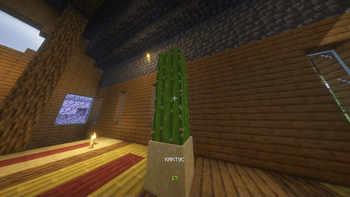
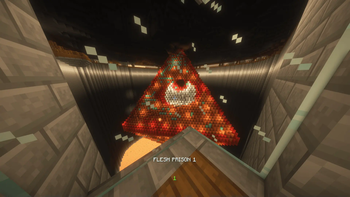
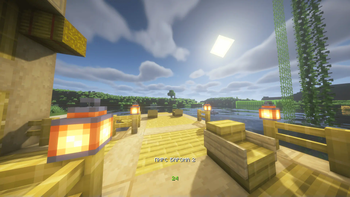
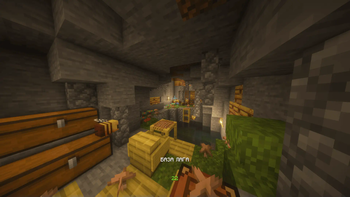
КактусFlesh PrisonПирсУютная пещерка

Последние версии

Все версии →
beta

RandomCamera 0.6

0.6
13 июл. 2025 г.133Minecraft: 1.21, 1.21.1, 1.21.2, 1.21.3, 1.21.4, 1.21.5, 1.21.6, 1.21.7bukkit, paper, purpur, spigot
Скачать
Что нового
# **Русский** - Исправление критических багов версии 0.5x - Переписана система хранения данных # **English** - Fixing critical bugs of version 0.5x - The data storage system has been rewritten
beta

RandomCamera 0.52

0.52
11 июл. 2025 г.19Minecraft: 1.21, 1.21.1, 1.21.2, 1.21.3, 1.21.4, 1.21.5, 1.21.6, 1.21.7bukkit, paper, purpur, spigot
Скачать
Что нового
# **Русский** ## **НЕ ТРОГАЙТЕ ЭТО, ЭТО НЕРАБОТАЮЩЕЕ ГОВНО. ПОЖАЛУЙСТА, СКАЧИВАЙТЕ ВЕРСИИ ВЫШЕ. НЕ ВЕДИТЕСЬ!** - Исправление критически важных багов # **English** ## **DON'T TOUCH THIS, THIS NOT WORKING SHIT. PLEASE DOWNLOAD THE VERSIONS ABOVE. DON'T BE FOOLED!** - Fixing critical bugs
beta

RandomCamera 0.51

0.51
11 июл. 2025 г.22Minecraft: 1.21, 1.21.1, 1.21.2, 1.21.3, 1.21.4, 1.21.5, 1.21.6, 1.21.7bukkit, paper, purpur, spigot
Скачать
Что нового
# **Русский** ## **НЕ ТРОГАЙТЕ ЭТО, ЭТО НЕРАБОТАЮЩЕЕ ГОВНО. ПОЖАЛУЙСТА, СКАЧИВАЙТЕ ВЕРСИИ ВЫШЕ. НЕ ВЕДИТЕСЬ!** - Исправление критически важных багов # **English** ## **DON'T TOUCH THIS, THIS NOT WORKING SHIT. PLEASE DOWNLOAD THE VERSIONS ABOVE. DON'T BE FOOLED!** - Fixing critical bugs
beta

0.5

0.5
24 июн. 2025 г.23Minecraft: 1.21, 1.21.1, 1.21.2, 1.21.3, 1.21.4, 1.21.5, 1.21.6bukkit, paper, purpur, spigot
Скачать
Что нового
# Русский ## **НЕ ТРОГАЙТЕ ЭТО, ЭТО НЕРАБОТАЮЩЕЕ ГОВНО. ПОЖАЛУЙСТА, СКАЧИВАЙТЕ ВЕРСИИ ВЫШЕ. НЕ ВЕДИТЕСЬ!** **Скорее всего будет много багов, по всем вопросам пишите мне в [Telegram](https://web.telegram.org/k/#@TerraStadis).** Если вы пользовались предыдущими версиями советую сохранить данные камеры и **сделать чистую установку** плагина (удалить папку плагина и сам плагин и занового скачать). **Изменения:** - Создание списков ракурсов: - Теперь информация о созданых ракурсах хранится в отдельных списках (по умолчанию в ```default.yml``` в папке ```cameralist```). - Для ручной и рандомной камеры могут использоваться разные списки: - Установить список для рандомной камеры можно командой ```/rancam lists CurrentRanCameraList <name>```. - Установить список для ручной камеры можно командой ```/rancam lists CurrentHandCameraList <name>```. - Создать список можно командой ```/rancam lists create <name>```. - Удалить список можно командой ```/rancam lists delete <name>```. - Изменение старых команд: - Теперь команда ```/<rancam|handcam> list``` в начале пишет навазние конфига (списка) для ракурсов. - Команда ```/rancam list``` показывает ракурсы, используемые для рандомной камеры. - Команда ```/handcam list``` показывает ракурсы, используемые для ручной камеры. - Оптимизация кода. - Исправление багов: - Если в списке нет камер или список только что создан при автозаполнении выдавало ошибку, сейчас же выдаёт 1. # English ## **DON'T TOUCH THIS, THIS NOT WORKING SHIT. PLEASE DOWNLOAD THE VERSIONS ABOVE. DON'T BE FOOLED!** **Most likely there will be a lot of bugs, if you have any questions, write to me in [Telegram](https://web.telegram.org/k/#@TerraStadis).** If you have used previous versions, I advise you to save the camera data and **do a clean install** of the plugin (delete the plugin folder and the plugin itself and download the new one). **Changes:** - Creating lists of camera angles: - Now information about the created camera angles is stored in separate lists (by default in ```default.yml``` in the folder ```cameralist```). - Different lists can be used for manual and random cameras: - You can set a list for a random camera using the command ```/rancam lists CurrentRanCameraList <name>```. - You can set a list for a handheld camera with the command ```/rancam lists CurrentHandCameraList <name>```. - You can create a list with the command ```/rancam lists create <name>```. - You can delete the list with the command ```/rancam lists delete <name>```. - Modification of the old commands: - Now the command ```/<rancam|handcam> list``` at the beginning writes the name of the config (list) for camera angles. - The ```/rancam list``` command shows the camera angles used for the random camera. - The ```/handcam list``` command shows the camera angles used for the manual camera. - Code optimization. - Bug fixes: - If there are no cameras in the list or the list was just created during auto-completion, it wrote an error, now it returns 1.
beta

0.3

0.3
16 июн. 2025 г.17Minecraft: 1.21, 1.21.1, 1.21.2, 1.21.3, 1.21.4, 1.21.5bukkit, paper, purpur, spigot
Скачать
Что нового
# Русский - Добавлены режимы (```/rancam mode *```) - intaractive - Стандартный, в котором с камерой могут взаимодействовать другие игроки. - Неубиваемая. - При её вылете плагин будет искать камеру до тех пор, пока она снова не зайдёт (в консоли будет писаться ```Камера не найдена```) - nonIntaractive - Режим, в котором ни сама камера, ни игроки её сдвинуть не смогут. - Оставляет режим игры тот, что был при написании команды start. - При вылете плагин автоматически завершает работу камеры. # English - Added modes (```/rancam mode *```) - intaractive - A standard one in which other players can interact with the camera. - Unkillable. - When it crashes, the plugin will search for the camera until it logs in again (the console will say ```Camera not found```) - nonIntaractive - A mode in which neither the camera itself nor the players can move it. - It does not change the game mode at startup. - Upon leaving, the plugin automatically shuts down the camera.
alpha

0.21

0.21
30 мая 2025 г.24Minecraft: 1.21, 1.21.1, 1.21.2, 1.21.3, 1.21.4, 1.21.5bukkit, paper, purpur, spigot
Скачать
Что нового
# Русский - Теперь не надо прописывать название камеры через ```Такую_конструкцию```, теперь можно писать название через пробел, и он сам всё объеденит и сохранит. # English - Now you don't have to write the name of the angle through ```Such_a_construction```, now you can write the name separated by a space, and he himself will combine and save everything.
alpha

0.2

0.2
23 мая 2025 г.26Minecraft: 1.21, 1.21.1, 1.21.2, 1.21.3, 1.21.4, 1.21.5bukkit, paper, purpur, spigot
Скачать
Что нового
# Русский - Разделение режимов камеры на ```ручной``` и ```рандомный```. - Переделана система хранения информации о камере, теперь при релоаде или рестарте камера должна продолжать работу, если до этого была включена. - Чуть переделана система вывода сообщений. - Теперь больше команд можно использовать в консоли. - Больше информации об ошибках. # English - Separation of camera modes into ```manual``` and ```random```. - The camera information storage system has been redesigned. Now, when reloading or restarting, the camera should continue to work if it was turned on before. - The message output system has been slightly redesigned. - Now more commands can be used in the console. - More information about errors.
alpha

RandomCamera 0.12

0.12
21 мая 2025 г.24Minecraft: 1.21, 1.21.1, 1.21.2, 1.21.3, 1.21.4, 1.21.5bukkit, paper, purpur, spigot
Скачать
Что нового
# Русский - Теперь все списки будут отсортированы. - Заполнители в команде delete и teleport. - Список от команды list - Теперь при команде create будет автоматически предлагаться новый ID для камеры - Будет искаться максимальный ID в конфиге и к нему будет прибавляться 1. # English - Now all the lists will be sorted. - Placeholders in the delete and teleport commands. - List from the list command - Now, with the create command, a new ID for the camera will be automatically suggested - The maximum ID in the config will be searched for and 1 will be added to it.
alpha

0.11

0.11
19 мая 2025 г.39Minecraft: 1.21, 1.21.1, 1.21.2, 1.21.3, 1.21.4, 1.21.5bukkit, paper, purpur, spigot
Скачать
Что нового
# Русский - Добавлены цвета для некоторых системных уведомлений в чате. - Обновлён способ старта камеры. - Теперь камера сразу стартует с рандомной точки, а не ждёт завершения цикла, который запускается при старте плагина. # English - Added colors for some system chat alerts. - The camera launch method has been updated. - Now the camera starts immediately from a random point, rather than waiting for the completion of the cycle that starts when the plugin starts.
alpha

0.1

0.1
16 мая 2025 г.33Minecraft: 1.21, 1.21.1, 1.21.2, 1.21.3, 1.21.4, 1.21.5bukkit, paper, purpur, spigot
Скачать
Что нового
# Русский Базовый функционал # English Basic functionality