COWMODSКаталог модов

Quality of Queso

A Fabric/(Neo)Forge mod that adds various different QoL features, including container searching, precise inventory management, cool visual effects, and so much more!

Автор: Dillon877552,7 тыс.114обновлён 25 окт. 2026 г.
УправлениеОптимизацияУтилиты

Описание

Quality of Queso Logo

Chest searching, precise inventory management, and more!

Available for Fabric Available for NeoForged Available for Forge 1.20.1

Latest Version

Client-side, server optional

Requires DillonLib

Requires Balm

Requires YetAnotherConfigLib

Features include:

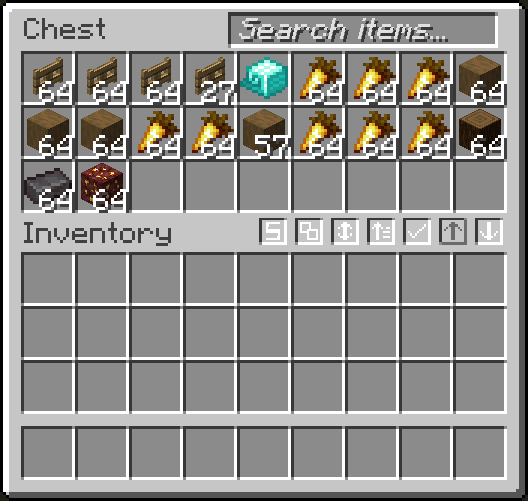
  • An easy-to-use search bar for your inventory and chests
  • Precise Inventory Management, building upon other inventory management mods
  • Container Filtering and Sorting
  • Locked Slots
  • Item Counter and Armor Status
  • Remove fog
  • And more!

📃 Main Features 📜

Search Bar
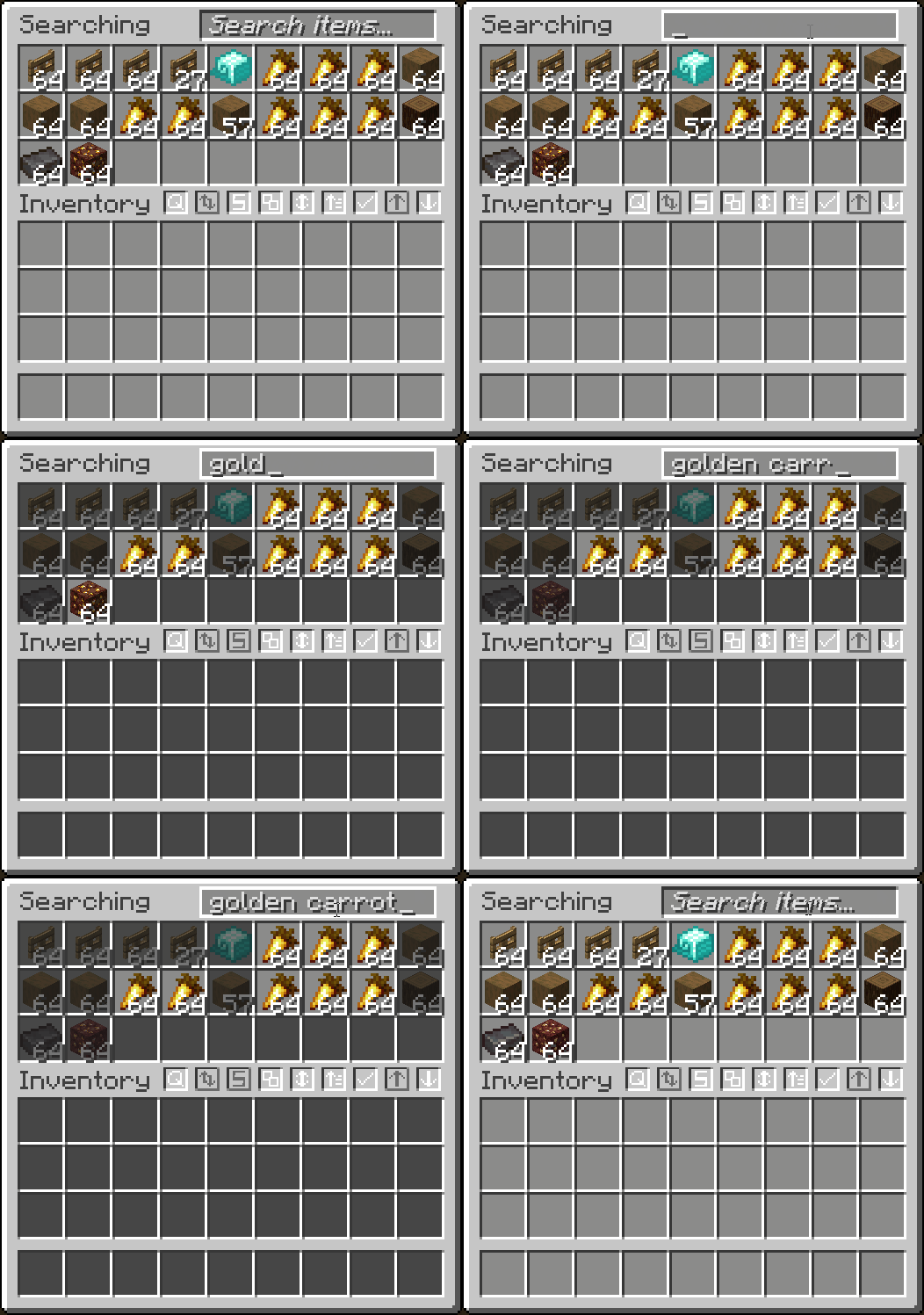
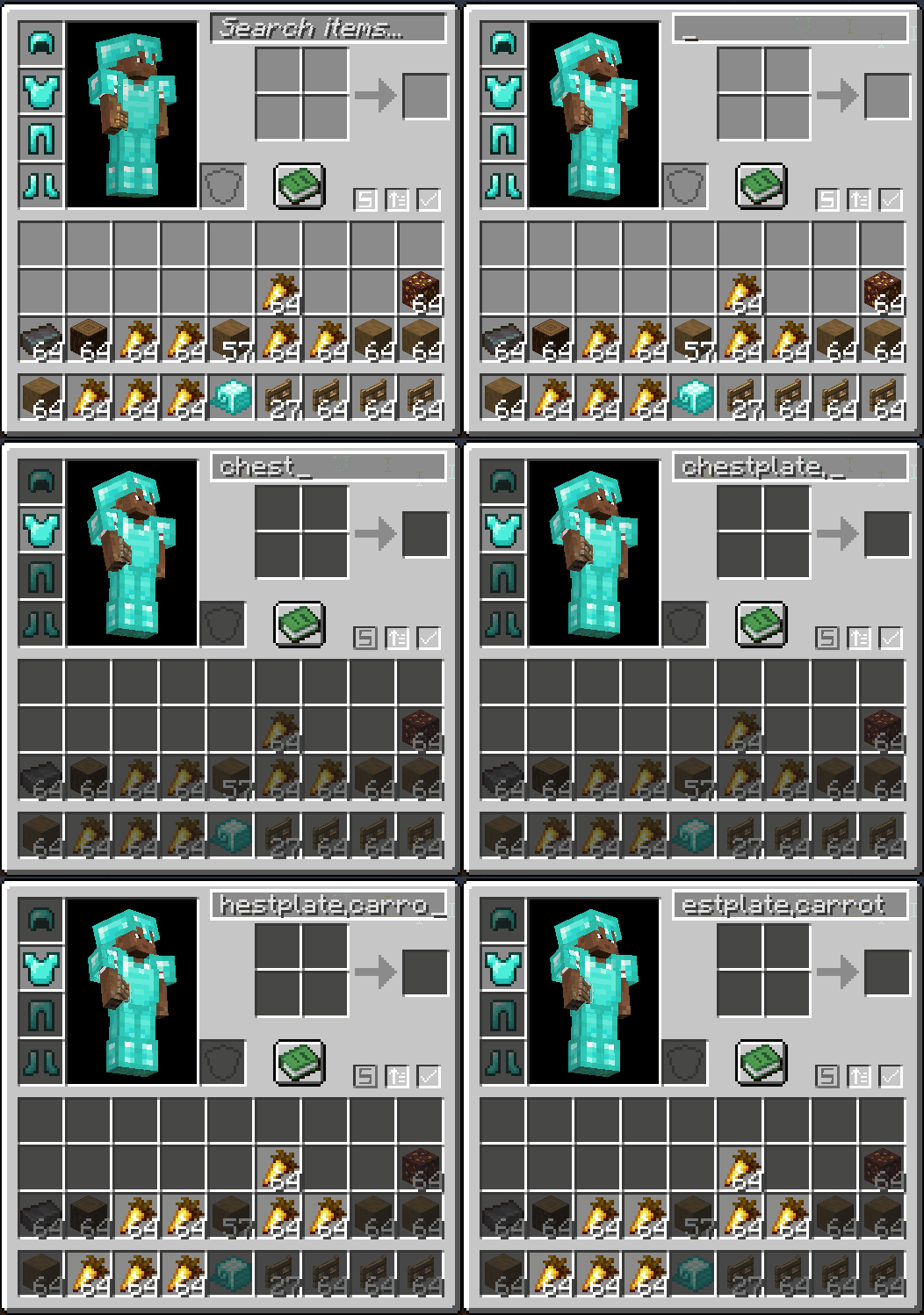
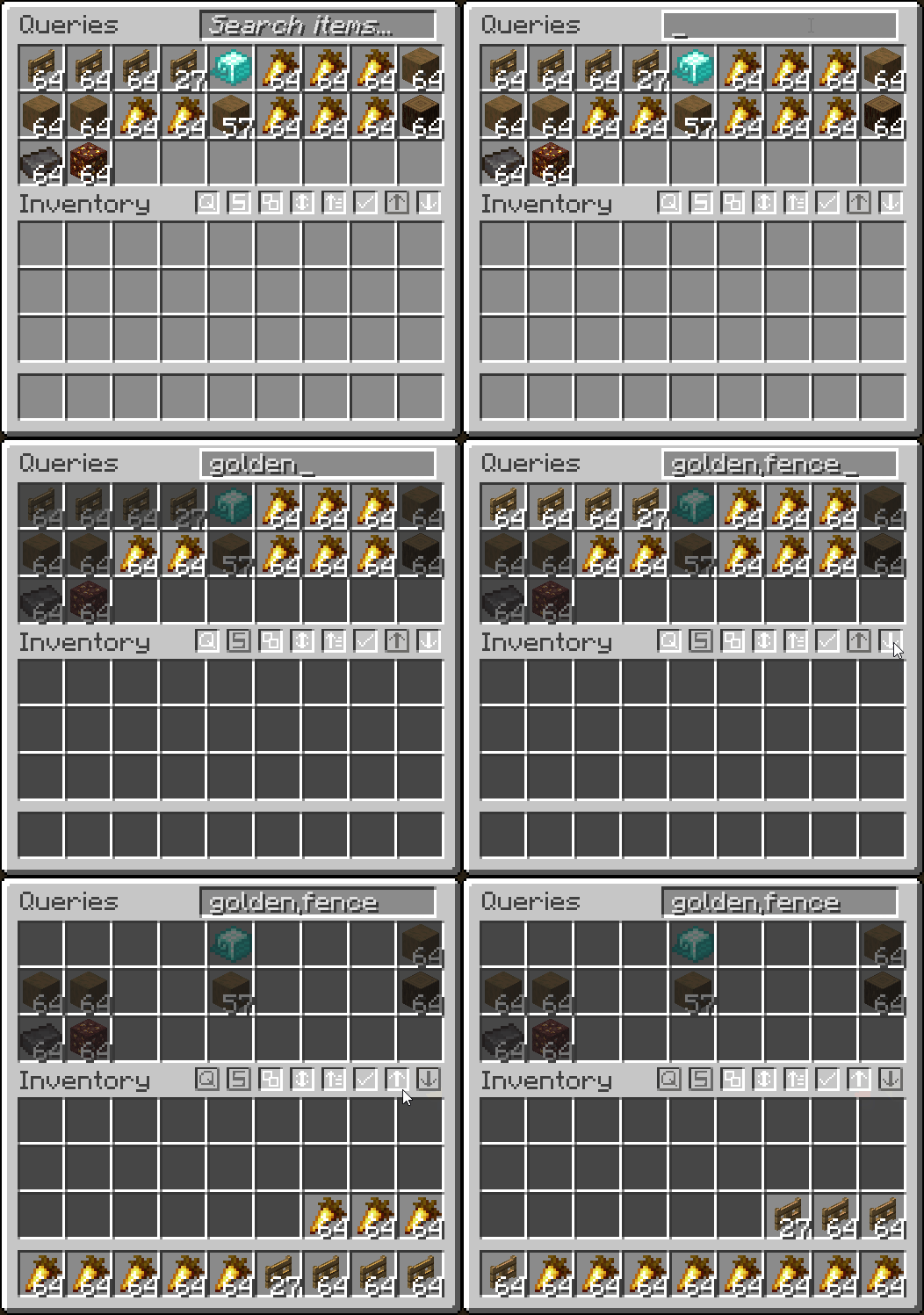
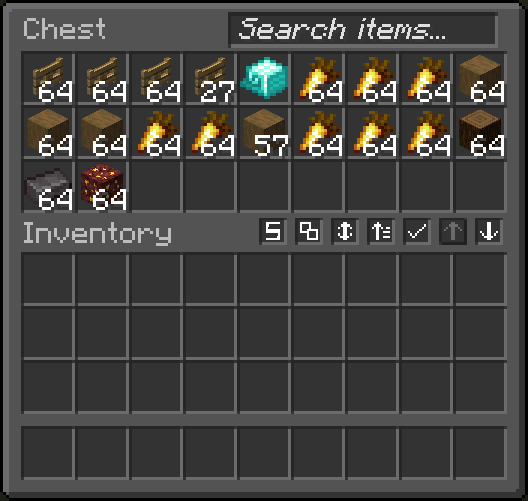
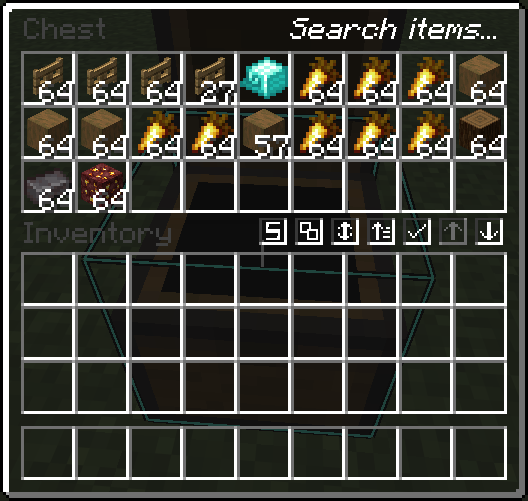
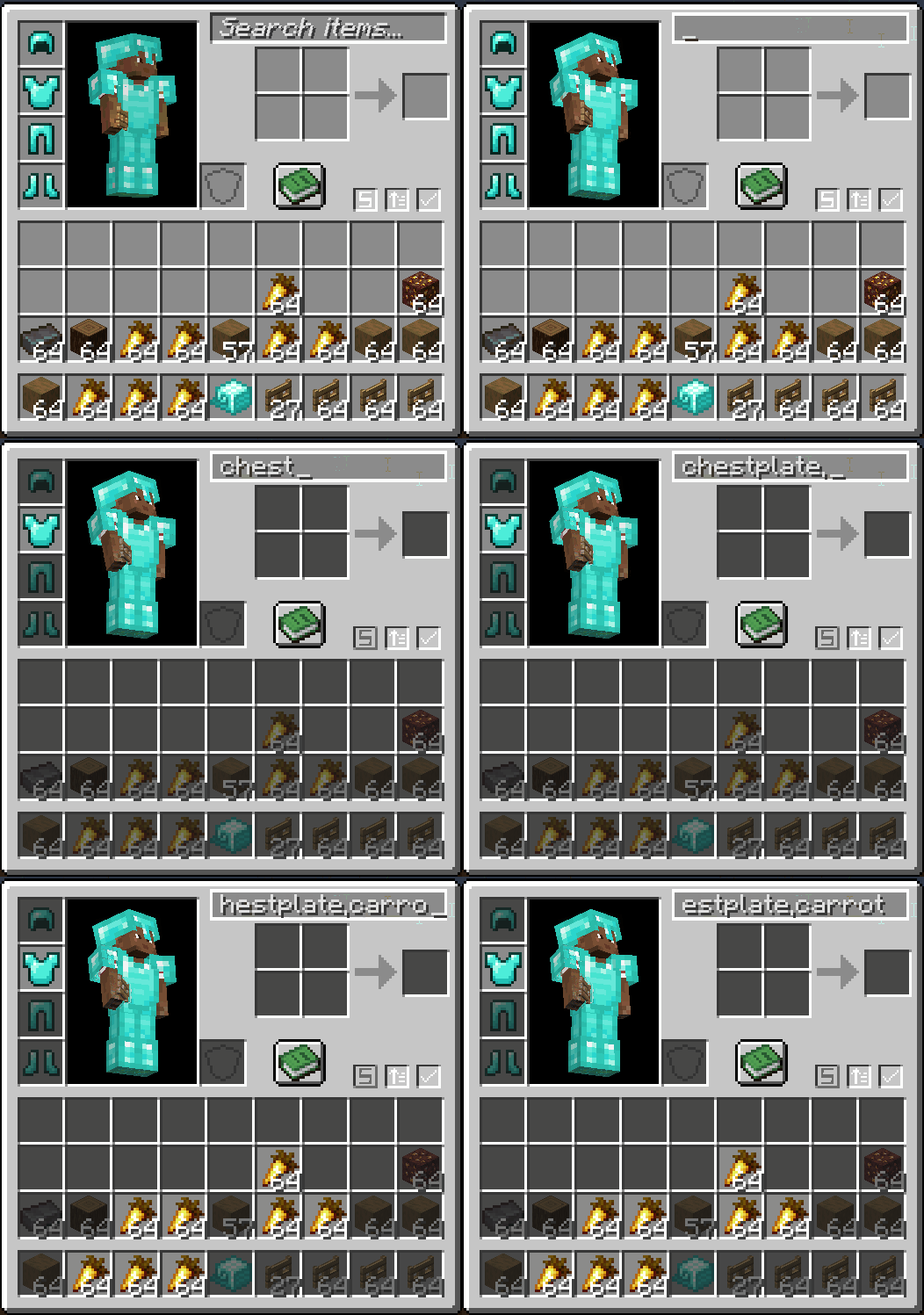
  • Search for items in a container or your inventory

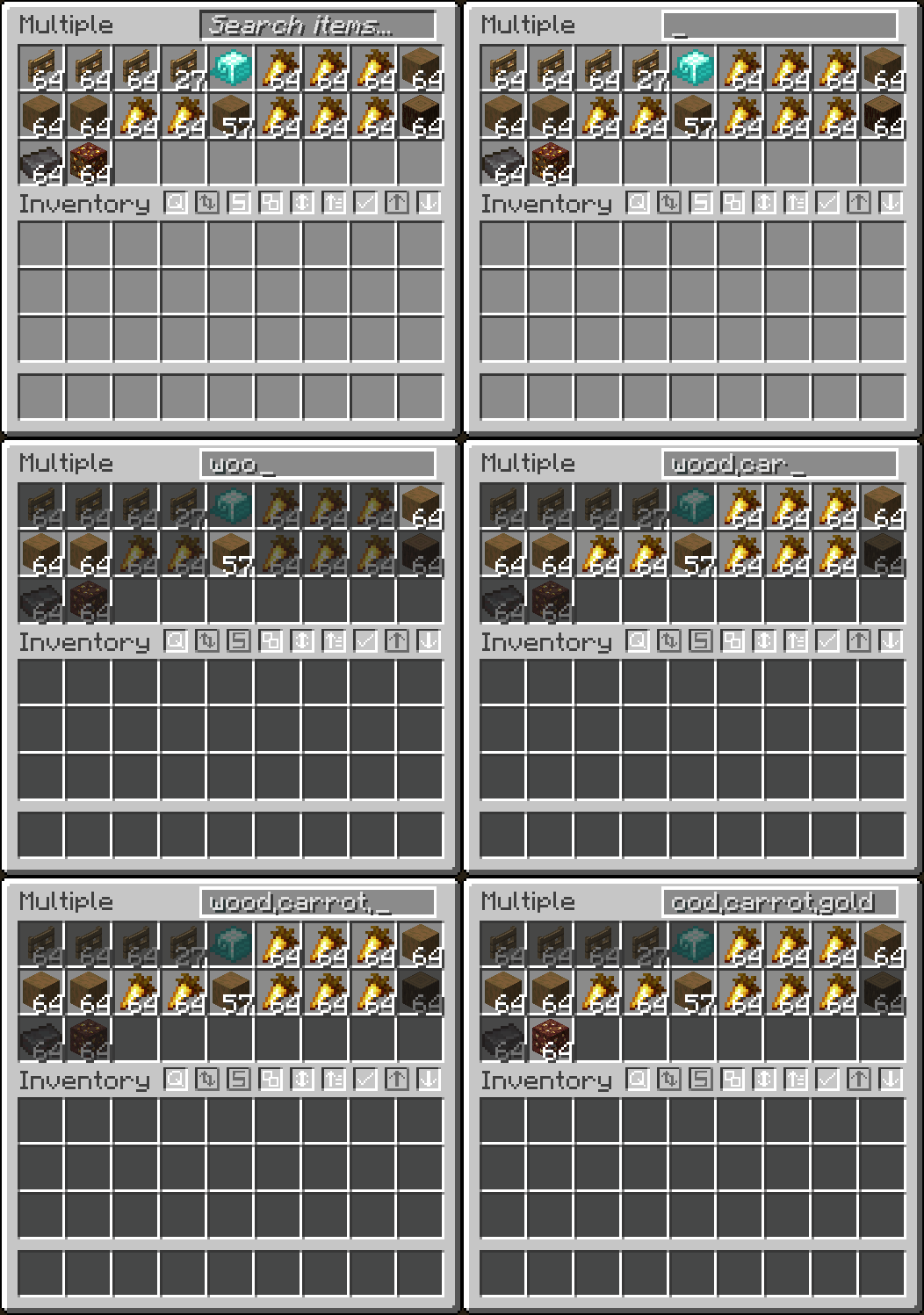
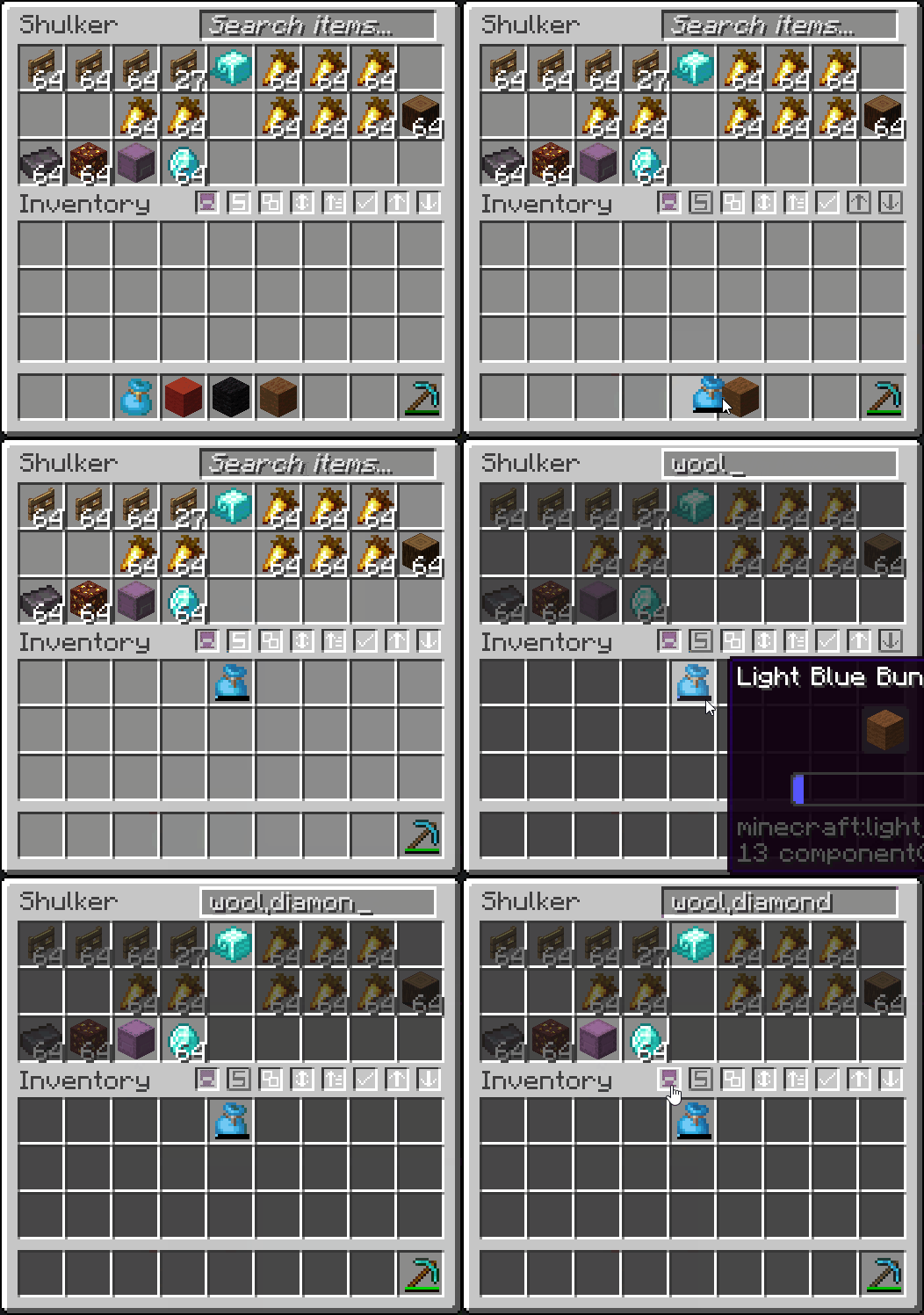
  • Search multiple items at once by separating each query with a ,
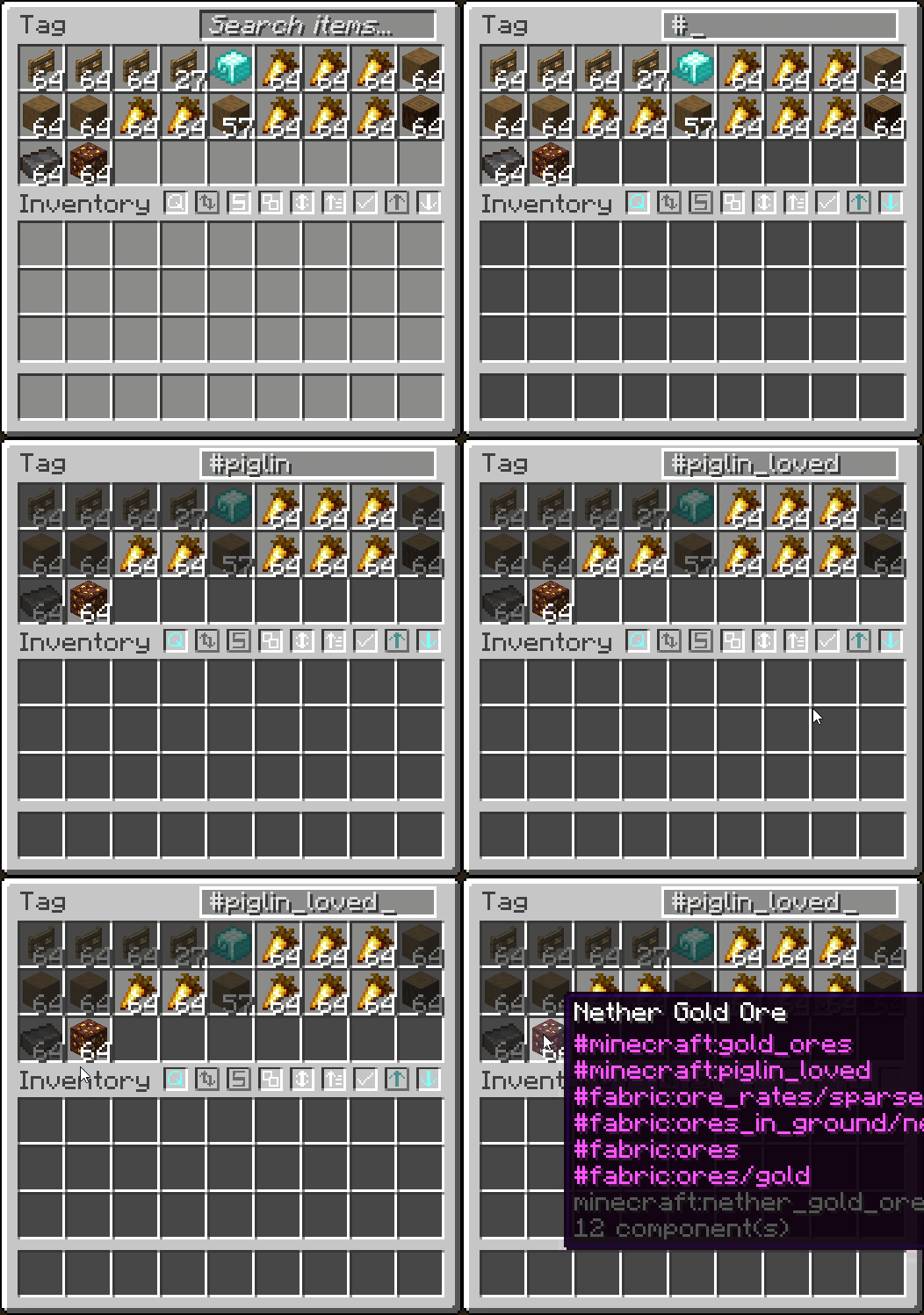
  • Search items by tag by starting query with #
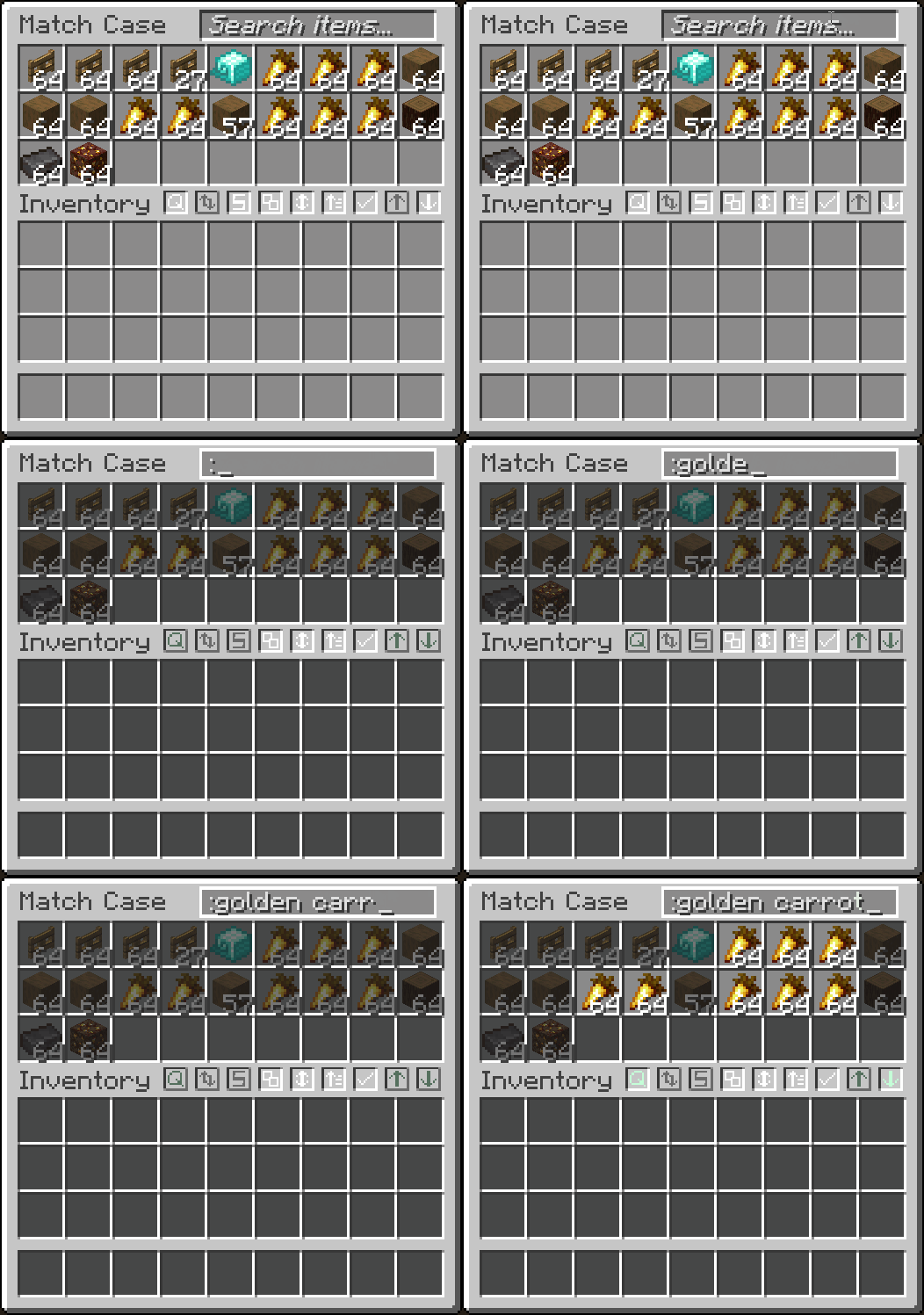
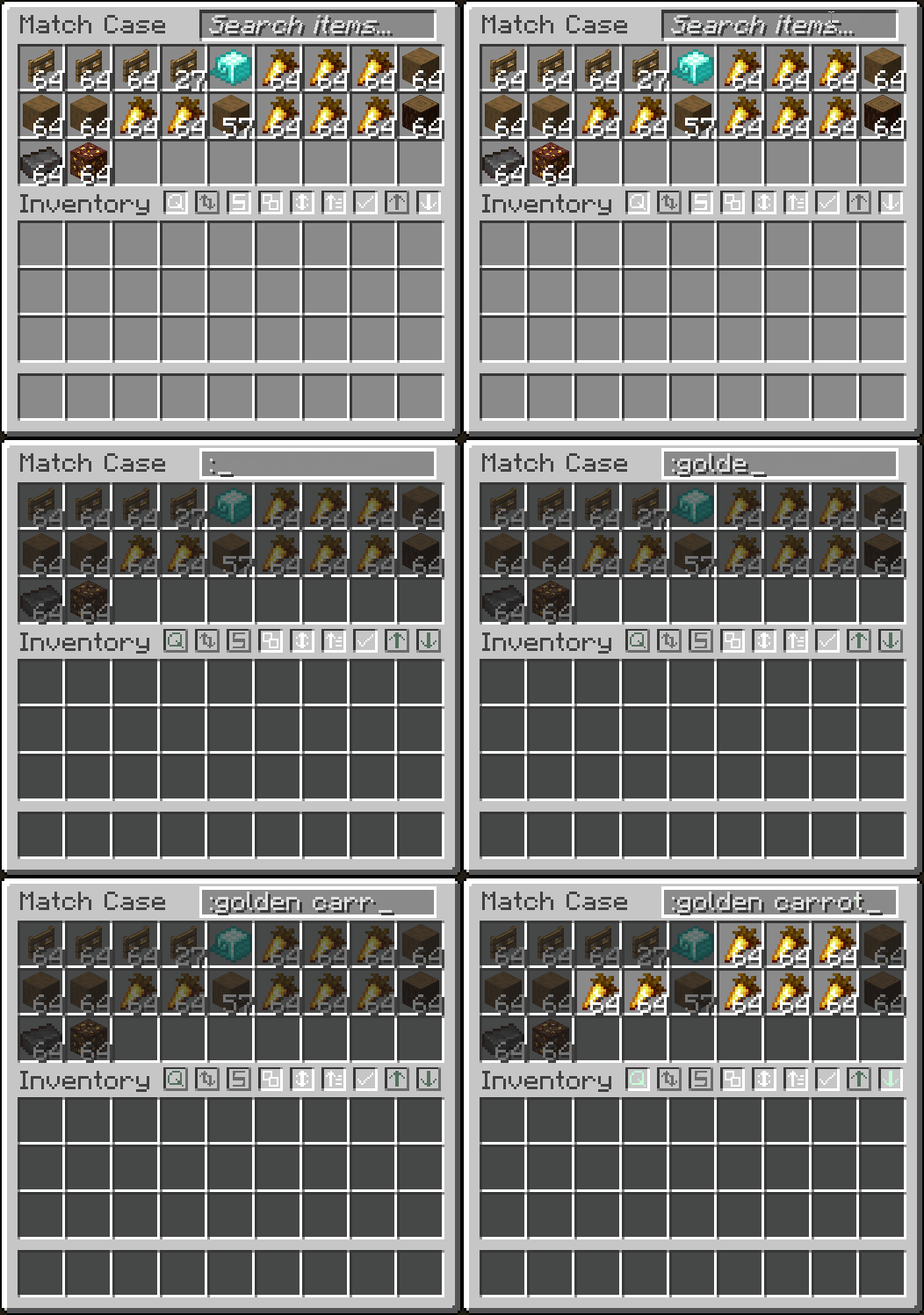
  • Match case by starting query with :
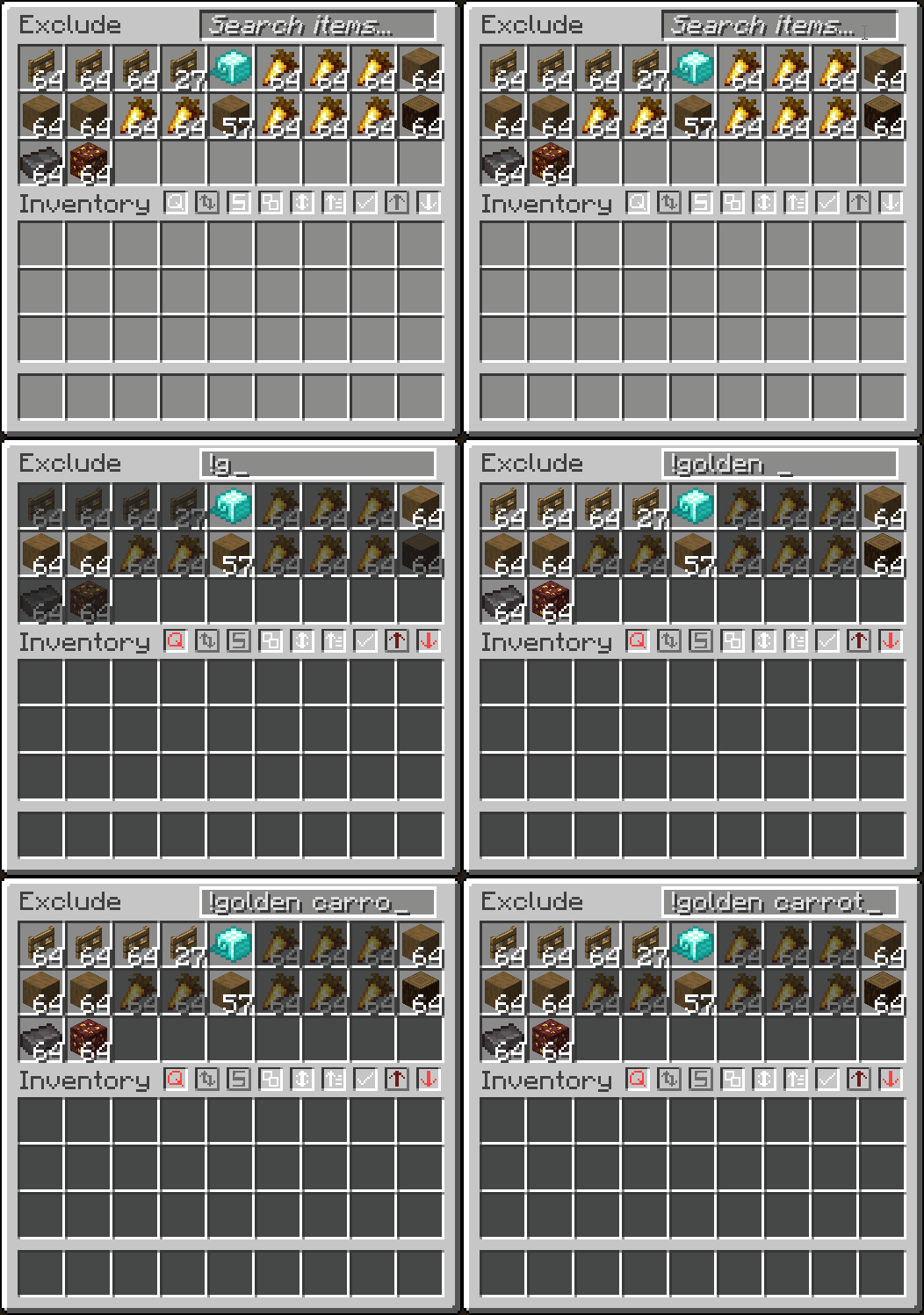
  • Exclude items from searching with a !
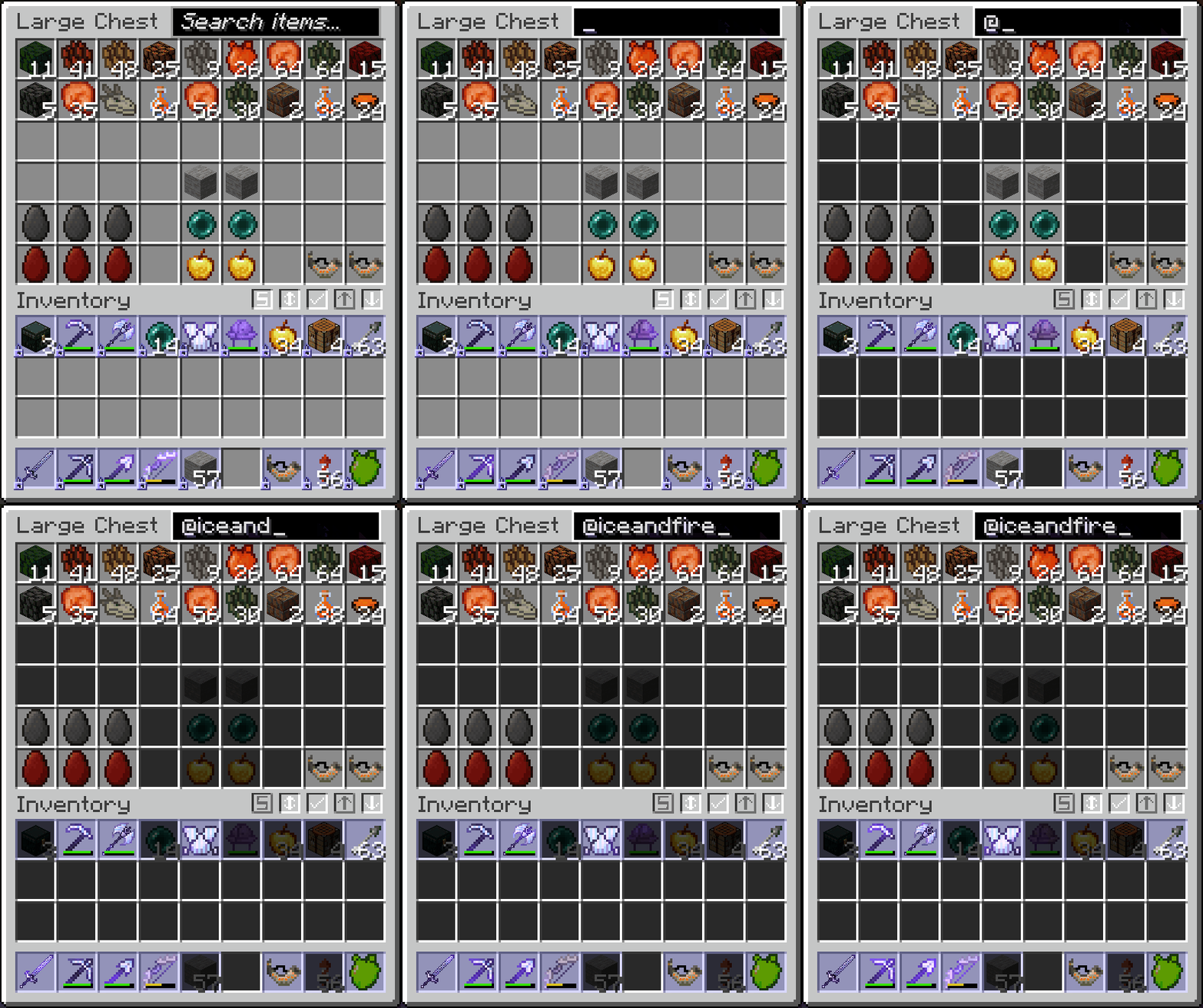
  • Search by mod name with @

  • Searches inside transportable containers
  • Right-click to clear the search bar

  • Fully configurable with different modes and appearances in the mod's Searching tab

  • Basic Searching
    Search Multiple Match Case Exclude Tag Search Search Inside Transportables Inventory Searching Mod Name Search

Inventory Management
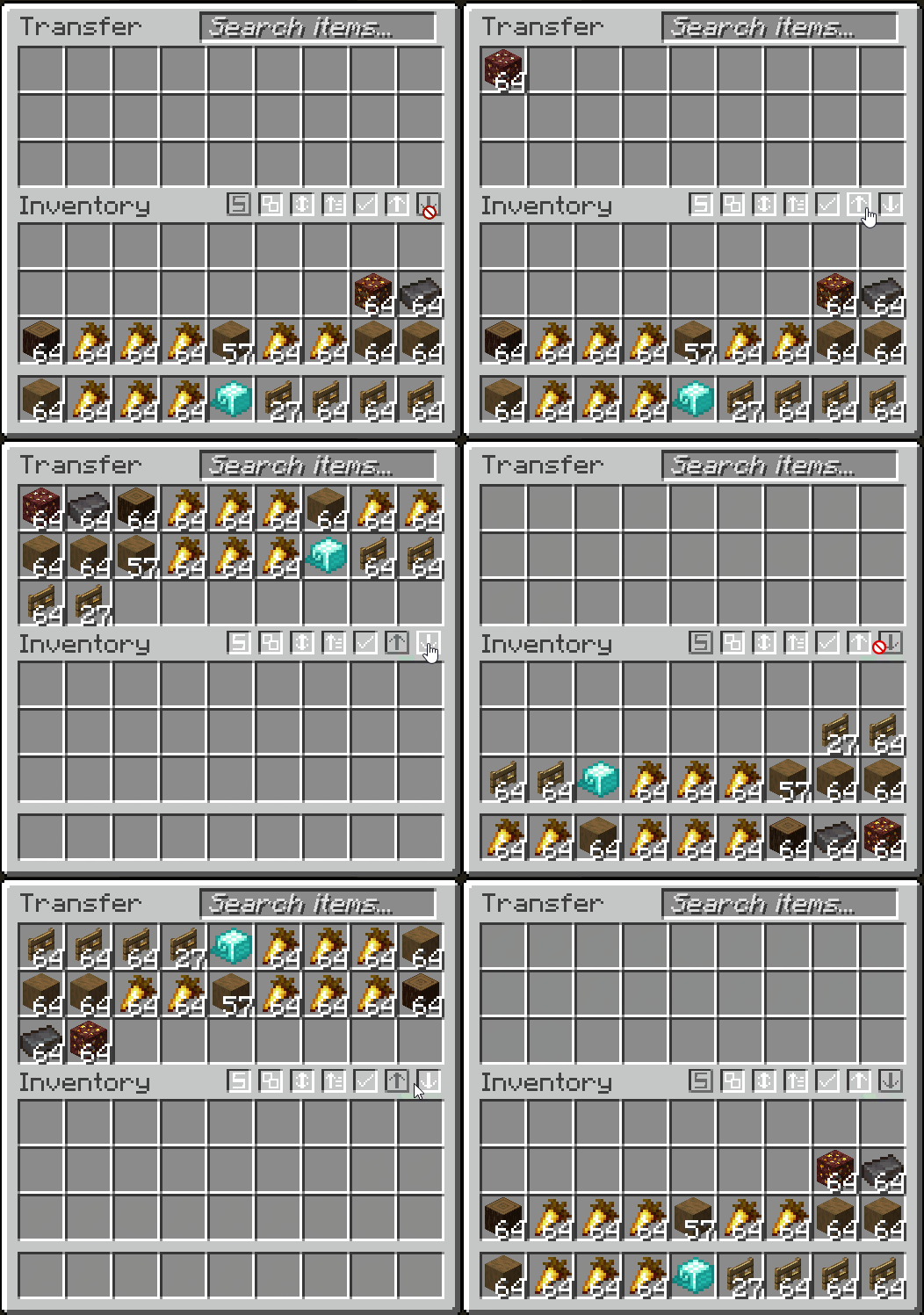
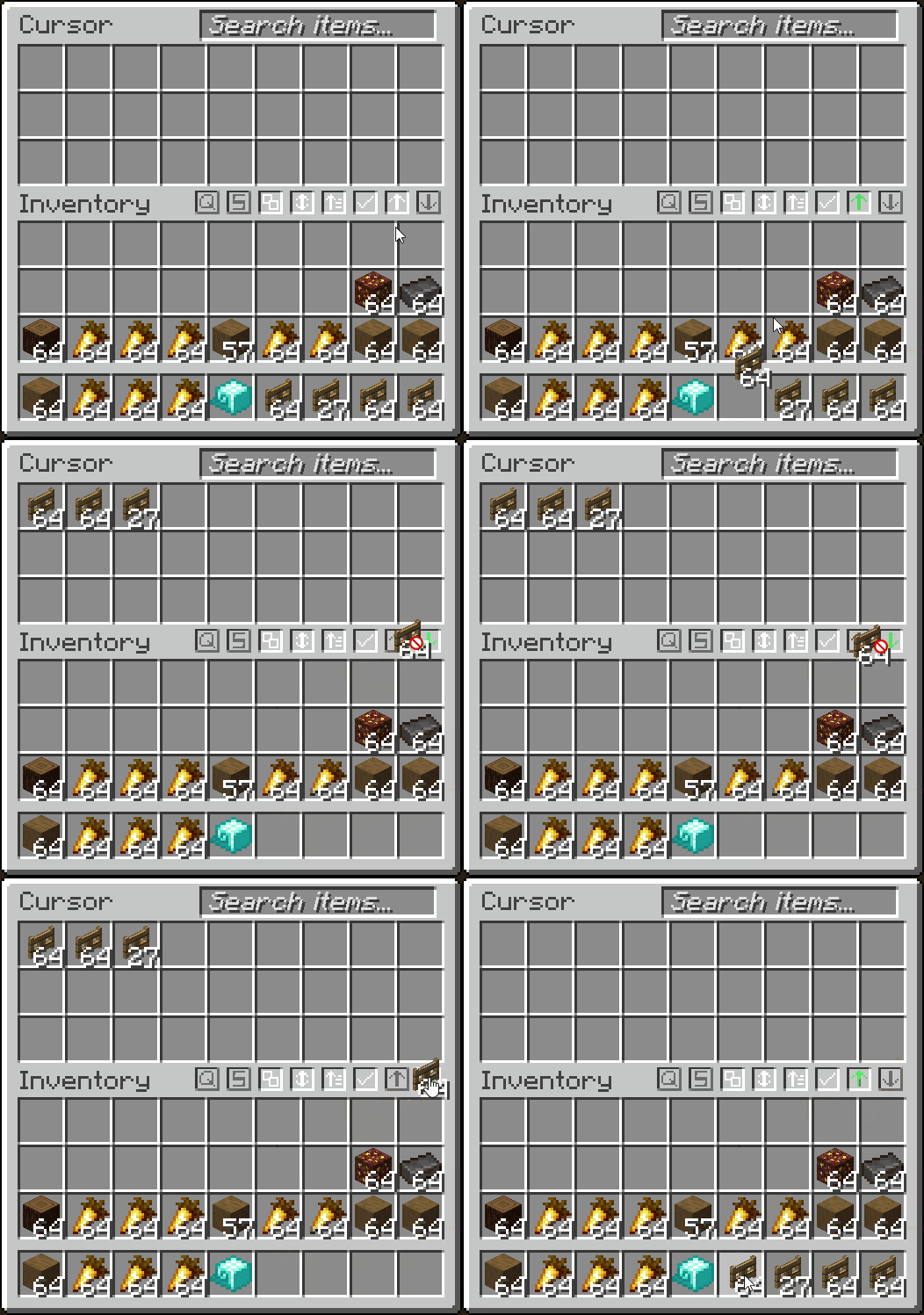
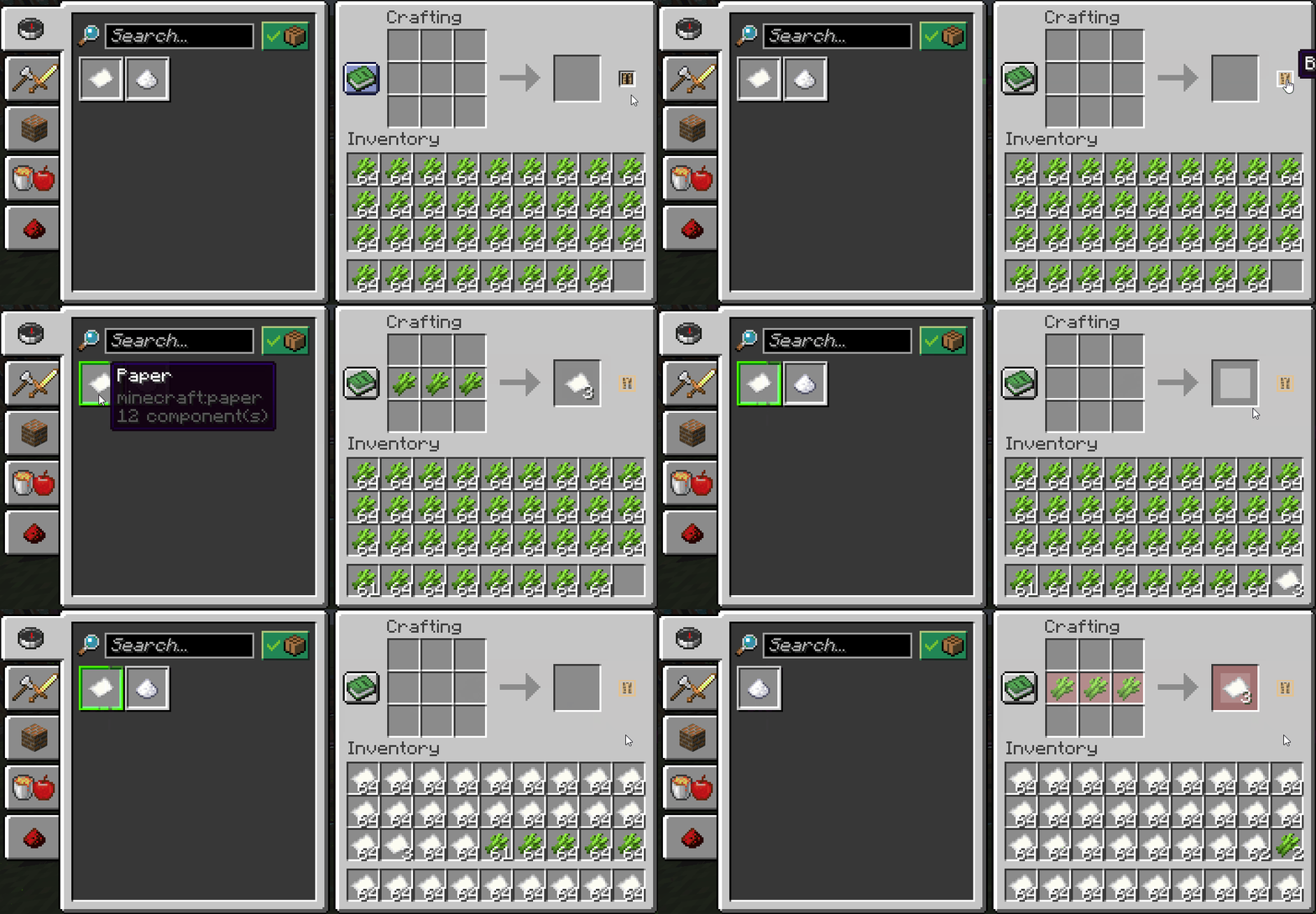
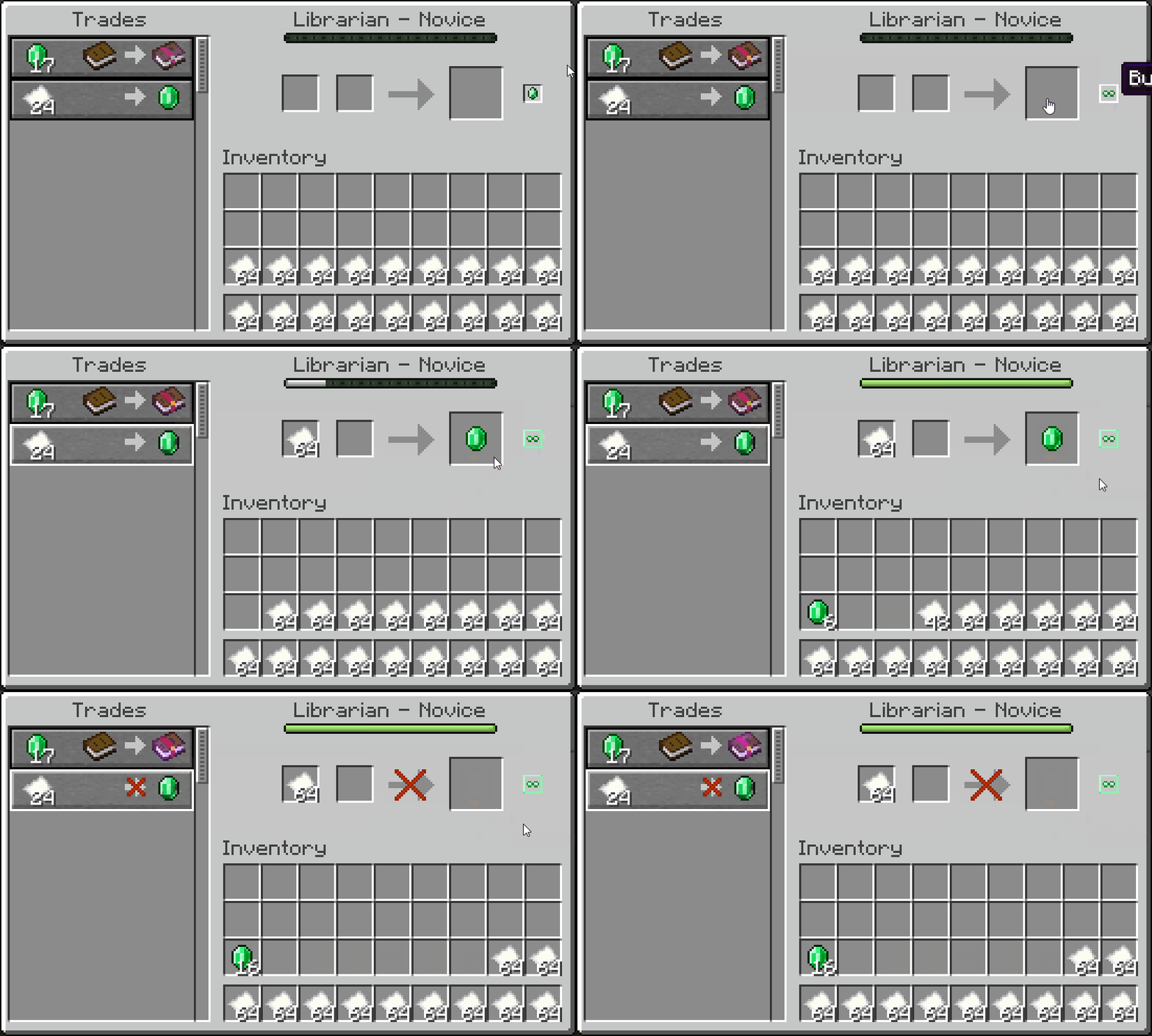
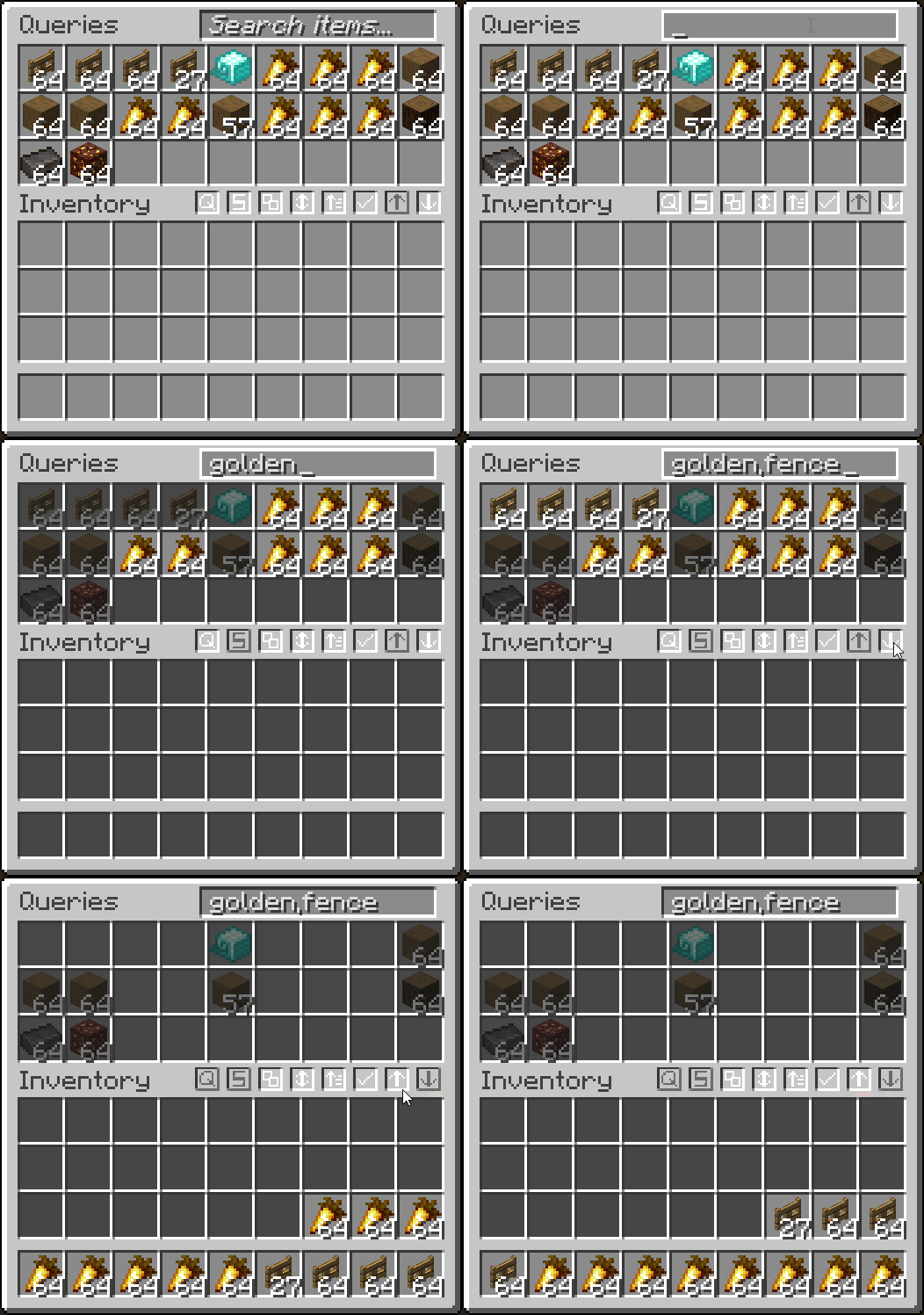
  • Quickly transfer items from inventory → container, and vise-versa
  • Fully client-side container filtering by adding your filtered items into a container GUI

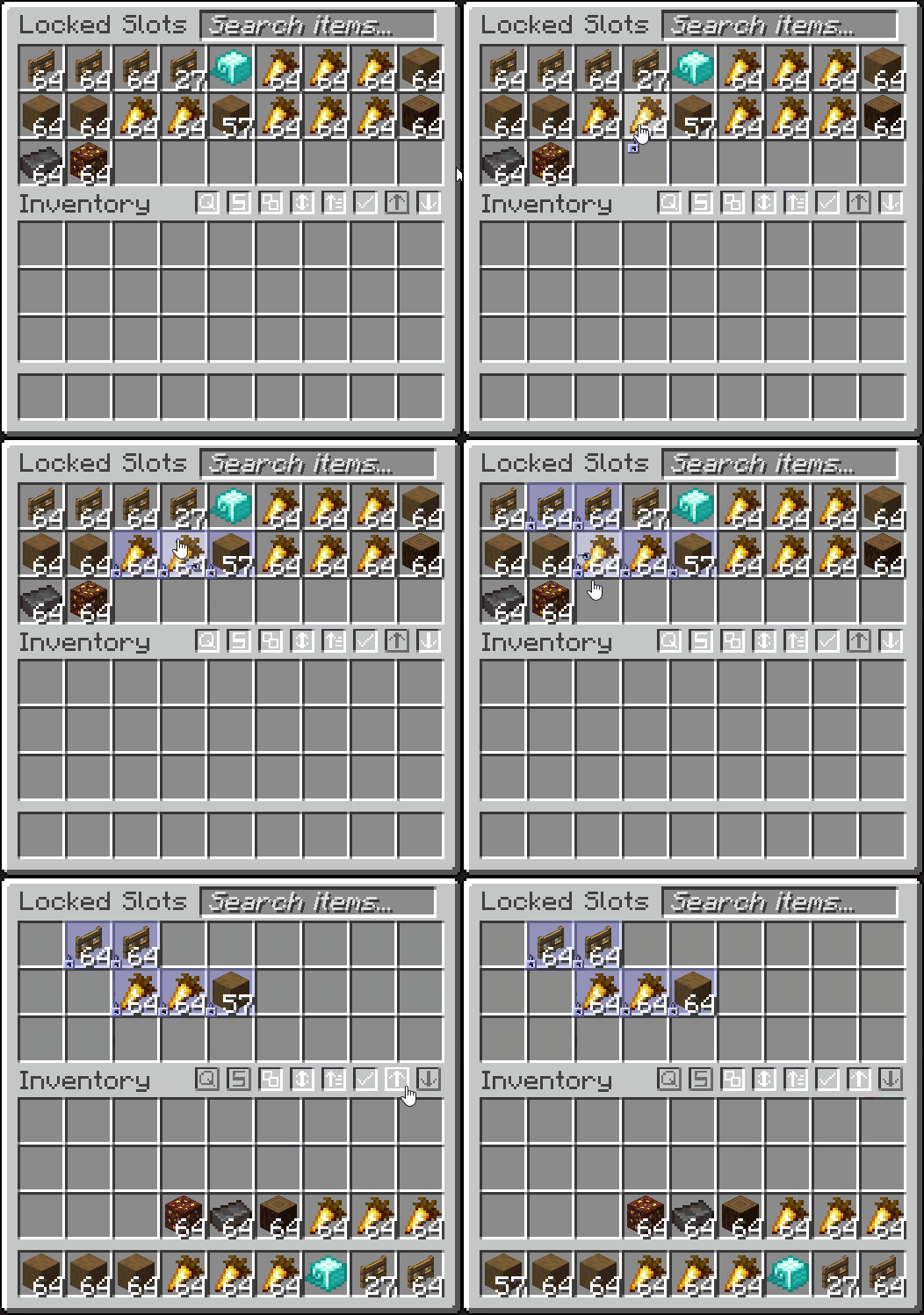
  • Lock slots, to prevent them from being affected by transferring, dropping or sorting (ALT + MIDDLE CLICK)
  • Lock your inventory to prevent items from being picked up
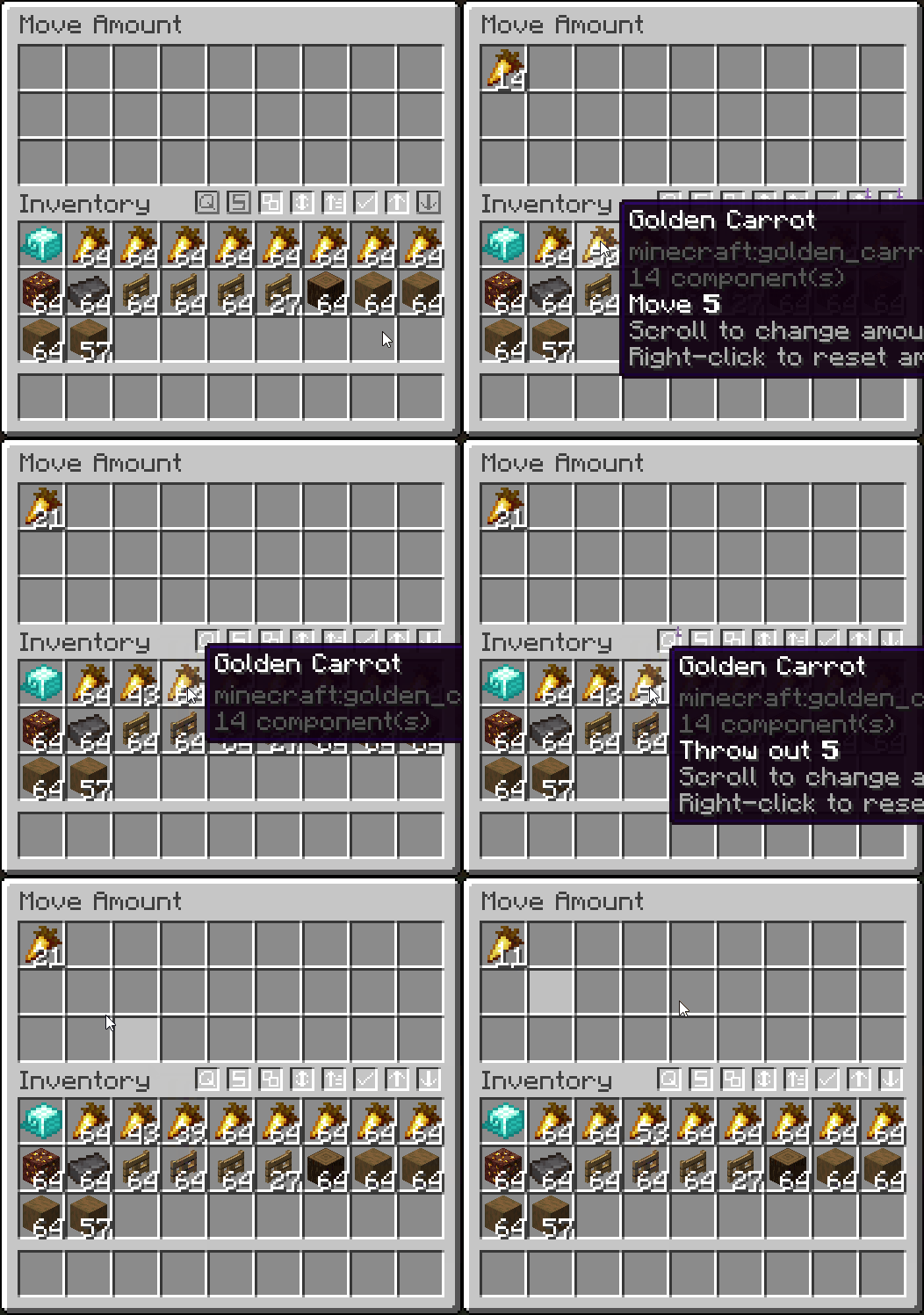
  • Quick move one item out of a stack by scrolling (hold SHIFT to drop, and scroll to increase/decrease amount)

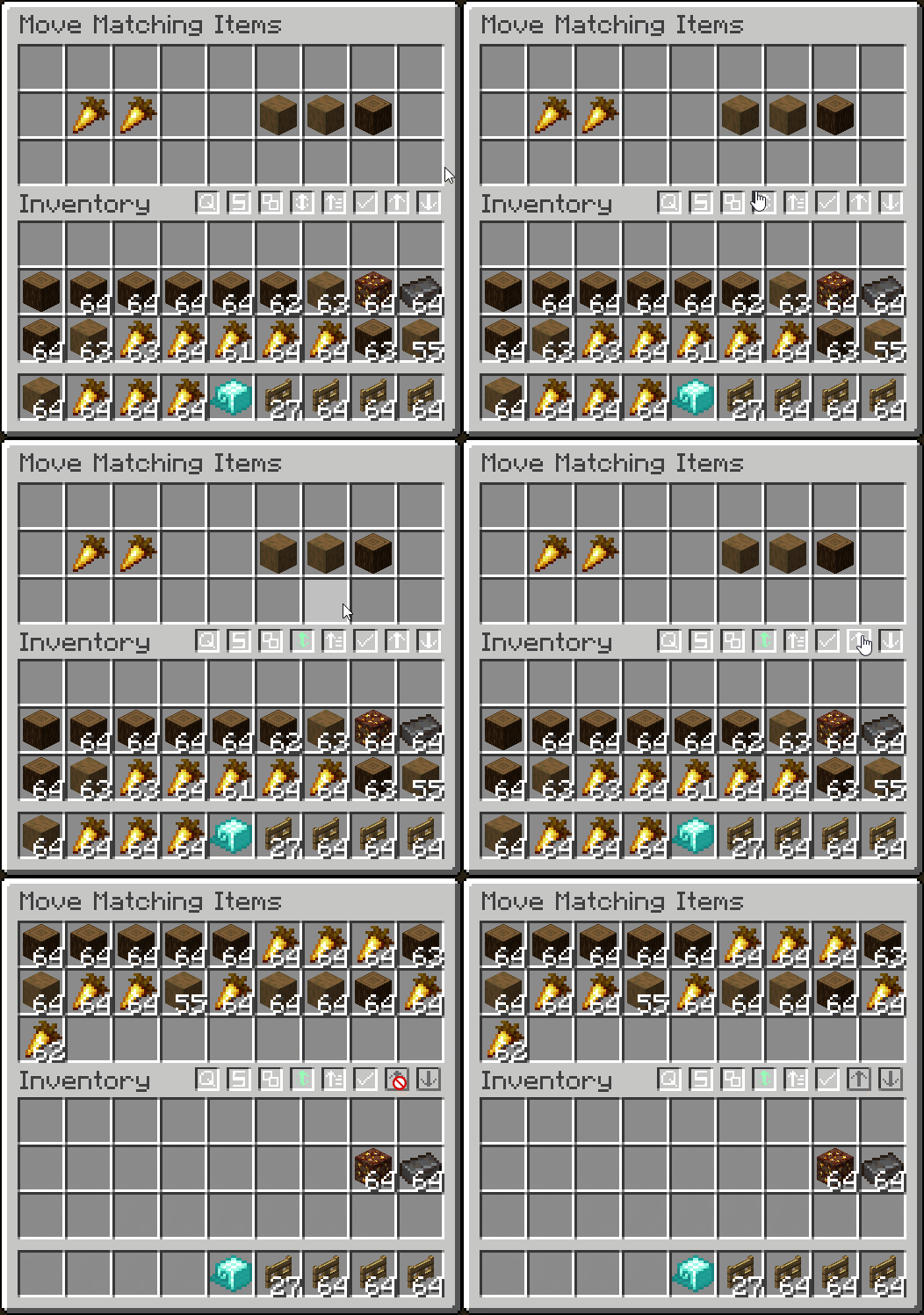
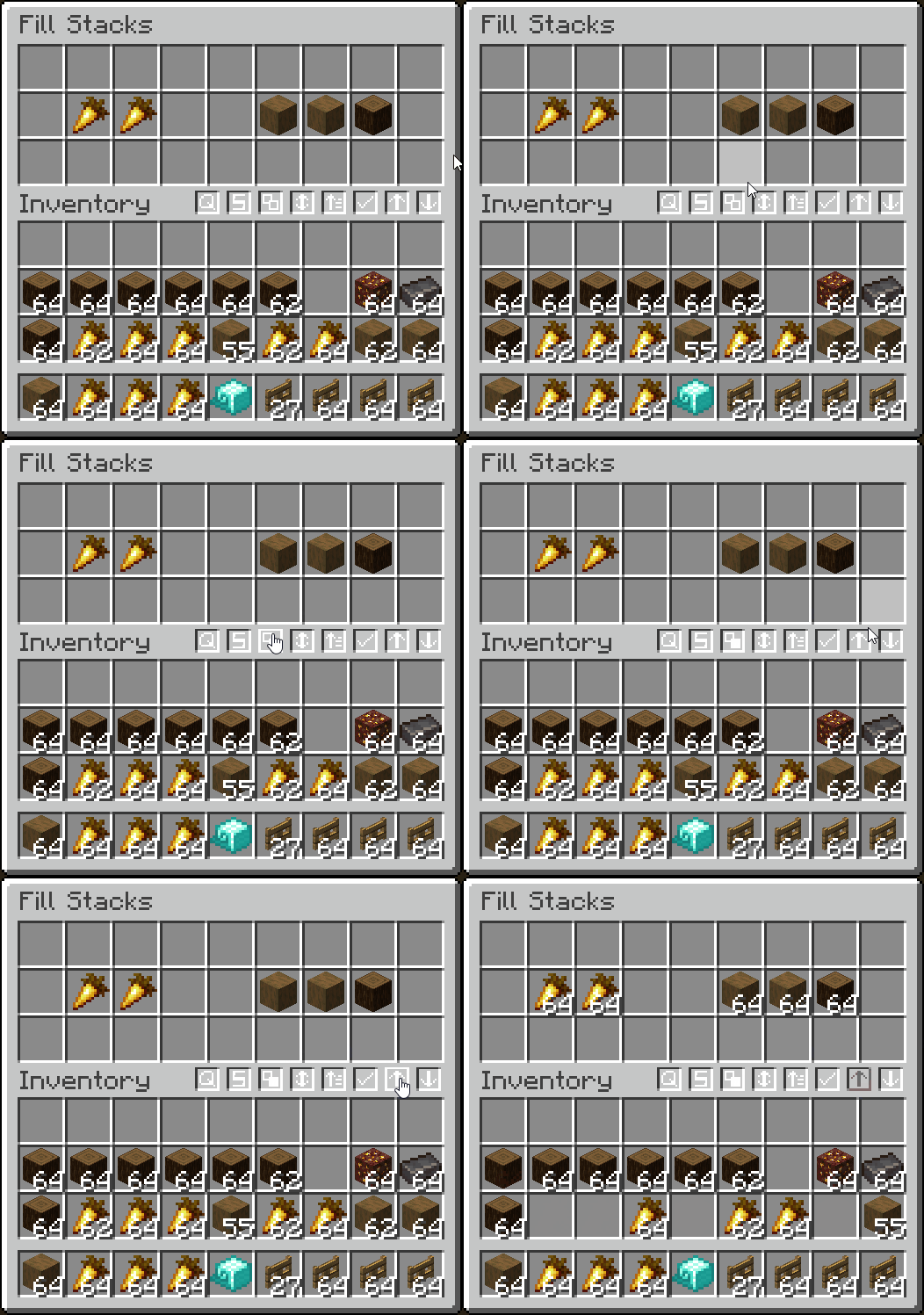
  • Move only matching items and fill stacks
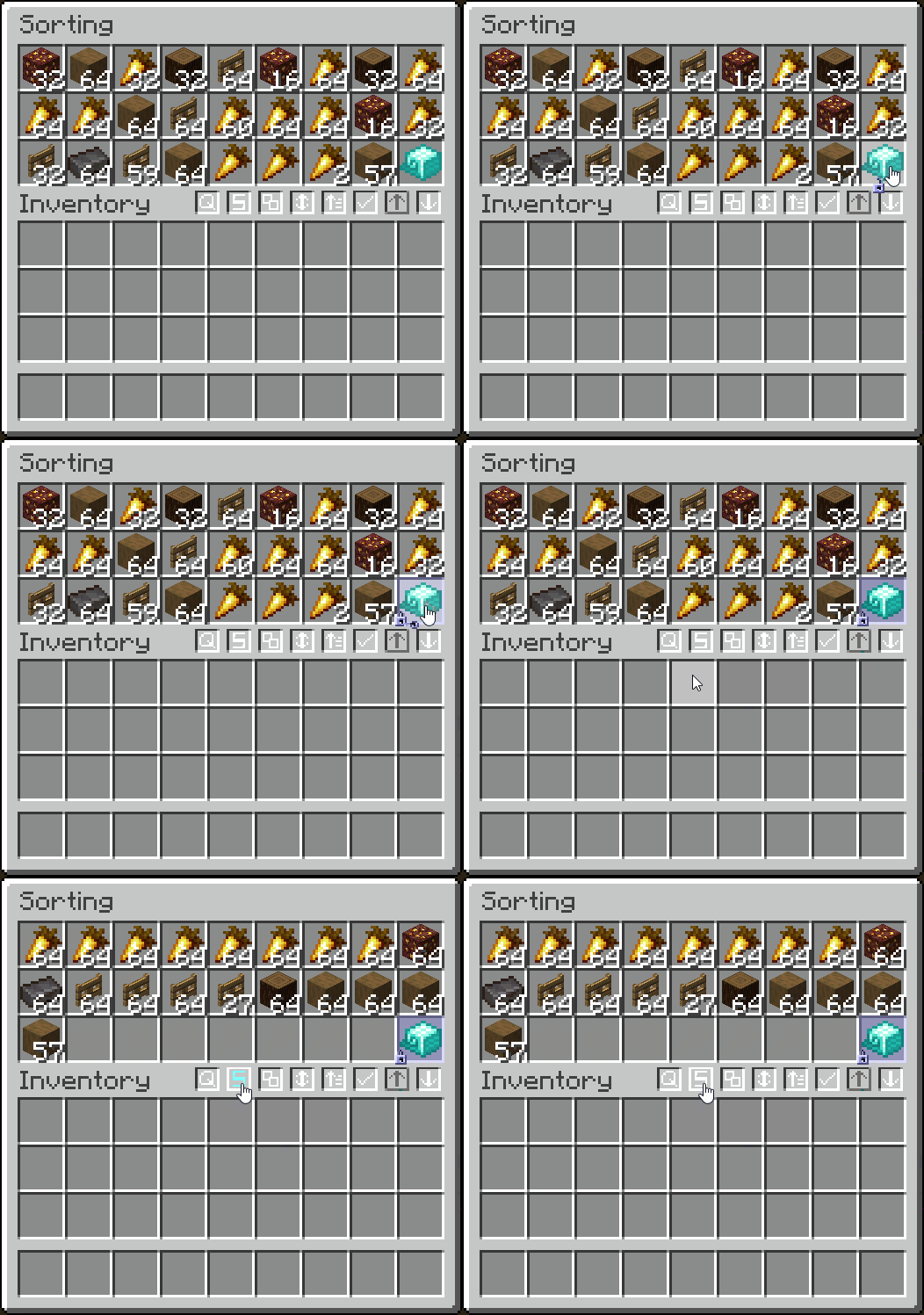
  • Sort alphabetically, by item tag, ascending/descending, or by the creative menu order
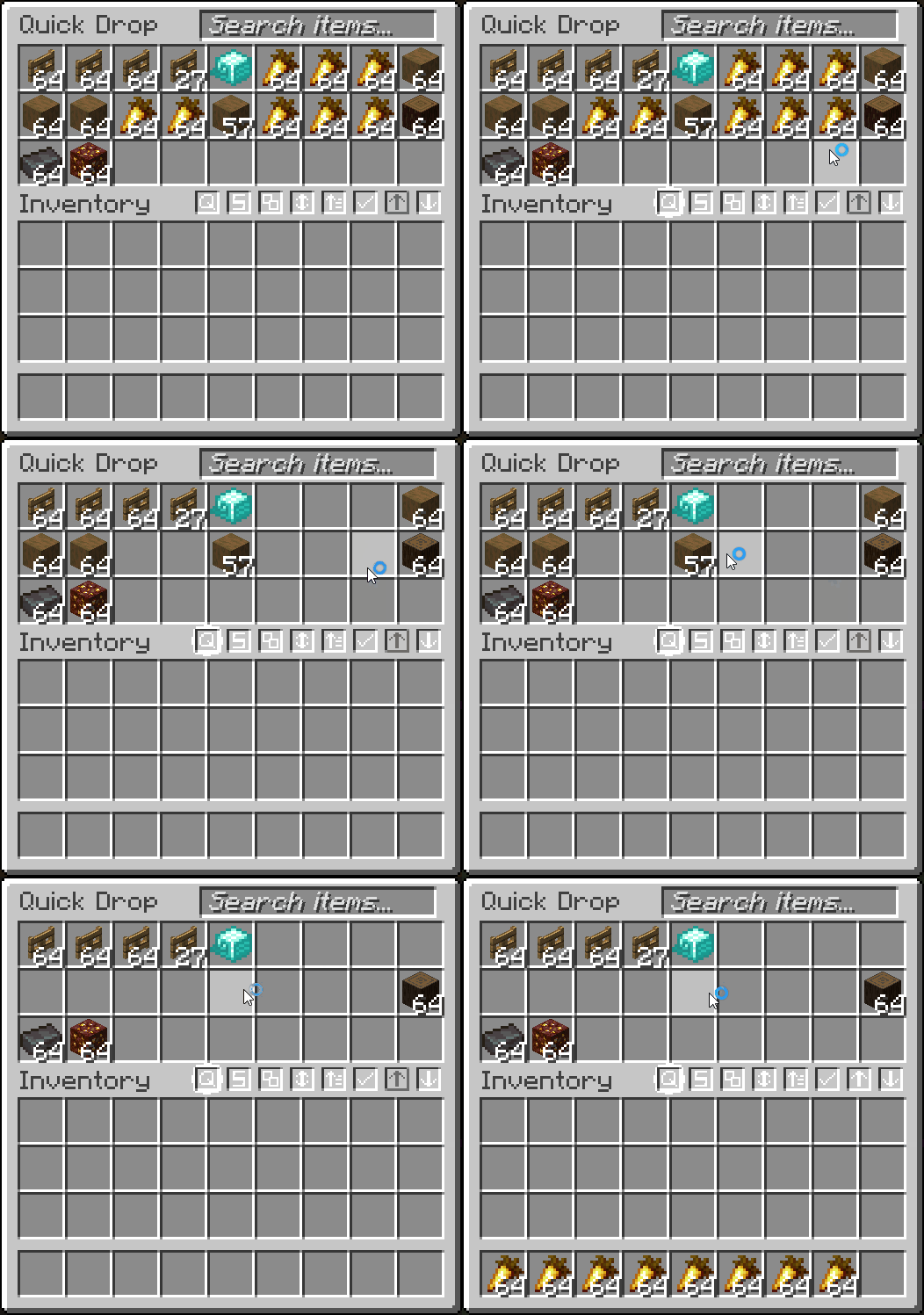
  • Quickly drop items (CTRL + ALT + Q)
  • And more!

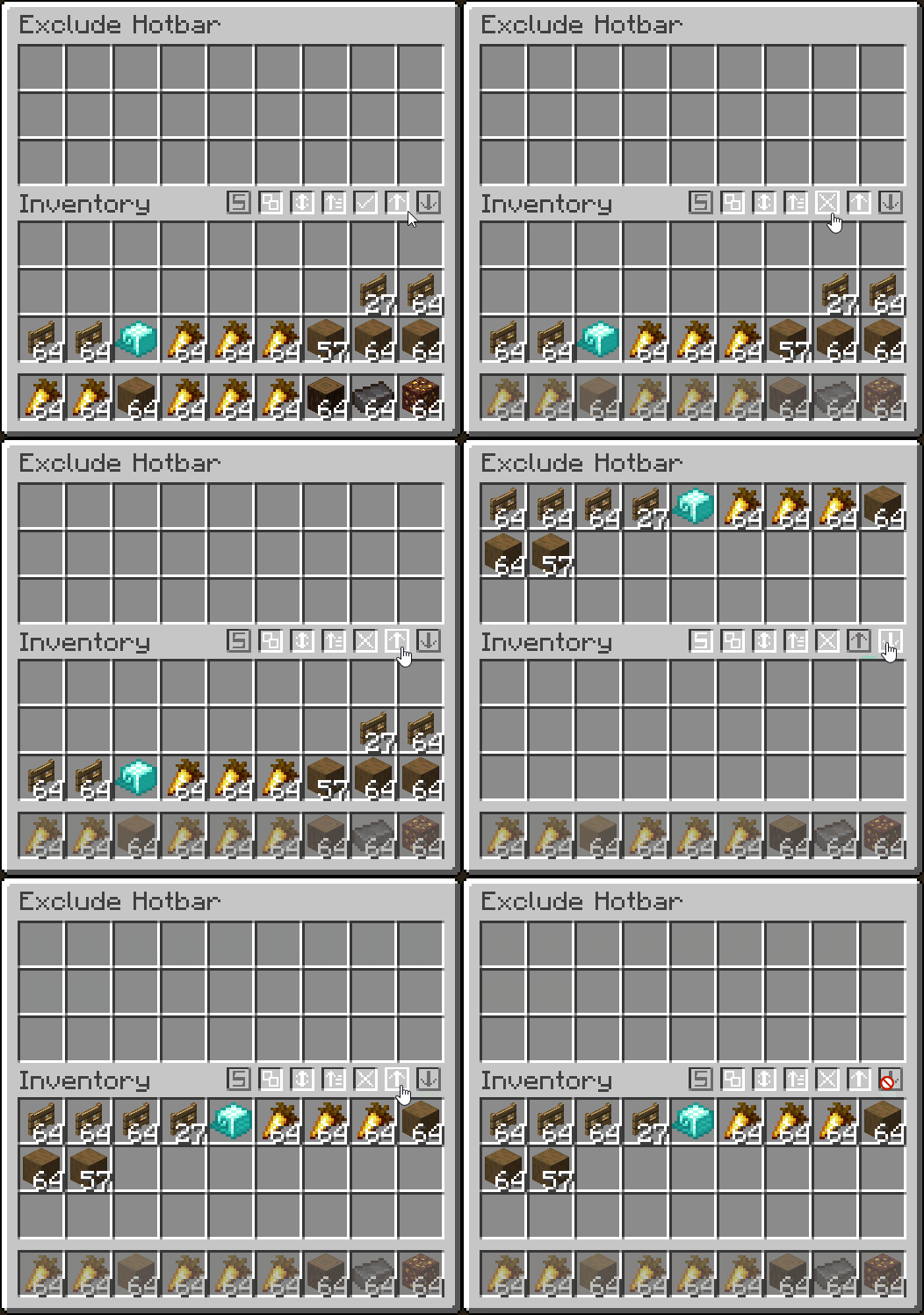
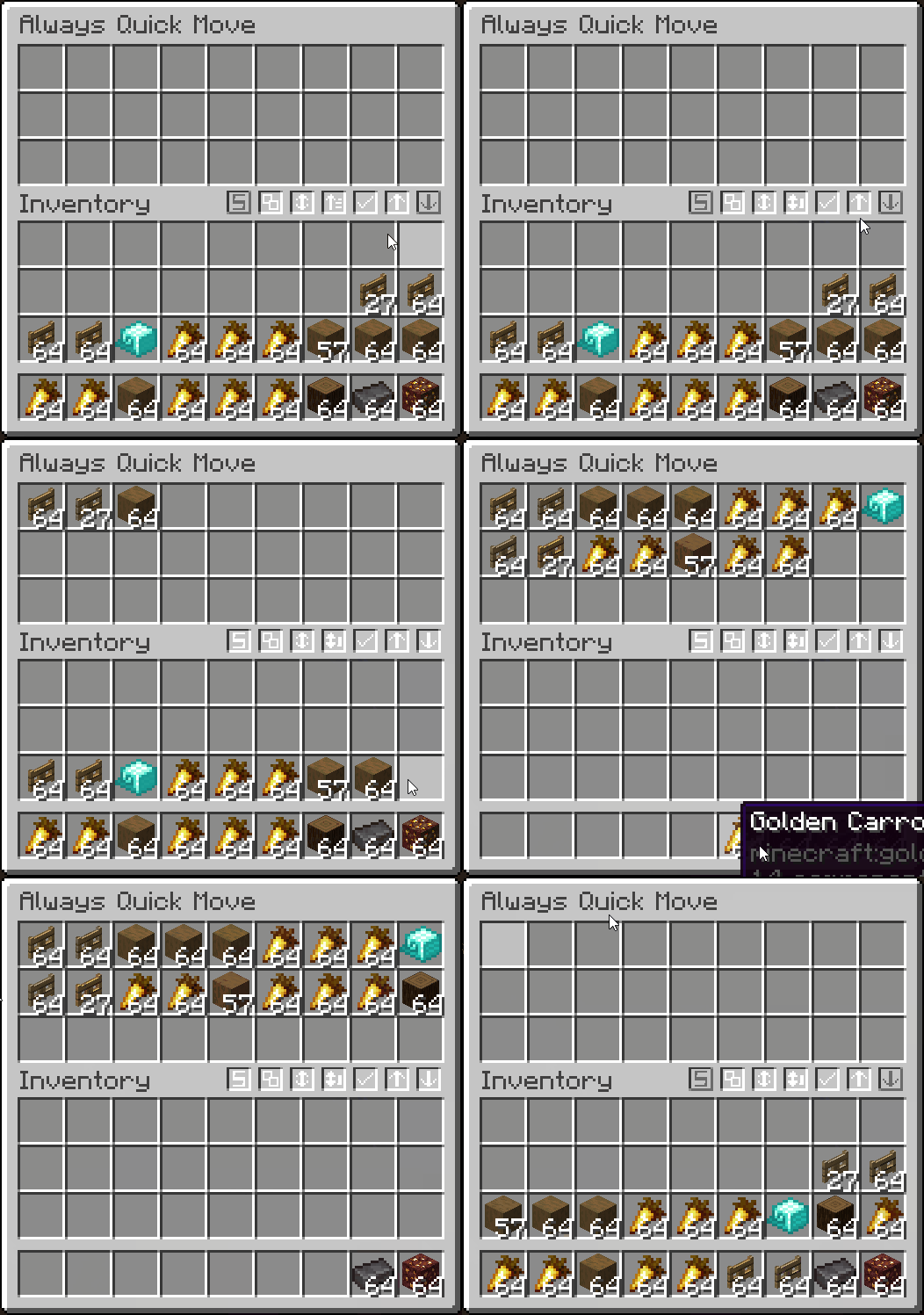
  • Fully configurable in the mod's Management tab

Container Filtering
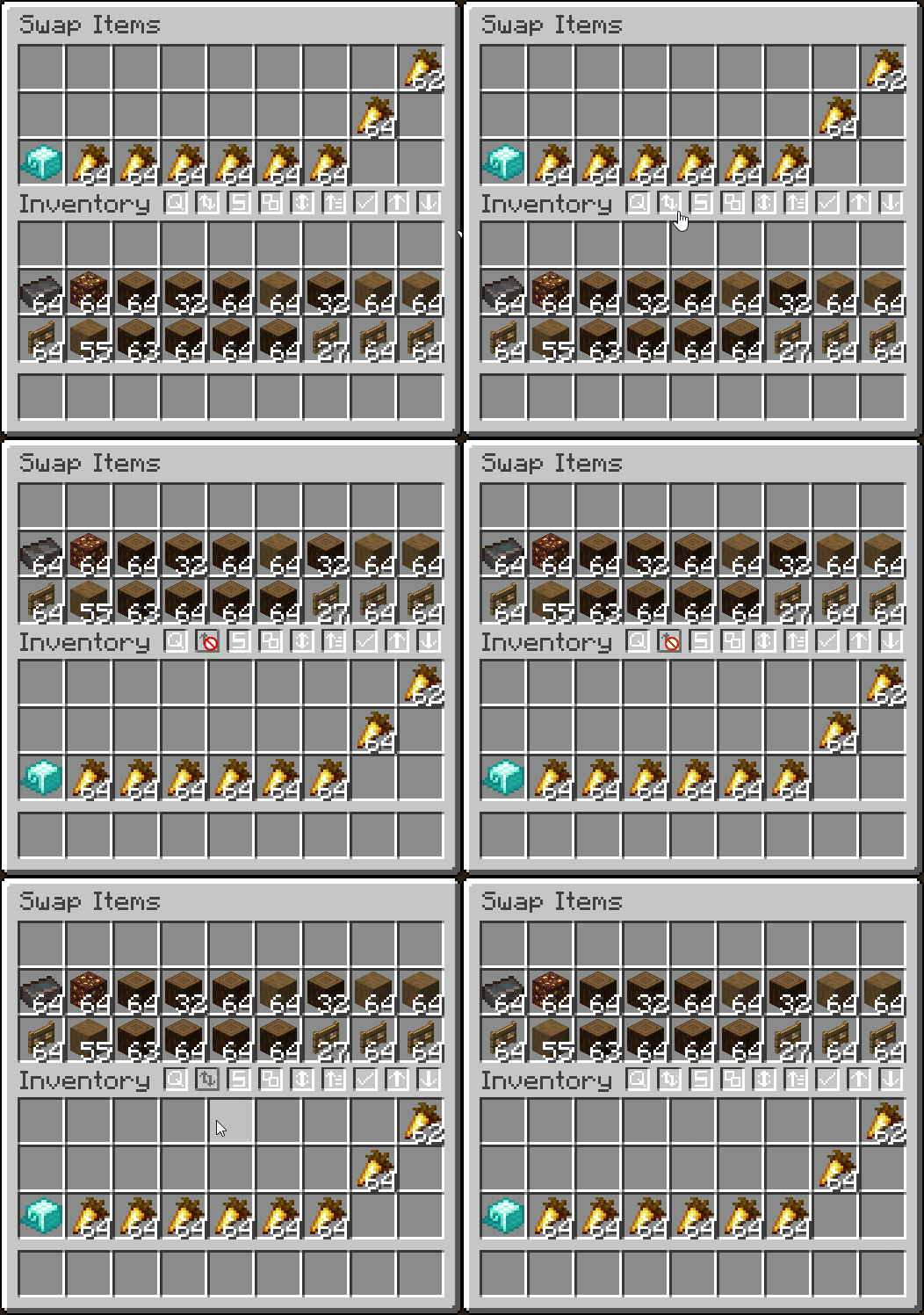
Transferring Move Amount Locked Slots Sorting Exclude Hotbar Always Quick Move Move Matching Items Fill Stacks Cursor Transferring Queries Quick Drop Swap Items Craft All Trade All

Item Counter
  • Display the total count of an item you are holding (in stacks or just exact amount, configurable)
  • Counts contents inside transportable containers
  • Shows arrow count when using a bow
  • Shows when throwing/picking up an item

  • Configurable in the mod's Item Counter tab

Item Counter Arrow Counter (or Quiver)

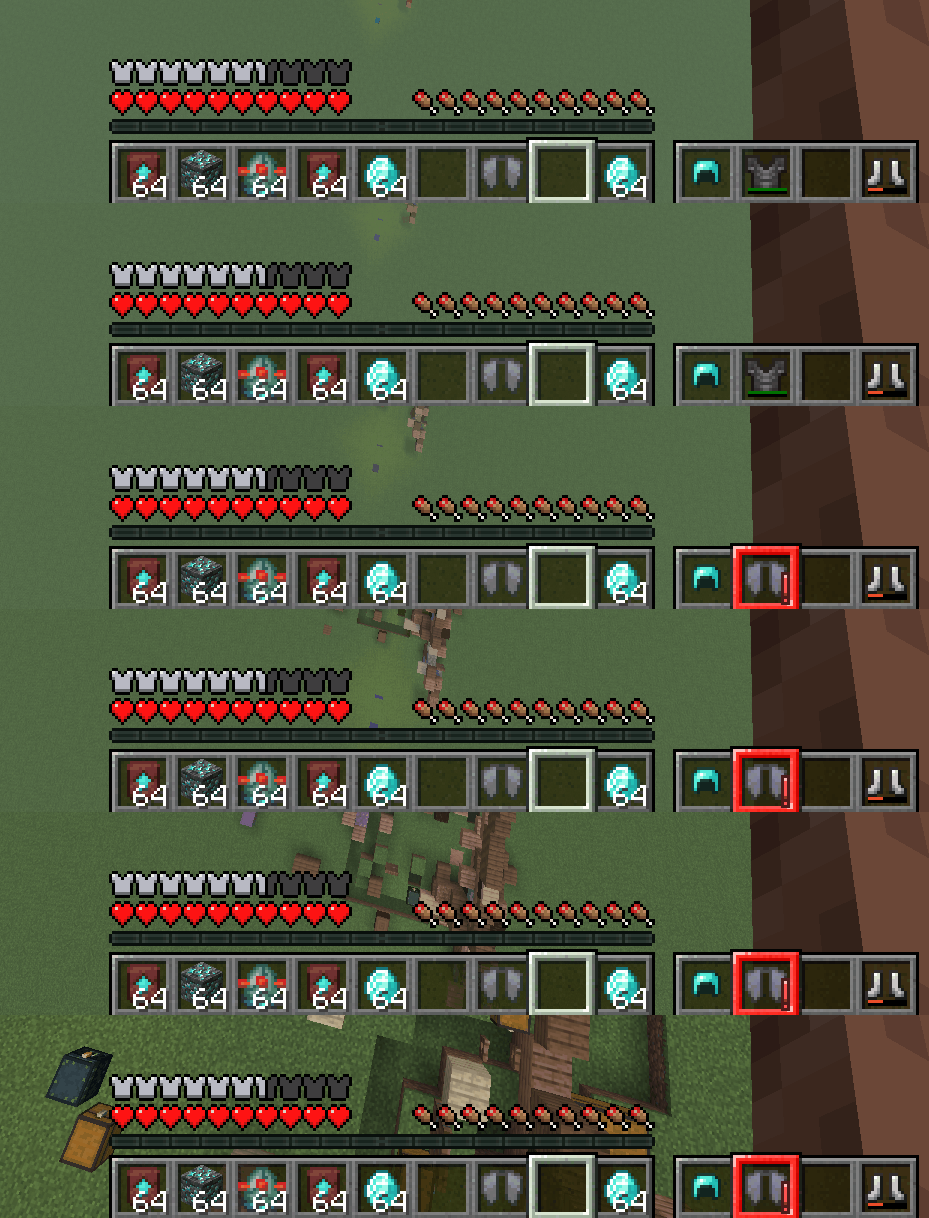
Armor Status
  • Display your armor's status in-game
  • Option to always display or only when updated
  • Highlights with a color, depending on armor durability (configurable)

  • Configurable in the mod's HUD tab

Arrow Status

Item Frame Searching
  • Search for an item in all nearby item frames
  • Search different radiuses, with timers to remove glow

  • Configurable in the mod's Searching tab

Item Frame Searching

FOV Effects
  • Set what can change your FOV
  • Toggle sprinting, potion effects, flying, bow pulling, and submerged in fluid to change FOV

  • Configurable in the mod's FOV Effects tab

FOV Effects

Mob Hit Ding
  • Plays the "player hit" sound when hitting a mob from at least 15 blocks away
  • Plays the "level up" sound when killing a mob

  • Configurable in the mod's Miscellaneous tab

Mob Hit Ding

Elytra Alarm
  • Plays an alarm when you fall far enough without an elytra equipped

  • Configurable in the mod's Miscellaneous tab

Elytra Alarm

Other Features

🎨 Configurable Themes

  • Configure Quality of Queso widgets to use a vanilla theme, dark theme, or transparent theme
  • Works really well with VanillaTweaks dark and transparent theme

  • Configurable in the mod's General tab

Vanilla Theme Dark Theme Transparent Theme

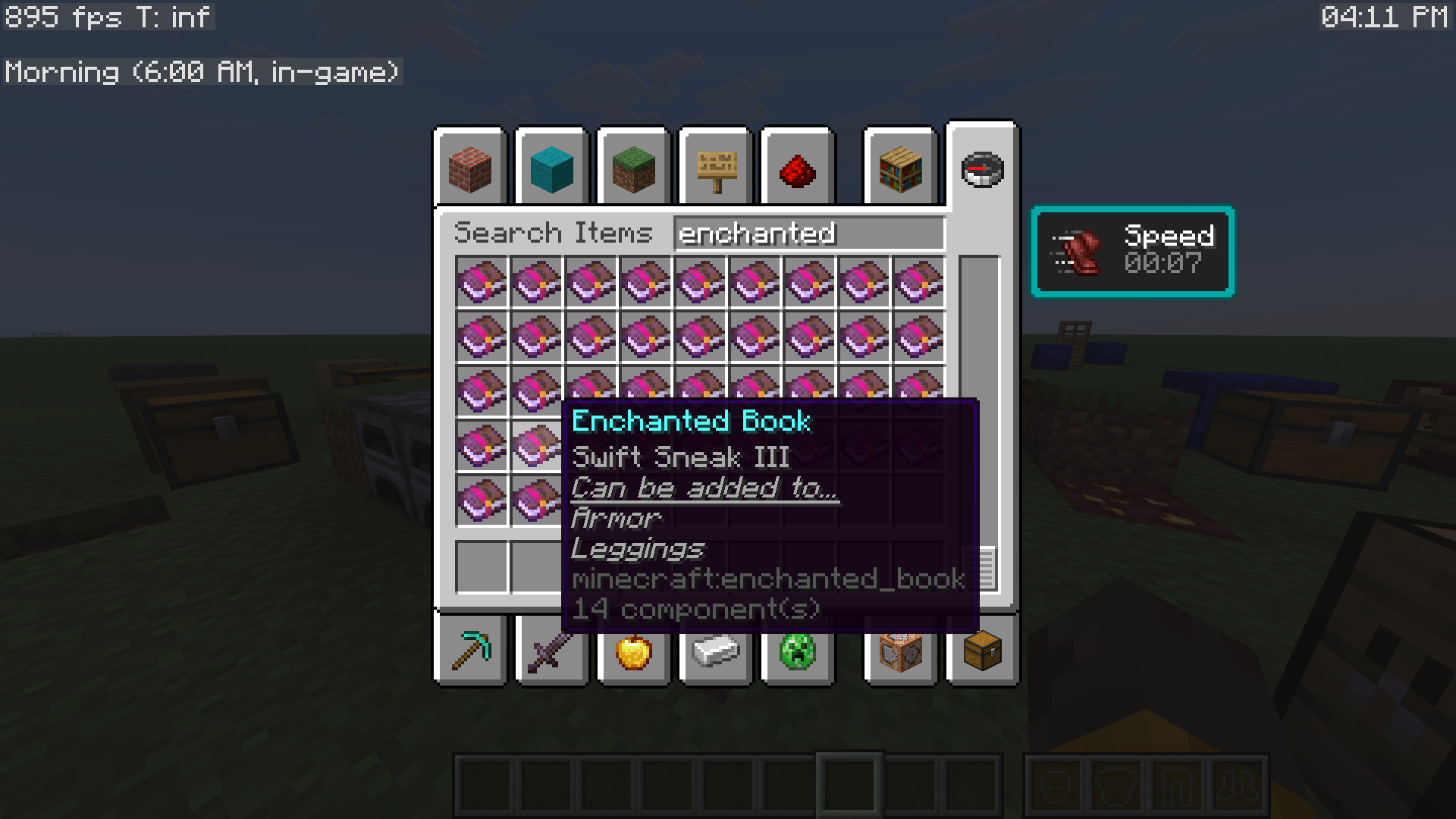
🚨 Enchantment Helper

  • Displays what items enchanted books can be applied to

  • Configurable in the mod's GUI (or Miscellaneous) tab

Enchantment Helper

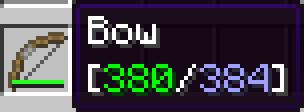
🛡️️Enhanced Durability Tooltips

  • Colors durability tooltips with different display settings

  • Configurable in the mod's GUI tab

Enhanced Durability Tooltips

🖱️Enhanced Cursor

  • Enhances the cursor by relating it to things you are doing

  • Configurable in the mod's GUI (or Miscellaneous) tab

🌙 Visual Time

  • Allows you to change the client-side time, as a visual effect

  • Configurable from the mod's Main menu

Visual Time

🕒 Display Local Time

  • Display your local time, in-game
  • Display the world's in-game time, with descriptions of what time of day it is

  • Comes with other helpful things to display, using Minecraft's debug entries

  • Configurable from the mod's Main menu

Show IRL and In-Game Time

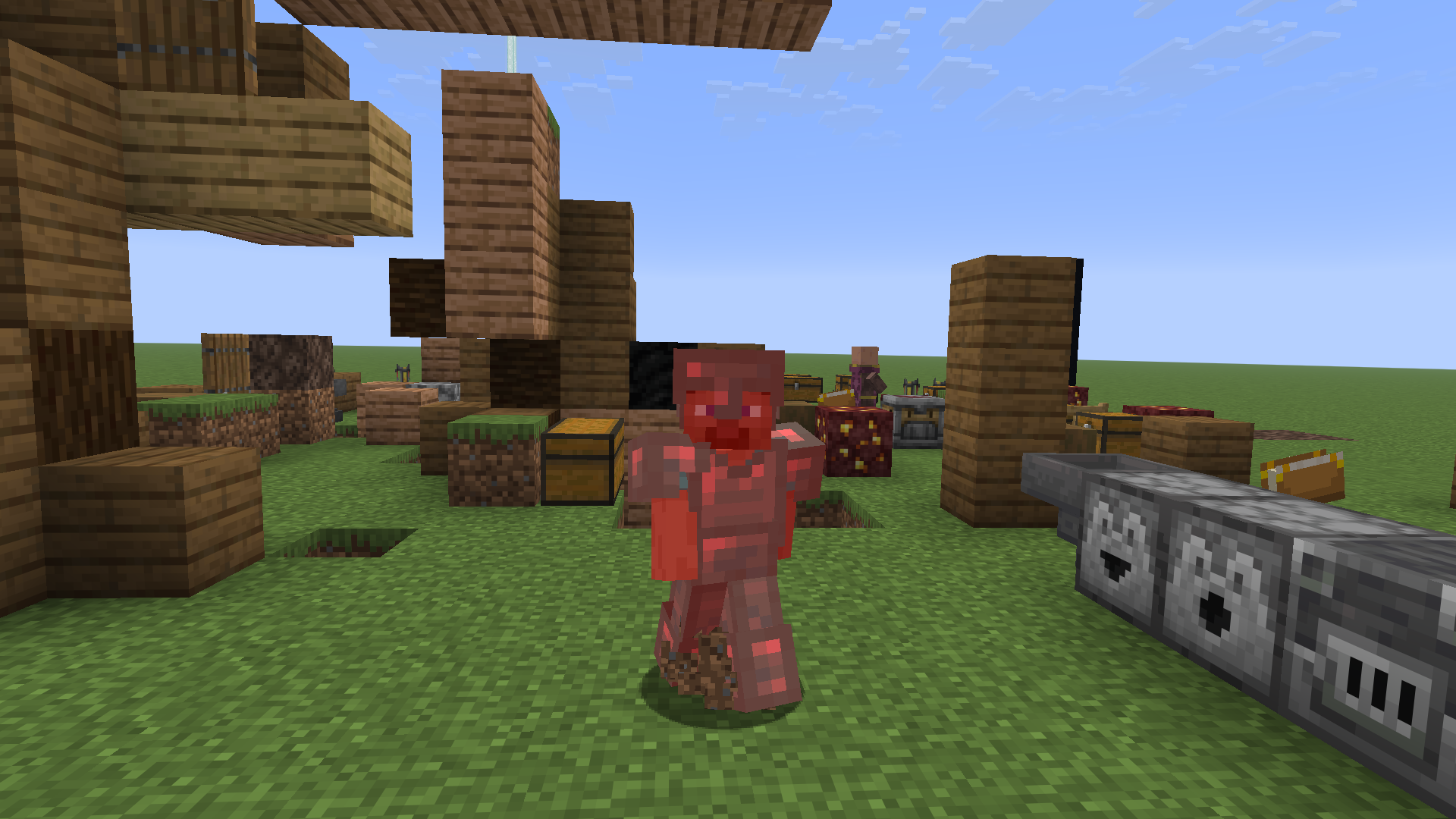
🖌️ Red Armor Tint

  • Brings back Minecraft's old red armor tint when the player takes damage

  • Configurable in the mod's Miscellaneous tab

Red Armor Tint

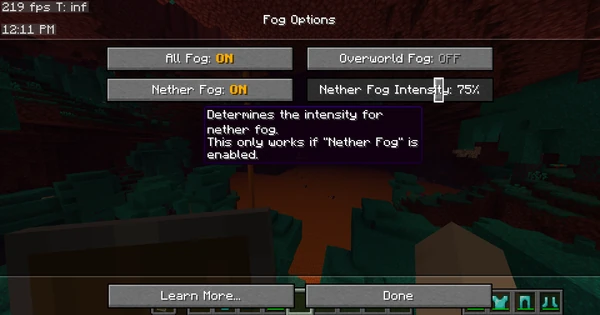
☁️ Remove Fog

  • Remove Minecraft's annoying fog with the click of a button!
  • Set nether fog intensity and overworld fog intensity

  • Configurable in the mod's Fog tab

Remove Fog Remove Fog

🔔 Armor Ding

  • Plays a ding sound whenever your armor gets low

  • Configurable in the mod's Miscellaneous tab

🚫 No Recipe Book Shift

  • Prevents the recipe book from shifting the inventory screen over

  • Configurable in the mod's GUI (or Miscellaneous) tab

🔄 Auto-Close Recipe Book

  • Automatically close the annoying recipe book when closing your inventory

  • Configurable in the mod's GUI (or Miscellaneous) tab

🔎 Quick Searching

  • Type anywhere on your screen to auto-focus into a search bar

  • Works with creative menu search bar, recipe book search bar, and the mod's search bar

  • Configurable in the mod's Searching tab

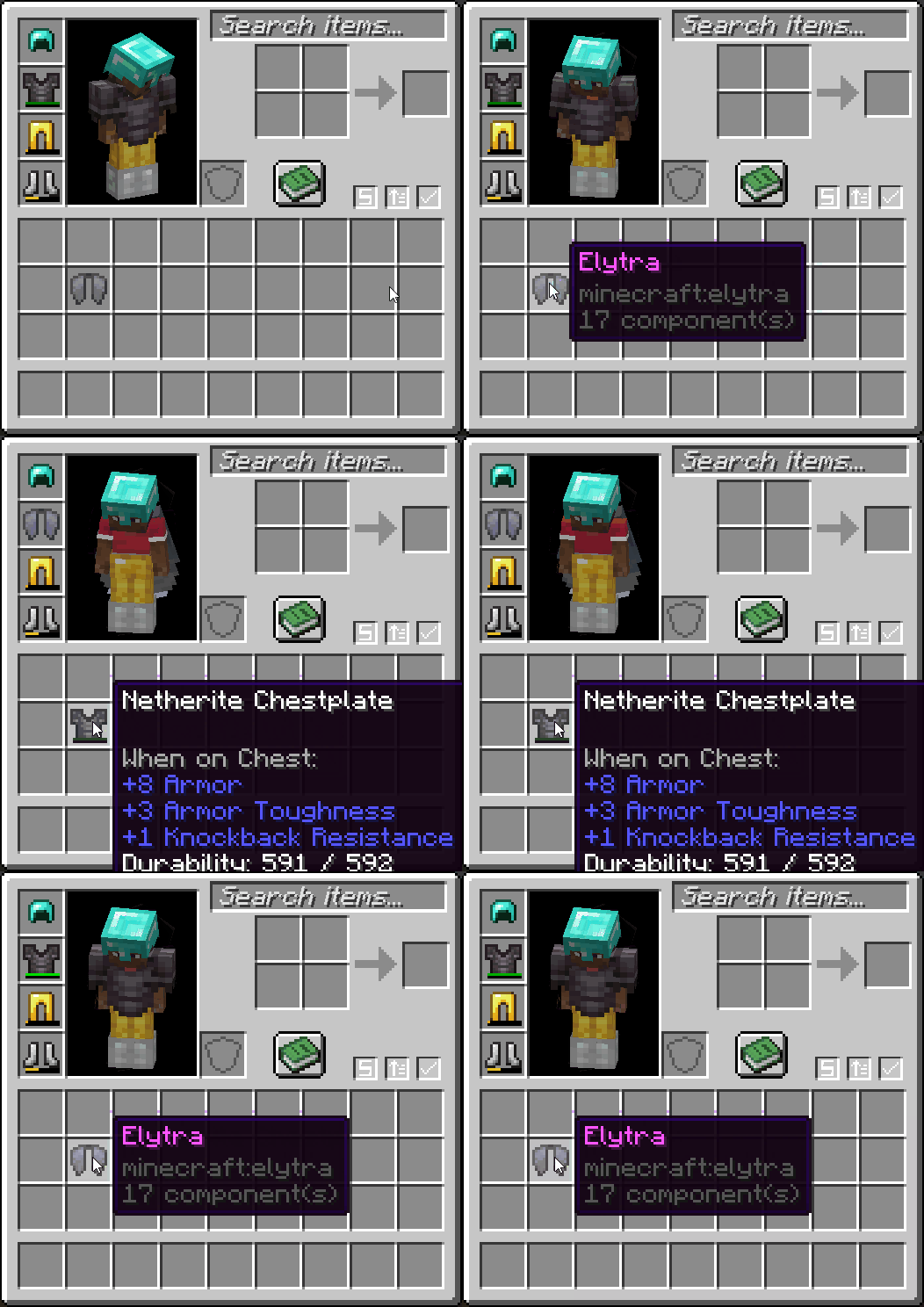
ᯓ★ Quick Equip

  • Right-click an armor item to swap it out with whatever you're wearing

  • Configurable in the mod's Management (or Miscellaneous) tab

Quick Equip

ᯓ➤ Quick GUI Exit

  • Click anywhere out-of-bounds of a GUI to close it

  • Configurable in the mod's GUI (or Miscellaneous) tab

😡 Anti-Rage Quit

  • Prevents the player from quickly pressing leaving a world or server

  • Configurable in the mod's GUI (or Miscellaneous) tab

Anti-Rage Quit

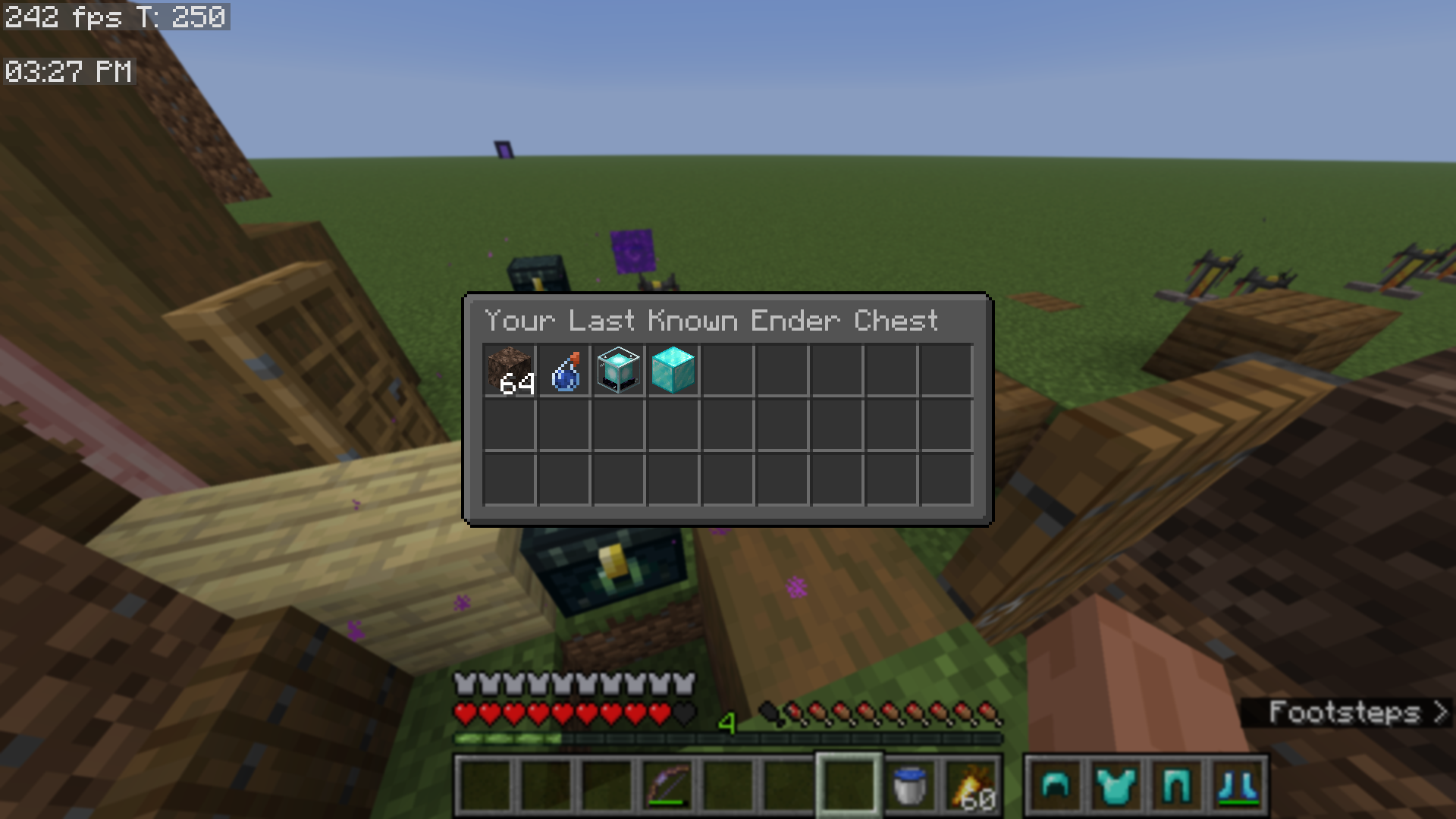
📊 View Last Known Ender Chest

  • Adds a button to the mod's main menu, which lets you view your last known ender chest

  • Configurable via the mod's Accessibility tab

View Last Known Ender Chest

🖼️ Open Screenshots Folder

  • Adds a button to open your screenshots folder

  • Found in the mod's main menu

🗃️ Open World Directory

  • Adds a button to open your world directory folder for singleplayer worlds
  • You can also press F4 to open the mod's configuration directory in any of the mod's menu screens

  • Found in the mod's main menu

💾 Multi-Server Configs and Blacklisted Servers

  • Create separate Quality of Queso configurations for each server that you play on
  • Additionally, you can block the mod from working on certain servers

  • Configurable in the mod's General tab

🌐 This mod is mostly client-side. The only features that are server-dependent are:

  • Item Frame Searching
  • Locking Slots in shulker boxes (locking slots in any other container is 100% client-side and stored per world, per server)
  • Filtered shulker boxes
  • Locking the player's inventory

⚠️ Older Version Support

➜ Currently, Quality of Queso does support older versions of Minecraft, however, certain features are currently unsupported.

❌ MC 1.21.11 (and below) Unsupported Features

  • Fluid FOV Effect

❌ MC 1.21.1 (and below) Unsupported Features

  • Red Armor Tint
  • Transparent Search Bar
  • Overworld Fog Intensity
  • Enhanced Cursor
  • Darker Overlay setting
  • Fading Animations with the armor status
  • Keybind Modifiers

Created by Dillon8775 and MannyQUESO.

All rights reserved unless explicitly stated.

Some ideas were inspired by other mods, which include:

All management sounds are not mine, they are Mojang's. These include:

  • The bundle noises
  • The old opening/closing of door sounds (for locking slots)

Галерея
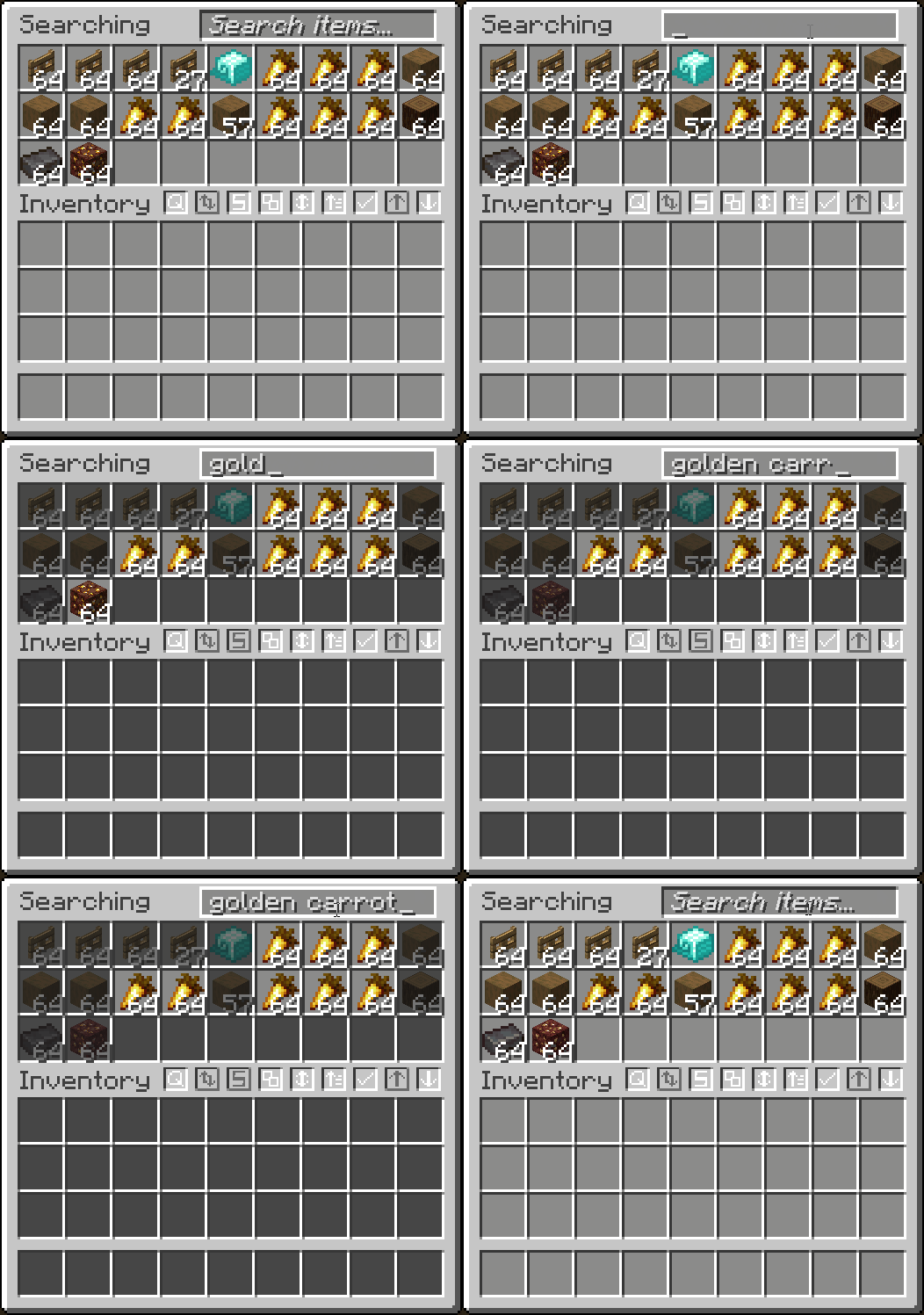
SearchingInventory SearchingSearching - QueriesSearching - Match Case

Последние версии

Все версии →
release

[mc26.3] Quality of Queso 1.7.20

1.7.20
25 окт. 2026 г.49Minecraft: 26.3fabric
Скачать
Что нового
# Version 1.7.20 ## Changes - Now requires [DillonLib](https://modrinth.com/mod/dillon-lib) version 1.2.5 or greater. - You can now middle-click on the sort button to "lock" a container or shulker box, which prevents you from using the sort function in that specified container. - If you have the Sorting option set to Key Only, this feature will not work. - Improved the management sound subtitles. - You can now directly manage your container data from the Quality of Queso main menu. - Revamped how container data is stored. It is now much more organized and compact. Your current container data may be erased following this new logic. - Container data and locked container/player slot files are now stored universally, instead of using multi-server config files. - TLDR; data is still world/server specific, it's just all in one file now rather than switching between files when joining different worlds or servers. - Modded dimension keys are now stored properly. - Components in ender chest contents are no longer persisted. - Closing the View Last Known Ender Chest screen now goes to the parent screen. - Backend optimizations. ## Bugs Fixed - [#43:](https://github.com/Dillon8775/Quality-of-Queso/issues/43) Mini bow overlay renders even if player has 0 arrows and right-clicks the bow.
release

[mc26.3] Quality of Queso 1.7.20

1.7.20
25 окт. 2026 г.14Minecraft: 26.3neoforge
Скачать
Что нового
# Version 1.7.20 ## Changes - Now requires [DillonLib](https://modrinth.com/mod/dillon-lib) version 1.2.5 or greater. - You can now middle-click on the sort button to "lock" a container or shulker box, which prevents you from using the sort function in that specified container. - If you have the Sorting option set to Key Only, this feature will not work. - Improved the management sound subtitles. - You can now directly manage your container data from the Quality of Queso main menu. - Revamped how container data is stored. It is now much more organized and compact. Your current container data may be erased following this new logic. - Container data and locked container/player slot files are now stored universally, instead of using multi-server config files. - TLDR; data is still world/server specific, it's just all in one file now rather than switching between files when joining different worlds or servers. - Modded dimension keys are now stored properly. - Components in ender chest contents are no longer persisted. - Closing the View Last Known Ender Chest screen now goes to the parent screen. - Backend optimizations. ## Bugs Fixed - [#43:](https://github.com/Dillon8775/Quality-of-Queso/issues/43) Mini bow overlay renders even if player has 0 arrows and right-clicks the bow.
release

[mc26.3] Quality of Queso 1.7.19

1.7.19
16 окт. 2026 г.256Minecraft: 26.3fabric
Скачать
Что нового
# Version 1.7.19 ## Changes - Now requires [DillonLib](https://modrinth.com/mod/dillon-lib) version 1.2.4 or greater. - Removed and discontinued the Quality of Queso Fandom Wiki. It has been replaced with Dillon's informative YouTube videos, which are much easier to maintain and upkeep, and are also more engaging and easier to understand. - Watch those videos [here](https://www.youtube.com/playlist?list=PLwrfa61ofGnU2iEYEUsipCO5QNJYpr3UV) if you'd like. - You must be in a world to change the visual time. - Pressing space no longer auto focuses search bars. - Removed all "Feature not available in MC *version* or below" tooltips from options. - Replaced the "Resources..." button with *just* the Resource Pack Template button. - Removed all socials. ## Bugs Fixed - [#40:](https://github.com/Dillon8775/Quality-of-Queso/issues/40) Shulker boxes do not correctly remember their filter state, filter items or locked slots when remained placed on the ground. - This bug fix comes with other small bug fixes to filtering, possibly related to chests and other containers. *Please* report any bugs you may find to the [GitHub Issue Tracker](https://github.com/Dillon8775/Quality-of-Queso/issues). - [#41:](https://github.com/Dillon8775/Quality-of-Queso/issues/41) Minecart containers display the "Shift+left-click this container to filter it" tooltip, when it is not possible to do so. - [#42:](https://github.com/Dillon8775/Quality-of-Queso/issues/42) Disabling Enhanced Durability Tooltips does not display the default durability tooltip. - Disabling a fog option completely blocks out modifying fog intensity, even if it's re-enabled.
release

[mc26.3] Quality of Queso 1.7.19

1.7.19
16 окт. 2026 г.26Minecraft: 26.3neoforge
Скачать
Что нового
# Version 1.7.19 ## Changes - Now requires [DillonLib](https://modrinth.com/mod/dillon-lib) version 1.2.4 or greater. - Removed and discontinued the Quality of Queso Fandom Wiki. It has been replaced with Dillon's informative YouTube videos, which are much easier to maintain and upkeep, and are also more engaging and easier to understand. - Watch those videos [here](https://www.youtube.com/playlist?list=PLwrfa61ofGnU2iEYEUsipCO5QNJYpr3UV) if you'd like. - You must be in a world to change the visual time. - Pressing space no longer auto focuses search bars. - Removed all "Feature not available in MC *version* or below" tooltips from options. - Replaced the "Resources..." button with *just* the Resource Pack Template button. - Removed all socials. ## Bugs Fixed - [#40:](https://github.com/Dillon8775/Quality-of-Queso/issues/40) Shulker boxes do not correctly remember their filter state, filter items or locked slots when remained placed on the ground. - This bug fix comes with other small bug fixes to filtering, possibly related to chests and other containers. *Please* report any bugs you may find to the [GitHub Issue Tracker](https://github.com/Dillon8775/Quality-of-Queso/issues). - [#41:](https://github.com/Dillon8775/Quality-of-Queso/issues/41) Minecart containers display the "Shift+left-click this container to filter it" tooltip, when it is not possible to do so. - [#42:](https://github.com/Dillon8775/Quality-of-Queso/issues/42) Disabling Enhanced Durability Tooltips does not display the default durability tooltip. - Disabling a fog option completely blocks out modifying fog intensity, even if it's re-enabled.
release

[mc26.3] Quality of Queso 1.7.18

1.7.18
6 окт. 2026 г.281Minecraft: 26.3fabric
Скачать
Что нового
# Version 1.7.18 ### Now requires [DillonLib](https://modrinth.com/mod/dillon-lib) version 1.2.3 or greater. ## Enhanced Durability Tooltips - A new feature located under the GUI tab, where you can configure how durability tooltips look. - You can choose to display a small dot with a color to represent item durability, and/or the following: - The exact damage value (ex. 46/500) - The percentage (ex. 95%) - By default, the damage value is the only one enabled. You can configure it to however you'd like. - Unfortunately, due to NeoForge's limitations, this feature is only available on Fabric. ## Changes - All hud elements (including armor status, item counter, locked hotbar slots, visual clcok, etc.) are now rendered separately. Please report any issues you may find on the [GitHub Bug Tracker](https://github.com/Dillon8775/Quality-of-Queso/issues). - New option category called "GUI". Some previous Miscellaneous options have been moved to this category. - Also moved Highlight Matching Items and Matching Items Color to this new category. - Users can now scroll-move on hotbar slots even when excluding hotbar. - Excluded hotbar slots now only grayout if the user is attempting to quick drop. - Moving highlighted items now plays the management sort sound. - Scroll moving now plays the management sort sound. - New names for Quality of Queso sounds: - "Management Succeeds" → "Item(s) moved" - "Management Rejects" → "Item move(s) rejected" - "Management Drops" → "Item(s) dropped" - "Management Sorts" → "Item(s) sorted" - Added a "banned servers" option to warn the user which servers the mod shouldn't be used on. You can only configure this via the config file under the "accessibility" options. - The only banned server by default right now is hypixel. You can remove or add more if you'd like. - Added a warning message to the Lock Inventory button if the mod is not installed server-side. - Holding or pressing ALT no longer auto focuses the recipe book search bar. - Added "ItemStackMixin" option. - Renamed "Generic Fov Percent Change" option → "Generic Fov Modifier". - Moved some textures around, tweaks to lang, and other optimizations. ## Item/Arrow Counter Changes - Overall improved the item/arrow counter's functionality. - Thrown and picked up items are now prioritized over the player's offhand item. - The color for the arrow counter text when a held bow has infinity is now white instead of green. - Pulling back a normal bow now displays a bow indicator next to the arrow counter, similar to the crossbow indicator introduced in a previous version. - If the bow is fully charged, you will see a ready-to-shoot bow texture instead of the normal bow. - Added new option called Indicators to toggle the mini bow and crossbow from displaying. - Bow and crossbow indicators render respectively to the arrow the player is using. - A bundle now appears next to the counter if the count contains items inside transportable containers (toggleable with Indicators option). - The arrow counter no longer counts arrows toward the counter that are inside transportable containers, but instead displays the bundle indicator to indicate that there are extra arrows in a transportable container. - Display Total With Stacks no longer renders if a mini bow or mini bundle is currently displaying. - Holding a bow with Infinity no longer counts normal arrows toward the arrow counter when using a special type of arrow. - In addition to this, a small infinity symbol in italic text will appear above the counter to indicate that the player still has Infinity to use after their special arrows. - Holding a bow with Infinity does no longer displays colored highlighting or warning indicators when using a special type of arrow. - Right-tapping a crossbow to attempt to charge it (but not fully charging it) no longer displays the arrow counter for # of seconds. - Several bugs fixed (some not mentioned below) related to arrow x item counter. ## Bugs Fixed - [#38:](https://github.com/Dillon8775/Quality-of-Queso/issues/38) Count All Arrows feature doesn't work following the support for firework rockets on crossbows w/ the item counter. - [#39:](https://github.com/Dillon8775/Quality-of-Queso/issues/39) Using a projectile weapon and then switching to any item other than a projectile weapon only displays the count for the arrow type that was shot, not counting all arrows if desired.
release

[mc26.3] Quality of Queso 1.7.18

1.7.18
6 окт. 2026 г.49Minecraft: 26.3neoforge
Скачать
Что нового
# Version 1.7.18 ### Now requires [DillonLib](https://modrinth.com/mod/dillon-lib) version 1.2.3 or greater. ## Enhanced Durability Tooltips - A new feature located under the GUI tab, where you can configure how durability tooltips look. - You can choose to display a small dot with a color to represent item durability, and/or the following: - The exact damage value (ex. 46/500) - The percentage (ex. 95%) - By default, the damage value is the only one enabled. You can configure it to however you'd like. - Unfortunately, due to NeoForge's limitations, this feature is only available on Fabric. ## Changes - All hud elements (including armor status, item counter, locked hotbar slots, visual clcok, etc.) are now rendered separately. Please report any issues you may find on the [GitHub Bug Tracker](https://github.com/Dillon8775/Quality-of-Queso/issues). - New option category called "GUI". Some previous Miscellaneous options have been moved to this category. - Also moved Highlight Matching Items and Matching Items Color to this new category. - Users can now scroll-move on hotbar slots even when excluding hotbar. - Excluded hotbar slots now only grayout if the user is attempting to quick drop. - Moving highlighted items now plays the management sort sound. - Scroll moving now plays the management sort sound. - New names for Quality of Queso sounds: - "Management Succeeds" → "Item(s) moved" - "Management Rejects" → "Item move(s) rejected" - "Management Drops" → "Item(s) dropped" - "Management Sorts" → "Item(s) sorted" - Added a "banned servers" option to warn the user which servers the mod shouldn't be used on. You can only configure this via the config file under the "accessibility" options. - The only banned server by default right now is hypixel. You can remove or add more if you'd like. - Added a warning message to the Lock Inventory button if the mod is not installed server-side. - Holding or pressing ALT no longer auto focuses the recipe book search bar. - Added "ItemStackMixin" option. - Renamed "Generic Fov Percent Change" option → "Generic Fov Modifier". - Moved some textures around, tweaks to lang, and other optimizations. ## Item/Arrow Counter Changes - Overall improved the item/arrow counter's functionality. - Thrown and picked up items are now prioritized over the player's offhand item. - The color for the arrow counter text when a held bow has infinity is now white instead of green. - Pulling back a normal bow now displays a bow indicator next to the arrow counter, similar to the crossbow indicator introduced in a previous version. - If the bow is fully charged, you will see a ready-to-shoot bow texture instead of the normal bow. - Added new option called Indicators to toggle the mini bow and crossbow from displaying. - Bow and crossbow indicators render respectively to the arrow the player is using. - A bundle now appears next to the counter if the count contains items inside transportable containers (toggleable with Indicators option). - The arrow counter no longer counts arrows toward the counter that are inside transportable containers, but instead displays the bundle indicator to indicate that there are extra arrows in a transportable container. - Display Total With Stacks no longer renders if a mini bow or mini bundle is currently displaying. - Holding a bow with Infinity no longer counts normal arrows toward the arrow counter when using a special type of arrow. - In addition to this, a small infinity symbol in italic text will appear above the counter to indicate that the player still has Infinity to use after their special arrows. - Holding a bow with Infinity does no longer displays colored highlighting or warning indicators when using a special type of arrow. - Right-tapping a crossbow to attempt to charge it (but not fully charging it) no longer displays the arrow counter for # of seconds. - Several bugs fixed (some not mentioned below) related to arrow x item counter. ## Bugs Fixed - [#38:](https://github.com/Dillon8775/Quality-of-Queso/issues/38) Count All Arrows feature doesn't work following the support for firework rockets on crossbows w/ the item counter. - [#39:](https://github.com/Dillon8775/Quality-of-Queso/issues/39) Using a projectile weapon and then switching to any item other than a projectile weapon only displays the count for the arrow type that was shot, not counting all arrows if desired.
release

[mc26.3] Quality of Queso 1.7.17

1.7.17
24 сент. 2026 г.269Minecraft: 26.3fabric
Скачать
Что нового
# Version 1.7.17 ## Bugs Fixed - (Critical) Mod sounds are not correctly registered and crash the game when played.
release

[mc26.3] Quality of Queso 1.7.17

1.7.17
24 сент. 2026 г.24Minecraft: 26.3neoforge
Скачать
Что нового
# Version 1.7.17 ## Bugs Fixed - (Critical) Mod sounds are not correctly registered and crash the game when played.
alpha

[mc26.3] Quality of Queso 1.7.16

1.7.16
23 сент. 2026 г.14Minecraft: 26.3fabric
Скачать
Что нового
# Version 1.7.16 - Now requires [DillonLib](https://modrinth.com/mod/dillon-lib) version 1.2. - Removed the Fortnite Battle Pass option. It is now a DillonLib option. - Backend optimizations, and optimizations to screens.
alpha

[mc26.3] Quality of Queso 1.7.16

1.7.16
23 сент. 2026 г.4Minecraft: 26.3neoforge
Скачать
Что нового
# Version 1.7.16 - Now requires [DillonLib](https://modrinth.com/mod/dillon-lib) version 1.2. - Removed the Fortnite Battle Pass option. It is now a DillonLib option. - Backend optimizations, and optimizations to screens.