COWMODSКаталог модов

Flowstate

A plug-n-play, quality o' life modpack dedicated to keeping the vanilla gameplay with better visuals, performance, and convenience.

Автор: ParadoxicalCode1,3 тыс.1обновлён 7 сент. 2026 г.
lightweightmultiplayerОптимизация

Описание

This mod used to be known as Quality O' Life

Summary:

A plug-n-play modpack dedicated to keeping the vanilla gameplay with better visuals and performance. This includes better GUI, Shaders, Map, and Server & Singleplayer experience. This modpack is great for someone wishing for a better vanilla minecraft experience. This means you won't even have to change any settings or keybinds before playing; I set them for you!

Features:

Anything in brackets is a keybind, although I set them you can still change them. Everyone is different!

  • FPS Increase
  • Super Duper Vanilla Shaders (yes that is the name) + Extra Options
  • Better GUI Scale and Design
  • Freecam [F4] (Please only utilize in servers / worlds that allow this)
  • Zoom Key for seeing far away [R]
  • Tooltips for showing Shulker Box contents
  • Auto-hides Shield to clear screen space
  • Removes Delay Between Music Tracks
  • World Map w/ Waypoints [C] (No Teleport)
  • Click through signs and Item frames for easy container access
  • Play Next Song [M]
  • Controller Support

Installation:

This Modpack is avalible in several versions of Minecraft, Remember to consider both game and mod version! Check Changelog for more details

Use the Modrith App to easily install this pack!

Moving your singleplayer worlds to a new modpack version:

This mod is meant for general purpose use, meaning sometimes you have to move your singleplayer worlds to a new game version. This process is quite simple, on the modrinth app go to the modpack in your library and select "Folder" underneath the Modpack Icon. This will open the file manager for your operating system. Go to "saves" and you will find a folder for all of your singleplayer worlds in that modpack. Locate the updated modpack's saves folder with these instructions and move the world folders from the old modpack to the new!

Customization:

This Modpack has customizable options, you can learn how to change them here.

Using an optional shader pack:

We include optional shader packs to allow others to use the shader pack they perfer. To use an optional shader pack go to options > video settings > shader packs and then select the shader pack you want to use, then click apply.

Enabling/Disabling resource packs:

We include optional resource packs to allow others to use the resource pack they perfer. Enabling/Disabling resource packs is done in the menu options > resource packs. There you can switch resource packs between being used and disabled (right and left respectively). On the right or enabled side the packs found at the top have the highest priority, meaning put the packs you want to apply at the top.

Support:

As a university student I am always fighting for a free moment, however if you need any technical support contact me on Discord @ paradoxicalcode

Known Issues:

There are currently no known issues!

Buy me a Tea!

If you really love this modpack or just want to support me, feel free to buy me a tea! It is always apreciated.

Галерея
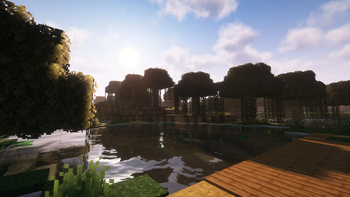
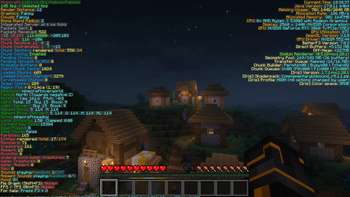
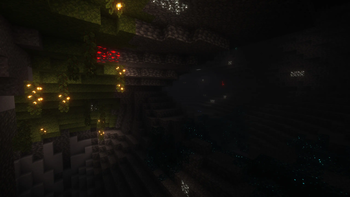
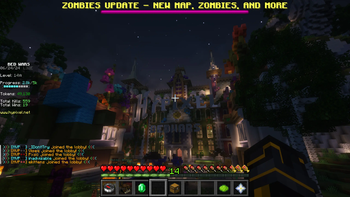
Amazing VisualsBetter F3 MenuGlowing Ores and Great CavesGreat Server Experience

Последние версии

Все версии →
release

Flowstate 2.1.0

2.1.0
7 сент. 2026 г.122Minecraft: 26.2fabric
Скачать
release

Flowstate 2.1.0

2.1.0
6 июн. 2026 г.155Minecraft: 26.1.2fabric
Скачать
Что нового
This version focuses on increasing immersion in the standard survival experience (to bring back the nostalgia) by reducing the interval between songs. - Removed *GPU Booster* - Removed *Model Gap Fix* - Changed *Freecam (Fair Play)* to *Fair Freecam* - Added *Chat Heads* - Keybind Changes: - Change Copy Location & Debug Crash -> [-] - Change Dump Version Info -> [=] - Simple Music Control: - Changed Minimum Delay to 1 - Changed Maximum Delay to 30
release

Flowstate 2.0.0 (Patch)

2.0.0
30 янв. 2026 г.146Minecraft: 1.21.11fabric
Скачать
release

Flowstate 2.0.0

2.0.0
29 янв. 2026 г.40Minecraft: 1.21.11fabric
Скачать
Что нового
### Version 2.0.0 for Minecraft 1.21.11 - Mods not included due to version (should't affect gameplay): - GPU Booster - Model Gap Fix
release

Flowstate 2.0.0

2.0.0
15 нояб. 2025 г.119Minecraft: 1.21.10fabric
Скачать
Что нового
### Version 2.0.0 - Added Minecraft Version 1.21.10
release

Flowstate 2.0.0

2.0.0
11 окт. 2025 г.78Minecraft: 1.21.8fabric
Скачать
Что нового
### Version 2.0.0 This version focuses on patching up some more frames and adding mods used by popular performance packs (that i like) as well as updating the branding of the mod - Changed the mod name from "Quality O' Life" to "Flowstate" to be more unique - Decided to use "Freecam (Fair Play)" instead of "Freecam" - Swapped from "Midnight Controls" to "Controllify" **GUI Updates** - Added "Cubes without Borders" for borderless fullscreen (for new discord overlay) - Added "Jade" for tool-tips - Added "Better Mount HUD" - Added "Fancy Menu" and Dependencies **Performance Updates** - Added "More Culling" - Added "Concurrent Chunk Management Engine (Fabric)" - Added "GPU Booster" - Added "Reese's Sodium Options" **Visual Updates** - Added "Super Duper Vanilla" and made it the default shader - Removed All Shaders Except for "Super Duper Vanilla" - Added "LambDynamicLights" - Added "Model Gap Fix"
release

Quality O' Life 1.3.3

1.3.3
30 сент. 2025 г.35Minecraft: 1.21.8fabric
Скачать
Что нового
### Version 1.3.3: - Added Complementary Shaders and made Complementary Reimagined the default
release

Quality O' Life 1.3.2

1.3.2
20 сент. 2025 г.39Minecraft: 1.21.8fabric
Скачать
Что нового
### Version 1.3.2 - Used "Mellow" shader instead of LITE - Added Controller Support
release

Quality O' Life 1.3.1

1.3.1
20 сент. 2025 г.37Minecraft: 1.21.8fabric
Скачать
Что нового
### Version 1.3.1 - Used "Simple Music Control" Instead of "Music Delay Remover" because the latter isn't available for 1.21.5, might be a permanent change in the future. - The next music track can be played with [M] - Used "Scoreboard Tweaks" instead of "GUI Scale Splitter" because the latter isn't available for 1.21.5, might be a permanent change in the future. - Added "Dark Loading Screen" - Added "Sodium Extra" to add more quality settings and mostly for the scrolling in sodium settings - Removed Enhanced Block Entities because it isn't available for 1.21.8 - Removed Default Dark Mode & Colorful Containers in favor of a single resource pack "Unique Dark Refined" - Removed Screenshot viewer because it continues to not update - Removed Complementary Shaders in favor of Lite Shader for much better performance
release

Quality O' Life 1.3.0

1.3.0
10 мая 2025 г.64Minecraft: 1.21.4fabric
Скачать
Что нового
**Personal Note:** When making changes to the modpack, I always check the original modpack discription first before adding it, and usually the only reason I add it is because something in vanilla minecraft hurt my experience of the game. So for this update I played minecraft A LOT and whenever something in the vanilla game that needed a small tweak, I looked for a mod to fix the issue. REMEMBER this modpack will never add new recipies, items, blocks, mobs, entities, etc. that are not in the original game, but add small tweaks to make the vanilla experience more enjoyable. ### Version 1.3.0: - Updated to Fabric 0.16.10 - Changed chat width to 110px to avoid conflict with hotbar gui - Decreased "F3 Menu" font scale to 0.375 so the entire menu is visible - Stopped setting music volume to 65% in releases because I like the music - Changed Map Button from [M] to [C] - Changed brightness to Bright for increased visibility - Fixed "Music Delay Reducer" being missing in version 1.2.1 especially in minecraft version 1.21.1 - Server Fixes: - Re-added "Appleskin" for viewing hunger better, Issue with wynncraft resolved. - Added "Tooltip Scroll" for big item tooltips in servers - New GUI Mods & Resource Packs: - Added "Scribble" for better book editing and book saving (to a file) because I like writing in books and taking notes - Added " Screenshot Viewer" for managing screenshots - Added "Cherished Worlds" for favoriting singleplayer worlds - Added "Effect Timer Plus" for effect times in the top right of the screen - Added "Yet Another Config Lib" aka YACL (dependency) - Added "Dark Colorful Containers GUI" resource pack on top of "Default Dark Mode" for better GUI visuals - Added Optional Light Version "Colorful Containers GUI" - Added "OptiGUI" and "Fabric Language Kotlin" (dependency) mods - Performace Enhancements: - Changed Both Shaderpack Qualities to Low, granting a signifigant enhancement to FPS on either shaderpack - Added "Immediately Fast" to improve game rendering - Added "Enhanced Block Entities" for better performance with chests, signs, beds, etc.