
poq's personal modboxСкачатьСкачать
ВЕРСИИ (2)
release
Vanilla Fabric 1.0.1
1.0.120 февр. 2024 г.630Minecraft: 1.20.1fabric
Что нового
# Summary
QOL and optimizations for vanilla Minecraft, all in Minecraft's default appearance. With a focus of retaining Minecraft's default appearance, this modpack gives a collection of UI addons, F3 customization, and many optimization mods for vanilla Minecraft.\
These mods can be used in any vanilla world or server without issue.
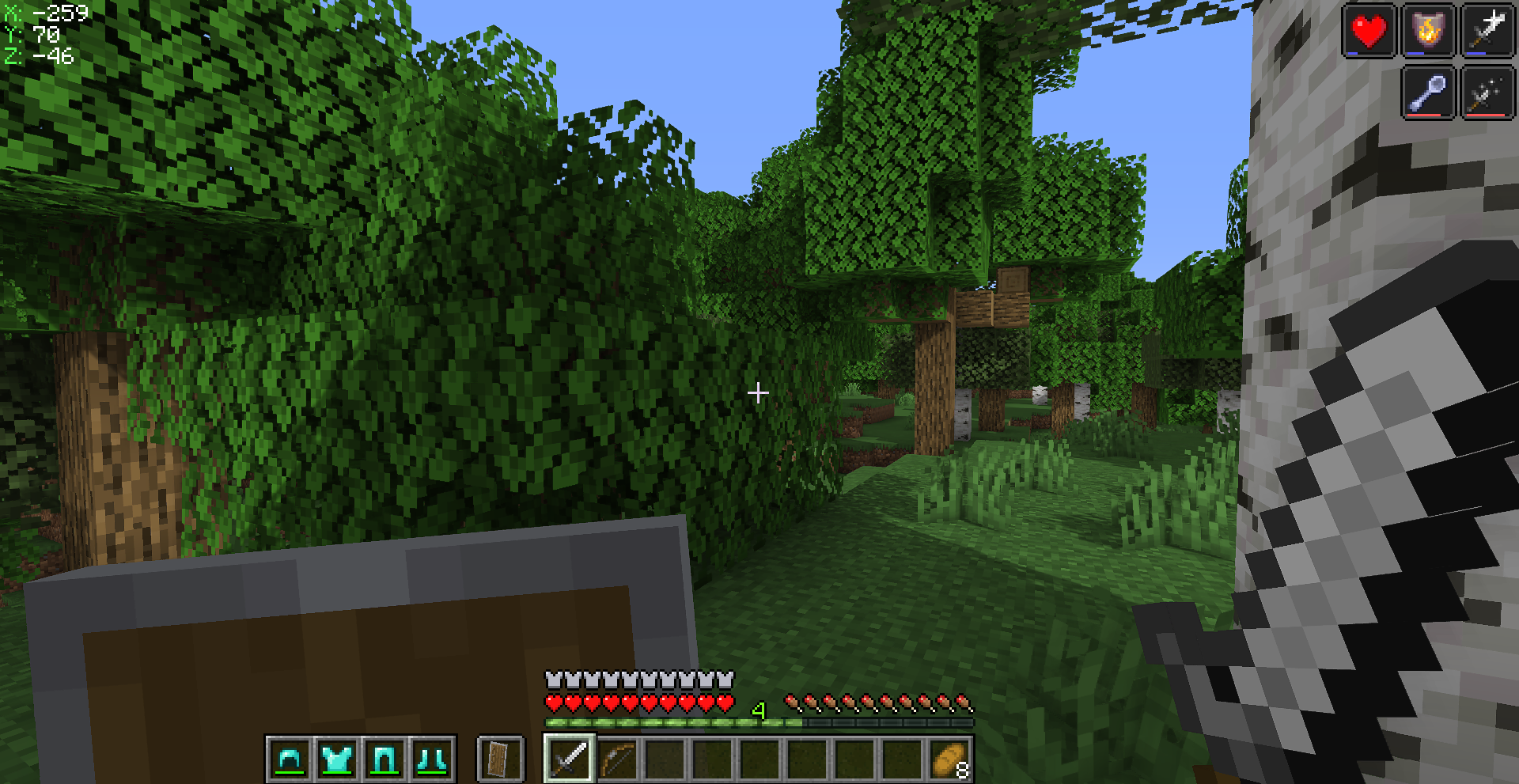
*<center>Vanilla Fabric with Sildur's Enhanced Default</center>*
## Addons
### UI addons
**HUD addons** include armor icons, potion icons, and health and hunger bars while mounted.\
**F3 customization** includes repositioning the modules and changing their colors.\
**Inventory addons** include additional shulker box tooltips.\
**Additional video settings** are from Sodium Extra and Reese's Sodium Options.\
There are also options for scrollable tooltips and a coordinates HUD (OFF by default).
### Shader packs
This modpack does not include a shader pack, but I highly recommend **Sildur's Enhanced Default**. Made by Sildur, it gives a subtle shine to Minecraft without being to obscurring. Since it isn't published on Modrinth, below is a link to his downloads page.\
[Sildur's downloads page](https://sildurs-shaders.github.io/downloads/)
### Resource packs
Also included are two resource packs: **Low fire** (by jahirtrap) and **Cubic sun-moon** (by JoeFly).
## Configuring the modpack
Below are a couple of quick guides for configuring this modpack.
<details>
<summary> Configure... UI addons </summary>
To configure the UI addons, use the Mods menu. This can be found in both the main menu and the in-game ESC menu.
- **Armor icons** can be configured in Slotted Armor HUD
- **Potion icons** can be configured in Status Effect Bars
- **Shulker box tooltips** can be configured in Shulker Box Tooltips
- **Scrollable tooltips** can be configured in Tooltip Scroll
- **Coordinates HUD** can be configured in CoordinatesDisplay
- Enabled in the mod's Visual Settings and by setting Visible to 'Yes'
</details>
<details>
<summary> Configure... Shader packs </summary>
To configure a shader pack, use its Shader Pack Settings. The list of downloaded shader packs can be found in Options > Video Settings > Shader Packs (located along the top of the screen).
- Once in the menu, select the desired shader pack and click on Shader Pack Settings.
</details>
<details>
<summary> Configure... Resource packs </summary>
Resource packs can't be configured inside of Minecraft's settings, but you can use multiple resource packs at the same time. The list of downloaded resource packs can be found in Options > Resource Packs.
- Once in the menu, hover over an available resource pack and click on the arrow. This should move it to the Selected section.
- *The order of the selected resource packs will determine which assets take priority.*
</details>
---
### Important Notes
> *This modpack is intended for the client side.\
For more information about each mod, shader, and resource pack, please visit their respective page.\
While this modpack does not change the game's behavior, servers have their own rules and regulations, so be sure to consult those first.*
<details>
<summary>Known Issues</summary>
Water and nether portals fail to render when seen through certain faces of transparent blocks, including nether portals, but excluding regular glass.
</details>
release
Vanilla Fabric 1.0.0
1.0.02 февр. 2024 г.182Minecraft: 1.20.1fabric
Что нового
_Was missing Indium for an old mod compatability issue._