

PeterWolf’s Planes
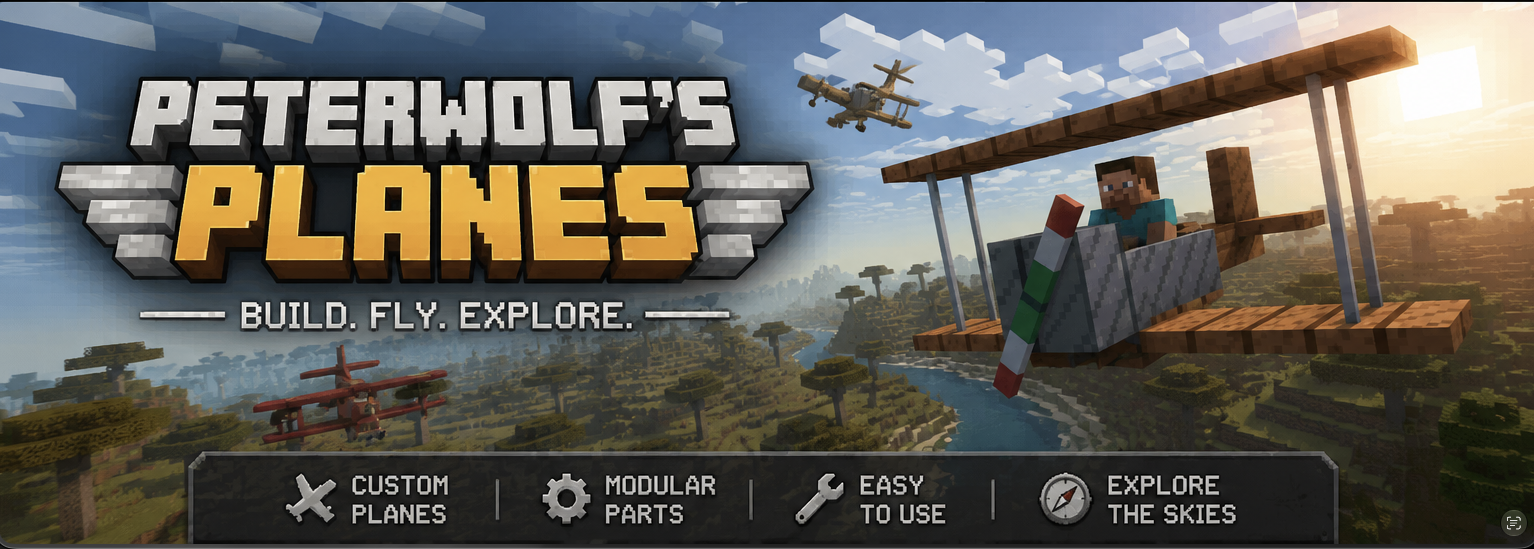
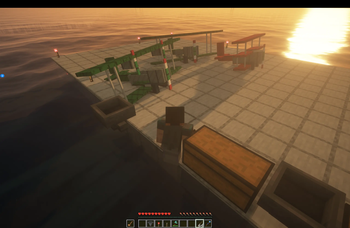
Peter Wolf’s Planes adds a fully‑steerable biplane to Minecraft, bringing a lightweight, vintage‑style aviation experience to the game.
Автор: peterwolfpl11,1 тыс.17обновлён 1 окт. 2026 г.
Транспорт
Описание
PeterWolf’s Planes
Overview
Peter Wolf’s Planes adds a fully‑steerable biplane to Minecraft, bringing a lightweight, vintage‑style aviation experience to the game. The mod introduces realistic flight physics, speed‑dependent control surfaces, a functional HUD, and a polished visual presentation (custom icon and ModMenu banner).
Features
- Steerable Biplane Entity – Fly a biplane that responds to mouse look (pitch & roll) and keyboard A/D for yaw/rudder.
- Speed‑Dependent Controls – Control surface effectiveness scales with forward speed; at a standstill the plane is unresponsive, and responsiveness ramps up linearly as you accelerate.
- Aerodynamic Lift Tuning – Lift is calibrated to overcome gravity at roughly 35 km/h (≈ 0.486 blocks/tick), providing a smooth take‑off and realistic stall behavior.
- Improved Gliding Physics – Reduced drag at low throttle and enhanced lift allow graceful glides and energy exchange (climbing slows the plane, diving speeds it up).
- Larger Landing‑Gear Wheels – Wheels are now 4 × 10 × 10 blocks, with custom textures for a sturdier ground stance and better visual appeal.
- Cockpit HUD – A glass‑morphic overlay shows current speed (m/s & km/h), altitude, vertical speed (color‑coded), and throttle/brake status.
⚔️ Dogfight Combat Mode (v1.1.0)
While piloting, press V to arm combat mode (shown on the HUD as Combat: ARMED).
| Control | Action |
|---|---|
| V | Toggle combat mode (ARMED / SAFE) |
| Left Mouse Button | Fire twin machine guns (rapid dual tracers along the nose) |
| B | Drop a lit TNT bomb (consumes 1× TNT; free in Creative) |
Combat details
- Machine guns fire dual streams from the wing roots with plane-relative muzzle velocity — no ammo required.
- Bombs inherit most of the plane's velocity, fall under gravity with a short fuse, and explode on the ground (or mid-air when the fuse runs out).
- Occupied aircraft can be damaged by projectiles and explosions. The HUD shows airframe integrity; at 0 HP the plane is destroyed and passengers are ejected.
- Your own munitions will not damage the plane you are piloting.
- Keybinds are remappable under Controls → Peter Wolf's Planes.
🪂 Paraglider & other features
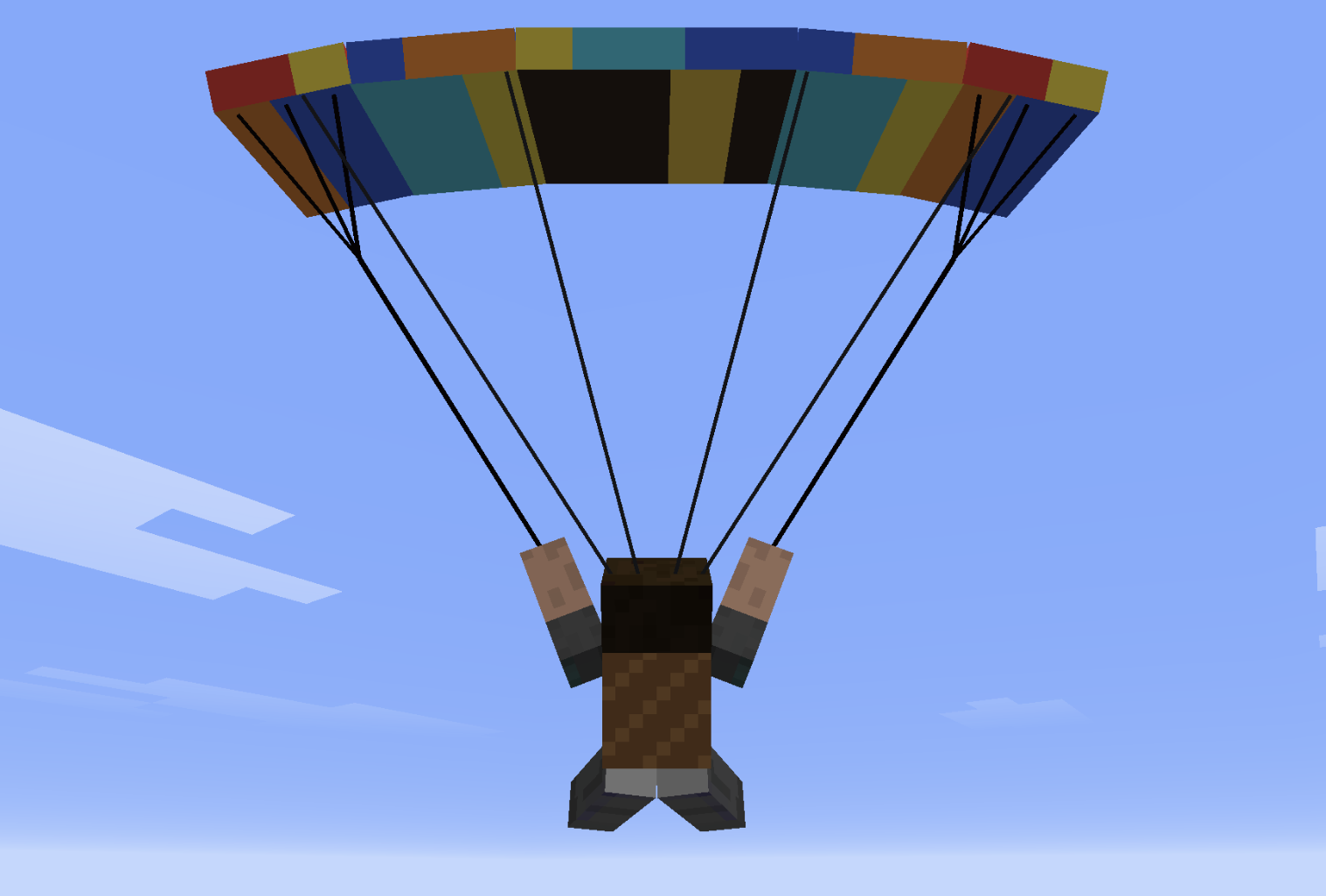
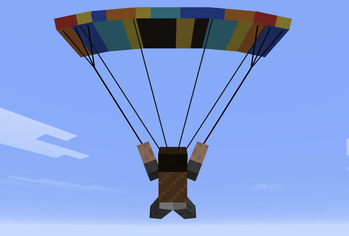
- Paraglider Backpack (chest slot): deploy in free-fall for controlled descent with bank turns, flares, double-W dive, and spiral dives.
- Squadron Horn + Villager Pilot: recruit AI wingmen into a V-formation.
- Tail push: approach the tail of an empty plane and hold Shift + Right-Click to wheelbarrow-push it on the ground.
- Worldgen runway structures with loot.
Paraglider Controls
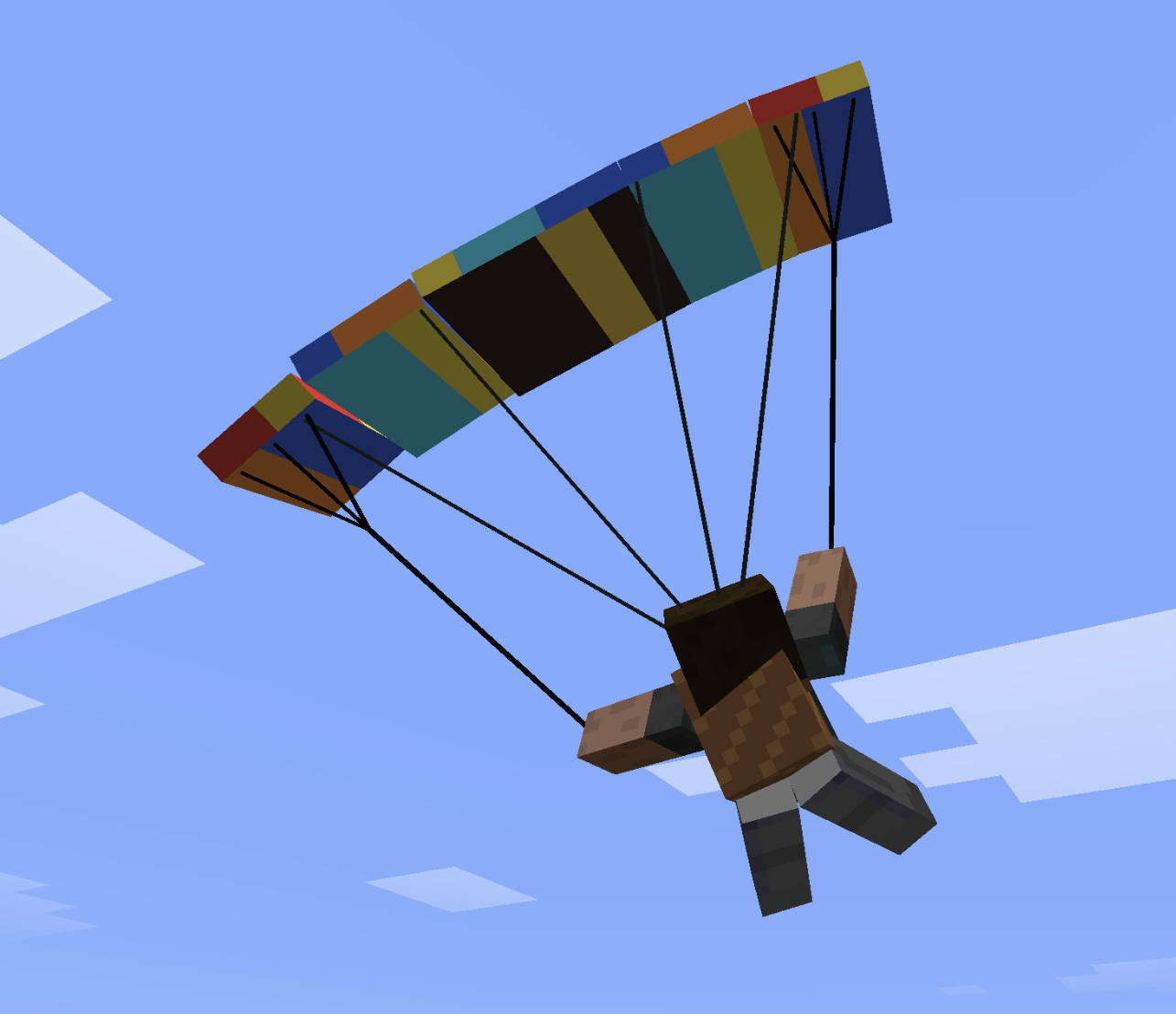
The paraglider uses simple, intuitive flight controls.
- Steer left or right to pull the corresponding brake line and turn.
- Double-tap the left or right steering key to enter a fast descending spiral.
- Double-tap S to search for rising air currents above slopes.
- Push forward to gain speed.
- Pull back to slow down and flare before landing.
The canopy banks naturally, while the inner wingtip bends slightly during tighter turns.
🛠️ Crafting recipes (survival)
Craft in a Crafting Table. Shapes are 3×3.
Biplane (plane)
W P W
I I I
  S
- W white wool · P oak planks · I iron ingot · S stick
Large Biplane
W P W
I I I
P S P
- W white wool · P oak planks · I iron ingot · S stick
Large Twin-Engine Biplane
I F I
W P W
I S I
- I iron ingot · F furnace · W white wool · P oak planks · S stick
Red Baron's Triplane
R G R
I I I
  S
- R red wool · G gold ingot · I iron ingot · S stick
Water Plane
  B
W P W
I I I
- B oak boat · W white wool · P oak planks · I iron ingot
Monoplane (fast fighter)
I D I
W P W
  S
- I iron ingot · D diamond · W white wool · P oak planks · S stick
Paraglider Backpack (chest armor)
L P L
S W S
L   L
- L leather · P phantom membrane · S string · W white wool
Installation
- Install Fabric Loader for Minecraft 26.2 (or newer) and the Fabric API.
- Download the latest peterwolfs_planes-*.jar from Modrinth.
- Place the JAR file into your mods/ folder.
- Launch Minecraft – the biplane item appears in the Creative tab under Peter Wolf’s Planes and can be crafted or given via commands.
Usage
- Equip the Plane item and right‑click to mount.
- Throttle: Use the assigned key (default W/S). Negative throttle triggers wheel brakes on the ground.
- Steering: Move the mouse to control pitch (up/down) and roll (left/right). Yaw is assisted by a small rudder mix.
- HUD: Automatically appears while riding; press H to toggle.
🚁 Helicopter — Quick Flight Guide
🎮 Controls
- W (Hold): Lift off / Climb
- S (Hold): Descend / Land
- Release W / S: Auto-Altitude Hold (maintains exact altitude)
- Mouse Forward / Back: Pitch nose down (fly forward) / Pitch up (brake / fly back)
- Mouse Left / Right: Bank left / right (strafe sideways)
- A / D: Rotate tail / heading (yaw)
- Aim at Horizon: Auto-stabilizes into a stationary hover
🛑 Ground, Takeoff & Landing
- On the Ground:
- Controls are locked — moving the mouse won't tilt the helicopter or slide.
- A / D still rotate the helicopter on the spot to align before takeoff.
- Takeoff:
- Hold W to lift off vertically.
- The moment skids leave the ground, your cursor automatically centers to the horizon for a smooth, stable start.
- Landing:
- Hold S to descend. Upon touching the ground, the helicopter auto-levels and controls lock into parked mode.
⌨️ Commands & Crafting
- Toggle Altitude Mode:
/helialt(switches between Simple Auto-Hold and Realistic collective) - Crafting (3×3 Table):
- Top:
Iron Ingot|Iron Bars|Iron Ingot - Mid:
Iron Ingot|Minecart|Iron Ingot - Bot:
Iron Bars|Redstone|Iron Bars
- Top:
Галерея

Последние версии
Все версии →release
PeterWolf’s Planes 1.2.5+1.21.11
1.2.5+1.21.111 окт. 2026 г.81Minecraft: 1.21.11neoforge
Что нового
port to neoforge
release
PeterWolf’s Planes 1.2.5+26.2
1.2.5+26.21 окт. 2026 г.51Minecraft: 26.2neoforge
Что нового
port to neoforge
release
PeterWolf’s Planes 1.2.5+26.3
1.2.5+26.31 окт. 2026 г.202Minecraft: 26.3neoforge
Что нового
port to neoforge
release
PeterWolf’s Planes 1.2.5+1.21.11
1.2.5+1.21.111 окт. 2026 г.523Minecraft: 1.21.11fabric
Что нового
backport to 1.21.11
release
PeterWolf’s Planes 1.2.5+26.2
1.2.5+26.21 окт. 2026 г.768Minecraft: 26.2fabric
Что нового
backport to 26.2
release
PeterWolf’s Planes 1.2.5
1.2.529 сент. 2026 г.2,8 тыс.Minecraft: 26.3fabric
Что нового
## 1.2.5
### 🚁 Smooth Helicopter Tail Rotation & Anti-Torque Pedals
- **Eliminated Tail Rotation Jitter & Shudder**: Fixed sub-frame interpolation desynchronization during helicopter tail rotation (yawing with **A** / **D** anti-torque pedals).
- **Synchronized Passenger Rotation History**: Player and NPC passenger view angle histories (`yRotO`, `yHeadRotO`, `yBodyRotO`) are now maintained across tick boundaries in `positionRider`, preventing the 20-Hz camera shutter/jerk in both first-person and third-person perspectives.
- **Consistent Heading Interpolation**: Overrode `getYRot(partialTick)` and `getViewYRot(partialTick)` on `PlaneEntity` to reliably expose smoothed render yaw to all Minecraft camera and entity rendering subsystems.
release
PeterWolf’s Planes 1.2.4
1.2.418 сент. 2026 г.424Minecraft: 26.3fabric
Что нового
port to 26.3
release
PeterWolf’s Planes 1.2.3
1.2.318 сент. 2026 г.426Minecraft: 26.2fabric
Что нового
## 1.2.3
### 🎬 Replay Playback & Interpolation (Flashback / ReplayMod)
- **Smooth Replay Motion**: Integrated Minecraft 26.2 `InterpolationHandler` into `PlaneEntity`, enabling smooth 3-tick sub-frame interpolation for all aircraft and helicopters during replay playback.
- **Replay Detection (`ReplayPlayback`)**: Aircraft now detect active Flashback (`com.moulberry.flashback.Flashback.isInReplay()`) and ReplayMod playback sessions.
- **Physics Deconfliction**: Suspended client-side physics and server-side corrections during replay playback (`ownsClientSimulation`), preventing the vertical bouncing/jittering ("skakanie") caused by client simulation fighting recorded packets.
- **NPC & Remote Interpolation**: Remote player aircraft and villager pilot patrol craft now also utilize `InterpolationHandler`, ensuring silky-smooth flight paths for observers.
release
PeterWolf’s Planes 1.2.2
1.2.217 сент. 2026 г.25Minecraft: 26.2fabric
Что нового
## 1.2.2
### 🔊 Engine Sounds
- **Airplane engine loop**: Occupied fixed-wing aircraft now play a looping radial-engine rumble. Volume and pitch follow throttle (idle while boarded, louder and higher at full power). Large biplanes are slightly louder; the twin-engine variant is deeper.
- **Helicopter rotor loop**: Helicopters play a distinct rotor whoosh. Quiet spool-up on the ground with **W**, full rotor sound once airborne, with pitch shifting as collective changes.
- Engine audio is positional (heard from ~64 blocks) and plays for nearby players, including villager-piloted craft.
- **Helicopter landing**: Holding **S** now flares the descent near the ground but still settles onto the skids. All steering (cyclic and tail rotor) is locked while parked.
## 1.2.1
### 🛬 Vertical Descent-Speed Damping (Soft Landing)
- **Automatic Descent Braking**: When landing vertically with **S** (descend) in Simple Altitude Control mode, the helicopter automatically reduces its downward speed as it approaches the ground. Within 3 blocks of the surface the descent speed is scaled proportionally (down to a gentle `0.04 blocks/tick` minimum), ensuring a soft, controlled touchdown with no crash damage.
- **Liftoff Cursor Auto-Centering**: On takeoff, the pilot's look direction is automatically reset to straight-ahead/level, eliminating any leftover pitch or drift from pre-flight camera movement.
release
PeterWolf’s Planes 1.2.0
1.2.017 сент. 2026 г.20Minecraft: 26.2fabric
Что нового
## 1.2.0
### 🚁 New Aircraft: The Helicopter (`peterwolfs_planes:helicopter`)
- **Vertical Takeoff and Landing (VTOL)**:
- Takes off and lands vertically directly on heavy-duty tubular landing skids—no runway required!
- Hover equilibrium at ~50% throttle, balancing gravity ($0.04\text{ blocks/tick}$) for a rock-solid stationary hover.
- Throttle up (**W**) to climb; throttle down (**S**) to descend or initiate smooth autorotation landing.
- **Fuselage & Cockpit Visuals**:
- Distinctive open minecart-style cockpit tub where the player sits with a clear forward view.
- Heavy-duty tubular landing skids with front upturns, tuned with ground offset (`-1.625F`) so the bottom of the tubes rests flush with the ground surface.
- Realistic cockpit instrumentation: functional analog speedometer and altimeter dials mounted on the dashboard.
- Centrally mounted animated cyclic control stick directly in front of the pilot, dynamically reacting to pilot inputs and aircraft attitude.
- High rotor mast with 4-blade horizontal main rotor (120 units wide) and vertical tail rotor, both spinning smoothly in real-time.
- Aft engine deck, tail boom, and vertical tail fin.
- **Aviation Warning & Navigation Lighting (ICAO/FAA Compliant)**:
- Port (left) red and starboard (right) green position lights.
- Aft white navigation light on tail.
- Synchronized high-intensity flashing white strobes and red anti-collision beacon on the vertical tail fin.
- Emissive glowing layer (`RenderTypes.eyes`) active while the aircraft is occupied.
- **Crafting & World Integration**:
- Survival crafting recipe using iron ingots, redstone, iron bars, and a minecart.
- Added to creative inventory tab, starter kit (`/function peterwolfs_planes:kit`), and runway chest loot tables.
### 🎮 Helicopter Flight Controls & Aerodynamics
- **Instant Response (Zero Lag)**:
- Removed slow low-pass smoothing (`0.12F`) on helicopter cyclic controls, replacing it with an immediate `0.60F` factor.
- Eliminated camera fighting (`centerPilotLook`) on pitch, giving crisp 1:1 mouse steering with response times under 50 ms.
- **Exponential (Expo) Control Curve**:
- Implemented an exponential response curve ($|x|^{1.85}$) for both pitch and roll cyclic controls.
- Controls are gentle and precise near zero (neutral stick) for steady hovering and fine trimming, while smoothly ramping up to full authority at larger deflections.
- **Cyclic Stick Pitch (Mouse Forward / Backward)**:
- **Mouse forward**: tilts cyclic stick forward, pitches nose down, and accelerates forward with strong horizontal thrust ($1.85\times$).
- **Mouse backward**: pulls cyclic stick back, pitches nose up, and flares to brake forward momentum or fly backward.
- **Cruise Attitude Hold**: pitch angle does not snap back to zero during forward flight, enabling continuous, comfortable cruising without endlessly dragging the mouse.
- **Bounded Deflections**: clamped to realistic, safe limits (max $+16^\circ$ nose-down, $-12^\circ$ flare), preventing wild overshooting and runaway dives.
- **Cyclic Stick Roll & Lateral Flight (Mouse Left / Right)**:
- Swapped left and right response: moving mouse left/right banks and propels the aircraft in the newly inverted direction.
- Bank angle clamped to a safe $\pm 14^\circ$ envelope, maintaining stability without sudden tipping.
- **Anti-Torque Tail Rotor (Keys A & D)**:
- Dedicated pedal control to rotate the tail boom and steer heading ("obrót ogona" / yaw authority) even while hovering motionless.
- Keys **A** and **D** strictly govern tail rotor rotation without inducing roll.
- **Effortless Hover Stabilization**:
- Simply looking towards the world horizon ($\pm 4^\circ$) automatically levels the aircraft back to $0.0^\circ$ pitch and engages a stable, motionless hover.
- Deadband centering ensures easy, vibration-free hovering.
- **Aerodynamic Rotor Thrust & Translation Sink Physics**:
- Tilting forward/backward (pitch) or sideways (roll) redirects rotor thrust away from the vertical axis, causing natural altitude loss (sink / opadanie) rather than climbing.
- Forward, backward, and lateral horizontal airspeed induces aerodynamic sink ($v_{\text{horiz}} \cdot 0.024$).
- Flying forward, backward, or strafing sideways naturally descends unless the pilot gently adds throttle (collective), exactly like real helicopters.
- Aerodynamic parasite drag modeled for forward and lateral airflow.
- **Control Reset on Boarding**:
- All control deflections (pitch, roll, rudder, cyclic stick, yaw rate, pitch rate) immediately reset to zero upon boarding the helicopter.
### 🎛️ Helicopter Simple Altitude Mode (Default) & Command Switcher
- **Simple Altitude Control (Default for Helicopters)**:
- **W** (held): climbs smoothly upward (`Vertical: CLIMB % (W)`).
- **S** (held): descends smoothly downward (`Vertical: DESCEND % (S)`).
- **Neutral (releasing W / S)**: automatically locks and holds current altitude (`Vertical: ALT HOLD (W/S)`).
- **Zero Maneuvering Sink**: pitching forward, backward, or banking sideways to fly and turn does **not** cause altitude loss—the helicopter maintains a steady, level flight altitude while cruising and maneuvering!
- **Realistic Mode Available**:
- Realistic aerodynamic collective remains available where cyclic tilt and translational airspeed induce natural sink that must be compensated with collective pitch.
- **Commands & Switcher**:
- `/helialt` or `/helicontrol` or `/planes helicopter altitude`: toggles between Simple and Realistic altitude modes.
- `/helialt simple` or `/planes helicopter altitude simple`: sets altitude control to Simple mode.
- `/helialt realistic` or `/planes helicopter altitude realistic`: enables realistic aerodynamic collective control.
- Running while piloting a helicopter switches the current vehicle and updates player default; running outside updates default for future helicopters.
### 🛑 Ground Detection & Automatic Steering Lock
- **Automatic Ground State Recognition**:
- The helicopter accurately detects when resting on the ground, helipad, or landing surface.
- Pinned solidly to the terrain with zero jitter, zero micro-sliding, and zero uncontrolled drift.
- **Steering Disabled on Ground**:
- While on the ground, cyclic pitch (forward/backward) and cyclic roll (sideways steering) are **completely disabled**.
- Moving the mouse does not tilt the helicopter or cause accidental forward/backward sliding.
- Airframe stays perfectly flat ($0.0^\circ$ pitch, $0.0^\circ$ roll) on its heavy-duty landing skids.
- Tail rotor pedals (**A** / **D** keys) remain active, allowing pilots to steer heading in place to align on the helipad before takeoff.
- HUD control stick indicator displays `GROUND` in amber and locks the cyclic crosshair centered at `(0, 0)`.
- HUD status displays `Helicopter: ON GROUND (W to fly)`.
- **Vertical Liftoff Activation & Auto-Centering Cursor**:
- Holding **W** lifts the helicopter strictly vertically into the air (`Takeoff: LIFTOFF % (W)`).
- The moment the skids clear the ground, the helicopter switches into airborne flight mode (`isHelicopterAirborne = true`).
- **Automatic Cursor Zeroing**: The instant liftoff occurs, the pilot's cursor/look direction (pitch $0.0^\circ$ at horizon, yaw straight ahead) and cyclic stick are automatically snapped to neutral center `(0, 0)`, preventing sudden lurches and starting flight in a stable hover.
- Flight controls (forward/backward, sideways bank, cyclic stick) immediately activate once airborne.
- **Smooth Touchdown & Landing Lock**:
- Upon descending to the surface and making ground contact with low/descending throttle, the helicopter smoothly touches down:
- Pitch and roll are auto-leveled to $0.0^\circ$.
- Flight steering immediately locks to prevent tipping over or sliding across blocks.
- Airframe enters parked state (`PARKED`).
### 🕹️ HUD 2D Control Stick Indicator (Cyclic & Centering Guide)
- **Visual Control Stick Widget**:
- Mounted directly on the right side of the cockpit HUD (docked seamlessly next to instruments).
- Features an analog 2D crosshair arena displaying active cyclic stick position (Pitch on vertical axis, Roll on horizontal axis).
- Instant visual feedback for flight controls without having to look down into the cockpit tub.
- **Effortless Center & Hover Locking**:
- Center target box deadband illuminates in vibrant neon green (`[+]` / `CENTER`) when cyclic controls are centered.
- Allows pilots using mouse steering to effortlessly find the neutral 0 trim position for a rock-solid, stationary hover.
- Marker dot dynamically shifts color: bright neon green when centered, cyan during normal maneuvering, and red at extreme deflection limits.
- **Tail Rotor / Rudder Pedal Bar**:
- Integrated 1D horizontal deflection bar displaying active anti-torque tail rotor / rudder pedal input (**A** / **D** keys).
- **Multi-Layout HUD Support**:
- Supported across all three HUD modes: full instrumentation panel, compact mini HUD, and top-right docked layout.
- In full combat HUD mode, provides real-time flight regime badges (`HOVER`, `CRUISE`, `MANVR`) and numerical pitch/roll degree readouts.