paper-telegram-bridge
Connect Telegram chats and Minecraft servers seamlessly.
Описание
Paper Telegram Bridge
A fork from spigot-tg-bridge with some new features.
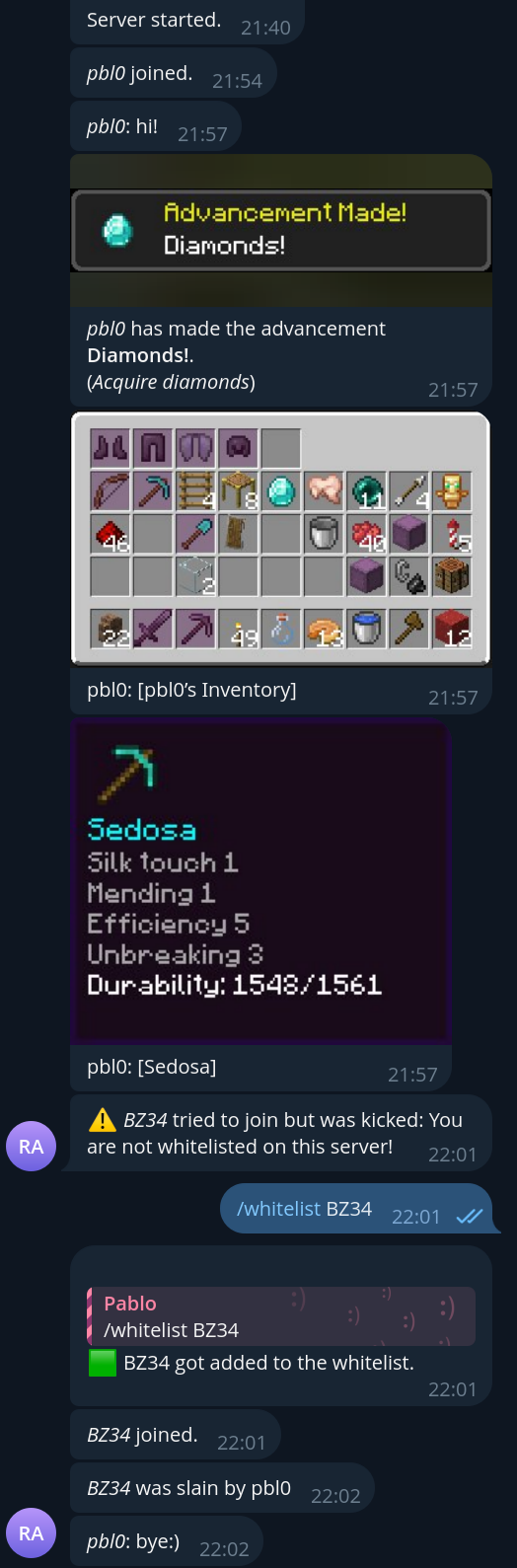
This plugin will send chat messages from Minecraft to Telegram, and from Telegram to Minecraft.
How to use:
-
Download from modrinth and put it in
plugins/directory on your server OR clone this repo and rungradleinside repo's directory. -
If you already have telegram bot, skip this step. Otherwise, create it through BotFather. You'll go through step-by-step instructions, give a bot username and most importantly, obtain a bot token. Save this token for future use. Note: in order to make your bot hear raw text messages (not commands), you must disable privacy mode option which is on by default. Go through bot's settings: Bot Settings -> Group Privacy and click Turn Off.
-
Next, you need to tell plugin about your new bot. You can either:
- Run Paper server, plugin will log
"No config file found! Saving default one.". After that, stop server and proceed to 4th step. - Copy config.yml
to
plugins/PaperTelegramBridge/in your server directory.
- Run Paper server, plugin will log
-
A
config.ymlis just a valid YAML file, alternative for JSON, but more human-readable. Now, take bot's token which you got in 2nd step and paste them intoconfig.yml, so it looks like this:botToken: abcdefghijklmnopq123123123 # other configuration values... -
Run Paper server.
-
Add you bot to chats, where you plan to use it. In each of them, run
/chat_idcommand. The bot should respond and give special value - chat id. Now, openconfig.ymland paste this ID underchatssection, so it will look like this:botToken: abcdefghijklmnopq123123123 chats: [ -123456789, 987654321, # other chat id's... ] -
(Optional) To enable admin commands like
/whitelist, you need to add Telegram user IDs to theadminslist inconfig.yml.admins: [ 123456789, 987654321, # other admin user ids... ] -
You can extend
config.ymlwith more tweaks, which are described in the table below, but it's not necessary, plugin will use default values instead, if they're missing. Also, check out the example. -
Re-run server or type
tgbridge_reloadinto server's console.
Plugin configuration:
| Field | Description | Type | Required | Default |
|---|---|---|---|---|
| enable | If plugin should be enabled | boolean | :x: | true |
| botToken | Telegram bot token (How to create bot) | string | :heavy_check_mark: | - |
| chats | Chats, where bot will work (to prevent using bot by unknown chats) | number[] or string[] | :heavy_check_mark: | [] |
| topics | Telegram forum topics, if left empty it will use the General topic. | number[] or string[] | :x: | [] |
| admins | List of Telegram user IDs authorized to use admin commands like /whitelist | number[] or string[] | :x: | [] |
| serverStartMessage | What will be sent to chats when server starts | string | :x: | 'Server started.' |
| serverStopMessage | What will be sent to chats when server stops | string | :x: | 'Server stopped.' |
| logJoinLeave | If true, plugin will send corresponding messages to chats, when player joins or leaves server | boolean | :x: | true |
| logFromMCtoTG | If true, plugin will send messages from players on server, to Telegram chats | boolean | :x: | true |
| logFromTGtoMC | If true, plugin will send messages from chats, to Minecraft server | boolean | :x: | true |
| logPlayerDeath | If true, plugin will send message to Telegram if player died | boolean | :x: | false |
| logPlayerAsleep | If true, plugin will send message to Telegram if player fell asleep | boolean | :x: | false |
| logPlayerAdvancement | If true, plugin will send message to Telegram if player gets an advancement | boolean | :x: | true |
| logInventory | If true, plugin will send image of inventory, item or ender chest Read more | boolean | :x: | true |
| logWhitelistKick | If true, plugin will send notification when a player is kicked due to not being whitelisted | boolean | :x: | true |
| strings | Dictionary of tokens - strings for plugin i18n | Map<string, string> | :x: | See default config |
| commands | Dictionary of command text used in Telegram bot | Map<string, string> | :heavy_check_mark: | See below |
| telegramMessageFormat | Format string for TGtoMC chat message | string | :x: | See default config |
| minecraftMessageFormat | Format string for MCtoTG chat message | string | :x: | See default config |
| silentMessages | Disable notification in Telegram chats | boolean | :x: | false |
| apiOrigin | Use different API endpoint for the bot | string | :x: | https://api.telegram.org |
| disableConfigWatch | Do not watch the config for changes | string | :x: | false |
Telegram bot commands:
Commands are customizable through config. If command doesn't exist in config, it will be disabled
| Command | Description |
|---|---|
/online | Get players, currently online |
/time | Get time on server |
/chat_id | Get current chat ID (in which command was run) for config.yml |
/whitelist | (Admin only) Manage server whitelist - list whitelisted players or add/remove a player |
Format string:
+--------+ >--minecraftMessageFormat(message)-> +--------------+
| Paper |                                      | Telegram bot |
+--------+ <--telegramMessageFormat(message)--< +--------------+
Applies to telegramMessageFormat and minecraftMessageFormat configurations.
Must contain %username% and %message% inside.
You can customize message color with it (coloring works only for telegramMessageFormat). You can customize
bold/italics/strikethrough formatting (works only for minecraftMessageFormat).
See Minecraft message color codes
and Telegram message formatting for more information.
This feature is related to this issue
Plugin commands:
| Command | Description |
|---|---|
tgbridge_reload | Reload plugin configuration w/o need to stop the server. Works only through server console |
tgbroadcast | Broadcast a message to all Minecraft players and configured Telegram chats; usable by players, command blocks, and datapacks with the bukkit.command.say permission |
Permissions
| Permission | Description |
|---|---|
tg-bridge.silentjoinleave | When set to true the bot won't send join and leave messages for that player. It will also be hidden from the /online command. |
Inventory
Similar behavior as InteractiveChat plugin (not a dependency!). Commands implemented:
- [inv]
- [item]
- [ender]
Whitelist Management
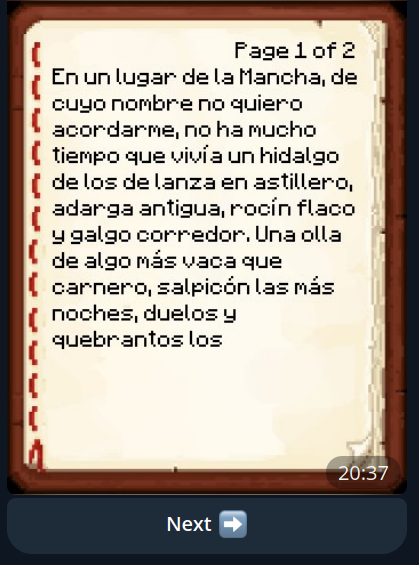
Server admins can manage the whitelist directly from Telegram using the /whitelist command:
/whitelist- List all whitelisted players/whitelist <player_name>- Toggle whitelist status for a player (add if not whitelisted, remove if already whitelisted)
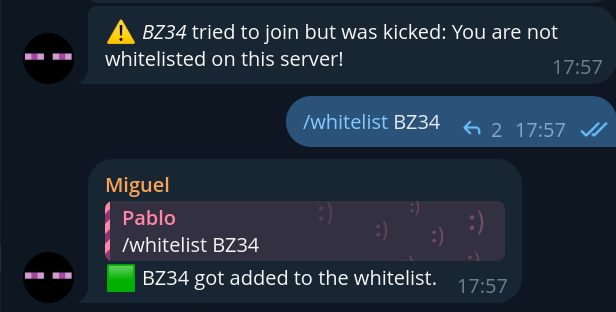
This command is only available to users listed in the admins configuration field. The plugin will also send notifications when players try to join but are kicked due to not being whitelisted (configurable via logWhitelistKick).
Галерея