COWMODSКаталог модов

OmniPanel gui

Massive OmniPanel upgrade featuring Paper/Purpur 26.3 support, native admin dialogs, Command Hub V5, Rules Studio, session login UI, Multiverse world controls, Velocity networking, improved security, and extensive bug/compatibility fixes.

4822обновлён 24 окт. 2026 г.
Механики игрыОптимизацияХранение

Описание

OmniPanel

OmniPanel is an all-in-one administration, moderation, player-management, and server-utility plugin built for modern Minecraft servers.

Instead of stacking separate plugins for staff tools, punishments, ranks, homes, kits, regions, player inspection, maintenance, events, authentication, and server management, OmniPanel connects those systems through one central platform.

The plugin is designed around menus, dialogs, shared permission checks, and consistent workflows rather than forcing staff to remember dozens of commands.

Whether you're running an SMP, community server, creator server, private server, or larger network, OmniPanel gives your staff one place to manage the server.


Why OmniPanel?

A normal server can quickly end up running separate plugins for:

  • Moderation
  • Punishments
  • Staff Mode
  • Player inspection
  • Ranks
  • Homes
  • Kits
  • Regions
  • Events
  • Authentication
  • Maintenance
  • Discord integration
  • Player utilities
  • Administrative tools

That usually means separate permission systems, different interfaces, overlapping commands, duplicate data, and plugins that do not know about each other.

OmniPanel is built differently.

One panel.

One connected permission system.

One moderation workflow.

One set of player-management tools.

One API for other plugins to integrate with.


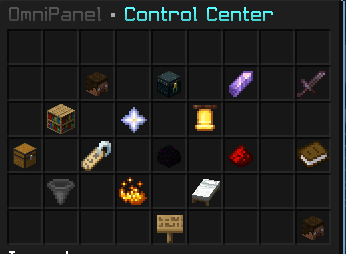
Main Panel

Everything starts with:

/panel

The panel provides access to OmniPanel's administrative systems through a permission-aware interface.

Features include:

  • Section-based navigation
  • Feature-level permissions
  • Search
  • Pagination
  • Context-aware menus
  • Player selection
  • Confirmation screens
  • Paper Dialog integration
  • Permission-aware buttons
  • Staff-only actions
  • Public-player menus where appropriate
  • Back and Close navigation
  • Extension support for add-ons

Opening /panel does not automatically give access to everything inside it.

Every protected feature is still checked server-side.


Panel Visibility & Access

OmniPanel uses a centralized access system for protected panel features.

Administrators can grant access to:

  • Entire sections
  • Individual features
  • Specific staff members
  • Specific ranks

This makes it possible to give staff exactly what they need.

For example:

  • Helpers can inspect players without editing inventories.
  • Moderators can freeze, jail, teleport, and moderate players without receiving rank-management access.
  • Builders can receive region and building controls without punishment permissions.
  • Developers can receive diagnostics and technical tools.
  • Owners can retain complete access.

The built-in Panel Visibility & Access editor allows authorized staff to:

  • Select a player or rank
  • Choose full or custom access
  • Browse sections
  • Enable or disable individual features
  • Review changes before applying them
  • Grant or revoke complete sections

LuckPerms integration remains authoritative where available.

Explicit permission grants, denials, contexts, and external LuckPerms changes are respected.


Player Browser

Browse players through OmniPanel without needing to type usernames manually.

Player information can include:

  • Online status
  • Platform
  • Rank
  • Last seen
  • Current world
  • Playtime
  • Homes
  • Punishment history
  • Staff notes
  • Presence state

Player Actions provide access to additional tools depending on staff permissions.


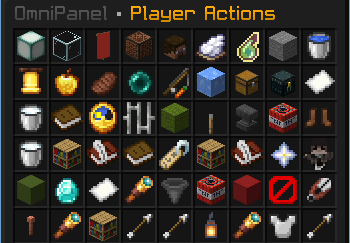
Player Actions

Player Actions are organized into categories such as:

  • Care & Movement
  • Moderation & Records
  • Utilities
  • Advanced
  • Additional Player Tools

Available actions depend on the staff member's permissions.

Integrated tools include:

  • Teleportation
  • Healing
  • Inventory inspection
  • Ender Storage inspection
  • Punishment history
  • Staff notes
  • Freeze
  • Jail
  • Moderation tools
  • Utility actions

Target actions remain bound to the selected player rather than silently falling back to the staff member.


Inventory Inspection

OmniPanel includes shared inventory-inspection sessions for staff.

Example:

/invsee inventory <player>

Viewing and editing are separate permissions.

The inventory system supports:

  • Read-only inspection
  • Authorized editing
  • Storage slots
  • Armour
  • Offhand
  • Concurrent-session protection
  • Inventory transaction guards
  • Offline player inspection
  • Offline editing backups
  • Login protection while an offline edit is active

Read-only sessions cannot write changes back to the target player.

Real player items are treated as items, not as GUI buttons.


Expanded Ender Storage

OmniPanel includes an expanded Ender Storage system backed by its existing storage database.

Features include:

  • 54 usable chest slots
  • Staff inspection
  • Personal /echest access where permitted
  • SQLite persistence
  • Backups
  • Legacy-data imports
  • Vanilla synchronization
  • Physical opening and closing sounds
  • Lid animation
  • Shared-viewer handling
  • Corruption safeguards

Invalid stored item data fails closed instead of silently replacing stored items with empty slots.


Punishment System

OmniPanel includes a full punishment workflow for staff moderation.

Supported actions include:

  • Warnings
  • Temporary warnings
  • Mutes
  • Temporary mutes
  • Bans
  • Temporary bans
  • IP bans
  • Temporary IP bans
  • Kicks
  • Freeze
  • Jail
  • Reversals
  • Staff notes
  • Punishment records

Temporary punishments require valid finite durations and respect configured limits.

Punishments use the authoritative backend so GUI actions, API submissions, records, and enforcement stay connected.


Punishment Records

Punishment history can include:

  • Staff actor
  • Target
  • Case
  • Source
  • Action
  • Reason
  • Duration
  • Timestamp
  • Result
  • Available evidence

History uses compact summaries with full details available through the existing record interface.

Warnings, kicks, reversals, and expired temporary punishments are not incorrectly shown as permanent active sanctions.


Punishment Presets

OmniPanel includes searchable punishment presets for reviewed moderation situations such as:

  • Fraud
  • Phishing
  • Malicious links
  • Evasion
  • Bot raids
  • Exploits
  • Harassment
  • Spam

Custom server presets remain supported and remain authoritative.

Normal Minecraft behaviour such as legitimate trading, giveaways, or regular PvP is not automatically treated as a violation.


Duration Builder

Temporary punishments support normal duration units including:

  • Seconds
  • Minutes
  • Hours
  • Days
  • Weeks
  • Months
  • Years

Duration validation is handled before temporary punishments are applied.


AutoMod

OmniPanel includes built-in chat moderation and evidence handling.

Features include:

  • Blocked-word detection
  • Strict-word lists
  • Word-boundary matching
  • Current-message evidence
  • Spam detection
  • Moderation alerts
  • Configurable confidence requirements
  • Saved evidence
  • Staff review flows
  • Atomic word-list updates

Commands include:

/automod words add
/automod words remove
/automod words list

and:

/automod strictwords add
/automod strictwords remove
/automod strictwords list

Blocked-word checks use the actual current message rather than stale content from previous messages.


AI Moderation Evidence

Where AI-assisted moderation is configured, OmniPanel treats AI output as evidence for review rather than automatic truth.

The moderation context accounts for normal Minecraft activity including:

  • PvP
  • Trading
  • Economy activity

Automatic decisions require:

  • A recognized category
  • Evidence from the real message
  • A verbatim matching quote
  • Contextual support
  • The configured confidence threshold

The default evidence confidence threshold is:

0.95

High-impact or uncertain cases remain review-oriented by default.

Evidence records can contain:

  • Original message
  • Matching quote
  • SHA-256
  • Capture time
  • Source
  • Model confidence where available

AI confidence is a safeguard, not proof.


Staff Mode

OmniPanel includes a built-in Staff Mode with safe inventory recovery.

Features include:

  • Staff inventory backup
  • Staff tools
  • Vanish support
  • Join/quit recovery
  • Inventory restoration
  • Flight-state restoration
  • Collision restoration
  • Pickup-state restoration
  • Protection-state restoration
  • Recovery after disconnect or shutdown
  • Persistent tool identifiers
  • Protected tool movement
  • Staff Mode title
  • On-duty action bar

Entering Staff Mode fails safely if the staff inventory cannot be backed up.


Staff Tools

Available administrative tools include:

  • Sentinel Blade
  • Excavator Pickaxe
  • Timber Axe
  • Justice Hammer

Tools can be granted individually instead of requiring access to every administrative tool.

Punishment-related tools still require the corresponding punishment permissions.

Issuing a staff tool does not overwrite occupied inventory slots.


Staff Chat

Staff Chat uses the same access system for:

  • Toggling
  • Sending
  • Receiving
  • Visibility
  • Execution

Default and Member players do not receive Staff Chat automatically.

Staff messages are routed before normal public chat auditing or Discord forwarding.

If access is revoked before a pending Staff Chat message is sent, the message is cancelled instead of leaking into public chat.


Emergency Staff Teleport

OmniPanel includes:

/stafftp [message]

This allows authorized staff to send a private emergency teleport invitation.

Staff can respond using:

  • Clickable Accept
  • Clickable Deny
  • /stafftp accept
  • /stafftp deny
  • /tpaccept
  • /tpdeny

Emergency staff teleport requests always require explicit acceptance, even if normal TPA auto-accept is enabled.

Requests are session-bound, expire properly, and cannot be reused after reconnecting.


Public Teleport Requests

Normal player teleport commands remain public:

/tpa
/tpahere
/tpaccept
/tpdeny
/tpcancel
/tpauto

Players can configure:

  • Whether they receive teleport requests
  • Whether normal requests auto-accept

Emergency staff requests remain separate from normal auto-accept behaviour.


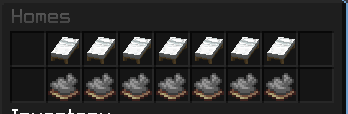
Homes

OmniPanel includes a public homes system.

Commands include:

/home
/homes
/sethome
/delhome
/unsethome

Features include:

  • Named homes
  • Teleportation
  • GUI access
  • Safe deletion
  • Region checks
  • Atomic persistence
  • Rank-based home limits
  • Alias-aware rank handling

When multiple active ranks are present, OmniPanel uses the highest applicable home allowance instead of adding allowances together.

Default Home Limits

RankHomes
Default2
Member, Helper3
VIP, Moderator4
MVP, YouTuber, Builder, Admin5
Hero, Developer, Manager6
Champion, Legendary, Executive, CEO, Co-Owner, Owner7

Existing custom limits remain supported.


Random Teleport

/rtp remains available as a normal player command.

Default cooldown:

60 seconds

Existing explicitly configured cooldowns are preserved.

Available destinations include:

  • Overworld
  • Nether
  • End
  • Close

Administrative RTP controls include:

  • Cooldown
  • Countdown
  • Target worlds
  • Search radius
  • Attempts
  • World-border handling
  • Safety filters
  • Protected-region buffer
  • No-RTP zones
  • Cooldown clearing
  • Testing

The cooldown starts only after a successful teleport.


Personal Settings

Players can open:

/settings

The personal settings menu is separate from OmniPanel's administrative settings.

Available options include:

  • Receive TPA requests
  • TPA auto-accept
  • Player visibility
  • Collision
  • Item pickup
  • Personal time
  • Personal weather
  • Settings sounds
  • Hostile natural-spawn preference
  • Peaceful natural-spawn preference
  • Stack My Items
  • My Coordinates
  • Clear My Inventory
  • Reset

Personal time and weather only affect the player's view and do not alter the world's global state.


Safer Inventory Clearing

Inventory clearing requires a protected confirmation.

The confirmation is tied to:

  • Player
  • Target
  • Inventory state
  • Session

The following cannot accidentally confirm a clear:

  • Escape
  • Cancel
  • Shift-click
  • Double-click
  • Number keys
  • Drop clicks
  • Bottom-inventory clicks
  • Replayed confirmations
  • Expired confirmations

If the inventory changes before confirmation, the old request becomes invalid.


Personal Mob-Spawn Preferences

Players can control nearby natural hostile and peaceful mob spawning around themselves.

The system is local to the opted-out player and configurable by radius.

It does not:

  • Change a global gamerule
  • Delete existing mobs
  • Affect spawners
  • Affect spawn eggs
  • Affect breeding
  • Affect command-spawned mobs
  • Create separate client-only mobs

Nearby players who allow spawning take priority in shared areas.


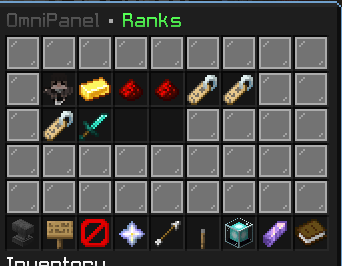
Rank Manager

OmniPanel includes deep LuckPerms integration for rank management.

Features include:

  • Main-rank assignment
  • Additional ranks
  • Promotions
  • Temporary ranks
  • Permanent ranks
  • Duration selection
  • Rank display
  • TAB synchronization
  • Chat synchronization
  • Name-tag synchronization
  • Rank aliases
  • Offline assignments
  • Serialized rank writes
  • Failure rollback

Normal rank assignment replaces the player's previous main rank.

Additional ranks are managed separately through Multi Ranks.

Unrelated groups and direct player permissions are preserved.


Apply Rank to Everyone

Authorized staff can bulk-apply a selected rank.

The flow allows staff to choose:

  • Online players only
  • All known players

Before applying, OmniPanel displays the operation count and requires confirmation.

Protected and owner-level accounts are skipped.

Permission:

omnipanel.access.ranks.apply-to-everyone

Rank Badges

OmniPanel includes a generated rank-resource-pack contribution containing custom rank badges.

Current rank badges include:

  • Owner
  • Co-Owner
  • CEO
  • Executive
  • Manager
  • Admin
  • Builder
  • Developer
  • Moderator
  • Helper
  • MVP
  • VIP
  • YouTuber
  • Hero
  • Champion
  • Legendary
  • Member
  • Default

Presence badges are also included for:

  • LIVE
  • AFK

The badges use the dedicated font:

omnipanel:ranks

The normal Minecraft font is not replaced.

Text fallback remains available when the resource pack is not accepted.


ResourcePackManager Integration

OmniPanel contributes its generated rank assets to the existing ResourcePackManager workflow.

ResourcePackManager remains responsible for:

  • Combining packs
  • Hosting
  • Prompting players
  • Delivering the final pack

OmniPanel does not compete with ResourcePackManager by sending another standalone pack.

If using the badge system, keep your normal combined ResourcePackManager setup configured.


Name & Chat Styles

OmniPanel includes configurable name and chat styling.

The current style collection contains:

468 selectable styles across 13 pages.

Included collections include:

  • Smooth Signatures
  • Silk Motion

Existing profile IDs and saved player selections remain compatible.

Supported settings include:

  • Animation enablement
  • Speed
  • Frame timing

Name, chat, and TAB styling share the same renderer.

Minecraft team colours still use Minecraft's native 16-colour limit where required, while compatible component displays can retain richer RGB and gradient styling.


AFK & Presence

OmniPanel includes an AFK and presence system integrated with rank display.

AFK protection resists passive movement such as:

  • Water
  • Wind charges
  • Knockback
  • Ordinary velocity
  • Player collision
  • Mob collision

AFK is cleared by actual player movement, /afk, or successful teleportation.

Camera movement alone does not count as returning.

Mounted players are dismounted when entering AFK, and AFK players cannot be mounted.

AFK movement protection does not provide damage immunity.


Kits

OmniPanel includes a GUI-driven kit system.

Kit features include:

  • Creation and editing
  • Cooldowns
  • Permissions
  • Preview
  • Search
  • Categories
  • Safe item delivery
  • Overflow handling
  • Rollback on failed transactions
  • Playtime rewards

Kit claims preserve existing inventory contents and merge compatible stacks where possible.

A partially filled inventory is not automatically treated as full.


Playtime Kit Rewards

Kits can optionally reward players after reaching configured playtime thresholds.

Configure through Manage Kit or:

/kit playtime <kit> <minutes|off>

Rewards are stored per UUID and kit threshold.

Cooldown resets do not cause the same playtime reward to be granted again.

The Kit API exposes:

playtimeMinutes

Donor Utilities

VIP, MVP, Hero, Champion, and Legendary can receive default access to utilities such as:

/echest
/craft
/anvil

Each utility has its own:

  • Permission
  • Configuration switch

Existing explicit grants and denials remain authoritative.

/echest uses OmniPanel's existing expanded Ender Storage rather than creating a second storage backend.


Region Protection

OmniPanel includes its own native region system.

Regions can control server behaviour such as:

  • Building
  • Breaking
  • Interaction
  • PvP
  • Water
  • Lava
  • Buckets
  • Protected boundaries
  • Region ownership
  • Staff bypass
  • Event usage

WorldEdit and FAWE selections can be used to create or resize OmniPanel regions.

Selections must be complete and belong to loaded worlds.

Changes respect configured volume limits.

Failed region writes roll back automatically.


WorldEdit Selection Integration

Authorized integrations can use a player's WorldEdit selection for native OmniPanel region operations.

A WorldEdit selection by itself does not provide OmniPanel protection.

The selection must first be saved as an OmniPanel region.


Server Rules

OmniPanel includes an editable Rules Studio.

Authorized staff can:

  • Add rules
  • Edit rules
  • Delete rules
  • Reorder rules

Configurable options include:

  • Title
  • Introduction
  • Page size

An empty rules list can still be edited.


Maintenance Mode

Maintenance controls are available through OmniPanel Settings.

Features include:

  • Enable/disable
  • Custom text
  • Placeholders
  • Escaped newlines
  • Fallback controls

Editing maintenance text does not automatically enable maintenance mode.


Jail

OmniPanel's jail system can control:

  • Commands
  • Chat
  • Building
  • Interaction
  • Items
  • PvP

Jail configuration access is separate from the ability to jail a player.

Allowed-command lists are synchronized across jail guards, including intentionally empty lists.

Jail notices retain the recorded jailer and punishment duration.


Watch & Notify

Authorized staff can use the existing watch service to monitor selected player activity and receive notifications.

Watch access and notification access remain separately permission-controlled.


Owner Log

Owner Log records important administrative and moderation activity.

Records can include:

  • Actor
  • Target
  • Case
  • Action
  • Reason
  • Duration
  • Source
  • Result

Categories include:

  • Punishments
  • Commands
  • Game-mode changes

Game-mode changes are recorded separately from submitted commands.

Credential-related commands are excluded from command logging.

Features include:

  • Filtering
  • Pagination
  • Refresh
  • Detailed records
  • Live punishment alerts
  • Selected-command tracking
  • Game-mode tracking

Disabling recording keeps existing records and does not disable security enforcement.


Owner Command Approval

Individual commands can optionally require owner approval.

Owners can:

  • Approve once
  • Deny

Approval only allows one retry of the exact command under the same session and world conditions.

Approval does not:

  • Run the command as console
  • Grant missing permissions
  • Bypass rank checks
  • Bypass world restrictions
  • Bypass argument validation

Requests expire and cannot be reused with changed arguments.


Command Hub

Command Hub provides a central view of registered server commands.

Features include:

  • Command browsing
  • Search
  • Aliases
  • Plugin/provider grouping
  • Descriptions
  • Usage
  • Permissions
  • Rank access
  • State
  • Activity/history

Group operations include:

  • Enable All
  • Disable All
  • Show All
  • Hide All
  • Reset Group Rules

Public gameplay and recovery commands are protected from inappropriate Command Hub restrictions.


Java & Bedrock Support

OmniPanel supports mixed Java and Bedrock environments.

Supported integrations include:

  • Geyser
  • Floodgate

Features include:

  • Platform-aware player handling
  • Bedrock punishment support
  • Real online UUID handling
  • Bedrock-aware authentication
  • Bedrock account recovery
  • Prefix-preserving identities

Bedrock players keep their actual online UUID rather than receiving an invented offline UUID.


Authentication & Recovery

OmniPanel includes account authentication and trusted-console recovery.

Recovery commands:

forcelogin <player-or-known-UUID> [--reset]
forceregister <player-name-or-known-UUID> [--replace]

Recovery supports:

  • Online players
  • Known offline accounts
  • UUID lookup
  • Bedrock prefix handling
  • Offline account creation
  • Credential replacement
  • Save-before-unlock behaviour
  • Recovery-session consumption
  • Re-registration flows

Existing credentials require --replace before they are overwritten.

Credentials are saved before the session unlocks.

Only salted password hashes are stored.

Recovery remains restricted to trusted console usage according to server configuration.


DiscordSRV Integration

OmniPanel integrates with the server's existing DiscordSRV installation.

It does not create another independent Discord bot system.

Features include:

  • Multiple guild/channel destinations
  • Public routes
  • Private audit routes
  • Staff routes
  • Punishment routes
  • Permission checking
  • Queue handling
  • Delivery-error logging
  • Route testing
  • Destination deduplication

Private routes do not silently fall back to public Discord channels.


Discord Account Linking

Supported commands include:

/linkdiscord
/unlinkdiscord

with:

discordlink

remaining available as an alias.

Where supported, OmniPanel uses DiscordSRV's existing AccountLinkManager.

This allows OmniPanel to reuse DiscordSRV for:

  • Link codes
  • Link status
  • Unlinking
  • Reverse lookup
  • Role-sync identity

OmniPanel does not create a second competing link-code database when native DiscordSRV linking is available.


Welcome Messages

OmniPanel supports configurable welcome messages based on location.

Features include:

  • World-based welcomes
  • Region-based welcomes
  • Rich colours
  • Styled player names
  • PlaceholderAPI replacements
  • Cooldowns
  • Authentication-aware delayed messages
  • Component action bars

Repeated greetings can be suppressed for the same destination without preventing a different region or world from showing its own welcome.


Event System

OmniPanel retains its existing event framework for configured server events.

The system supports:

  • Event templates
  • Locations
  • Timers
  • Rewards
  • Roles
  • Toggles
  • Staff controls
  • Confirmation flows
  • Event state
  • Safe shutdown handling

Existing event templates and configured event data remain supported.


Public Commands

The following gameplay commands remain public by default and do not require panel access:

/rtp
/home
/homes
/sethome
/delhome
/unsethome
/tpa
/tpahere
/tpaccept
/tpdeny
/tpcancel
/tpauto
/settings

Normal gameplay restrictions such as cooldowns, home limits, protection rules, and server configuration still apply.


Developer API

OmniPanel includes a public developer API for plugins that need to integrate with OmniPanel without accessing internal implementation classes.

Current API Versions

Developer API: 4.8.0

Permission Service API: 5.0.0

The API extends OmniPanel's existing systems instead of creating duplicate backends.

An add-on can work with the same:

  • Punishment backend
  • Rank backend
  • Region backend
  • Kit backend
  • Permission system
  • Player Actions
  • Presence system
  • Event system

used by OmniPanel itself.


Available API Surfaces

OmniPanel provides several integration surfaces.

OmniPanelService

Used for service-based add-on integration.

Capabilities include:

  • Add-on registration
  • Readiness checks
  • Capability discovery
  • Status
  • Heartbeat
  • Disconnect handlers
  • Menu access
  • Extension registration

OmniPanelDeveloperAPI

Provides authenticated/keyed integration helpers.

OmniPanelAPI

Provides access to existing runtime functionality including punishment integration.

OmniPanelRuntimeAPI

Provides runtime-facing integration methods.


Region API

Available or expanded region helpers include:

getWorldEditSelectionSnapshot(key, player)
createNativeRegionFromSelection(key, player, name, lobby)
resizeNativeRegionFromSelection(key, player, regionId)
deleteNativeRegion(key, player, regionId)
getNativeRegionIds(key, world)
checkBuildAccess(key, player, location, action)
getPlayerNameStyleSnapshot(key, player)
refreshPlayerNameStyle(key, player)

The service also provides:

checkBuildAccessAsync(...)

Build-access queries use the same rules as actual gameplay, including:

  • Regions
  • Worlds
  • Bypass permissions
  • Jail restrictions
  • Place checks
  • Break checks
  • Interaction checks

Async build-access checks capture the location and schedule the authoritative check on the server thread.


Extension API

Add-ons can integrate with existing OmniPanel systems including:

  • Panel buttons
  • Panel sections
  • Callback handlers
  • Namespaced registration cleanup
  • Registration-result details
  • Custom Player Actions
  • Region providers
  • Region flags
  • External region details
  • Supported region mutations
  • Rank permission contributions
  • Rank hierarchy snapshots
  • Rank weight snapshots
  • Player permission snapshots
  • Permission refresh requests
  • Rank synchronization diagnostics
  • AutoMod diagnostics
  • Authentication diagnostics
  • Player presence
  • AFK state
  • LIVE state
  • Kit readiness
  • Kit metadata
  • Kit previews
  • Kit claims
  • Event readiness
  • Event templates
  • Active event IDs
  • Placeholder resolution
  • Permission queries

Existing API signatures remain available where compatibility is required.


Punishment API

Add-ons can open OmniPanel's punishment interface:

OmniPanelAPI.openPunishmentTarget(
    staff,
    "Target",
    "tempipban"
);

Opening the interface does not apply the punishment until the normal OmniPanel confirmation is completed.

Add-ons can also submit directly through the authoritative punishment backend:

OmniPanelAPI.submitPunishment(
    staff,
    "Target",
    "tempipban",
    "1d",
    "Verified network ban evasion; staff reviewed evidence",
    "my_plugin"
).thenAccept(result -> {
    // Inspect the result status and authoritative applied value.
});

Authorized history can be read with:

var records =
        OmniPanelAPI.getPunishmentHistory(
                staff,
                "Target",
                20
        );

Possible submission statuses include:

APPLIED
REJECTED
DENIED
INVALID_INPUT
INVALID_DURATION
OWNER_APPROVAL_REQUIRED
UNAVAILABLE
FAILED

The returned applied value is authoritative.

A completed future does not automatically mean that a punishment succeeded.


Punishment API Safety

Direct punishment submission intentionally does not display OmniPanel's normal confirmation interface.

The calling add-on is responsible for its own confirmation and evidence-review process.

OmniPanel still enforces:

  • Staff authorization
  • Player session validity
  • Owner protection
  • Duration limits
  • Command-approval policy
  • Queue validity

Cancelled, expired, or already-completed queued work is skipped.

Punishment history is bounded and does not expose stored IP addresses.

Keyed API methods validate the API key as well as the acting player's authorization.


API Security

An OmniPanel API key does not:

  • Grant staff permissions
  • Impersonate console
  • Bypass action permissions
  • Bypass region permissions

Region mutations still require the acting player to have the appropriate permission.

Server-state and UI operations must follow the documented server-thread requirements.

Snapshots are immutable where documented.

Invalid or disabled keys fail without granting access.

The service API uses compatibility-friendly default methods where appropriate so existing implementations are not broken unnecessarily.


PlaceholderAPI

OmniPanel supports PlaceholderAPI integration.

Available placeholders depend on the installed version and enabled systems.

Typical OmniPanel information includes:

  • Rank
  • Prefix
  • Suffix
  • Online state
  • Staff state
  • Ping
  • World
  • Homes
  • Warnings
  • Mute state
  • Freeze state
  • Playtime

This allows OmniPanel information to be used by compatible:

  • TAB plugins
  • Scoreboards
  • Chat systems
  • Holograms
  • Other PlaceholderAPI consumers

Permissions

OmniPanel is permission-driven.

Examples include:

omnipanel.use
omnipanel.panel
omnipanel.playerbrowser
omnipanel.playeractions
omnipanel.punish
omnipanel.warn
omnipanel.mute
omnipanel.ban
omnipanel.events
omnipanel.kits
omnipanel.regions
omnipanel.ranks
omnipanel.staff
omnipanel.stafftp
omnipanel.admin
omnipanel.owner

Feature-level permissions are also used throughout Panel Visibility & Access.

Explicit LuckPerms grants and denials remain authoritative.


Optional Integrations

OmniPanel can integrate with:

  • LuckPerms
  • PlaceholderAPI
  • Vault
  • WorldEdit
  • FAWE
  • DiscordSRV
  • Geyser
  • Floodgate
  • TAB
  • Multiverse-Core
  • ResourcePackManager

Support depends on the feature being used and the versions installed on the server.


Compatibility

OmniPanel's current build system targets modern Minecraft server software.

Current build coverage includes:

  • Paper 1.21.11 baseline API compilation
  • Paper 26.2 profile
  • Paper 26.3 profile
  • Supported Spigot fallback paths
  • Purpur-compatible Paper API paths

Native Paper Dialog functionality is used where available.

Spigot does not provide Paper's native Dialog API, so supported fallback interfaces are used where possible.

Production bytecode remains:

Java release 21
Class version 65

The build process uses a newer JDK where required to read newer Paper APIs.

Run the Java version required by the Minecraft server software you deploy.


Build Quality

The current OmniPanel source has been reconstructed into a repeatable build instead of relying on post-build binary patching.

The production JAR is compiled directly from source.

Production releases do not bundle:

  • Test fixtures
  • Mock classes
  • Recovery probes
  • Server API dependencies

Current 18.9.114 verification includes:

  • 0 Java compilation errors
  • 368 JUnit tests passing
  • 26 helper regression checks passing
  • 465 production classes passing JVM verification
  • Clean extracted source rebuilding into a byte-identical JAR
  • Paper 26.2 targeted regression suite passing
  • Paper 26.3 targeted regression suite passing
  • Shared Spigot API linkage checks passing
  • Descriptor and YAML validation
  • CRC validation
  • JAR integrity checks
  • Duplicate class/resource checks
  • Test/stub leakage checks

These checks do not replace real live-server testing.

Resource packs, Discord delivery, Java/Bedrock behaviour, AI responses, plugin combinations, inventories, and gameplay integrations should still be verified on the actual server configuration being used.


Installation

  1. Download OmniPanel.
  2. Place the JAR inside your server's plugins folder.
  3. Install any optional integrations your server uses.
  4. Start or fully restart the server.
  5. Configure staff permissions.
  6. Open:
/panel

Do not use hot reloads when updating OmniPanel.

Back up your existing:

  • Configuration
  • Player data
  • Databases
  • Resource-pack configuration

before installing a major update.


Built For

OmniPanel can be used on:

  • Survival servers
  • SMPs
  • Community servers
  • Creator servers
  • Event servers
  • Roleplay servers
  • Private communities
  • Staff-heavy servers
  • Growing networks

OmniPanel

OmniPanel is built around one idea:

Server administration should feel like one connected system, not a pile of unrelated plugins.

Moderation, ranks, player tools, permissions, homes, kits, regions, staff utilities, Discord integration, authentication, and developer integrations all work through the same platform while remaining permission-controlled and extensible.

If you want one place to run and manage the operational side of a modern Minecraft server, that is what OmniPanel is built for.

Галерея
Player actionsHomes RanksControl Center

Последние версии

Все версии →
release

Major Overhaul — Ranks, Permissions, Moderation & Developer API

18.9.115
24 окт. 2026 г.49Minecraft: 1.20, 1.20.1, 1.20.2, 1.20.3, 1.20.4, 1.20.5, 1.20.6, 1.21, 1.21.1, 1.21.2, 1.21.3, 1.21.4, 1.21.5, 1.21.6, 1.21.7, 1.21.8, 1.21.9, 1.21.10, 1.21.11, 26.1, 26.1.1, 26.1.2, 26.2, 26.3paper, purpur, spigot
Скачать
Что нового
# OmniPanel 18.9.114 — Cumulative Overhaul & Developer API Update > **Important:** This is a **cumulative changelog** covering the source recovery, fixes, features, integrations, and API improvements delivered across recent OmniPanel builds through **18.9.114**. > > Not every feature listed below was introduced specifically in 18.9.114. --- ## ✨ Highlights - Replaced the old **Section Lock / Lock Box** system with unified **Panel Visibility & Access**. - Repaired rank assignment, LuckPerms synchronization, coloured name tags, TAB integration, and custom rank badges. - Added a generated rank resource pack integrated with the existing **ResourcePackManager**. - Restored **Player Actions**, improved **Staff Mode**, and added emergency staff teleport invitations. - Reworked personal settings, inventory confirmations, inspections, and expanded Ender Storage access. - Improved punishments, IP mutes, temporary IP bans, evidence handling, and Owner Log. - Expanded developer integrations through the existing APIs and service interfaces. - Fixed Java/Bedrock recovery, offline account creation, and save-before-unlock behaviour. - Repaired DiscordSRV account linking, missing commands, and private channel routing. - Reconstructed a fully buildable source project with repeatable builds and automated regression coverage. --- # 🔐 Panel Visibility & Access The previous **Section Lock / Lock Box** architecture has been removed and replaced by OmniPanel's centralized permission service. ### Access behaviour - Panel features are hidden when a player does not have access. - Server-side permission checks match what is shown in the GUI. - Opening `/panel` does **not** automatically grant access to its features. - Whole-section access and individual feature permissions are supported. - Staff can receive narrowly scoped access, such as: - Inventory inspection without editing. - Moderation access without punishment access. - Read-only tools without destructive administration permissions. - Inventory handlers, Dialog callbacks, commands, confirmations, and watchdog checks use the same access classification. - Owners, Boss roles, configured owner-level groups, and `omnipanel.*` retain full access. - Public player commands remain separate from protected administrative features. --- ## 🛠️ Dialog Permission Editor **Panel Visibility & Access** is available inside OmniPanel Settings using Paper Dialogs. Staff can: - Select a player or rank. - Choose **Everything** or **Custom Access**. - Browse sections and individual features. - Grant or revoke an entire section. - Review enabled features before applying changes. - Apply staged changes with authorization checked again at execution time. Additional protections include: - Stale drafts are rejected. - Reused callbacks are rejected. - Conflicting simultaneous saves are rejected. - LuckPerms changes preserve unrelated permission nodes. - Contextual permission nodes remain intact. - Local access profiles remain available if LuckPerms is unavailable. - Failed writes roll changes back rather than falsely reporting success. --- ## 🔄 Live Permission Synchronization OmniPanel now reads permission changes directly from the live LuckPerms state. - External LuckPerms grants, revocations, and unset nodes are detected. - Saved panel mirrors no longer override newer external changes. - World/server contexts remain authoritative. - Explicit negative permissions remain authoritative. - Registered `default-false` permissions are distinguished from explicit denials. - User, group, node, and network-sync events refresh command visibility. - Refreshes are coalesced to prevent permission recalculation loops. - Canonical feature nodes replace duplicate registered aliases. - Existing supported legacy grants remain recognized. --- ## 🧭 Rank Access Defaults Built-in access profiles now follow rank authority more consistently while preserving explicit administrator customizations. ### Default / Member / Donor - Public gameplay access. - No automatic staff-chat access. - No automatic moderation permissions. ### Helper - Limited moderation access. - Read-only inspection defaults. ### Moderator - Moderation. - Teleport. - Freeze. - Jail. - No automatic rank-management access. - No destructive administration access. ### Builder - Building tools. - Region-related controls. ### Developer - Diagnostics. - Browsing and technical access. ### Administrator / Manager - Progressively broader operational control. ### Owner-Level Roles - Permission editor access. - Full-access defaults. Simple Voice Chat's normal speak/listen/group permissions remain available where appropriate, while voice administration remains restricted to authorized staff roles. --- # 👑 Ranks, LuckPerms & Presentation Rank handling received a major reliability overhaul. - Normal rank assignment now replaces the player's previous main rank. - Additional ranks are assigned explicitly through **Multi Ranks**. - `default` and `member` remain separate LuckPerms groups. - Default inheritance can remain for permissions without displaying a second **Default** badge next to another assigned rank. - Duplicate Member creation has been fixed. - Repeated rank-group creation has been addressed. - Rank changes are serialized per player through the existing LuckPerms integration. - User/group saves finish before success messages or visual updates are published. - Failed writes restore the previous nodes rather than reporting a successful assignment. - Unrelated groups remain untouched. - Direct player permissions remain untouched. - Explicitly recorded extra ranks remain untouched. - Offline rank assignments publish correctly without attempting online-only `Player` operations. - Rank duration selection has been repaired. - Permanent-rank defaults work correctly. - Queued duration handling has been repaired. - Name tags, current-rank displays, and TAB all use the same deduplicated rank renderer. - `Dev` resolves to **Developer**. - `Mod` resolves to **Moderator**. - Duplicate LIVE and AFK labels were removed from affected TAB formats. - Existing third-party scoreboard ownership is respected. --- ## 👥 Executive & Bulk Rank Assignment The **Executive** rank has been added to OmniPanel's hierarchy, bootstrap logic, and access profiles. Executive defaults provide broader operational access without granting: - Owner bypass. - Unrestricted server permissions. The Ranks GUI now also includes: ### Apply Rank to Everyone A Dialog allows authorized staff to: 1. Select a rank. 2. Choose: - Online players only. - All known players. 3. Review the affected player count. 4. Confirm the operation. Protections include: - Protected accounts are skipped. - Owner-level groups are skipped. - Existing rank-save logic is reused. - Results are reported after execution. - The operation stops if the staff member's authorization is revoked. Permission: ```text omnipanel.access.ranks.apply-to-everyone ``` --- # 🎨 Custom Rank Resource Pack The supplied rank artwork has been converted into transparent, namespaced Minecraft font textures. The current pack includes **18 rank badges**: - Owner - Co-Owner - CEO - Executive - Manager - Admin - Builder - Developer - Moderator - Helper - MVP - VIP - YouTuber - Hero - Champion - Legendary - Member - Default It also includes: - **LIVE** - **AFK** LIVE and AFK remain statuses rather than permanent ranks. ### Resource Pack Behaviour - Rank definitions and configured group aliases remain the source of truth. - Badges use the isolated: ```text omnipanel:ranks ``` font namespace. - Stable glyph mappings are used. - Styled text fallback remains available when the pack is declined or unavailable. - Minecraft's default font is **not** replaced. - Oversized source glyphs that previously caused missing-square rendering were resized to fit Minecraft's 256-pixel font atlas. - Rank components are used in supported: - Rank displays. - Chat identity. - `/live` announcements. - Pack files, metadata, and checksums are generated through the existing implementation. - ResourcePackManager receives OmniPanel's local contribution. - ResourcePackManager remains responsible for: - Combining packs. - Hosting. - Player prompts. - OmniPanel does not send a competing standalone pack. - OmniPanel does not overwrite ResourcePackManager hosting configuration. - Current metadata supports resource formats **75.0–97.1**. > ⚠️ **Resource Pack Notice** > > Keep **ResourcePackManager's combined pack** configured. > > The standalone OmniPanel rank ZIP is a **contribution** to the combined pack, not a replacement for the server's primary resource pack. --- # 🌈 Name Colours & Chat Colours - Rank colours remain preserved across the shared renderer. - Added **Smooth Signatures** profile collection. - Added **Silk Motion** profile collection. - The expanded collection now contains: - **468 selectable styles** - Across **13 pages** - Existing profile IDs remain unchanged. - Existing saved player selections remain compatible. - Animation enablement remains configurable. - Animation speed remains configurable. - Frame timing remains configurable. - Name, chat, and TAB styling reuse the existing renderer and refresh system. - Fixed the Paper `CraftTeam` reflection failure that repeatedly spammed console during rank/TAB refreshes. - Component compatibility methods now resolve accessible public API declarations rather than relying on non-public implementation classes. > Minecraft team-name colours still have the native **16-colour limitation**. > > RGB and gradient styles retain their richer appearance in supported chat/TAB components, while the nearest native team colour is used where Minecraft requires one. --- # 🌍 Public Player Commands & GUIs The following gameplay commands remain public and do **not** require: - A rank. - Panel access. - `omnipanel.use`. - Extra Command Hub grants. ```text /rtp /home /homes /sethome /delhome /unsethome /tpa /tpahere /tpaccept /tpdeny /tpcancel /tpauto /settings ``` Normal gameplay restrictions still apply, including: - Cooldowns. - Home allowances. - Region protection. - Other configured gameplay rules. Additional fixes: - Homes, RTP selection, and personal settings share a public GUI classification. - These menus no longer incorrectly fail with: ```text You no longer have panel access. ``` - Home deletion confirmations are public only when deleting the requesting player's own saved home. - Administrative and security confirmations remain protected. --- # 🏠 Homes - Repaired command paths for: - Home creation. - Home teleportation. - Home deletion. - Repaired matching GUI paths. - Creating an unnamed home when all slots are occupied no longer silently overwrites slot 1. - Region-denied replacement attempts preserve the previous home. - Persistence continues using the existing data format. - Atomic replacement is used. - Persistence failures are reported. - Home allowances now use the authoritative synchronized rank state. - The system no longer prematurely falls back to Default while rank synchronization is still occurring. - `Dev`, `Mod`, and `Co-Owner` aliases resolve correctly. - Active extra ranks contribute the **highest applicable home allowance**. - Home allowances are not added together. - LIVE and AFK statuses do not grant home slots. ## Default Home Limits | Rank | Maximum Homes | |---|---:| | Default | 2 | | Member, Helper | 3 | | VIP, Moderator | 4 | | MVP, YouTuber, Builder, Admin | 5 | | Hero, Developer, Manager | 6 | | Champion, Legendary, Executive, CEO, Co-Owner, Owner | 7 | Existing customized limits and rank keys remain preserved. The existing **seven-slot storage layout** remains in use. --- # 🧭 Random Teleport `/rtp` remains a public gameplay command. ### Defaults - Default cooldown: **60 seconds** - Existing explicitly configured cooldowns remain unchanged. Permission: ```text omnipanel.rtp.bypass ``` This permission bypasses the **cooldown only**. ### Player Selector The selector is limited to: - Overworld - Nether - End - Close Long technical player-facing selector lore was removed. ### Additional Fixes - Cooldown begins only after a successful teleport. - Administrative configuration is now inside OmniPanel. - Separate `/rtpsettings` and `/rtpconfig` commands are no longer needed. Existing Dialog controls include: - Cooldown. - Countdown. - Target worlds. - Search radius. - Attempts. - World-border handling. - Safety filters. - Protected-region buffer. - No-RTP zones. - Cooldown clearing. - RTP testing. --- # 📨 Teleport Requests & Staff Emergency Calls Normal TPA commands remain public. Existing preferences remain synchronized with normal request handling: - Receive requests. - Auto-accept. ## New: `/stafftp` ```text /stafftp [message] ``` This sends a private emergency notice and teleport invitation to authorized staff. Staff can respond using: - Clickable **Accept**. - Clickable **Deny**. - `/stafftp accept` - `/stafftp deny` - `/tpaccept` - `/tpdeny` ### Safety Behaviour - Emergency invitations always require explicit acceptance. - Normal TPA auto-accept does **not** automatically accept emergency staff requests. - Existing personal teleport requests are preserved instead of silently replaced. - Receive preferences remain effective. - Login restrictions remain effective. - Jail restrictions remain effective. - Expiry remains enforced. - Countdown cancellation remains enforced. - Authorization is checked again when accepting. - Authorization is checked again during countdown. - Stale invitations cannot be reused after reconnecting. - Scheduling uses the public scheduler API. - Scheduling failure no longer creates an untracked delayed teleport. Emergency initiation requires: ```text omnipanel.stafftp ``` or its canonical access feature, plus staff-chat access. Settings include: - Enable/disable. - Cooldown. - Expiry. --- # ⚙️ Personal `/settings` The public settings menu now uses a cleaner **54-slot layout**. Preferences are separated from: - Inventory utilities. - Footer controls. Available personal settings include: - Receive TPA requests. - TPA auto-accept. - Player visibility. - Collision. - Item pickup. - Personal time: - Server - Day - Night - Personal weather: - Server - Clear - Rain - Settings sounds. - Nearby hostile natural-spawn preference. - Nearby peaceful natural-spawn preference. - Stack My Items. - My Coordinates. - Clear My Inventory. - Reset. - Close. ### Improvements - Legacy menu decorators no longer overwrite the authoritative settings layout. - Removed unnecessary reset-default explanation text. - Personal time does not modify world time. - Personal weather does not modify global world weather. - Preferences retain existing storage. - Preferences reapply after joining or changing worlds. - **Stack My Items** respects: - Item metadata. - Stack limits. - Equipment remains untouched. - Offhand remains untouched. - Coordinates are sent privately to the player. --- ## 🧹 Safer Inventory Clearing Inventory clearing now uses a hardened confirmation flow. - Opening the confirmation does **not** delete anything. - Confirmation is bound to: - Correct player. - Correct target. - Correct inventory state. - Only the actual Confirm button accepts the intended standard left-click. The following cannot accidentally confirm an inventory clear: - Cancel. - Escape. - Expired confirmation. - Replay. - Rapid clicking. - Double clicking. - Shift clicking. - Number-key clicks. - Drop clicks. - Bottom-inventory clicks. If inventory contents change, the old confirmation becomes invalid. Staff inventory clears use the same protected confirmation model and recheck authorization before execution. --- ## 🐾 Personal Mob-Spawn Preferences Natural-spawn suppression is local to opted-out players and uses a configurable radius. In shared areas: - Nearby players who allow that mob type take priority. - Spectators do not influence the preference. This system does **not**: - Change a global gamerule. - Create separate mobs per client. - Remove existing mobs. - Affect spawners. - Affect spawn eggs. - Affect breeding. - Affect command-spawned mobs. - Affect generated mobs. --- # 🎒 Player Actions & Inventory Inspection Routing has been restored across: - Care & Movement. - Moderation & Records. - Utilities. - Advanced. - Additional Player Tools. ### Fixes - Removed duplicate Heal controls. - Removed duplicate History controls. - Removed duplicate inventory controls. - Removed duplicate Ender Storage controls. - Fixed overlapping slots. - Fixed older handlers intercepting newer controls. - Target actions now correctly resolve the selected player instead of silently falling back to the staff member. - Improved page highlighting. - Improved Back routing. - Improved Close routing. - Improved clear-inventory instructions. ### `/invsee` ```text /invsee inventory <player> ``` and Player Actions inspection now use the same shared session service. ### Inventory Editing Safety - Real items are no longer filtered as panel buttons. - Real items are no longer decorated as panel buttons. - Viewing and editing use separate permissions. - Read-only snapshots cannot write data back to the target inventory. - Storage mappings are preserved. - Armour mappings are preserved. - Offhand mappings are preserved. - Reserved control/information slots cannot be occupied by items. - Concurrent editing is guarded. - Target inventory transactions are guarded. - Drops are handled through the session lifecycle. - Pickups are handled. - Swaps are handled. - Consumption is handled. - Damage and mending are handled. - Disconnects are handled. Offline editing retains the existing: - Playerdata readers. - Snapshot readers. - Backup system. Login remains blocked while an offline edit session is active. --- # 📦 Expanded Ender Storage Staff inspection is now reconnected to the authoritative expanded storage backend instead of a smaller vanilla snapshot. - All **54 standard chest slots** are usable. - The final slot is no longer reserved incorrectly. - Personal storage is independent from panel-button permissions. - Existing SQLite database and schema remain in use. - Existing legacy imports remain supported. - Existing backups remain supported. - Vanilla synchronization remains supported. - Restored physical opening sounds. - Restored physical closing sounds. - Restored lid animation. - Shared-viewer handling is supported. - Physically blocked chests retain their normal restrictions. - Corrupt item decoding prevents the storage from opening instead of substituting empty items and risking saved-data loss. - Serialization failures abort saves. - Unknown higher database rows remain preserved during normal writes. > Standard Minecraft chest inventories contain **54 slots**, not 56. --- # 🛡️ Staff Mode, Staff Chat & Admin Tools ## Staff Mode - Existing inventory backups are saved before staff tools replace player items. - Staff Mode entry fails safely when: - Backup cannot be saved. - Recovery is still pending. - Exit restores inventory. - Disconnect restores inventory. - Shutdown recovery restores inventory. - Relevant flight state is restored. - Protection state is restored. - Pickup state is restored. - Collision state is restored. - Corrupt backups remain available for owner recovery. - Staff tools use persistent identifiers. - Tool permissions are rechecked when tools are used. - Tool dropping is guarded. - Tool swapping is guarded. - Tool inventory movement is guarded. - Added private Staff Mode entry titles. - Added on-duty action bar. - Added configurable Justice Hammer equip/patrol announcements. - Nearby notices are range-limited. - Nearby notices are rate-limited. - Equipping the hammer does **not** punish anyone automatically. - Equipping the hammer does **not** automatically teleport to nearby players. - The hammer opens the existing protected `/punish` flow. - Ranked fake-vanish join/leave messages support: - Component badges. - Text fallback. --- ## 💬 Staff Chat Staff Chat now uses one consistent access check for: - Toggle access. - Command execution. - Sending. - Receiving. - Visibility. Additional fixes: - Default and Member profiles no longer receive Staff Chat automatically. - Private staff messages are routed before: - Public chat auditing. - Discord forwarding. - If Staff Chat access is revoked while a message is pending, the message is cancelled rather than leaking into public chat. - Existing explicit LuckPerms or custom grants remain authoritative. --- ## 🔨 Individual Admin Tools Available tools include: - Sentinel Blade - Excavator Pickaxe - Timber Axe - Justice Hammer Individual permissions now allow granting one tool without granting every administrative tool. Additional behaviour: - Tool issuing does not overwrite occupied inventory slots. - Punishment-related tools still require the related punishment permission. - Removed NPC setup buttons. - Removed NPC spawn buttons. - Removed NPC AI-management buttons. - Compatibility hooks remain available. --- # 💤 AFK & Presence AFK protection has been improved. AFK anchors resist: - Water movement. - Wind charges. - Ordinary velocity. - Knockback. - Player collision. - Mob collision. Passive displacement does not automatically remove AFK status. AFK is released by: - Actual player movement input. - `/afk`. - Successful teleportation. The following do **not** count as returning: - Camera movement. - Idle input. Additional behaviour: - Mounted players dismount when entering AFK. - AFK players cannot be mounted. - Previous collision settings are restored when leaving AFK. - AFK state is cleaned up on disconnect. - AFK state is cleaned up when OmniPanel disables. - LIVE and AFK rendering uses the existing presence/rank system. - Duplicate permanent rank entries are not created. > AFK movement protection is **not damage immunity**. --- # ⚖️ Punishments, Mutes & AutoBan - Repaired `/punish` routing. - Repaired the missing duration-validation call. - Temporary actions require valid finite durations. - Temporary actions respect configured limits. - Player mutes use the authoritative persisted state. - IP mutes use the authoritative persisted state. - Name mutes use the authoritative persisted state. - Legacy automatic/offline mutes use the same enforcement path. - IP mutes cover connected accounts sharing the affected address. - Mutes apply to: - Chat. - Relevant private-message commands. - Signs. - Books. - Anvil text. - Bedrock targets retain their actual online UUID. - Bedrock targets no longer receive an invented offline-name UUID. - Expired temporary mutes are removed by the expiry worker. - Permanent mutes remain active. - Added **Temporary IP Ban** as a separate action. - Temporary IP Ban has its own permission. - Temporary IP Ban has its own duration validation. - Native ban creation must succeed before OmniPanel considers the punishment applied. - Failed native ban creation no longer produces a misleading successful kick/ban result. - Timed AutoBan/network records retain expiry timestamps. - Timed records recover after restart. - Temporary IP bans do not silently fall back to permanent console bans. - Kick remains separate from ban creation. --- ## 📋 Records, Reasons & Presets Added **24 searchable evidence-based presets** covering reviewed cases such as: - Fraud. - Phishing. - Malicious links. - Evasion. - Bot raids. - Exploits. - Harassment. - Spam. Existing custom presets remain authoritative. Normal activities are **not** newly defined as violations, including: - Ordinary trading. - Giveaways. - Normal Minecraft PvP. ### History Improvements History now uses compact wrapped summaries with full details available through the existing record Dialog. Records can expose: - Staff actor. - Target. - Case. - Source. - Action. - Reason. - Duration. - Timing. - Result. - Available evidence. Warnings, kicks, and reversal events are no longer presented as permanent active sanctions. --- # 🤖 AutoMod & AI Evidence AutoMod received significant reliability and evidence improvements. ### Word Matching - Blocked-word matching now uses word boundaries. - Evidence is taken from the current message. - Innocent substrings are no longer treated as matching banned words. - Words from earlier messages cannot incorrectly become the reason for the current punishment. Added working banned-word management through the GUI and commands: ```text /automod words add /automod words remove /automod words list /automod strictwords add /automod strictwords remove /automod strictwords list ``` ### Word List Safety - Changes apply immediately. - Changes save atomically. - Duplicate additions are rejected. - Malformed entries are rejected. - Oversized entries are rejected. - Failed saves restore the previously running list. - Pending GUI input rechecks: - Permission. - Online session. - Session validity. --- ## 🧠 Gemini Moderation Context Gemini moderation context now explicitly understands legitimate Minecraft activity, including: - Economy. - Trading. - PvP. Automatic decisions require: - A known category. - A verbatim quote from the actual player message. - Contextual evidence. - The configured confidence threshold. Default evidence confidence threshold: ```text 0.95 ``` Evidence is withheld when it is: - Missing. - Fabricated. - Single-word only. - Uncertain. High-impact categories such as: - Scam. - Other/uncertain classifications. - Bans. - Network bans. - Jail. remain **review-only by default**. Cached moderation decisions are validated again against: - Current message. - Current player session. Evidence records include: - Message. - Verbatim quote. - SHA-256. - Capture time. - Source. - Available model confidence. Review entries do **not** automatically approve or execute a punishment. > ⚠️ AI confidence and matching text are safeguards, not proof that an interpretation is correct. > > Staff review remains necessary for ambiguous or high-impact moderation cases. --- # 📜 Owner Log & Command Approvals Punishment audits are now connected to the same records shown in **Owner Log**. Manual and automatic moderation events can include: - Actor. - Target. - Case. - Reason. - Duration. - Source. - Outcome. Failed punishment execution is not recorded as a successful sanction. ### New Log Categories Added: - Command categories. - Game-mode categories. - `/gm`. - Relevant aliases. - Namespaced forms. Actual game-mode changes are recorded separately from: - Submitted commands. - Intercepted commands. Credential-related commands are excluded from command logging. ### Owner Log Improvements - Improved icons. - Improved timestamps. - Improved filtering. - Improved pagination. - Added refresh controls. - Added full-detail Dialogs. - Added configurable recording. - Added live punishment alerts. - Added selected-command tracking. - Added game-mode tracking. Disabling recording: - Keeps existing records. - Does not disable security enforcement. --- ## ✅ Optional Owner Approval Per Command Command Hub can now require owner approval for selected commands. Owners can: - Approve once. - Deny. Approval allows one retry of the **exact same command**: - In the same world. - Inside the approval window. Approval does **not**: - Execute the command as console. - Grant missing permissions. All existing controls still apply: - Permission checks. - Rank checks. - World checks. - Argument checks. - Command-policy checks. Requests: - Expire. - Are session-bound. - Clear on disconnect. - Cannot be reused with changed arguments. - Cannot replay previous decisions. - Cannot be reused after changing worlds. Public gameplay and authentication/recovery commands remain exempt. Owner Log configuration and approval review use separate permissions. --- # 🧭 Command Hub & Menu Cleanup The existing command-policy engine remains intact while the UI and navigation have been cleaned up. Preserved functionality includes: - Command browsing. - Aliases. - Provider/plugin grouping. - Descriptions. - Usage. - Permissions. - Rank access. - State. - Activity/history. ### Improvements - Grouped searches remain inside the selected group. - Added: - Enable All. - Disable All. - Show All. - Hide All. - Reset Group Rules. - Group actions show their scope before execution. - Authorization is checked again before group actions execute. - Public commands remain protected from additional Command Hub restrictions. - Recovery commands remain protected. - Repaired Dialog routing. - Fixed overlapping control handlers. ### Menu Cleanup - Command Hub remains in its existing **Command Center** location. - Removed unwanted homepage **World Manager** entry. - Restored **Server Rules** to its intended homepage location. - Removed unwanted **Server Intelligence** entries. - Removed duplicate injected controls. - Removed **Discord Bridge** button from Community Hub while preserving the integration. - Removed the **Systems Core dashboard UI** and exposed catalog entries while keeping the underlying feature/security systems. - Removed `/tabstatus` in favour of in-panel **TAB Settings**. --- # ⚙️ Panel Settings, Rules, Maintenance & Jail Panel Settings and public `/settings` remain separate systems. ### Settings Fixes - Repaired route permissions. - Repaired Dialog loading. - Repaired delayed transitions after inventory clicks. - Failed/unavailable Dialog launches now: - Explain the cause. - Return the user to Settings instead of silently closing. Settings links include: - Jail. - Staff Mode. - RTP. - TAB. - Panel Visibility & Access. - Server Rules. - Maintenance. --- ## 📖 Server Rules Rules Studio supports: - Add. - Edit. - Delete. - Reorder. Configurable: - Rules title. - Introduction. - Page size. Empty rule lists remain editable. Removed the redundant **Read in Chat** control. --- ## 🚧 Maintenance Maintenance now has: - Shorter labels. - Cleaner default screen. - Matching fallback controls. Editing maintenance text does **not** automatically enable Maintenance Mode. Existing support remains for: - Custom maintenance messages. - Placeholders. - Escaped newlines. --- ## 🔒 Jail Existing jail controls remain available for: - Commands. - Chat. - Building. - Interaction. - Items. - PvP. Jail configuration access is separate from permission to jail a player. Additional fixes: - Allowed-command lists stay synchronized across guards. - Intentionally empty allowed-command lists remain valid. - Jail entry notices use the recorded jailer. - Rejoin notices use the recorded jailer. - Jail duration is included correctly. Added **Watch & Notify** using the existing watch service with separate authorization requirements. --- # 🧱 WorldEdit Selections & Region Protection WorldEdit/FAWE selection handling has been repaired for native OmniPanel region creation and resizing. ### Selection Requirements Selections must: - Be complete. - Belong to loaded worlds. ### Region Resizing - Resizing remains inside the region's existing world. - Configured volume limits are respected. - Failed writes roll back. - Successful writes invalidate the protection cache. ### Protection Fixes - Bucket emptying checks the actual affected block against place permissions. - Waterlogging checks the actual affected block against place permissions. - Bucket filling checks break permissions. - Dispenser bucket placement respects protected boundaries. - Water flow respects protected boundaries. - Lava flow respects protected boundaries. - Waterlogged-source flow respects protected boundaries. Existing authority remains unchanged for: - Region priorities. - World settings. - Jail restrictions. - Explicit owner bypass. > A WorldEdit selection must still be saved as an **OmniPanel region** before OmniPanel protection applies. --- # 🎁 Kits, Playtime Rewards & Donor Utilities ## Kits Kit claims now handle partially occupied inventories correctly. - Existing items are preserved. - Compatible stacks are merged. - Free storage slots are used. - Equipment slots are used where appropriate. - Offhand can be used where appropriate. - Overflow items are dropped safely. - Overflow drops receive recipient protections. - Partially occupied inventories are not automatically rejected. - Genuine zero-capacity rejection does not consume cooldown. - Failed grant/persistence transactions roll back: - Inventory changes. - Generated drops. --- ## ⏱️ Playtime Rewards Added per-kit playtime rewards using the existing kit system. Configure in **Manage Kit** or with: ```text /kit playtime <kit> <minutes|off> ``` Behaviour: - Uses accumulated playtime. - Rewards persist once per UUID/kit threshold. - Full-inventory players are retried appropriately. - Unauthenticated players are retried appropriately. - Cooldown reset does not regrant the reward. - Cooldown pruning does not regrant the reward. Kit API snapshots now expose: ```text playtimeMinutes ``` --- ## 💎 Donor Utilities VIP, MVP, Hero, Champion, and Legendary receive initial utility defaults for: ```text /echest /craft /anvil ``` Existing explicit custom grants and denials remain authoritative. `/echest` uses the existing expanded Ender Storage backend. No second inventory database is created. Each utility has: - Individual permission. - Individual configuration switch. --- # 🔐 Java & Bedrock Authentication / Recovery Authentication and recovery received a significant reliability pass. ### Force Login Force-login now resolves: - Exact online names. - UUIDs. - Known offline account UUIDs. Bedrock prefixes are preserved rather than stripped from stored identity. Verified Bedrock prefix aliases are supported through the configured prefix. Bedrock users use command-based authentication where Java-only Dialogs are unsupported. --- ## Force Register Force-register supports: - Online account creation. - Offline account creation. Existing credentials require: ```text --replace ``` before replacement. ### Safety Improvements - Credentials are saved before the session unlocks. - Account state is saved before the session unlocks. - Failed writes restore the original account state. - Offline account creation does not queue an authentication bypass. - First successful password login records the player's actual UUID. - Queued recovery is saved as consumed before unlocking. - Recovery cannot become a repeated bypass. - Stale queued recovery flags clear after: - Successful replacement. - Successful current-session recovery. - Configurable reset-on-next-join remains available. - Normal recovery still defaults to requiring re-registration on a later join. - Existing password hashing remains intact. - Existing password policy remains intact. - Trusted networks remain supported. - IP approval remains supported. - Existing login-mode settings remain supported. - Modern Paper chat respects the existing login-before-chat option. - Recovery remains trusted-console-only. - Configured remote-console policy remains authoritative. ### Recovery Commands ```text forcelogin <player-or-known-UUID> [--reset] forceregister <player-name-or-known-UUID> [--replace] ``` > Run recovery commands from the trusted server console. > > Generated registration passwords are shown through the existing recovery flow. Only salted password hashes are stored. --- # 🔗 DiscordSRV & Existing Discord Integrations OmniPanel continues to use the existing Discord integration rather than introducing another bot/token system. ### Routing Supports multiple accessible: - Guild destinations. - Channel destinations. through the same DiscordSRV bot. ### Fixes - Repaired channel configuration synchronization. - DiscordSRV cached configuration is reloaded before OmniPanel routes reload. - Existing unrelated channel mappings remain untouched. - Private audit routes no longer fall back to public channels. - Staff routes no longer fall back to public channels. - Punishment routes no longer fall back to public channels. - Explicit inaccessible destinations fail instead of silently redirecting elsewhere. - Public mirrors are separated from explicit private: - Audit mirrors. - Status mirrors. - Destinations are deduplicated. - Send permissions are checked. - Queue failures are handled. - Asynchronous delivery failures are logged. - Test feedback distinguishes: - Message queued. - Delivery confirmed. ### Linking The link-channel switch now changes the actual DiscordSRV route. It does **not** disable DiscordSRV's independent: - DM linking. - Link-to-join policy. Registered previously missing commands: ```text /linkdiscord /unlinkdiscord ``` Existing alias: ```text discordlink ``` Personal linking: - Respects the existing public-command switch. - Is protected from additional Command Hub restrictions. Compatible native linking now uses DiscordSRV's existing: ```text AccountLinkManager ``` for: - Link codes. - Link status. - Unlinking. - Reverse lookup. - Role-sync identity lookup. Native DiscordSRV codes are **not** stored in a competing OmniPanel database. If the native link manager is unavailable, OmniPanel reports failure instead of generating an unusable local code. Legacy external-module linking and existing files remain available when configured. > Actual Discord delivery still depends on the installed bot, channel IDs, guild access, and Discord permissions. --- # 👋 Welcome Messages & Events ### Welcome Messages - Repaired native region lookup. - Added richer colour support. - Added styled-name support. - Added optional PlaceholderAPI replacements. - Added per-world/region cooldowns. - Repeated greetings at the same destination are suppressed. - Different destinations can still trigger their own welcome. - Delayed welcomes wait for authentication where configured. - Action bars preserve component colours. - Duplicate legacy-chat fallback is avoided. ### Events Restored existing: - Event templates. - Event configuration. - Event handlers. Additional fixes: - Repaired pending event confirmations. - Repaired staff storage-session cleanup. Existing event behaviour remains available for: - Locations. - Timers. - Rewards. - Toggles. - Roles. --- # 🧩 Developer API & Add-on Integration **Developer API version:** `4.8.0` **Permission Service API version:** `5.0.0` The API update extends OmniPanel's existing interfaces and services. It does **not** create another: - Rank backend. - Punishment backend. - Kit backend. - Region backend. Existing API signatures remain available. --- ## Available Integration Surfaces ### `OmniPanelService` Provides service-based add-on functionality including: - Registration. - Readiness/capabilities. - Status. - Heartbeat. - Disconnect handlers. - Menu access. - Extension registration. ### `OmniPanelDeveloperAPI` Provides authenticated/keyed integration helpers. ### `OmniPanelAPI` Existing runtime facade including punishment access. ### `OmniPanelRuntimeAPI` Existing runtime integration facade. --- ## 🧱 Regions & Build-Access Queries Added or expanded helpers include: ```java getWorldEditSelectionSnapshot(key, player) createNativeRegionFromSelection(key, player, name, lobby) resizeNativeRegionFromSelection(key, player, regionId) deleteNativeRegion(key, player, regionId) getNativeRegionIds(key, world) checkBuildAccess(key, player, location, action) getPlayerNameStyleSnapshot(key, player) refreshPlayerNameStyle(key, player) ``` The service also exposes: ```java checkBuildAccessAsync(...) ``` Build-access queries use the same authoritative rules as gameplay: - Regions. - Worlds. - Bypass rules. - Jail restrictions. - Place checks. - Break checks. - Interaction checks. Async requests: 1. Capture the location. 2. Schedule the authoritative check on the server thread. --- ## 🧩 Extension Capabilities The existing API exposes integration points for: - Panel buttons. - Panel sections. - Callback handlers. - Detailed registration results. - Namespaced cleanup. - Custom Player Actions. - Region providers. - Region flag definitions. - External region details. - Supported external-region mutations. - Rank permission contributions. - Rank hierarchy snapshots. - Rank weight snapshots. - Player permission snapshots. - Permission refresh requests. - Rank synchronization diagnostics. - AutoMod diagnostics. - Authentication diagnostics. - Player presence. - AFK controls. - LIVE controls. - Kit readiness. - Kit metadata. - Kit previews. - Kit claims. - Event readiness. - Event templates. - Active event IDs. - Placeholder resolution. - Permission queries. > These are available capabilities across the existing API. Not every listed method was first introduced in 18.9.114. --- # ⚖️ Punishment API Additions Add-ons can open a selected punishment action: ```java OmniPanelAPI.openPunishmentTarget( staff, "Target", "tempipban" ); ``` They can also submit directly through the authoritative backend: ```java OmniPanelAPI.submitPunishment( staff, "Target", "tempipban", "1d", "Verified network ban evasion; staff reviewed evidence", "my_plugin" ).thenAccept(result -> { // Check result status and the authoritative applied value. }); ``` Authorized immutable punishment history can be retrieved with: ```java var records = OmniPanelAPI.getPunishmentHistory( staff, "Target", 20 ); ``` ### Behaviour - Opening the target flow does **not** apply a punishment immediately. - The normal OmniPanel confirmation still applies. - Direct API submission intentionally applies without OmniPanel's UI confirmation. - Add-ons using direct submission are responsible for their own confirmation/evidence-review flow. - Submission returns a future containing an immutable result map. Possible statuses include: ```text APPLIED REJECTED DENIED INVALID_INPUT INVALID_DURATION OWNER_APPROVAL_REQUIRED UNAVAILABLE FAILED ``` The returned: ```text applied ``` value is authoritative. A completed future does **not** automatically mean the punishment succeeded. Additional safeguards: - Player authorization is checked again before execution. - Session state is checked again. - Owner protection remains enforced. - Duration limits remain enforced. - Command-approval policies remain enforced. - Cancelled queued work is skipped. - Expired queued work is skipped. - Already-completed queued work is skipped. - History is bounded. - History can include: - Actor. - Case. - Result. - Available evidence metadata. - IP addresses are not exposed. - Keyed equivalents validate both: - API key. - Actor/action authorization. --- # 🔒 API Safety - An API key does **not** grant staff permissions. - An API key does **not** impersonate console. - Region mutations require the acting player's actual relevant permission. - Direct server-state operations must follow documented server-thread requirements. - Direct UI operations must follow documented server-thread requirements. - Snapshots return immutable results where documented. - Invalid keys fail without granting access. - Disabled keys fail without granting access. - Compatible service additions use default methods to preserve existing implementations. - Reflection/proxy handling covers: - `equals` - `hashCode` - `toString` - Primitive defaults - Null primitive-unboxing failures are avoided. --- # 🧪 Compatibility & Build Quality ### Server/API Compatibility - Baseline API compilation targets **Paper 1.21.11**. - Additional build profiles target: - Paper 26.2 - Paper 26.3 - Shared listeners isolate optional Paper-only event types. - Compatibility helpers retain supported Spigot fallbacks. - Paper and Purpur retain native component/Dialog paths where available. - Native Paper Dialogs are unavailable on Spigot. - Existing fallback flows are used where supported. - Existing Paper-only binary item storage must not be assumed portable to Spigot. - Unsupported decoding fails closed. - Original stored data remains preserved. ### Integrations Retained - PlaceholderAPI 2.12.3 - LuckPerms - Multiverse-Core 5 - DiscordSRV Multiverse is **not bundled**. MV4 APIs were **not** reintroduced. ### Java Production output remains: ```text Java release 21 Class version 65 ``` The build uses **JDK 25** to read newer Paper APIs. > Run the Java version required by the server implementation you actually deploy. ### Source Recovery - Reconstructed Maven metadata. - Recovered resources. - Repaired decompiler-corrupted source. - Production JARs compile directly from source. - No post-build ASM patching is used. - Test fixtures are not included in the production JAR. - Mocks are not included. - Recovery probes are not included. - Server/API dependency classes are not bundled. --- # ✅ Verification for 18.9.114 The current release passes the following automated verification: - **0 Java compilation errors** - **368 JUnit tests** passing in: - Working-source clean build. - Extracted-source clean build. - **26 helper regression checks** passing. - **465 production classes** passing JVM verification. - Delivered source ZIP rebuilds into a **byte-identical JAR**. - Paper **26.2** build passes the final **59-test targeted recovery/AutoMod/Discord suite**. - Paper **26.3** build passes the same **59-test suite**. - Spigot **1.21.11** API-only linkage checks pass for shared production classes. - Spigot **26.3** API-only linkage checks pass for shared production classes. - The two optional Paper-only adapters are excluded from those Spigot linkage checks. - Descriptor/YAML checks pass. - CRC checks pass. - JDK JAR integrity checks pass. - Duplicate-class checks pass. - Duplicate-resource checks pass. - Test/stub leakage checks pass. - The unchanged **20-badge resource pack** passes: - Mapping checks. - Image checks. - Metadata checks. - Earlier builds also exercised: - Actual Minecraft font atlases. - The supplied ResourcePackManager merge/registration implementation. > ⚠️ **Live Testing Notice** > > These are automated, API, build, and dependency checks. > > They are **not** a claim that every OmniPanel feature has been tested on a live Minecraft server. > > The following still require real-world server verification: > > - Server/plugin combinations. > - Java clients. > - Bedrock clients. > - Resource-pack delivery. > - Inventory integrations. > - AI responses. > - Discord linking. > - Discord role sync. > - Discord message delivery. > > A live Purpur gameplay/startup test is **not claimed** by this release. --- # 📥 Updating Before updating, back up your existing: - OmniPanel configuration. - Player data. - Databases. - Resource-pack configuration. Then: 1. Stop the server completely. 2. Replace the previous OmniPanel JAR. 3. Start the server normally. 4. Use a **full restart** rather than a hot reload. 5. Keep your existing configuration and data files in place. 6. New defaults will be supplied through the existing configuration paths. 7. If using rank textures, keep ResourcePackManager's combined-pack configuration. 8. Accept the refreshed resource pack when prompted. 9. Review **Panel Visibility & Access** for your server roles. 10. Review optional **Command Approval** rules. 11. Review Discord destination permissions and routing. ## 🚀 OmniPanel 18.9.114 This release represents the cumulative recovery and stabilization of OmniPanel's core systems while continuing to build on the plugin's existing architecture instead of replacing working systems with parallel implementations. The focus across these builds has been: - Safer permissions. - More reliable ranks. - Better staff workflows. - Stronger punishment and evidence handling. - Cleaner public-player systems. - Reliable Java/Bedrock recovery. - Better DiscordSRV integration. - A stronger developer API. - Reproducible source builds. - Regression-tested production output. Thank you to everyone helping test OmniPanel and report issues. ❤️