

Netherite Vault
Adds netherite items to the Ominous Vault reward pool without replacing standard nether exploration!
Автор: SilverBreezed2,4 тыс.4обновлён 11 авг. 2026 г.
СнаряжениеМеханики игры
Описание
Netherite Items in Ominous Vault
Enhance your Ominous Vault loot with a chance to obtain valuable Netherite items without replacing primary methods in the nether.
This datapack/mod adds a variety of Netherite-related loot—including Ancient Debris, Netherite Scraps, Netherite Ingots, Netherite equipment, and even the extremely rare Netherite Block—to the Ominous Vault loot table. Every item has its own independent drop chance, making every vault opening more exciting.
Drop Chances
Materials
| Item | Type | Chance | Weight |
|---|---|---|---|
| Ancient Debris | Material | 10.0% | 4 |
| Netherite Block | Material | 0.3% | 1 |
| Netherite Ingot | Material | 2.5% | 2 |
| Netherite Scrap | Material | 8.0% | 3 |
| Netherite Helmet | Armor | 2.0% | 1 |
| Netherite Chestplate | Armor | 1.5% | 2 |
| Netherite Leggings | Armor | 1.5% | 1 |
| Netherite Boots | Armor | 2.0% | 2 |
| Netherite Sword | Weapon | 1.5% | 1 |
| Netherite Axe | Tool & Weapon | 1.5% | 1 |
| Netherite Pickaxe | Tool | 2.0% | 1 |
| Netherite Spear | Weapon | 15.0% | 5 |
| Netherite Hoe | Tool | 20.0% | 5 |
| Netherite Shovel | Tool | 20.0% | 5 |
Weight determines how likely an item is to be selected relative to other items within the loot pool. Higher weights increase the probability of being chosen.
Installation
Windows
Datapack
- Press
Win + R. - Enter
%appdata%\.minecraftand press Enter. - Open
saves. - Open your world folder.
- Open the
datapacksfolder. - Place the datapack
.zipfile inside.
Mod
- Press
Win + R. - Enter
%appdata%\.minecraftand press Enter. - Open the
modsfolder. - Place the
.jarfile inside.
MacOS
Datapack
- Open Finder.
- Press
Cmd + Shift + G. - Enter
~/Library/Application Support/minecraft. - Open
saves→ your world folder →datapacks. - Place the datapack
.zipfile inside.
Mod
- Open Finder.
- Press
Cmd + Shift + G. - Enter
~/Library/Application Support/minecraft. - Open the
modsfolder. - Place the
.jarfile inside.
Linux
Datapack
- Open
~/.minecraft/saves/[Your World Name]/datapacks. - Place the datapack
.zipfile inside.
Mod
- Open
~/.minecraft/mods. - Place the
.jarfile inside.
Галерея
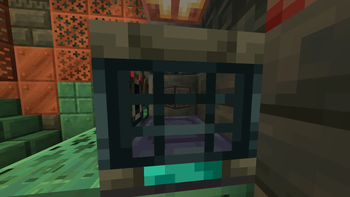
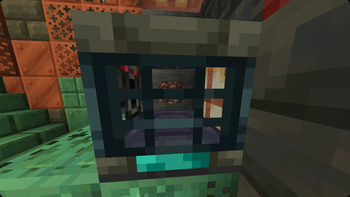
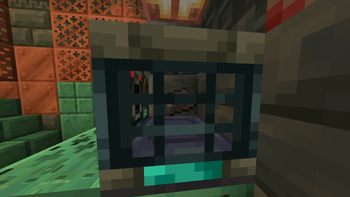
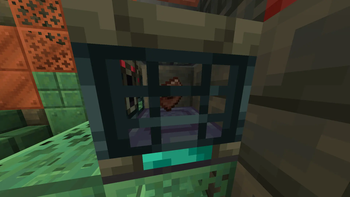
Последние версии
Все версии →release
1.1.5+mc26.3.x
1.1.5+mc26.3.x+mod11 авг. 2026 г.68Minecraft: 26.3-snapshot-1, 26.3-snapshot-2, 26.3-snapshot-3fabric, forge, neoforge, quilt
Что нового
Update license
release
1.1.5+mc26.3.x
1.1.5+mc26.3.x11 авг. 2026 г.20Minecraft: 26.3-snapshot-1, 26.3-snapshot-2, 26.3-snapshot-3datapack
Что нового
Update license
release
1.1.5+mc26.1.x
1.1.5+mc26.1.x+mod11 авг. 2026 г.171Minecraft: 26.1, 26.1.1, 26.1.2fabric, forge, neoforge, quilt
Что нового
Update license
release
1.1.5+mc26.2
1.1.5+mc26.2+mod11 авг. 2026 г.663Minecraft: 26.2fabric, forge, neoforge, quilt
Что нового
Update license
release
1.1.5+mc26.2
1.1.5+mc26.211 авг. 2026 г.83Minecraft: 26.2datapack
Что нового
Update license
release
1.1.5+mc26.1.x
1.1.5+mc26.1.x11 авг. 2026 г.22Minecraft: 26.1, 26.1.1, 26.1.2datapack
Что нового
Update license
release
1.1.5+mc1.21.11
1.1.5+mc1.21.11+mod11 авг. 2026 г.353Minecraft: 1.21.11fabric, forge, neoforge, quilt
Что нового
Update license
release
1.1.5+mc1.21.11
1.1.5+mc1.21.1111 авг. 2026 г.76Minecraft: 1.21.11datapack
Что нового
Update license
release
Netherite Vault 26.3
1.1.4+mc26.3.x+mod24 июл. 2026 г.26Minecraft: 26.3-snapshot-1, 26.3-snapshot-2, 26.3-snapshot-3fabric, forge, neoforge, quilt
Что нового
Increase weight and chances
release
Netherite Vault 26.3
1.1.4+mc26.3.x24 июл. 2026 г.5Minecraft: 26.3-snapshot-1, 26.3-snapshot-2, 26.3-snapshot-3datapack
Что нового
Increase weight and chances