COWMODSКаталог модов

My Samsung Empire

Build your own Samsung Empire in Minecraft! Launch One UI versions, earn money, unlock upgrades, and grow your tech company

Автор: Maxi3310333890обновлён 11 июл. 2026 г.
Механики игрыУправлениеТехнологии

Описание

Start your own Samsung Empire in Minecraft! Launch new versions of One UI, manufacture Samsung devices, earn money, and buy upgrades to grow your business. The Advancements tab will guide you through the datapack.

My Samsung Empire is an unofficial Minecraft datapack inspired by Samsung products and technology.

How to Install
Windows
  1. Press Edit on your world of your choice
  2. Press Open World Folder
  3. Put the Datapack into the datapacks folder
  4. Done!
Aternos Server
Official Aternos Tutorial (Outdated)
  1. Go to Files on your server page
  2. Select your World,then go to Datapacks
  3. Upload this Datapack in the datapacks folder
  4. Restart your server (if it is Online) or do /reload
  5. Done!
Entering the Samsung Dimension

To enter the Samsung Dimension, right-click with a Samsung Portal. It can be crafted using 8 Copper Ingots and 1 Iron Nugget. You can find the recipe in the Recipe Book.

You can also enter the Samsung Dimension by Right Clicking on the particles of a Samsung Portal that generated in the world! (2.2 Beta 1+)

Launching a new version of One UI

Launching a new version of One UI increases your Store Quality. The higher your Store Quality, the faster customers will arrive.

Manufacturing and Selling Samsung Phones

To manufacture a Samsung Phone, enter the Samsung Dimension and press the "Make Phone" button.

You will need:

  • CPU
  • GPU
  • Screen
How to obtain components
  1. Craft them using a recipe in the Recipe Book
  2. Place down a Component Farm and wait 10 minutes for the component to grow (2.0 Beta 1+)
  3. Find a Samsung Farm in the Overworld (2.2 Beta 1+)

To sell a phone, press the "Sell Phone" button.

You cannot sell devices if all storage slots are full. You can purchase Shelves from the Store using Money to increase your available slots. The same system applies to other devices.

Eraning Money

You can eran Money in different ways:

  1. Sell devices and wait for customers to arrive
  2. Craft Money using this recipe or an other recipe in the Recipe Book: (1.1+)
  3. Kill an Apple Boss (2.0 Beta 2+)
  4. Loot a Samsung Temple (2.2 Beta 1+)

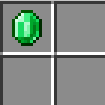
The recipe for Money

Money can be used to purchase upgrades, expand your business, and unlock new opportunities.

Галерея
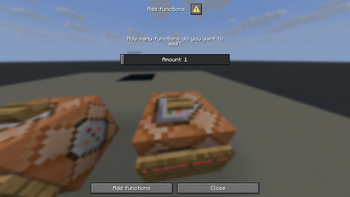
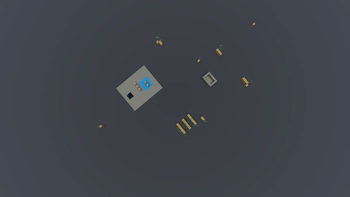
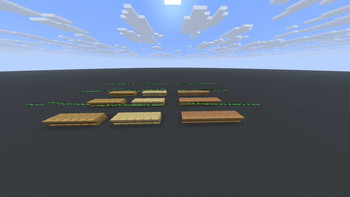
The UI of adding FunctionsThe Samsung DimensionThe Servers Room with one serverShelfs

Последние версии

Все версии →
beta

My Samsung Empire 3.0 Beta 1.2

b_1.2_3.0
11 июл. 2026 г.30Minecraft: 1.21.11, 26.1, 26.1.1, 26.1.2, 26.2datapack
Скачать
Что нового
<details> <summary>Things Changed</summary> - Reverted the Update and Downgrade UI from ``` 2.4 ``` </details> <details> <summary>Bug Fixes</summary> - Made the Store Quality increase the price of Phones work </details>
beta

My Samsung Empire 3.0 Beta 1.1

b_1.1_3.0
10 июл. 2026 г.11Minecraft: 1.21.11datapack
Скачать
Что нового
**Note:** This is a Developer Beta version! <details> <summary>Things Changed</summary> - Store Quality now increases the price of Phones (Maybe) </details> <details> <summary>Bug Fixes</summary> - Fixed the Bug where Phones can replace the item you are holding - Fixed the Bug where Monsters drop thier loot when in the Samsung Dimension </details>
beta

My Samsung Empire 3.0 Beta 1

b_1_3.0
9 июл. 2026 г.14Minecraft: 1.21.11, 26.1, 26.1.1, 26.1.2, 26.2datapack
Скачать
Что нового
<details> <summary>Things Added</summary> - Added VRAM,GPU Chip,GPU - Added the Components+ Upgrade - Added Gaming Phones and Tablets with a GPU </details> <details> <summary>Bug Fixes</summary> - Fixed the bug where Monsters spawn in the Samsung Dimension </details>
release

My Samsung Empire 2.4

2.4
5 июл. 2026 г.34Minecraft: 1.21.11, 26.1, 26.1.1, 26.1.2, 26.2datapack
Скачать
Что нового
<details> <summary>Things Added</summary> - Added an option to show Update Logs in chat when updating the datapack - Samsung Workbench added - Component Farm Destroyer added (You can craft it with Samsung Workbench) </details>
release

My Samsung Empire 2.3: The Product Remaster

2.3
4 июл. 2026 г.24Minecraft: 1.21.11, 26.1, 26.1.1, 26.1.2, 26.2datapack
Скачать
Что нового
<details> <summary>Things Added</summary> - Downgrade and update warnings added - Added Samsung Displays <details> <summary>How they Work</summary> Samsung Displays are used to store products! In order to place a product on them,right click with the product you want to place! To destroy a Samsung Display or remove a product,left click on them! After 30 seconds,if you place them in the Samsung Dimension,the products will be sold! </details> - Added Chargers </details>
release

My Samsung Empire 2.2.2

2.2.2
3 июл. 2026 г.15Minecraft: 1.21.11, 26.1, 26.1.1, 26.1.2, 26.2datapack
Скачать
Что нового
This version added technical changes! <details> <summary>Things Added</summary> - Added ``` /trigger datapack_info ``` to view Datapack info - Added an option to uninstall the datapack safely! - Added a new storage ``` samsung:source ``` </details>
release

My Samsung Empire 2.2.1

2.2.1
2 июл. 2026 г.16Minecraft: 1.21.11, 26.1, 26.1.1, 26.1.2, 26.2datapack
Скачать
Что нового
<details> <summary>Things Added</summary> - Samsung Trophy Added <details> <summary>How to Obtain</summary> You need to win a Samsung vs Apple to win a Samsung Trophy! The higher the difficulty,the higher the chance for a Samsung Trophy! | Difficulty | Chance | Count | |---------------------|:---------------------:|---------------------:| | Easy | 0% | 0 | | Normal | 50% | 1 | | Hard | 100% | 1 | You can place down a Samsung Trophy like any other block! If you right click a Samsung Trophy,it will say "Samsung is the best!" To pick one up,left click it! </details> </details>
release

My Samsung Empire 2.2

2.2
1 июл. 2026 г.16Minecraft: 1.21.11, 26.1, 26.1.1, 26.1.2, 26.2datapack
Скачать
Что нового
<details> <summary>Things Added</summary> - Samsung vs Apple added! <details> <summary>How they Work</summary> You can find an item that starts a Samsung vs Apple in a Samsung Temple! That item has a random difficulty. The difficulty of that item = The difficulty of the Samsung vs Apple! When a player starts a Samsung vs Apple,a message like this will be send to the Chat: ``` Player started a Normal Samsung vs Apple! Fill the bar by getting Money before it is empty! ``` In order to win a Samsung vs Apple,you need to fill the bar by getting Money! If you win a Samsung vs Apple,you will get loot! If the bar is empty,you will lose the Samsung vs Apple and you will lose Store Quality! </details> </details>
beta

My Samsung Empire 2.2 Beta 2

b_2_2.2
29 июн. 2026 г.5Minecraft: 1.21.11, 26.1, 26.1.1, 26.1.2, 26.2datapack
Скачать
Что нового
<details> <summary>Things Added</summary> - Added a trader to the Samsung Temple - Added Samsung Vaults <details> <summary>How they Work</summary> ### Obtaining They can be crafted or can naturraly generate in a Samsung Temple ### How to Use They work like regular vaults,but in order to open them,you need a Samsung Key that can be obtained by trading with the trader in a Samsung Temple. They drop different loot and they have multiple tiers! ### Tiers Samsung Vaults have multiple tiers. Each key have a tier. A key can open Samsung Vaults with the tier of that key! The better the tier,the better the loot! </details> - Added the Sanmsung Lure enchant <details> <summary>How it Works</summary> If a mob has not been affected by the enchant and you attack it,it will buy your Samsung Phone! The book can be found in a Samsung Vault! It can be applied only to swords! </details> </details>
beta

My Samsung Empire 2.2 Beta 1

b_1_2.2
28 июн. 2026 г.14Minecraft: 1.21.11, 26.1, 26.1.1, 26.1.2, 26.2datapack
Скачать
Что нового
<details> <summary>Things Added</summary> - Added 3 new structures <details> <summary>About the 3 new structures</summary> ### 1. Samsung Portal Samsung Portals spawn randomly in the Overworld. If you right click on the particles,you will TP to the Samsung Dimension! ### 2. Samsung Farm Samsung Farms spawn in the same location as Samsung Portals,but they are rarer! They contain Component Entities! ### 3. Samsung Temple This structure spawns in these biomes: - Badlands - Jungle - Desert - Cherry Grove - Forest - Meadow - Savanna This structure contains a hidden treasure room that has great loot,but is very rare! Good luck finding this structure! </details> </details>