Regions
A remastered version of WorldGuard
Описание
Regions
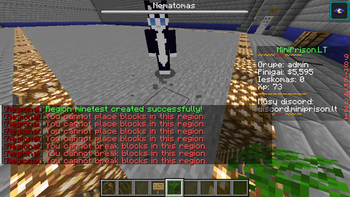
Regions is an early stage region protection plugin for Paper. Create a region from a WorldEdit selection, then choose which actions players can perform inside it.
The plugin is still in development, so some protections may behave unexpectedly. Test your settings before relying on them for a public server.
Requirements and installation
- WorldEdit is required. PlaceholderAPI is optional.
- The plugin targets Paper 1.21 and Java 21.
- Install Regions and WorldEdit in your server’s
pluginsfolder, then start the server. - A permissions plugin is optional, but useful for assigning Regions commands and bypass permissions.
To create a region, make a selection with WorldEdit and run /rg create <name>. The region uses the selection’s cuboid bounding box. Region names should use letters, numbers, underscores, or hyphens.
Commands
| Command | Description |
|---|---|
/rg | Show command help. |
/rg create <name> | Create a region from your WorldEdit selection. |
/rg list | List region names. |
/rg flags <name> | Show a region’s flags, types, and current values. Hover over a flag for its description. |
/rg flag <name> <flag> <value> | Set a Boolean or text flag. |
/rg flag <name> <block-list-flag> add|rem <material> | Add or remove an allowed block type. |
/rg delete <name> | Delete a region. |
For example:
/rg flag spawn blocks_break false
/rg flag spawn blocks_break_specific add STONE
/rg flag spawn allow_enter true
/rg flag spawn enter_permission myserver.spawn.enter
Flag names below are written in lowercase for readability. The command accepts them without regard to letter case. Boolean values are true or false. Use none or null to clear a text flag.
Region flags
Most Boolean flags default to false, which blocks the action. allow_enter and allow_leave default to true. Block lists and text flags start empty.
| Flag | Type | What true allows, or what the value sets |
|---|---|---|
blocks_place | Boolean | Place blocks. |
blocks_place_specific | Block list | Place listed materials even when blocks_place is false. |
blocks_break | Boolean | Break blocks. |
blocks_break_specific | Block list | Break listed materials even when blocks_break is false. |
destroy_paintings | Boolean | Place or destroy paintings. |
destroy_item_frames | Boolean | Place or destroy item frames. |
eat_cake | Boolean | Eat cake. |
pvp | Boolean | Player combat. The current implementation also cancels environmental damage to players when this is false. |
tnt | Boolean | Prime TNT in the region. |
ender_dragon_destroy_blocks | Boolean | Allow Ender Dragon explosions to destroy blocks. |
edit_signs | Boolean | Interact with and change signs. |
use_pressure_plates | Boolean | Activate pressure plates. |
use_buttons | Boolean | Use buttons and levers. |
use_chest | Boolean | Open chests and trapped chests. |
use_furnace | Boolean | Use furnaces, blast furnaces, and smokers. |
use_crafting_table | Boolean | Use crafting tables. |
use_ender_chest | Boolean | Open Ender chests. |
use_container_blocks | Boolean | Use other blocks with inventories. |
use_functional_blocks | Boolean | Use doors, beds, workstations, bells, and other functional blocks. |
use_item_frames | Boolean | Place item frames. Its current handling also affects removal of hanging entities. |
use_buckets | Boolean | Fill and empty buckets. |
use_world_edit | Boolean | Change blocks with WorldEdit. This protection is still experimental. |
use_throwable_potions | Boolean | Use splash and lingering potions. |
fire_spread | Boolean | Ignite fire and allow blocks to burn. |
allow_enter | Boolean | Enter the region. |
enter_permission | Text | Permission a player must have to enter. Empty means no extra permission is required. |
enter_message | Text | Entry message setting; see the development note below. |
allow_leave | Boolean | Leave the region. |
leave_permission | Text | Permission a player must have to leave. Empty means no extra permission is required. |
leave_message | Text | Exit message setting; see the development note below. |
For block lists, use the order add or rem, then a Minecraft material name:
/rg flag spawn blocks_place_specific add OAK_PLANKS
/rg flag spawn blocks_place_specific rem OAK_PLANKS
Languages
Regions includes en, lt, zh, hi, es, ar, fr, bn, pt, ru, and id translations. To add one, copy plugins/Regions/langs/en.yml, translate the new file, and set language in plugins/Regions/config.yml to its filename without .yml.
Permissions
The /rg command has the regions permission. Its subcommands also check regions.create, regions.list, regions.flags, regions.flag, and regions.delete, respectively. Some protections support region specific bypass permissions such as regions.bypass.build.<region> and regions.bypass.use.<region>.
Current limitations: /rg list shows region names, but does not track or show creators. enter_message and leave_message can be set, but the current code does not display them on entry or exit; subtitle and PlaceholderAPI support for those messages should be treated as planned features.
Галерея