

Motion Blur FX
Add Motion Blur in Minecraft
Автор: marctgamer155 тыс.64обновлён 13 авг. 2026 г.
potatoshadowsvanilla-like
Описание
Motion Blur FX
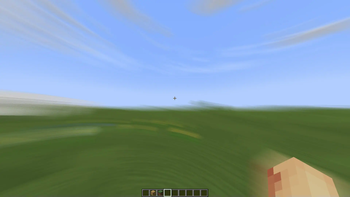
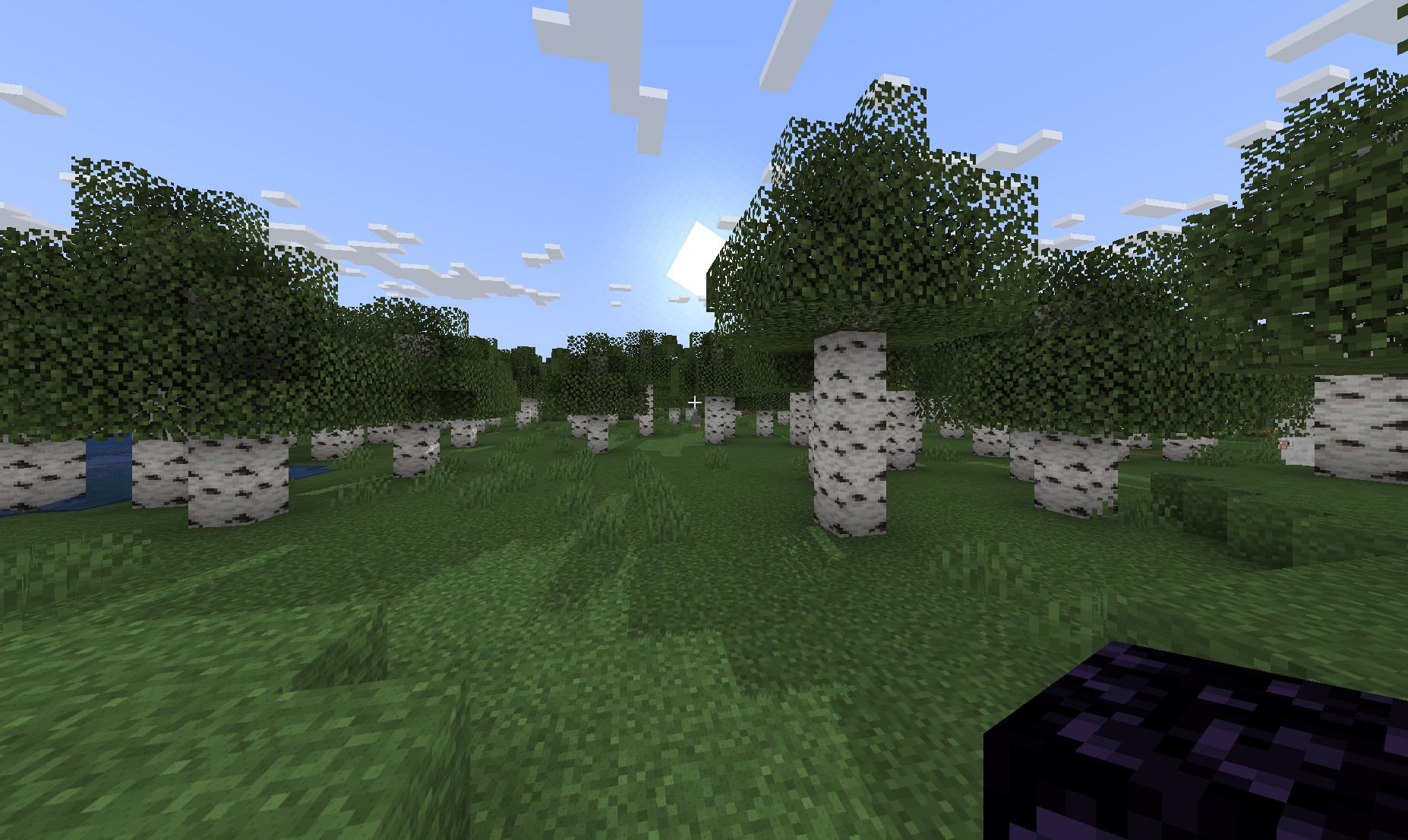
Motion Blur FX is designed to deliver stunning motion blur effects without compromising performance. Tailor the intensity of the motion blur to suit your system's capabilities, ensuring a smooth experience no matter your setup.
Important Note:
Motion blur effects can be disorienting for some users, particularly those sensitive to visual motion. If you find yourself feeling uncomfortable, please lower the motion blur strength or disable the effect entirely for a more pleasant experience.
Compatible with: Iris and Optifine
Optional Features:
- Motion Blur: Enhance your visuals with dynamic motion blur.
- Saturation: Infuse your world with vibrant colors for an eye-catching look.
Compatibility:
- Tested on: Minecraft versions 1.12.+ to 1.21.x
- Works with: Nvidia, AMD, and Intel graphics cards
You Can:
- Use this shader pack for captivating screenshots and videos.
- Modify it for personal use.
- Publish your heavily modified versions.*
- Share it in modpacks or servers.
You Cannot:
- Share it without my permission.
Installation Guide:
For Optifine:
- Download and install Optifine from the official website.
- Download the Motion Blur FX shader pack.
- Move the shader pack .zip file to the
shaderpacksfolder in your.minecraftdirectory. - Select the shader in Minecraft under "Options" > "Video Settings" > "Shaders."
For Iris (Fabric):
- Install Fabric using the Fabric Installer.
- Add Fabric API and Iris Shaders to your mods folder.
- Download the Motion Blur FX shader pack.
- Move the shader pack .zip file to the
shaderpacksfolder in your.minecraftdirectory. - Select the shader in Minecraft under "Options" > "Video Settings" > "Shaders."
Contact:
For inquiries or support, please reach out to: marctgamer@gmail.com
Preview:
Check out these videos to see Motion Blur FX in action!
Галерея
Последние версии
Все версии →release
Motion Blur FX v2.0
2.013 авг. 2026 г.15,6 тыс.Minecraft: 1.20, 1.20.1, 1.20.2, 1.20.3, 1.20.4, 1.20.5, 1.20.6, 1.21, 1.21.1, 1.21.2, 1.21.3, 1.21.4, 1.21.5, 1.21.6, 1.21.7, 1.21.8, 1.21.9, 1.21.10, 1.21.11iris, optifine
Что нового
# BIG UPDATE
## Rewrote the blur + added Presets
- Blur now looks the **same at any FPS**
- No more screen smear when you teleport or change dimension
- **4 presets**: Performance, Balanced, High, Cinematic
- Fixed options that did nothing (Turning Blur, Hand Blur, Shadow Brightness)
- Fixed the pack not loading on AMD and Intel GPUs
- New defaults, 180° shutter, looks good out of the box
release
motionblur_v1.41
1.4121 окт. 2024 г.83 тыс.Minecraft: 1.20.2, 1.20.3, 1.20.4, 1.20.5, 1.20.6, 1.21, 1.21.1iris, optifine
Что нового
Fix the entites effects when you hit
release
Motion Blur v1.4
1.414 окт. 2024 г.38,1 тыс.Minecraft: 1.12, 1.12.1, 1.12.2, 1.13, 1.13.1, 1.13.2, 1.14, 1.14.1, 1.14.2, 1.14.3, 1.14.4, 1.15, 1.15.1, 1.15.2, 1.16, 1.16.1, 1.16.2, 1.16.3, 1.16.4, 1.16.5, 1.17, 1.17.1, 1.18, 1.18.1, 1.18.2, 1.19, 1.19.1, 1.19.2, 1.19.3, 1.19.4, 1.20, 1.20.1, 1.20.2, 1.20.3, 1.20.4, 1.20.5, 1.20.6, 1.21, 1.21.1iris, optifine
Что нового
# BIG UPDATE
## Added SHADOWS and Fixed the Animated Glint
release
Motion Blur v1.3
1.35 окт. 2024 г.8 тыс.Minecraft: 1.11, 1.11.1, 1.11.2, 1.12, 1.12.1, 1.12.2, 1.13, 1.13.1, 1.13.2, 1.14, 1.14.1, 1.14.2, 1.14.3, 1.14.4, 1.15, 1.15.1, 1.15.2, 1.16, 1.16.1, 1.16.2, 1.16.3, 1.16.4, 1.16.5, 1.17, 1.17.1, 1.18, 1.18.1, 1.18.2, 1.19, 1.19.1, 1.19.2, 1.19.3, 1.19.4, 1.20, 1.20.1, 1.20.2, 1.20.3, 1.20.4, 1.20.5, 1.20.6, 1.21, 1.21.1iris, optifine
Что нового
**Added Depth Of Field
**
release
Motion Blur v1.2
1.21 сент. 2024 г.6,1 тыс.Minecraft: 1.9.3, 1.9.4, 1.10, 1.10.1, 1.10.2, 1.11, 1.11.1, 1.11.2, 1.12, 1.12.1, 1.12.2, 1.13, 1.13.1, 1.13.2, 1.14, 1.14.1, 1.14.2, 1.14.3, 1.14.4, 1.15, 1.15.1, 1.15.2, 1.16, 1.16.1, 1.16.2, 1.16.3, 1.16.4, 1.16.5, 1.17, 1.17.1, 1.18, 1.18.1, 1.18.2, 1.19, 1.19.1, 1.19.2, 1.19.3, 1.19.4, 1.20, 1.20.1, 1.20.2, 1.20.3, 1.20.4, 1.20.5, 1.20.6, 1.21, 1.21.1iris, optifine
Что нового
Small Update
Used Slider to controls motion blur
More Effects comming soon..
release
Motion Blur v1.1
1.125 авг. 2024 г.2,1 тыс.Minecraft: 1.12, 1.12.1, 1.12.2, 1.13, 1.13.1, 1.13.2, 1.14, 1.14.1, 1.14.2, 1.14.3, 1.14.4, 1.15, 1.15.1, 1.15.2, 1.16, 1.16.1, 1.16.2, 1.16.3, 1.16.4, 1.16.5, 1.17, 1.17.1, 1.18, 1.18.1, 1.18.2, 1.19, 1.19.1, 1.19.2, 1.19.3, 1.19.4, 1.20, 1.20.1, 1.20.2, 1.20.3, 1.20.4, 1.20.5, 1.20.6, 1.21, 1.21.1iris, optifine
Что нового
Added a Motion Blur Effect Options: Motion Blur Strength and Saturation
More Effects comming soon..
release
Motion Blur 1.0
1.021 авг. 2024 г.2,1 тыс.Minecraft: 1.4.7, 1.11, 1.11.1, 1.11.2, 1.12, 1.12.1, 1.12.2, 1.13, 1.13.1, 1.13.2, 1.14, 1.14.1, 1.14.2, 1.14.3, 1.14.4, 1.15, 1.15.1, 1.15.2, 1.16, 1.16.1, 1.16.2, 1.16.3, 1.16.4, 1.16.5, 1.17, 1.17.1, 1.18, 1.18.1, 1.18.2, 1.19, 1.19.1, 1.19.2, 1.19.3, 1.19.4, 1.20, 1.20.1, 1.20.2, 1.20.3, 1.20.4, 1.20.5, 1.20.6, 1.21, 1.21.1iris, optifine
Что нового
Add a Motion Blur Effect
Options: Motion Blur Strength and Noise Flim