COWMODSКаталог модов

morpher

A mod that changes the player's rendering to whatever you want using geckolib

Автор: BadEndingg19,4 тыс.11обновлён 16 окт. 2026 г.
Механики игрыТехнологииУтилиты

Описание

English Version.

Morpher Mod

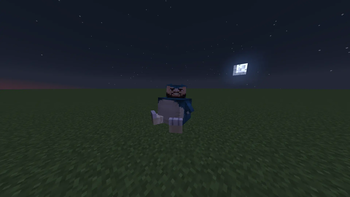
Morpher is a mod that changes the player's rendering to a custom geckolib one with your own imported animations.


📁 MOD INSTALLATION

  1. Install the dependencies, if you have 1.20.4 / 1.21.1 Fabric Install ARRP, if you only have Forge ONLY install Geckolib.

  2. Import the dependencies and the morpher into the server and client.


🎨 IMPORTING MODELS, TEXTURES, AND ANIMATIONS

  1. The Morpher mod will create a folder named "morpher" which will contain geo, textures, animations, and overlays.

  2. Inside geo, place the file you created with geckolib.

  3. Inside textures, place the texture for the geo model.

  4. Inside animations, place the animation for your geo model.


👤 USE YOUR MODEL WITH THE TEXTURE AND ANIMATION

  1. First of all, use the following command so that the server detects the files correctly and Minecraft does not crash: /morpher reload

  2. To render the models you want to use, enter the following command: /morpher visible true

  3. To use your model, enter the following command: /morpher set model

  4. To use your texture, enter the following command: /morpher set texture

  5. To place your animation, use the following command: /morpher set anim


If you find any bugs or crashes, contact me on Discord: badendingg_ or azukiss. and tell me what the error is so I can help you fix it! Mod Discord server


Version en Español.

Morpher Mod

Morpher es un mod que te cambia el renderizado del jugador por uno custom de geckolib y con tus propias animacions importadas.


📁 INSTALACION DEL MOD

  1. Instalar las dependendencias, Si tienes 1.20.4 / 1.21.1 Fabric instala ARRP, si tienes Forge SOLAMENTE Instala Geckolib.

  2. Impotar las dependencias y el morpher en server y cliente


🎨 IMPORTACION DE MODELOS, TEXTURAS Y ANIMACIONES

  1. El morpher creara 1 carpeta, la cual se llamara morpher, dentro de morpher estara, geo, textures, animations y overlays

  2. Dentro de geo pon tu archivo creado con geckolib.

  3. Dentro de textures pon la textura del modelo geo.

  4. Dentro de animations pon la animacion de tu modelo geo.


👤 USAR TU MODELO CON LA TEXTURA Y ANIMACION

  1. Primero que todo haz el siguiente comando para que el servidor detecte los archivos correctamente y no se te crashee minecraft, /morpher reload

  2. Para que se renderize los modelos que desees poner haz el siguiente comando /morpher visible true

  3. Para poner tu modelo haz el siguiente comando, /morpher set model

  4. Para poner tu textura haz el siguiente comando, /morpher set texture

  5. Para poner tu animacion haz el siguiente comando, **/morpher set anim


Si encuentras algun bug o crasheo contactame por discord: badendingg_ o azukiss. y dime cual es tu error para ayudarte a solucionarlo!. Servidor de Discord del mod

Галерея

Layer PreviewCustom EmotesMorpher custom model Preview

Последние версии

Все версии →
release

morpher 1.0.9

1.0.9
16 окт. 2026 г.1 тыс.Minecraft: 1.20.1forge
Скачать
Что нового
# Fixed bugs and added things. > Fix items in head for example Glass don't rotate correctly > Fix heads mobs don't show correctly > Added cape visibility. > Added new command to change visibility of cape. > Added a feature so that assets don't have to be reloaded every time you leave a server or single-player session. (new reloading assets system) > More protection to models. > Players with animations with ground speed do not reproduce sneaking animations or others. If you find a Bug let me see in the [Discord Server](https://discord.gg/JPUJyau8Ab)
release

morpher 1.1.5

1.1.5
29 сент. 2026 г.3,6 тыс.Minecraft: 1.21.1fabric
Скачать
Что нового
# Changes v1.1.5 ### English Version #### 🚀 Features & Updates - **Cross-Version Animation Compatibility**: Animations are now compatible across all versions. > More clarifications or questions on our [Discord](https://discord.com/invite/JPUJyau8Ab). --- ### Versión en Español #### 🚀 Novedades y Cambios - **Compatibilidad de Animaciones entre Versiones**: Las animaciones ahora son compatibles en todas las versiones. > Más aclaraciones o dudas en el [Discord](https://discord.com/invite/JPUJyau8Ab).
release

morpher 1.1.4

1.1.4
11 сент. 2026 г.964Minecraft: 1.21.1fabric
Скачать
Что нового
# Changes v1.1.4 ### English Version #### 🚀 Features & Updates - **ForceModel & JoinPreset**: Automatically applies a default model or overlay to players upon joining the server (`/morpher forceModel`). Fully customizable with `/morpher forceModel JoinPreset` (model, texture, animation, armor, hands, special poses, etc.). - **Automatic Overlay Creation**: Added `/morpher overlay create <name>` to instantly save your player's current setup (model, texture, animation, armor, layers, and hands) into a new overlay JSON file. - **Armor Set System**: Set custom armor models per slot (`head`, `chestplate`, `leggins`, and `boots`) via commands and presets. - **Hand Toggles (`LayerHand` & `ArmorHand`)**: Control whether extra layers and armor appear on your player's first-person hands. - **SpecialPose & Default Adjustments**: Inverted animation roles—the old special poses have replaced the default animations, and the old default animations are now handled under SpecialPose. - **Global Idle Animation (`idle_global` / `specialpose.idle_global`)**: New optional animations for Default (`idle_global`) and SpecialPose (`specialpose.idle_global`) that play across movement and sneak animations (excluding idle, emotes, and sitting/swimming/sleeping poses). - **Live Animation Reload**: Fixed animation caching so modifying existing `.animation.json` files reloads immediately with `/morpher reload` without having to rename files. > More clarifications or questions on our [Discord](https://discord.com/invite/JPUJyau8Ab). --- ### Versión en Español #### 🚀 Novedades y Cambios - **ForceModel y JoinPreset**: Aplica automáticamente un modelo u overlay predeterminado a los jugadores al entrar al servidor (`/morpher forceModel`). Totalmente configurable con `/morpher forceModel JoinPreset` (modelo, textura, animación, armadura, manos, poses especiales, etc.). - **Creación Automática de Overlays**: Nuevo comando `/morpher overlay create <nombre>` para guardar al instante toda la apariencia actual de tu jugador (modelo, textura, animación, armadura, capas y manos) en un nuevo archivo de overlay JSON. - **Sistema de Armaduras**: Ahora puedes asignar modelos personalizados a cada pieza de armadura (`head`, `chestplate`, `leggins` y `boots`) desde comandos y presets. - **Control de Manos (`LayerHand` y `ArmorHand`)**: Activa o desactiva la visualización de capas adicionales y armaduras en la mano del jugador. - **Ajustes en SpecialPose y Default**: Se intercambiaron de lugar; el antiguo SpecialPose fue reemplazado por las animaciones Default, y las animaciones Default pasaron a ser el SpecialPose. - **Animación Global (`idle_global` / `specialpose.idle_global`)**: Nuevas animaciones opcionales para Default (`idle_global`) y SpecialPose (`specialpose.idle_global`) que se reproducen en animaciones de movimiento y agachado (excepto en idle, emotes y poses que no la requieren como sentarse, nadar o dormir). - **Recarga de Animaciones en Vivo**: Se corrigió la recarga de animaciones para que al editar archivos `.animation.json` existentes se actualicen al instante con `/morpher reload` sin necesidad de renombrarlos. > Más aclaraciones o dudas en el [Discord](https://discord.com/invite/JPUJyau8Ab).
release

morpher 1.0.8

1.0.8
10 сент. 2026 г.3,5 тыс.Minecraft: 1.20.1forge
Скачать
Что нового
# Fixed bugs. > Missing animations broke the model instead of being ignored. > Players appeared without the full model animation. > The arm lost its animation for a period of time. > Queries were not updating. > Repeated calculation of armor bones every frame. > Uncached resource queries repeated every frame. > Double calculation of animations (world + inventory). > Armor texture rebuilt every frame. > Duplicated model for the first-person arm. > Clear command did not remove items correctly. > Animation blending between players. > Fixed issue where changing skins didn't update the first-person arm. > Fixed resources not loading correctly. > Animations involving forward speed and clamping were not playing correctly, thanks to @elpepe6769_ for the fix. If you find a Bug let me see in the [Discord Server](https://discord.gg/JPUJyau8Ab)
release

morpher 1.1.3

1.1.3
5 сент. 2026 г.109Minecraft: 1.21.1fabric
Скачать
Что нового
# Fixed bugs and brrp in the mod > Fixed a bug that prevented testing in single-player. > Fixed the bug where the walk animation wasn't playing. If you find a Bug let me see in the [Discord Server](https://discord.gg/JPUJyau8Ab)
release

morpher 1.1.2

1.1.2
23 авг. 2026 г.504Minecraft: 1.21.1fabric
Скачать
Что нового
# Changes v1.1.2 ### English Version #### 🐛 Bug Fixes - **Player Name Fix**: Fixed an issue where the player's name was not displaying correctly. - **Minor Fixes**: Various other small fixes. > More clarifications or questions on our [Discord](https://discord.com/invite/JPUJyau8Ab). --- ### Versión en Español #### 🐛 Corrección de Errores - **Corrección del Nombre de Jugador**: Se solucionó un problema por el cual el nombre del jugador no se mostraba correctamente. - **Correcciones Menores**: Se solucionaron otros pequeños errores. > Más aclaraciones o dudas en el [Discord](https://discord.com/invite/JPUJyau8Ab).
release

morpher 1.1.1

1.1.1
11 авг. 2026 г.368Minecraft: 1.21.1fabric
Скачать
Что нового
# Changes v1.1.1 ### English Version #### 🚀 Features & Enhancements - **Animated Layer System**: Added full keyframe animation support for primary layers and `ExtraLayers`. To work properly, the model, texture, and animation files must share the exact same filename (e.g., `my_layer.geo.json`, `my_layer.png`, and `my_layer.animation.json`). - **Smart Layer Animation Command**: Added `/morpher <players> set layeranim <layer> <animName/clear>` with dynamic autocomplete that inspects each layer's custom animation file. - **Server Rejoin & Anti-Crash Protection**: Resolved the infinite crash loop when disconnecting and rejoining servers by guaranteeing resources are fully loaded on the client before activating the morph. - **Swimming Animation Fix**: Corrected animation identifier key to `swimming`. > More clarifications or questions on our [Discord](https://discord.com/invite/JPUJyau8Ab). --- ### Versión en Español #### 🚀 Características y Novedades - **Sistema de Layers Animados**: Se añadió soporte completo de animaciones para el layer principal y los `ExtraLayers`. Para funcionar, el modelo, la textura y la animación deben llamarse exactamente igual (ejemplo: `mi_layer.geo.json`, `mi_layer.png` y `mi_layer.animation.json`). - **Comando Inteligente `layeranim`**: Se añadió `/morpher <players> set layeranim <layer> <animacion/clear>` con autocompletado dinámico que detecta las animaciones únicas de cada layer. - **Protección Anti-Crash al Reconectar**: Se solucionó el bucle de crasheos al salir y volver a entrar a un servidor, asegurando que los recursos del cliente carguen por completo antes de activar el morpher. - **Corrección de Animación de Nado**: Se corrigió el identificador de la animación de nado a `swimming`. > Más aclaraciones o dudas en el [Discord](https://discord.com/invite/JPUJyau8Ab).
release

morpher 1.0.7

1.0.7
30 июл. 2026 г.2,8 тыс.Minecraft: 1.20.1forge
Скачать
Что нового
# Fix bug and Added more Animations > Issue when you have a animation with "query.yaw" the animation reproduce bugged > Added **MUCH MORE** animations Vanilla in the Morpher Code, the animation list is in the discord server. If you find a Bug let me see in the [Discord Server](https://discord.gg/JPUJyau8Ab)
release

morpher 1.0.6

1.0.6
21 июл. 2026 г.146Minecraft: 1.20.1forge
Скачать
Что нового
# Added new Commands > /morpher <PlayerName> set extraLayer > /morpher <PlayerName> remove extraLayer "ExtraLayerName" ### If you find a Bug let me see in the [Discord Server](https://discord.gg/JPUJyau8Ab)
release

morpher 1.1.0

1.1.0
16 июл. 2026 г.1,2 тыс.Minecraft: 1.21.1fabric
Скачать
Что нового
# Changes v1.1.0 ### English Version #### 🚀 Features & Enhancements - **Added ExtraLayer**: lets you add more layers than the original by also modifying the texture of this existing layer (more info on our Discord). - **Added the `forceModel` command**: when enabled, every player who joins will already have the morpher equipped by default. - **Added the `skin` command**: lets you set the skin of any player. - **Added the number system from 1.20.1 by SquidCraft 4**. - **Armor API Integration**: You can now add functional armors to your own mods using the morpher. - **Mod Compatibility**: Armors from other mods now render on the morpher. - **Custom Nametag Controls**: Added `/morpher <players> set nametag_visibility <true/false>` and `/morpher <players> set scale nametag <offset>` commands to control visibility and height displacement. - **Added Scale Resets**: You can now use the `empty` keyword under `/morpher <players> set scale empty` and `/morpher <players> set scale nametag empty` to restore them back to their default values. > More clarifications or questions on our [Discord](https://discord.com/invite/JPUJyau8Ab). --- ### Versión en Español #### 🚀 Características y Novedades - **Se añadió el ExtraLayer**: con este se pueden añadir más layers que el original, modificando también la textura de este layer existente (más información en el Discord). - **Se añadió el comando `forceModel`**: al activarlo, todos los jugadores que entren tendrán el morpher puesto por defecto. - **Se añadió el comando `skin`**: con este se puede poner la skin de cualquier jugador. - **Se añadió el sistema de números de la 1.20.1 de SquidCraft 4**. - **Integración de API de Armaduras**: Ahora puedes añadir armaduras funcionales a tus propios mods con el morpher. - **Compatibilidad con otros Mods**: Ahora las armaduras de otros mods se renderizan en el morpher. - **Controles adicionales de Nametag**: Se añadieron los comandos `/morpher <players> set nametag_visibility <true/false>` y `/morpher <players> set scale nametag <offset>` para desplazar la altura o alternar la visibilidad de los nombres. - **Reseteo de Escalas**: Ahora puedes usar la palabra clave `empty` en `/morpher <players> set scale empty` y `/morpher <players> set scale nametag empty` para restablecerlos a sus valores originales. > Más aclaraciones o dudas en el [Discord](https://discord.com/invite/JPUJyau8Ab).