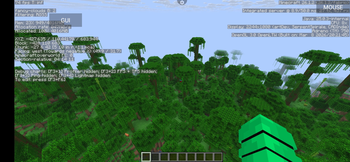
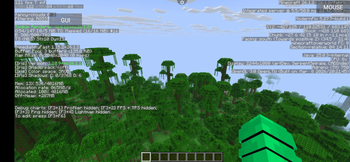
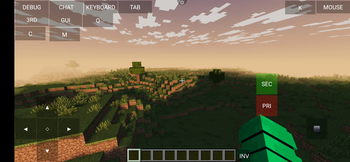
Miras's Modpack for Phones
Minecraft Java for Android/iOS as it should have been by default, with performance optimizations and QoL improvements.
Описание
Why do you need this modpack?
MMFP (Miras's Modpack for Phones) is a Fabric modpack designed specifically for mobile devices, while also being suitable for low-end PCs. Its goal is to provide a fast, stable, visually appealing, and convenient Minecraft Java experience on smartphones by combining carefully selected performance mods, optimized default settings, and useful quality-of-life improvements.
Mods and configurations are carefully selected and tested with mobile hardware in mind to provide a good balance between performance, stability, and visual quality.
Prefer a lighter Minecraft experience? Try MMFP Lite, which retains the core performance optimizations, lightweight QoL features, and resource packs while removing more demanding and optional features. Both editions are available in the Versions section.
🚀 Performance First
MMFP comes with pre-configured graphics settings and optimized mod configurations designed specifically for mobile devices, balancing performance with visual quality.
Performance improvements include:
- Reduced memory usage
- Optimized rendering
- Optimized world generation and chunk processing
- Optimized game logic and block entity rendering
- Reduced unnecessary CPU/GPU work
- Improved responsiveness and more consistent frame pacing
Performance & optimization mods:
- Sodium
- Lithium
- ModernFix
- FerriteCore
- ImmediatelyFast
- Entity Culling
- More Culling
- Better Block Entities
- Fast Noise
- BadOptimizations
🛠️ Quality of Life
MMFP includes a carefully selected set of QoL features that improve everyday gameplay without unnecessarily increasing the load on mobile hardware.
MMFP Lite retains useful lightweight QoL features while excluding more demanding and optional additions.
Features:
Available in both MMFP and MMFP Lite:
- Mod Menu (view installed mods and access their settings)
- AppleSkin (additional hunger and saturation information)
- ZoomX (zoom) — Zoom:
V - Durability Tooltip (numerical item durability)
- Status Effect Bars (progress bars showing remaining status effect durations)
- Language Reload (faster language reloading and language fallbacks)
Additional features in the main MMFP edition:
- Continuity (connected textures)
- Xaero's World Map (fullscreen world map and navigation) — Open map:
M - LambDynamicLights (dynamic lighting from held items and other light sources)
🎨 Additional Features
The main MMFP edition includes an optional pre-configured shader pack, while both MMFP and MMFP Lite include the same collection of resource packs.
Pre-configured shader (MMFP only):
- Iris Shaders: Provides support for shader packs.
- Miniature Shader: A lightweight shader configured specifically for MMFP to balance visual quality and performance on mobile devices.
- Toggle shaders:
K
The shader is disabled by default to avoid additional graphics load.
Built-in Resource Packs (both editions):
- Translations for Sodium (additional translations for Sodium)
- Low On Fire (cleaner screen when burning)
- Default Dark Mode (eye-friendly dark interfaces)
- Low Shield (lowered position of the shield)
All four resource packs are included in both editions. Only Translations for Sodium is enabled by default; the others can be enabled manually.
⚡ MMFP vs MMFP Lite
Both editions share the same core performance optimizations, but differ in their additional features.
| Feature | MMFP | MMFP Lite |
|---|---|---|
| Core Performance Mods | ✅ | ✅ |
| Optimized Configurations | ✅ | ✅ |
| Lightweight QoL Mods | ✅ | ✅ |
| Xaero's World Map | ✅ | ❌ |
| Dynamic Lighting | ✅ | ❌ |
| Connected Textures Support | ✅ | ❌ |
| Included Shader Support | ✅ | ❌ |
| All Resource Packs | ✅ | ✅ |
| Simplified Feature Set | ❌ | ✅ |
MMFP — The main edition, offering a balance between performance, visual quality, and additional gameplay features.
MMFP Lite — A lighter edition that retains the essential optimizations and useful QoL features while removing more demanding and optional components.
Both editions are available in the Versions section.
📲 Installation
Since MMFP is designed and pre-configured for phones, you can install it directly from a compatible launcher without manually downloading individual mods or files:
- Open a compatible launcher (such as MojoLauncher or another launcher with Modrinth /
.mrpacksupport). - Click the "Create Instance" button.
- Scroll down to the "Download a Modpack" section.
- In the search bar, enter the name of this modpack:
Miras's Modpack for Phones. - Select the MMFP or MMFP Lite release compatible with your desired Minecraft version.
- Click the "Install / Download" button. The launcher will download the required files and prepare the modpack for launch.
Installation steps may vary depending on the launcher.
💾 Alternative installation method (for other launchers / manually)
- Download the MMFP or MMFP Lite
.mrpackfile compatible with your Minecraft version from this Modrinth page. - In your launcher, select "Import .mrpack" and choose the downloaded file.
⚠️ Important: Do not unzip the .mrpack file like a regular ZIP archive; compatible launchers import it as a complete modpack file.
💡 RAM Allocation Recommendations
Allocating too little or too much memory can cause stability issues, especially on Android:
- 3 GB minimum, 4 GB recommended for most devices with sufficient system RAM.
⚠️ Important: Never allocate your smartphone's entire RAM. Android, the launcher, and the renderer also require memory outside the Java heap.
☕ Recommended Java Arguments
Minecraft 26.x uses Java 25. For Android launchers such as MojoLauncher, MMFP recommends the following JVM arguments:
-XX:+UseZGC -XX:+UseCompactObjectHeaders -XX:+UseStringDeduplication
- ZGC helps reduce garbage collection pauses and improve frame pacing.
- Compact Object Headers reduce Java heap memory usage.
- String Deduplication can further reduce memory usage by sharing duplicate strings.
Copy these arguments into the Java Arguments / JVM Arguments field in your launcher settings.
⚠️ Important: Configure RAM separately using the launcher's RAM allocation setting. Do not add -Xms or -Xmx manually.
These arguments are intended for Java 25 and Minecraft 26.x.
👥 Credits & Rights
- Thanks to the creators of all the resource packs, shader packs, performance and QoL mods included in this pack.
- License: Creative Commons Attribution-NonCommercial-ShareAlike 4.0 International.
Галерея