COWMODSКаталог модов

Mineqtt

A Mod that allows Minecraft to talk to iot devices using the mqtt protocol. Ever wanted to turn on your smart lights by flicking a lever in Minecraft?

Автор: OddHero91115обновлён 16 окт. 2026 г.
Технологии

Описание

Mineqtt

Control real devices from inside your Minecraft World

Control real life devices with minecraft redstone or display sensor values on your fancy 7 segment redstone display, or use it to wirelessly connect redstone contraptions in your Minecraft world.

Or maybe you want to know if your virtual nuclear reactor is about to blow up, with Mineqtt you could trigger a real airhorn/sirene to wake you up before its too late.

Inter Server Communication - Signals Between Minecraft Worlds

Another Use Case is wireless redstone between multiple servers that are connected to the same mqtt broker. You can also send signals from Single Player Worlds to online Servers and Vice versa.

Note of caution

This Mod establishes a connection to a seperate MQTT Server (Configurable). Connecting to public mqtt servers bears the risk of someone else triggering your redstone or sending unfiltered Data to your server/world or receiving the signals you send via unsecured public mqtt servers. I suggest using a self hosted MQTT-Broker.

Roadmap

Implemented

  • Connect to MQTT-Broker with username/password Authentication
  • Gui to configure topics for Senders and Receivers
  • Portable Topic Debugger (Subscribe/Publish via handheld "Cyberdeck")
  • Smart Light remote control

Planned

  • Send/Receive Redstone Signal Strength
  • Integrate Native Minecraft features like chat, scorebord, achievements,...)

Showcase

Send redstone state to MQTT

Receive redstone state from MQTT

Configuring topics using item stacks and named paper

Галерея
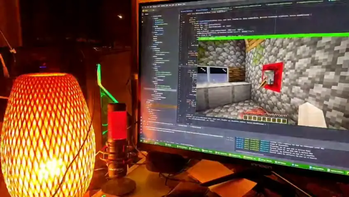
Smart Light Switch

Последние версии

Все версии →
release

MineQTT 0.10.0 for Minecraft 26.3 (Fabric)

0.10.0+26.3
16 окт. 2026 г.31Minecraft: 26.3fabric
Скачать
Что нового
0.10.0 adds two observers: the Container Observer shows in Home Assistant what a chest, barrel, furnace or any other container holds, and the Entity Observer reports the entity in front of it, with its type, name, health and more. Both come for every Minecraft version from 1.21 to 26.3 on Fabric and NeoForge. Worlds and config files of 0.9.x load unchanged; the new config key takes its default. ### For players - **Container Observer** (new block): place it against a chest, barrel, furnace, hopper, shulker box or any other container, and Home Assistant shows how full it is. The fill (in percent) is the device's main sensor, with the items and their counts as attributes (the 64 most numerous kinds); *Items*, *Slots used*, *Empty* and *Full* come with it. It counts by item id only, so item names and other details stay in the game. It looks into the container twice a second and sends changes at most once a second. Crafted from smooth stone, a comparator and the Network Chip. - **Entity Observer** (new block): reports the entity in front of its face to Home Assistant: its type (the main sensor, with details such as its custom name, baby, tamed, armor, sheep colour, villager profession and level, or a dropped item and its count as attributes), whether anything is there and how many, its name, health, maximum health and distance, and a *Changed* event when another entity becomes the nearest or the last one leaves. It watches the block space in front by default and up to 8 with *Range*; *Detect* picks everything, everything but players, or mobs. Its Raw Link sends the full data as JSON (with the entity's raw data, as `/data get entity` shows it, without any UUID but the entity's own, player head profiles or book authors, at most 16 KiB), the entity id, the name or the count. A player in front is counted and shown as a player, named only after `/mineqtt privacy share full` on a server that shares full data, and never with health, distance, position or raw data. Crafted from smooth stone, two observers, a spyglass and the Network Chip. ### For server admins - With a claim mod, a Container Observer reads a container only in its own claim, or while its owner is online and may open containers there, as the Block Placer does with the container behind it. Otherwise it reports `claimed` and nothing the container holds. - **`entityObserver.exportEntityData`** (new, default on): the Entity Observer's full Raw Link payload carries the entity's raw data, never a player's and never to Home Assistant; with a claim mod only for an entity in the observer's claim. Turn it off to send no raw data. ### Known limitations - **Rooms and Home Assistant areas:** Home Assistant puts a device into the suggested area of its room only when it first creates the device. A device it already knows keeps its area (or none) when you later make a room around it, so create the room first and then place the devices, or assign the area once in Home Assistant. MineQTT cannot change an existing device's area over MQTT.
release

MineQTT 0.10.0 for Minecraft 26.3 (NeoForge)

0.10.0+26.3
16 окт. 2026 г.15Minecraft: 26.3neoforge
Скачать
Что нового
0.10.0 adds two observers: the Container Observer shows in Home Assistant what a chest, barrel, furnace or any other container holds, and the Entity Observer reports the entity in front of it, with its type, name, health and more. Both come for every Minecraft version from 1.21 to 26.3 on Fabric and NeoForge. Worlds and config files of 0.9.x load unchanged; the new config key takes its default. ### For players - **Container Observer** (new block): place it against a chest, barrel, furnace, hopper, shulker box or any other container, and Home Assistant shows how full it is. The fill (in percent) is the device's main sensor, with the items and their counts as attributes (the 64 most numerous kinds); *Items*, *Slots used*, *Empty* and *Full* come with it. It counts by item id only, so item names and other details stay in the game. It looks into the container twice a second and sends changes at most once a second. Crafted from smooth stone, a comparator and the Network Chip. - **Entity Observer** (new block): reports the entity in front of its face to Home Assistant: its type (the main sensor, with details such as its custom name, baby, tamed, armor, sheep colour, villager profession and level, or a dropped item and its count as attributes), whether anything is there and how many, its name, health, maximum health and distance, and a *Changed* event when another entity becomes the nearest or the last one leaves. It watches the block space in front by default and up to 8 with *Range*; *Detect* picks everything, everything but players, or mobs. Its Raw Link sends the full data as JSON (with the entity's raw data, as `/data get entity` shows it, without any UUID but the entity's own, player head profiles or book authors, at most 16 KiB), the entity id, the name or the count. A player in front is counted and shown as a player, named only after `/mineqtt privacy share full` on a server that shares full data, and never with health, distance, position or raw data. Crafted from smooth stone, two observers, a spyglass and the Network Chip. ### For server admins - With a claim mod, a Container Observer reads a container only in its own claim, or while its owner is online and may open containers there, as the Block Placer does with the container behind it. Otherwise it reports `claimed` and nothing the container holds. - **`entityObserver.exportEntityData`** (new, default on): the Entity Observer's full Raw Link payload carries the entity's raw data, never a player's and never to Home Assistant; with a claim mod only for an entity in the observer's claim. Turn it off to send no raw data. ### Known limitations - **Rooms and Home Assistant areas:** Home Assistant puts a device into the suggested area of its room only when it first creates the device. A device it already knows keeps its area (or none) when you later make a room around it, so create the room first and then place the devices, or assign the area once in Home Assistant. MineQTT cannot change an existing device's area over MQTT.
release

MineQTT 0.10.0 for Minecraft 26.2 (NeoForge)

0.10.0+26.2
16 окт. 2026 г.5Minecraft: 26.2neoforge
Скачать
Что нового
0.10.0 adds two observers: the Container Observer shows in Home Assistant what a chest, barrel, furnace or any other container holds, and the Entity Observer reports the entity in front of it, with its type, name, health and more. Both come for every Minecraft version from 1.21 to 26.3 on Fabric and NeoForge. Worlds and config files of 0.9.x load unchanged; the new config key takes its default. ### For players - **Container Observer** (new block): place it against a chest, barrel, furnace, hopper, shulker box or any other container, and Home Assistant shows how full it is. The fill (in percent) is the device's main sensor, with the items and their counts as attributes (the 64 most numerous kinds); *Items*, *Slots used*, *Empty* and *Full* come with it. It counts by item id only, so item names and other details stay in the game. It looks into the container twice a second and sends changes at most once a second. Crafted from smooth stone, a comparator and the Network Chip. - **Entity Observer** (new block): reports the entity in front of its face to Home Assistant: its type (the main sensor, with details such as its custom name, baby, tamed, armor, sheep colour, villager profession and level, or a dropped item and its count as attributes), whether anything is there and how many, its name, health, maximum health and distance, and a *Changed* event when another entity becomes the nearest or the last one leaves. It watches the block space in front by default and up to 8 with *Range*; *Detect* picks everything, everything but players, or mobs. Its Raw Link sends the full data as JSON (with the entity's raw data, as `/data get entity` shows it, without any UUID but the entity's own, player head profiles or book authors, at most 16 KiB), the entity id, the name or the count. A player in front is counted and shown as a player, named only after `/mineqtt privacy share full` on a server that shares full data, and never with health, distance, position or raw data. Crafted from smooth stone, two observers, a spyglass and the Network Chip. ### For server admins - With a claim mod, a Container Observer reads a container only in its own claim, or while its owner is online and may open containers there, as the Block Placer does with the container behind it. Otherwise it reports `claimed` and nothing the container holds. - **`entityObserver.exportEntityData`** (new, default on): the Entity Observer's full Raw Link payload carries the entity's raw data, never a player's and never to Home Assistant; with a claim mod only for an entity in the observer's claim. Turn it off to send no raw data. ### Known limitations - **Rooms and Home Assistant areas:** Home Assistant puts a device into the suggested area of its room only when it first creates the device. A device it already knows keeps its area (or none) when you later make a room around it, so create the room first and then place the devices, or assign the area once in Home Assistant. MineQTT cannot change an existing device's area over MQTT.
release

MineQTT 0.10.0 for Minecraft 26.2 (Fabric)

0.10.0+26.2
16 окт. 2026 г.10Minecraft: 26.2fabric
Скачать
Что нового
0.10.0 adds two observers: the Container Observer shows in Home Assistant what a chest, barrel, furnace or any other container holds, and the Entity Observer reports the entity in front of it, with its type, name, health and more. Both come for every Minecraft version from 1.21 to 26.3 on Fabric and NeoForge. Worlds and config files of 0.9.x load unchanged; the new config key takes its default. ### For players - **Container Observer** (new block): place it against a chest, barrel, furnace, hopper, shulker box or any other container, and Home Assistant shows how full it is. The fill (in percent) is the device's main sensor, with the items and their counts as attributes (the 64 most numerous kinds); *Items*, *Slots used*, *Empty* and *Full* come with it. It counts by item id only, so item names and other details stay in the game. It looks into the container twice a second and sends changes at most once a second. Crafted from smooth stone, a comparator and the Network Chip. - **Entity Observer** (new block): reports the entity in front of its face to Home Assistant: its type (the main sensor, with details such as its custom name, baby, tamed, armor, sheep colour, villager profession and level, or a dropped item and its count as attributes), whether anything is there and how many, its name, health, maximum health and distance, and a *Changed* event when another entity becomes the nearest or the last one leaves. It watches the block space in front by default and up to 8 with *Range*; *Detect* picks everything, everything but players, or mobs. Its Raw Link sends the full data as JSON (with the entity's raw data, as `/data get entity` shows it, without any UUID but the entity's own, player head profiles or book authors, at most 16 KiB), the entity id, the name or the count. A player in front is counted and shown as a player, named only after `/mineqtt privacy share full` on a server that shares full data, and never with health, distance, position or raw data. Crafted from smooth stone, two observers, a spyglass and the Network Chip. ### For server admins - With a claim mod, a Container Observer reads a container only in its own claim, or while its owner is online and may open containers there, as the Block Placer does with the container behind it. Otherwise it reports `claimed` and nothing the container holds. - **`entityObserver.exportEntityData`** (new, default on): the Entity Observer's full Raw Link payload carries the entity's raw data, never a player's and never to Home Assistant; with a claim mod only for an entity in the observer's claim. Turn it off to send no raw data. ### Known limitations - **Rooms and Home Assistant areas:** Home Assistant puts a device into the suggested area of its room only when it first creates the device. A device it already knows keeps its area (or none) when you later make a room around it, so create the room first and then place the devices, or assign the area once in Home Assistant. MineQTT cannot change an existing device's area over MQTT.
release

MineQTT 0.10.0 for Minecraft 26.1.2 (NeoForge)

0.10.0+26.1.2
16 окт. 2026 г.2Minecraft: 26.1.2neoforge
Скачать
Что нового
0.10.0 adds two observers: the Container Observer shows in Home Assistant what a chest, barrel, furnace or any other container holds, and the Entity Observer reports the entity in front of it, with its type, name, health and more. Both come for every Minecraft version from 1.21 to 26.3 on Fabric and NeoForge. Worlds and config files of 0.9.x load unchanged; the new config key takes its default. ### For players - **Container Observer** (new block): place it against a chest, barrel, furnace, hopper, shulker box or any other container, and Home Assistant shows how full it is. The fill (in percent) is the device's main sensor, with the items and their counts as attributes (the 64 most numerous kinds); *Items*, *Slots used*, *Empty* and *Full* come with it. It counts by item id only, so item names and other details stay in the game. It looks into the container twice a second and sends changes at most once a second. Crafted from smooth stone, a comparator and the Network Chip. - **Entity Observer** (new block): reports the entity in front of its face to Home Assistant: its type (the main sensor, with details such as its custom name, baby, tamed, armor, sheep colour, villager profession and level, or a dropped item and its count as attributes), whether anything is there and how many, its name, health, maximum health and distance, and a *Changed* event when another entity becomes the nearest or the last one leaves. It watches the block space in front by default and up to 8 with *Range*; *Detect* picks everything, everything but players, or mobs. Its Raw Link sends the full data as JSON (with the entity's raw data, as `/data get entity` shows it, without any UUID but the entity's own, player head profiles or book authors, at most 16 KiB), the entity id, the name or the count. A player in front is counted and shown as a player, named only after `/mineqtt privacy share full` on a server that shares full data, and never with health, distance, position or raw data. Crafted from smooth stone, two observers, a spyglass and the Network Chip. ### For server admins - With a claim mod, a Container Observer reads a container only in its own claim, or while its owner is online and may open containers there, as the Block Placer does with the container behind it. Otherwise it reports `claimed` and nothing the container holds. - **`entityObserver.exportEntityData`** (new, default on): the Entity Observer's full Raw Link payload carries the entity's raw data, never a player's and never to Home Assistant; with a claim mod only for an entity in the observer's claim. Turn it off to send no raw data. ### Known limitations - **Rooms and Home Assistant areas:** Home Assistant puts a device into the suggested area of its room only when it first creates the device. A device it already knows keeps its area (or none) when you later make a room around it, so create the room first and then place the devices, or assign the area once in Home Assistant. MineQTT cannot change an existing device's area over MQTT.
release

MineQTT 0.10.0 for Minecraft 1.21.8 (NeoForge)

0.10.0+1.21.8
16 окт. 2026 г.6Minecraft: 1.21.6, 1.21.7, 1.21.8neoforge
Скачать
Что нового
0.10.0 adds two observers: the Container Observer shows in Home Assistant what a chest, barrel, furnace or any other container holds, and the Entity Observer reports the entity in front of it, with its type, name, health and more. Both come for every Minecraft version from 1.21 to 26.3 on Fabric and NeoForge. Worlds and config files of 0.9.x load unchanged; the new config key takes its default. ### For players - **Container Observer** (new block): place it against a chest, barrel, furnace, hopper, shulker box or any other container, and Home Assistant shows how full it is. The fill (in percent) is the device's main sensor, with the items and their counts as attributes (the 64 most numerous kinds); *Items*, *Slots used*, *Empty* and *Full* come with it. It counts by item id only, so item names and other details stay in the game. It looks into the container twice a second and sends changes at most once a second. Crafted from smooth stone, a comparator and the Network Chip. - **Entity Observer** (new block): reports the entity in front of its face to Home Assistant: its type (the main sensor, with details such as its custom name, baby, tamed, armor, sheep colour, villager profession and level, or a dropped item and its count as attributes), whether anything is there and how many, its name, health, maximum health and distance, and a *Changed* event when another entity becomes the nearest or the last one leaves. It watches the block space in front by default and up to 8 with *Range*; *Detect* picks everything, everything but players, or mobs. Its Raw Link sends the full data as JSON (with the entity's raw data, as `/data get entity` shows it, without any UUID but the entity's own, player head profiles or book authors, at most 16 KiB), the entity id, the name or the count. A player in front is counted and shown as a player, named only after `/mineqtt privacy share full` on a server that shares full data, and never with health, distance, position or raw data. Crafted from smooth stone, two observers, a spyglass and the Network Chip. ### For server admins - With a claim mod, a Container Observer reads a container only in its own claim, or while its owner is online and may open containers there, as the Block Placer does with the container behind it. Otherwise it reports `claimed` and nothing the container holds. - **`entityObserver.exportEntityData`** (new, default on): the Entity Observer's full Raw Link payload carries the entity's raw data, never a player's and never to Home Assistant; with a claim mod only for an entity in the observer's claim. Turn it off to send no raw data. ### Known limitations - **Rooms and Home Assistant areas:** Home Assistant puts a device into the suggested area of its room only when it first creates the device. A device it already knows keeps its area (or none) when you later make a room around it, so create the room first and then place the devices, or assign the area once in Home Assistant. MineQTT cannot change an existing device's area over MQTT.
release

MineQTT 0.10.0 for Minecraft 26.1.2 (Fabric)

0.10.0+26.1.2
16 окт. 2026 г.8Minecraft: 26.1.2fabric
Скачать
Что нового
0.10.0 adds two observers: the Container Observer shows in Home Assistant what a chest, barrel, furnace or any other container holds, and the Entity Observer reports the entity in front of it, with its type, name, health and more. Both come for every Minecraft version from 1.21 to 26.3 on Fabric and NeoForge. Worlds and config files of 0.9.x load unchanged; the new config key takes its default. ### For players - **Container Observer** (new block): place it against a chest, barrel, furnace, hopper, shulker box or any other container, and Home Assistant shows how full it is. The fill (in percent) is the device's main sensor, with the items and their counts as attributes (the 64 most numerous kinds); *Items*, *Slots used*, *Empty* and *Full* come with it. It counts by item id only, so item names and other details stay in the game. It looks into the container twice a second and sends changes at most once a second. Crafted from smooth stone, a comparator and the Network Chip. - **Entity Observer** (new block): reports the entity in front of its face to Home Assistant: its type (the main sensor, with details such as its custom name, baby, tamed, armor, sheep colour, villager profession and level, or a dropped item and its count as attributes), whether anything is there and how many, its name, health, maximum health and distance, and a *Changed* event when another entity becomes the nearest or the last one leaves. It watches the block space in front by default and up to 8 with *Range*; *Detect* picks everything, everything but players, or mobs. Its Raw Link sends the full data as JSON (with the entity's raw data, as `/data get entity` shows it, without any UUID but the entity's own, player head profiles or book authors, at most 16 KiB), the entity id, the name or the count. A player in front is counted and shown as a player, named only after `/mineqtt privacy share full` on a server that shares full data, and never with health, distance, position or raw data. Crafted from smooth stone, two observers, a spyglass and the Network Chip. ### For server admins - With a claim mod, a Container Observer reads a container only in its own claim, or while its owner is online and may open containers there, as the Block Placer does with the container behind it. Otherwise it reports `claimed` and nothing the container holds. - **`entityObserver.exportEntityData`** (new, default on): the Entity Observer's full Raw Link payload carries the entity's raw data, never a player's and never to Home Assistant; with a claim mod only for an entity in the observer's claim. Turn it off to send no raw data. ### Known limitations - **Rooms and Home Assistant areas:** Home Assistant puts a device into the suggested area of its room only when it first creates the device. A device it already knows keeps its area (or none) when you later make a room around it, so create the room first and then place the devices, or assign the area once in Home Assistant. MineQTT cannot change an existing device's area over MQTT.
release

MineQTT 0.10.0 for Minecraft 1.21.8 (Fabric)

0.10.0+1.21.8
16 окт. 2026 г.0Minecraft: 1.21.6, 1.21.7, 1.21.8fabric
Скачать
Что нового
0.10.0 adds two observers: the Container Observer shows in Home Assistant what a chest, barrel, furnace or any other container holds, and the Entity Observer reports the entity in front of it, with its type, name, health and more. Both come for every Minecraft version from 1.21 to 26.3 on Fabric and NeoForge. Worlds and config files of 0.9.x load unchanged; the new config key takes its default. ### For players - **Container Observer** (new block): place it against a chest, barrel, furnace, hopper, shulker box or any other container, and Home Assistant shows how full it is. The fill (in percent) is the device's main sensor, with the items and their counts as attributes (the 64 most numerous kinds); *Items*, *Slots used*, *Empty* and *Full* come with it. It counts by item id only, so item names and other details stay in the game. It looks into the container twice a second and sends changes at most once a second. Crafted from smooth stone, a comparator and the Network Chip. - **Entity Observer** (new block): reports the entity in front of its face to Home Assistant: its type (the main sensor, with details such as its custom name, baby, tamed, armor, sheep colour, villager profession and level, or a dropped item and its count as attributes), whether anything is there and how many, its name, health, maximum health and distance, and a *Changed* event when another entity becomes the nearest or the last one leaves. It watches the block space in front by default and up to 8 with *Range*; *Detect* picks everything, everything but players, or mobs. Its Raw Link sends the full data as JSON (with the entity's raw data, as `/data get entity` shows it, without any UUID but the entity's own, player head profiles or book authors, at most 16 KiB), the entity id, the name or the count. A player in front is counted and shown as a player, named only after `/mineqtt privacy share full` on a server that shares full data, and never with health, distance, position or raw data. Crafted from smooth stone, two observers, a spyglass and the Network Chip. ### For server admins - With a claim mod, a Container Observer reads a container only in its own claim, or while its owner is online and may open containers there, as the Block Placer does with the container behind it. Otherwise it reports `claimed` and nothing the container holds. - **`entityObserver.exportEntityData`** (new, default on): the Entity Observer's full Raw Link payload carries the entity's raw data, never a player's and never to Home Assistant; with a claim mod only for an entity in the observer's claim. Turn it off to send no raw data. ### Known limitations - **Rooms and Home Assistant areas:** Home Assistant puts a device into the suggested area of its room only when it first creates the device. A device it already knows keeps its area (or none) when you later make a room around it, so create the room first and then place the devices, or assign the area once in Home Assistant. MineQTT cannot change an existing device's area over MQTT.
release

MineQTT 0.10.0 for Minecraft 1.21.5 (NeoForge)

0.10.0+1.21.5
16 окт. 2026 г.2Minecraft: 1.21.5neoforge
Скачать
Что нового
0.10.0 adds two observers: the Container Observer shows in Home Assistant what a chest, barrel, furnace or any other container holds, and the Entity Observer reports the entity in front of it, with its type, name, health and more. Both come for every Minecraft version from 1.21 to 26.3 on Fabric and NeoForge. Worlds and config files of 0.9.x load unchanged; the new config key takes its default. ### For players - **Container Observer** (new block): place it against a chest, barrel, furnace, hopper, shulker box or any other container, and Home Assistant shows how full it is. The fill (in percent) is the device's main sensor, with the items and their counts as attributes (the 64 most numerous kinds); *Items*, *Slots used*, *Empty* and *Full* come with it. It counts by item id only, so item names and other details stay in the game. It looks into the container twice a second and sends changes at most once a second. Crafted from smooth stone, a comparator and the Network Chip. - **Entity Observer** (new block): reports the entity in front of its face to Home Assistant: its type (the main sensor, with details such as its custom name, baby, tamed, armor, sheep colour, villager profession and level, or a dropped item and its count as attributes), whether anything is there and how many, its name, health, maximum health and distance, and a *Changed* event when another entity becomes the nearest or the last one leaves. It watches the block space in front by default and up to 8 with *Range*; *Detect* picks everything, everything but players, or mobs. Its Raw Link sends the full data as JSON (with the entity's raw data, as `/data get entity` shows it, without any UUID but the entity's own, player head profiles or book authors, at most 16 KiB), the entity id, the name or the count. A player in front is counted and shown as a player, named only after `/mineqtt privacy share full` on a server that shares full data, and never with health, distance, position or raw data. Crafted from smooth stone, two observers, a spyglass and the Network Chip. ### For server admins - With a claim mod, a Container Observer reads a container only in its own claim, or while its owner is online and may open containers there, as the Block Placer does with the container behind it. Otherwise it reports `claimed` and nothing the container holds. - **`entityObserver.exportEntityData`** (new, default on): the Entity Observer's full Raw Link payload carries the entity's raw data, never a player's and never to Home Assistant; with a claim mod only for an entity in the observer's claim. Turn it off to send no raw data. ### Known limitations - **Rooms and Home Assistant areas:** Home Assistant puts a device into the suggested area of its room only when it first creates the device. A device it already knows keeps its area (or none) when you later make a room around it, so create the room first and then place the devices, or assign the area once in Home Assistant. MineQTT cannot change an existing device's area over MQTT.
release

MineQTT 0.10.0 for Minecraft 1.21.4 (NeoForge)

0.10.0+1.21.4
16 окт. 2026 г.5Minecraft: 1.21.4neoforge
Скачать
Что нового
0.10.0 adds two observers: the Container Observer shows in Home Assistant what a chest, barrel, furnace or any other container holds, and the Entity Observer reports the entity in front of it, with its type, name, health and more. Both come for every Minecraft version from 1.21 to 26.3 on Fabric and NeoForge. Worlds and config files of 0.9.x load unchanged; the new config key takes its default. ### For players - **Container Observer** (new block): place it against a chest, barrel, furnace, hopper, shulker box or any other container, and Home Assistant shows how full it is. The fill (in percent) is the device's main sensor, with the items and their counts as attributes (the 64 most numerous kinds); *Items*, *Slots used*, *Empty* and *Full* come with it. It counts by item id only, so item names and other details stay in the game. It looks into the container twice a second and sends changes at most once a second. Crafted from smooth stone, a comparator and the Network Chip. - **Entity Observer** (new block): reports the entity in front of its face to Home Assistant: its type (the main sensor, with details such as its custom name, baby, tamed, armor, sheep colour, villager profession and level, or a dropped item and its count as attributes), whether anything is there and how many, its name, health, maximum health and distance, and a *Changed* event when another entity becomes the nearest or the last one leaves. It watches the block space in front by default and up to 8 with *Range*; *Detect* picks everything, everything but players, or mobs. Its Raw Link sends the full data as JSON (with the entity's raw data, as `/data get entity` shows it, without any UUID but the entity's own, player head profiles or book authors, at most 16 KiB), the entity id, the name or the count. A player in front is counted and shown as a player, named only after `/mineqtt privacy share full` on a server that shares full data, and never with health, distance, position or raw data. Crafted from smooth stone, two observers, a spyglass and the Network Chip. ### For server admins - With a claim mod, a Container Observer reads a container only in its own claim, or while its owner is online and may open containers there, as the Block Placer does with the container behind it. Otherwise it reports `claimed` and nothing the container holds. - **`entityObserver.exportEntityData`** (new, default on): the Entity Observer's full Raw Link payload carries the entity's raw data, never a player's and never to Home Assistant; with a claim mod only for an entity in the observer's claim. Turn it off to send no raw data. ### Known limitations - **Rooms and Home Assistant areas:** Home Assistant puts a device into the suggested area of its room only when it first creates the device. A device it already knows keeps its area (or none) when you later make a room around it, so create the room first and then place the devices, or assign the area once in Home Assistant. MineQTT cannot change an existing device's area over MQTT.