

MC Sigma
Beta 1.7.3 fork. New blocks, survival features, creative, server support...
Описание
Mod Info
Minecraft Sigma (MCS) is a total conversion mod for beta 1.7.3, like an alternate development branch.
Mythical atmosphere, cruel survival. Old Minecraft with the best features compiled into a cohesive survival experience. Explore deep oceans, reconstruct obsidian totems to enter the nether, gather new resources to create spells and brew potions. Expand and automate your base with hoppers, minecarts, coal powered trains.
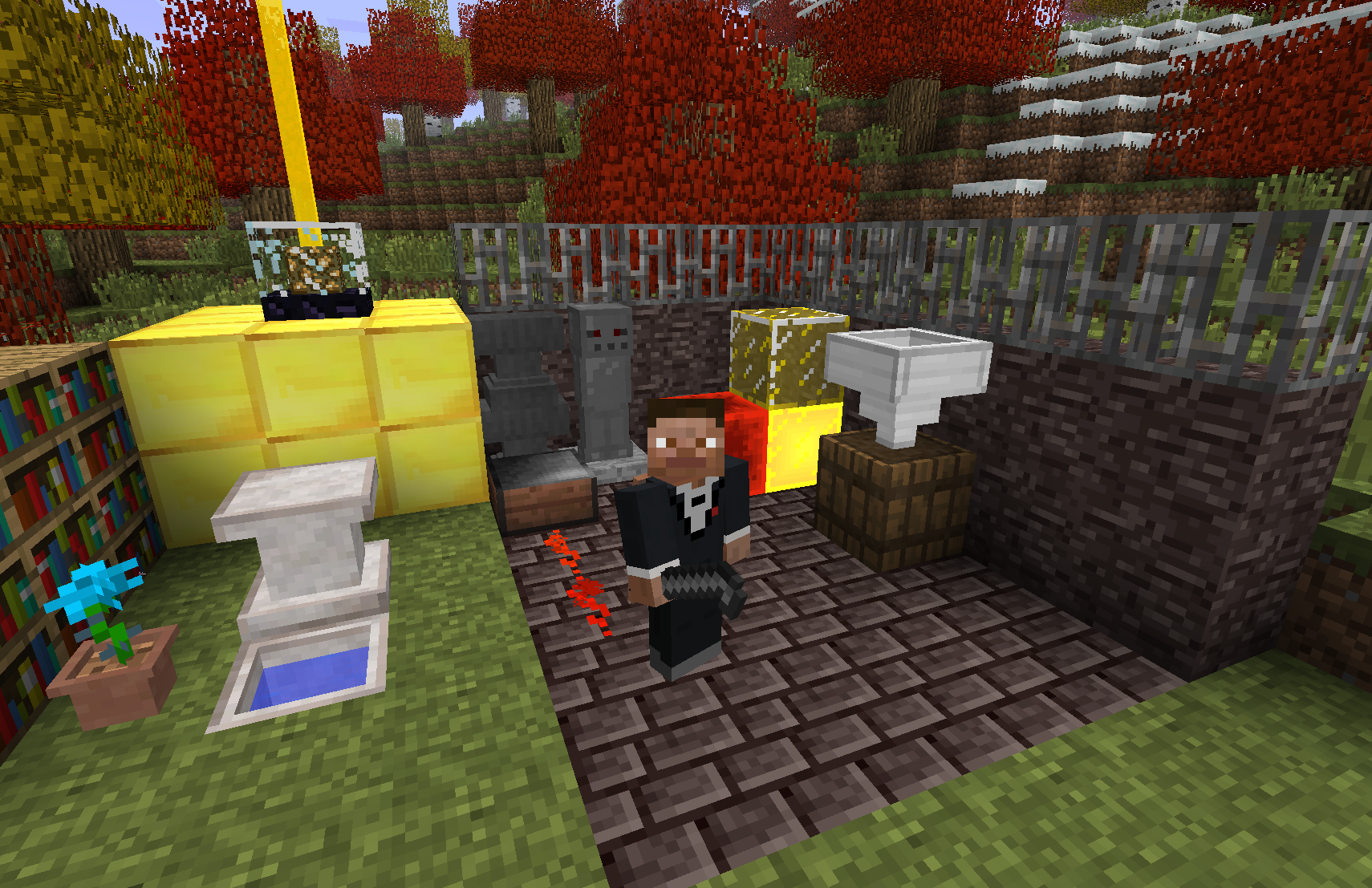
Major Additions include:
- Ocean expansion.
- Double world height using same world format!
- Alpha monoliths form past 3000 blocks!
- Nether progression!
- Cauldron brewing for potions.
- Arcane magic and spell creation.
- Multiplayer support
- Animal taming.
- Slime blocks for bouncing items and entities.
- Dynamite with rocket jumping.
- Ancient beacons.
- Insane FPS thanks to VBOs, chunk + entity culling...
Join Discord for help or discussion:
INSTALLATION
If you used Prism Launcher before, here is the easiest way to instsall MCS in one click - just download the instance zip linked below and import as new instance. Make sure to use Java 8. how to install java
CLICK TO DOWNLOAD Prism Instance
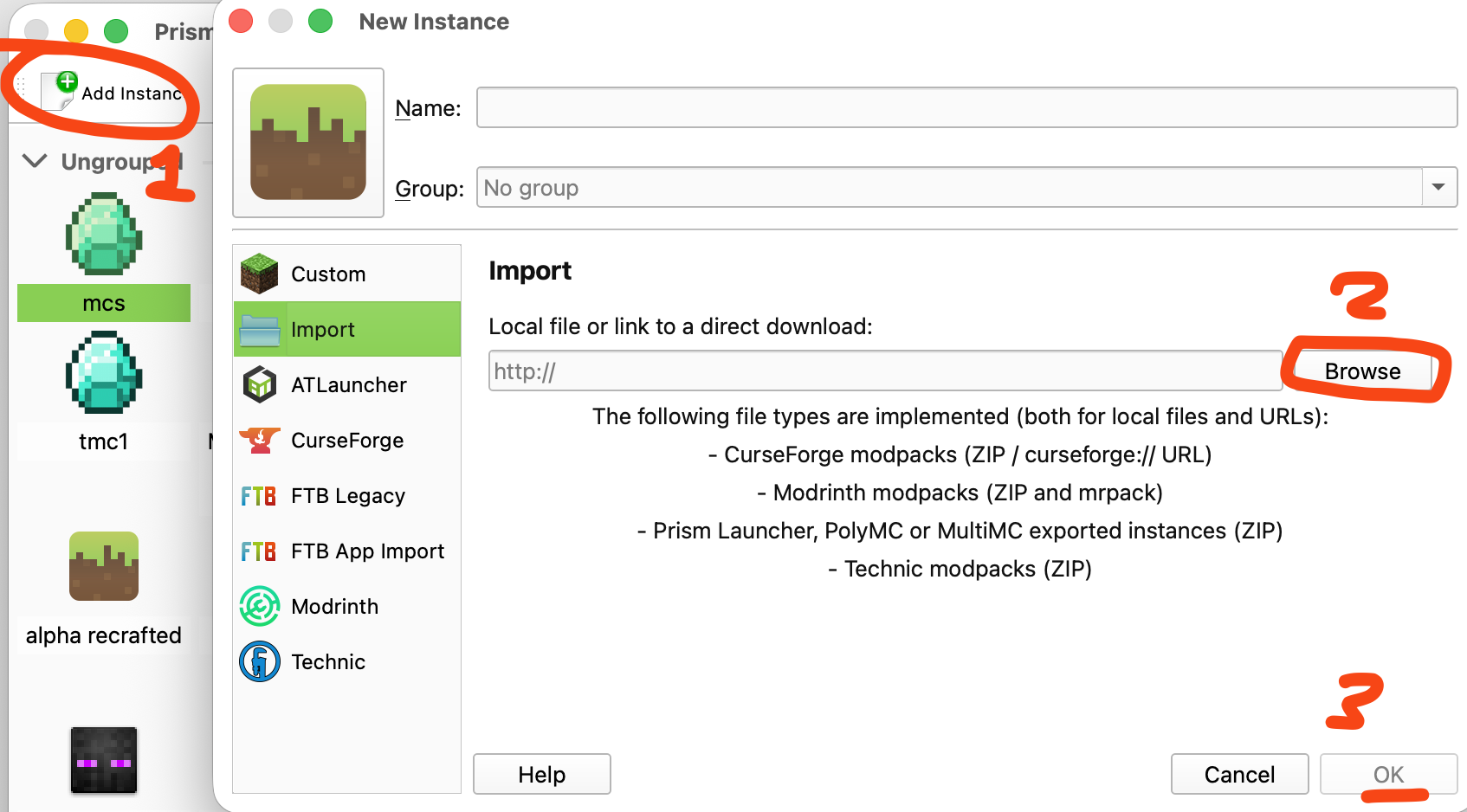
If there are weird issues like sounds missing or crashing, you should try installing manually like shown below.
Manual installation way
- Download and install Java 8.
- Download and install PrismLauncher.
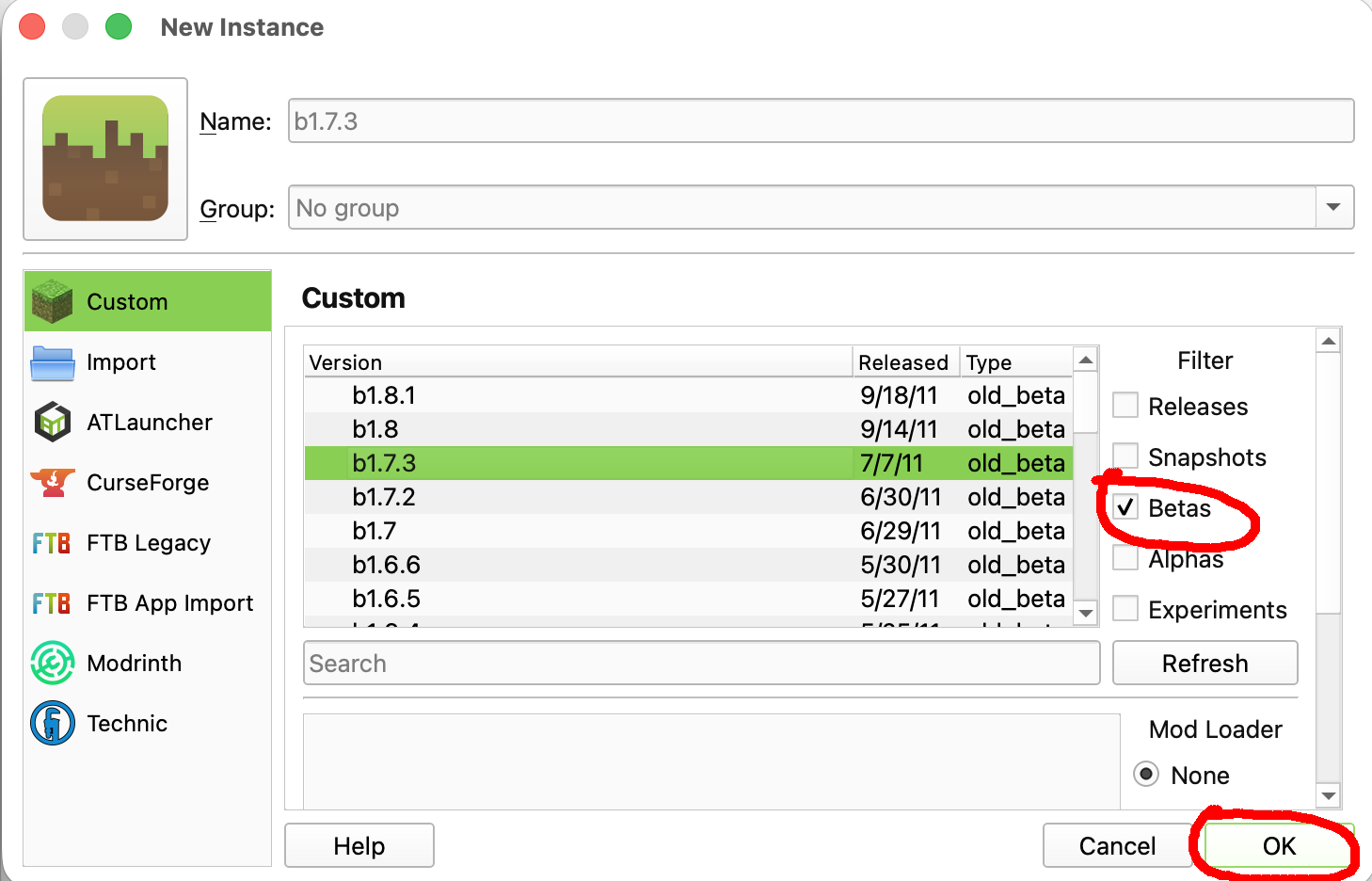
- Create a new b1.7.3 instance, launch it to get sound assets.
- Download the latest MCS mod zip file from releases.
- In Launcher, Select your new beta 1.7.3 instance, click Edit -> Version -> Add to Minecraft jar > choose mcs-[version].zip
- OPTIONAL: Install LaunchWrapper for client side fixes like player skins https://github.com/MCPHackers/LaunchWrapper/blob/main/doc/MultiMC.md
- Play!
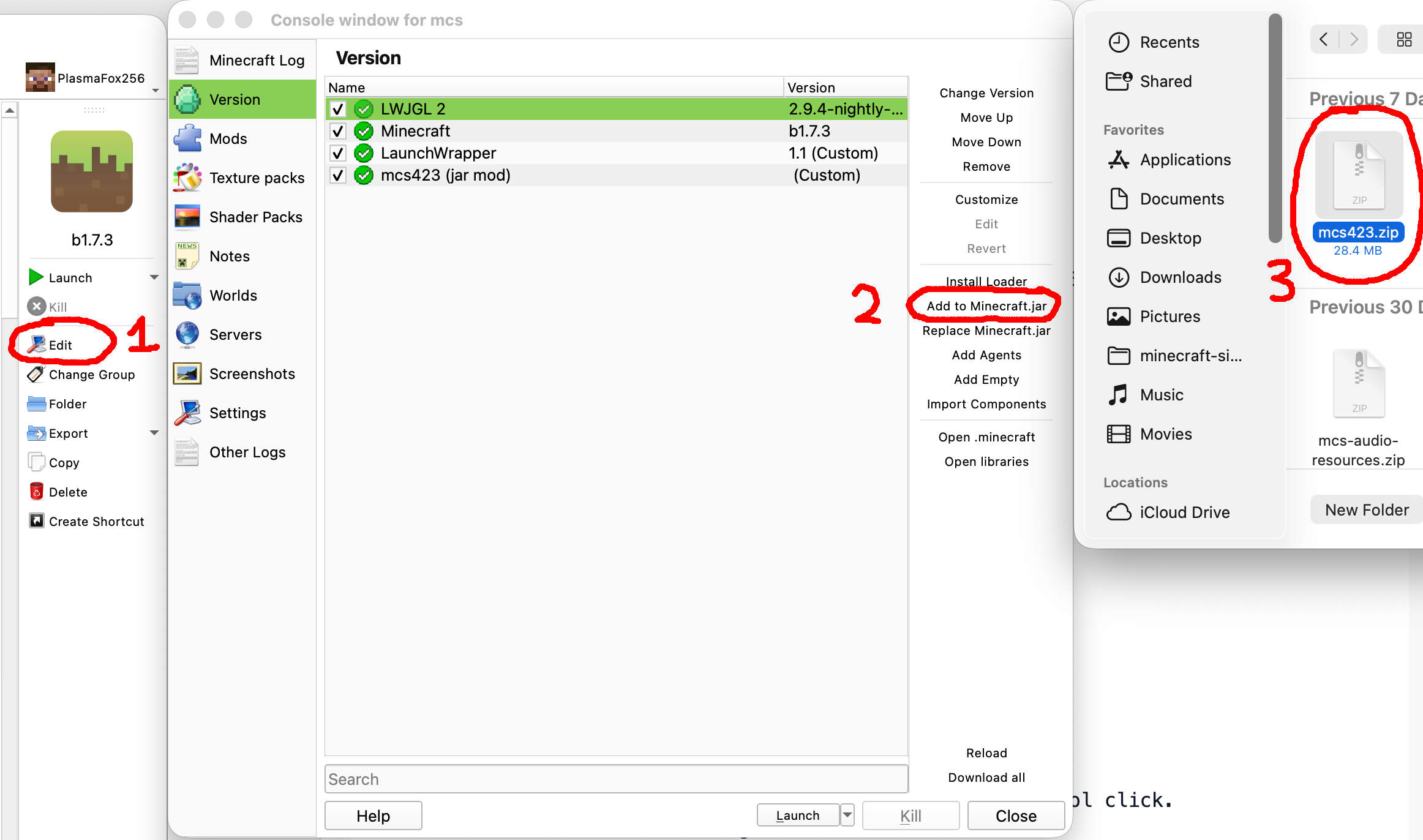
To update the mod, simply download the new mcs.zip, select your launcher instance that you created earlier, click Edit -> Version -> Add to Minecraft jar > choose new mcs.zip After you added the new mod zip, select the old one and click Remove.
DO NOT install other mods alongside MCS as they are not compatible!
Survival Tips
- Check achievements, they can give you hints!
- Press I to open recipe guide
- Craft first tools with flint.
- Dig clay and place it in the sun to dry.
- Build furnace from bricks.
- build walls to protect your base
- Tame animals with different foods.
- Store armor on stands.
- Control and right click to place down tools.
- Use inventory shortcuts like number keys, dragging, control click.
- Build roads for faster walking
- Construct beacons for powerful effects.
- Mine Nether ores to discover potion brewing and sorcery
- your items linger for 20 minutes in loaded chunks so you have time to prepare for the trip back; late game you can use Deathpoint spell to find direction of your corpse.

You should allocate 1000 MB of RAM, old minecraft does not need much.
WARNING
Not compatible with other mods!
SERVER SETUP
You will need: internet, zip tool like 7zip, Java 8 for your system home environment.
- Download vanilla beta jar from https://files.betacraft.uk/server-archive/beta/b1.7.3.jar
- Download MCS server from versions tab.
- Unzip the jars into 2 separate folders.
- Copy paste all mcs extracted files to beta 1.7.3 server folder, replace all.
- Zip the resulting files into a new file.
- Rename the new file into server.jar (enable file extensions important)
- Create new empty folder and put the server.jar inside.
In a command prompt/terminal cd into the server folder and Run with java -jar server.jar OR just double click on the jar to run it
Now players can connect on the same Wifi. If you want public access, you can port forward through your Wifi router.
Feedback survey
If you want to leave some feedback, fill the form below. Feedback Survey Link
Credits
Mojang - the game itself and assets;
RetroMCP - the tool I used to decompile, reobfuscate and build this mod;
Birevan - Light Color modification;
FloweChild - Piston packing code, game design ideas such as material walk speed, gloom, textures for barrel and creeper oysters;
Bestsoft100 - help with dynamic block mining delay;
alexchompski - lots of custom textures;
Krzysztof Pikes - new music from Askew
This project modifies obfuscated class files from Minecraft Beta 1.7.3, which is © Mojang AB and not open source. The author claims no ownership over the original Minecraft code. This mod is provided for educational and archival purposes only. No part of this project may be used commercially. Redistribution of Minecraft code remains subject to Mojang’s end-user license agreement (EULA).
Галерея


