Lumina Shader - Event Horizon
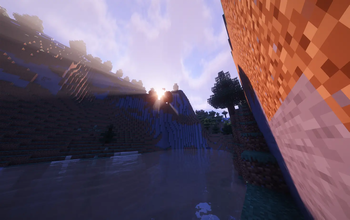
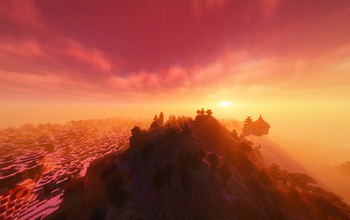
Cinematic shaders for Minecraft Java featuring a black hole and white hole in the End, atmospheric lighting, volumetric clouds, water reflections and cinematic autofocus.
Описание
🌌 Lumina Shader — Event Horizon
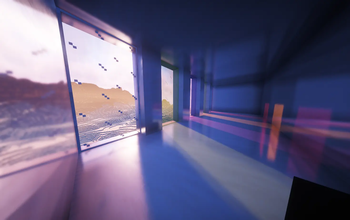
Transform Minecraft Java with cinematic lighting, atmospheric landscapes and a cosmic overhaul of the End. Explore detailed skies, reflective water and glowing celestial objects, with adjustable quality profiles for gameplay and screenshots.
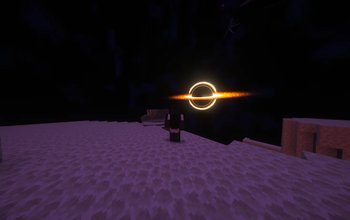
🕳️ A Cosmic End
- A Black Hole with an animated accretion disk, gravitational lensing and radial light rays.
- An optional White Hole with independently configurable energy rays.
- Dedicated controls for disk size, intensity, lensing and rotation.
✨ Lighting and Atmosphere
- Volumetric clouds, light shafts and atmospheric fog.
- Dynamic shadows, colored lighting and bloom.
- Animated vegetation and configurable water reflections.
- Nether atmosphere improvements, with a dedicated compatibility path on macOS.
- PBR resource-pack support and dedicated Distant Horizons rendering paths.
🎯 Cinematic Autofocus
Keep your subject and foreground sharp while softly blurring the background.
Enable it under Cinematics → Focus & Depth of Field → Blur Mode → Cinematic Autofocus. Leave Depth of Field Focus on Automatic, then adjust blur strength and quality.
Distance Blur and traditional Depth of Field are also available.
⚙️ Quality and Compatibility
- Minecraft: Java Edition, targeting versions 1.8–26.3.
- Iris for supported modern versions or OptiFine for compatible versions.
- Quality profiles from Potato to Ultra.
- Support for Distant Horizons.
Use a shader-loader build matching your Minecraft version. Individual effects depend on your loader and hardware.
Performance varies with GPU, resolution, render distance, resource packs and settings. Start with Medium, then adjust cloud quality, shadows and reflections to suit your system.
📥 Installation
- Install Iris or a compatible OptiFine version.
- Launch Minecraft with your shader loader.
- Open Options → Video Settings → Shader Packs.
- Open the shader-pack folder and place the downloaded Lumina
.zipinside without extracting it. - Select Lumina and choose your preferred quality profile.
📜 Credits and License
Developer: Benjiaa.
Lumina Event Horizon is a modified shader pack based on Complementary Reimagined by EminGT.
- Original project and official website
- Distributed under the Complementary License Agreement 1.6, included in the download.
- Read the license
🐛 Feedback and Support
When reporting a problem, include your Minecraft version, shader loader, GPU, active profile and screenshots or logs.
Report bugs or share feedback on GitHub Issues
🚀 Other Projects
- 🌤️ Lumina Shader – Lite — Lightweight shaders for low-end PCs, laptops, and integrated graphics.
- 🔋 BatteryCraft — Automatic battery-saving profiles for Minecraft on MacBooks.
Галерея