COWMODSКаталог модов

LuigiScreen

Minecraft media screens with live streams, videos and secure in game browser broadcast control.

Автор: unknown_564003обновлён 24 окт. 2026 г.
ПроклятыеТехнологииУтилиты

Описание

LuigiScreen

Paper plugin that plays videos, YouTube, live streams, images and GIFs on walls of maps. Everything runs on the server, players use a normal client.

It's still in alpha, so make a backup before you update and try new builds on a test server first.

New in 1.3

  • Screens can run at up to 60 FPS, and you can change the FPS of an existing screen
  • Optional HD colours: a small resource pack with a shader that lets maps show many more colours. Players who decline it see the normal map colours. Only 1.21.11 for now.
  • Better default dithering, so colours look closer to the source and still parts of the picture stop flickering
  • Default size limit raised to 32×18 blocks (576 maps)
  • When you build a screen in Web Studio you can pick a ratio (16:9, 4:3, 21:9, 1:1, 9:16) and see the size as a block grid
  • /screen rp enable|disable [player] turns the HD pack off or on for one player
  • Fast, flashing videos play more smoothly

What it can play

  • Video, image and GIF files from plugins/LuigiScreen/media/
  • YouTube, Twitch and other sites through yt-dlp (you can install it from Web Studio)
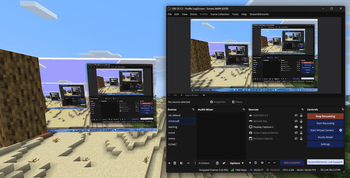
  • RTMP streams from OBS, with a guided MediaMTX setup
  • MJPEG cameras
  • Images and GIFs from a URL

Sound works through Simple Voice Chat if you have it installed.

Controlling screens

You can do everything from commands, from the in-game menu (/screen menu) or from Web Studio in the browser, which also works on a phone. /screen web gives you a one-time login link.

Besides playing something right away you can queue items, pause and skip, and set up playlists, events, automations, screen groups and voting.

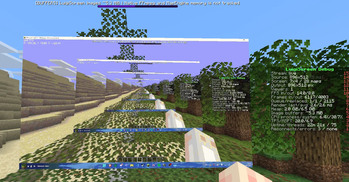
Only the parts of the picture that changed get sent to players. Screens with the same source share one decoder, decoding stops when nobody is near, and adaptive FPS keeps big screens from overloading the server. /screen debug shows what's going on.

Getting started

Put the jar in plugins/ and start the server. Look at the top-left block of a wall and run:

/screen create main 16 9
/screen play main intro.mp4
/screen play main https://www.youtube.com/watch?v=aqz-KE-bpKQ

The HD colours pack is offered to players when they join. Web Studio serves it, so players need to be able to reach the Web Studio port (or set web-studio.public-url). You can turn it off with hd-colors.enabled: false in the config.

Requirements

  • Paper 1.21.11 with Java 21, or Paper 26.x with Java 25
  • Windows or Linux server (x86_64)
  • Simple Voice Chat if you want sound
  • MediaMTX and OBS only if you want to stream from OBS

Commands

The screen name can be left out when you only have one screen.

CommandDescription
/screen play <screen> <file|link> [time]Play now, then go back to the program
/screen queue <screen> <file|link> [time]Play after the current item
/screen pause|skip|return <screen>Pause, next item, back to the program
/screen source <screen> [file|link]Show or change the default source
/screen playlist <screen> [name|off]Start or stop a playlist
/screen event <screen> [name|stop]Start or stop an event
/screen on|off <screen|all>Turn screens on or off
/screen list, /screen info <screen>List screens, show details
/screen create <name> [width] [height]Create a screen on the wall you're looking at
/screen clone <screen> <new-name>Copy a screen to the wall you're looking at
/screen remove <screen>Delete a screen
/screen set <screen> fps|distance|private <value>Change screen settings (FPS 0.1 to 60)
/screen rp enable|disable [player]Turn the HD colours pack on or off
/screen web [revoke]Web Studio login link, or log out your sessions
/screen menuIn-game menu
/screen reload, /screen debugReload the config, toggle the debug overlay
/screen obs <situation>Generate a MediaMTX config for OBS
/screen vote <screen> <option>Vote, or vote start|end <screen>

Operators have luigiscreen.admin, which covers everything. There's also a node for each command (luigiscreen.play, luigiscreen.create, luigiscreen.web and so on). luigiscreen.rp lets someone switch the pack for other players; everyone can switch it for themselves. Private screens need luigiscreen.see.<screen>.

Known limitations

  • HD colours only work on 1.21.11 so far
  • No ARM or macOS servers
  • No Folia
  • A big screen at 60 FPS uses a lot of bandwidth, so check /screen debug with real players before you raise the limits

Links

Галерея

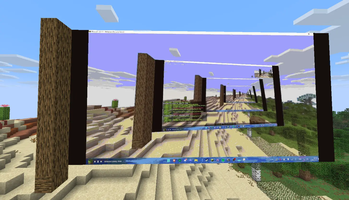
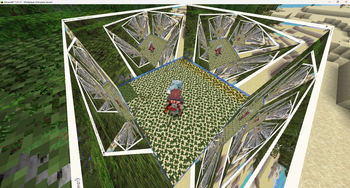
Bigger screensOBS to MinecraftMultiple screensDebug statistics

Последние версии

Все версии →
alpha

LuigiScreen 1.3.0-alpha.1

1.3.0-alpha.1
24 окт. 2026 г.72Minecraft: 1.21.11, 26.1.1, 26.1.2, 26.2, 26.3paper, purpur
Скачать
Что нового
## 1.3.0-alpha.1 - Up to 60 FPS: rendering and sending run in parallel; FPS can be changed on an existing screen - HD colours: optional tiny resource pack (core shader, no mod) shows far more colours than normal maps (Minecraft 1.21.11 only for now) - New /screen rp enable|disable [player] to turn the HD pack on or off per player (remembered); permission luigiscreen.rp for other players - Floyd–Steinberg dithering is the new default: sharper colours, still areas no longer flicker - Default size limit raised to 32 × 18 blocks (576 maps) - Web Studio: pick a ratio (16:9, 4:3, 21:9, 1:1, 9:16) when building a screen, with a block-grid preview - Smoother playback of fast, flashing videos (much less memory churn) - Fixed: changing FPS in screen settings had no effect; screens ran at only 6–7 FPS
alpha

LuigiScreen 1.2.0-alpha.5

1.2.0-alpha.5
15 июл. 2026 г.145Minecraft: 1.21.11paper
Скачать
Что нового
## LuigiScreen 1.2.0-alpha.5 ### Web Studio - Reworked Playlist Editor into a beginner-first builder - New Web Studio playlists start empty instead of creating a confusing starter item - Added visible Add item, Delete item, Duplicate, Delete playlist and Assign and play controls - Added direct Save item controls for existing playlist item media, duration, weight and enabled state - Added Media Library Add to playlist buttons that use the selected target playlist - Reworked Events into a beginner-first timeline builder - Added direct event step add/delete actions from Web Studio - Added direct Save step controls for existing event step type, value, text, duration and enabled state - Added visible Delete event, Duplicate, Start event and Stop event controls - Kept empty events visible in the builder while preventing empty events from starting - Reworked Automations into a beginner-first rule builder - Added readable WHEN / IF / THEN automation cards - Added direct automation Save rule, Run now, Duplicate and Delete rule controls - Added direct event, playlist, start, stop and return automation actions from Web Studio - Added local browser-side automation drafts so live refreshes no longer reset unsaved rule edits - Prevented the automation time picker from being interrupted by live Web Studio refreshes while editing - Replaced plain Web Studio select boxes with bundled searchable Choices.js picker controls - Fixed searchable picker dropdowns closing while moving over their options - Prevented picker clicks from being mistaken for playlist, event or automation card clicks - Bundled Choices.js locally, including its MIT license notice, so Web Studio does not need a CDN - Routed the old Schedule page to the new Automation builder to avoid two competing editors - Added manual Play now controls from the screen Automation tab - Added playlist readiness, item count and assigned-screen count to the browser snapshot - Kept advanced playlist item edits in the inspector/draft flow - Fixed screen-detail tabs so Overview, Automation, Location, Performance and History switch correctly - Changed the default bundled config language to English (`language: en`) - Added bundled web-resource regression checks for the new controls ### Platform support - Paper 1.21.11 - Java 21 - Windows x86_64 - Linux x86_64 - MapEngine 1.8.12 is required ### Known limitations - No stream audio in Minecraft - No ARM, macOS or Folia support - MediaMTX and a publisher are only required for RTMP - Complex branch graphs still use configuration rather than a node canvas - Web Studio does not provide HTTPS; remote access requires a secure reverse proxy or VPN - Web Studio is structured and does not permit unrestricted YAML or file deletion - Only versions visible through the public Modrinth API can be detected - Every screen still adds MapEngine render and packet cost even when decoding is shared Read the [installation guide](https://unknown-56-works.gitbook.io/luigiscreen/getting-started/installation) before installing.
alpha

LuigiScreen 1.2.0-alpha.4

1.2.0-alpha.4
24 июн. 2026 г.31Minecraft: 1.21.11paper
Скачать
Что нового
## LuigiScreen 1.2.0-alpha.3 ### Web Studio - Added a local browser-based broadcast control room opened with `/screen web` - Added dashboard, screen grid, Media Library, playlist/event editors and inspector - Added Preview/Program Live Studio, Take Live, queues and playback controls - Added schedules, screen groups, monitoring, diagnostics and emergency control - Removed permanent info icons and moved help to clean hover targets and accessible descriptions - Refined navigation, cards, panels, tables and the responsive workspace - Hid the inspector until an object is selected, giving content more room - Added one-time login links, HttpOnly sessions, CSRF/origin protection and revocation - Added capability-based browser roles copied from the issuing Minecraft player - Added per-session drafts, typed validation, snapshots and safe Publish - Added external config-change protection to prevent accidental overwrites - Added compact SSE live updates and revision-based full-state refreshes - Added rate-limited, downscaled previews only while a browser is connected - 64 automated tests ### Platform support - Paper 1.21.11 - Java 21 - Windows x86_64 - Linux x86_64 - MapEngine 1.8.12 is required ### Known limitations - No stream audio in Minecraft - No ARM, macOS or Folia support - MediaMTX and a publisher are only required for RTMP - Complex branch graphs still use configuration rather than a node canvas - Web Studio does not provide HTTPS; remote access requires a secure reverse proxy or VPN - Web Studio is structured and does not permit unrestricted YAML or file deletion - Only versions visible through the public Modrinth API can be detected - Every screen still adds MapEngine render and packet cost even when decoding is shared Read the [installation guide](https://unknown-56-works.gitbook.io/luigiscreen/getting-started/installation) before installing.
alpha

LuigiScreen 1.2.0-alpha.3

1.2.0-alpha.3
21 июн. 2026 г.13Minecraft: 1.21.11paper
Скачать
Что нового
## LuigiScreen 1.2.0-alpha.3 ### Web Studio - Added a local browser-based broadcast control room opened with `/screen web` - Added dashboard, screen grid, Media Library, playlist/event editors and inspector - Added Preview/Program Live Studio, Take Live, queues and playback controls - Added schedules, screen groups, monitoring, diagnostics and emergency control - Removed permanent info icons and moved help to clean hover targets and accessible descriptions - Refined navigation, cards, panels, tables and the responsive workspace - Hid the inspector until an object is selected, giving content more room - Added one-time login links, HttpOnly sessions, CSRF/origin protection and revocation - Added capability-based browser roles copied from the issuing Minecraft player - Added per-session drafts, typed validation, snapshots and safe Publish - Added external config-change protection to prevent accidental overwrites - Added compact SSE live updates and revision-based full-state refreshes - Added rate-limited, downscaled previews only while a browser is connected - 64 automated tests ### Platform support - Paper 1.21.11 - Java 21 - Windows x86_64 - Linux x86_64 - MapEngine 1.8.12 is required ### Known limitations - No stream audio in Minecraft - No ARM, macOS or Folia support - MediaMTX and a publisher are only required for RTMP - Complex branch graphs still use configuration rather than a node canvas - Web Studio does not provide HTTPS; remote access requires a secure reverse proxy or VPN - Web Studio is structured and does not permit unrestricted YAML or file deletion - Only versions visible through the public Modrinth API can be detected - Every screen still adds MapEngine render and packet cost even when decoding is shared Read the [installation guide](https://unknown-56-works.gitbook.io/luigiscreen/getting-started/installation) before installing.
alpha

LuigiScreen 1.2.0-alpha.2

1.2.0-alpha.2
20 июн. 2026 г.17Minecraft: 1.21.11paper
Скачать
Что нового
## LuigiScreen 1.2.0-alpha.2 ### Web Studio - Added a local browser-based broadcast control room opened with `/screen web` - Added dashboard, screen grid, Media Library, playlist/event editors and inspector - Added Preview/Program Live Studio, Take Live, queues and playback controls - Added schedules, screen groups, monitoring, diagnostics and emergency control - Added contextual `i` help to settings, fields, metrics and table columns - Added one-time login links, HttpOnly sessions, CSRF/origin protection and revocation - Added capability-based browser roles copied from the issuing Minecraft player - Added per-session drafts, typed validation, snapshots and safe Publish - Added external config-change protection to prevent accidental overwrites - Added compact SSE live updates and revision-based full-state refreshes - Added rate-limited, downscaled previews only while a browser is connected - 64 automated tests ### Platform support - Paper 1.21.11 - Java 21 - Windows x86_64 - Linux x86_64 - MapEngine 1.8.12 is required ### Known limitations - No stream audio in Minecraft - No ARM, macOS or Folia support - MediaMTX and a publisher are only required for RTMP - Complex branch graphs still use configuration rather than a node canvas - Web Studio does not provide HTTPS; remote access requires a secure reverse proxy or VPN - Web Studio is structured and does not permit unrestricted YAML or file deletion - Only versions visible through the public Modrinth API can be detected - Every screen still adds MapEngine render and packet cost even when decoding is shared Read the [installation guide](https://unknown-56-works.gitbook.io/luigiscreen/getting-started/installation) before installing.
alpha

LuigiScreen 1.2.0-alpha.1

1.2.0-alpha.1
20 июн. 2026 г.8Minecraft: 1.21.11paper
Скачать
Что нового
## LuigiScreen 1.2.0-alpha.1 ### Control Studio - Added the in-game Control Studio opened with `/screen menu` - Added dashboard, screen details, Live Control Room and per-screen health - Added playback hold, skip, repeat, return, content queues and explanations - Added a watched Media Library with validation and generated map thumbnails - Added playlist simulation, anti-repeat categories and `guaranteed-after` - Added condition diagnostics and expanded online/viewer/TPS/world/day conditions - Added event priorities and wait, manual, command, broadcast, sound, title and group steps - Added screen groups, recurring schedules, conflict detection and templates - Added Draft/Publish editing, config snapshots, audit history and undo - Added audience voting and aggregate usage statistics - Added section and action permissions for staff roles - 58 automated tests ### Platform support - Paper 1.21.11 - Java 21 - Windows x86_64 - Linux x86_64 - MapEngine 1.8.12 is required ### Known limitations - No stream audio in Minecraft - No ARM, macOS or Folia support - MediaMTX and a publisher are only required for RTMP - Complex branch graphs still use configuration rather than a node canvas - Schedule creation uses the in-game chat prompt after clicking Create Schedule - Only versions visible through the public Modrinth API can be detected - Every screen still adds MapEngine render and packet cost even when decoding is shared Read the [installation guide](https://unknown-56-works.gitbook.io/luigiscreen/getting-started/installation) before installing.
alpha

LuigiScreen 1.1.0-alpha.16

1.1.0-alpha.16
20 июн. 2026 г.10Minecraft: 1.21.11paper
Скачать
Что нового
## LuigiScreen 1.1.0-alpha.16 ### Runtime metadata fix - Restored the Maven metadata JavaCPP uses to identify the bundled FFmpeg version - Fixed `Version of org.bytedeco:ffmpeg could not be found` during startup - Prevented Paper's related `System.out/err.print` nag warning - Kept duplicate classifier metadata excluded while retaining the required base metadata - Added a GitHub Actions check that fails if FFmpeg or JavaCPP metadata is missing again - Verified JavaCPP reports bundled FFmpeg version `7.1.1-1.5.12` - 54 automated tests ### Platform support - Paper 1.21.11 - Java 21 - Windows x86_64 - Linux x86_64 - MapEngine 1.8.12 is required ### Known limitations - No stream audio in Minecraft - No ARM, macOS or Folia support - MediaMTX and a publisher are only required for RTMP - Events are manual commands in this alpha; automatic triggers are planned later - Playlist folders are refreshed during startup or `/screen reload` - Only versions visible through the public Modrinth API can be detected - Every screen still adds MapEngine render and packet cost even when decoding is shared Read the [installation guide](https://unknown-56-works.gitbook.io/luigiscreen/getting-started/installation) before installing.
alpha

LuigiScreen 1.1.0-alpha.15

1.1.0-alpha.15
20 июн. 2026 г.17Minecraft: 1.21.11paper
Скачать
Что нового
## LuigiScreen 1.1.0-alpha.15 ### Update notifications - Added a non-blocking Modrinth update checker - Added one-time console notifications when a newer public version is available - Added clickable player notifications controlled by `luigiscreen.update` - Added semantic ordering for alpha, beta and release versions - Added configurable project slug/ID, check interval, timeout and notification settings - Added quiet handling for an unpublished Modrinth project and optional failure logging - Restarted the checker safely during `/screen reload` - 54 automated tests ### Platform support - Paper 1.21.11 - Java 21 - Windows x86_64 - Linux x86_64 - MapEngine 1.8.12 is required ### Known limitations - No stream audio in Minecraft - No ARM, macOS or Folia support - MediaMTX and a publisher are only required for RTMP - Events are manual commands in this alpha; automatic triggers are planned later - Playlist folders are refreshed during startup or `/screen reload` - Only versions visible through the public Modrinth API can be detected - Every screen still adds MapEngine render and packet cost even when decoding is shared Read the [installation guide](https://unknown-56-works.gitbook.io/luigiscreen/getting-started/installation) before installing.
alpha

LuigiScreen 1.1.0-alpha.14

1.1.0-alpha.14
20 июн. 2026 г.4Minecraft: 1.21.11paper
Скачать
Что нового
## LuigiScreen 1.1.0-alpha.14 ### Performance and reliability - Reused the MapEngine render surface instead of rebuilding a raster and color model for every frame - Reused delta frame buffers in place, substantially reducing per-screen garbage collection pressure - Captured player positions once per viewer refresh and shared the snapshot across all screens - Cached playlist folder contents during startup and `/screen reload` instead of scanning the disk during playback - Reduced static image worker wakeups and cached immutable worker settings outside background threads - Loop local videos and GIFs by seeking before falling back to a decoder reconnect - Save `config.yml` once for `/screen start all` and `/screen stop all` - Fixed newly created and cloned screens not being saved immediately - Added configurable FFmpeg I/O and safe worker shutdown timeouts - Enforced the image byte limit for local files and pre-sized remote image downloads - Protected the shared render scheduler from one screen terminating the entire render loop - Removed unused duplicate build metadata while retaining Windows and Linux native libraries and licenses - 48 automated tests ### Platform support - Paper 1.21.11 - Java 21 - Windows x86_64 - Linux x86_64 - MapEngine 1.8.12 is required ### Known limitations - No stream audio in Minecraft - No ARM, macOS or Folia support - MediaMTX and a publisher are only required for RTMP - Events are manual commands in this alpha; automatic triggers are planned later - Playlist folders are refreshed during startup or `/screen reload` - Every screen still adds MapEngine render and packet cost even when decoding is shared Read the [installation guide](https://unknown-56-works.gitbook.io/luigiscreen/getting-started/installation) before installing.
alpha

LuigiScreen 1.1.0-alpha.13

1.1.0-alpha.13
16 июн. 2026 г.17Minecraft: 1.21.11paper
Скачать
Что нового
## LuigiScreen 1.1.0-alpha.13 ### Highlights - Added per-screen playlists with weighted random media rotation - Added `/screen playlist list`, `/screen playlist set <screen> <playlist>` and `/screen playlist clear <screen>` - Added manual event scenes with ordered sequences - Added `/screen event list`, `/screen event play <screen> <event>` and `/screen event stop <screen>` - Added random folder items for local videos, images and GIFs - Added `duration` and `cooldown` parsing with `ms`, `s`, `m` and `h` units - Added basic playback conditions: `min-online`, `min-viewers`, `viewer-permission` and `tps-above` - Kept configured screen sources as fallback sources while playlist/event runtime switches stay non-persistent - Added `luigiscreen.playlist` and `luigiscreen.event` - 46 automated tests ### Platform support - Paper 1.21.11 - Java 21 - Windows x86_64 - Linux x86_64 - MapEngine 1.8.12 is required ### Known limitations - No stream audio in Minecraft - No ARM, macOS or Folia support - MediaMTX and a publisher are only required for RTMP - Events are manual commands in this alpha; automatic triggers are planned later - Every screen still adds MapEngine render and packet cost even when decoding is shared Read the [installation guide](https://unknown-56-works.gitbook.io/luigiscreen/getting-started/installation) before installing.