COWMODSКаталог модов

LastWords

Adds funny, editable death messages with 597 defaults, cause-specific message pools, and an in-game GUI editor.

Автор: MythicGhoul3063обновлён 11 окт. 2026 г.
ОбщениеУтилиты

Описание

LastWords

Funny custom death messages with an in-game editor.

Because “died” was never funny enough.


Make every death worth reading

LastWords replaces boring vanilla Minecraft death messages with funny, chaotic, dramatic, and fully editable death lines.

Whether someone hugs a cactus, swims in spicy water, gets folded by a skeleton, or gets deleted by a Creeper, LastWords gives every death personality.


Features

  • Fully editable custom death messages
  • 597 default funny messages included
  • Cause-specific message pools
  • Random message selection
  • Clean in-game GUI editor
  • Add, edit, remove, list, and test messages in-game
  • Confirmation menu before deleting messages
  • Private death recap for the dead player
  • Optional death titles
  • Optional death sounds
  • Anti-spam protection for rapid deaths
  • Built-in placeholders
  • No PlaceholderAPI required
  • Lightweight and simple to configure

Cause-Based Death Messages

LastWords does not use one generic message for everything.

Messages are split by death cause, so each type of death can have its own random message pool.

Supported examples include:

  • Cactus deaths
  • Berry bush deaths
  • Fall deaths
  • Void deaths
  • Lava deaths
  • Fire deaths
  • Drowning deaths
  • Suffocation deaths
  • Lightning deaths
  • Explosion deaths
  • Mob deaths
  • Boss deaths
  • PvP deaths
  • Projectile deaths
  • Magic and effect deaths
  • Fallback and unknown deaths

Discord Webhook Support

LastWords can send death messages directly to Discord using configurable webhooks.

Death messages are posted as clean Discord embeds, complete with the player’s Minecraft head, death cause, world, coordinates, killer, weapon, and a colour that changes depending on how the player died.

Server owners can fully customise the webhook URL, embed title, description, footer, player head display, shown fields, and per-cause colours from the config.

Perfect for community servers that want deaths logged in Discord in a clean and polished way.


Example Default Messages

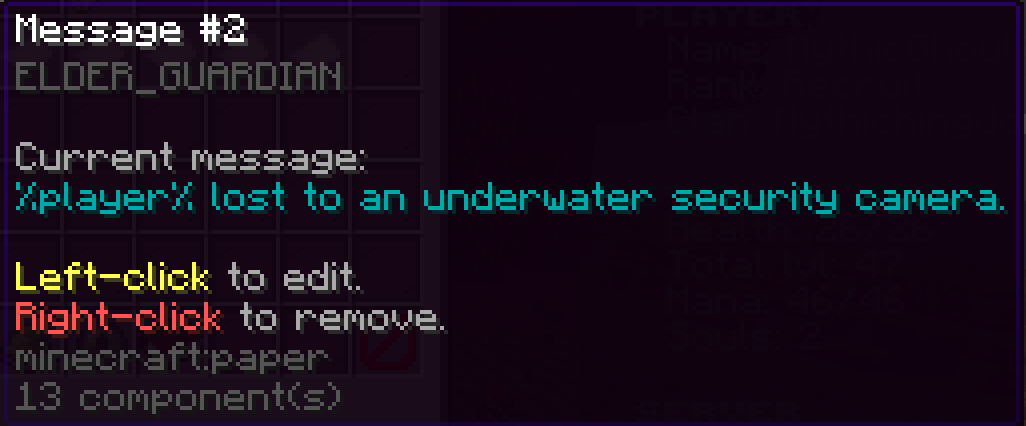
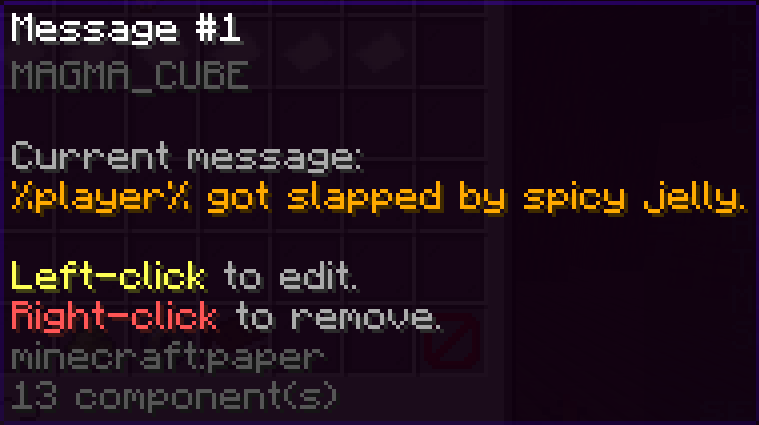
%player% hugged a cactus. The cactus hugged back with violence.
%player% tried swimming in spicy orange soup.
%player% challenged gravity to a duel and gravity brought receipts.
%player% heard 'ssss' and selected denial.
%player% got folded by calcium.
%player% got bass-boosted into the afterlife.
%killer% folded %player% like a lawn chair using %weapon%.
%player% died so strangely even the plugin looked away.

Галерея
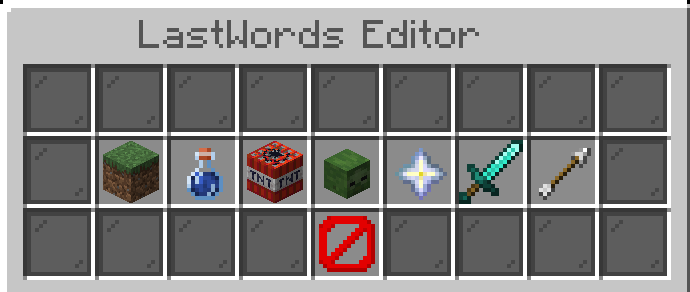
Editor GUI

Последние версии

Все версии →
release

LastWords 1.2.5

1.2.5
11 окт. 2026 г.67Minecraft: 1.20, 1.20.1, 1.20.2, 1.20.3, 1.20.5, 1.20.6, 1.21, 1.21.1, 1.21.2, 1.21.3, 1.21.4, 1.21.5, 1.21.6, 1.21.7, 1.21.8, 1.21.9, 1.21.10, 1.21.11, 26.1, 26.1.1, 26.1.2, 26.2, 26.3bukkit, paper, spigot
Скачать
Что нового
☠️ LastWords v1.2.5 — Discord Webhook Improvements This update improves Discord death notifications with better killer identification, weapon detection, and more descriptive death causes. ✨ Improvements Improved Discord Embeds — Death notifications now provide more detailed information about how players died. Player & Mob Detection — The Killed By field now identifies both players and mobs responsible for deaths. Mob Weapon Detection — Displays weapons held by mobs, including swords and bows. Custom Mob Names — Named mobs now appear with their custom names and mob types. Improved Death Causes — More descriptive causes such as Zombie Attack, Skeleton Attack, and Creeper Explosion. Cleaner Embeds — Unnecessary fields are automatically hidden when no killer or weapon is available. 🔧 Fixes Fixed mob-related deaths not correctly identifying the killer in Discord notifications. Improved detection of ranged attackers. Improved identification of mob variants, including Husks, Cave Spiders, and Magma Cubes. Removed unnecessary None values from environmental death notifications. ✅ Compatibility Updated and compiled against Spigot 26.3. Existing custom death messages, commands, statistics, and configuration options remain unchanged. LastWords v1.2.5 — Every death deserves a story. ☠️
release

LastWords 1.2.4

1.2.4
30 авг. 2026 г.50Minecraft: 1.21, 1.21.1, 1.21.2, 1.21.3, 1.21.4, 1.21.5, 1.21.6, 1.21.7, 1.21.8, 1.21.9, 1.21.10, 1.21.11, 26.1, 26.1.1, 26.1.2bukkit, paper, spigot
Скачать
Что нового
## Admin Death Message Toggle Fix This update improves the admin death-message toggle system with better feedback and configuration support. ### Changes - Added configurable admin messages when enabling or disabling death messages for a player. - Added separate messages for the **enabled** and **disabled** states. - Added `%player%` placeholder support. - Fixed the missing confirmation when toggling a player's death messages back on. ### New Config Options ```yml Admin-Enabled-Message: "&aDeath messages are now visible for &f%player%&a." Admin-Disabled-Message: "&cDeath messages are now hidden for &f%player%&c."
release

LastWords 1.2.4

1.2.4
30 авг. 2026 г.17Minecraft: 1.21, 1.21.1, 1.21.2, 1.21.3, 1.21.4, 1.21.5, 1.21.6, 1.21.7, 1.21.8, 1.21.9, 1.21.10, 1.21.11, 26.1, 26.1.1, 26.1.2bukkit, paper, spigot
Скачать
Что нового
LastWords Update Added admin control over individual player death-message visibility. New commands: /lw toggle on <player> /lw toggle off <player> Admin controls use the existing lastwords.admin permission. Added online player tab completion for admin toggles. Players can still use /lw toggle, /lw toggle on, and /lw toggle off for their own settings. Fixed the incorrect feedback message shown when enabling death messages.
release

LastWords 1.2.4

1.2.4
22 июн. 2026 г.68Minecraft: 1.21, 1.21.1, 1.21.2, 1.21.3, 1.21.4, 1.21.5, 1.21.6, 1.21.7, 1.21.8, 1.21.9, 1.21.10, 1.21.11, 26.1, 26.1.1, 26.1.2bukkit, paper, spigot
Скачать
Что нового
LastWords 1.2.4 - Discord Embed Cleanup This update focuses on improving Discord webhook customization, giving server owners more control over what appears in death message embeds. Added Added a new Show-Cause option for Discord embeds. Added configurable Discord timestamp support. Added timestamp placeholders that can be used in the embed title, description, or footer: %time% %timestamp% %timestamp_iso% %unix_time% %discord_timestamp% Improved Discord embeds can now be made much cleaner by hiding optional fields. Server owners can now display only the funny death message if they prefer a minimal embed style. Updated the config updater so new Discord options are placed neatly inside the correct Discord.Embed section instead of being dumped at the bottom of the config. Fixed Fixed Discord cause field still being difficult to remove from embeds. Fixed messy config layout caused by the updater adding new options after existing sections. Config Additions Discord: Embed: Show-Cause: false Timestamp: Enabled: false Format: "dd/MM/yyyy HH:mm:ss" Notes A full server restart is recommended after updating so the config updater can properly apply the new layout.
release

LastWords 1.2.3

1.2.3
20 июн. 2026 г.28Minecraft: 1.21, 1.21.1, 1.21.2, 1.21.3, 1.21.4, 1.21.5, 1.21.6, 1.21.7, 1.21.8, 1.21.9, 1.21.10, 1.21.11, 26.1, 26.1.1, 26.1.2bukkit, paper, spigot
Скачать
Что нового
# LastWords Update — Discord Footer Icon Support This update adds a new customization option for the LastWords Discord webhook integration. Server owners can now add a small footer icon/logo to Discord death message embeds, giving webhook messages a cleaner branded look. --- ## New ### Discord Embed Footer Icon Added support for a configurable Discord footer icon URL. You can now display a small image beside the footer text at the bottom of Discord death embeds. ```yml Discord: Embed: Footer: Enabled: true Text: "LastWords • %server%" Icon-Url: "https://your-site.com/logo.png" ``` The `Icon-Url` must be a direct public image link, such as: ```yml https://example.com/logo.png ``` Supported image types usually include `.png`, `.jpg`, `.jpeg`, and `.webp`. --- ## Improved * Discord footer configuration is now more flexible. * Footer text and footer icon can be controlled separately. * Existing placeholder support still works inside the footer text. * Old configs using the previous plain footer format will still continue to work. --- ## Config Note If you are updating from an older version, you can either keep your old footer format: ```yml Footer: "LastWords" ``` Or switch to the new format: ```yml Footer: Enabled: true Text: "LastWords • %server%" Icon-Url: "" ``` --- ## Summary This is a small quality-of-life update focused on making Discord death embeds look more professional and customizable.
release

LastWords 1.2.2

1.2.2
19 июн. 2026 г.31Minecraft: 1.21, 1.21.1, 1.21.2, 1.21.3, 1.21.4, 1.21.5, 1.21.6, 1.21.7, 1.21.8, 1.21.9, 1.21.10, 1.21.11, 26.1, 26.1.1, 26.1.2bukkit, paper, spigot
Скачать
Что нового
# LastWords Update — Discord Webhook Support This update adds full Discord webhook support to LastWords, allowing death messages to be sent directly into your Discord server with clean embedded formatting. ## New Features ### Discord Webhook Integration LastWords can now send death messages to Discord using a configurable webhook URL. Server owners can enable or disable Discord support from the config and choose which channel receives death message embeds. ### Cause-Coloured Embeds Discord embeds now change colour depending on the death cause. Examples include: * Lava deaths using fiery orange/red colours * Void deaths using dark purple colours * Drowning deaths using blue colours * PvP deaths using red colours * Fall deaths using lighter blue colours * Wither, magic, freeze, poison, explosion, and many more supported causes All colours are configurable in `config.yml`. ### Player Head Thumbnail Death embeds can now display the dead player’s Minecraft head as the embed thumbnail. This makes Discord death logs much easier to read at a glance and gives each message a more polished look. ### Configurable Embed Details The Discord embed system supports configurable: * Embed title * Embed description * Footer text * Default embed colour * Player head thumbnail URL * World display * Coordinate display * Killer display * Weapon display * Per-cause colours ### Async Webhook Sending Webhook messages are sent asynchronously, meaning Discord requests will not freeze or slow down the Minecraft server. ## Config Additions A new `Discord:` section has been added to `config.yml`. This includes options for enabling the feature, setting the webhook URL, changing the webhook username, enabling player heads, and customising embed colours. ## Notes You must create a Discord webhook inside your Discord channel settings and paste the webhook URL into the LastWords config. Keep your webhook URL private. Anyone with access to it can send messages to that Discord channel. ## Summary This update makes LastWords feel much more connected to your community by bringing server death messages directly into Discord with clean embeds, cause-based colours, player heads, and configurable details.
release

LastWords 1.0

1.0
25 мая 2026 г.45Minecraft: 1.20, 1.20.1, 1.20.2, 1.20.3, 1.20.4, 1.20.5, 1.20.6, 1.21, 1.21.1, 1.21.2, 1.21.3, 1.21.4, 1.21.5, 1.21.6, 1.21.7, 1.21.8, 1.21.9, 1.21.10, 26.1, 26.1.1, 26.1.2bukkit, paper, purpur, spigot
Скачать
Что нового
## LastWords 1.0.0 Initial release. ### Added - Custom death message replacement - 597 default funny death messages - Cause-specific message pools - Random message selection - In-game GUI editor - Add, edit, remove, list, and test messages in-game - Confirmation menu before deleting messages - Private death recap - Optional death titles - Optional death sounds - Anti-spam protection - Built-in placeholders - No PlaceholderAPI required ### Files - `config.yml` - `messages.yml`