

Kaleidoscope Doll
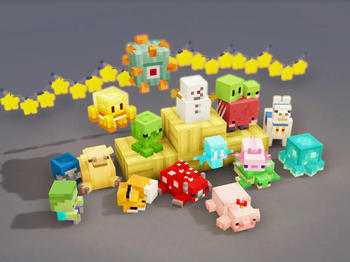
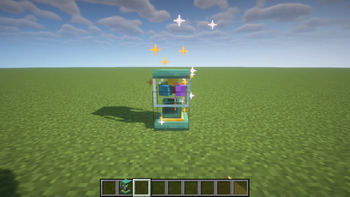
Use the lottery machine to draw various dolls!
Автор: YSBB2,5 млн142обновлён 30 сент. 2026 г.
Декор
Описание
Introduction
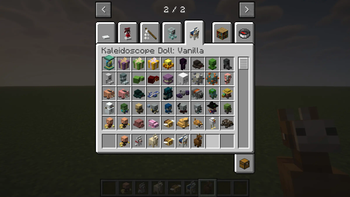
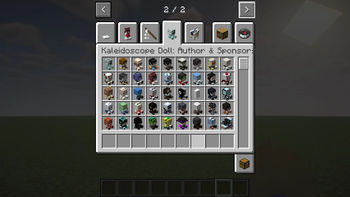
Added a lottery machine to the game, use diamond tokens to draw three different levels of gift boxes, open the gift boxes to draw up to 200+ different dolls!
Pinch the dolls and they will squeak like a bathing duck!
Make Your Custom Doll Locally!guide:https://github.com/KaleidoscopeMods/KaleidoscopeDoll/wiki
为游戏添加了一个抽奖机,使用钻石代币来抽取三种不同等级的盲盒,拆开盲盒来抽取多达200+种不同的玩偶!
对玩偶捏捏,它们会像浴池小黄鸭一样吱吱叫!
在本地制作您的自定义玩偶!使用教程见:https://github.com/KaleidoscopeMods/KaleidoscopeDoll/wiki
Gallery
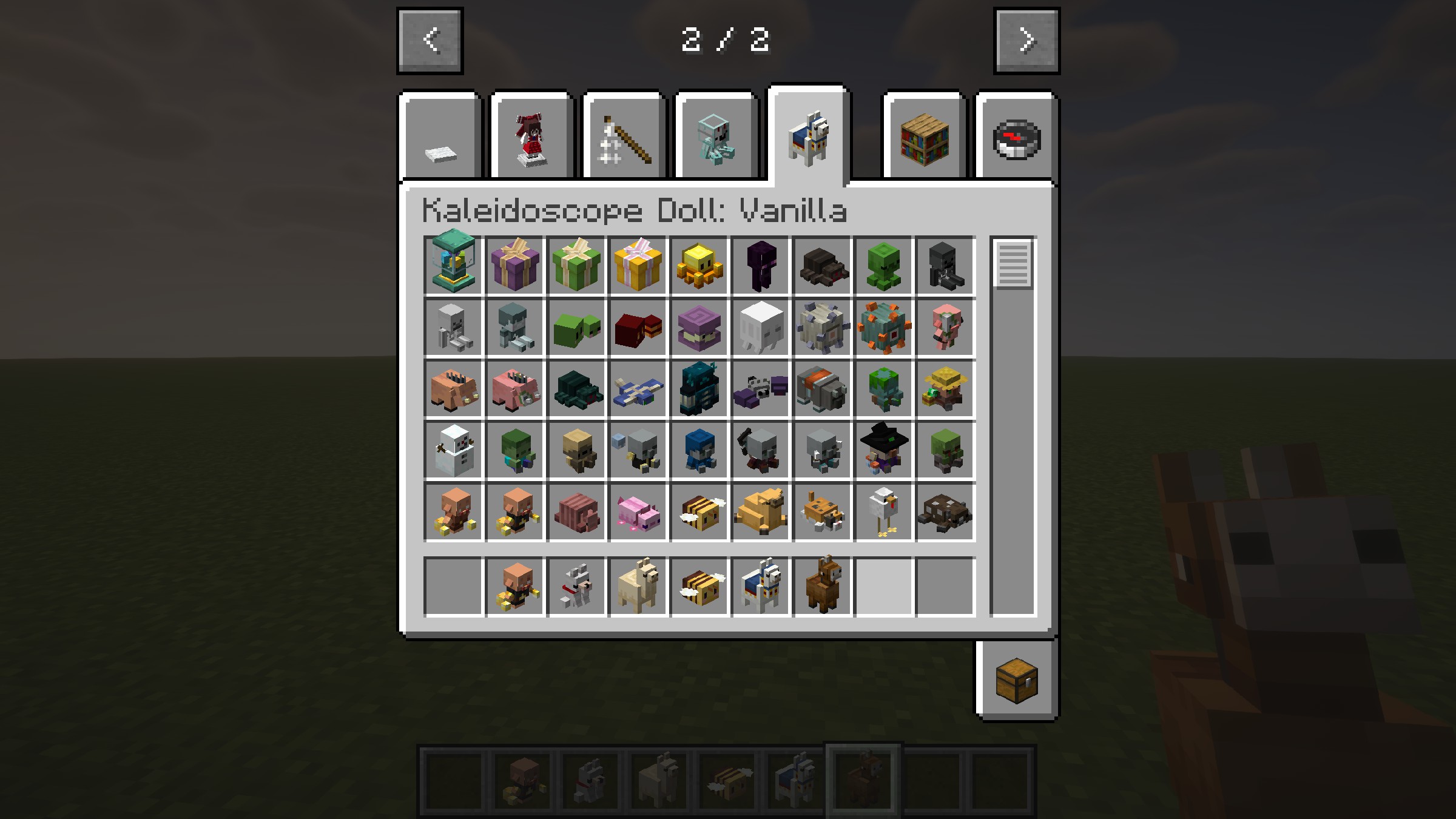
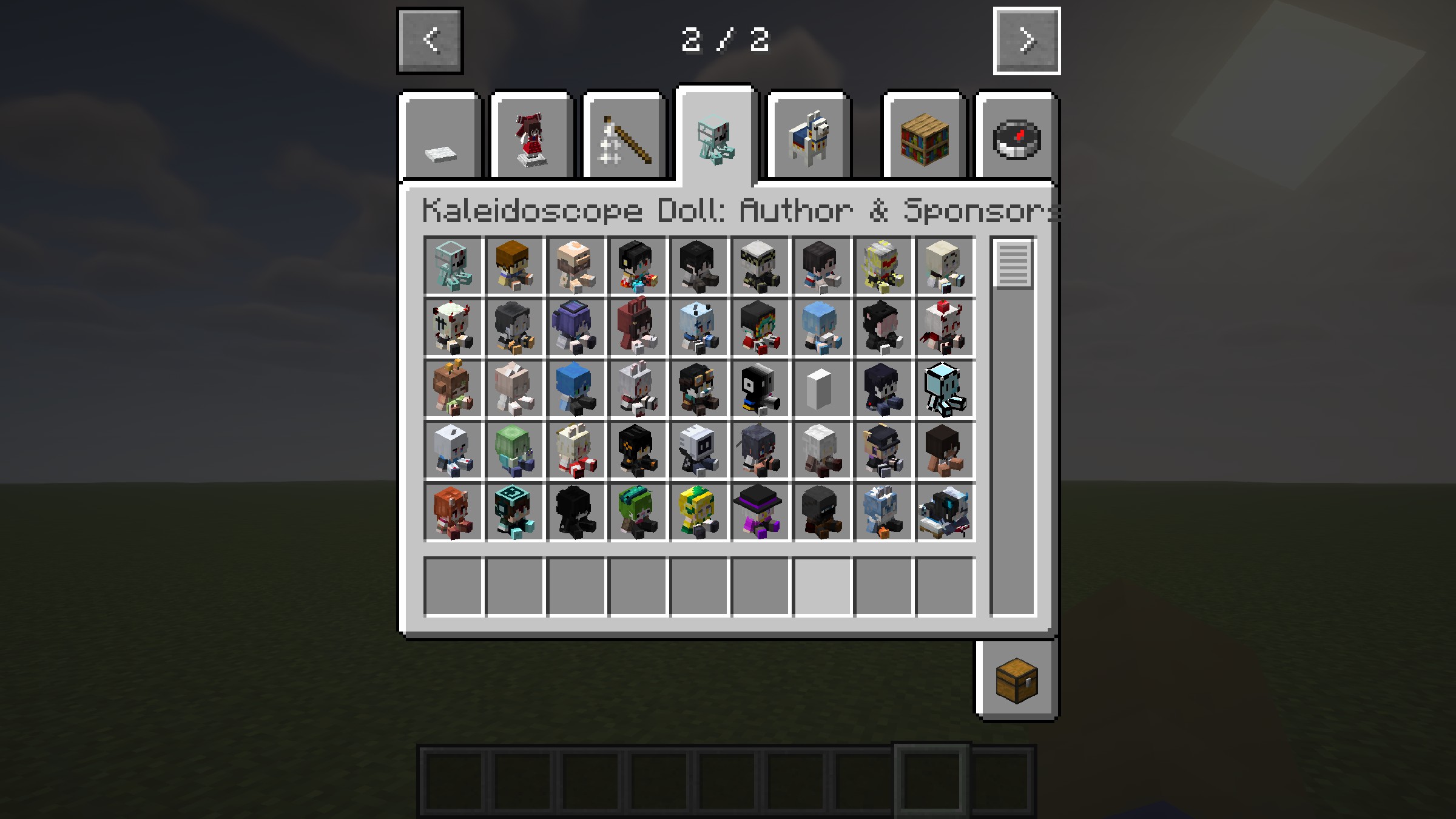
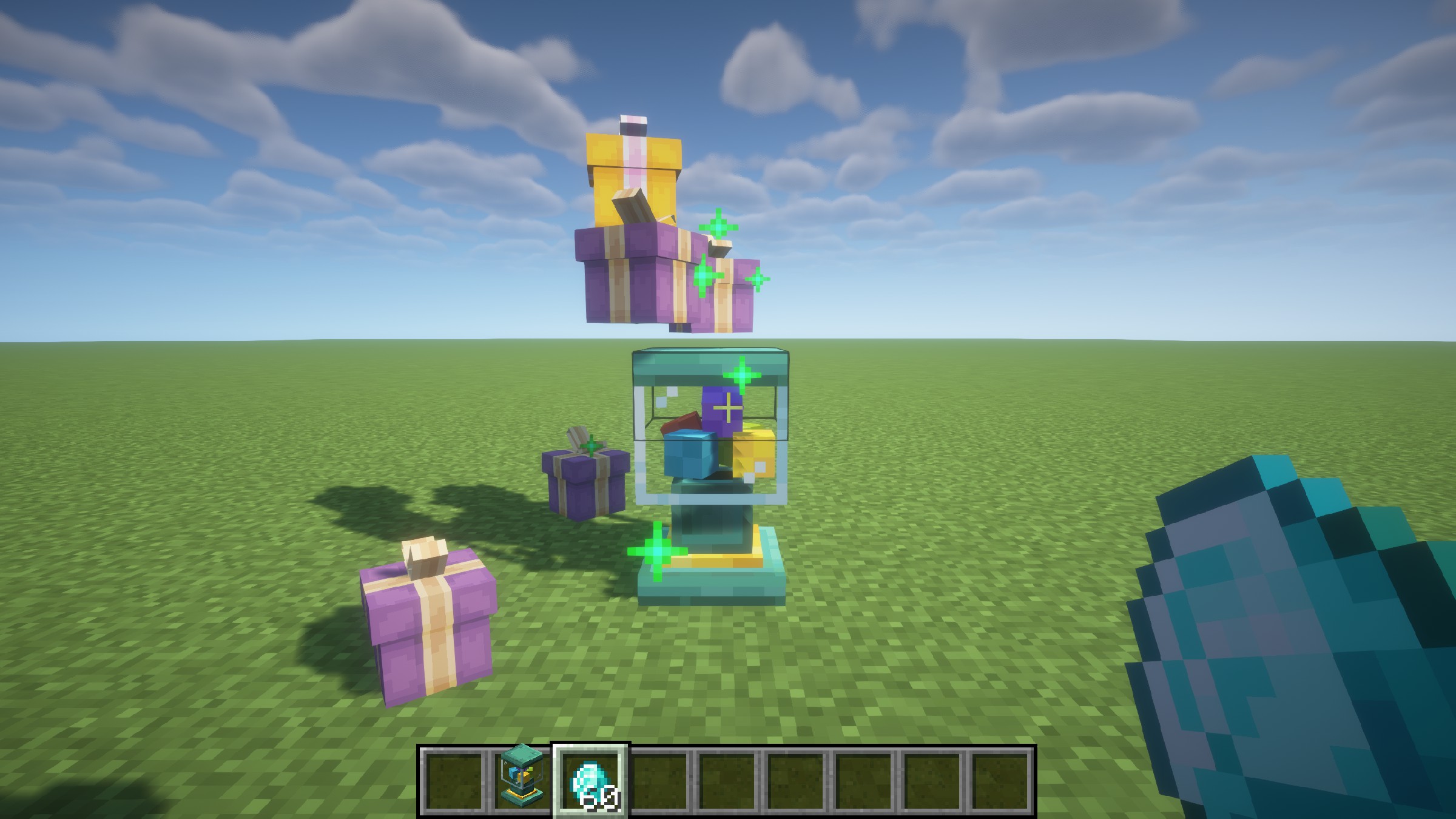
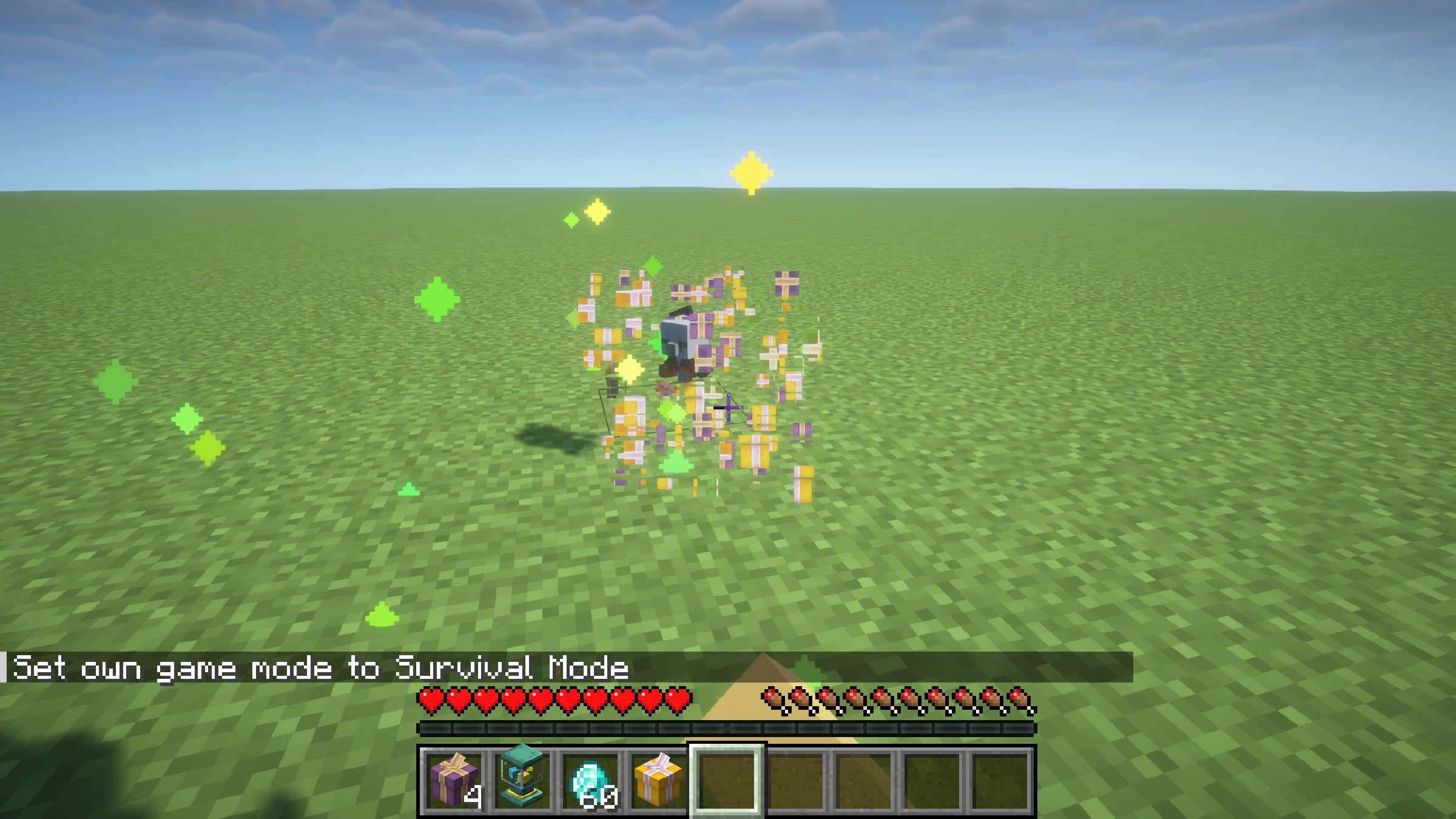
Галерея
Последние версии
Все версии →release
Kaleidoscope Doll 1.4.2-neoforge+mc1.21.1
1.4.2-neoforge+mc1.21.130 сент. 2026 г.21,4 тыс.Minecraft: 1.21.1neoforge
Что нового
- Added dozens of dolls
- Added dolls of new vanilla mobs introduced in version 1.21.4 and later
release
Kaleidoscope Doll 1.4.2-forge+mc1.20.1
1.4.2-forge+mc1.20.130 сент. 2026 г.41,2 тыс.Minecraft: 1.20.1forge
Что нового
- Added dozens of dolls
- Added dolls of new vanilla mobs introduced in version 1.21.4 and later
release
Kaleidoscope Doll 1.4.1-neoforge+mc1.21.1
1.4.1-neoforge+mc1.21.14 июн. 2026 г.122 тыс.Minecraft: 1.21.1neoforge
Что нового
- Added two new dolls.
- Fixed an item duplication bug.
- Fixed models for some dolls.
release
Kaleidoscope Doll 1.4.1-forge+mc1.20.1
1.4.1-forge+mc1.20.14 июн. 2026 г.679,1 тыс.Minecraft: 1.20.1forge
Что нового
- Added two new dolls.
- Fixed an item duplication bug.
- Fixed models for some dolls.
release
Kaleidoscope Doll 1.4.0-neoforge+mc1.21.1
1.4.0-neoforge+mc1.21.126 мая 2026 г.9,4 тыс.Minecraft: 1.21.1neoforge
Что нового
1. Added 62 new dolls
2. Players can place held items on entity dolls by sneaking and right-clicking
3. The Pointing Tool can now modify the position, orientation, and scale of items
4. When entity dolls are hit by arrows or other ranged weapons, they will play a bouncing animation
Credits: @梦露鱼 @Lonya0
release
Kaleidoscope Doll 1.4.0-forge+mc1.20.1
1.4.0-forge+mc1.20.126 мая 2026 г.9,9 тыс.Minecraft: 1.20.1forge
Что нового
1. Added 62 new dolls
2. Players can place held items on entity dolls by sneaking and right-clicking
3. The Pointing Tool can now modify the position, orientation, and scale of items
4. When entity dolls are hit by arrows or other ranged weapons, they will play a bouncing animation
Credits: @梦露鱼 @Lonya0
release
Kaleidoscope Doll 1.3.1-neoforge+mc1.21.1
1.3.1-neoforge+mc1.21.110 мар. 2026 г.243,8 тыс.Minecraft: 1.21.1neoforge
Что нового
# Kaleidoscope Doll v1.3.1 Changelog
- Completed Curios compatibility (NeoForge 1.21.1)
- Fixed custom dolls not dropping correctly
- Updated Japanese localization
release
Kaleidoscope Doll 1.3.1-forge+mc1.20.1
1.3.1-forge+mc1.20.110 мар. 2026 г.95,3 тыс.Minecraft: 1.20.1forge
Что нового
# Kaleidoscope Doll v1.3.1 Changelog
- Completed Curios compatibility (NeoForge 1.21.1)
- Fixed custom dolls not dropping correctly
- Updated Japanese localization
release
Kaleidoscope Doll 1.3.0-neoforge+mc1.21.1
1.3.0-neoforge+mc1.21.131 дек. 2025 г.54,6 тыс.Minecraft: 1.21.1neoforge
Что нового
# Kaleidoscope Doll 1.3.0 Changelog
## Updates
- Optimized some doll models
- Updated Japanese localization (Thanks to @ink091411)
- Added sponsor doll disable feature
- When disabled, sponsor dolls will no longer appear in Creative Mode tabs or JEI/EMI item lists
- When disabled, sponsor dolls cannot be obtained through the computer interface
- When disabled, Phantoms will no longer drop sponsor dolls
- When disabled, sponsor dolls already owned by players will not be lost
- Added new doll models
- Models contributed by Aike
- Cardboard Fox and Conch doll models contributed by Cardboard
- Jiuhu fox form doll
- New dolls added in November/December (+8)
- Added custom doll feature
- Custom dolls use Bedrock Edition entity model format with fewer restrictions
- Custom dolls have the same functionality as regular dolls, can be crafted via computer, and can obtain entity versions with identical features
- Servers will automatically sync custom doll data, but clients still need to manually install the client-side resource pack
## Custom Doll Pack Creation
### 1. Basic Information
#### Two ways to load custom doll packs:
- Place in the `config/kaleidoscope_doll/custom` directory, supports zip archive or folder format
- Define through vanilla resource packs and data packs
#### Hot reload methods:
- Doll packs in the `config/kaleidoscope_doll/custom` directory can be quickly reloaded via the `/kaleidoscope_doll reload` command
- Dolls defined through vanilla resource packs and data packs can be reloaded via the `/reload` command or `F3 + T` shortcut
#### Model format:
- Custom doll packs use Bedrock Edition entity model format version 1.12.0+
- Compared to Java Edition item/block model format, this format has no angle or rotation axis restrictions, offering more flexibility, but only supports a single texture file
### 2. Creating Model Packs in the Config Directory
Model packs should be placed in the `config/kaleidoscope_doll/custom` directory (server-side also requires a copy).
Both zip archive and folder formats are supported. The zip format is convenient for sharing with others.
The zip format is compatible with both top-level folder and non-top-level folder packaging methods.
Below is an example using the folder format. The directory structure is as follows:
The folder name (e.g., `Example Model Pack`) can be named arbitrarily without any restrictions. The folder must contain three subfolders: `lang`, `models`, and `textures`.
The `models` folder stores Bedrock Edition model files. File names have no restrictions and can be named freely.
The unique identifier of the model depends on the `identifier` field in the file content.
The `identifier` field has no naming restrictions and can use any characters (including non-ASCII characters).
The game will use it as the doll's unique ID and also as the corresponding texture's identification name.
> **Note: `identifier` must be unique. If duplicate IDs exist, only the last model will be loaded.**
The `textures` folder stores texture files. Texture file names must match the corresponding model's `identifier` field.
The `lang` folder stores language files. The content in these files will be displayed as the doll's tooltip text.
The language file key also uses the `identifier` field, and the value supports newline characters.
### 3. Creating Resource Packs and Data Packs
Custom dolls also support definition through resource packs and data packs.
First, for the data pack part, create a `data/<namespace>/custom_dolls.json` file in the data pack, and fill in the doll ID list (i.e., the model's `identifier` field).
Then, for the resource pack part, create an `assets/<namespace>/custom_dolls` folder in the resource pack. The directory structure inside the folder is the same as the model pack in the config directory described above.
The mechanism is identical to the model pack in the config directory and will not be repeated here.
## 4. FAQ
**Q: I'm a server owner. How should I install custom doll model packs?**
A: If installing via the config directory method, you need to place a copy of the doll pack in the server's config directory, and each player also needs to place a copy in their client's config directory. If using the resource pack and data pack method, simply install the data pack on the server and distribute the resource pack to players.
**Q: What happens if only the server-side doll pack is installed without distributing to players?**
A: Players can still play normally and craft/obtain custom dolls. However, models missing on the client side will display as Steve dolls by default. They will display correctly after players install the client-side doll pack.
**Q: Regular dolls have many features. Does custom dolls support all of them?**
A: Yes, all features are supported. This includes crafting with slime balls/clay to obtain entity dolls, obtaining through computer, Phantom random doll drops, wearing on head, etc. Currently, the only issue is that dolls placed in the maid decoration slot don't display. All other behaviors are identical to regular dolls.
release
Kaleidoscope Doll 1.3.0-forge+mc1.20.1
1.3.0-forge+mc1.20.131 дек. 2025 г.419,1 тыс.Minecraft: 1.20.1forge
Что нового
# Kaleidoscope Doll 1.3.0 Changelog
## Updates
- Optimized some doll models
- Updated Japanese localization (Thanks to @ink091411)
- Added sponsor doll disable feature
- When disabled, sponsor dolls will no longer appear in Creative Mode tabs or JEI/EMI item lists
- When disabled, sponsor dolls cannot be obtained through the computer interface
- When disabled, Phantoms will no longer drop sponsor dolls
- When disabled, sponsor dolls already owned by players will not be lost
- Added new doll models
- Models contributed by Aike
- Cardboard Fox and Conch doll models contributed by Cardboard
- Jiuhu fox form doll
- New dolls added in November/December (+8)
- Added custom doll feature
- Custom dolls use Bedrock Edition entity model format with fewer restrictions
- Custom dolls have the same functionality as regular dolls, can be crafted via computer, and can obtain entity versions with identical features
- Servers will automatically sync custom doll data, but clients still need to manually install the client-side resource pack
## Custom Doll Pack Creation
### 1. Basic Information
#### Two ways to load custom doll packs:
- Place in the `config/kaleidoscope_doll/custom` directory, supports zip archive or folder format
- Define through vanilla resource packs and data packs
#### Hot reload methods:
- Doll packs in the `config/kaleidoscope_doll/custom` directory can be quickly reloaded via the `/kaleidoscope_doll reload` command
- Dolls defined through vanilla resource packs and data packs can be reloaded via the `/reload` command or `F3 + T` shortcut
#### Model format:
- Custom doll packs use Bedrock Edition entity model format version 1.12.0+
- Compared to Java Edition item/block model format, this format has no angle or rotation axis restrictions, offering more flexibility, but only supports a single texture file
### 2. Creating Model Packs in the Config Directory
Model packs should be placed in the `config/kaleidoscope_doll/custom` directory (server-side also requires a copy).
Both zip archive and folder formats are supported. The zip format is convenient for sharing with others.
The zip format is compatible with both top-level folder and non-top-level folder packaging methods.
Below is an example using the folder format. The directory structure is as follows:
The folder name (e.g., `Example Model Pack`) can be named arbitrarily without any restrictions. The folder must contain three subfolders: `lang`, `models`, and `textures`.
The `models` folder stores Bedrock Edition model files. File names have no restrictions and can be named freely.
The unique identifier of the model depends on the `identifier` field in the file content.
The `identifier` field has no naming restrictions and can use any characters (including non-ASCII characters).
The game will use it as the doll's unique ID and also as the corresponding texture's identification name.
> **Note: `identifier` must be unique. If duplicate IDs exist, only the last model will be loaded.**
The `textures` folder stores texture files. Texture file names must match the corresponding model's `identifier` field.
The `lang` folder stores language files. The content in these files will be displayed as the doll's tooltip text.
The language file key also uses the `identifier` field, and the value supports newline characters.
### 3. Creating Resource Packs and Data Packs
Custom dolls also support definition through resource packs and data packs.
First, for the data pack part, create a `data/<namespace>/custom_dolls.json` file in the data pack, and fill in the doll ID list (i.e., the model's `identifier` field).
Then, for the resource pack part, create an `assets/<namespace>/custom_dolls` folder in the resource pack. The directory structure inside the folder is the same as the model pack in the config directory described above.
The mechanism is identical to the model pack in the config directory and will not be repeated here.
## 4. FAQ
**Q: I'm a server owner. How should I install custom doll model packs?**
A: If installing via the config directory method, you need to place a copy of the doll pack in the server's config directory, and each player also needs to place a copy in their client's config directory. If using the resource pack and data pack method, simply install the data pack on the server and distribute the resource pack to players.
**Q: What happens if only the server-side doll pack is installed without distributing to players?**
A: Players can still play normally and craft/obtain custom dolls. However, models missing on the client side will display as Steve dolls by default. They will display correctly after players install the client-side doll pack.
**Q: Regular dolls have many features. Does custom dolls support all of them?**
A: Yes, all features are supported. This includes crafting with slime balls/clay to obtain entity dolls, obtaining through computer, Phantom random doll drops, wearing on head, etc. Currently, the only issue is that dolls placed in the maid decoration slot don't display. All other behaviors are identical to regular dolls.