COWMODSКаталог модов

justTeams

Teams, clans and guilds for Paper, Purpur and Folia. Roles and rights per member, a shared bank and ender chest, homes, warps, allies, team glow, quests and tiers, synced across Velocity or BungeeCord networks with MySQL and Redis.

Автор: kotorinet7813обновлён 25 окт. 2026 г.
ЭкономикаУправлениеОбщение

Описание

justTeams is a teams plugin (clans, guilds, parties) for Paper and Paper forks such as Purpur and Folia. Players create a team with a tag and a name, invite members and run it from in-game menus: roles and rights per member, a shared Vault bank and ender chest, a team home and warps, allies, team chat, team glow, quests, points, upgrade tiers and rankings. It works on a single server with no setup, and on Velocity or BungeeCord networks every backend shares the same teams through MySQL or MariaDB, with Redis for instant updates. It is aimed at survival, SMP, factions and network servers that want team play in one plugin.

Each image below has a text version under it.

justTeams: teams, clans, guilds, whatever you call them

Text version: justTeams overview

Teams, clans, guilds, whatever you call them

justTeams

Roles, a shared bank and ender chest, homes, warps, allies, team glow, quests and rankings. Players manage nearly all of it through menus, on one server or across a whole network.

Five stars, "Battle-tested".

  • 3: roles per team
  • 5: upgrade tiers
  • Redis: instant network sync

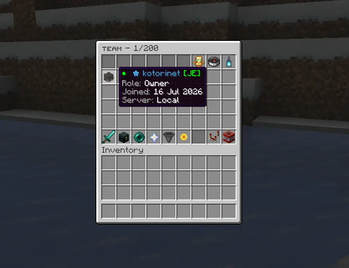
Screenshot: "The team menu" (/team), titled "Team 5/12", with a member tooltip: "RowanVale [JE], Role: Co-Owner, Joined: 02 Aug 2026, Server: Local".

Feature list along the bottom: Roles and rights, Shared bank, Team ender chest, Homes and warps, Allies, Team glow, Quests and points, Cross-server.

Run the whole team from one menu

Text version: the team menu

The team menu: run the whole team from one menu.

/team opens members, bank, chest, home, warps, allies, quests and settings. The commands are still there for anyone who prefers typing.

  • The member list. Hover a member to see their role, join date, platform tag and the server they are on right now.

  • No accidents. Leaving, kicking, transferring and disbanding always ask first, and the disband button has a short delay against double clicks. (Screenshot tooltip: "Disband Team. Permanently deletes the team. This action cannot be undone!")

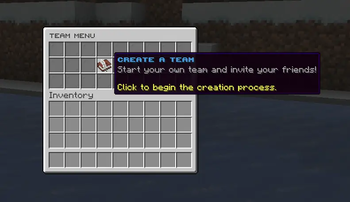
  • Create a team with /team create <tag> <name>. The tag comes first, the name can have spaces

  • Pick a solid colour or a hex gradient with /team setcolor or the colour button in team settings

  • The colour follows the tag and name in chat and placeholders

  • Public teams anyone can join, private teams with join requests, and /team browse to see every team

  • Clear errors when a name or tag is rejected: which field, what was typed, the limit and the blocked word

  • Chat prompts keep working when another chat plugin cancels chat, and /team input <answer> answers them without chat at all

The owner decides who can do what

Text version: roles and rights

Roles and rights: the owner decides who can do what.

Three roles per team plus switches per member, so a co-owner gets exactly the control you hand over and nothing more.

RoleWhat they can do
OwnerEverything: tag, colour, description, promote, demote, kick, transfer, disband and every member right
Co-ownerInvite, kick members, set warps, deposit, plus whatever the owner grants
MemberHome, warps, team chat and deposits, and the chest when allowed
  • Rights per member. Bank withdraw, ender chest, set home, use home and the management rights are switches in the member menu. No commands needed. (Screenshot tooltip: "Use Ender Chest. Allow this member to use the team ender chest. Status: ENABLED")

  • Know who you promote. Role and join date on hover before you promote, demote or kick.

  • Optional co-owner limit per team. Lowering it never demotes anyone, it only blocks new promotions

  • Team size by rank: give a group justteams.size.<N> and its owners get a bigger member cap

  • Hand the team over with /team transfer <player>

  • Keep unwanted players out with the team blacklist

The team's money and loot, in one place

Text version: team bank and ender chest

Shared storage: the team's money and loot, in one place.

A bank and an ender chest for the whole team, with rights per member and the same contents on every server.

  • The team bank. A Vault balance with deposit and withdraw, a withdraw right per member and a maximum balance you set. (Screenshot: "Team Bank", "Current Balance. Balance: 47,350")

  • The team ender chest. 1 to 6 rows, more with tier upgrades. Open it from the menu or with /team ec.

  • One player at a time. Only one player can hold the team chest at a time, on one server or across a network. A member who is kicked or leaves loses access that moment, even with the window still open, and reconnecting does not bring an old chest window back.

  • Bank changes are written to the database before other servers hear about them, so every server works with the same balance

  • Feature costs: charge the team bank first and the player's wallet second. Items can be costs too

  • Switch the bank, chest, home or warps off in the worlds you choose

Get the team together, wherever it is

Text version: homes and warps

Homes and warps: get the team together, wherever it is.

A team home and named warps with warmup and cooldown, optional passwords and prices. On a network they work across servers.

Team warps. Every warp shows which server it is on. Lock one with a password or put a price on it. (Screenshot: "Team Warps", a warp named "Vault", "Server: survival", "Password Protected".)

  • /team sethome and /team home with warmup and cooldown. Tier upgrades shorten the cooldown
  • As many warps as you allow, with a use right per member
  • A home or warp on another backend sends the player there through Velocity or BungeeCord
  • Claim checks for GriefPrevention, ExcellentClaims and HuskClaims: no homes or warps inside land the team has no right to
  • With EternalCombat installed, teleports and other team actions can be blocked during combat

Spot your teammates through walls

Text version: team glow

Team glow: spot your teammates through walls.

Teammates glow in the colour you choose, inside a range you set. Glow uses PacketEvents; without it, everything else keeps working.

Own team only. By default players see only their own team glow, up to 30 blocks away. Both can be changed. (Screenshot: a teammate's glowing outline visible through a tree trunk.)

Colour modeWhat players see
TEAMEach team in its own colour from /team setcolor
ROLEOwner, co-owner and member colours
RELATIONYour own team in one colour, every other team in another
  • Allied teams can glow in a separate colour
  • Plays well with TAB and other nametag plugins: when glow ends, nametag colours and prefixes are back to normal
  • /team glow switches it per player, and /team visibility hides teammates completely for players who want a clear view
  • Glow settings apply with /team reload

Talk to your team, team up with others

Text version: allies and team chat

Allies and chat: talk to your team. Team up with others.

Team chat that reaches every server, alliances both sides confirm, and a channel for you and your allies.

  • Allies. Send, accept and remove alliances from a menu. Both teams have to agree. (Screenshot: "Team Allies" menu with the ally "Emberwatch", "Click to remove ally!")

  • Team chat and broadcasts. Invites, joins and leaves are announced to the team, each member in their own language. (Screenshot chat: "[Teams] You have invited Brambleton to your team.", "[Teams] Brambleton has joined the team.", team chat lines prefixed with the team tag, and an "[Ally]" line from a member of an allied team.)

  • /team chat toggles team chat, #hello sends one quick line

  • /team allychat (or /team ac) reaches your team and every ally

  • Set a maximum number of allies, globally or per tier. Lowering it never breaks existing alliances

  • Staff can follow every team chat with /team chatspy

  • Team PvP toggle with a cooldown

  • Friendly fire protection also covers arrows and TNT lit by teammates

Goals the whole team works on

Text version: team quests

Team quests: goals the whole team works on.

Teams get quests from a pool you control. Every member's progress counts, on every server, and the reward goes to the team.

  • Shared progress. Blocks, kills and distance from every member add up toward one goal. (Screenshot: quest "Builders Guild, place blocks toward a shared build", progress 1640/2500, reward +200 points and +500.0 coins.)

  • Points and money. A finished quest pays team points and bank money, claimed from the quest menu. (Screenshot: quest "Void Walkers, hunt down endermen as a team", progress 18/30, reward +500 points and +1200.0 coins.)

  • 16 quests ready to go, 3 active per team by default, each with its own time limit

  • Add your own quests in quests.yml

  • Objectives: kill players, kill mobs, break blocks, place blocks and travel distance, plus a CUSTOM type other plugins can drive through the API

  • No farming: player-placed blocks and re-placed blocks do not count, and killing the same player again only counts after 5 minutes

  • Quest names and texts can be translated per language. German is included

  • Staff can give, reset or complete a team's quests

Give teams something to climb

Text version: points, tiers and rankings

Points and tiers: give teams something to climb.

Points rank the teams, tiers make them stronger, and buffs reward the ones that stick together.

Tier upgrades. Five tiers by default. Each one raises the member cap, chest rows, PvP damage bonus and home cooldown reduction. (Screenshot: "Team Upgrades, Tier 2/5". Next tier 3: max members 15, ender chest rows 5, damage bonus 2%, home cooldown reduction 20%, cost 50,000.)

/team top rankings:

RankingWhat counts
KillsPlayers from other teams, or without a team, killed by members
PointsQuest rewards and staff awards
BalanceThe team bank
MembersTeam size
  • /team top opens all four rankings, /team top points opens one directly
  • Pay for tiers with money, points or both. If one side cannot pay, the other is refunded, so an upgrade never half charges
  • Team buffs: when enough members stand close together they get the effects the owner picked, such as Regeneration or extra mining XP, paid with points
  • Leaderboard placeholders such as %justteams_top_points_1% for scoreboards and tab

Let owners set their own prices

Text version: team prices

Team prices: let owners set their own prices.

You choose which team actions an owner may price, and the highest price allowed. Members pay the team's price, the owner and permitted co-owners do not.

Team settings. Owners open Team Prices from settings or with /team prices. Left click sets a price, right click resets it. (Screenshot tooltip: "Team Prices. Set your team's own prices for the actions the server lets you change.")

  • Opt in per action. Nothing changes until you allow it
  • The join fee for public teams sits in the same menu
  • Creating and renaming a team always use your prices
  • Stored per team and synced across the network

Every team, from one staff menu

Text version: the admin panel

The admin panel: every team, from one staff menu.

/team admin lists every team. Change members and their rights, bank and points, or look at a team's home, warps and chest.

  • Rights at a glance. A member's role, online state and every right in one tooltip. Click to change them. (Screenshot: member "MiraLune", role MEMBER, online, withdraw disabled, ender chest enabled, set home disabled, use home enabled.)

  • Look inside any team. Warps with name, coordinates and server, plus the team home and ender chest.

  • Modules menu: turn quests, prices, upgrades, buffs, allies, ally chat and more on or off in game

  • A module switch changes only its one line in config.yml, comments stay

  • /team admin bank and /team admin points also run from the console, for schedulers and event scripts

  • Force disband, kick, promote and demote. Staff permission is checked again on every click

  • Optional auto disband for teams whose members have all been inactive for 30 days. Off by default

  • Discord webhooks for new and disbanded teams, joins, leaves, kicks, promotions, invites and join requests

One team, every server

Text version: networks

Networks: one team, every server.

Point every backend at the same MySQL or MariaDB database and teams, banks, chests and points stay in step. Add Redis and changes arrive in under 100 ms.

  • One server: H2 file storage, nothing to set up.

  • Network: shared MySQL or MariaDB, checked every few seconds.

  • Network with Redis: instant updates over Redis.

  • Team chat, member changes, bank, settings and disbands reach every server on Velocity or BungeeCord

  • Each member shows online with the server they are on. Vanished staff stay hidden

  • Homes and warps on other servers send players there through the proxy

Menus and messages that fit your server

Text version: menus, languages and placeholders

Make it yours: menus and messages that fit your server.

Change any button or message, and let each player pick the language justTeams talks to them in.

  • Menus. gui.yml controls every slot, material, name and lore. Buttons accept CustomModelData and Nexo items and fall back to the normal material when the Nexo item is missing. An optional Clan Forge menu skin is available.

  • Languages. English, German, Spanish, French and Russian built in. Players pick theirs with /team usersettings, and any language can be added as lang/<code>.yml. Missing lines fall back to English.

  • Placeholders. More than 90 PlaceholderAPI placeholders: tag, coloured tag, role, members online, bank, points, glow colour, teammates in range and leaderboard positions.

  • MiniMessage everywhere, gradients included

  • /guild and /clan aliases on by default, /party available, each one can be switched off

  • Bedrock players through Floodgate and Geyser can be invited and kicked by name, and the menus show their platform

  • Updates add new keys to your files and keep your comments

What changed lately

Text version: what changed lately

What's new: what changed lately.

2.8.1 is a small fix on top of 2.8.0. Full notes are on the Updates tab.

2.8.1 (current version):

  • Fixed duplicate entries in messages.yml and the language files

2.8.0:

  • Glow colour modes: TEAM, ROLE and RELATION
  • Points ranking in /team top
  • Colour button in the team settings menu
  • Clearer name and tag errors, blocked words and a minimum tag length
  • Prompts that work when another plugin cancels chat, plus /team input
  • Quest texts per language, German included
  • Glow no longer disconnects players when TAB or another plugin uses scoreboard teams

2.7.0:

  • Optional co-owner limit per team
  • Glow for allied teams in their own colour
  • CustomModelData and Nexo items in menus
  • GriefPrevention checks for homes and warps
  • Friendly fire protection for arrows and TNT
  • Admin menus check staff permission on every change

Commands and permissions

Text version: commands and permissions

Commands: one command, and most of it is a menu anyway.

Players:

CommandWhat it does
/teamOpen the team menu (also /t, /clan, /guild)
/team create <tag> <name>Create a team
/team invite <player>Invite a player
/team join <team>Join, or ask to join
/team bankThe team bank
/team enderchestThe shared chest
/team home, sethomeThe team home
/team warp <name>Team warps
/team ally <team>Ask for an alliance
/team chat, #msgTeam chat
/team allychat <msg>Talk to your allies
/team questsTeam quests
/team top [category]Rankings
/team pricesYour team's prices
/team usersettingsPick your language

Staff:

CommandWhat it does
/team adminThe admin menu
/team admin disband <team>Force disband
/team admin enderchest <team>Open a team's chest
/team admin warps <team>List a team's warps
/team admin bank <add/remove/set>Change a bank
/team admin points <team> <add/remove/set>Change points
/team admin quest <team> <give/reset/complete>Manage quests
/team chatspyRead every team chat
/team reloadReload the config files
PermissionDefaultWhat it does
justteams.command.<name>everyoneOne node per player command, all on by default; justteams.user bundles them
justteams.adminopStaff commands and every bypass
justteams.chatspyopRead every team chat
justteams.size.<N>noneTeam size by rank (with permission_based_team_size on)
justteams.bypass.home.cooldown, justteams.bypass.warp.cooldownopSkip teleport cooldowns
justteams.bypass.bank.withdraw, justteams.bypass.enderchest.useopIgnore per-member rights

justTeams summary, links to the documentation

Text version: summary

justTeams, by kotori. Version 2.8.1.

  • Owner, co-owner and member roles with rights per member
  • Shared Vault bank and team ender chest
  • Team home and warps, across servers too
  • Allies, ally chat and team chat
  • Team glow with TEAM, ROLE and RELATION colours
  • 16 ready-made team quests
  • Points, rankings, five tiers and team buffs
  • Team prices set by owners, capped by you
  • Admin menu with in-game module switches
  • MySQL, MariaDB and Redis network sync
  • Five languages, chosen per player
  • Paper 1.21.4 to 26.3, plus Paper forks

Free download. Updates included, support on Discord.

Documentation: setup guides and the full command list. Install, roles, bank, glow, quests, placeholders and network setup. deltura.net/docs/justteams

Compatibility: built for Paper and its forks

Text version: compatibility

Compatibility: built for Paper and its forks.

One jar for Paper and Paper forks such as Purpur and Folia. On a network, every backend runs that same jar against one shared database.

Supports from 1.21.4, every version in between, all the way to 26.3. Java 21, Java 25 on 26.x. Versions shown: 1.21.4, 1.21.5, 1.21.6, 1.21.7, 1.21.8, 1.21.9, 1.21.10, 1.21.11, 26.1.1, 26.1.2, 26.2, 26.3.

  • Paper: 1.21.4 to 26.3
  • Purpur: Paper fork
  • Folia: Paper fork
  • Velocity: network sync
  • BungeeCord: network sync

Requirements:

  • Java: Java 21 or newer; Java 25 for 26.x servers
  • Server: Paper or a Paper fork. Plain Spigot is not supported: justTeams needs the Adventure API that Paper provides
  • Plugins: Nothing else is required. Optional: Vault (bank and costs), PlaceholderAPI, PacketEvents (team glow), TAB, Nexo, GriefPrevention, ExcellentClaims, HuskClaims, EternalCombat, PvPManager, Phoenix, Floodgate
  • Storage: H2 out of the box, MySQL or MariaDB for networks, Redis optional for instant sync

Features

  • Teams: /team create <tag> <name>, a solid colour or hex gradient for tag and name, public teams or private teams with join requests, a blacklist, and a browse list of all teams.
  • Roles and rights: owner, co-owner and member. The owner switches bank withdraw, ender chest, set home, use home and the management rights per member in the member menu. Optional co-owner limit and team size by permission.
  • Bank: a Vault balance with deposit, withdraw and a maximum you set. Paid team features charge the team bank first and the player's wallet for the rest.
  • Ender chest: 1 to 6 rows, more with tiers. Since 2.8.1, members on the same server share one live chest; on Folia one member at a time can open it. A member who leaves or loses access is closed out right away, also on another server.
  • Home and warps: warmup and cooldown, any number of warps with optional password and price, a use right per member, and claim checks for GriefPrevention, ExcellentClaims and HuskClaims. On a network, a home or warp on another backend sends the player there through the proxy.
  • Chat and allies: team chat (toggle or # prefix), ally chat, chat spy for staff, alliances that both teams confirm, team PvP toggle and friendly fire protection.
  • Team glow: teammates glow through walls in TEAM, ROLE or RELATION colours, own team only and up to 30 blocks by default. Needs PacketEvents.
  • Quests, points and tiers: 16 included quests (3 active per team by default), your own in quests.yml, team points, five upgrade tiers paid with money, points or both, team buffs, and /team top rankings for kills, points, balance and members.
  • Team prices: you choose which actions team owners may price and the maximum; owners set them in /team prices.
  • Admin panel: /team admin to manage any team, a modules menu to turn features on or off in game, console commands for bank and points, optional auto disband for inactive teams and Discord webhooks.
  • Customisation: every menu in gui.yml (CustomModelData, Nexo items), MiniMessage messages, more than 90 PlaceholderAPI placeholders, /guild and /clan aliases on by default and /party available.
  • Languages: English, German, Spanish, French and Russian. Each player picks theirs with /team usersettings; missing lines fall back to English.
  • Bedrock: Floodgate and Geyser players can be invited and kicked by name.

Commands and permissions

  • /team opens the menu (aliases /t, /clan, /guild). Main subcommands: create, invite, join, bank, enderchest, home, sethome, warp, ally, chat, allychat, quests, top, prices, usersettings
  • Staff: /team admin (with disband, enderchest, warps, bank, points, quest), /team chatspy, /team reload
  • justteams.command.<name> exists for each player command and is on for everyone by default; justteams.user bundles them
  • justteams.admin (op) gives the staff commands and every bypass, justteams.chatspy (op) reads all team chats, justteams.size.<N> sets team size by rank

The full list is in the documentation.

Compatibility

  • Paper 1.21.4 to 26.3, and Paper forks such as Purpur and Folia
  • Plain Spigot is not supported: justTeams needs Paper's Adventure API
  • Java 21 or newer, Java 25 for 26.x servers
  • Storage: H2 by default, MySQL or MariaDB for networks, optional Redis
  • Networks: Velocity and BungeeCord
  • Optional plugins: Vault, PlaceholderAPI, PacketEvents, TAB, Nexo, GriefPrevention, ExcellentClaims, HuskClaims, EternalCombat, PvPManager, Phoenix, Floodgate
  • Current version: 2.8.1

Documentation

Installation, configuration, network setup, commands, permissions and placeholders: https://deltura.net/docs/justteams

Support

For help, bug reports and suggestions, use the Discord server linked on this page. Other plugins and updates: https://deltura.net

Галерея
justTeamsThe team menu

Последние версии

Все версии →
release

justTeams 2.8.1

2.8.1
25 окт. 2026 г.72Minecraft: 1.21, 1.21.1, 1.21.2, 1.21.3, 1.21.4, 1.21.5, 1.21.6, 1.21.7, 1.21.8, 1.21.9, 1.21.10, 1.21.11, 26.1, 26.1.1, 26.1.2, 26.2, 26.3folia, paper, purpur, spigot
Скачать
Что нового
[1] Fixed teammates and allies getting combat-tagged by combat plugins while team PvP is off. Hits between them are now blocked before other plugins see them, including arrows, tridents, snowballs, fishing rods, harmful splash and lingering potions, flame arrows and tamed pets. Healing potions still reach teammates. [2] Team ender chest: members on the same server now share one live chest instead of getting "in use". Leaving the team, a disband or losing chest access, also on another server of the network, closes an open chest right away. Fixed a chest staying locked and unsaved when the last viewer closed it while a teammate was still opening it, and repeated save errors after disbanding with the chest open. On Folia one member at a time can open the chest, as before. [3] Fixed paid team features (ender chest, home, set home, warp, set warp) charging the team bank and showing the bank message while the bank is switched off. They now pay like upgrades: bank first, wallet for the rest, and only the wallet while the bank is off. Renaming a team follows the feature_costs switches and shows the charge message. [4] The bank_deposit and bank_withdraw prices in clan-settings were never charged. They are now charged when clan-settings.charge-bank-fees is true. The switch is off by default, so deposits and withdrawals stay free until you turn it on. [5] Fixed team tags still showing in the leaderboard tag placeholders and in team, ally and /tm chat after setting features.team_tag to false. [6] Fixed /teammsg showing a raw <team_color_close> tag and raw colour tags. Added /team chat <message> to send one team message without switching team chat on. [7] Added settings.glow.use_color_teams. Set it to false to keep TAB sorting and nametag colours untouched while teammates glow. Added integrations.tab.enabled to turn the TAB hook off. [8] Added %rel_justteams_glow_color%, %rel_justteams_relation_color% and %rel_justteams_relation% for TAB and nametag plugins that colour players per viewer. Fixed a new alliance not getting the ally glow colour until a reload. [9] Fixed placeholders and English texts in translated messages: warp names, team colour tags with gradients, broadcasts, invites, combat messages, admin replies, /team points and /team platform now use each player's language. [10] Any message can now be switched off by setting it to "". Nothing is sent then, no empty line and no lone prefix. Added settings.notify-updates to turn off the update notice for admins. [11] The cancel word for chat prompts is now translatable (input_cancel_keyword in each language file). "cancel" keeps working. [12] Fixed %justteams_join_date% and %justteams_created_at% ignoring date_time.join_date_format and date_time.timezone. [13] Fixed promotion, invite and kick messages arriving twice with Redis enabled. [14] Updates now add new options together with their comments, keep long texts on one line, and fill language files with the shipped translation instead of English. Fixed updates removing the empty dummy-items sections of gui.yml together with their explanation and examples. [15] Config and language backups are no longer deleted after seven days. Added settings.backups.keep_per_file to keep only the newest copies of each file; the default -1 keeps all of them. [16] /team help now lists every command you can use, 10 per page. Fixed /team gui not opening the menu. /team accept and /team deny work without a team name when you have one invite. [17] Bedrock names can be typed with or without the Floodgate prefix in invite, kick, promote, demote, transfer and blacklist. Added bedrock_support.username_prefix for proxies with another prefix. Kick, promote, demote and transfer now work for offline members and never match only part of a name. [18] A promotion over settings.max_co_owners now says the limit was reached instead of "Failed to promote player". [19] Fixed menu buttons such as the PvP sword showing attack damage and attack speed. Added default-item-flags and per-item item-flags to gui.yml. [20] PlaceholderAPI placeholders now work in menu titles, item names and lore. [21] custom-model-data, item-model (1.21.4 and newer) and nexo-id now also work on the home button, list entries, page buttons and fill items. Fixed updates removing nexo-id, item-model, item-flags, enabled: false and added fill items from customised gui.yml files. [22] Added a Quests button and a translatable "How it works" guide to the main team menu. On existing installs they only take free slots. [23] The Team Prices buttons can now be set per click type (left, right, Q and others) in gui.yml. The PvP button accepts <status_text> as well as <status>. [24] Fixed the quests menu ignoring its fill item. Added default-fill-item for menus without their own, and old material names such as STAINED_GLASS_PANE with data: 14 are understood. An unknown material is now named in the console. [25] Fixed a warning about duplicate entries in messages.yml and the German, Spanish and French language files on Paper 26.2 and newer. The message texts are unchanged. [26] Fixed the configuration health check reporting messages.yml, gui.yml, commands.yml and placeholders.yml as missing on the first start of a new installation. Replace the JAR and restart. Existing settings and team data are retained. New keys are added to config.yml, messages.yml, gui.yml and the language files automatically, with their comments; the previous files are kept in the backups folder. On a network, update every server that shares the database before starting them again.
release

justTeams 2.8.0

2.8.0
11 окт. 2026 г.340Minecraft: 1.21, 1.21.1, 1.21.2, 1.21.3, 1.21.4, 1.21.5, 1.21.6, 1.21.7, 1.21.8, 1.21.9, 1.21.10, 1.21.11, 26.1, 26.1.1, 26.1.2, 26.2, 26.3folia, paper, purpur, spigot
Скачать
Что нового
Version 2.8.0 Fixed players being disconnected with "Cannot remove from team 'JT_...'" or a similar team name while team glow is on. Glow no longer lets the client receive a team removal for a player it shows in a different team, whether the removal comes from vanilla teams, TAB, another plugin or an old JT_ team left in the world data. When glow ends after a kick, leave, disband or glow toggle, the player returns to their previous scoreboard team for the viewer, so nametag colours and prefixes are correct again. When another plugin puts a glowing player into a team, the glow colour comes back on the next update. Added settings.glow.color_mode. TEAM keeps the team colour, ROLE always uses the role colours, and RELATION shows your own team in one colour and every other team in another (relation_colors.own and relation_colors.other). Changes to glow settings now apply after /team reload. Added a points ranking to /team top. /team top kills, points, balance and members open a ranking directly. Added a colour button to the team settings menu. Owners and co-owners with justteams.setcolor can change the team colour there. Team name and tag errors now name the field, the typed value, the reason and the limit, including the characters that are not allowed and the blocked word. The command, the menu and the admin menu use the same rules. Added settings.min_tag_length and settings.creation.blocked_words. Chat prompts now work when another plugin cancels chat. Added /team input <answer> for servers where chat never reaches JustTeams, a clickable hint under each prompt, and a message when a prompt times out. Fixed typing the cancel word in the tag or description prompt setting it as the new tag or description. Fixed an empty team chat line after answering a prompt with team chat mode on. /team enderchest now tells administrators which config key switches the chest off. Quoted values such as "true" and older key names are read correctly and converted on startup. Members without chest access get their own message. Quest names, descriptions and all quest menu texts can now be translated per language. German quest texts are included. Fixed help lines showing /team <player> instead of /team invite <player> and similar. Version 2.7.0 Added an optional limit for co-owners per team. Lowering the limit keeps existing ranks and prevents further promotions until a place becomes available. Added optional glow for mutually allied teams, with a separate color and the existing visibility and distance limits. Added CustomModelData and optional Nexo items for menu buttons and decorations. Unavailable Nexo items use the configured material. Added optional GriefPrevention checks for team homes and warps, using existing claim ownership and build trust. Fixed friendly-fire protection for TNT ignited by team members. Projectile and TNT damage can also be blocked while team PvP is enabled. Team administrator menus now check the administrator's current permission before changing members or their permissions. Fixed item duplication when a member is removed while their team chest is open. Reconnecting does not restore access to an old chest window. Restored the configured team-color and pending-invitation buttons. Fixed bank balance refreshes from console and system actions. Fixed update notices incorrectly recommending an older release. Version 2.6.10 Restored the configured team-color button in the settings menu. Selecting a color updates the existing team and checks the player's permission again. Restored configured pending-invitation buttons in the menu for players without a team. Fixed Redis bank refreshes from console and system actions. Bank notifications now reload the stored balance instead of applying potentially outdated message values. Updating Replace the JAR and restart. Existing settings and team data are retained. New keys are added to config.yml, messages.yml and gui.yml automatically; name and tag messages you have not edited are updated to the new texts. The blocked word list now defaults to admin, staff, moderator, console, server and minecraft; set settings.creation.blocked_words to change it. Tags need at least 2 characters on every path, set settings.min_tag_length to 1 to allow single-character tags. JustTeams needs Paper or a Paper fork such as Purpur or Folia; plain Spigot is not supported. Coming from 2.6.x: back up team and player data, stop every backend sharing the database, replace the JAR on each backend, then restart. Existing settings and team data are retained. Do not mix older chest implementations with this release. Unfinished chest sessions remain locked until their contents have been reconciled.
release

justTeams 2.6.8

2.6.8
26 сент. 2026 г.224Minecraft: 1.21, 1.21.1, 1.21.2, 1.21.3, 1.21.4, 1.21.5, 1.21.6, 1.21.7, 1.21.8, 1.21.9, 1.21.10, 1.21.11, 26.1, 26.1.1, 26.1.2, 26.2, 26.3folia, paper, purpur, spigot
Скачать
Что нового
[1] Fixed vanished staff appearing online in /team info, member menus, join requests and online-count placeholders. Hidden members appear offline, including their server label and online sorting. Checks cover Bukkit visibility, vanished/vanish metadata and Phoenix disguises. The privacy settings control this filtering, and justteams.privacy.see_hidden allows staff to bypass it. [2] Nearby-teammate placeholders also exclude hidden members, preventing a large search radius from revealing vanished players. [3] Fixed permission-based join fees charging operators the highest fee. feature_costs.permission_based_join_fee is off by default and only uses explicitly granted justteams.joinfee.<amount> permissions when enabled. [4] Leaderboards and the admin team list include teams with no members online. Loading members and warps no longer interrupts the main MySQL result set and cuts off larger team lists. [5] Menus and placeholders use the team's upgraded member limit consistently, including while the owner is online. [6] Fixed valid team names and tags being rejected when GUI chat input contains formatting codes or invisible characters. Coloured cancel messages are recognized. Empty packet captures no longer prevent the normal chat event from completing bank, rename and tag prompts. [7] Back buttons use their configured material, name and lore, with shared message keys as the fallback. [8] Offline player heads use static profiles, removing the grey Dynamic tooltip line. Updated bundled JustAPI to 1.5.1. [9] Malformed YAML files are preserved and copied to backups/ with a .broken suffix. The parser error is logged for correction. [10] /team setcolor accepts legacy sequences such as &4&l and uses the colour from the sequence. Formatting is not stored as part of the team colour. Team tools and menus [11] Added /team visibility [hide|show]. Without an argument it toggles teammate visibility for the player running it. The preference survives reconnects on that server, hides player models and vanilla tab entries, and updates when membership changes. Showing teammates does not undo another plugin's vanish. Permission: justteams.command.visibility, enabled by default. [12] Added Russian translation and live language switching through settings.language.default or /team admin > Language. Players can keep their own language through /team usersettings. Missing translations fall back to messages.yml. [13] Added an optional resource-pack GUI skin, controlled by settings.resource_pack.enabled or the Official GUI Skin admin button. It is off by default, requires the matching JustTeams pack and applies on reload. Menus without a matching texture retain their normal title. [14] /team browse and the Browse Teams button open the team list even when the player already belongs to a team. The button defaults to slot 51 and can be moved or hidden in gui.yml. [15] settings.input_cancel_keyword sets the word used to cancel chat prompts. Prompt text can display it with <cancel>. Placeholders and integrations [16] Leaderboard placeholders such as %justteams_top_kills_1% return the team name without requiring a suffix. The _name, _amount, _tag and _colored_tag forms remain available, including the leaderboard_* aliases. [17] Added %justteams_glow_color% to return the team's glow colour code for nametags and other formatting. [18] Added %justteams_teammate_range_<blocks>% to count visible teammates within a spherical radius in the same world, excluding the viewer. Decimal radii are supported. Aliases: %justteams_members_in_range_<blocks>% and %justteams_teammates_in_range_<blocks>%. [19] The TAB integration remains enabled on TAB 6.x without the removed TabPlayer.setProperty method. %justteams_tab_sort% remains available for sorting. [20] settings.glow.enabled disables Team Glow correctly. settings.glow.hide_vanilla_nametag controls the vanilla nametag while glowing. Cross-server support [21] Fixed home and warp transfers losing destination worlds or coordinates when the source server does not have that world. The proxy connection is sent only after the teleport request is saved. Failed or expired requests are rejected, and the destination consumes each request once. Transfers use the standard BungeeCord connection channel, including Velocity's compatibility option, without requiring Redis. [22] Session heartbeats keep remote members from appearing offline after a few minutes. A backend no longer overwrites or removes a session that has already moved to another server, and stale records expire. Remote presence whose vanish state cannot be checked is hidden by default through privacy.hide_unknown_remote_online_status. [23] The home menu respects the button's enabled setting and slot. Both commands and menu clicks enforce the home and teleport feature switches. Minecraft 26.3 [24] Added Minecraft 26.3 API and runtime checks. The release retains the Paper 1.21.11 API baseline and Java 21 bytecode. Use Java 25 for 26.x servers. Connected-client checks passed on Paper 1.21.11 and 26.3, and both plugins passed startup checks on Paper 1.21.4. Folia gameplay and live proxy transfers remain unverified. Updating [25] Replace the JAR and restart each backend. Missing config and message keys are added automatically. Keep settings.server_identifier consistent with the proxy's server names when using cross-server teleports.
release

justTeams 2.6.7

2.6.7
8 сент. 2026 г.77Minecraft: 1.21, 1.21.1, 1.21.2, 1.21.3, 1.21.4, 1.21.5, 1.21.6, 1.21.7, 1.21.8, 1.21.9, 1.21.10, 1.21.11, 26.1, 26.1.1, 26.1.2, 26.2folia, paper, purpur, spigot
Скачать
Что нового
[1] Full Russian translation (lang/ru.yml, every message) plus in-game language switching. Set the server language in settings.language.default or from /team admin > Language, and it applies live with no restart. Players still pick their own with /team usersettings, English stays available, and anything a translation is missing falls back to English. [2] Leaderboard placeholders work without a suffix again. %justteams_top_kills_1% (and top_balance, top_members, top_points) came back blank unless you added _name. The plain form gives the team name now, and _amount, _tag and _colored_tag still pick a specific field. [3] Leaderboard placeholders no longer skip the top team when nobody from it is online. They read every team now, so the real #1 shows even if all of its members are offline. Same fix cleared up the admin team list dropping offline teams. [4] Making a team through the GUI no longer rejects a valid name as too long or invalid. If your chat plugin colours messages, that colour code was getting counted as part of the name (the /team create command was fine because it gets plain text). It strips codes and hidden characters now before it checks, and a coloured "cancel" still cancels. [5] Player heads in menus no longer show a grey "Dynamic" line for offline players. A head pointed at an offline player was stored with no skin, which Minecraft marks "Dynamic" on the tooltip. Heads carry a proper profile now, so the line is gone. . [6] Optional resource-pack GUI skin. With the matching JustTeams pack applied, flip settings.resource_pack.enabled on (or click the new Official GUI Skin button in /team admin) and every menu is drawn by the pack. It applies live on reload, and toggling it back off returns to the normal menus, nothing breaks either way. Leave it off if you do not have the pack. (in work) [7] You can browse other teams while you are already in one. Before, the browse-all-teams list only opened for players without a team, so once you joined there was no way to see the rest. There is a Browse Teams button in the main team menu now and a /team browse command, both open the same list and the back button takes you to your team menu. The button lives at slot 51 of team-gui and can be moved or hidden in gui.yml. [8] Permission-based join fees no longer charge your staff by surprise. feature_costs.permission_based_join_fee is off by default now, and even with it on it only reads a justteams.joinfee.<amount> node you actually granted to someone. Before, an operator (or anyone with a justteams.* wildcard) matched every justteams.joinfee.* node, so the highest one, and got asked for the full fee to join a team even when the join cost was 0. An op's blanket access is ignored for this now, so only real rank grants apply. Drop the jar in and restart. New config and message keys merge into your files, nothing you set is touched.
release

justTeams 2.6.4

2.6.4
23 июл. 2026 г.42Minecraft: 1.21, 1.21.1, 1.21.2, 1.21.3, 1.21.4, 1.21.5, 1.21.6, 1.21.7, 1.21.8, 1.21.9, 1.21.10, 1.21.11, 26.1, 26.1.1, 26.1.2, 26.2folia, paper, purpur, spigot
Скачать
Что нового
Makes PacketEvents fully optional, stops your custom GUI items being wiped on update, and blocks look-alike team names. Adds admin bank commands, custom GUI buttons that run commands, resource-pack glyphs in tags and names, and explicit team or player targeting for the admin commands. [1] PacketEvents is genuinely optional now. The plugin refused to start at all when PacketEvents was not installed, even though it has always been listed as an optional hook, because the chat input system referenced its classes directly and the server loads those before any setting is read. Those references are isolated now, so the plugin starts normally without PacketEvents and only Team Glow switches off. An installed but broken or mismatched PacketEvents no longer takes the plugin down either. Nothing changes if you already run it. [2] Custom GUI items you added yourself are no longer deleted on update. The updater removed any key that was not in the shipped defaults, and everything under dummy-items in gui.yml is yours by definition, so custom decorative items and custom buttons were silently wiped the first time an update rewrote the file. That section is left alone now. This matters a lot with the new command buttons, which live in exactly that section. [3] Team names can no longer be used to impersonate another team when Unicode names are turned on. Cyrillic and Greek letters that are drawn exactly like Latin ones (and full-width variants) meant a second team could take a name that looked identical to an existing one in chat, tab and every menu. Creation and rename now compare a folded form of the name, so those look-alikes are rejected as already taken. Names are still stored exactly as typed, genuinely different names in any language are unaffected, and the check only runs when settings.creation.allow_unicode is on. [4] New admin bank commands: /team admin bank add , remove and set. Handy for event rewards and fixing an economy by hand. Like the points command it also accepts a player name, in which case that player's clan is used, and it takes either argument order. The money change runs through the same atomic database step the player bank uses, so it cannot collide with a deposit or withdraw happening at the same moment on another server, it respects your maximum bank balance, and the other servers re-read the team straight away. [5] Custom GUI items can run commands now. Any item you add under dummy-items in gui.yml takes a commands list, so a button can open another plugin's menu (zMenu and the like), run a warp, or hand out a reward. Prefix a line with [console] to run it from console or [player] to run it as the clicker, and [close] to close the menu. %player% and PlaceholderAPI placeholders both work. Commands fire a tick after the click with the menu already closed, which is what lets another plugin's inventory open cleanly. [6] Optional resource-pack glyphs in tags and names, set separately for each. settings.creation.allow_custom_glyphs has a tag and a name switch, so you can let players put your pack's custom icons in their tag while keeping names plain, or the other way round. Both off by default. Only the Private Use Area range that packs use is allowed, so each icon counts as one character against your length limits and no formatting or invisible character can slip in. Players without your pack see an empty box. [7] Admin commands can target a team or a player explicitly. /team admin points and /team admin bank accept team: and player:, so if a team happens to share a name with a player there is no guesswork about which one gets the points or money. A bare name behaves exactly as before. Database changes run automatically on first boot and your team data is preserved. Drop the jar in and restart. New config keys are merged into your existing files, nothing you have set is touched.
release

justTeams 2.6.3

2.6.3
22 июл. 2026 г.11Minecraft: 1.21, 1.21.1, 1.21.2, 1.21.3, 1.21.4, 1.21.5, 1.21.6, 1.21.7, 1.21.8, 1.21.9, 1.21.10, 1.21.11, 26.1, 26.1.1, 26.1.2, 26.2folia, paper, purpur, spigot
Скачать
Что нового
Fixes team creation from the GUI, fixes inviting and kicking Bedrock and long-named players, and adds a few requested features: a browse-all-teams menu, points by username, a configurable default description, and optional Unicode tags and names. [1] Fixed creating a team from the menu getting cancelled the moment you typed. On setups that fire two chat events per message (a chat formatter or a Paper fork can cause it) the name step ate the first copy and handed the second copy to the tag step, so your name got submitted as the tag and creation died right away. The duplicate is caught before it can jump to the next prompt now, so name, tag and colour each wait for their own line. Same fix covers every multi-step chat prompt (rename, description, bank amounts, warp passwords). [2] Fixed inviting Bedrock players and players with longer names. Invites checked the target's name against the team name length limits, so a Bedrock gamertag with Floodgate's "." prefix (or any name outside your team-name min/max) was rejected as invalid before it even looked the player up. Player names are validated on their own rules now. Inviting also matches the exact name case-insensitively and understands the Bedrock prefix, so a Bedrock player can be invited by their plain gamertag or with the "." either way. [3] Fixed kicking offline and cross-server members by name. Kicking worked from the menu but the command couldn't find members who were offline, or on another server on a network, and Bedrock names did not match. It resolves the name the same way invites do now, so /team kick works for anyone actually on the team. [4] Fixed EternalCombat integration reporting "API classes not found" and staying disabled even with EternalCombat installed. The hook was written against an old API path that no longer exists. It now uses EternalCombat's current 2.x API (EternalCombatProvider, FightManager), so combat tagging is detected and the teleport/leave/disband protection actually runs on modern EternalCombat (2.5.x tested). [5] New browse-all-teams menu. The no-team menu has a Browse Teams button that opens a paginated list of every team on the server. Clicking a public team joins it (or sends a request); private teams just show their info. Fully configurable under team-list-gui in gui.yml. [6] Team points can be awarded by player name, not just team name. /team admin points <player> add <amount> credits that player's clan directly, which is handy for KOTH and event rewards. Team names still work exactly as before. [7] The default team description is configurable. Set settings.creation.default_description in config.yml. It applies to new teams and to existing teams that never set one, so you can replace "A new Team!" server-wide without touching anything else. Supports MiniMessage. [8] Optional Unicode team tags and names. Turn on settings.creation.allow_unicode to allow accents, Cyrillic, CJK and other Unicode letters and digits in tags and names. Off by default, so nothing changes unless you want it. Symbols, spaces and formatting characters stay blocked either way, and colour-code and MiniMessage injection is still rejected. On MySQL or MariaDB you need a utf8mb4 database charset for non-Latin characters to store correctly. Database changes run automatically on first boot and your team data is preserved. Drop the jar in and restart. New config keys are merged into your existing files, nothing you have set is touched.
release

justTeams 2.6.3-pre

2.6.3-pre
16 июл. 2026 г.15Minecraft: 1.21, 1.21.1, 1.21.2, 1.21.3, 1.21.4, 1.21.5, 1.21.6, 1.21.7, 1.21.8, 1.21.9, 1.21.10, 1.21.11, 26.1, 26.1.1, 26.1.2, 26.2folia, paper, purpur, spigot
Скачать
Что нового
Small patch on top of 2.6.2. Fixes team creation from the GUI cancelling itself on servers that fire two chat events per message. [1] Fixed creating a team from the menu getting cancelled the moment you typed. On some setups (a chat formatter or a Paper fork can cause it) a single chat message shows up twice, as both the new and the old chat event. The name step would eat the first copy and hand the second copy straight to the tag step, so your name got submitted as the tag and creation died right away. The duplicate is now caught before it can jump ahead to the next prompt, so name, tag and color each wait for their own line like they should. [2] Same fix covers every chat prompt, not just creation. Anything that asks you to type more than once in a row (rename, set description, bank amounts, warp passwords, and so on) is safe from the same double-message problem now. This is a pre-release with just the chat fix on top of 2.6.2. Drop the jar in and restart, nothing to change.