

JustLootIt
Unique and refreshable loot containers and entities for everyone.
Описание
JustLootIt
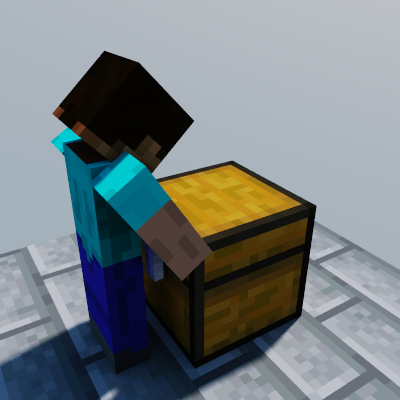
Unique and refreshable loot containers and entities for everyone
Description
JustLootIt allows every player on the server to loot the same loot containers. It doesn't matter if a player already looted a block or entity, each other player can still loot it!
It's also not just naturally generated loot containers, with the right permissions you can create your own loot containers! It's also possible to link multiple blocks or entities to one single container which might be useful if you want refreshing containers at multiple locations. Yeah, there are refreshing containers. This means the content of the container is regenerated some time (the configured time for the refresh group) after a player looted it. (this is per player)
Resource usage
JustLootIt was designed to use as less RAM and CPU time as possible. Due to this the plugin stores most its data directly on disk in an own file format which allows it to quickly read the data back from the disk.
Because of how this file format works JLI has some limitation related to how many containers can exist per world and how many opened inventories are saved for each player.
When using this plugin you should make your users are aware that using loot containers as permanent storage is not possible and strongly disadvised as JLI will delete these per-player inventories after some time (see here for more information)
Features
Per player container loot
Every player is able to loot each individual loot container (chests, barrels, minecarts, item frames [for example per players elytras] and so on) on their own even if someone else looted it already.
Unique loot per player possible
It is possible to enable unique loot per player. This would generate differnet loot depending on which player looted the container (still seed-based and predictable).
Support for all vanilla interactions and animations
When accessing a JustLootIt container it will trigger vibration interactions, piglin anger and redstone updates as you would experience with vanilla loot chests. This also includes subtle things like the chest opening and closing animations or the player swining their hand. This is not the case for most competitors of JustLootIt.
Support for custom containers
You as a player can also create your own containers with the commands provided by the plugin.
Refreshable containers
You are able to add a refresh mechanism to containers so a player can loot the container as many times as they want once the configured refresh time runs out. With refreshable containers you are also able to use a different seed for each time the container is refreshed. As well as setting a specific group of containers to be unique instead of all containers.
Folia and Paper support
Folia and paper are both supported, if you have any issue please report them to me on GitHub.
IMPORTANT: For Paper (& forks) and Folia (& forks) when updating from 1.21.11 or below to 26.1 or above make sure to run /jli backup create before updating so your JLI data is safe!
In addition to that, if you decide to update make sure that once you copy over your world to also copy the JLI plugin folder (if you are doing this separately). JLI will do its best to ensure your data is migrated correctly however if you do "out of the ordinary" (so not updating in one-go for example) then it can't work. To correctly migrate your world you have to update the server, copy over the world and ensure JLI is installed on the first startup including the plugin folder you previously used otherwise Paper will delete your JLI data during the migration.
If you lost your JLI data it is gone. If you have used /jli backup create before updating then you can re-apply the backup using /jli backup apply. The backup command does not change your world therefore if you accessed containers while your JLI data was gone then those containers are also gone.
Installable even after you already played on a world
Because of the conversion system that is implemented in the plugin you are able to convert already existing loot containers to JustLootIt containers with a single command.
Easily switch to JustLootIt if you are a Lootin user
Because of the previously mentioned conversion system JustLootIt is able to convert Lootin containers to JustLootIt containers so you can easily switch to the plugin.
Ability to blacklist basically everything!
JustLootIt allows to blacklist structures, loot tables and even plugin compatibilities. You can also limit what kind of containers are allowed to be created and all of that per world.
Support for CustomStructures
CustomStructures loot containers are supported. (Lootin containers for this plugin can be converted)
Support for BetterStructures
BetterStructures loot containers are supported as well! (Lootin containers for this plugin can be converted)
Support for Iris
Iris loot containers are supported as well!
Support for WorldGuard
JustLootIt also adds a WorldGuard flag for accessing containers which is enabled by default. It is called jli-container-access.
Support for ValhallaMMO
ValhallaMMO loot and replacement tables are supported. The integration is implemented in ValhallaMMO and not in JLI.
Full support of custom Items
JustLootIt supports any kind of item, even if a plugin edited its NBT Data! Which means you could use Oraxen or ItemsAdder in conjunction with custom JustLootIt containers!
More features are planned!
Installation
Installing the plugin is just drag and drop. Download the plugin, put it into the plugins folder and you are done. If you want you may choose to change some things in the configuration now but there is not really much to configure at this point.
Custom containers are created in game using commands and a guided process so you should have no issues using the plugin without touching any configuration files.
If you currently are a Lootin user then do not fear!
You can easily switch to JustLootIt with the power of just one single command execution (and 2 automatic server restarts).
Simply use /justlootit convert and go through the setup process and done, JustLootIt does basically everything else for you. (you may need to start the server if no automatic restart script is configured)
The conversion doesn't only work for Lootin, you can also install JustLootIt even after you already played on a world. In this case you can also use the command and configure it however you like so JustLootIt just converts vanilla loot containers (mainly unlooted ones) to JustLootIt containers! You can also force convert looted ones however if there are player placed container blocks (such as chests, barrels and so on) then those will also be converted, so this is not recommended. Lastly you can also convert ItemFrames, same thing as with blocks - it mainly converts only item frames with a elytra however you can choose to convert all.
Uninstallation
If you want to uninstall JustLootIt you have to run /justlootit convert restore first. This will convert all JustLootIt containers back to vanilla containers. Depending on how your world was generated it won't be able to convert all (mainly ones that need third-party plugins to work won't be converted to vanilla containers).
Doing this will delete all JustLootIt data from each world which was not blacklisted on setup. Meaning even unconverted containers will be lost.
I highly recommend backing up your world before doing this.
Commands
The command names of JustLootIt are:
- justlootit
- jloot
- jli
You can easily see all commands using /justlootit help
Permissions
justlootit.*
This is the Wildcard permissions of JustLootIt. Operators got it by default and it grants all other permissions.
- justlootit.admin.*
- justlootit.command.*
- justlootit.remove.container.*
- justlootit.place.container.*
justlootit.command.*
This is again a Wildcard permission of JustLootIt. It grants access to all commands.
- justlootit.command.convert
- justlootit.command.config
- justlootit.command.backup
- justlootit.command.data
- justlootit.command.container
- justlootit.command.group
- justlootit.command.debug
- justlootit.command.help
justlootit.remove.container.*
This permission is also a Wildcard permission of JustLootIt. It allows the player to break all types of JustLootIt containers.
- justlootit.remove.container.block
- justlootit.remove.container.entity
justlootit.place.container.* This permission is also a Wildcard permission of JustLootIt. It allows the player to place all types of JustLootIt containers.
- justlootit.place.container.block
- justlootit.place.container.entity
justlootit.admin.* This permission is also a Wildcard permission of JustLootIt. It grants the player all admin permissions unrelated to update notifications.
- justlooit.admin.bypass
justlootit.admin.bypass This permissions allows the player to bypass all protection measurements JustLootIt implements. (like the WorldGuard one)
justlootit.admin.version This permissions informs the player about new JustLootIt versions being available when joining the server.
justlootit.admin.version.up2date This permissions informs the player if their JustLootIt version is up2date and if not which one is the latest when joining the server.
That's it!
I hope you will enjoy the plugin.
If there are any issues or you would want to see something new in the plugin don't hesitate to open an issue on GitHub.
If needed you can also join my Support discord for help but for general issues would prefer GitHub as there it is easier to keep track of them :)