HologramMod
Mod to create holograms texts scoreboards blocks and items the mod uses the sprite features from Chat Mod
Описание
HologramMod — Text, Block, Item & Leaderboard Holograms

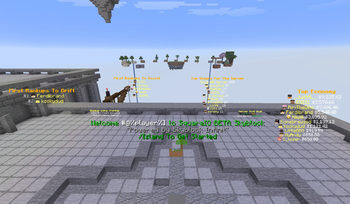
HologramMod is a server-side Fabric mod for placing floating text, blocks, items and live leaderboards anywhere in your world, all built and edited in-game. Every hologram supports rich colours, hex codes, hover text, click events, atlas sprites, player heads and per-player placeholders, and can be made clickable so a click runs a command. Everything is stored in YAML, saved automatically by the commands, and reloads without a restart. Players don't need to install anything.
Built as a companion to ChatMod. Sprite aliases from ChatMod's
sprites.ymlwork directly in hologram lines, so you can drop any atlas icon into your text with[#spriteName].
📧 Contact & Support
💬 Primary Support (Preferred)
All general questions, feature requests, and non-urgent bug reports should be posted in the appropriate channels on our Discord Server. We actively monitor it and will respond as soon as possible so the whole community benefits.
🆘 Urgent PM Policy
You may PM me directly only under specific urgent circumstances:
- Allowed reason: Your server is crashing or experiencing critical, game-breaking errors directly related to this mod.
- Requirement: You must be the server owner.
- Time zone: (CET/CEST) — Brussels Time
- PM hours: 10:00 AM – 10:00 PM Brussels Time only
Immediate responses are not guaranteed. Private messaging is a professional courtesy, not an entitlement. Thank you for your understanding!
✨ Why HologramMod
- Four hologram types: text, block, item and live scoreboard leaderboards
- Clickable holograms: run any command as the player or as the console when a hologram is clicked
- No duplicates: holograms are never saved into the world, so no extra copy can load back in when a chunk loads. Holograms in unloaded chunks are left alone until their chunk loads.
- Lightweight: text only re-sends when it actually changes, only the lines that changed are updated, and holograms aren't re-sent to players on a timer
- Per-player text: one entity shows a personalised line to every player (
%player%, health, coordinates …) - Immune to
/kill, and can't be broken by players - Full in-game editing: every command saves to YAML instantly
Formatting — Used on Every Line
| Syntax | Result |
|---|---|
&a, &b, &c … | Minecraft colour codes |
&#RRGGBB | Hex colour codes |
&l &o &n &m &k &r | Bold, italic, underline, strikethrough, obfuscated, reset |
Text{Hover text} | Hoverable text with a tooltip |
Text<action:run_command,/cmd> | Click to run a command |
Text<action:suggest_command,/cmd> | Click to suggest a command |
Text<action:open_url,https://…> | Click to open a URL |
Text<action:copy_to_clipboard,value> | Click to copy text |
[#spriteName] | Atlas sprite icon (item, block or ChatMod alias) |
[#@Name] | Player head + name |
[##@Name] | Player head only |
[@Name] | Player name only |
[#@%player%] | Head of the player looking at the hologram |
%newline% | Line break inside one line |
📝 Text Holograms — /holo
Floating text with per-line formatting. Lines stack from the top down and grow with the hologram's scale.
holograms:
  spawn_welcome:
    world: "minecraft:overworld"
    x: 0.5
    y: 65.0
    z: 0.5
    scale: 1.2
    billboard: CENTER
    shadow: true
    pages:
      default:
        - "&#FF5500&lWelcome, %player%!"
        - "[#christmas_chest] &7Seasonal crates are open"
        - "&a[ Click to teleport ]{&7Takes you to spawn}<action:run_command,/spawn>"
Appearance: billboard (CENTER / FIXED / HORIZONTAL / VERTICAL), scale (up to 200), brightness (0–15), see_through, shadow, line_width, opacity, bg_color, view_range_blocks, rotation_yaw / rotation_pitch / rotation_roll
🔄 Multi-Page Animation
Text holograms can have several pages that cycle automatically, which is useful for rotating announcements or animated signs.
| Command | What it does |
|---|---|
/holo <name> addpage | Adds a new page (a, b, c …) |
/holo <name> addline a <text> | Adds a line to page a |
/holo <name> addline @ <text> | Adds a line to every page |
/holo <name> setline 2a <text> | Edits line 2 of page a (2@ = every page) |
/holo <name> animate true | Starts cycling |
/holo <name> timer 3 | Seconds per page (decimals allowed) |
/holo <name> freeze <page|off> | Pins one page / resumes cycling |
Pages with the same number of lines switch smoothly, without any flicker.
👤 Placeholders
Lines with player placeholders are resolved separately for each player, so one hologram shows each viewer their own name and stats. Server placeholders refresh automatically every placeholder_refresh_ms (default 1 s), and only when the value actually changed.
| Placeholder | Value |
|---|---|
%player% %player_display% | Player name / display name |
%player_health% %player_max_health% %player_food% | Health and hunger |
%player_level% %player_xp% | XP level / progress % |
%player_x% %player_y% %player_z% | Coordinates |
%player_world% %player_biome% | Dimension / biome |
%player_ping% %player_gamemode% | Ping / game mode |
%online% %max_players% %player_list% | Players online |
%tps% %mspt% | Server performance |
%ram_used% %ram_max% %ram_percent% | JVM memory |
%time% %time_seconds% %date% %day% %month% %year% | Real-world time and date |
%world_time% %world_day% | In-game time and day |
%overworld_weather% | Clear / Rain / Thunder |
Placeholder API placeholders (e.g. %player:name%) also work in every hologram when it is installed.
🖱️ Clickable Holograms — All Types
Any hologram (/holo, /holoblock, /holoitem, /holoscore) can run a command when a player left- or right-clicks it. This works just like a clickable chat link, but in the world.
| Command | What it does |
|---|---|
/<cmd> <name> interact | Turns clicking on or off (off by default) |
/<cmd> <name> interact <command> | Runs the command as the player who clicked |
/<cmd> <name> interactcon <command> | Runs the command as the console |
/<cmd> <name> interactsize <width> <height> | Sets the click area size yourself (0 0 = automatic) |
- Placeholders are filled in for the player who clicked:
interactcon give %player% diamond - Text holograms with
FIXEDorHORIZONTALbillboard get a flat click area that exactly matches the text. Holograms that turn to face the player get a tight box around the text. - Block and item displays get a click box that fits the model, including rotation, translation and both halves of double blocks
- The click area grows with the hologram's scale and follows page changes automatically
🧱 Block Display Holograms — /holoblock
Floating blocks with full block-state support, rotation and translation.
block_displays:
  my_block:
    world: "minecraft:overworld"
    x: 0.5
    y: 65.0
    z: 0.5
    block_state: "minecraft:stone_slab[type=top]"
    billboard: FIXED
    scale: 0.5
    rotation_yaw: 45.0
Double blocks are detected automatically: beds, doors and tall plants spawn both halves in the right place, so you only need the base block ID. To show a single half, add part= or half= to the block state.
🗡️ Item Display Holograms — /holoitem
Floating items with a configurable display context, rotation and translation.
item_displays:
  floating_sword:
    world: "minecraft:overworld"
    x: 0.5
    y: 65.0
    z: 0.5
    item: "minecraft:diamond_sword"
    display_context: FIXED
    billboard: CENTER
    scale: 1.0
Display contexts: FIXED, GROUND, GUI, HEAD, NONE, THIRD_PERSON_LEFT_HAND, THIRD_PERSON_RIGHT_HAND, FIRST_PERSON_LEFT_HAND, FIRST_PERSON_RIGHT_HAND
📊 Scoreboard Holograms — /holoscore
Live leaderboards that update the moment the data changes.
| Source | What it shows |
|---|---|
scoreboard | Any vanilla scoreboard objective, sorted by score |
ecobal | Top player balances from the EcoBal economy mod |
votes | Total server votes with automatic goal milestones |
score_holograms:
  top_kills:
    world: "minecraft:overworld"
    x: 100.5
    y: 65.0
    z: 200.5
    source_type: scoreboard
    scoreboard: kills
    update_mode: scoreboard
    lines:
      - "&6&lTop Kills"
      - "&e#%rank% [#@%player%] &7— &a%score%"
      - "&e#%rank% [#@%player%] &7— &a%score%"
      - "&e#%rank% [#@%player%] &7— &a%score%"
Leaderboard placeholders: %scoreboardname%, %rank%, %player%, %displayname%, %score%, %balance%, %total_votes%, %vote_goal%, %votes_until_goal%
- Every line with a player placeholder shows the next ranked player; empty ranks stay blank
- Pagination:
/holoscore <name> newpagecreates a second board that continues the ranking where the first one ends - Update modes:
scoreboard(updates when the ranking or scores change) ortimed(updates everyupdateintervalseconds) - Only lines whose value changed are updated, so the board never flickers or respawns
Commands
All commands save to their YAML file instantly. /hologram and /holo are the same command.
Text Holograms /holo
| Command | Description |
|---|---|
/holo create <name> | Create at your position |
/holo remove <name> | Delete permanently |
/holo list | List all text holograms |
/holo info <name> | Show all settings and lines |
/holo <name> inforaw | Raw lines, click a line to edit it |
/holo tp <name> [player] | Teleport yourself or another player |
/holo <name> move | Move to your position |
/holo <name> moveto <x> <y> <z> | Move to exact coordinates |
/holo <name> addline [page|@] <text> | Add a line |
/holo <name> setline <index>[page|@] <text> | Edit a line |
/holo <name> removeline <index>[page|@] | Remove a line |
/holo <name> addpage / removepage <page> | Manage animation pages |
/holo <name> animate <true|false> | Toggle page cycling |
/holo <name> timer <seconds> | Time per page |
/holo <name> freeze <page|off> | Pin a page |
/holo <name> scale|billboard|brightness|seethrough|shadow|linewidth|opacity|background|viewrange <value> | Appearance |
/holo <name> interact|interactcon|interactsize … | Click actions |
/holo reload | Reload all hologram types and messages |
Block Displays /holoblock
create <name> [block], remove, list, info, <name> inforaw, tp <name> [player], <name> move, moveto, block <state>, scale, billboard, brightness, viewrange, translate <x> <y> <z>, rotate <yaw> <pitch> <roll>, interact, interactcon, interactsize, reload
Item Displays /holoitem
create <name> [item], remove, list, info, <name> inforaw, tp <name> [player], <name> move, moveto, item <id>, context <context>, scale, billboard, brightness, viewrange, translate <x> <y> <z>, rotate <yaw> <pitch> <roll>, interact, interactcon, interactsize, reload
Scoreboard Holograms /holoscore
create <name> scoreboard <objective>, create <name> ecobal [label], create <name> votes <objective> [holder], remove, list, <name> info, <name> inforaw, tp <name> [player], <name> newpage, move, moveto, addline, setline, removeline, updatemode <scoreboard|timed>, updateinterval <seconds>, votesholder <name>, voteinterval <n>, scale, billboard, brightness, seethrough, shadow, linewidth, opacity, background, viewrange, interact, interactcon, interactsize, reload
Permissions
Click to expand all permission nodes
Text Holograms
| Node | Grants |
|---|---|
hologrammod.command | Base /holo access |
hologrammod.create | /holo create |
hologrammod.remove | /holo remove |
hologrammod.reload | /holo reload |
hologrammod.list | /holo list |
hologrammod.info | /holo info |
hologrammod.inforaw | /holo <name> inforaw |
hologrammod.tp | /holo tp <name> |
hologrammod.edit | All /holo <name> editing commands, including click actions |
Block & Item Displays
| Node | Grants |
|---|---|
hologrammod.holoblock | All /holoblock commands |
hologrammod.holoitem | All /holoitem commands |
Scoreboard Holograms
| Node | Grants |
|---|---|
hologrammod.score.command | Base /holoscore access |
hologrammod.score.create | /holoscore create |
hologrammod.score.remove | /holoscore remove |
hologrammod.score.reload | /holoscore reload |
hologrammod.score.list | /holoscore list |
hologrammod.score.edit | All /holoscore <name> editing commands |
Shared
| Node | Grants |
|---|---|
hologrammod.tp.others | Teleport other players to any hologram type |
hologrammod.* | Everything |
Every node falls back to op level 2 when no permission mod is installed. The console can always use every command.
⚠️
interactconcommands run with full console rights. Only give editing permissions to staff you'd trust with the console.
⚙️ Configuration
All files live in config/hologrammod/. Edit them freely, then run /holo reload; no restart is needed.
| File | Contains |
|---|---|
hologramtext.yml | Text holograms |
hologramblock.yml | Block displays |
hologramitem.yml | Item displays |
hologramscores.yml | Scoreboard holograms |
messages_format.yml | All player-facing messages |
Dependencies
| Mod | Required? |
|---|---|
| Fabric API | ✅ Required |
| ChatMod | ⭐ Recommended, for shared sprite aliases |
| LuckPerms / Fabric Permissions API | 🔶 Optional, for permission nodes |
| Placeholder API | 🔶 Optional, for extra placeholders |
| EcoBal | 🔶 Optional, for ecobal leaderboards |
Modpack Policy
- ✅ You may include HologramMod in any modpack.
- ❌ The modpack must not be sold.
Галерея