

Hide Downgrade Warning
Hides "Downgrading a world is not supported" warning when opening worlds saved in newer version of Minecraft
Автор: UnknownKing3342обновлён 13 авг. 2026 г.
Механики игрыОптимизацияУтилиты
Описание


A simple, lightweight mod that automatically hides Minecraft Downgrade/incompatible warning when loading worlds saved in newer versions "Downgrading a world is not supported"
🌟 Features
- ⚡ Automatic Skip: Skip the warning screen so you can enter your world instantly
- 🛠️ Lightweight: Minimal impact on startup and performance
- 💻 Client-Side: Works on the client side without needing server configuration
⚠️ Warning: Make Sure to backup your world before loading it in an older version of Minecraft!
🎥 Preview
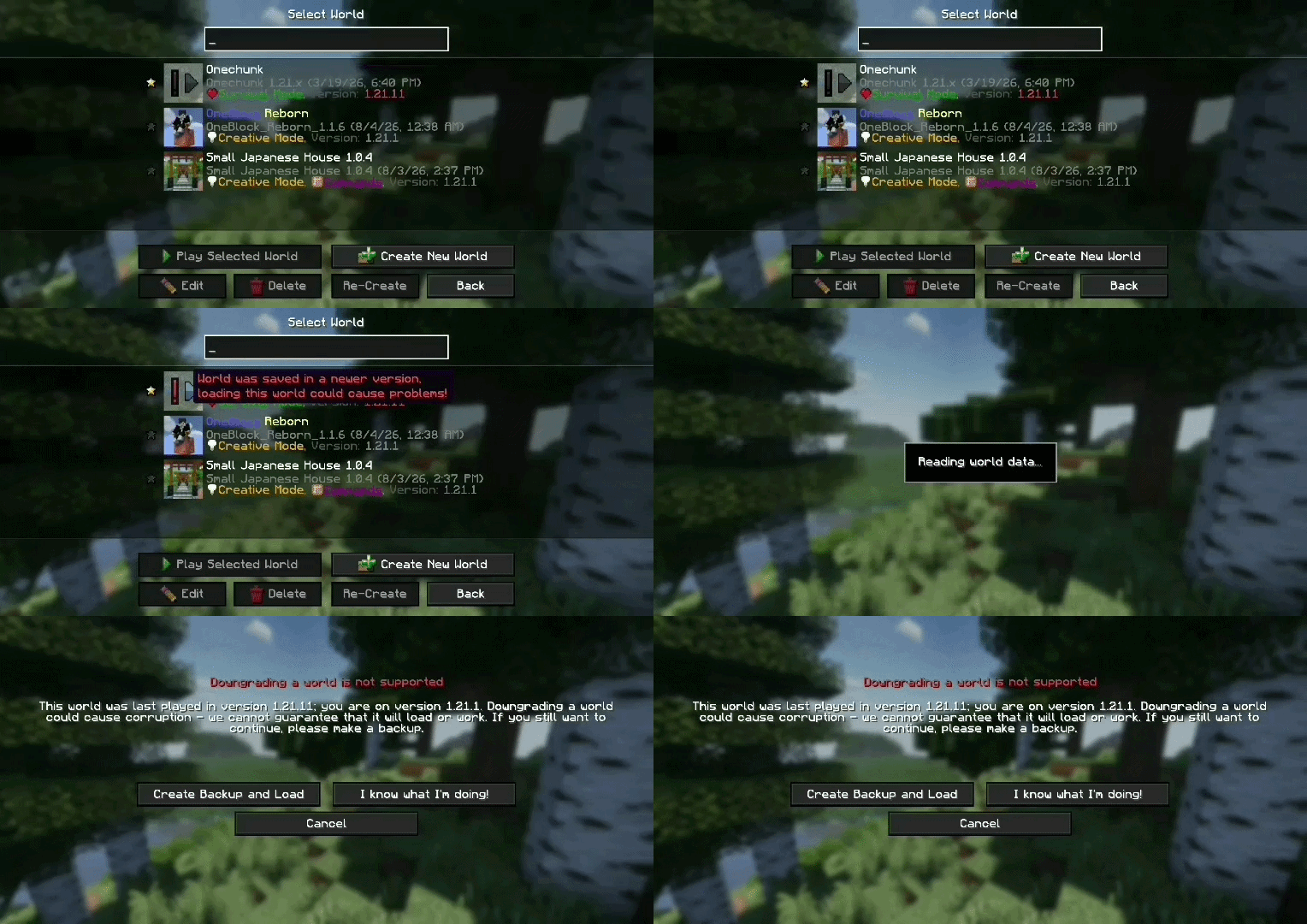 Vanilla downgrade warning prompt
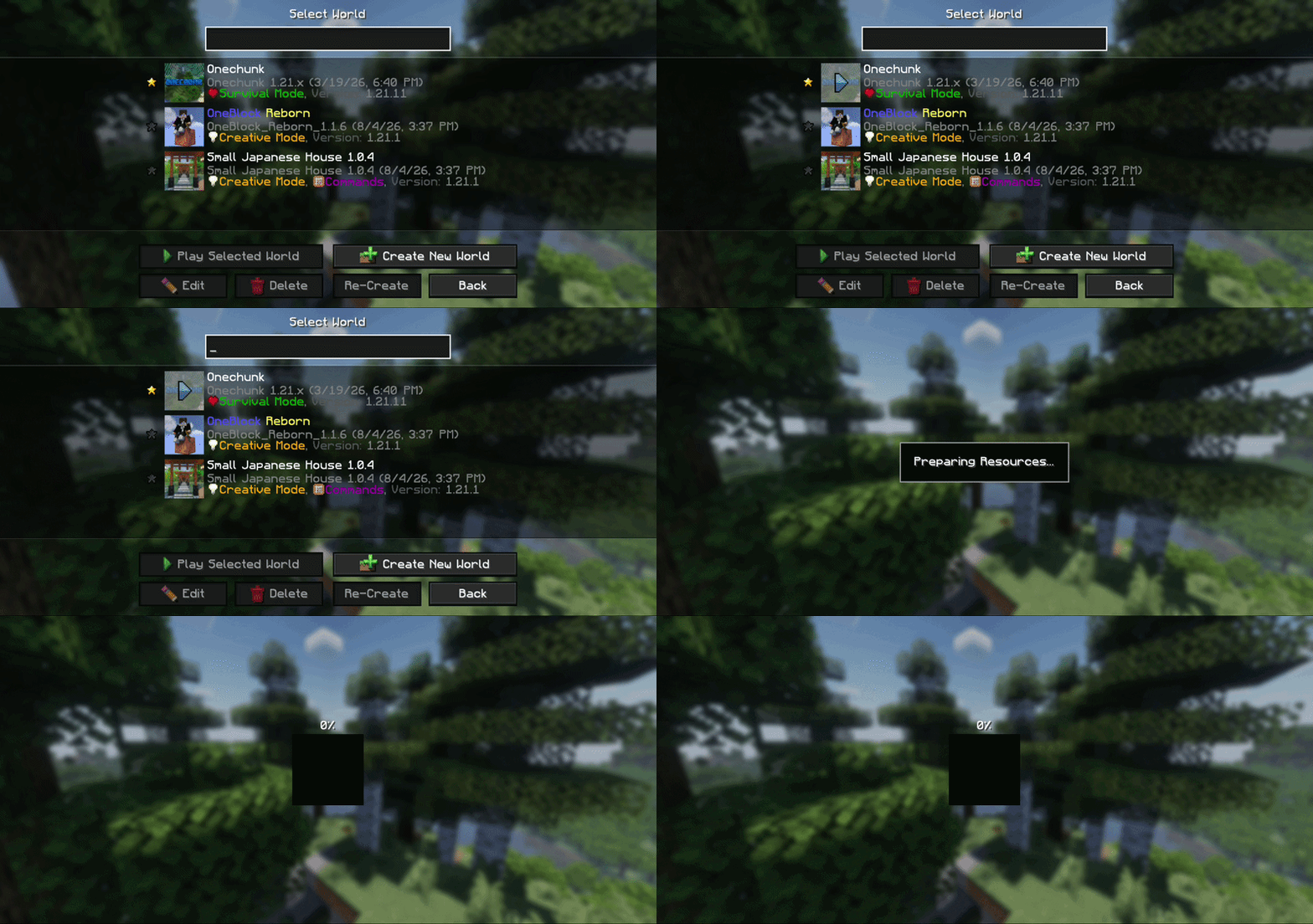 Warning skipped with the mod installed
Галерея
Последние версии
Все версии →release
Hide Downgrade Warning 1.0.1
1.0.113 авг. 2026 г.200Minecraft: 1.14, 1.14.1, 1.14.2, 1.14.3, 1.14.4, 1.15, 1.15.1, 1.15.2, 1.16, 1.16.1, 1.16.2, 1.16.3, 1.16.4, 1.16.5, 1.17, 1.17.1, 1.18, 1.18.1, 1.18.2, 1.19, 1.19.1, 1.19.2, 1.19.3, 1.19.4, 1.20, 1.20.1, 1.20.2, 1.20.3, 1.20.4, 1.20.5, 1.20.6, 1.21, 1.21.1, 1.21.2, 1.21.3, 1.21.4, 1.21.5, 1.21.6, 1.21.7, 1.21.8, 1.21.9, 1.21.10, 1.21.11, 26.1, 26.1.1, 26.1.2, 26.2fabric
Что нового
Update Icon
release
Hide Downgrade Warning 1.0.0
1.0.07 авг. 2026 г.82Minecraft: 1.14, 1.14.1, 1.14.2, 1.14.3, 1.14.4, 1.15, 1.15.1, 1.15.2, 1.16, 1.16.1, 1.16.2, 1.16.3, 1.16.4, 1.16.5, 1.17, 1.17.1, 1.18, 1.18.1, 1.18.2, 1.19, 1.19.1, 1.19.2, 1.19.3, 1.19.4, 1.20, 1.20.1, 1.20.2, 1.20.3, 1.20.4, 1.20.5, 1.20.6, 1.21, 1.21.1, 1.21.2, 1.21.3, 1.21.4, 1.21.5, 1.21.6, 1.21.7, 1.21.8, 1.21.9, 1.21.10, 1.21.11, 26.1, 26.1.1, 26.1.2, 26.2fabric