COWMODSКаталог модов

GriefPrevention3D

A fork of GriefPrevention that adds 3D subdivisions

Автор: castledking9,1 тыс.12обновлён 23 окт. 2026 г.
УправлениеУтилиты

Описание

GriefPrevention3D

The self-service anti-griefing plugin for Minecraft servers — now with full 3D subdivisions

Discord GitHub Repository GitHub Issues GitHub Wiki

Stop responding to grief and prevent it instead. GriefPrevention stops grief before it starts automatically without any effort from administrators, and with very little (self service) effort from players.

GriefPrevention3D is a fork of the popular GriefPrevention plugin that adds full 3D subdivision support to land claims. Players can now create subdivisions with precise height boundaries for more complex builds.

Watch this video to learn more how GriefPrevention works in-game.
GriefPrevention Youtube Tutorial


Key Features

  • 3D Subdivisions Create subdivisions with exact Y-level boundaries.
    /3dsubdivideclaims
    
    Use this command to switch to 3D subdivision mode.

  • 3D Admin Claims Create free, height-bounded administrative claims with exact Y coordinates.
    /3dadminclaims
    
    Use this command or /aclaim mode admin3d to switch to 3D admin claim mode. Requires the griefprevention.adminclaims permission.

  • Shaped Claims / SubClaims
    AllowShapedClaims: false
    AllowShapedSubClaims: false
    
    Set to true to enable non-rectangular claims & subdivisions. /shapedclaims /shapedsubdivideclaims Use this command to switch to the shaped claims mode.

  • Merge Claims Merge two of your claims into a single larger claim.
    /mergeclaims
    
    Stand in the first claim and run /mergeclaims, then go to the second claim and run /mergeclaims again or right-click with your golden shovel. Both claims and the area between them become one claim. Can also be done with /shapedclaims — shape a path that overlaps another claim you own and they merge automatically.

  • Nested Subclaims
    AllowNestedSubClaims: false
    
    Set to true to allow subdivisions inside other subdivisions.

  • Visualization Glow
    VisualizationGlow: false
    
    Set to true to enable glowing claim boundary visualization. (Requires 1.19.4+)

  • Unified Command Handler In GriefPreventionData/alias.yml:
    enabled: true
    
    Provides unified commands like: /claim create /claim trust /claim abandon View Docs

  • Neighbor Trust & Minimum Distance
    GriefPrevention:
      Claims:
        MinimumDistance: 0
    
    Enforce a minimum distance between top-level claims to prevent claim spam and overcrowding. When set, players cannot create claims within the configured distance of another player's claim.
    • /claim trust <player> neighbor — Grant a player neighbor trust so they can bypass minimum distance checks for your claims.
    • /neighbortrust <player> (alias: /distancetrust <player>) — Standalone command for the same purpose.
    • /claim distance check — Show the configured minimum distance and list nearby claims.
    • /claim distance toggle — While standing in your own claim, toggle whether ALL players can bypass minimum distance for that claim.
    • Existing nearby claims auto-grant neighbor trust to each other, cleaned up automatically when claims are abandoned.

  • Scroll Resize /scrollresize Resize a claim or subdivision with your mouse wheel while holding the claim tool, with a live preview of the new boundary. Scrolling up pushes the side you are facing away from you, scrolling down pulls it toward you. Right-click applies the resize; left-click, drop, or swapping hands cancels it. Works on 3D subdivisions and shaped claims, down to a single block.

  • Wither Explosion Toggle /witherexplosions Use this command to toggle wither explosions inside your claim.

  • Fabric Support 18.2.6+ GriefPrevention3D builds now are a universal jar for fabric and paper/spigot servers. View the progress here

Subtle Changes

  • Per-Player Locale: Enabled by default. Players receive messages in their client language when a translation is available, falling back to English. See Supported Languages for the full list. Disable with PerPlayerLocale: false in config.yml.
  • Action Bar Messages: You can now define a list of message keys that should be chosen to be shown in the action bar instead of chat.
  • Rate Limited Messages: Denials that repeat on their own — an arrow bouncing off a claimed decorated pot, a swing at a claimed animal, a piston placed outside a claim — are sent at most once per 10 seconds, counted separately for each message so one denial never hides another.
  • Resizing a claim now selects it and is accessible using common commands like /claim abandon or /claim trust during that resize session
  • /restrictsubclaim while standing in main claims now instantly restricts all subdivisions inside
  • /trustlist now shows inherited permissions
  • Manage trust uses /managetrust and griefprevention.managetrust. Permission-node trust uses /permissiontrust <permission> <access|container|build|manage> or /aclaim trust permission <permission> <type>. It requires griefprevention.permissiontrust, inherited by griefprevention.adminclaims; bare dotted nodes and bracketed [permission.node] targets are accepted.
  • Split the griefprevention.eavesdrop permission to griefprevention.eavesdrop.pm & griefprevention.eavesdrop.softmute for more granular permission control
  • Various bug fixes and quality-of-life improvements
  • Full compatibility with original GriefPrevention features
  • Works with Spigot, Paper, Purpur, and Folia
  • Maintains all anti-grief protections

Supported Languages

GriefPrevention3D ships with translations for every language below. Set one for the whole server with Locale: in config.yml, or leave PerPlayerLocale: true and each player is served their own client language, falling back to English.

CodeLanguage
enEnglish
cs_CZCzech
de_DEGerman
esSpanish
fr_FRFrench
id_IDIndonesian (Bahasa Indonesia)
ja_JPJapanese
ms_MYMalay
pl_PLPolish
pt_BRPortuguese (Brazil)
ru_RURussian
tr_TRTurkish
uk_UAUkrainian
zh_CNChinese (Simplified)
en_PTPirate Speak

See the Locale guide for how to customise messages or add a language of your own.

Supported Platforms: Fabric, Spigot, Paper, Purpur, and Folia.

GriefPrevention3D targets and supports 1.8 - latest available version for non-fabric servers.

Fabric support currently only covers 1.21.11 - latest.

Download

⬇ Download the GriefPrevention3D.jar plugin here.

Documentation

For usage instructions, see the official GriefPrevention3D Documentation.

Addons

Addons provide additional features to GriefPrevention. Some of these addons are listed in GitHub Discussions

Support

Original Plugin

This is a fork of GriefPrevention by RoboMWM.
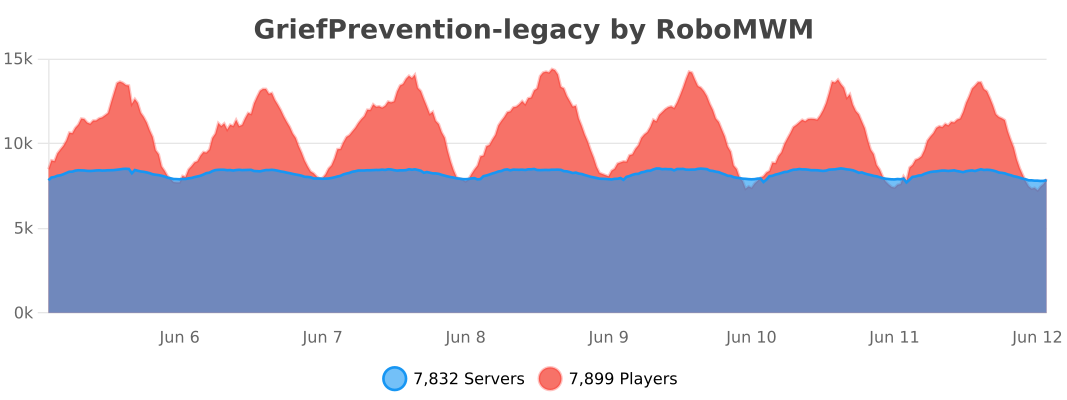

Weird flex but ok

Последние версии

Все версии →
release

GriefPrevention3D v19.0.1

19.0.1
23 окт. 2026 г.326Minecraft: 1.8.8, 1.8.9, 1.9, 1.9.1, 1.9.2, 1.9.3, 1.9.4, 1.10, 1.10.1, 1.10.2, 1.11, 1.11.1, 1.11.2, 1.12, 1.12.1, 1.12.2, 1.13, 1.13.1, 1.13.2, 1.14, 1.14.1, 1.14.2, 1.14.3, 1.14.4, 1.15, 1.15.1, 1.15.2, 1.16, 1.16.1, 1.16.2, 1.16.3, 1.16.4, 1.16.5, 1.17, 1.17.1, 1.18, 1.18.1, 1.18.2, 1.19, 1.19.1, 1.19.2, 1.19.3, 1.19.4, 1.20, 1.20.1, 1.20.2, 1.20.3, 1.20.4, 1.20.5, 1.20.6, 1.21, 1.21.1, 1.21.2, 1.21.3, 1.21.4, 1.21.5, 1.21.6, 1.21.7, 1.21.8, 1.21.9, 1.21.10, 1.21.11, 26.1, 26.1.1, 26.1.2, 26.2, 26.3bukkit, fabric, folia, paper, purpur, spigot
Скачать
Что нового
# GriefPrevention3D v19.0.1 **Wiki:** https://github.com/castledking/GriefPrevention3D/wiki Back up `GriefPreventionData` before updating. ## Fabric: inactive players' claims expire Fabric used to ignore `Claims.Expiration`. It now cleans up claims as the plugin does, so abandoned claims no longer pile up on long-running servers. - **`Claims.Expiration.AllClaims.DaysInactive`** (60 days by default) deletes all of a player's claims once they have been away that long. - **`Claims.Expiration.ChestClaimDays`** (7 days by default) deletes a player's only claim sooner, if it is no bigger than a new player's claim (`Claims.AutomaticNewPlayerClaimsRadius`, 4 by default, a 9×9 claim). With Fabric's default minimum area of 100 blocks, few claims are that small. - As on the plugin, one claim owner is checked every `Advanced.ClaimExpirationCheckRate` seconds (60 by default), going round every owner in turn. These players keep their claims: - anyone online; - anyone with at least `ExceptWhenOwnerHasTotalClaimBlocks` claim blocks (10000 by default), or at least `ExceptWhenOwnerHasBonusClaimBlocks` bonus blocks (5000 by default); - anyone with **`griefprevention.dontexpire`**. `griefprevention.dontexpire` works with LuckPerms even while the player is offline: their LuckPerms data is loaded for the check and released afterwards, so a grant on a group they belong to counts too. Without LuckPerms, server operators are exempt, which is the permission's default. If the check fails, the claims stay. Expired claims are deleted without the `AbandonReturnRatio` penalty, and each one is written to the server log. Other Fabric mods can keep a claim from expiring through the new `ClaimExpirationCallback`, as plugins can with `ClaimExpirationEvent`. ### When the first claims can expire Fabric learns when players were last online from `GriefPreventionData/LastSeen.yml`, which started recording in 18.4.7 (26 September 2026). Players not seen since then keep their claims, as the plugin keeps the claims of players without a last-played time. With the default 60 days, no claim can expire before late November 2026. ### New command | Command | Permission | What it does | |---|---|---| | `/checkclaimexpiry [player]` (`/claimcheckexpiry`, `/aclaim checkexpiry`) | `griefprevention.checkclaimexpiry` | Shows when the owner of the claim you stand in was last seen, when their claims expire, and what keeps them | Checking another player by name also takes `griefprevention.admin.checkclaimexpiry`, which only operators have by default, as on the plugin. ## Spigot and Paper - **Indonesian messages.** Set `GriefPrevention.Locale` to `id_ID`, or let `PerPlayerLocale` pick it for players whose client is set to Bahasa Indonesia. - bStats now reports the server software by its name (for example Paper or Purpur), from upstream GriefPrevention (#2667). ## Config New Fabric `config.yml` keys, matching the plugin. They are added to existing files on startup without changing anything you have set, and `/gpreload` rereads them: ```yaml GriefPrevention: Claims: AutomaticNewPlayerClaimsRadius: 4 Expiration: ChestClaimDays: 7 AllClaims: DaysInactive: 60 ExceptWhenOwnerHasTotalClaimBlocks: 10000 ExceptWhenOwnerHasBonusClaimBlocks: 5000 Advanced: ClaimExpirationCheckRate: 60 ``` ## Upgrade notes - **Expiration is on by default on Fabric**, as on the plugin. To keep every claim, set both `DaysInactive` and `ChestClaimDays` to `0`. - If a Fabric expiration setting cannot be read, expiration turns off and the error is logged, instead of falling back to the defaults. - `Claims.Expiration.UnusedClaimDays` and `AutomaticNatureRestoration` are not on Fabric yet. Both need restore nature, which Fabric does not have. Both versions still ship in one `GriefPrevention3D.jar`: 1.8 through the latest release on Spigot, Paper, Purpur and Folia, and 1.21.2 through 1.21.11 and 26.1 through 26.3 on Fabric.
release

GriefPrevention3D v19.0.0

19.0.0
19 окт. 2026 г.333Minecraft: 1.8.8, 1.8.9, 1.9, 1.9.1, 1.9.2, 1.9.3, 1.9.4, 1.10, 1.10.1, 1.10.2, 1.11, 1.11.1, 1.11.2, 1.12, 1.12.1, 1.12.2, 1.13, 1.13.1, 1.13.2, 1.14, 1.14.1, 1.14.2, 1.14.3, 1.14.4, 1.15, 1.15.1, 1.15.2, 1.16, 1.16.1, 1.16.2, 1.16.3, 1.16.4, 1.16.5, 1.17, 1.17.1, 1.18, 1.18.1, 1.18.2, 1.19, 1.19.1, 1.19.2, 1.19.3, 1.19.4, 1.20, 1.20.1, 1.20.2, 1.20.3, 1.20.4, 1.20.5, 1.20.6, 1.21, 1.21.1, 1.21.2, 1.21.3, 1.21.4, 1.21.5, 1.21.6, 1.21.7, 1.21.8, 1.21.9, 1.21.10, 1.21.11, 26.1, 26.1.1, 26.1.2, 26.2, 26.3bukkit, fabric, folia, paper, purpur, spigot
Скачать
Что нового
# GriefPrevention3D v19.0.0 **Now a stable build.** One universal JAR runs as a Bukkit plugin and as a Fabric dedicated-server mod. Fabric requires Fabric API. Back up `GriefPreventionData` before updating. ## Fabric claims and commands - **Create and manage claims.** Basic and administrative claims, 2D and 3D subdivisions, claim lookup, abandonment, trust, trust lists, and staff claim management are available through the same command aliases and permission nodes as the plugin. Fabric has no economy integration, so paid claim transfers are refused unless the player has the free-transfer permission. - **Shaped claims.** Enable `GriefPrevention.Claims.AllowShapedClaims`, then use `/shapedclaims` (alias `/shapedclaim` or `/claim mode shaped`). With the golden shovel, right-click the outline's corners in order and click the first corner again to close it. The live path and finished claim both show corner nibs and boundary markers. Clicking an existing 2D claim boundary starts a reshape. - **Extend claims.** `/extendclaim <numberOfBlocks>` (aliases `/expandclaim` and `/resizeclaim`) extends or shrinks the most specific claim at your location, or the claim selected with the shovel nib. It supports 2D and 3D claims, subdivisions, and shaped outlines. - **Inspect claims.** The configured investigation tool (`STICK` by default) shows the claim at the targeted block; sneak-use it to visualize nearby claims. The golden shovel displays claim boundaries and supports claim selection. - **Resize with the scroll wheel.** `/scrollresize` previews a claim or subdivision while scrolling and applies the change on right-click. Looking down selects the bottom face of a 3D subdivision. A selected corner is range-gated to avoid a corner click registering through to a farther block. Shaped claims are disabled by default. `AllowShapedSubClaims` also defaults to `false`; `ShapedMinimumWidth` and `ShapedMinimumArea` control their size rules. `Allow3DSubdivisions` defaults to `true`. These settings are read from the existing `config.yml` and added on startup when missing. ## Claim protection - Explosions respect the configured land-claim and surface explosion protections, including protected entities. - Starting or extending a raid requires build trust in the raid-center claim, or in the triggering player's claim when the raid center is unclaimed. `Claims.RaidTriggersRequireBuildTrust` defaults to `true`. ## Compatibility and packaging - One Modrinth release lists Bukkit, Folia, Paper, Purpur, Spigot, and Fabric, using this combined changelog. - Fabric supports Minecraft 1.21.2–1.21.11 and 26.1–26.3 on dedicated servers. Bukkit-family support starts at Minecraft 1.8. - Modrinth stores one game-version list for all loaders on a release, so this listing advertises the Fabric targets. Bukkit support for older Minecraft releases remains available through Spigot and the universal JAR. - The universal JAR is about 2.2 MB, below the 5 MB target. ## Upgrade notes No claim migration is needed. Existing settings remain in place; new config keys are added with the defaults above.
beta

GriefPrevention3D v18.4.14 (Fabric beta)

18.4.14-fabric-beta
17 окт. 2026 г.102Minecraft: 1.21.2, 1.21.3, 1.21.4, 1.21.5, 1.21.6, 1.21.7, 1.21.8, 1.21.9, 1.21.10, 1.21.11, 26.1, 26.1.1, 26.1.2, 26.2, 26.3fabric
Скачать
Что нового
# GriefPrevention3D v18.4.14 — Fabric (experimental beta) **Wiki:** https://github.com/castledking/GriefPrevention3D/wiki **Roadmap:** [platforms/fabric-common/ROADMAP.md](https://github.com/castledking/GriefPrevention3D/blob/master/platforms/fabric-common/ROADMAP.md) > **Still a beta, dedicated-server-only build.** Back up `GriefPreventionData` before updating. Requires Fabric > API; LuckPerms is optional but recommended. ## Overview Two changes land on Fabric. Minecraft 26.3's cushions, which arrived without any claim protection, are now protected like other decorations, and the new per-player glow toggle from the Paper side comes to Fabric as `/claimglow` and `/gpglow`. ## New commands | Command | Permission | What it does | |---|---|---| | `/claimglow` (`/claim glow`) | `griefprevention.glow` | Toggles glowing claim borders for this player | | `/gpglow` | `griefprevention.debug` | Toggles the global visualization glow setting | Both permissions default to `true` and `op` respectively, as on Paper. `/claimglow` only does anything while `VisualizationGlow` is on in `config.yml`. ## Cushion protection Cushions (26.3+) are entities, not blocks, so nothing protected them: any player could place or break one inside a claim, and a fishing rod could pull one out. They are now treated like armor stands and item frames: - **Melee and arrows.** Stopped before the hit lands, as with other build-protected entities. - **Snowballs and eggs.** These call `Entity.hurt()` directly and bypass the melee hook, so a separate mixin on the cushion's own damage handling catches them. - **Fishing rods.** Reeling a claimed cushion in takes container trust. - **Sitting.** Right-clicking a cushion to sit on it is allowed for everyone, matching `Claims.PreventCushionMount` (default false) on Paper. Cushions only exist on 26.3, so older releases see no change. ## Glow toggle - `/claimglow [on|off]` flips the player's own glow setting, stored in their `PlayerData/<uuid>` record alongside the accrued and bonus claim blocks. It persists across restarts. - `/gpglow [on|off]` flips the global `VisualizationGlow` config key. It is always available to admins. - The Fabric visualization now checks both the global setting and the player's, so a player who turned glow off for themselves stops seeing glowing outlines even while the server-wide setting stays on. Toggling either setting refreshes any visualization the player currently has drawn. ## Upgrade notes - Player data files gain a fifth line (`glowEnabled`, defaulting to `true`) the first time they are rewritten. Old four-line records keep working and default to glow on, as on Paper. - `VisualizationGlow` in `config.yml` is unchanged and still defaults to `false`. ## Not on Fabric yet The roadmap lists the protections still to come. Shaped claims, merging claims, `/siege`, `/extendclaim`, restore nature, buying or selling claim blocks and charging fees remain Paper-only.
release

GriefPrevention3D v18.4.14

18.4.14
17 окт. 2026 г.174Minecraft: 1.8.8, 1.8.9, 1.9, 1.9.1, 1.9.2, 1.9.3, 1.9.4, 1.10, 1.10.1, 1.10.2, 1.11, 1.11.1, 1.11.2, 1.12, 1.12.1, 1.12.2, 1.13, 1.13.1, 1.13.2, 1.14, 1.14.1, 1.14.2, 1.14.3, 1.14.4, 1.15, 1.15.1, 1.15.2, 1.16, 1.16.1, 1.16.2, 1.16.3, 1.16.4, 1.16.5, 1.17, 1.17.1, 1.18, 1.18.1, 1.18.2, 1.19, 1.19.1, 1.19.2, 1.19.3, 1.19.4, 1.20, 1.20.1, 1.20.2, 1.20.3, 1.20.4, 1.20.5, 1.20.6, 1.21, 1.21.1, 1.21.2, 1.21.3, 1.21.4, 1.21.5, 1.21.6, 1.21.7, 1.21.8, 1.21.9, 1.21.10, 1.21.11, 26.1, 26.1.1, 26.1.2, 26.2, 26.3bukkit, folia, paper, purpur, spigot
Скачать
Что нового
# GriefPrevention3D v18.4.14 **Wiki:** https://github.com/castledking/GriefPrevention3D/wiki ## Fixes - **Claimed cushions can no longer be broken by untrusted players** ([#13](https://github.com/castledking/GriefPrevention3D/issues/13)). A cushion is an entity, not a block, so the block protection that covers everything else never applied to it. On top of that, it is a non-living entity: a hit on one raises no damage event at all, so the creature protection that covers armor stands and item frames never saw it either. All of these now need build trust in the cushion's claim: - **Paper / Purpur / Folia.** Melee, arrows, snowballs, eggs and fire all go through the cushion's break event now. Reeling one in with a fishing rod takes container trust, as with armor stands. - **Fabric.** Melee and arrows are stopped before the hit lands, and a new mixin on the cushion's own damage handling stops snowballs and eggs, which bypass the melee hook. Sitting on a cushion in a claim you can't build in is still allowed, matching `Claims.PreventCushionMount` (default false) on Paper. Reeling one in takes container trust. - **Both.** `EntityDamageHandler` no longer carries a dead `CUSHION` entry that could never fire. Cushions only exist on Minecraft 26.3 and later, so older servers are unaffected. ## New features - **Per-player glow toggle for claim visualizations.** `/claimglow` (or `/claim glow`) lets each player turn the glowing outline on or off for themselves, independently of the server-wide `VisualizationGlow` setting. The setting persists across restarts in the player data file. `/gpglow` lets an administrator flip the global setting at runtime; it is always available, while `/claimglow` only works while the global setting is on. - Paper: `/claimglow [on|off]` (`griefprevention.glow`), `/gpglow [on|off]` (`griefprevention.debug`). - Fabric: the same two commands, registered through the alias system. - Toggling either setting refreshes any visualization the player currently has drawn, so the change shows up immediately. ## Upgrade notes Nothing to migrate. The player data file gains a fifth line (`glowEnabled`, defaulting to `true`) the first time a player's data is rewritten; old four-line records keep working and default to glow on. The `VisualizationGlow` config key is unchanged. Both versions still ship in one `GriefPrevention3D.jar`: 1.8 through the latest release on Spigot, Paper, Purpur and Folia, and 1.21.2 through 1.21.11 and 26.1 through 26.3 on Fabric.
beta

GriefPrevention3D v18.4.13 (Fabric beta)

18.4.13-fabric-beta
17 окт. 2026 г.28Minecraft: 1.21.2, 1.21.3, 1.21.4, 1.21.5, 1.21.6, 1.21.7, 1.21.8, 1.21.9, 1.21.10, 1.21.11, 26.1, 26.1.1, 26.1.2, 26.2, 26.3fabric
Скачать
Что нового
# GriefPrevention3D v18.4.13 — Fabric (experimental beta) **Wiki:** https://github.com/castledking/GriefPrevention3D/wiki **Roadmap:** [platforms/fabric-common/ROADMAP.md](https://github.com/castledking/GriefPrevention3D/blob/master/platforms/fabric-common/ROADMAP.md) > **Still a beta, dedicated-server-only build.** Back up `GriefPreventionData` before updating. Requires Fabric > API; LuckPerms is optional but recommended. ## Overview Three more Paper commands come to Fabric. `/scrollresize` resizes a claim with the mouse wheel, `/trapped` gets a player out of a claim they can't build in, and `/claim alerts` warns owners when a piston or fluid is stopped at their claim's border. Six protections come with them: ender pearls and chorus fruit, lightning fires, fishing rods, sand cannons, sword sweeps and Minecraft 26.2's sulfur cubes. The same `GriefPrevention3D.jar` still runs on Fabric 1.21.2 through 1.21.11 and 26.1 through 26.3, and as a Spigot/Paper plugin. ## New commands | Command | Permission | What it does | |---|---|---| | `/scrollresize` (`/claim scrollresize`, `/sr`, `/src`) | `griefprevention.scrollresize` | Resizes a claim or subdivision with the mouse wheel | | `/trapped` (`/claim trapped`) | `griefprevention.trapped` | Moves you out of a claim you can't build in | | `/claim alerts [on\|off]` | `griefprevention.claimalerts` | Border alerts for the claim you're standing in | | `/claimtogglealerts [on\|off]` | `griefprevention.toggleclaimalerts` | Border alerts for all your claims | All four permissions default to `true`, as on Paper. ### /scrollresize - Hold the golden shovel and stand in a claim or subdivision, or select one of its corners with the shovel first. Then run `/scrollresize`. Look at a side of the claim and scroll up to push that side away from you, or down to pull it toward you. - While you scroll, the new outline is drawn along with the claims around it. The claim's size and the claim blocks you'd have left show above the hotbar. If the new outline overlaps another claim or costs more blocks than you have, you're told right away. - Right-click to apply. The resize goes through the same checks as resizing with the shovel: minimum size, overlaps, claim blocks, and subdivisions fitting inside their parent. - If you selected a corner first, only the two sides that meet at that corner move. - Any of these cancels: left-clicking a block or entity, dropping (Q), swapping hands (F), pressing a number key, putting the shovel away, dying, changing worlds, or a minute without scrolling. Left-clicking the air doesn't cancel, because 26.3 no longer tells the server about it. - Shaped claims can't be made on Fabric yet, so they can't be scroll-resized either. ### /trapped - Stand still for ten seconds in a claim you can't build in, and you're moved past the claim's west and north corner and up to the surface, as on Paper. If another claim is in the way, you're moved past that one too. The surface you'd land on is checked against claims as well, so a 3D claim above the ground can't catch you. - Moving during the ten seconds cancels the rescue. - Overworld only, since there's no telling where a safe spot is in the nether or the end. Administrative claims only when `Claims.AllowTrappedInAdminClaims` is on. - Paper's chat hint, which points players who say "trapped" or "stuck" at `/trapped`, isn't on Fabric yet. ### Claim alerts - A claim's owner is warned when a piston tries to push a block into or out of the claim, or a fluid tries to flow in or out, and is stopped. The warning gives the location. Repeats are merged, and a burst of them is summed up in one message, as on Paper. - `/claim alerts on|off` sets the claim you're standing in. `/claimtogglealerts on|off` sets all your claims. ## New protections - **Ender pearls and chorus fruit** need access trust to land in a claim (`EnderPearlsRequireAccessTrust`). A refused pearl breaks, and comes back to the thrower when `RefundDeniedEnderPearls` is on. Players in creative never spent it, so they get nothing back. A refused chorus fruit jump is undone, and vanilla tries another spot. - **Lightning** starts no fires in claims. - **Fishing rods** need container trust to reel in a claimed animal, armor stand or sulfur cube. - **Falling blocks** (sand cannons): a falling block that drifted sideways only lands in a claim if the spot it fell from is in that claim too, or if it fell from a claim and lands in one of that claim's unrestricted subdivisions. Otherwise it drops as an item. - **Sword sweeps** get the same protection as the hit that caused them. A sweep used to damage the mobs beside its target directly, past every claim check. Creatures, villagers and armor stands in claims, and players in claims where PvP is off, are now checked like the target. On 1.21.2 to 1.21.4 the sweep's knockback is checked too. - **Sulfur cubes** (26.2+) are protected like other creatures ([#12](https://github.com/castledking/GriefPrevention3D/issues/12)). Hits, burning arrows and fire aspect can't reach a claimed cube, so a TNT cube can't be lit. Using one takes container trust. Hits were already stopped before the cube's own damage handling; the gaps were fishing rods and sweeps, both closed above. ## Config New `config.yml` keys, matching the Paper plugin. They're added to existing files on startup without changing anything you've set, and `/gpreload` rereads them. ```yaml GriefPrevention: Claims: AllowTrappedInAdminClaims: false EnderPearlsRequireAccessTrust: true RefundDeniedEnderPearls: true ``` `Allow3DSubdivisions`, which v18.4.12 read but never wrote into the file, now shows up there too. ## Stricter than Paper - On Paper, anyone standing in a claim can mute its owner's alerts with `/claim alerts`. On Fabric it takes permission to edit the claim. - `/claimtogglealerts` also covers the subdivisions of your claims. Paper leaves subdivisions as they were. ## Upgrade notes - Claims and player data keep the same `GriefPreventionData` format as Paper. There's nothing to migrate. - `EnderPearlsRequireAccessTrust` defaults to `true`, as on Paper. From this release on, players can't pearl or chorus-fruit into claims they have no access trust in. Set it to `false` to allow that again. - Sweeps, fishing rods and falling blocks now respect claims. Sand cannons aimed into claims they didn't start in stop working, and so do fishing rods used on other players' animals. - To keep players off a new command, deny its permission in LuckPerms. ## Not on Fabric yet Shaped claims and shaped subdivisions (`/shapedclaims`, `/shapedsubdivideclaims`), merging claims, `/siege`, `/extendclaim`, restore nature, buying or selling claim blocks, and charging fees. The roadmap lists the protections still to come.
release

GriefPrevention3D v18.4.13

18.4.13
17 окт. 2026 г.55Minecraft: 1.8.8, 1.8.9, 1.9, 1.9.1, 1.9.2, 1.9.3, 1.9.4, 1.10, 1.10.1, 1.10.2, 1.11, 1.11.1, 1.11.2, 1.12, 1.12.1, 1.12.2, 1.13, 1.13.1, 1.13.2, 1.14, 1.14.1, 1.14.2, 1.14.3, 1.14.4, 1.15, 1.15.1, 1.15.2, 1.16, 1.16.1, 1.16.2, 1.16.3, 1.16.4, 1.16.5, 1.17, 1.17.1, 1.18, 1.18.1, 1.18.2, 1.19, 1.19.1, 1.19.2, 1.19.3, 1.19.4, 1.20, 1.20.1, 1.20.2, 1.20.3, 1.20.4, 1.20.5, 1.20.6, 1.21, 1.21.1, 1.21.2, 1.21.3, 1.21.4, 1.21.5, 1.21.6, 1.21.7, 1.21.8, 1.21.9, 1.21.10, 1.21.11, 26.1, 26.1.1, 26.1.2, 26.2, 26.3bukkit, folia, paper, purpur, spigot
Скачать
Что нового
# GriefPrevention3D v18.4.13 **Wiki:** https://github.com/castledking/GriefPrevention3D/wiki ## Fixes - **Sulfur cubes in claims are protected like other creatures** ([#12](https://github.com/castledking/GriefPrevention3D/issues/12)). Minecraft 26.2's sulfur cubes got past claim protection in three ways. All three now need container trust in the cube's claim, which is what hurting any claimed creature already needs: - **Hits.** A cube holding a block takes no damage from a hit. The hit knocks it away instead, and fire aspect lights a TNT cube's fuse. Neither fires a damage event, so creature protection never saw them. On Paper and servers built on it, the hit is now stopped before it lands. That covers knockback, fire aspect and a sword killing an empty cube. Spigot has no event for this, so there a hit cube is still put back where it stood, as before. - **Arrows and other projectiles.** A projectile shot by a player without container trust stops when it hits a claimed cube, so a burning arrow can no longer prime a TNT cube. - **Fishing rods.** Reeling in a claimed cube now takes container trust, as reeling in animals and armor stands already did. The protection follows `Claims.ProtectCreatures`: turn that off and sulfur cubes are no more protected than other creatures. Staff using `/ignoreclaims` get through as usual. - **New claims reach down to everything built under them.** When a claim is created, GriefPrevention looks under it for player-built blocks and storage, and lowers the claim's floor to cover them. If the claim's west or north edge was at a negative coordinate, that search skipped the chunks along that edge. Chests and builds under that part of the claim could end up below the claim's floor, unprotected. Ported from upstream GriefPrevention (#2659). 3D claims are not affected, since they keep the heights they were drawn with. ## Upgrade notes Nothing to migrate and no new options. Sulfur cubes only exist on Minecraft 26.2 and later, so older servers only get the claim depth fix. The experimental Fabric version in the same jar gains `/scrollresize`, `/trapped`, claim alerts and several new protections. They're listed in the Fabric version's changelog on Modrinth. Both versions still ship in one `GriefPrevention3D.jar`: 1.8 through the latest release on Spigot, Paper, Purpur and Folia, and 1.21.2 through 1.21.11 and 26.1 through 26.3 on Fabric.
beta

GriefPrevention3D v18.4.12 (Fabric beta)

18.4.12-fabric-beta
11 окт. 2026 г.165Minecraft: 1.21.2, 1.21.3, 1.21.4, 1.21.5, 1.21.6, 1.21.7, 1.21.8, 1.21.9, 1.21.10, 1.21.11, 26.1, 26.1.1, 26.1.2, 26.2, 26.3fabric
Скачать
Что нового
# GriefPrevention3D v18.4.12 — Fabric (experimental beta) **Wiki:** https://github.com/castledking/GriefPrevention3D/wiki **Roadmap:** [platforms/fabric-common/ROADMAP.md](https://github.com/castledking/GriefPrevention3D/blob/master/platforms/fabric-common/ROADMAP.md) > **Still a beta, dedicated-server-only build.** Back up `GriefPreventionData` before updating. Requires Fabric > API; LuckPerms is optional but recommended. ## Overview Fabric finally has subdivisions. `/subdivideclaims` cuts a claim into pieces, `/3dsubdivideclaims` cuts it into pieces with exact heights, and both can be resized and trusted like on Paper. Everything a claim touches under water or in the air also got better: the claim tool now looks for the corner you aim at instead of whatever block the view happens to reach, so a corner sticking out of the sea is a corner you can click. The same `GriefPrevention3D.jar` still runs on Fabric 1.21.2 through 1.21.11 and 26.1 through 26.3 and as a Spigot/Paper plugin. ## Subdivisions | Command | What it does | |---|---| | `/subdivideclaims` (`/claim mode 2d`) | The shovel draws subdivisions that reach from the claim's floor to the sky, as on Paper | | `/3dsubdivideclaims` (`/claim mode 3d`) | The shovel draws subdivisions whose top and bottom you pick | | `/basicclaims` (`/claim mode basic`) | Back to whole claims | | `/restrictsubclaim` | Stops a subdivision inheriting its parent's trust, or lets it again | - Permissions `griefprevention.subdivideclaims` and `griefprevention.3dsubdivideclaims` both default to `true`, as on Paper. - Take the golden shovel into a claim you manage, right-click where the subdivision starts, right-click again where it ends. A 2D subdivision fills the height of its claim; a 3D one uses the heights you clicked, exactly. - Subdivisions may be any size, including one block, and must fit inside their parent without touching each other. Overlaps are refused with Paper's messages and a conflict zone. - Subdivisions can be resized by clicking their corner and dragged to the opposite corner, and they carry their own trust: `/trust`, `/trustlist` and the rest work on them as on Paper. - Sneaking with the shovel at a corner in subdivision mode subdivides there; without sneaking it still resizes the claim whose corner it is, exactly as on Paper. - Nested subdivisions (a subdivision inside a subdivision) are not offered yet, as on Paper without `AllowNestedSubClaims`. `/restrictsubclaim` is in this release, so trust inheritance is on the player to manage. ## Corner clicks, under water and everywhere else Both the stick and the shovel work from up to 100 blocks away. On a faraway click the tool follows the player's view, and while doing so it now also looks for the corner of a claim they are aiming at: - A 3D claim's corner is a single block, so the corner is the block the click lands on, whatever it is made of. - A claim without heights of its own — a parent claim, a 2D subdivision — has a corner that runs its whole height, so whichever block of that corner the view passes is the one clicked. The corner under water is as good as any other. This is what Paper already does, and it fixes the two ways a far corner used to fail: - Aim at a corner and get nothing: the corner is air, water or a gap, so the click reached nothing at all. - Aim at a corner and get the seabed: the click landed a block or two away, outside the claim, so a **new** claim started instead of the corner being selected for a resize. The corner only takes the click when it is what the player is closest to along their view — within two blocks of it, and within a forgiving 1.2 blocks of the corner itself — so ordinary clicks are untouched. A half-finished claim or subdivision never snaps, keeping its second corner exactly where it was clicked. ## Visualization - Fake blocks can be hit: left-clicking one of the blocks a visualization shows sends back the real block and drops it from the display, as breaking it always did. - 3D claims two blocks thick or thinner no longer draw the extra vertical corner markers. ## Config New `config.yml` key, added to existing files on startup and reread by `/gpreload`, matching the Paper plugin: ```yaml GriefPrevention: Claims: Allow3DSubdivisions: true ``` Turn it off and `/3dsubdivideclaims` answers that 3D subdivisions are disabled here, while `/subdivideclaims` keeps working. ## Upgrade notes - Claims and player data keep the same `GriefPreventionData` format as Paper; nothing to migrate. Subdivisions made on Paper in a claim you copy over are resized, trusted and abandoned as usual here. - `Allow3DSubdivisions` defaults to `true`, so 3D subdivision mode is open from this release on. - Clicks near a corner now pick that corner, at any range, instead of the block behind it. That is what Paper has always done within reach; it is only new because the range is no longer limited to what the player touches. ## Not on Fabric yet Shaped claims and shaped subdivisions (`/shapedclaims`, `/shapedsubdivideclaims`), merging claims, `/trapped`, `/siege`, `/extendclaim`, restore nature, buying or selling claim blocks, `/claim alerts` and charging fees. The roadmap lists the protections still to come.
release

GriefPrevention3D v18.4.12

18.4.12
11 окт. 2026 г.248Minecraft: 1.8.8, 1.8.9, 1.9, 1.9.1, 1.9.2, 1.9.3, 1.9.4, 1.10, 1.10.1, 1.10.2, 1.11, 1.11.1, 1.11.2, 1.12, 1.12.1, 1.12.2, 1.13, 1.13.1, 1.13.2, 1.14, 1.14.1, 1.14.2, 1.14.3, 1.14.4, 1.15, 1.15.1, 1.15.2, 1.16, 1.16.1, 1.16.2, 1.16.3, 1.16.4, 1.16.5, 1.17, 1.17.1, 1.18, 1.18.1, 1.18.2, 1.19, 1.19.1, 1.19.2, 1.19.3, 1.19.4, 1.20, 1.20.1, 1.20.2, 1.20.3, 1.20.4, 1.20.5, 1.20.6, 1.21, 1.21.1, 1.21.2, 1.21.3, 1.21.4, 1.21.5, 1.21.6, 1.21.7, 1.21.8, 1.21.9, 1.21.10, 1.21.11, 26.1, 26.1.1, 26.1.2, 26.2, 26.3bukkit, folia, paper, purpur, spigot
Скачать
Что нового
# GriefPrevention3D v18.4.12 **Wiki:** https://github.com/castledking/GriefPrevention3D/wiki Nothing changes for Spigot and Paper servers in this release. It behaves exactly like v18.4.11, so updating is optional. This update is for the experimental Fabric version in the same jar. Fabric finally has subdivisions, including 3D ones, and its claim tool finds the corner you aim at from any distance, so a corner under water is clickable. The Fabric changes are in the Fabric version's changelog on Modrinth. Both versions still ship in one `GriefPrevention3D.jar`: 1.8 through the latest release on Spigot, Paper, Purpur and Folia, and 1.21.2 through 1.21.11 and 26.1 through 26.3 on Fabric.
beta

GriefPrevention3D v18.4.11 (Fabric beta)

18.4.11-fabric-beta
10 окт. 2026 г.56Minecraft: 1.21.2, 1.21.3, 1.21.4, 1.21.5, 1.21.6, 1.21.7, 1.21.8, 1.21.9, 1.21.10, 1.21.11, 26.1, 26.1.1, 26.1.2, 26.2, 26.3fabric
Скачать
Что нового
# GriefPrevention3D v18.4.11 **Wiki:** https://github.com/castledking/GriefPrevention3D/wiki ## New options - **`AutoIgnoreClaims` (default false).** Staff who hold the new `griefprevention.autoignoreclaims` permission start each session with claim protections already off, so they can build wherever they need to without touching every claim first. The grant covers every protection: building, containers, entity damage, PvE and knockback, pets, and the rest. Running `/ignoreclaims` turns protections back on for the rest of that session. It is not saved to disk, so it never outlives the session. The new permission defaults to `op` and is deliberately **not** a child of `griefprevention.adminclaims`, so granting that one does not hand it out. Grant it on its own: ``` griefprevention.autoignoreclaims: default: op ``` - **`RequireIgnoreClaimsInAdminClaims` (default false).** Staff normally walk into administrative claims and build freely. With this on, building and using containers inside an administrative claim additionally requires that the staff member be ignoring claims. Walking through, resizing and managing administrative claims still work as before, so `/adminclaim` and friends do not suddenly start refusing. The refusal reads the same way every other protection refuses: each one gives its own reason for that action, followed by the usual "To override, use /ignoreclaims." pointer. No new messages were needed for it. The two options pair up: turn `RequireIgnoreClaimsInAdminClaims` on and give your builders `griefprevention.autoignoreclaims` alongside `AutoIgnoreClaims`, and staff keep building in admin land while every other claim stays protected. Both options appear in your generated `config.yml` between `AdminsGetSignNotifications` and `VisualizationAntiCheatCompatMode`, in this order: ```yaml GriefPrevention: AdminsGetSignNotifications: true AutoIgnoreClaims: false RequireIgnoreClaimsInAdminClaims: false VisualizationAntiCheatCompatMode: false ``` ## Upgrade notes Nothing to migrate. Both options are off by default, so nothing changes until you turn one on. Staff without `griefprevention.autoignoreclaims` are unaffected by `AutoIgnoreClaims` even when it is on. ## Under the hood - The session grant is a separate field on a player's data from the `/ignoreclaims` toggle, and like that toggle it is never written to storage. Protection checks ask whether a player is ignoring claims rather than reading the toggle directly, so every existing protection honours the session grant without each one needing to know about it. - The two `/ignoreclaims` code paths, the unified command handler and the legacy one, now share a single toggle so they cannot drift apart. - New tests cover the session grant, the permission gate, `/ignoreclaims` turning protections back on, and the administrative claim requirement for building and containers.
release

GriefPrevention3D v18.4.11

18.4.11
10 окт. 2026 г.60Minecraft: 1.8.8, 1.8.9, 1.9, 1.9.1, 1.9.2, 1.9.3, 1.9.4, 1.10, 1.10.1, 1.10.2, 1.11, 1.11.1, 1.11.2, 1.12, 1.12.1, 1.12.2, 1.13, 1.13.1, 1.13.2, 1.14, 1.14.1, 1.14.2, 1.14.3, 1.14.4, 1.15, 1.15.1, 1.15.2, 1.16, 1.16.1, 1.16.2, 1.16.3, 1.16.4, 1.16.5, 1.17, 1.17.1, 1.18, 1.18.1, 1.18.2, 1.19, 1.19.1, 1.19.2, 1.19.3, 1.19.4, 1.20, 1.20.1, 1.20.2, 1.20.3, 1.20.4, 1.20.5, 1.20.6, 1.21, 1.21.1, 1.21.2, 1.21.3, 1.21.4, 1.21.5, 1.21.6, 1.21.7, 1.21.8, 1.21.9, 1.21.10, 1.21.11, 26.1, 26.1.1, 26.1.2, 26.2, 26.3bukkit, folia, paper, purpur, spigot
Скачать
Что нового
# GriefPrevention3D v18.4.11 **Wiki:** https://github.com/castledking/GriefPrevention3D/wiki ## New options - **`AutoIgnoreClaims` (default false).** Staff who hold the new `griefprevention.autoignoreclaims` permission start each session with claim protections already off, so they can build wherever they need to without touching every claim first. The grant covers every protection: building, containers, entity damage, PvE and knockback, pets, and the rest. Running `/ignoreclaims` turns protections back on for the rest of that session. It is not saved to disk, so it never outlives the session. The new permission defaults to `op` and is deliberately **not** a child of `griefprevention.adminclaims`, so granting that one does not hand it out. Grant it on its own: ``` griefprevention.autoignoreclaims: default: op ``` - **`RequireIgnoreClaimsInAdminClaims` (default false).** Staff normally walk into administrative claims and build freely. With this on, building and using containers inside an administrative claim additionally requires that the staff member be ignoring claims. Walking through, resizing and managing administrative claims still work as before, so `/adminclaim` and friends do not suddenly start refusing. The refusal reads the same way every other protection refuses: each one gives its own reason for that action, followed by the usual "To override, use /ignoreclaims." pointer. No new messages were needed for it. The two options pair up: turn `RequireIgnoreClaimsInAdminClaims` on and give your builders `griefprevention.autoignoreclaims` alongside `AutoIgnoreClaims`, and staff keep building in admin land while every other claim stays protected. Both options appear in your generated `config.yml` between `AdminsGetSignNotifications` and `VisualizationAntiCheatCompatMode`, in this order: ```yaml GriefPrevention: AdminsGetSignNotifications: true AutoIgnoreClaims: false RequireIgnoreClaimsInAdminClaims: false VisualizationAntiCheatCompatMode: false ``` ## Upgrade notes Nothing to migrate. Both options are off by default, so nothing changes until you turn one on. Staff without `griefprevention.autoignoreclaims` are unaffected by `AutoIgnoreClaims` even when it is on. ## Under the hood - The session grant is a separate field on a player's data from the `/ignoreclaims` toggle, and like that toggle it is never written to storage. Protection checks ask whether a player is ignoring claims rather than reading the toggle directly, so every existing protection honours the session grant without each one needing to know about it. - The two `/ignoreclaims` code paths, the unified command handler and the legacy one, now share a single toggle so they cannot drift apart. - New tests cover the session grant, the permission gate, `/ignoreclaims` turning protections back on, and the administrative claim requirement for building and containers.


