Full Spectrum Realism
Full Spectrum Realism is a lightweight Minecraft modpack that brings high immersion with low system impact. It’s built for smooth performance on low-end PCs using 150+ optimized realism mods.
Описание
Full Spectrum Realism: Lightweight Immersion Modpack
A highly optimized modpack that brings realistic visuals and immersion—even to the weakest PCs.
Overview:
Full Spectrum Realism is a finely tuned Minecraft 1.21.11 modpack designed for players with low-end or older computers who still want a rich, immersive experience. Unlike bloated packs that demand high-end GPUs, this one carefully selects and configures mods to simulate lifelike environments, audio, and mechanics—without sacrificing performance.
Core Philosophy:
Maximum realism, minimal system load.
Whether you're exploring misty forests, or admiring subtle lighting effects—this pack ensures fluid gameplay at 30+ FPS on budget hardware, including laptops and school-issued devices.
Modpack Specs:
Full Spectrum Realism uses 80+ performance and immersion mods to deliver a deeply realistic Minecraft experience—without tanking your FPS. Some core mods include Sodium, Lithium, FerriteCore, and others. In-game settings have been manually optimized to maximize framerate, and several Minecraft bugs (like item stitching) are patched for smoother visuals.
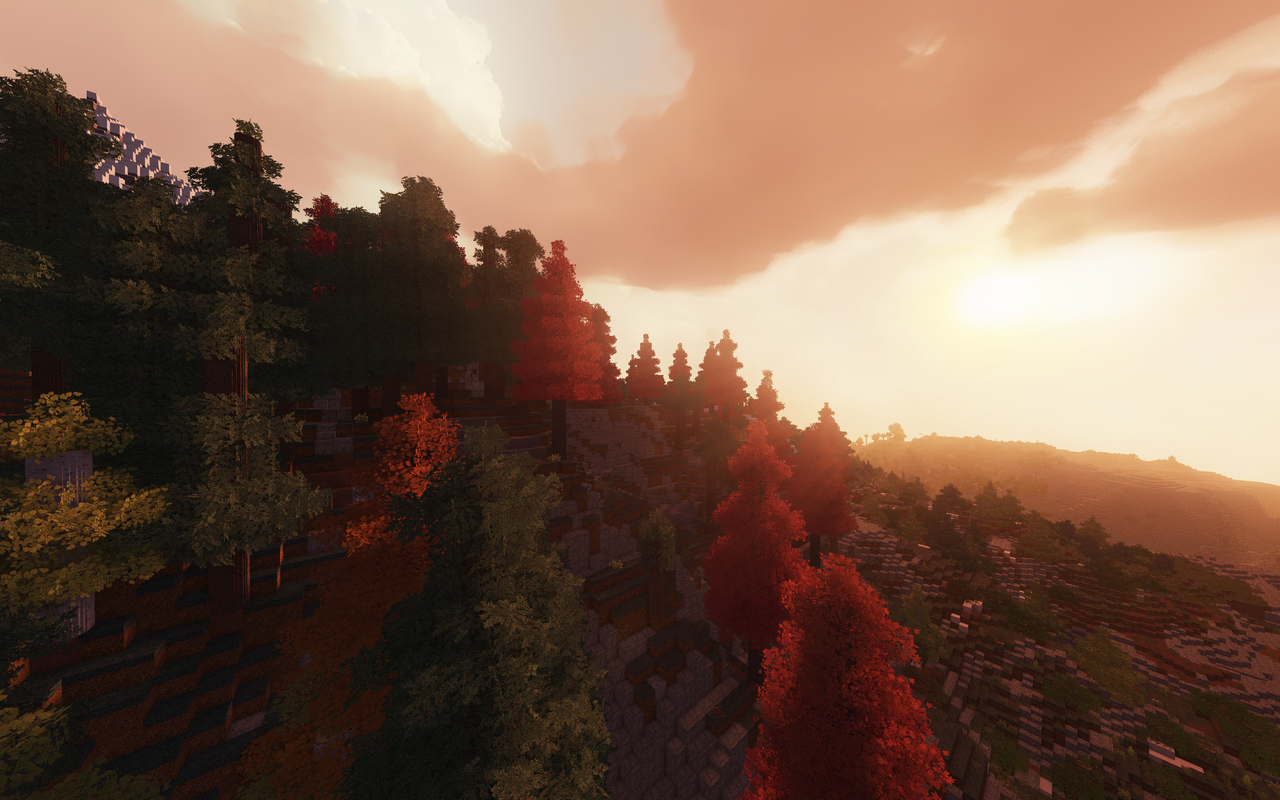
The realism comes from subtle but meaningful additions like enhanced terrain, ambient soundscapes, mob animations, physics, and so much more. You might not notice some of the subtle features right away—but remove them, and the world feels flat, dark, and empty.
We use both custom and stock resource packs. Our in-house packs—Sound Realism Tweaks and Visual Realism Tweaks—improve the HUD, particles, weather effects, and ambient sounds. These were created using Vanilla Tweaks, as well as custom resources. Additionally, the game uses 64x texture packs that strike a balance between realism and performance—without paywalls or incomplete assets.
Texture & Animation Enhancements:
Fresh Animations adds subtle lifelike motion to mobs.
A lightweight 3D texture pack adds depth to blocks like fences—at no FPS cost. (Note: Fresh Animations may cause lag in densely populated areas like villages.)
The latest version of Full Spectrum Realism brought compatibility to Physics Mod, allowing for an immersive experience. Features which were not purely graphical were removed as to sustain an enhanced vanilla experience.
Shaders:
Lightweight shaders like MakeUp Ultra Fast are pre-configured for realism with minimal performance impact. Other shaders like Complementary Reimagined also come pre-tuned, and can be enabled through our Simple Mod Manager. Shaders can be customized as needed.
In-Game Configurator:
We developed a custom mod manager UI, accessible via F8, to toggle shaders, resource packs, and mods live in-game. Mods that are core dependencies are protected from being disabled. If a crash occurs, you can re-enable disabled mods by moving them back from the disabled-mods folder into the mods folder.
For advanced configuration, Mod Menu is included and accessible from the main menu or pause screen.
Installation Process on macOS, Windows & Linux:
1: Download the correct .mrpack file on Modrinth.
2: Upload this file to this .mrpack to zip converter: https://jamie.codeberg.page/mrpack-to-zip/@master/
3: After this download the .zip file and move to desktop (or downloads folder).
4: Expand the folder by right clicking and selecting "open" or "expand." The folder should appear in the same directory of the .zip file.
5: Open and sign into your minecraft launcher.
6: Make a new fabric installation (make sure it's the same version as the .mrpack download). You can download the software to install fabric here: https://fabricmc.net/use/installer/
7: On the new fabric installation click the three dots, then click browse and set your "Game Directory" to the Full Spectrum Realism directory.
8: Click install and launch the game.
Note: Since this modpack is pretty big, if your game does not save properly, you can force-quit Minecraft and your progress should still be saved if you have waited for long enough (30 seconds max).
System Compatibility:
This pack was designed for low-end PCs, including 2014/2015 MacBooks (which was used for testing) and school-issued devices.
On a 2014 MacBook Pro (specs below), the pack runs at 30–50 FPS, depending on world complexity. Most modern systems will exceed 120 FPS.
Keybinds:
| Action | Key |
|---|---|
| Toggle Night Vision (Gamma Utils) | N |
| Increase Night Vision | → (Right Arrow) |
| Decrease Night Vision | ← (Left Arrow) |
| Toggle Fullbright (Gamma Utils) | G |
| Increase Gamma | ↑ (Up Arrow) |
| Decrease Gamma | ↓ (Down Arrow) |
| Open Mod Manager (Realism Mod Manager) | F8 |
| Open World Map (Xaero’s) | O |
| Xaero Minimap Settings | Y |
| Open Xaero’s Settings | ] (Right Bracket) |
| Create Waypoint (Xaero’s) | B |
| Open Waypoints Menu (Xaero’s) | U |
| Enlarge Map (Xaero’s) | Z |
| Quick Confirm (Xaero’s) | Right Shift |
| Instant Waypoint (Xaero’s) | Keypad + |
| Zoom (Zoomify) | C |
| Secondary Zoom (Zoomify) | F6 |
| Reload Shaders (Iris) | R |
| Toggle Shaders (Iris) | K |
| Open Shader Selector (Iris) | J |
| Toggle First Person View | F7 |
| Disable Voice Chat | I |
| Mute Microphone | M |
| Voice Chat Menu | H |
| Hide Voice Icons | Backspace |
| Weapon Master: Open GUI | V |
| Inspect GUI (OptiGUI) | F12 |
| Render Scale Options | ` (Grave Accent) |
| Quick Actions | F4 |
| Open Physics Mod UI | F9 |
Defaults:
Texture Packs:
["vanilla","fabric","file/Semos Animation Lib 1.1.5.zip","file/Freshly Modded 2.0.3.zip","file/Round-Trees-8.0.zip","file/Faithful 64x - September 2025 Release.zip","file/HodCraft-PBR-64X-1.21.x","file/FreshAnimations_v1.10.2.zip","file/1.21.x-Sound-Realism-Tweaks","file/1.21.x-Visual-Realism-Tweaks","file/Dramatic Skys Demo 1.5.3.36.1.zip"]
--> It is important to note that while some of these packs may not support the latest version of minecraft, through modification and extensive testing, these packs are compatible with the latest version of the game
Disabled Mods:
Distant Horizons and Big Globe
Big Globe can be enabled, but it is recommended that you disable Tectonic and Terralith so that the mods do not interfere with each other
Distant Horizons is optional, but was disabled due to random lag spikes
Shaders:
MakeUp Ultra-Fast
Main Resource Pack:
HodCraft-PBR-64X-1.21.x
Debug Notes:
Replay Mod not included (incompatible with Iris shaders)
Distant Horizons disabled by default due to load times
Do not enable terrain generation mods that you made with the world (Example: Made world with Terralith but then disabled it halfway through gameplay)
Performance Tips:
Run the pack with only the included assets on first launch
Avoid mixing with other modpacks or shaders—this may cause crashes
Disable First Person View Mod (which allows the user to see their body) on very old systems to reduce lag
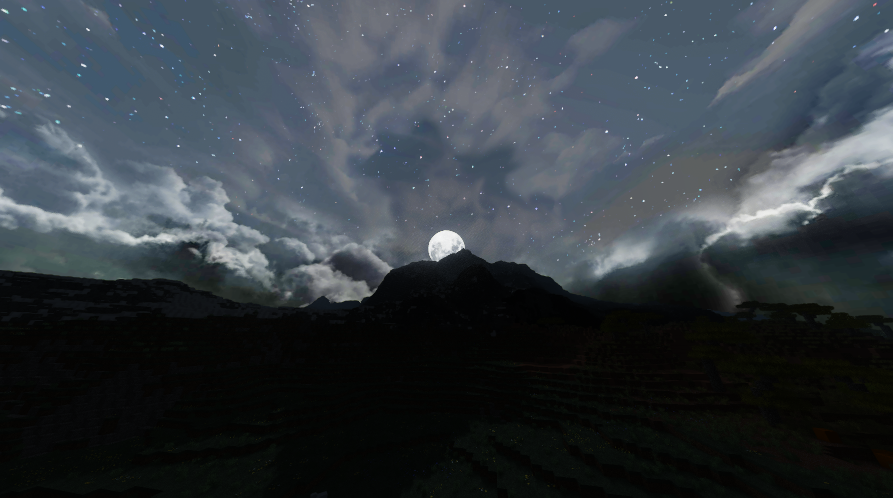
Disable Dramatic skies on very old machines
Test System Specs:
macOS Big Sur
MacBook Pro (Retina, 15-inch, Mid 2014)
2.5 GHz Quad-Core Intel i7
16 GB DDR3 RAM
Intel Iris Pro 1536 MB Graphics
License & Usage
You are free to:
Download, play, and modify this modpack for personal use.
Share versions only if clear credit is given to the original creator.
You are not allowed to:
Reupload or redistribute this modpack without giving proper credit and/or substantial changes.
Claim this modpack or any modified version as your own.
Credit must always be given to: Akshay Gillett (Original Creator of Full Spectrum Realism)
Mod Credits:
This modpack includes over 75 mods created by talented developers across the Minecraft community. All included mods are used in accordance with their respective licenses and End-User License Agreements (EULAs).
Even though our texture packs use many custom resources, we have also borrowed textures from the web, and through community made textures, which we would like to give credit to.
Disclaimer:
By downloading and using this pack, you accept responsibility for any issues or crashes. Performance may vary across systems.
Галерея