
fresh block animationsСкачатьСкачатьСкачатьСкачатьСкачатьСкачатьСкачатьСкачатьСкачатьСкачатьСкачатьСкачатьСкачатьСкачать
ВЕРСИИ (14)
beta
fresh block animations 1.4-rc.3+mc26.2.port.3
1.4-rc.3-26.226 окт. 2026 г.424Minecraft: 26.2fabric
Что нового
experimental
release
fresh block animations 1.4-rc.3-hotfix
1.4-rc.3-hotfix25 окт. 2026 г.3,2 тыс.Minecraft: 26.3fabric
Что нового
hotfix!!!
beta
1.4 - Engine Update
1.424 окт. 2026 г.674Minecraft: 26.3fabric
Что нового
**Fresh Blocks Animation 1.4 — Engine Update**
Combined changelog covering all changes from 1.3.6 through 1.4.
**New Animation Engine and Rendering**
- Added native Minecraft model rendering, replacing auxiliary BlockDisplay visuals for supported blocks.
- Lighting, biome tinting, and ambient occlusion are sampled from the block model at its actual world position.
- Added synchronized animations for doors, beds, tall blocks, and double chests, with shared timing and transformation pivots.
- Added support for rendering compatible block entities through their normal renderers. Collision, block states, and container contents remain in the world.
- Reworked how the original block model is hidden during an animation and restored afterward.
- Added protection against outdated chunk rebuild results and cleanup when changing worlds.
- Preserved the Legacy rendering path for unsupported sources.
**Transparency and Visual Effects**
- Added animated transparency through `material.opacity`, ranging from 0 to 1.
- Added the official **Fade In** preset: blocks gradually become visible without changing size.
- Improved translucent surface handling while preserving the original texture transparency and foliage cutouts.
- Added **Start from Black**: blocks appear dark and gradually return to their normal brightness.
- Added adjustable initial brightness, independent or motion-matched duration, and several transition curves. The brightness effect is disabled by default.
**Textures and Secondary Animations**
- Added custom PNG overlays supplied through resource packs and an enchanted glint effect.
- Added support for up to two material layers, with normal, additive, and multiply blending.
- Layers can inherit surface lighting or use an unlit mode.
- Added animated layer opacity, UV scale, offset, rotation, and glint speed.
- Layers can have their own delays and durations independently of the main movement. Longer effects can continue after movement finishes while holding the final pose.
- Secondary effects can be stored in separate JSON files, linked to a specific animation, or selected globally.
- Added Off, individual preset, Random, and Selected modes, along with weights, activation probability, and repeat avoidance.
- Added `append`, `replace`, and `keep` composition modes for combining global effects with the primary preset’s material.
- Added **Enchanted Glint** and **Amethyst Overlay** examples.
- **Enchanted Pop** remains a custom material example and has been removed from the official primary animation catalog.
**New JSON Animation Format**
- Added **format 3**, featuring keyframes for position, scale, rotation, and opacity.
- Added linear and stepped interpolation, easing curves, and individual axis channels.
- Added configurable rotation order, angle units, and transformation pivots.
- Animation duration can follow the mod settings or be defined by the preset.
- Converted the standard **Scale, Pop, and Fade In** presets to keyframes. Existing identifiers remain supported, including hidden `keyframe_*` compatibility presets.
- Preserved support for formats 1/2 and existing expressions.
- Improved hot reload: active animations retain their captured definitions and effects, while new placements use updated data.
- Invalid edits retain the last valid animation definition.
- Added updated JSON schemas and expanded validation of malformed files.
**Interface**
- Animation cards now support custom text colors, bold text, and italics through `ui` metadata.
- Bundled presets now have distinct styles, while **Random uses rainbow lettering**. Rainbow styling is also available to custom presets.
- **Fade In** now has a dedicated 2D preview with animated opacity.
- Moved the **Visual Effects** button below the animation cards.
- Fixed the effects button’s width, positioning during searches, and contribution to scroll height.
- Added a unified effects menu and a dedicated Start from Black action.
- Improved control placement at small GUI sizes.
- Removed the separate renderer selection menu, its button, and the unused spacing. Rendering backend selection is automatic by default.
**Sodium and Iris**
- Added a native adapter for **Sodium 0.9.2+mc26.3**.
- Added an adapter for **Iris 1.11.6 and 1.11.7 for Minecraft 26.3**, paired with Sodium 0.9.2+mc26.3, including material context and animated model submission to the shadow pass.
- Installing a supported Iris version no longer automatically disables native rendering.
- Unverified Iris/Sodium combinations use Legacy rendering and display a notice with two actions: **Continue Playing** and **Update Iris**.
- Notice acknowledgement is saved for the installed version combination.
- Fixed GeckoLib easing function calls with Minecraft 26.3’s fastutil version. Existing motion provider preferences are preserved.
**Diagnostics and Updating**
- Updated `/FBA-test`, while retaining `/fba-test`, `/FBA_TEST`, and `/fba_test` aliases.
- The test checks build metadata, resources, bundled and user JSON files, documentation, and adapter availability without modifying the world.
- Results are separated into **PASS, FAIL, and SKIP**, with a report saved to `logs/fba-test-latest.txt`.
- Added backend details, fallback reasons, and animation diagnostics through `/FBA_BACKEND`.
- Added `/FBA_EFFECTS` and `/FBA_OVERLAY` commands.
- Updated documentation for animations, effects, compatibility, migration, and testing.
- Migration of known bundled files and documentation preserves user edits. Existing configurations and manual overrides are not reset.
- Ran automated checks for Vanilla/Indigo, Sodium, Iris 1.11.6/1.11.7, and Legacy fallback, alongside JSON, interface, material, and FBA shader tests.
**Compatibility and Current Limitations**
- Native features apply to the main **Minecraft 26.3 Fabric build**, requiring Java 25, Fabric Loader ≥0.19.3, and Fabric API ≥0.162.0. The Legacy-based Minecraft 26.2 adaptation is not a full backport of the new engine.
- While an Iris shaderpack is active, FBA’s custom PNG overlays, glint, and emissive effects are currently disabled. Opacity and brightness rendering may depend on the shaderpack.
- Legacy rendering does not provide the full set of native effects.
- `surface_uv` and standalone frame-animated PNG textures are not currently supported.
release
fresh block animations 1.3.5-big-bug-fix
1.3.5-big-bug-fix20 сент. 2026 г.10,6 тыс.Minecraft: 26.3fabric
Что нового
# Fresh Blocks Animation 1.3.5
Fresh Blocks Animation 1.3.5 is a major internal overhaul of the 1.3.x branch.
While the core purpose of FBA remains the same, a large part of the placement, animation, rendering, lighting and background runtime has been reorganized into separate systems. The update significantly reduces repeated work during block placement and prepares the mod for future rendering and animation-engine upgrades.
## Architecture
* Reworked the old monolithic animation runtime into a more structured pipeline.
* Added a dedicated **Placement Controller** for placement processing.
* Added **Placement Ownership** and **Block State Handoff** systems for managing the transition between the real block and its animated representation.
* Added a dedicated **Animation Context** that captures the information required by an animation once and passes the prepared state through the runtime.
* Animation contexts can now contain:
* block position;
* block state;
* placement direction;
* base position;
* lighting data;
* random seed;
* render shape;
* composite-block information;
* captured environment data.
* Added a dedicated **Animation Engine**.
* Animation evaluation now produces an `AnimationPose` instead of requiring rendering code to directly understand animation logic.
* Added animation instance, lifecycle and registry infrastructure.
* Reduced direct dependencies between placement logic, animation evaluation and rendering.
## Render Backend
* Introduced a dedicated **Render Backend API**.
* Rendering is now separated from animation evaluation.
* Added `RenderHandle` abstraction for renderer-owned animation objects.
* The existing BlockDisplay renderer has been moved behind `LegacyBlockDisplayBackend`.
* Animation code can now create, update, pose and destroy rendered objects through the backend instead of depending directly on BlockDisplay implementation details.
* Added a Render Backend bridge and backend registry infrastructure.
* This architecture allows future renderers to replace the legacy BlockDisplay backend without rewriting the animation engine.
## Placement & Event Processing
* Placement processing was reorganized around block events instead of repeatedly rediscovering the same state during animation ticks.
* Added placement event policy handling.
* Added placement lifecycle protection to prevent invalid or duplicated placement transitions.
* Added dedicated state handoff scheduling.
* Reduced repeated world-state queries in the placement hot path.
* Placement and rendering responsibilities are now more clearly separated.
## Caching & Runtime Optimization
* Added a dedicated **Placement Hot Cache**.
* Frequently reused placement information can now be captured and reused instead of being repeatedly requested from Minecraft.
* Added caching for:
* logical block states;
* block lighting coordinates;
* world block tints;
* block model state;
* animation display-frame lookup.
* Added cached block-model access infrastructure.
* Added O(1) cached animation render-frame lookup.
* Added cache updates tied to world/block changes.
* Added runtime optimization infrastructure for frequently executed animation paths.
* Reduced unnecessary work performed every animation tick.
## Background Systems
* Background work is no longer required to live directly inside the main placement runtime.
* Added a dedicated **Background Runtime**.
* Added **Deferred Work Runtime** for work that does not need to execute directly inside the placement hot path.
* Furnace processing has been moved into a dedicated background system.
* Added a dedicated handoff scheduler.
* Background effects and maintenance logic are now separated from latency-sensitive placement processing.
## Lighting & World-Aware Rendering
* Added position-aware block-model seeding.
* Added world-aware neighbourhood lighting for animated blocks.
* Improved the legacy BlockDisplay lighting approximation using surrounding world lighting.
* Added dedicated visual lighting resolution.
* Added special lighting handling for non-occluding blocks.
* Added improved lighting behaviour for interaction animations.
* Added world-light tuning for cutout block models.
* Reduced cases where animated blocks use lighting that does not match their surrounding environment.
* Added reusable world and position visual contexts for render preparation.
## Composite Blocks
* Added dedicated composite-block detection and resolution.
* Added infrastructure for handling blocks whose visual state depends on multiple block positions or properties.
* Composite recognition includes cases such as:
* doors;
* beds;
* chests;
* double plants;
* banners.
* Composite information can now be captured as part of the animation context instead of being rediscovered throughout the animation.
## JSON Animation System
* Added support for a configurable **animation pivot / transform origin**.
* `pivot` can be defined using coordinates:
```json
"pivot": [0.5, 0.0, 0.5]
```
* Object syntax is also supported:
```json
"pivot": {
"x": 0.5,
"y": 0.0,
"z": 0.5
}
```
* Added pivot presets:
* `center`;
* `bottom`;
* `top`;
* `north`;
* `south`;
* `west`;
* `east`.
* Pivot values are not restricted to the `0..1` range, allowing more stylized transform origins.
* `Grow Up` now uses a bottom-centered pivot.
* Added **Random animation** support for selecting from available animations.
* Existing JSON animation hot-reload behaviour remains supported.
## Jukebox & Interaction Improvements
* Jukebox animation handling can now react to Minecraft level events.
* Added handling for jukebox START events.
* Added handling for jukebox STOP events.
* Reduced the need for continuous jukebox state scanning in the primary animation path.
* Interaction rendering now has dedicated lighting handling.
## Settings & UI
* Added direct access to **Fresh Blocks Animation** from the standard Minecraft Options screen.
* Mod Menu integration remains available.
* Added persistent Hard Mode configuration support.
* Changed the default placement animation to **Scale**.
* Changed the default animation duration to **0.30 seconds / 300 ms**.
* Optional extra effects are now disabled by default for new configurations.
* The Fun section is disabled by default.
* Throw Placement is disabled by default.
* Break Shake is disabled by default.
* Slime Bounce is disabled by default.
* Jukebox Pulse is disabled by default.
* Furnace Smoke is disabled by default.
* Anvil Press is disabled by default.
* Placement Particles are disabled by default.
* Removed the old Two Hands renderer hook from the active rendering path.
* The animation content button now links to the official Fresh Blocks Animation website instead of the old Discord animation shortcut.
## Rendering Fixes
* Improved rendering behaviour for transparent, cutout and non-occluding blocks.
* Added dedicated cutout render tuning.
* Improved world-light propagation into animated block model state.
* Improved synchronization between the animated BlockDisplay and the real world block.
* Improved handling of visual handoff timing to reduce both flickering and texture overlap.
* Full-block BlockDisplay → real-block handoff was adjusted from **200 ms to 100 ms** in the final Big Bug Fix build.
* Non-occluding and cutout blocks continue to use immediate handoff where appropriate.
## Compatibility & Cleanup
* Updated the 1.3.5 build for **Minecraft 26.3.x**.
* Removed the old `ItemInHandRendererMixin` / Two Hands rendering hook.
* Removed several legacy runtime paths that were no longer required by the new architecture.
* Removed old animation expression/registry implementations replaced by the newer modular animation runtime.
* GeckoLib is no longer declared as a suggested dependency in the 1.3.5 mod metadata.
* Existing legacy rendering remains available through the new backend abstraction rather than being directly coupled to the animation runtime.
## Diagnostics
* Added the `/FBA_TEST` client command.
* The self-test runs a sequence of FBA subsystem checks.
* Individual checks report PASS/FAIL state.
* Detailed results are written to `latest.log`.
* Added dedicated self-test entrypoint and reporting infrastructure to make regression testing easier during future architecture changes.
## Internal Result
The 1.3.0 runtime handled a large amount of placement, rendering, lighting, scanning, animation and cleanup logic directly.
In 1.3.5 these responsibilities are increasingly separated into:
```text
World / Placement Events
↓
Placement Layer
↓
Prepared Animation Context
↓
Animation Runtime
↓
Animation Engine
↓
Render Backend
↓
Minecraft Renderer
```
Background scanners, deferred work, caches and maintenance systems are handled separately from the primary placement path.
The result is a cleaner and more predictable runtime with substantially less repeated work during block placement, while also providing the foundation required for future FBA rendering-engine updates.
release
fresh block animations 1.3.1
1.3.115 сент. 2026 г.1,1 тыс.Minecraft: 26.3fabric
Что нового
# Fresh Blocks Animation 1.3.1 — Minecraft 26.3
## Added
* Added full support for Minecraft 26.3 and the latest Fabric rendering pipeline.
* Added a dedicated Fresh Blocks Animation button to the standard Minecraft settings screen.
* The configuration screen can now be opened without Mod Menu.
* Mod Menu integration remains fully supported.
## Changed
* The default placement animation is now **Scale**.
* The default animation duration is now **0.30 seconds**.
* All additional and fun features are now disabled by default on the first launch.
* Existing user configurations are preserved and will not be overwritten when updating.
* Disabled the obsolete Two Hands rendering hook for compatibility with the new first-person renderer.
## Fixed
* Fixed compatibility issues with the updated Minecraft 26.3 rendering system.
* Fixed render-frame callback registration, which could cause the animation system to fall back to a 20 TPS update mode.
* Fixed a startup crash caused by an incompatible Fabric Event API call.
* Fixed the Simple/Hard settings mode not being saved.
* The selected settings mode now remains active after closing and reopening the configuration screen.
* Improved configuration screen stability and opening behavior.
release
fresh block animations 1.3.0
1.3.014 авг. 2026 г.11,2 тыс.Minecraft: 26.2fabric
Что нового
Fresh Blocks Animation 1.3.0
A large update built from everything developed after 1.2.2.
Custom animations
Placement animations were moved to editable JSON files.
Added a modular expression system for scale, position, rotation, easing, direction and side-based motion.
Added automatic hot reload when animation JSON files are created, edited or deleted.
The Animations menu now builds itself from installed JSON animations.
Added + Add animation, Open animations folder, and Discord animations actions.
Custom animation IDs now survive config save/load correctly.
Added a complete README_CUSTOM_ANIMATIONS.md guide to the FBA config folder so players can build their own animations without external documentation.
New interface
Rebuilt the settings screen with Main / Animations / Fun tabs on the left.
Added Simple and Hard modes.
Added 2D animation previews and previews for later Shake, Spring and Twist animations.
Added Animation FPS control from 1 to 120 FPS.
Added per-placement Variation control.
Restored the Hands: One / Hands: Two option.
Added English hover tooltips for settings.
Added Throw Placement controls and configurable Throw Distance in Hard mode.
Rendering and compatibility
Reworked the Legacy placement renderer around safer temporary block handling.
Full blocks and partial/no-collision blocks now use different temporary render policies.
Doors, beds and trapdoors are excluded from placement animation to avoid multi-block problems.
Added collision proxy support so animated blocks keep useful placement collision.
Improved fence and wall collision behavior while building upward.
Prevented connection-only updates on fences, walls, panes, bars and grates from replaying placement animations.
Added a seamless two-stage handoff from the animated BlockDisplay to the real world block.
Added world-aware biome tint so animated grass/leaves better match the final block.
Added world-position lighting so the animated block and final block transition more naturally.
GeckoLib Motion
Added optional GeckoLib 5 support while keeping FBA fully usable without GeckoLib.
GeckoLib is used as a motion/easing backend while Minecraft still renders the real block model for resource-pack and mod compatibility.
Added GeckoLib easing support and per-placement motion variation without changing linear JSON t.
Added optional JSON Gecko motion metadata with preset, strength, and frequency.
Added three Gecko-focused showcase animations:
Shake — impact, damped shake and squash/stretch.
Spring — elastic bounce, recoil and secondary motion.
Twist — corkscrew motion, spin, wobble and scale pulse.
Throw Placement
Restored the original specialized long-distance Throw Placement behavior from the Legacy runtime.
When placement is far enough away, the visual block starts near the player and physically flies toward the target position with scale, arc and spin.
Throw Placement is a placement modifier, not a selectable JSON animation.
Added an ON/OFF toggle and configurable distance threshold.
Stability and fixes
Split the old tracker into a small event-facing facade and a dedicated runtime implementation.
Fixed the Minecraft 26.2 config-screen close path.
Fixed multiple config-menu layout and initialization regressions during the UI rewrite.
Fixed a JVM VerifyError in connected-state filtering.
Reworked render-frame animation updates so world/collision cleanup remains on the client tick while visual transforms can update at render speed.
Added a render-state extraction hook so high-FPS animation transforms are captured before Minecraft snapshots BlockDisplay render state.
Added safe fallbacks so a failed optional Gecko/render hook does not freeze or hide animated blocks.
Fixed custom animation selection being reset to Auto.
Fixed variation config path handling for launchers such as Prism/MultiMC.
Fixed external Animations-menu buttons so they no longer corrupt config-screen initialization.
1.3.0
1.3.0 marks the end of the 1.2.x architecture work: the placement-animation system is now modular, editable, hot-reloadable, renderer-aware and documented for custom animation authors.
release
fresh block animations 1.2.2
1.2.29 авг. 2026 г.831Minecraft: 26.2fabric
Что нового
bug fix
release
fresh block animations 1.2.15
1.2.1525 июн. 2026 г.5,9 тыс.Minecraft: 26.2fabric
Что нового
26.2 update
release
fresh block animations 1.2.1
1.2.119 мая 2026 г.7,7 тыс.Minecraft: 26.1.2fabric
Что нового
# Fresh Blocks Animation 1.2.1 — Visual Polish Update
Fresh Blocks Animation 1.2.1 focuses on improving block placement feedback, adding new animation styles, particles, and small immersive interactions while keeping the mod fully client-side and vanilla-friendly.
## ✨ New Features
### New Animation Mode: Push
Added a new **Push** block placement animation.
Instead of simply scaling or popping into place, blocks now make a small push-like movement before settling into their final position.
- Smooth push motion
- More stable easing
- Less visual shaking
- Designed to feel soft and responsive
### New Animation Mode: Cartoon
Added a new **Cartoon** animation mode.
This mode gives block placement a more exaggerated, playful, and bouncy feeling.
- Squash-and-stretch style movement
- More expressive animation timing
- Fun alternative to realistic placement modes
### Placement Particles
Added optional particles when placing blocks.
Particles can now appear around the placed block to make building feel more alive.
Configurable options:
- Enable/disable placement particles
- Particle type
- Particle amount
- Particle spread
- Particle speed
Available particle styles:
- Mixed
- Block Dust
- Smoke
### Furnace Smoke
Added subtle smoke particles for active furnace-like blocks.
Smoke is now lighter and more controlled:
- Reduced particle count
- Smaller visual size
- Less aggressive spread
- Mixed smoke styles
- Occasional campfire-style smoke for variation
### Anvil Press Animation
Added a small interaction animation for anvils.
When using an anvil, the anvil now visually presses down slightly and returns back to its normal position.
- Small compression animation
- Client-side only
- Designed as a subtle feedback effect
- Can be enabled or disabled in config
## ⚙️ Config Improvements
Added new configuration options for:
- Push animation behavior
- Cartoon animation mode
- Placement particles
- Particle amount
- Particle spread
- Particle speed
- Furnace smoke
- Anvil press animation
- Anvil press speed
## 🎨 Visual Improvements
- Improved animation smoothness
- Reduced excessive smoke density
- Made smoke more subtle and vanilla-friendly
- Improved Push animation stability
- Reduced unwanted shaking in some animations
- Improved visual feedback when placing blocks
## 🛠 Fixes & Stability
- Improved compatibility with Minecraft 26.1.2 mappings
- Removed unsafe direct references to internal block fields
- Improved barrier-based render hiding logic
- Reduced risk of startup crashes
- Improved client-side animation handling
- Fixed several animation edge cases
## 🧱 Vanilla-Friendly
This update does not change gameplay mechanics.
- Blocks are still placed instantly
- No server-side changes
- No gameplay delay
- No physics changes
- Works as a visual client-side enhancement
## 🔮 Planned for 1.3
Visible Storage Contents is planned for FBA 1.3.
This future feature may show actual visual items inside opened chests and barrels, based on their real contents.
release
fresh block animations 1.2
1.217 мая 2026 г.347Minecraft: 26.1.2fabric
Что нового
# Fresh Blocks Animation 1.2 — Interaction Update
This update expands Fresh Blocks Animation beyond block placement animations and adds new client-side interaction effects for blocks and entities.
## Added
- Added **slime block bounce animation**
- Slime blocks now visually squash and return to their normal shape when the player lands on them.
- Added **jukebox pulse animation**
- Jukeboxes now gently pulse while playing music.
- Added **note block pulse animation**
- Note blocks now briefly scale up when interacted with.
- Added **armor stand placement animation**
- Armor stands now appear with a small pop animation when placed.
- The animation adapts to the player’s view direction.
- The real armor stand is temporarily hidden during the visual pop effect.
- Added **block breaking particle effects**
- Breaking blocks now creates small vanilla-friendly particles using the block’s own texture.
- This replaces the old experimental breaking block shake as the default breaking effect.
- Added **adaptive lighting for animated blocks**
- Animated blocks now better match the surrounding light level instead of always appearing fully bright.
- Added **Fun Animations config**
- Fun/extra animations now have their own separate config file:
- `config/fresh-blocks-animation/fun_config.json`
- Added **in-game config screen**
- Added a visual configuration screen for easier editing.
- Added scrolling support for the config menu.
- Simplified the Fun Animations section.
## Changed
- Reworked the breaking animation system.
- The previous full fake-block breaking animation caused visual flickering in Minecraft 26.x because the original block could not be reliably hidden.
- The default breaking effect is now particle-based for better stability and a cleaner vanilla-style look.
- Improved interaction animation cleanup.
- Fixed stuck breaking animations when switching from one block to another while holding the mining button.
- Improved animation lighting behavior.
- Animated displays now use nearby environmental lighting instead of forced maximum brightness.
- Simplified the config layout.
- Removed unused and experimental options from the visible config screen.
- Updated the Mod Menu metadata.
- Added a new mod description.
- Added support for linking the project/community through the Mod Menu website button.
## Experimental / Disabled
- Minecart placement animation was tested but is currently disabled.
- Minecart rendering behaves differently from armor stands and does not reliably respect temporary invisibility.
- This may return in a future update if a stable client-side render solution is found.
- Experimental display-based block breaking animation is no longer the default.
- Particle-based breaking effects are now recommended for Minecraft 26.x.
## Fixed
- Fixed animated blocks appearing too bright in dark areas, the Nether, and the End.
- Fixed some interaction animations getting stuck after cancelled block breaking.
- Fixed several config values not being saved or migrated correctly.
- Fixed Fun Config not updating properly between versions.
- Fixed note block animation not triggering reliably.
- Fixed armor stand pop animation direction and visibility behavior.
## Notes
Fresh Blocks Animation remains fully client-side.
This update focuses on stable vanilla-friendly visual effects without modifying the actual world state.
release
fresh block animations 1.1.1
1.1.112 мая 2026 г.550Minecraft: 26.1.2fabric
Что нового
# Fresh Blocks Animation — Devlog 1.1.1
This update mainly focuses on stability, rendering improvements and fixing several annoying gameplay issues reported after release.
## Fixed
* Fixed water and liquid interaction issues
* Fixed crops and thin blocks using incorrect collision behavior
* Fixed fences not animating correctly when connecting together
* Fixed multiple connected block rendering problems
* Fixed animation stacking when holding right click
* Fixed doors and trapdoors triggering placement animations during interaction
## Rendering Improvements
* Improved smoothness of placement animations
* Reduced visual flickering
* Improved connected block updates
* Improved handling of secondary blocks
* Added animated block shadows
## Experimental Features
* Added Fun Mode
* Blocks can now wobble, deform and stretch during placement
## Work In Progress
The next updates are planned to include:
* Two-hand placement animations
* Throw placement animations
* Better ReplayMod support
* More vanilla-friendly interaction animations
Thank you for all downloads, comments and feedback.
The mod started as a small project because I wanted a modern alternative to A Good Place for newer Minecraft versions — and seeing people already using and discussing it is honestly crazy.
More updates coming soon 👀
release
fresh block animations 1.1
1.19 мая 2026 г.401Minecraft: 26.1.2fabric
Что нового
## Fresh Blocks Animation 1.1
This update focuses on smoother animations, improved compatibility, and better customization.
### Added
- Added Throw Placement animation
- Added Two Hands option
- Added animation render distance setting
- Added throw distance setting
- Added throw speed setting
- Added scroll support for the config screen
- Added more customization options
### Improved
- Improved overall animation smoothness
- Improved animation timing and transitions
- Improved handling of connected blocks
- Improved fence placement animations
- Improved compatibility with special block types
- Improved configuration menu layout
- Improved overall stability
### Fixed
- Fixed liquids behaving like solid blocks on the client
- Fixed water physics issues caused by placement animations
- Fixed MLG water / water drop issues
- Fixed plants and crops getting incorrect collision
- Fixed rails, buttons, pressure plates, torches, ladders, signs, and similar thin blocks receiving incorrect collision
- Fixed redstone dust, repeaters, comparators, and other thin redstone components using incorrect collision behavior
- Fixed coral fans and plant-like corals being handled like full blocks
- Fixed animations not playing when placing blocks over replaceable blocks such as grass, snow, water, or lava
- Fixed fences sometimes losing their animation when connecting to nearby fences or blocks
- Fixed several visual overlap issues with original block textures
- Fixed some secondary block states not updating correctly during animation
- Fixed config buttons not fitting on smaller screens
### Notes
release
fresh block animations 1.0.1
1.0.15 мая 2026 г.397Minecraft: 26.1.2fabric
Что нового
## Fresh Blocks Animation 1.0.1
This update focuses on bug fixes, stability, and safer handling of special block types.
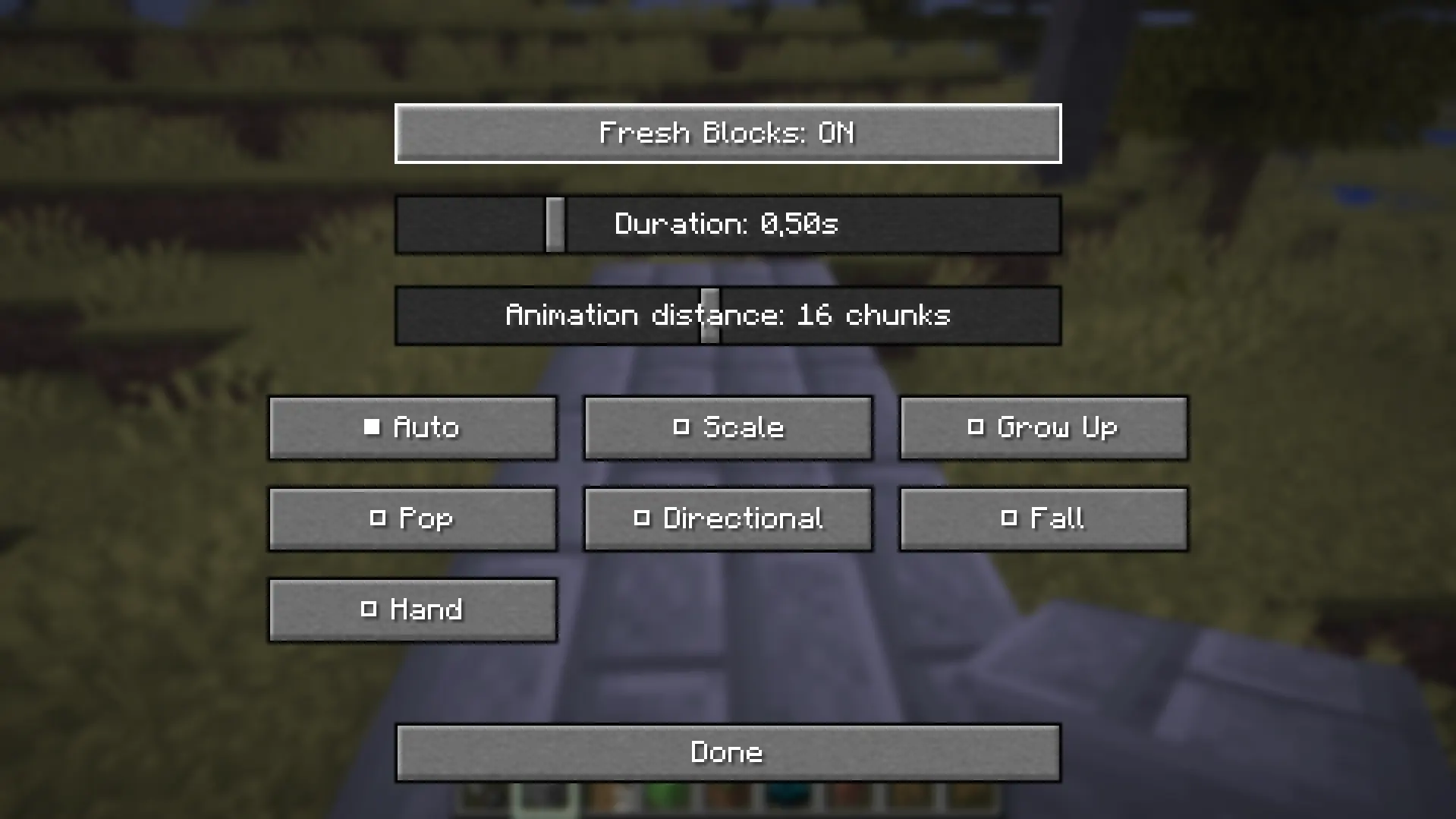
### Fixed
- Fixed liquids being treated as solid blocks on the client
- Fixed water physics issues caused by placement animations
- Liquids are now ignored by the animation system to prevent gameplay issues
- Fixed water drop / MLG water placement issues
- Fixed transparent and non-full blocks sometimes rendering incorrectly
- Fixed thin blocks being replaced with collision blocks
- Fixed plants, rails, buttons, pressure plates, torches, ladders, signs, and similar blocks receiving incorrect collision during animation
- Fixed redstone dust, repeaters, comparators, and other thin redstone components using incorrect collision behavior
- Fixed coral fans and plant-like corals being handled like full blocks
- Fixed fences sometimes losing their animation when connecting to nearby fences
- Fixed some secondary block states not updating correctly during animation
- Fixed several cases where placement animations overlapped with the original block texture
- Fixed animation behavior for special block types that do not occupy a full block
- Reduced visual glitches when placing connected blocks
- Improved stability when placing blocks quickly
- Improved compatibility with vanilla building behavior
release
fresh block animations 1.0
1.03 мая 2026 г.72Minecraft: 26.1.2fabric