COWMODSКаталог модов

Free Camera

A powerful client-side cinematic camera mod with Free, Orbit, Tripod, Follow, recording, paths, roll, zoom, and collision.

Автор: Cukkoo29,8 тыс.10обновлён 26 июл. 2026 г.
Механики игрыУтилиты

Описание

🎥 Free Camera 3.0

A lightweight, fully client-side cinematic camera toolkit for Minecraft.

Available for Fabric, Forge, and NeoForge on Minecraft 26.1.2 and 26.2.

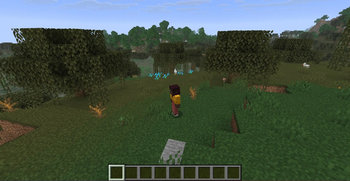
Fly freely, orbit around your subject, lock the camera in place, follow entities, record camera movement, and create smooth keyframe paths — all without moving your real player.


✨ Camera Modes

🕊️ Free Camera

Detach the camera and explore freely using WASD, mouse, Space, and Shift.

🔄 Orbit

Create smooth rotating shots around your player with adjustable distance and height.

📌 Tripod

Lock the camera in place while controlling your character normally.

🎯 Follow

Follow players, mobs, boats, minecarts, armor stands, and other supported entities.

Includes four profiles:

  • Chase
  • Side
  • Fixed Angle
  • Look At

🎬 Cinematic Tools

  • Smooth cinematic movement
  • Continuous 360° camera roll
  • Smooth configurable zoom
  • Off, Soft, and Vanilla collision modes
  • Camera movement recording and playback
  • Keyframe-based camera paths
  • Linear and smooth Catmull-Rom interpolation
  • Loop, reverse, and ping-pong playback
  • Optional cinematic letterbox
  • Customizable camera status HUD

🕹️ Controls

KeyAction
F6Activate or deactivate the camera
Hold F6Open the radial mode menu
F9Toggle Cinematic mode
F10Open settings
GSelect a Follow target
Z / CRoll right / left
VHold to zoom
RStraighten roll, then reset the camera
WASDCamera or mode-specific movement
Space / ShiftVertical movement
ScrollAdjust speed or distance

All controls are rebindable.


⚙️ Built-In Settings

Press F10 to open the complete settings screen.

Customize:

  • Movement speed and smoothing
  • Orbit and Follow behavior
  • Collision modes
  • Roll and zoom
  • HUD visibility
  • View bobbing and hurt shake
  • Recording and path playback
  • Cinematic presets

Mod Menu is optional.


🎞️ Recording & Paths

Record your final visible camera movement, then play it back with adjustable speed, looping, reverse playback, roll, and zoom.

Create cinematic paths by adding camera keyframes and choosing their duration, easing, and interpolation.

Files are stored locally in:

  • config/free-camera/recordings/
  • config/free-camera/paths/

🛡️ Client-Side Safety

  • No server installation required
  • Does not move your real player
  • Does not modify player physics
  • Does not manipulate movement packets
  • Does not force chunk loading
  • Does not modify followed entities
  • Cleans up safely after death, disconnect, dimension changes, and perspective changes

Some multiplayer servers may restrict free-camera mods. Always follow the server's rules.


✅ Current Release

Free Camera 3.0.0

PlatformMinecraftRequired Version
Fabric26.1.2Fabric Loader 0.18.5+ and Fabric API 0.145.4+26.1.2
Fabric26.2Fabric Loader 0.19.3+ and Fabric API 0.154.2+26.2
Forge26.1.2Forge 64.0.12+
Forge26.2Forge 65.0.6+
NeoForge26.1.2NeoForge 26.1.2.84+
NeoForge26.2NeoForge 26.2.0.28-beta+
  • Requires Java 25
  • Fully client-side
  • Server installation is not required

Make sure you download the correct file for your Minecraft version and mod loader.


📦 Legacy Versions

Older releases remain available for:

Fabric

  • 1.20.1
  • 1.21.1
  • 1.21.4

Forge

  • 1.20.1
  • 1.21.1
  • 1.21.4

NeoForge

  • 1.21.1
  • 1.21.4

Legacy versions may not include all Free Camera 3.0 features.


Developer: Cukkoo
License: MIT

Галерея
Последние версии

Все версии →
release

Free Camera 3.0.0

3.0.0
26 июл. 2026 г.1,3 тыс.Minecraft: 26.2forge
Скачать
release

Free Camera 3.0.0

3.0.0
26 июл. 2026 г.325Minecraft: 26.1, 26.1.1, 26.1.2forge
Скачать
release

Free Camera 3.0.0

3.0.0
26 июл. 2026 г.531Minecraft: 26.2neoforge
Скачать
release

Free Camera 3.0.0

3.0.0
26 июл. 2026 г.194Minecraft: 26.1, 26.1.1, 26.1.2neoforge
Скачать
release

Free Camera 3.0.0

3.0.0
26 июл. 2026 г.9,9 тыс.Minecraft: 26.2fabric
Скачать
release

Free Camera 3.0.0

3.0.0
18 июл. 2026 г.2,8 тыс.Minecraft: 26.1, 26.1.1, 26.1.2fabric
Скачать
Что нового
# Free Camera 3.0.0 Free Camera 3.0 is a complete rebuild focused on smooth cinematic control, safe client-side behavior, and advanced camera tools. ## New Camera Modes - **Free Camera** — Move independently through the world. - **Orbit Camera** — Rotate smoothly around your player. - **Tripod Camera** — Keep the camera fixed while controlling your player normally. - **Follow Camera** — Follow players, mobs, boats, minecarts, armor stands, and other supported entities. ## Camera Controls - Press **F6** to activate or deactivate the last-used camera mode. - Hold **F6** to open the radial mode selector. - Press **F9** to toggle Cinematic motion. - Press **F10** to open the built-in settings screen. - Press **G** in Follow mode to select a target. - Use **Z / C** for continuous camera roll. - Hold **V** for smooth zoom. - Press **R** to straighten roll, then press it again to reset the camera. All controls are rebindable. ## Cinematic Features - Smooth acceleration, deceleration, and rotation. - Continuous camera roll with full 360° rotation. - Smooth configurable zoom. - Camera collision modes: Off, Soft, and Vanilla. - Stable movement across different frame rates. - Player sprinting and item-use FOV effects no longer affect the detached camera. ## Follow Camera Includes four distinct profiles: - Chase - Side - Fixed Angle - Look At Follow mode supports configurable distance, height, lateral offset, smoothing, target filters, and collision. ## Recording and Paths - Record camera movement at a fixed sample rate. - Play, pause, loop, reverse, and change playback speed. - Save and manage recordings. - Create keyframe-based camera paths. - Linear and smooth Catmull-Rom interpolation. - Loop, reverse, and ping-pong path playback. - Roll and zoom are preserved during playback. ## Settings A complete built-in settings screen is available through **F10**. Includes: - General camera settings - Movement and collision controls - Follow settings - HUD and visual options - Recording and path tools - Advanced timing and performance options - Default, Cinematic, Action, and Precision presets Mod Menu integration is optional. ## Visual Options - Hide hand - Hide crosshair - Hide the complete HUD - Suppress view bobbing - Suppress hurt-camera shake - Camera status overlay - Control hints - Cinematic letterbox ## Safety and Compatibility - Fully client-side - No server installation required - Does not move the real player - Does not modify player physics - Does not send or manipulate movement packets - Does not force chunk loading
release

v2.2.0-fabric-1.21.1

2.2.0-fabric-1.21.1
19 мая 2026 г.2,3 тыс.Minecraft: 1.21.1fabric
Скачать
Что нового
Ported to MC 1.20.1, 1.21.1, and 1.21.4 (Fabric / Forge / NeoForge)
release

v2.2.0-neoforge-1.21.4

2.2.0-neoforge-1.21.4
19 мая 2026 г.100Minecraft: 1.21.4neoforge
Скачать
Что нового
Ported to MC 1.20.1, 1.21.1, and 1.21.4 (Fabric / Forge / NeoForge)
release

v2.2.0-neoforge-1.21.1

2.2.0-neoforge-1.21.1
19 мая 2026 г.3 тыс.Minecraft: 1.21.1neoforge
Скачать
Что нового
Ported to MC 1.20.1, 1.21.1, and 1.21.4 (Fabric / Forge / NeoForge)
release

v2.2.0-forge-1.21.4

2.2.0-forge-1.21.4
19 мая 2026 г.271Minecraft: 1.21.4forge
Скачать
Что нового
Ported to MC 1.20.1, 1.21.1, and 1.21.4 (Fabric / Forge / NeoForge)