FoColours
Server-friendly chat colours with GUI selection and PlaceholderAPI support.
Описание

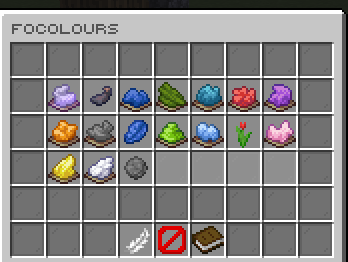
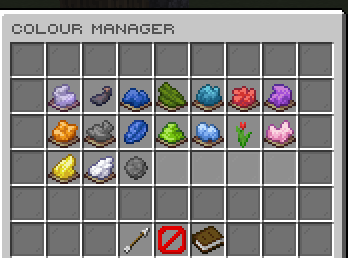
FoColours gives players a clean way to choose their chat colour while keeping server owners in control of what each player can use. It supports a simple player menu, direct commands, admin-managed unlocks, custom colours, and a PlaceholderAPI mode for servers that already use a chat formatting plugin.
Features
- Let players pick chat colours from a GUI or directly with
/focolours <colour>. - Keep chat setup flexible with automatic chat colouring or
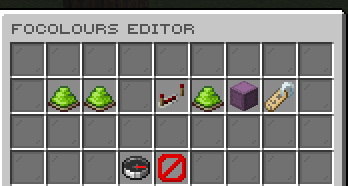
%focolours_colour%for external chat formats. - Add built-in, custom hex, legacy-code, and rainbow colour options from the admin tools.
- Grant or remove player colour access without editing files by hand.
- Configure the public menu layout, text, materials, lore, and message colours.
- Import and sync EzColors-style permission setups for easier migration.


Dependencies
PlaceholderAPI- Optional. Required only if you want to use%focolours_colour%.
Commands
/focolours- Opens the player colour menu./focolours <colour>- Selects an unlocked colour directly./focolours reset- Resets your chat colour to the configured default./focoloursadmin editor- Opens the admin editor./focoloursadmin give <player> <colour>- Unlocks a colour for a player./focoloursadmin take <player> <colour>- Removes a colour from a player./focoloursadmin reload- Reloads config, messages, GUI files, dialogs, and runtime data./focoloursadmin convertezcolors <enable|disable|status>- Controls EzColors permission syncing.
Permissions
focolours.use- Allows players to use the colour menu and colour selection command.focolours.admin- Allows access to admin tools, reload, editor, give, take, and migration commands.
Placeholders
Requires PlaceholderAPI.
%focolours_colour%- Returns the player's selected chat colour formatting code.
Developer API
Compile against the matching jar (provided in Maven, compileOnly in Gradle); install it locally if needed. Declare FoColours in your plugin metadata (softdepend for an optional integration).
<dependency>
  <groupId>me.foesio</groupId>
  <artifactId>FoColours</artifactId>
  <version>1.8</version>
  <scope>provided</scope>
</dependency>
import me.foesio.foColours.api.FoColoursApi;
import me.foesio.foColours.api.event.PlayerColourAccessChangedEvent;

FoColoursApi api = Bukkit.getServicesManager().load(FoColoursApi.class);
if (api != null) api.enabledColours();

@EventHandler
public void onPlayerColourAccessChangedEvent(PlayerColourAccessChangedEvent event) {
    Bukkit.getLogger().info(event.getClass().getSimpleName());
}
API methods (overloads grouped):
FoColoursApi:enabledColours,findEnabledColour,playerColours,grantColour,takeColour,selectColour,resetColour,renderText.
Other API types: ColourChangeCause, ColourChangeResult, ColourSnapshot, ColourType, PlayerColourSnapshot.
Events: PlayerColourAccessChangedEvent, PlayerColourSelectionChangedEvent.
Browse API and event source for signatures and event details.
Галерея