
COWMODSКаталог модов

Extreme Optimization!

Threaten your game to run faster

Автор: chmonyasik39,9 тыс.37обновлён 9 июн. 2026 г.
lightweightmultiplayerОптимизация

Описание

Modpack is undergoing slow renovation 🔃!

Besides a pure FPS boost, now tries to account for in-game situations, such as the use of block entities that can cause lag, and so on. Each mod goes through a multi-stage checking process and verified with trusted developers. In case of issues, I try to stay in contact with the developers of the respective mod. If you're surprised that some mod isn't here, things might not be as clear as you thought.

Hope I can help in the swamp of slop 🥀


Modpack is partially influenced by MC-Optimization-Guide.
If you've ever been looking for a list of thoroughly vetted mods, this might be the place.


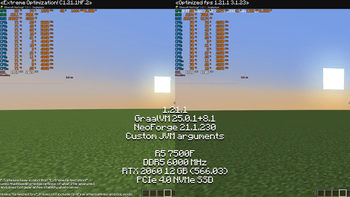
If you can allocate 8+ GB of RAM to Minecraft, I can suggest my client Java Arguments.

I'm not fully sure of their correctness, but they've been tested for about half a year without any issues. However, I'm sure they can be improved or fine-tuned to perfection.

TL;DR: Use this if you want to eliminate freezes.
preferably use with GraalVM 25+. If it fails to launch - outdated Java or conflicting JVM flag.

Z Garbage Collector -XX:+UnlockExperimentalVMOptions -XX:+UseZGC -XX:+ZGenerational -XX:+DisableExplicitGC -XX:+AlwaysPreTouch -XX:+PerfDisableSharedMem -XX:+ParallelRefProcEnabled -XX:+OptimizeStringConcat -XX:+UseCriticalJavaThreadPriority -Djava.locale.providers=JRE --enable-native-access=ALL-UNNAMED -XX:+UseCompactObjectHeaders -XX:+UseCompressedOops -XX:+UseStringDeduplication

> C L I C K <

Want to squeeze every fps out of your minecraft?

Don't need any extra mods, and only care about FPS? Right place! Extreme Optimization! modpack assembled to get the maximum possible FPS.


Other Modpacks

According to my observations and life experience, many modpacks add something of themselves, some improved cursors, effects, new sounds and so on, but this is not about Extreme Optimization!

But what exactly Extreme Optimization! do?

I decided to make it "modular". You download the base , its whole task is to squeeze out absolutely every FPS, but what about "modularity"?..


MOD-U-LES!

Some mods can be on Fabric, Quilt or (Neo)Forge. Mod is out of date? Try to find it (or its fork(s)) on Modrinth / CurseForge. Enjoy! (thanks to all the creators of such wonderful mods <3)

QoL / Vanilla+ mods

The previous mods were packaged into the new collection. 🦋

illuminations - Multiple ambient particles in order to make world more enjoyable at night or in dark places, such as fireflies, glowworms and more.

DamageTilt - When you took damage, your camera angle would tilt in the direction of the damage.

Parity and Low Latency

ViaFabric - Allows to connect to older servers with older versions.

Multiconnect - connect to multiple Minecraft server versions.

Raknetify - Uses RakNet to improve multiplayer experience significantly under unreliable and rate-limited connections.

Rebrand - Anonymize or disguise your modded client from servers.

Optifine Substitutes (Hopefully without its bugs )

ETF (1.16+) - Many new Entity Texture Features , including entity and player skin features! Provides more OptiFine parity.

MoreMcmeta (1.16+) - Animate almost any texture with more options.

Animatica (1.17+) - Intended to load the MCPatcher/OptiFine animated texture format.

LambDynamicLights (1.15+) - Adds dynamic lights to the game.

CEM Family

CEM (1.16+) - An implementation of custom entity models heavily based off of Optifine's format that aims to achieve feature parity with Optifine's custom entity models.

CEM (FORK) (1.17+) - An implementation of custom entity models heavily based off of Optifine's format that aims to achieve feature parity with Optifine's custom entity models.

EMF (1.18.2+) - OptiFine format, Custom Entity Model replacement mod available for Fabric and Forge.

CITResewn (1.17+) - Custom Item Textures allowed resourcepacks to replace the appearance of items when they met certain conditions.

Colormatic (1.14+) - Independent implementation that is resource-pack-compatible with the original Custom Colors mod for Minecraft.

FabricCapes (1.17+) - Use capes from Optifine, LabyMod, and the MinecraftCapes Mod.

Kappa (Snapshots) - OptiFine capes, + aimed for use in snapshots.

Continuity (1.17+) - Allow for the most efficient connected textures experience possible.

OptiFabric (1.14+) - Run OptiFine with Non-Forge Mod Loader.

MCPPPP (1.17+) - Converts from optifine/mcpatcher format to other formats.


I want to make my modpack

You can freely use this modpack as a base for your modpack, it will facilitate the creation of your modpack, and you will not have to think about its optimization.


Галерея
Последние версии

Все версии →
beta

Client 1.21.1 NeoForge ⚡

C1.21.1NF.2
9 июн. 2026 г.875Minecraft: 1.21.1neoforge
Скачать
Что нового
## <strong><font color=#fec942>Reminder: after downloading modpack, you can update mods to the latest versions if your launcher supports this.</font></strong> ## <strong><font color=#FF6961>!If you need a zip archive (jars), use [converters](https://fabulously-optimized.github.io/mrpack-to-zip) from mrpack to zip - they will recognize and archive mods.</font></strong> ## <strong><font color=#FF6961>!I estimate a 67% chance that you will encounter bugs. There may be issues with different resource packs affecting block entities and entities.</font></strong> ## <strong><font color=#FF6961>!Not currently optimized: skulls, item frames (in multiplayer), signs, banners, paintings.</font></strong> ## <strong><font color=#FF6961>!No Sodium addons because modpack uses the latest alpha version.</font></strong> ## <strong><font color=#FF6961>!Chunks are slightly optimized thanks to [Lithium](https://modrinth.com/mod/lithium) and [ModernFix](https://modrinth.com/mod/modernfix), but that doesn't change the fact that this is a client-side version. Just letting you know in case you add more chunk optimization mods, and if anything goes wrong.</font></strong> <strong><font color=#fec942>Client version = mods to increase FPS, enhance control of game settings, reduce memory and CPU usage, as well as optimize other logic.</font></strong> <hr> **Contains modified configs.** <details><summary>Configs I recommend checking or adjusting:</summary> [Gnetum](https://modrinth.com/mod/gnetum). [Flerovium](https://modrinth.com/mod/flerovium) - "skipEntityTangentCompute". > ([If you don't use PBR](https://github.com/MoePus/Flerovium/issues/47)) [ImmediatelyFast](https://modrinth.com/mod/immediatelyfast) - "experimental_screen_batching". > (Encountered problems with Malum) </details> <hr> Highly recommend these mods, not included because they don't align with [Extreme Optimization!](https://modrinth.com/modpack/extremeoptimization) concept and "Base" <img width="20" src="https://cdn.modrinth.com/data/cached_images/6bb56a94494fde771e317e375e09bc421c4f17c1.webp"> / there is a chance that their optimization has already been implemented by another mod(s) / other reasons, but may be useful: **!Don't forget to check whether they are for the server or the client, or if it depends on whether you are playing in singleplayer.** [AllTheLeaks](https://www.curseforge.com/minecraft/mc-mods/alltheleaks) - Designed to fix various memory leaks from mods. [TwilightForest Thread Safety Addon](https://www.curseforge.com/minecraft/mc-mods/tfthreadsafetyaddon) - Makes [Twilight Forest](https://www.curseforge.com/minecraft/mc-mods/the-twilight-forest) generation thread-safe and faster. (maybe already fixed in [Twilight Forest](https://www.curseforge.com/minecraft/mc-mods/the-twilight-forest)) [TerraBlenderFix](https://modrinth.com/mod/terrablenderfix) - Fixes a performance issue caused by how [TerraBlender](https://modrinth.com/mod/terrablender) injects its surface rules. (maybe already fixed in [TerraBlender](https://modrinth.com/mod/terrablender)) [Not Enough Recipe Book [NERB]](https://modrinth.com/mod/notenoughrecipebook) - Completely removes recipe book from the game, optimizing player data. [FastSuite](https://www.curseforge.com/minecraft/mc-mods/fastsuite) - A performance upgrade for the JSON recipe system. <hr> <details><summary>[Outdated] | A collections (lists) of mods I have dealt with:</summary> [Really Recommend, But](https://modrinth.com/collection/8aos6VXp). [Don't Know](https://modrinth.com/collection/ZOsORSvM). [Optional](https://modrinth.com/collection/7hTwJ9OK).</details> <details><summary>[Outdated] | If you're looking for something interesting:</summary> [superresolution](https://github.com/187J3X1-114514/superresolution).</details> <strong>* "Dependencies" may not show all the mods.</strong>
release

Client / Single 1.12.2 Forge Java 8 ⛈️

CS1.12.2FJ8
9 апр. 2025 г.3,5 тыс.Minecraft: 1.12.2forge
Скачать
Что нового
## <strong><font color=#fec942>Reminder: after downloading modpack, you can update mods to the latest versions if your launcher supports this.</font></strong> ## <strong><font color=#FF6961>Huge thanks to [MeatballCraft modpack](https://www.curseforge.com/minecraft/modpacks/meatballcraft) for their additional [optimization guide](https://github.com/sainagh/meatballcraft/wiki/%5B0.17.0%5D-Improving-Performance).</font></strong> ## <strong><font color=#FF6961>If you need a zip archive (jars), use [converters](https://fabulously-optimized.github.io/mrpack-to-zip) from mrpack to zip - they will recognize and archive mods.</font></strong> <strong><font color=#fec942>Client / Single version = mods to increase FPS, speed up chunk loading, enhance control of game settings, and reduce memory and CPU usage, as well as optimize other logic (combined, since many mods are used both on the server and on the client).</font></strong> <strong><font color=#fec942>A huge thanks to [Opticraft](https://red-studio-ragnarok.github.io/Opticraft/) for the incredibly helpful explanation of the current modded 1.12.2 situation.</font></strong> <strong><font color=#fec942>Extremely recommend using [Get It Together, Drops!](https://modrinth.com/mod/get-it-together-drops) if you're planning to dig a lot of blocks (ideally, live on a skyblock or in a void world, or something similar).</font></strong> **Some configs have been changed.** <details><summary>Configs I recommend checking or adjusting</summary> [BlahajASM](https://modrinth.com/mod/ferrite-core) (especially: removeForgeSecurityManager, classCaching). [Forge](https://files.minecraftforge.net/net/minecraftforge/forge) itself (especially: alwaysSetupTerrainOffThread).</details> Some mods are from other sources, so they may not update automatically. It is recommended to check after downloading the modpack whether they have been updated: [RenderLib](https://www.curseforge.com/minecraft/mc-mods/renderlib). [Nothirium](https://www.curseforge.com/minecraft/mc-mods/nothirium). [Naughthirium](https://www.curseforge.com/minecraft/mc-mods/naughthirium). [Fixeroo](https://www.curseforge.com/minecraft/mc-mods/xp-orb-clump). <hr> Highly recommend these mods, not included because they don't align with [Extreme Optimization!](https://modrinth.com/modpack/extreme-optimization!) concept and "Base" <img width="20" src="https://cdn.modrinth.com/data/cached_images/6bb56a94494fde771e317e375e09bc421c4f17c1.webp"> / there is a chance that their optimization has already been implemented by another mod(s) / other reasons, but may be useful: **!Don't forget to check the dependencies and notes.** [Sledgehammer](https://modrinth.com/plugin/sledgehammer) - Smashes the stupid out of the client & server (actually, a really good mod, but requires meticulous configuration tuning to suit each user's needs). [Had Enough Items](https://modrinth.com/mod/had-enough-items) - Item and Recipe viewing mod for Minecraft with a focus on stability, performance, and ease of use (obviously, this is not just an optimization mod, but I can't leave out the fact that there's a [JEI](https://modrinth.com/mod/jei) fork). [Relictium](https://modrinth.com/mod/relictium) - Fork of Vintagium, which is a fork and backport of Sodium (decided to use [Nothirium](https://www.curseforge.com/minecraft/mc-mods/nothirium) instead, but you can try). [Vintagium](https://github.com/Asek3/sodium-1.12) - Unofficial Fork and backport of CaffeineMC's "[Sodium](https://modrinth.com/mod/sodium)". [Valkyrie](https://modrinth.com/mod/valkyrie) - Designed to optimize client-side operations while simultaneously introducing some valuable features. [Particle Culling](https://modrinth.com/mod/particle-culling) - Stops rendering particles that the player cannot see (already fixed by other mods + a truly huge number of particles is required to start causing issues). [Entity Culling by tr7zw](https://modrinth.com/mod/entityculling) - Using async path-tracing to hide Block-/Entities that are not visible (outdated). [Entity Culling by meldexun](https://www.curseforge.com/minecraft/mc-mods/entity-culling) - Client-side performance mod which aims to skip rendering of hidden (tile-)entities. (especially recommended for modpacks with massive dungeons with spawners). [PolyPatcher](https://modrinth.com/mod/patcher) - Full of Vanilla bug fixes, Quality of Life improvements, and performance enhancements (too much that could negatively affect compatibility with optimization mods and huge modpacks in general, plus [Universal Tweaks](https://modrinth.com/mod/universal-tweaks) is already in use). [Born in a Barn](https://modrinth.com/mod/born-in-a-barn) - Fixes a Minecraft bug where Village doors keep chunks loaded (might already be fixed by other mods). [Fix Experience Bug](https://modrinth.com/mod/fix-experience-bug) - Fixes bug where experience does not display (and cannot be used) after changing dimensions (might already be fixed by other mods, or you might not encounter it at all). [Redirectionor [Retro]](https://legacy.curseforge.com/minecraft/mc-mods/redirectionor-retro) - Replacing references to element values in enum classes with static final field values references. <hr> <details><summary>A collections (lists) of mods I have dealt with</summary> [Really Recommend, But](https://modrinth.com/collection/8aos6VXp). [Don't Know](https://modrinth.com/collection/ZOsORSvM). [Optional](https://modrinth.com/collection/7hTwJ9OK).</details> <strong>* "Dependencies" may not show all the mods.</strong>
release

Client / Single 1.12.2 Forge Java 21+ ⛈️

CS1.12.2FJ21+
9 апр. 2025 г.560Minecraft: 1.12.2forge
Скачать
Что нового
## <strong><font color=#fec942>Reminder: after downloading modpack, you can update mods to the latest versions if your launcher supports this.</font></strong> ## <strong><font color=#FF6961>To make everything easier, [Cleanroom Relauncher mod](https://modrinth.com/mod/cleanroom-relauncher) is used - but I still recommend a native [Cleanroom](https://github.com/CleanroomMC/Cleanroom) ([full guide](https://github.com/CleanroomMC/Cleanroom?tab=readme-ov-file#download--installation)). Huge thanks to [MeatballCraft modpack](https://www.curseforge.com/minecraft/modpacks/meatballcraft) for their additional [optimization guide](https://github.com/sainagh/meatballcraft/wiki/%5B0.17.0%5D-Improving-Performance). On a personal note - make sure you really need [Fugue](https://github.com/CleanroomMC/Fugue) and [Scalar](https://github.com/CleanroomMC/Scalar?tab=readme-ov-file#downloads), as well as [MixinBooter](https://modrinth.com/mod/mixinbooter) and [ConfigAnytime](https://modrinth.com/mod/configanytime/version/3.0) (maybe you can safely remove / skip them).</font></strong> ## <strong><font color=#FF6961>If you need a zip archive (jars), use [converters](https://fabulously-optimized.github.io/mrpack-to-zip) from mrpack to zip - they will recognize and archive mods.</font></strong> <strong><font color=#fec942>Client / Single version = mods to increase FPS, speed up chunk loading, enhance control of game settings, and reduce memory and CPU usage, as well as optimize other logic (combined, since many mods are used both on the server and on the client. However, hosting services cannot work with [Cleanroom Relauncher mod](https://modrinth.com/mod/cleanroom-relauncher), so the [Server](https://modrinth.com/modpack/extreme-optimization!/version/S1.12.2FJ8) version remains separate (as of now)).</font></strong> <strong><font color=#fec942>A huge thanks to [Opticraft](https://red-studio-ragnarok.github.io/Opticraft/) for the incredibly helpful explanation of the current modded 1.12.2 situation.</font></strong> <strong><font color=#fec942>Extremely recommend using [Get It Together, Drops!](https://modrinth.com/mod/get-it-together-drops) if you're planning to dig a lot of blocks (ideally, live on a skyblock or in a void world, or something similar).</font></strong> **Some configs have been changed.** <details><summary>Configs I recommend checking or adjusting</summary> [BlahajASM](https://modrinth.com/mod/ferrite-core) (especially: removeForgeSecurityManager, classCaching). [Forge](https://files.minecraftforge.net/net/minecraftforge/forge) itself (especially: alwaysSetupTerrainOffThread).</details> Some mods are from other sources, so they may not update automatically. It is recommended to check after downloading the modpack whether they have been updated: [RenderLib](https://www.curseforge.com/minecraft/mc-mods/renderlib). [Nothirium](https://www.curseforge.com/minecraft/mc-mods/nothirium). [Naughthirium](https://www.curseforge.com/minecraft/mc-mods/naughthirium). [Fixeroo](https://www.curseforge.com/minecraft/mc-mods/xp-orb-clump). <hr> Highly recommend these mods, not included because they don't align with [Extreme Optimization!](https://modrinth.com/modpack/extreme-optimization!) concept and "Base" <img width="20" src="https://cdn.modrinth.com/data/cached_images/6bb56a94494fde771e317e375e09bc421c4f17c1.webp"> / there is a chance that their optimization has already been implemented by another mod(s) / other reasons, but may be useful: **!Don't forget to check the dependencies and notes, especially when using them with [Cleanroom](https://github.com/CleanroomMC/Cleanroom).** [Sledgehammer](https://modrinth.com/plugin/sledgehammer) - Smashes the stupid out of the client & server (has a "thin" version for [Cleanroom](https://github.com/CleanroomMC/Cleanroom)) (actually, a really good mod, but requires meticulous configuration tuning to suit each user's needs). [Had Enough Items](https://modrinth.com/mod/had-enough-items) - Item and Recipe viewing mod for Minecraft with a focus on stability, performance, and ease of use (obviously, this is not just an optimization mod, but I can't leave out the fact that there's a [JEI](https://modrinth.com/mod/jei) fork). [Relictium](https://modrinth.com/mod/relictium) - Fork of Vintagium, which is a fork and backport of Sodium (decided to use [Nothirium](https://www.curseforge.com/minecraft/mc-mods/nothirium) instead, but you can try). [Vintagium](https://github.com/Asek3/sodium-1.12) - Unofficial Fork and backport of CaffeineMC's "[Sodium](https://modrinth.com/mod/sodium)". [Valkyrie](https://modrinth.com/mod/valkyrie) - Designed to optimize client-side operations while simultaneously introducing some valuable features. [Particle Culling](https://modrinth.com/mod/particle-culling) - Stops rendering particles that the player cannot see (already fixed by other mods + a truly huge number of particles is required to start causing issues). [Entity Culling by tr7zw](https://modrinth.com/mod/entityculling) - Using async path-tracing to hide Block-/Entities that are not visible (outdated). [Entity Culling by meldexun](https://www.curseforge.com/minecraft/mc-mods/entity-culling) - Client-side performance mod which aims to skip rendering of hidden (tile-)entities. (especially recommended for modpacks with massive dungeons with spawners). [PolyPatcher](https://modrinth.com/mod/patcher) - Full of Vanilla bug fixes, Quality of Life improvements, and performance enhancements (too much that could negatively affect compatibility with optimization mods and huge modpacks in general, plus [Universal Tweaks](https://modrinth.com/mod/universal-tweaks) is already in use). [Born in a Barn](https://modrinth.com/mod/born-in-a-barn) - Fixes a Minecraft bug where Village doors keep chunks loaded (might already be fixed by other mods). [Fix Experience Bug](https://modrinth.com/mod/fix-experience-bug) - Fixes bug where experience does not display (and cannot be used) after changing dimensions (might already be fixed by other mods, or you might not encounter it at all). [Redirectionor [Retro]](https://legacy.curseforge.com/minecraft/mc-mods/redirectionor-retro) - Replacing references to element values in enum classes with static final field values references. <hr> <details><summary>A collections (lists) of mods I have dealt with</summary> [Really Recommend, But](https://modrinth.com/collection/8aos6VXp). [Don't Know](https://modrinth.com/collection/ZOsORSvM). [Optional](https://modrinth.com/collection/7hTwJ9OK).</details> <strong>* "Dependencies" may not show all the mods.</strong>
release

Server 1.12.2 Forge Java 8 / 21+ Guide ⛈️

S1.12.2FJ8
8 апр. 2025 г.228Minecraft: 1.12.2forge
Скачать
Что нового
## <strong><font color=#FF6961>To run server on Java 21+, [Cleanroom](https://github.com/CleanroomMC/Cleanroom) is used instead of [Forge](https://files.minecraftforge.net/net/minecraftforge/forge) ([full guide](https://github.com/CleanroomMC/Cleanroom?tab=readme-ov-file#download--installation)). Huge thanks to [MeatballCraft modpack](https://www.curseforge.com/minecraft/modpacks/meatballcraft) for their additional [optimization guide](https://github.com/sainagh/meatballcraft/wiki/%5B0.17.0%5D-Improving-Performance). Just download the modpack if you need Java 8. For Java 21+ - make sure you really need [Fugue](https://github.com/CleanroomMC/Fugue) and [Scalar](https://github.com/CleanroomMC/Scalar?tab=readme-ov-file#downloads), as well as [MixinBooter](https://modrinth.com/mod/mixinbooter) and [ConfigAnytime](https://modrinth.com/mod/configanytime/version/3.0) (maybe you can safely remove / skip them).</font></strong> ## <strong><font color=#FF6961>If you need a zip archive (jars), use [converters](https://fabulously-optimized.github.io/mrpack-to-zip) from mrpack to zip - they will recognize and archive mods.</font></strong> <strong><font color=#fec942>Server version = mods to speed up chunk loading, reduce memory and CPU usage, as well as optimize other logic.</font></strong> <strong><font color=#fec942>A huge thanks to [Opticraft](https://red-studio-ragnarok.github.io/Opticraft/) for the incredibly helpful explanation of the current modded 1.12.2 situation.</font></strong> <strong><font color=#fec942>Extremely recommend using [Get It Together, Drops!](https://modrinth.com/mod/get-it-together-drops) if you're planning to dig a lot of blocks (ideally, live on a skyblock or in a void world, or something similar).</font></strong> **Some configs have been changed.** <details><summary>Configs I recommend checking or adjusting</summary> [BlahajASM](https://modrinth.com/mod/ferrite-core) (especially: removeForgeSecurityManager, classCaching). [Forge](https://files.minecraftforge.net/net/minecraftforge/forge) itself (especially: alwaysSetupTerrainOffThread).</details> Some mods are from other sources, so they may not update automatically. It is recommended to check after downloading the modpack whether they have been updated: [Fixeroo](https://www.curseforge.com/minecraft/mc-mods/xp-orb-clump). <hr> Highly recommend these mods, not included because they don't align with [Extreme Optimization!](https://modrinth.com/modpack/extreme-optimization!) concept and "Base" <img width="20" src="https://cdn.modrinth.com/data/cached_images/6bb56a94494fde771e317e375e09bc421c4f17c1.webp"> / there is a chance that their optimization has already been implemented by another mod(s) / other reasons, but may be useful: **!Don't forget to check whether they are for the server or the client, or if it depends on whether you are playing in singleplayer.** [Sledgehammer](https://modrinth.com/plugin/sledgehammer) - Smashes the stupid out of the client & server (actually, a really good mod, but requires meticulous configuration tuning to suit each user's needs). [Born in a Barn](https://modrinth.com/mod/born-in-a-barn) - Fixes a Minecraft bug where Village doors keep chunks loaded (might already be fixed by other mods). [Fix Experience Bug](https://modrinth.com/mod/fix-experience-bug) - Fixes bug where experience does not display (and cannot be used) after changing dimensions (might already be fixed by other mods, or you might not encounter it at all). [Redirectionor [Retro]](https://legacy.curseforge.com/minecraft/mc-mods/redirectionor-retro) - Replacing references to element values in enum classes with static final field values references. <hr> <details><summary>A collections (lists) of mods I have dealt with</summary> [Really Recommend, But](https://modrinth.com/collection/8aos6VXp). [Don't Know](https://modrinth.com/collection/ZOsORSvM). [Optional](https://modrinth.com/collection/7hTwJ9OK).</details> <strong>* "Dependencies" may not show all the mods.</strong>
release

Server / Single 1.21.1 NeoForge ⚡

S1.21.1NF.2
10 мар. 2025 г.1,5 тыс.Minecraft: 1.21.1neoforge
Скачать
Что нового
## <strong><font color=#a6afba>.2 - updated some mods, tweaked configs.</font></strong> ## <strong><font color=#FF6961>!If you are planning to play in singleplayer, you need to combine this with the [Client](https://modrinth.com/modpack/extreme-optimization!/version/C1.21.1NF) version.</font></strong> ## <strong><font color=#FF6961>!If you need a zip archive (jars), use [converters](https://fabulously-optimized.github.io/mrpack-to-zip) from mrpack to zip - they will recognize and archive mods.</font></strong> <strong><font color=#fec942>Server version = mods to speed up chunk loading, reduce memory and CPU usage, as well as optimize other logic.</font></strong> <strong><font color=#fec942>!There are mods that may slightly affect vanilla seed parity. If it is important for you to keep vanilla world unchanged and you want to + will be playing with vanilla generation - you will need to remove [this mod](https://modrinth.com/mod/noisium), and [structure_layout_optimizer.jsonc](https://modrinth.com/mod/structure-layout-optimizer) config file. (things may change, so it's best to double-check what is written on the official mod pages) </font></strong> **Some configs have been changed.** <details><summary>Configs I recommend checking or adjusting</summary> [FerriteCore](https://modrinth.com/mod/ferrite-core). [C2ME](https://modrinth.com/mod/c2me-neoforge). [Recipe Essentials](https://www.curseforge.com/minecraft/mc-mods/recipe-essentials-forge-fabric) (can disable the recipe book). [NeoForge](https://neoforged.net) itself.</details> Some mods are from other sources, so they may not update automatically. It is recommended to check after downloading the modpack whether they have been updated: [Cupboard](https://www.curseforge.com/minecraft/mc-mods/cupboard). [Structure Essentials](https://www.curseforge.com/minecraft/mc-mods/structure-essentials-forge-fabric). [Recipe Essentials](https://www.curseforge.com/minecraft/mc-mods/recipe-essentials-forge-fabric). <hr> Highly recommend these mods, not included because they don't align with [Extreme Optimization!](https://modrinth.com/modpack/extreme-optimization!) concept and "Base" <img width="20" src="https://cdn.modrinth.com/data/cached_images/6bb56a94494fde771e317e375e09bc421c4f17c1.webp"> / there is a chance that their optimization has already been implemented by another mod(s) / other reasons, but may be useful: **!Don't forget to check whether they are for the server or the client, or if it depends on whether you are playing in singleplayer.** [AllTheLeaks](https://www.curseforge.com/minecraft/mc-mods/alltheleaks) - Designed to fix various memory leaks from mods. [TwilightForest Thread Safety Addon](https://www.curseforge.com/minecraft/mc-mods/tfthreadsafetyaddon) - Makes [Twilight Forest](https://www.curseforge.com/minecraft/mc-mods/the-twilight-forest) generation thread-safe and faster. (maybe already fixed in [Twilight Forest](https://www.curseforge.com/minecraft/mc-mods/the-twilight-forest)) [TerraBlenderFix](https://modrinth.com/mod/terrablenderfix) - Fixes a performance issue caused by how [TerraBlender](https://modrinth.com/mod/terrablender) injects its surface rules. (maybe already fixed in [TerraBlender](https://modrinth.com/mod/terrablender)) [Client Crafting](https://www.curseforge.com/minecraft/mc-mods/client-crafting) - Makes crafting UI's much more responsive through eliminating the server delay. [Better chunk loading](https://www.curseforge.com/minecraft/mc-mods/better-chunk-loading-forge-fabric) - Controls the vanilla chunkloading. [Redirector](https://www.curseforge.com/minecraft/mc-mods/redirector-maintained) - Implementation to reduce the required memory of the game. [Better Fps - Render Distance](https://www.curseforge.com/minecraft/mc-mods/better-fps-render-distance) - Adds a few performance improvements to increase fps. [Connectivity](https://www.curseforge.com/minecraft/mc-mods/connectivity) - Solves several connection problems like Login-Timeouts, DecoderException, Packet size limits, Ghostblock issues, Payload too large and more. [fix GPU memory leak](https://www.curseforge.com/minecraft/mc-mods/fix-gpu-memory-leak) - Fixes some bugs which leak resources within GPU memory. <hr> <details><summary>A collections (lists) of mods I have dealt with:</summary> [Really Recommend, But](https://modrinth.com/collection/8aos6VXp). [Don't Know](https://modrinth.com/collection/ZOsORSvM). [Optional](https://modrinth.com/collection/7hTwJ9OK).</details> <details><summary>If you're looking for something interesting:</summary> [superresolution](https://github.com/187J3X1-114514/superresolution).</details> <strong>* "Dependencies" may not show all the mods.</strong>
release

Server / Single 1.21.4 NeoForge ⚡

S1.21.4NF
10 мар. 2025 г.631Minecraft: 1.21.4neoforge
Скачать
Что нового
## <strong><font color=#FF6961>!If you are planning to play in singleplayer, you need to combine this with the [Client](https://modrinth.com/modpack/extreme-optimization!/version/C1.21.4NF) version.</font></strong> ## <strong><font color=#FF6961>!Known issues: [ScalableLux](https://modrinth.com/mod/scalablelux/versions), [C2ME](https://modrinth.com/mod/c2me-neoforge), [Recipe Essentials](https://www.curseforge.com/minecraft/mc-mods/recipe-essentials-forge-fabric), [Structure Essentials](https://www.curseforge.com/minecraft/mc-mods/structure-essentials-forge-fabric) - haven't been released for 1.21.4. [Modern Fix](https://modrinth.com/mod/modernfix) - console spam at startup.</font></strong> ## <strong><font color=#FF6961>If you need a zip archive (jars), use [converters](https://fabulously-optimized.github.io/mrpack-to-zip) from mrpack to zip - they will recognize and archive mods.</font></strong> <strong><font color=#fec942>Server version = mods to speed up chunk loading, reduce memory and CPU usage, as well as optimize other logic.</font></strong> <strong><font color=#fec942>!There are mods that may slightly affect vanilla seed parity. If it is important for you to keep vanilla world unchanged and you want to + will be playing with vanilla generation - you will need to remove [this mod](https://modrinth.com/mod/noisium), and [structure_layout_optimizer.jsonc](https://modrinth.com/mod/structure-layout-optimizer) config file. (things may change, so it's best to double-check what is written on the official mod pages) </font></strong> **Some configs have been changed.** <details><summary>Configs I recommend checking or adjusting</summary> [FerriteCore](https://modrinth.com/mod/ferrite-core). [C2ME](https://modrinth.com/mod/c2me-neoforge). [Recipe Essentials](https://www.curseforge.com/minecraft/mc-mods/recipe-essentials-forge-fabric) (can disable the recipe book). [NeoForge](https://neoforged.net) itself.</details> Some mods are from other sources, so they may not update automatically. It is recommended to check after downloading the modpack whether they have been updated: [Cupboard](https://www.curseforge.com/minecraft/mc-mods/cupboard). [Structure Essentials](https://www.curseforge.com/minecraft/mc-mods/structure-essentials-forge-fabric). [Recipe Essentials](https://www.curseforge.com/minecraft/mc-mods/recipe-essentials-forge-fabric). <hr> Highly recommend these mods, not included because they don't align with [Extreme Optimization!](https://modrinth.com/modpack/extreme-optimization!) concept and "Base" <img width="20" src="https://cdn.modrinth.com/data/cached_images/6bb56a94494fde771e317e375e09bc421c4f17c1.webp"> / there is a chance that their optimization has already been implemented by another mod(s) / other reasons, but may be useful: **!Don't forget to check whether they are for the server or the client, or if it depends on whether you are playing in singleplayer.** [AllTheLeaks](https://www.curseforge.com/minecraft/mc-mods/alltheleaks) - Designed to fix various memory leaks from mods. [Sepals](https://modrinth.com/mod/sepals) - Extremely radical and experimental optimization for Minecraft server performances, aims to minimize latency in game-ticking simultaneously keeping the vanilla features unchanged. [Annuus](https://modrinth.com/mod/annuus) - Improves network performance and makes the game more available for running on large server. [Client Crafting](https://www.curseforge.com/minecraft/mc-mods/client-crafting) - Makes crafting UI's much more responsive through eliminating the server delay. [Better chunk loading](https://www.curseforge.com/minecraft/mc-mods/better-chunk-loading-forge-fabric) - Controls the vanilla chunkloading. [Redirector](https://www.curseforge.com/minecraft/mc-mods/redirector-maintained) - Implementation to reduce the required memory of the game. [Better Fps - Render Distance](https://www.curseforge.com/minecraft/mc-mods/better-fps-render-distance) - Adds a few performance improvements to increase fps. [Connectivity](https://www.curseforge.com/minecraft/mc-mods/connectivity) - Solves several connection problems like Login-Timeouts, DecoderException, Packet size limits, Ghostblock issues, Payload too large and more. [fix GPU memory leak](https://www.curseforge.com/minecraft/mc-mods/fix-gpu-memory-leak) - Fixes some bugs which leak resources within GPU memory. <hr> <details><summary>A collections (lists) of mods I have dealt with:</summary> [Really Recommend, But](https://modrinth.com/collection/8aos6VXp). [Don't Know](https://modrinth.com/collection/ZOsORSvM). [Optional](https://modrinth.com/collection/7hTwJ9OK).</details> <details><summary>If you're looking for something interesting:</summary> [superresolution](https://github.com/187J3X1-114514/superresolution).</details> <strong>* "Dependencies" may not show all the mods.</strong>
release

Client 1.21.4 NeoForge ⚡

C1.21.4NF
10 мар. 2025 г.230Minecraft: 1.21.4neoforge
Скачать
Что нового
## <strong><font color=#fec942>Reminder: after downloading modpack, you can update mods to the latest versions if your launcher supports this.</font></strong> ## <strong><font color=#FF6961>!If you are planning to play in singleplayer, you need to combine this with the [Server](https://modrinth.com/modpack/extreme-optimization!/version/S1.21.4NF) version.</font></strong> ## <strong><font color=#FF6961>!Known issues: [Sodium Extra](https://modrinth.com/mod/sodium-extra) - setting the single fog slider to OFF removes clouds, and some values may crash or prevent worlds from loading entirely. [Modern Fix](https://modrinth.com/mod/modernfix) - console spam at startup.</font></strong> ## <strong><font color=#FF6961>!If you need a zip archive (jars), use [converters](https://fabulously-optimized.github.io/mrpack-to-zip) from mrpack to zip - they will recognize and archive mods.</font></strong> <strong><font color=#fec942>Client version = mods to increase FPS, enhance control of game settings, reduce memory and CPU usage, as well as optimize other logic.</font></strong> **Some configs have been changed.** <details><summary>Configs I recommend checking or adjusting</summary> [FerriteCore](https://modrinth.com/mod/ferrite-core). [More Culling](https://modrinth.com/mod/moreculling). [NeoForge](https://neoforged.net) itself.</details> <hr> Highly recommend these mods, not included because they don't align with [Extreme Optimization!](https://modrinth.com/modpack/extreme-optimization!) concept and "Base" <img width="20" src="https://cdn.modrinth.com/data/cached_images/6bb56a94494fde771e317e375e09bc421c4f17c1.webp"> / there is a chance that their optimization has already been implemented by another mod(s) / other reasons, but may be useful: **!Don't forget to check whether they are for the server or the client, or if it depends on whether you are playing in singleplayer.** [AllTheLeaks](https://www.curseforge.com/minecraft/mc-mods/alltheleaks) - Designed to fix various memory leaks from mods. [Sepals](https://modrinth.com/mod/sepals) - Extremely radical and experimental optimization for Minecraft server performances, aims to minimize latency in game-ticking simultaneously keeping the vanilla features unchanged. [Annuus](https://modrinth.com/mod/annuus) - Improves network performance and makes the game more available for running on large server. [Client Crafting](https://www.curseforge.com/minecraft/mc-mods/client-crafting) - Makes crafting UI's much more responsive through eliminating the server delay. [Better chunk loading](https://www.curseforge.com/minecraft/mc-mods/better-chunk-loading-forge-fabric) - Controls the vanilla chunkloading. [Redirector](https://www.curseforge.com/minecraft/mc-mods/redirector-maintained) - Implementation to reduce the required memory of the game. [Better Fps - Render Distance](https://www.curseforge.com/minecraft/mc-mods/better-fps-render-distance) - Adds a few performance improvements to increase fps. [Connectivity](https://www.curseforge.com/minecraft/mc-mods/connectivity) - Solves several connection problems like Login-Timeouts, DecoderException, Packet size limits, Ghostblock issues, Payload too large and more. [fix GPU memory leak](https://www.curseforge.com/minecraft/mc-mods/fix-gpu-memory-leak) - Fixes some bugs which leak resources within GPU memory. <hr> <details><summary>A collections (lists) of mods I have dealt with:</summary> [Really Recommend, But](https://modrinth.com/collection/8aos6VXp). [Don't Know](https://modrinth.com/collection/ZOsORSvM). [Optional](https://modrinth.com/collection/7hTwJ9OK).</details> <details><summary>If you're looking for something interesting:</summary> [superresolution](https://github.com/187J3X1-114514/superresolution).</details> <strong>* "Dependencies" may not show all the mods.</strong>
release

Client 1.21.1 NeoForge ⚡

C1.21.1NF
25 февр. 2025 г.838Minecraft: 1.21.1neoforge
Скачать
Что нового
## <strong><font color=#fec942>Reminder: after downloading modpack, you can update mods to the latest versions if your launcher supports this.</font></strong> ## <strong><font color=#FF6961>!If you are planning to play in singleplayer, you need to combine this with the [Server](https://modrinth.com/modpack/extreme-optimization!/version/S1.21.1NF.2) version.</font></strong> ## <strong><font color=#FF6961>!Known issues: [Sodium Extra](https://modrinth.com/mod/sodium-extra) - setting the single fog slider to OFF removes clouds, and some values may crash or prevent worlds from loading entirely.</font></strong> ## <strong><font color=#FF6961>!If you need a zip archive (jars), use [converters](https://fabulously-optimized.github.io/mrpack-to-zip) from mrpack to zip - they will recognize and archive mods.</font></strong> <strong><font color=#fec942>Client version = mods to increase FPS, enhance control of game settings, reduce memory and CPU usage, as well as optimize other logic.</font></strong> **Some configs have been changed.** <details><summary>Configs I recommend checking or adjusting</summary> [FerriteCore](https://modrinth.com/mod/ferrite-core). [More Culling](https://modrinth.com/mod/moreculling). [NeoForge](https://neoforged.net) itself.</details> <hr> Highly recommend these mods, not included because they don't align with [Extreme Optimization!](https://modrinth.com/modpack/extreme-optimization!) concept and "Base" <img width="20" src="https://cdn.modrinth.com/data/cached_images/6bb56a94494fde771e317e375e09bc421c4f17c1.webp"> / there is a chance that their optimization has already been implemented by another mod(s) / other reasons, but may be useful: **!Don't forget to check whether they are for the server or the client, or if it depends on whether you are playing in singleplayer.** [AllTheLeaks](https://www.curseforge.com/minecraft/mc-mods/alltheleaks) - Designed to fix various memory leaks from mods. [Vanillin](https://www.curseforge.com/minecraft/mc-mods/vanillin) - Optimizes Minecraft by implementing instanced rendering for entities and block entities through Flywheel. [Sepals](https://modrinth.com/mod/sepals) - Extremely radical and experimental optimization for Minecraft server performances, aims to minimize latency in game-ticking simultaneously keeping the vanilla features unchanged. [Annuus](https://modrinth.com/mod/annuus) - Improves network performance and makes the game more available for running on large server. [TwilightForest Thread Safety Addon](https://www.curseforge.com/minecraft/mc-mods/tfthreadsafetyaddon) - Makes [Twilight Forest](https://www.curseforge.com/minecraft/mc-mods/the-twilight-forest) generation thread-safe and faster. (maybe already fixed in [Twilight Forest](https://www.curseforge.com/minecraft/mc-mods/the-twilight-forest)) [TerraBlenderFix](https://modrinth.com/mod/terrablenderfix) - Fixes a performance issue caused by how [TerraBlender](https://modrinth.com/mod/terrablender) injects its surface rules. (maybe already fixed in [TerraBlender](https://modrinth.com/mod/terrablender)) [Client Crafting](https://www.curseforge.com/minecraft/mc-mods/client-crafting) - Makes crafting UI's much more responsive through eliminating the server delay. [Better chunk loading](https://www.curseforge.com/minecraft/mc-mods/better-chunk-loading-forge-fabric) - Controls the vanilla chunkloading. [Redirector](https://www.curseforge.com/minecraft/mc-mods/redirector-maintained) - Implementation to reduce the required memory of the game. [Better Fps - Render Distance](https://www.curseforge.com/minecraft/mc-mods/better-fps-render-distance) - Adds a few performance improvements to increase fps. [Connectivity](https://www.curseforge.com/minecraft/mc-mods/connectivity) - Solves several connection problems like Login-Timeouts, DecoderException, Packet size limits, Ghostblock issues, Payload too large and more. [fix GPU memory leak](https://www.curseforge.com/minecraft/mc-mods/fix-gpu-memory-leak) - Fixes some bugs which leak resources within GPU memory. <hr> <details><summary>A collections (lists) of mods I have dealt with:</summary> [Really Recommend, But](https://modrinth.com/collection/8aos6VXp). [Don't Know](https://modrinth.com/collection/ZOsORSvM). [Optional](https://modrinth.com/collection/7hTwJ9OK).</details> <details><summary>If you're looking for something interesting:</summary> [superresolution](https://github.com/187J3X1-114514/superresolution).</details> <strong>* "Dependencies" may not show all the mods.</strong>
release

Server / Single 1.21.1 NeoForge ⚡

S1.21.1NF
19 февр. 2025 г.628Minecraft: 1.21.1neoforge
Скачать
Что нового
## <strong><font color=#FF6961>!If you are planning to play in singleplayer, you need to combine this with the [Client](https://modrinth.com/modpack/extreme-optimization!/version/C1.21.1NF) version.</font></strong> ## <strong><font color=#FF6961>!If you need a zip archive (jars), use [converters](https://fabulously-optimized.github.io/mrpack-to-zip) from mrpack to zip - they will recognize and archive mods.</font></strong> <strong><font color=#fec942>Server version = mods to speed up chunk loading, reduce memory and CPU usage, as well as optimize other logic.</font></strong> <strong><font color=#fec942>!There are mods that may slightly affect vanilla seed parity. If it is important for you to keep vanilla world unchanged and you want to + will be playing with vanilla generation - you will need to remove [this mod](https://modrinth.com/mod/noisium), and [structure_layout_optimizer.jsonc](https://modrinth.com/mod/structure-layout-optimizer) config file. (things may change, so it's best to double-check what is written on the official mod pages) </font></strong> **Some configs have been changed.** <details><summary>Configs I recommend checking or adjusting</summary> [FerriteCore](https://modrinth.com/mod/ferrite-core). [C2ME](https://modrinth.com/mod/c2me-neoforge). [Recipe Essentials](https://www.curseforge.com/minecraft/mc-mods/recipe-essentials-forge-fabric) (can disable the recipe book). [NeoForge](https://neoforged.net) itself.</details> Some mods are from other sources, so they may not update automatically. It is recommended to check after downloading the modpack whether they have been updated: [Cupboard](https://www.curseforge.com/minecraft/mc-mods/cupboard). [Structure Essentials](https://www.curseforge.com/minecraft/mc-mods/structure-essentials-forge-fabric). [Recipe Essentials](https://www.curseforge.com/minecraft/mc-mods/recipe-essentials-forge-fabric). <hr> Highly recommend these mods, not included because they don't align with [Extreme Optimization!](https://modrinth.com/modpack/extreme-optimization!) concept and "Base" <img width="20" src="https://cdn.modrinth.com/data/cached_images/6bb56a94494fde771e317e375e09bc421c4f17c1.webp"> / there is a chance that their optimization has already been implemented by another mod(s) / other reasons, but may be useful: **!Don't forget to check whether they are for the server or the client, or if it depends on whether you are playing in singleplayer.** [AllTheLeaks](https://www.curseforge.com/minecraft/mc-mods/alltheleaks) - Designed to fix various memory leaks from mods. [TwilightForest Thread Safety Addon](https://www.curseforge.com/minecraft/mc-mods/tfthreadsafetyaddon) - Makes [Twilight Forest](https://www.curseforge.com/minecraft/mc-mods/the-twilight-forest) generation thread-safe and faster. (maybe already fixed in [Twilight Forest](https://www.curseforge.com/minecraft/mc-mods/the-twilight-forest)) [TerraBlenderFix](https://modrinth.com/mod/terrablenderfix) - Fixes a performance issue caused by how [TerraBlender](https://modrinth.com/mod/terrablender) injects its surface rules. (maybe already fixed in [TerraBlender](https://modrinth.com/mod/terrablender)) [Client Crafting](https://www.curseforge.com/minecraft/mc-mods/client-crafting) - Makes crafting UI's much more responsive through eliminating the server delay. [Better chunk loading](https://www.curseforge.com/minecraft/mc-mods/better-chunk-loading-forge-fabric) - Controls the vanilla chunkloading. [Redirector](https://www.curseforge.com/minecraft/mc-mods/redirector-maintained) - Implementation to reduce the required memory of the game. [Better Fps - Render Distance](https://www.curseforge.com/minecraft/mc-mods/better-fps-render-distance) - Adds a few performance improvements to increase fps. [Connectivity](https://www.curseforge.com/minecraft/mc-mods/connectivity) - Solves several connection problems like Login-Timeouts, DecoderException, Packet size limits, Ghostblock issues, Payload too large and more. [fix GPU memory leak](https://www.curseforge.com/minecraft/mc-mods/fix-gpu-memory-leak) - Fixes some bugs which leak resources within GPU memory. <hr> <details><summary>A collections (lists) of mods I have dealt with:</summary> [Really Recommend, But](https://modrinth.com/collection/8aos6VXp). [Don't Know](https://modrinth.com/collection/ZOsORSvM). [Optional](https://modrinth.com/collection/7hTwJ9OK).</details> <details><summary>If you're looking for something interesting:</summary> [superresolution](https://github.com/187J3X1-114514/superresolution).</details> <strong>* "Dependencies" may not show all the mods.</strong>
release

1.20.2 Forge Third-Party Launchers (Raw + Experimental)

1.20.2ForgeTPLRE
30 нояб. 2023 г.4 тыс.Minecraft: 1.20.2forge
Скачать
Что нового
<strong><font color=#FF6961>!Mod Memory Leak Fix can be broken due to 1.20.1 version.</strong></font> <strong><font color=#fec942>!Since version 1.20.2 is not very interesting, many mods have decided not to update to this version, so there are some problems, mods are not updated, or I have questions to them, in any case, the mods that I have "in question" below:</strong></font> Highly recommend these mods, not included, because they don't match with extreme optimization concept (or other reasons) and "Base"<img width="20" src="https://media.discordapp.net/attachments/1018934608647180410/1043255399102550087/based.png">, but may be useful: <a href="https://modrinth.com/mod/rubidium-extra">Rubidium Extra</a> - Port of Sodium Extra to work with Embeddium/Rubidium on FML. <a href="https://modrinth.com/mod/entityculling">Entity Culling</a> - Using async path-tracing to hide Block-/Entities that are not visible. <a href="https://modrinth.com/mod/debugify">Debugify</a> - Fixes Minecraft bugs found on the bug tracker. <a href="https://modrinth.com/mod/packet-fixer">Packet Fixer</a> - A simple mod to solve various problems with packets. <a href="https://modrinth.com/mod/ai-improvements">AI Improvements</a> - Performance improvements for vanilla AI, with the ability to turn off certain AI behaviors. <a href="https://modrinth.com/mod/vanillaicecreamfix">VanillaIcecreamFix</a> - An updated version of Runemoro's VanillaFix and also ported to the latest version. <strong>* "Dependencies" don't show all the mods.</strong>