

EnhancedEChest
Make ender chest bigger up to 54 slots, customizable and support for multiple chests per player.
Автор: whoisnighter1,8 тыс.4обновлён 2 окт. 2026 г.
Механики игрыХранениеУтилиты
Описание



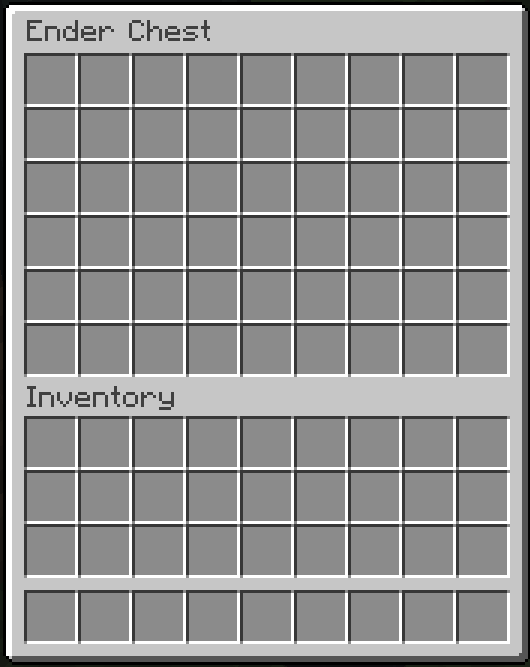
Larger Ender Chests
- Up to 54 Slots: A full double chest instead of 27, in steps of 9.
- Same Block: Right-click an ender chest or run
/ec. The lid still opens and closes. - Size by Rank: Set the base size per rank with the
enhancedechest.default_size.<size>permission.
| 27 slots | 54 slots |
|---|---|
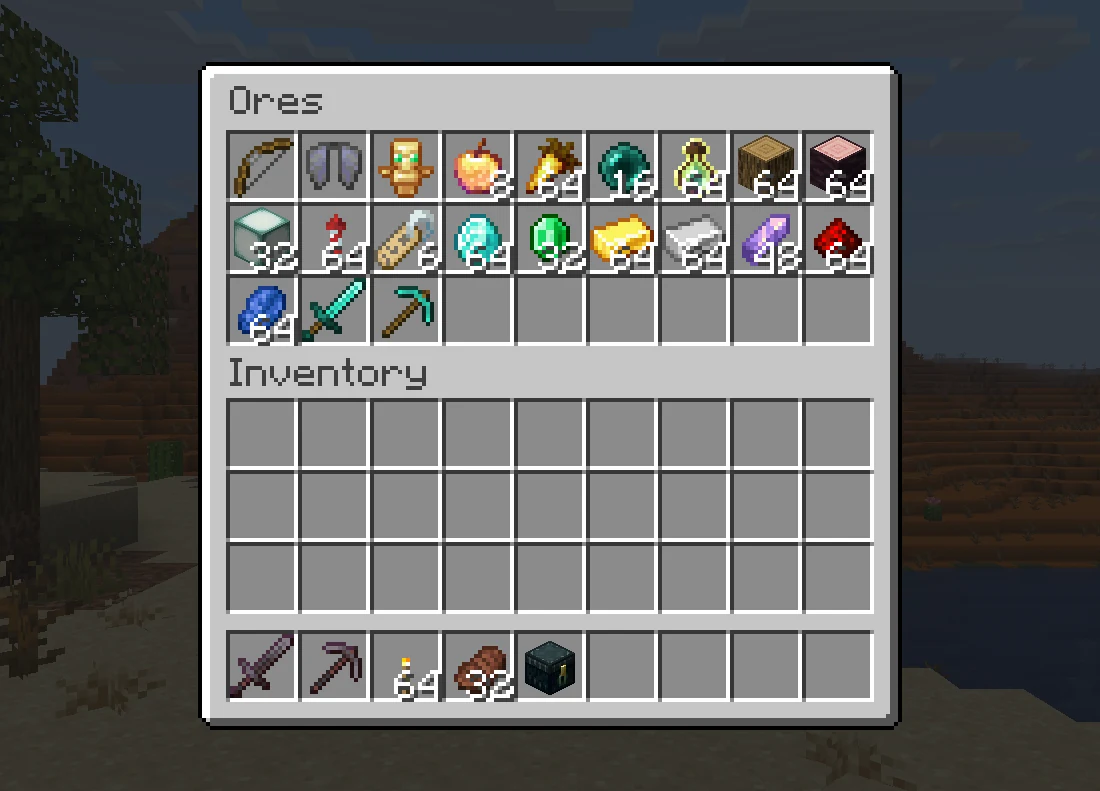 | 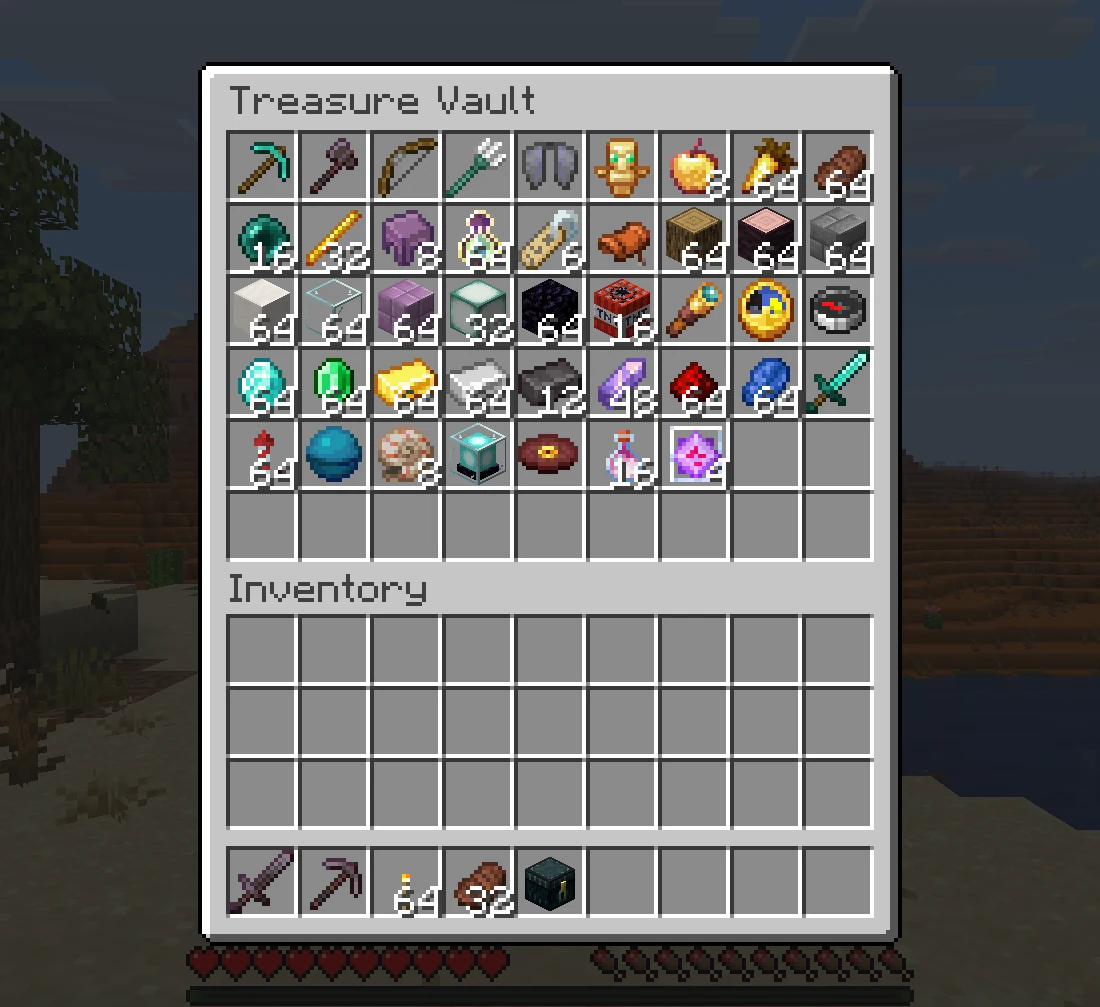 |
Multiple Chests
- Chest List:
/eclist, or shift and right-click an ender chest, lists every chest a player owns. - Main Chest: Players pick the one
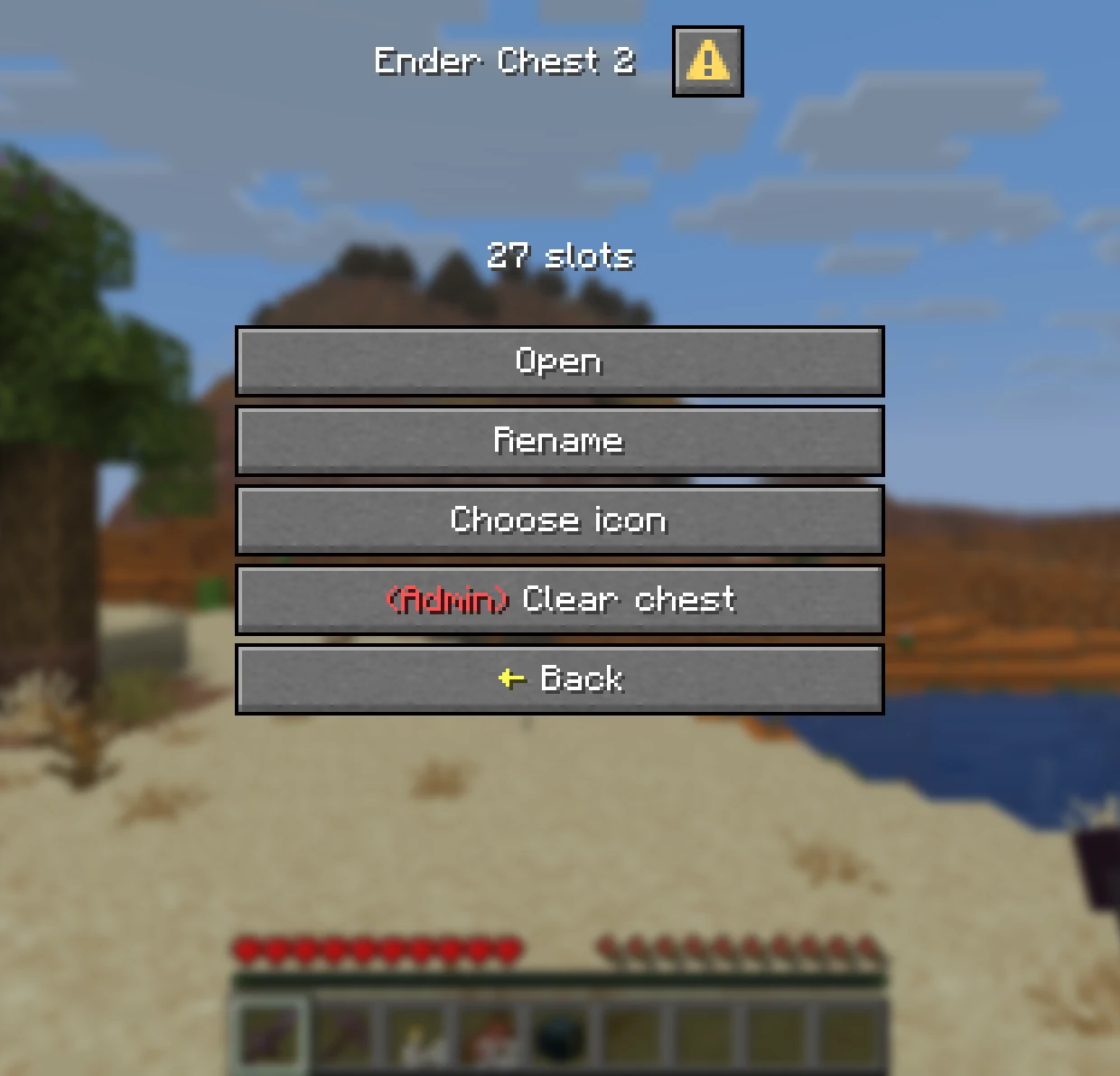
/ecopens. A new chest never becomes main on its own. - Edit Mode: Tick it to manage a chest on click instead of opening it.
| Chest List | Managing a Chest |
|---|---|
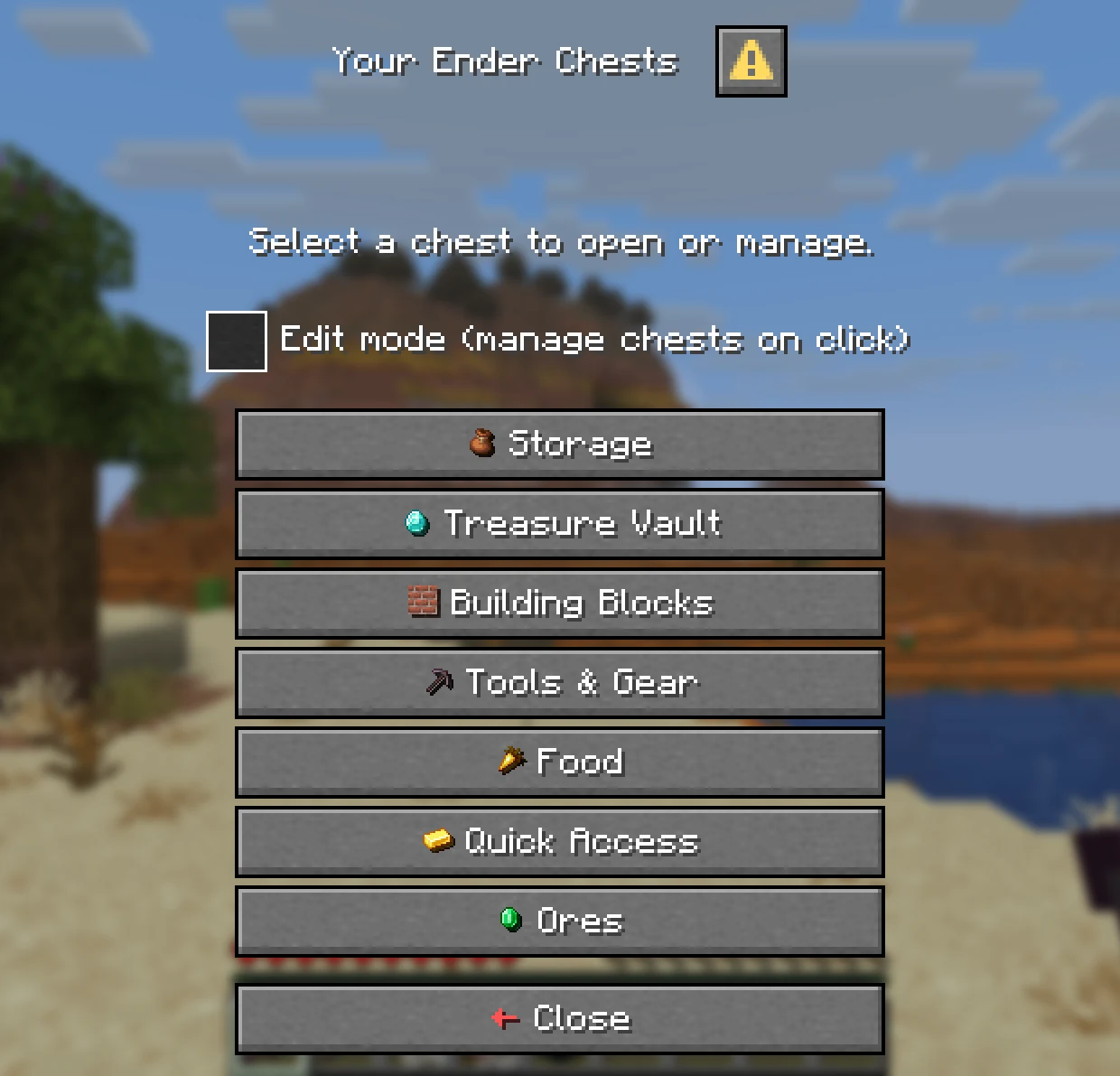 | 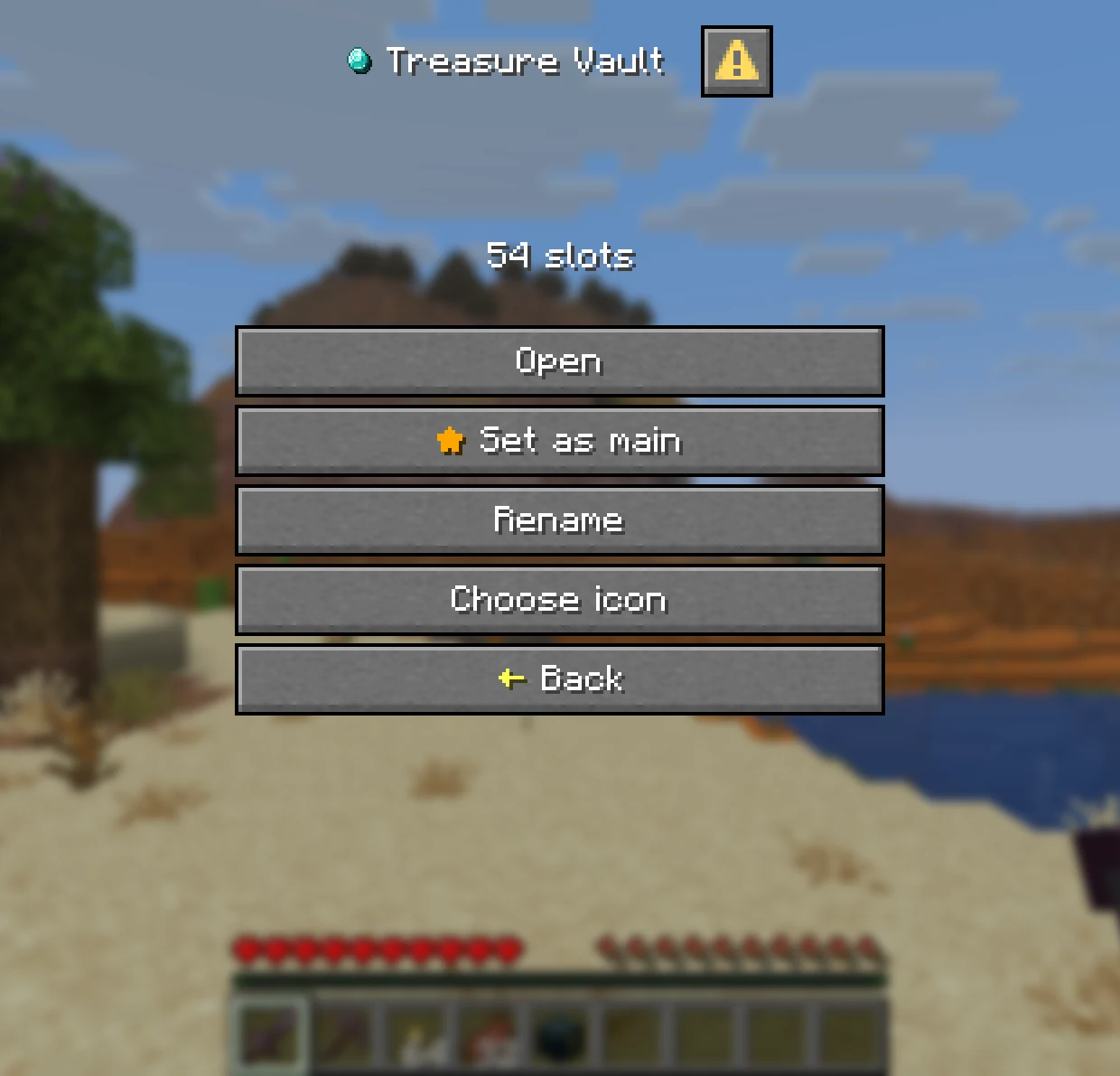 |
Names and Icons
- Rename: Give each chest its own name, with optional colours. It becomes the inventory title.
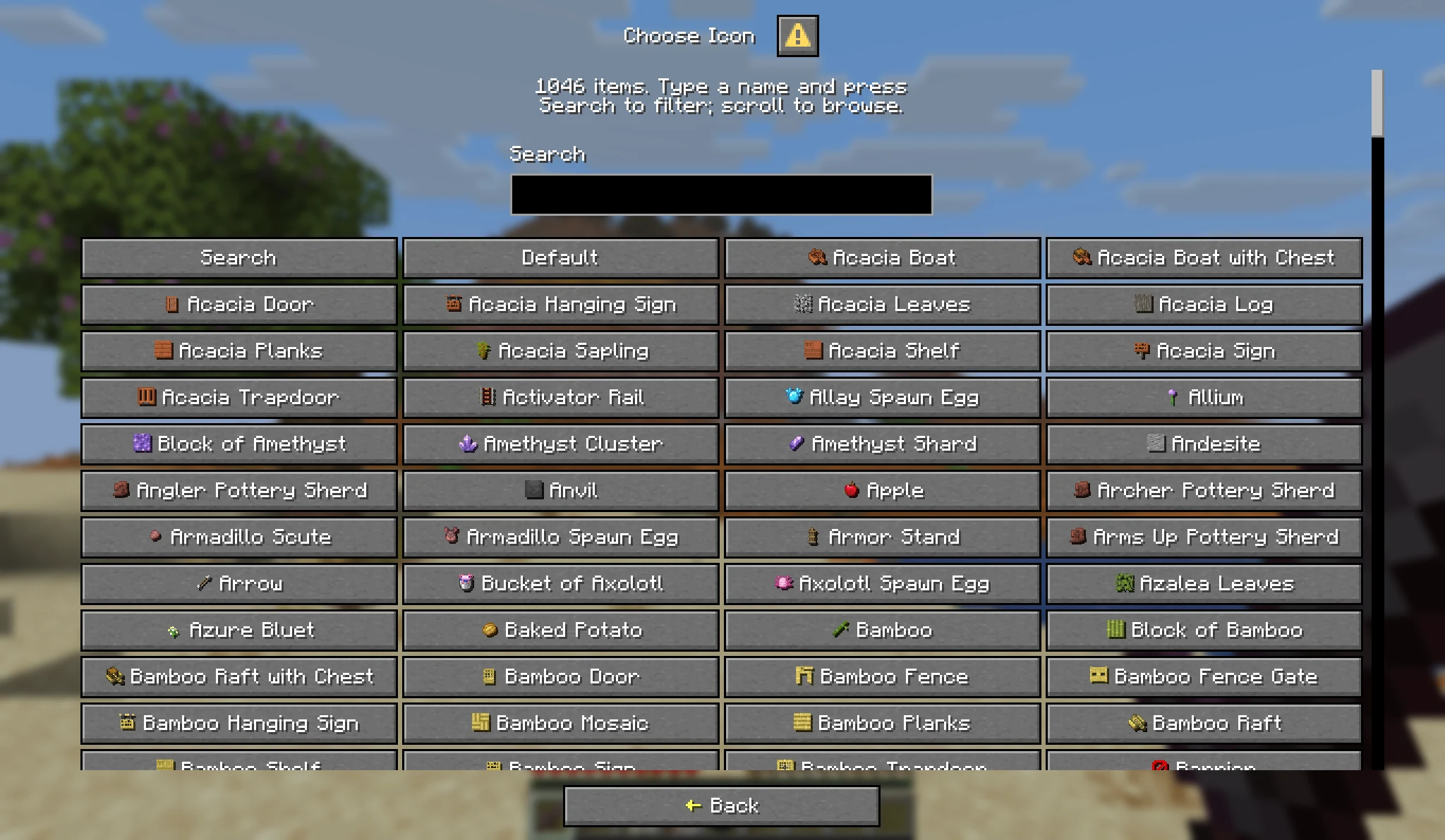
- Choose an Icon: Pick from over a thousand items, with a search box.
- Server Toggles: Rename, icons and sorting can each be switched off in
config.yml.
Admin Tools
- Manage Any Player: Add, resize and delete chests with
/ee add,/ee resizeand/ee delete, online or offline. - Temporary Chests: Give a chest that expires, such as
/ee add Steve 27 1 7d. - View and Edit:
/ee view <player>opens the same menu the owner sees. Admins can look, edit, or clear the chest, each by permission. - Safe Shrinking: Items that no longer fit after a resize or a lost rank move to a temporary chest instead of vanishing.
Activity Log
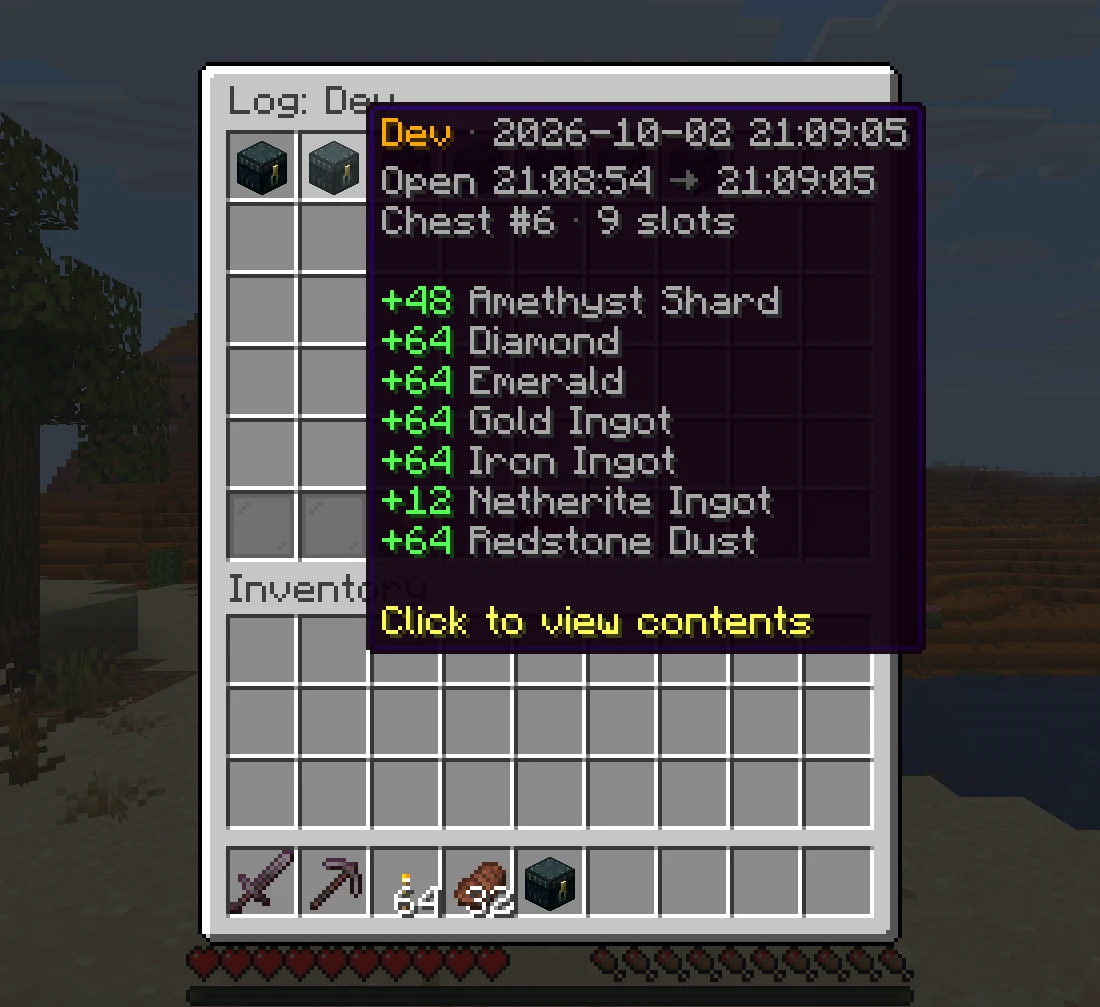
- Who Took What: Every visit that added or took items is recorded with the player, the time and the changes.
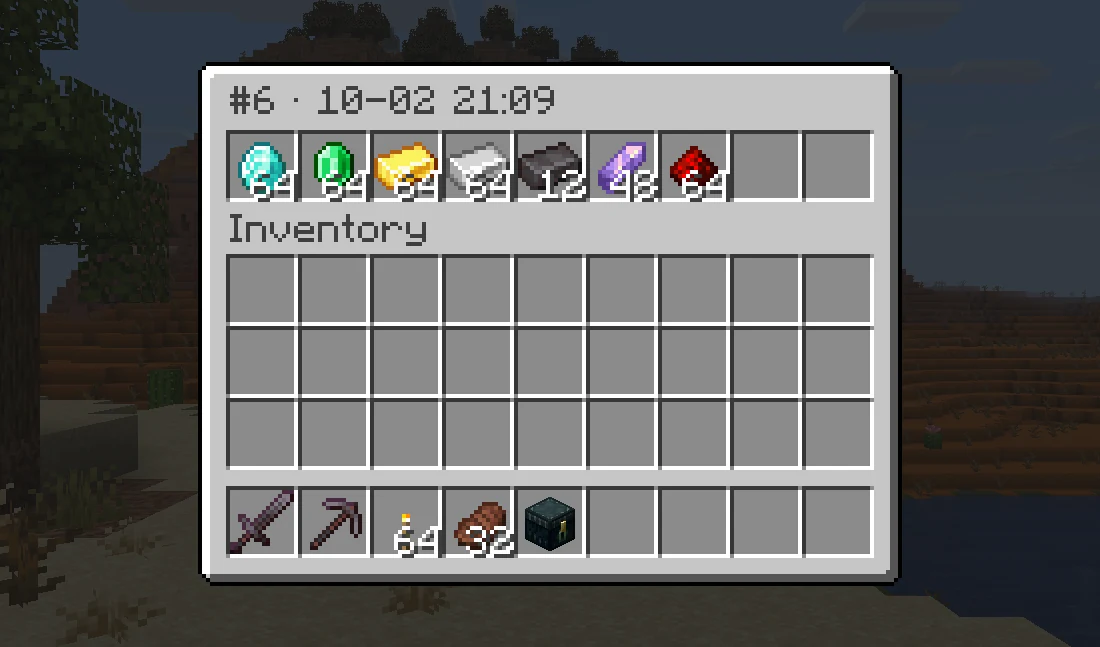
- Look Back: Click a visit to see exactly what the chest held when it closed.
- In Game: Read it with
/ee log <player>. Off by default, turn it on inconfig.yml.
| One Visit | The Chest at That Moment |
|---|---|
 |  |
Storage and Migration
- Any Database:
SQLite out of the box, or
MySQL, MariaDB and
PostgreSQL. Saving runs in the background.
- Several Servers: Share one database between servers, kept in sync with Redis.
- Import: Bring vanilla ender chests over when players join, and import from AxVaults, PlayerVaultsX and CustomEnderChest with one command.
Commands
Player and admin commands, click to expand
| Command | Permission | Description |
|---|---|---|
/ec | enhancedechest.command.open | Open the main chest, or the list with several |
/ec <name>, /ec #<index> | enhancedechest.command.open | Open one chest directly |
/eclist | enhancedechest.command.open | Open the chest list |
/ee add <player> <size> [count] [duration] | enhancedechest.admin.add | Give chests, optionally temporary |
/ee resize <player> <index> <size> | enhancedechest.admin.resize | Resize a chest |
/ee delete <player> <count> [force] | enhancedechest.admin.delete | Delete the newest chests |
/ee view <player> [list|index] | enhancedechest.admin.view | View or edit a player's chest, also /endersee |
/ee log <player> | enhancedechest.admin.log | Open a player's activity log |
/ee transfer <from> <to> <#index|name|all> | enhancedechest.admin.transfer | Move chests to another account |
/ee import | enhancedechest.admin.import | Copy data from another database |
/ee migrate <source> | enhancedechest.admin.migrate | Import from vanilla, AxVaults, PlayerVaultsX or CustomEnderChest |
/ee reload | enhancedechest.admin.reload | Reload config and language files |
Every permission is on the permissions page.
Version Support
| Minecraft version | Server | Java | Support status |
|---|---|---|---|
| 1.21.11 – 26.2 | Paper, Purpur, Folia | 21 | Active |
Quick FAQ
Does it work on Folia?
Yes. Paper, Purpur and Folia are all supported. Spigot is not.
Can Bedrock players use it?
Yes. Through Geyser, the menus show as Bedrock forms with no extra setup.
Will players lose their old ender chest items?
No. Turn on migration in config.yml and each player's vanilla ender chest is copied into their first chest when they join.
Supported languages:
English and Vietnamese, and each player sees their own client language. Every message can be edited with MiniMessage.
Need help or want to suggest something? Join the Discord.
Credits
Галерея
Последние версии
Все версии →release
EnhancedEchest 1.2.1
1.2.12 окт. 2026 г.745Minecraft: 1.21.11, 26.1, 26.1.1, 26.1.2, 26.2, 26.3folia, paper, purpur
Что нового
### Added
- New `/ee log <player>` command opens an in-game viewer of a player's ender chest history. Each visit is one clickable entry showing who opened the chest, how long it was open, and what was added or taken. Clicking an entry shows the exact contents the chest held at that moment, to inspect without changing anything; closing it returns to the same page of the log. Visits that changed nothing are not recorded. Requires the `enhancedechest.admin.log` permission.
### Changed
- **Breaking:** The activity log is now stored in a database (`plugins/EnhancedEchest/log.db`) and viewed in game with `/ee log`, instead of being written to `logs/echest-latest.log`. The plain text log is no longer produced. No action is required beyond using the new command to read it.
- **Breaking:** The `log-unchanged`, `shulker-contents`, `chest-contents` and `max-file-size-mb` settings in `config.yml` were removed. Two new settings, `max-entries-per-player` and `prune-interval`, control how much history is kept. Review the `activity-log` section in `config.yml` if it was customised.
- The periodic "Auto-saved ... rows" line no longer appears in the server console. Saving still runs on schedule, only the routine message is gone.
### Notes
- The activity log is still off by default. Turn it on with `enabled` in the `activity-log` section of `config.yml`. It records access for investigating theft and does not restore items; use `backup` for that.
release
EnhancedEchest 1.2.0
1.2.03 авг. 2026 г.759Minecraft: 1.21.11, 26.1, 26.1.1, 26.1.2, 26.2folia, paper, purpur
Что нового
### Fixed
- Fixed a heavy server lag spike while typing a player name in `/ee view` and the other admin commands. Names were looked up in the server's player folder on every keystroke, which read and unpacked a file per player who had ever joined. The plugin no longer reads that folder at all: name suggestions now come from its own database.
- A player's name is now recorded when they join, instead of the first time they open a chest, so the suggestion list fills itself in. A player who has not joined since the update can still be targeted by typing their full name.
### Added
- The activity log now lists what a shulker box held when one was put into or taken out of a chest. Items moved by packing them into a shulker are no longer missing from the record. Turn it off with `shulker-contents` in `config.yml`.
- The activity log now records everything a chest held when it was opened and again when it was closed, in the order the items sit in it. Turn it off with `chest-contents` in `config.yml`.
- Players are now told when items waiting in a temporary chest are moved into a newly granted chest, naming the chest number they landed in. Turn it off with `reclaim-notify` in `config.yml`.
- Added `/endersee <player>` as a shorthand for `/ee view <player>`. It takes the same `list` and chest-number arguments and requires the same `enhancedechest.admin.view` permission.
- Admin commands now suggest only players who were online in the last 30 days, so the name list stays short on a server with years of history. Change it with `commands.suggest-offline-within` in `config.yml`, or set it to `all` for every known player. Typing a full name always works regardless.
### Changed
- **Breaking:** The `permission-chests` section has been removed from `config.yml`. Chests granted by `enhancedechest.additional_amount.<count>.slot.<size>` permissions are always active now. A server that had `enabled` set to `false` must remove those permission nodes instead, or players holding them will be granted their chests on next open.
- Command suggestions no longer put a `(player)` label at the top of the list. Minecraft already shows what the next argument is above the chat bar, so the list now contains only real names and values.
### Removed
- **Breaking:** The `/ee config` in-game settings menu and its `enhancedechest.admin.config` permission have been removed. Edit `config.yml` directly and run `/ee reload` to apply changes.
### Notes
- The database gains a `last_online` column, added automatically on first start after the update. Players already stored are treated as seen at that moment, so nothing disappears from the name suggestions right away; the list trims itself over the following 30 days.
- A leftover `permission-chests` section in an existing `config.yml` is ignored and can be deleted. Every other setting remains available.
- Activity log entries are larger than before: shulker box lines are longer, and a full item list is written at both ends of every entry. Log files reach their size limit sooner.
- The `config` message group and the `config-` entries in `gui.yml` are no longer used and can be deleted from customized language files.
release
EnhancedEchest 1.0.13
1.0.1328 июл. 2026 г.74Minecraft: 1.21.11, 26.1, 26.1.1, 26.1.2, 26.2folia, paper, purpur
Что нового
### Added
- Added optional activity logging for chest access and item changes. Configure the `activity-log` section in `config.yml`; logs are stored in `plugins/EnhancedEchest/logs/`.
- Activity logs skip unchanged visits by default, rotate automatically, and retain files for 14 days. They provide audit evidence but do not restore items or inspect shulker contents.
- Temporary chest items are now reclaimed automatically when a sufficiently large permanent chest is granted.
- Reclaimed items keep their original slots. Chests that do not fit remain unchanged, with the closest to expiry processed first.
### Changed
- Deleted chest numbers are now reused when granting new chests.
### Notes
- Existing chest numbers remain unchanged. Numbering gaps close as new chests are granted.
- Activity logging is disabled by default.
- Automatic reclaim is enabled by default and can be disabled with `auto-reclaim` in `config.yml`.
release
EnhancedEchest 1.0.12
1.0.1219 июл. 2026 г.50Minecraft: 1.21.11, 26.1, 26.1.1, 26.1.2, 26.2folia, paper, purpur
Что нового
### Added
- Added `/ee config` for editing `config.yml` through an in-game menu. Access requires `enhancedechest.admin.config`.
- Configuration changes apply immediately, except connection settings which require a restart. Invalid values are rejected without discarding form input.
- Shift and right-click an ender chest now opens the chest list. Configure this behavior with `shift-click-list` in `config.yml`.
### Changed
- Added a documentation link to the `/ee import` form and improved its button layout.
- Update notifications now use a compact clickable download link.
- Updated the default Back, Close, and Cancel icons and limited menu button colors to their leading symbols.
### Notes
- Database passwords are displayed as plain text in `/ee config`.
- Default menu appearance changes only apply to fresh installations. Existing `gui.yml` files must be updated manually.
release
EnhancedEchest 1.0.11
1.0.1116 июл. 2026 г.18Minecraft: 1.21.11, 26.1, 26.1.1, 26.1.2, 26.2folia, paper, purpur
Что нового
### Added
- Added automatic per-player language based on the Minecraft client locale. Unsupported locales fall back to the language selected in `config.yml`.
- Custom translations under `language/` are now detected automatically for matching client locales.
- Added a login reminder for temporary chests, including the number of waiting chests and the nearest expiry time.
### Changed
- Temporary and time-limited chests now use distinct default icons in the inventory chest list. Custom icons remain unchanged.
- Expiry times and cooldown durations now follow each player's language.
- Renamed import dialog labels in `gui.yml` to use the consistent `-label` suffix.
- Improved database read and write performance across SQLite, MySQL, MariaDB, and PostgreSQL.
### Fixed
- Chest descriptions in the inventory list now use the correct neutral grey color.
### Notes
- Automatic language detection is enabled after updating. Set `language-auto-detect` to `false` to retain a single server-wide language.
- Fully custom language folders must rename the import dialog keys in `gui.yml` to include the `-label` suffix.
release
EnhancedEchest 1.0.10
1.0.1014 июл. 2026 г.10Minecraft: 1.21.11, 26.1, 26.1.1, 26.1.2, 26.2folia, paper, purpur
Что нового
### Changed
- The default temporary chest expiry is now 7 days.
- The default database autosave interval is now 3 minutes.
### Added
- Added optional TLS encryption for remote MySQL, MariaDB, and PostgreSQL connections through the `ssl` setting in `config.yml`.
- Added cross-server chest support for proxy networks using a shared database and Redis. SQLite is not supported in cross-server mode.
- Added migration from `CustomEnderChest` YML storage through `/ee migrate customenderchest`.
- Added an inventory-style chest list through the `list-menu` setting in `config.yml`. Lists above 28 chests continue using the dialog menu.
### Notes
- New expiry and autosave defaults only apply to fresh installations.
- Database TLS is disabled by default and requires a restart after changes.
- Cross-server mode disables the plugin when Redis is unavailable or SQLite is selected.
- Run `/ee import` with only one server in the network online.
release
EnhancedEchest 1.0.9
1.0.911 июл. 2026 г.11Minecraft: 1.21.11, 26.1, 26.1.1, 26.1.2, 26.2folia, paper, purpur
Что нового
### Added
- **Database tables are now prefixed** (`echest_enderchests`, `echest_players`, `echest_schema_meta` by default), so it's easy to tell the plugin's data apart from other plugins' tables and safe to keep them in a database you share with other plugins. Configurable with the new `database.table-prefix` setting (letters, digits and underscore only; an empty or invalid value falls back to `echest_`).
- Existing installs are upgraded automatically: on the next startup, the plugin renames its existing tables to match, with no data loss and no manual steps. Verified on SQLite (a real 1399-player/1399-chest database, byte-identical before/after), MySQL, and PostgreSQL.
- Added full localization to the chest icon picker: item names always show in your Minecraft client's own language now, and searching icon by name also matches the localized name for English and Vietnamese clients (other client languages still show correct item names, but search currently only matches the English name).
- Added support for dropping a custom `icons/lang/<locale>.json` file into the plugin's folder to add search for a client language we don't bundle, or to override a bundled one. Run `/ee reload` to pick it up without restarting the server.
- The bundled name tables, and the list of items available as icons, now cover Minecraft 26.2, including recently added items such as Cinnabar, Sulfur, and the Sulfur Cube.
release
EnhancedEchest 1.0.8
1.0.87 июл. 2026 г.15Minecraft: 1.21.11, 26.1, 26.1.1, 26.1.2, 26.2folia, paper, purpur
Что нового
This release changes how data is stored while the server runs: each player's ender chests are loaded into memory when they join and served from there, so opening and closing chests runs no database queries, no matter which backend you use.
### Changed
- **Ender chest data is now cached in memory per player.** A player's chests are loaded from the database once, when they join, and every operation after that is served from memory. Changes are written back automatically every 5 minutes (new `database.autosave-interval` setting, minimum 30s, applies on `/ee reload`), a few seconds after a player quits, and one final time at server shutdown. Memory use stays proportional to the number of online players, not the size of the database.
- Admin commands on offline players (`/ee view`, `/ee resize`, `/ee transfer`, ...) still work exactly as before: that player's data is loaded on demand and released again after the next autosave.
- Automatic backups and `/ee import` always write pending changes first, so they still see complete data.
- **Sharing one database between several servers is not supported.** Each server holds its own authoritative copy of an online player's data and writes it back on its own schedule, so two servers on the same database (for example behind a proxy with fast server switching) could overwrite each other. Run each server with its own database or SQLite file; cross-server ender chest support will not be available for now.
release
EnhancedEchest 1.0.7
1.0.75 июл. 2026 г.36Minecraft: 1.21.11, 26.1, 26.1.1, 26.1.2, 26.2folia, paper, purpur
Что нового
**Critical bug fix — item duplication. Please update immediately, especially on Folia.**
### Fixed
- **Critical:** fixed an item duplication exploit triggered by re-opening an ender chest rapidly (spam right-clicking the block, or mixing `/ec` with a right-click while the chest was still opening). The overlapping opens could silently disconnect the on-screen chest from saving: items taken out afterwards were never removed from the database and reappeared on the next open.
- Easiest to trigger on Folia, where opening a chest takes longer, but the window existed on Paper too.
- Fixed at every layer: a single right-click can no longer start two opens, duplicate open requests are collapsed into one, and a chest window can no longer outlive its save tracking.
- Fixed spam right-clicking an ender chest playing the lid open/close sound over and over. A duplicate open request arriving while the chest is already open (or still loading) is now ignored instead of closing and re-opening the chest — this also removes the pointless save/load each of those cycles caused.
- Fixed the update notification's download line showing raw colour codes (for example `	B59B6EnhancedEchest &8» &r`) instead of the formatted plugin prefix. Messages that mix the `&`-code prefix with MiniMessage text (like the clickable download link) now format both parts correctly.
release
EnhancedEchest 1.0.6
1.0.64 июл. 2026 г.12Minecraft: 1.21.11, 26.1, 26.1.1, 26.1.2, 26.2folia, paper, purpur
Что нового
This release adds a built-in tool to move all your data from one database backend to another, plus a set of performance improvements aimed at servers with many players online.
### Added
- Added coloured chest names: players can now format a chest's custom name with `&` colour codes, `&#RRGGBB` hex, and cosmetic MiniMessage tags such as `<red>`, `<gradient>`, and `<rainbow>`.
- Interactive MiniMessage tags (`<click>`, `<hover>`, `<insertion>`, …) are always stripped, so a name can never run a command or forge a tooltip.
- Controlled by the new `enderchest.features.rename-colors` toggle (on by default); turn it off to show names exactly as typed.
- Added a name blacklist for chest renaming: set `enderchest.features.rename-blacklist` in `config.yml` to a list of words players may not use in a chest's custom name (for example `server`, `admin`, `staff`, `owner`).
- Matching is case-insensitive and by substring, so a banned word like `admin` also blocks names such as `iAmAdmin` or `ADMIN`.
- The check runs against the visible text, so colour codes can't be used to hide a banned word.
- A rename containing a banned word is rejected before it is saved, and the player is asked to choose a different name.
- Leave the list empty to allow any name; clearing a chest's name is always allowed.
- Added `/ee import` to copy every player's chests from an old database backend into the one your server is currently using, for example when moving from SQLite to MySQL, or between MySQL and PostgreSQL.
- Point `config.yml` at the new (empty) backend, restart, then run `/ee import` and fill in the old database's connection details in the dialog.
- The copy is byte-for-byte, so item contents, sizes, names, icons, and settings all carry over exactly, and it stays fast even for large databases.
- Safety checks before it runs: no other players may be online, the source cannot be the database you are already on, and the destination must be empty.
- Everything is copied in a single transaction, so a failure part-way leaves the destination untouched: just fix the problem and run it again.
- Gated by the new `enhancedechest.admin.import` permission.
### Fixed
- Fixed `/ee migrate` appearing in tab-completion for players without the `enhancedechest.admin.migrate` permission. The command still could not be run, but it should not have been suggested; the whole `/ee migrate` subtree is now hidden unless the player has the permission.
- Fixed a rare case where migrating a player's vanilla ender chest (on join with `migration.enabled`, or via `/ee migrate vanilla`) while that player had their ender chest open could lose the migrated items. An ender chest opened during a migration now simply waits for it and then shows the migrated items.
- Fixed vanilla migration replacing whatever was already stored in chest #1: it now merges the vanilla items into free slots, anything that does not fit is moved to a recoverable temporary chest (the chest is never resized), and running the migration twice can no longer duplicate or drop anything.
### Improved
- Improved join performance when `migration.enabled` is on: the already-migrated check no longer runs on the main server thread, so mass reconnects after a restart no longer cause lag.
- Improved chest opening on busy servers: a chest's contents are now read and prepared fully in the background with fewer database queries, so opening chests adds less load to the server tick.
- Improved SQLite write performance by switching the database to write-ahead logging. You may see new `enderchests.db-wal` and `enderchests.db-shm` files next to the database file; they belong to SQLite and should be left in place.
- Improved SQLite reliability during automatic backups: a save that arrives while a backup is being written now waits for it to finish instead of failing.