

Dynasty Cobblemon
The official modpack for DynastyMC Network Cobblemon on Fabric! Contains all the essentials + some optimisation perks. Keybinding has also been adjusted to work well with the server with 0 conflicts! Join us now!
Автор: lilpebs6,5 тыс.6обновлён 26 окт. 2026 г.
Приключенияmultiplayerquests
Описание
DynastyMC Rebirth
The official modpack for the DynastyMC Cobblemon network. Install it, press Play DynastyMC on the title screen, and you are in.
This pack is required to join. The server runs custom DynastyMC mods, and your game needs the matching client mods to connect.
What you get
- Cobblemon 1.8.1 on Minecraft 1.21.1 (Fabric)
- Trading: a network-wide Global Trade System, Wonder Trade, the Pebbles shop and player-run stalls
- Progress: Pokémon Research pages, skills, and a full quest book
- Your land: claims with a map screen, also shown on Xaero's map
- Style: cosmetics, a wardrobe, and nicknames
- Adventure: Rift weapons with their own HUD, dungeon Delves, and Ultra Space expeditions
- Quality of life: Trinkets + Elytra Slot (elytra without losing your chestplate), per-player chest loot (Lootr), JEI, Simple Voice Chat, Xaero's Minimap and World Map
- Performance: Sodium, Lithium and Iris (shaders supported)
All keybinds are set up so nothing overlaps.
The network
- Nexus: the hub, where every journey starts
- Dawnreach: the main survival world
- Isles: your own private island
- Aurelith: a curated story island with quests and gym leaders
- Resource: a mining world that resets every month
- Delves: Pokémon dungeons with bosses and loot
- Onslaught: wave arenas
- Ultra Space: expeditions to catch Ultra Beasts
Join us
- Server IP: play.dynastymc.org
- Discord: https://discord.gg/dynastymc
- Website: https://www.dynastymc.org
Want to add your own mods? Feel free, but keep the DynastyMC mods installed or you will not be able to join.
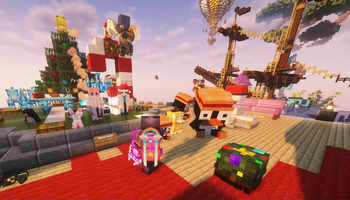
Галерея
Последние версии
Все версии →release
Dynasty Cobblemon 2.8.9
2.8.926 окт. 2026 г.134Minecraft: 1.21.1fabric
Что нового
# Dynasty Cobblemon 2.8.9
Battle Link arrives on the Rotom Phone, and bikes get new perks and a jet engine.
## Battle Link
- New Rotom Phone app: Battle Link. Battle other trainers from your phone, on any server.
- Practice vs AI: singles or doubles, Easy or Hard, with your own party, a saved team, a sample team or a random one.
- Lobbies: make your own room with your own rules, or join an open one. Party mode uses your real Pokémon, healed to full. Custom mode lets you build any team.
- Teams: save up to 20 teams. Paste a Showdown team to import it.
- Watch any battle from the lobby list.
- Ranked Season 1 opens November 1 at 00:00 UTC, with a Singles ladder and a Doubles ladder. Seasons last two months. Until then, practice and play lobbies.
- Ranked rewards: pebbles and Rare Candies for your daily ranked battles, Event Crate Keys and pebbles for your weekly battles, and prizes and titles for the top trainers of each season.
## Bikes
- Bikes climb stairs and slabs smoothly now, with no more snapping back.
- Leveling Cycling unlocks new bike perks from level 5 to 35, like Kickstart, Overdrive, Double Hop and Soft Landings.
- At Cycling level 30 your bike gets a jet engine: hold jump in the air to fire it and fly further. It refuels when you ride on the ground.
- Use your bike item while riding, or sneak and use it, to open the new Bike Workshop and see your perks or switch the jet on and off.
- Type /bike to open the Bike Workshop anywhere, even if your bike is parked in your Rotom Phone.
release
Dynasty Cobblemon 2.8.8
2.8.820 окт. 2026 г.248Minecraft: 1.21.1fabric
Что нового
# Dynasty Cobblemon 2.8.8
A new Route Runner, Zen mode for Unown Stack, and you can now watch every Game Corner game.
## Route Runner: Kanto Trek
- Kanto Trek is the new Route Runner. It takes the Route Runner card in the Game Corner.
- Run through Kanto: Route 1, Viridian Forest, Mt. Moon and Cycling Road. After Cycling Road the routes come back, faster.
- Every 800 metres you pass a gate. Each gate gives you a chest with bonus points and pebbles.
- Power-ups on the track: Thunderbolt smashes through obstacles for 5 seconds, Magnemite pulls in pebbles from every lane, an Oran Berry saves you from one crash, and a Rare Candy raises your multiplier for the rest of the run.
- Each run gives you 3 missions. Finish a mission for bonus points and pebbles.
- Near misses and pebble streaks build your combo. Your multiplier goes up to x5.
- A stumble costs your Oran Berry first, then your combo.
- Kanto Trek has its own weekly board, its own champion title and its own 500 pebbles a day.
- The old Route Runner boards stay in Leaderboards.
## Unown Stack
- New mode: Zen. It never ends. When the board fills up, it clears and you keep playing.
- Zen saves your progress. Leave whenever you want and continue later, on any server.
- Your level rises slowly as you clear lines. The speed stops going up at level 8.
- Zen pays 1 pebble for every 10 lines, up to 100 pebbles a day. This is separate from the other Unown Stack modes.
- Versus: you now see your opponent's full board in colour, with the falling piece, hold and next pieces.
## Watch any game
- You can now watch Swimmy Karp, Voltorb Flip, Kanto Trek and Unown Stack games, not only Unown Stack.
- Voltorb Flip races show the live scoreboard while the race runs. The boards show when the race ends.
- An icon floats over a player's head while their Rotom Phone is open. When they play a Game Corner game, it shows that game.
- Right-click a player who is in a game, with an empty hand, to watch them.
## Voltorb Flip
- Rotom now saves a scan that you do not use. Each new board gives you 1 free scan. If you do not use it, it carries over to the next board. You can keep up to 2 scans.
- The Scan button shows how many scans you have, for example "x2".
- A new game starts with 1 scan. In a race, each player starts with 1 scan and saves scans on their own boards.
## Title screen
- The title screen now shows a short tip under the server address: "New here? You start on Aurelith. To travel later, open your inventory and click the compass tab."
- The tip hides by itself after you join the server. You do not need to do anything.
- It shows on the Halloween title screen and on the normal title screen.
## Updated mod
- Game Corner 0.2.6.
How to update: open the Modrinth App, go to your Library, open the Dynasty Cobblemon profile and press Update. Version 2.8.0 to 2.8.7 can still join the servers, but you need 2.8.8 to play Kanto Trek and Zen and to watch games other than Unown Stack.
release
Dynasty Cobblemon 2.8.7
2.8.718 окт. 2026 г.166Minecraft: 1.21.1fabric
Что нового
# Dynasty Cobblemon 2.8.7
Chat in the Game Corner.
## Game Corner
- Chat now shows while you play a Game Corner game or watch a live game, so you can see when your friends are ready.
- Click the chat to type. Press Enter to send or Esc to close it. Your game keys are not sent while you type, and Esc does not leave the game.
- The new chat button next to the speaker turns chat on or off in your games.
- Chat follows your normal chat settings.
## Updated mod
- Dynasty Arcade 0.2.1 (Game Corner).
How to update: open the Modrinth App, go to your Library, open the Dynasty Cobblemon profile and press Update. Version 2.8.0 to 2.8.6 can still join the servers.
release
Dynasty Cobblemon 2.8.6
2.8.618 окт. 2026 г.74Minecraft: 1.21.1fabric
Что нового
# Dynasty Cobblemon 2.8.6
Unown Stack, a new falling blocks game in the Game Corner, and a fairer Voltorb Flip.
## Unown Stack
- A new game in the Game Corner of your Rotom Phone, set in the old Unown ruins.
- Four modes: Sprint (clear 40 lines as fast as you can), Blitz (score as much as you can in 2 minutes), Marathon (150 lines over 15 levels) and Versus (a live 1v1 battle against a friend, even on another server).
- Modern play: hold, ghost piece, the next 5 pieces, 180 spins, and every piece can spin for bonus points.
- Handling settings: open Handling to set ARR, DAS, DCD and SDF. The numbers you already play with work here. Press Test to try them on a practice board.
- Controls: Guideline, WASD or Custom keys, with more than one key per action. Your keys stay inside the game while you play.
- Versus: clear lines to send garbage to your rival. Clear in time to cancel incoming garbage. First board to top out loses.
- Live tab: watch any Unown Stack game on the network and send cheers. Players see how many people watch and can mute cheers.
- Every mode has its own weekly leaderboard. Good runs earn pebbles, up to 500 a day for the game.
- Original music for each mode and new sound effects for moves, drops, clears, spins and combos.
## Voltorb Flip
- Your first flip on every board is always safe.
- Boards need fewer guesses. Use the row and column hints to solve more of each board.
- Rotom scan: once per board, pick a card and Rotom checks it for free. A safe card flips as normal. A Voltorb is defused and the run goes on.
- In races, both players get the same help: a safe first flip and one scan per board.
## Updated mod
- Dynasty Arcade 0.2.0 (Game Corner).
How to update: open the Modrinth App, go to your Library, open the Dynasty Cobblemon profile and press Update. Version 2.8.0 to 2.8.5 can still join the servers, but they do not have Unown Stack or the Voltorb Flip changes.
release
Dynasty Cobblemon 2.8.5
2.8.518 окт. 2026 г.62Minecraft: 1.21.1fabric
Что нового
Game Corner arrives in the Rotom Phone: Swimmy Karp, Voltorb Flip, Route Runner and live races.
New HUD icons for the Rift Reaver's abilities.
release
Dynasty Cobblemon 2.8.4
2.8.417 окт. 2026 г.86Minecraft: 1.21.1fabric
Что нового
# Dynasty Cobblemon 2.8.4
A Halloween title screen, and you can now change the price of your GTS listings.
## Halloween title screen
- The title screen shows Hollowreach at night, with the Trickster, moving fog, bats and lanterns.
- New menu music: "Spooky Waltz".
- It runs until the end of October 31, by your own computer's clock. After that the normal title screen comes back by itself. You do not need to do anything.
## Title screen fixes
- The server address on the normal title screen is no longer cut off.
- The Singleplayer and Options buttons on the normal title screen are no longer dimmed.
## Cosmetics
- Hats and other head cosmetics now show on morphs.
## Global Trade System
- My Listings has a new Edit button next to Cancel. Press it, type the new price and press Save. You do not need to cancel and list again.
- For a Buy Now listing you change the price. For an auction you change the starting bid and the buy out, until the first bid comes in.
- The editor shows what you receive after tax before you save.
- Your listing keeps its place and its time left. Changing the price does not reset the timer.
- You can change the same listing once every 30 seconds.
- Wanted trades cannot be changed. Cancel them and list again.
- No Edit button yet? Type `/gts listings` and click "change price", or type `/gts price <number> <price>`.
## Updated mod
- Dynasty GTS 0.1.11.
- Network Cosmetics 0.16.3.
How to update: open the Modrinth App, go to your Library, open the Dynasty Cobblemon profile and press Update. Version 2.8.0 to 2.8.3 can still join the servers.
release
Dynasty Cobblemon 2.8.3
2.8.315 окт. 2026 г.206Minecraft: 1.21.1fabric
Что нового
# Dynasty Cobblemon 2.8.3
Faster joins and server switches.
## Resource packs
- Server resource packs are now cached on your computer. Rejoining or switching servers no longer reloads the pack unless it changed.
- When the pack does change, only the changed part is downloaded, and it loads in the background while you keep playing.
- Right before the new pack is applied, a short notice says the game will pause for a few seconds. This pause is normal.
- Type `/rpm` (or press "RP Manager" on the Resource Packs screen) to see the cache and its settings.
## New mod
- RP Manager 1.0.1.
How to update: open the Modrinth App, go to your Library, open the Dynasty Cobblemon profile and press Update. Version 2.8.0, 2.8.1 and 2.8.2 can still join the servers.
release
Dynasty Cobblemon 2.8.2
2.8.212 окт. 2026 г.192Minecraft: 1.21.1fabric
Что нового
# Dynasty Cobblemon 2.8.2
A small fix for the Rift upgrade menu.
## Rift
- In the Rift upgrade menu (`/rift menu`), hover an ability to read its full description.
- Long descriptions now wrap onto more lines. They are not cut off anymore.
- Every Rift weapon now has a description for each of its abilities.
## Mod updates
- Dynasty Rift HUD 0.3.4 to 0.3.6.
How to update: open the Modrinth App, go to your Library, open the Dynasty Cobblemon profile and press Update. Version 2.8.0 and 2.8.1 can still join the servers.
release
Dynasty Cobblemon 2.8.1
2.8.112 окт. 2026 г.123Minecraft: 1.21.1fabric
Что нового
# Dynasty Cobblemon 2.8.1
Fixes for the GTS screen, and dye for Ultra Space suits.
## GTS
- The GTS lists keep their scroll position. When the board updates or you click a card, the list does not jump back to the top.
- The Pokémon stats, the Buy out button and the Cancel button are visible at every screen size and GUI scale.
- The mouse wheel scrolls the detail panel. Drag the model to turn it.
- A bid that you type stays in the box while the listing updates.
## Ultra Space
- You can dye the Ultra Space Suit and the Ultra Recon Suit. Put a suit piece and one or more dyes in a crafting grid, the same as leather armor. The dye changes the white parts of the suit. The colored trim stays the same.
- To remove the dye, use the suit piece on a water cauldron.
- Dyeing starts on the servers after this update.
## Mod updates
- Dynasty GTS 0.1.3 to 0.1.8.
- Dynasty Ultra Space (client) 1.5.8 to 1.5.11.
How to update: open the Modrinth App, go to your Library, open the Dynasty Cobblemon profile and press Update. Version 2.8.0 can still join the servers.
release
Dynasty Cobblemon 2.8.0
2.8.011 окт. 2026 г.142Minecraft: 1.21.1fabric
Что нового
Dynasty Cobblemon 2.8.0
You must update to this version to play. Old versions cannot join the servers.
- Cobblemon is updated to 1.8.2.
- 12 more Pokémon are fully finished: the Snover, Burmy, Tympole and Helioptile lines, plus Minior and Eternatus.
- New Oricorio flowers.
- You can place held items and vitamins as blocks. To use a vitamin, PP Up or Moomoo Milk, right-click your Pokémon or aim at the sky.
- Better models and animations for many Pokémon.
- Costume Pokémon can now evolve and keep their costume. This includes the Halloween Pokémon in Hollowreach.
- Halloween Charmander now evolves into a Halloween Charmeleon and Charizard.
- You can now have 20 active quests at once (it was 10).
- Corvin's market no longer jumps back to the top while you scroll.
How to update: open the Modrinth App, go to your Library, open the Dynasty Cobblemon profile and press Update.