

Dynamic Client
The all-in-one Minecraft client built for everyone.
1,5 тыс.0обновлён 25 мая 2025 г.
combatmultiplayerОптимизация
Описание

The all-in-one Minecraft client built for everyone.
Whether you're a redstone engineer, PvP warrior, builder, or casual player—Dynamic Client gives you the ultimate experience with performance boosts, modern visuals, redstone tools, PvP features, and more.
⭐️ What Makes It Special?
Dynamic Client packs together:
- ⚡ Performance Enhancements (Sodium-based)
- 🔴 Redstone Tweaks
- 🗡️ PvP Features (like keystrokes & status timers)
- 🎨 Visual & General Upgrades (shaders, UI, resource packs)
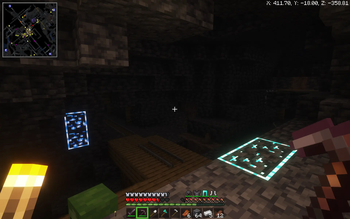
- 🗺️ Built-in Minimap and World Map
- 🛠️ Tools like Replay Mod, Jade, World Edit, and more!
🔧 General Improvements
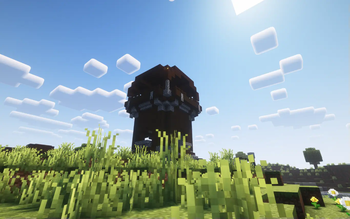
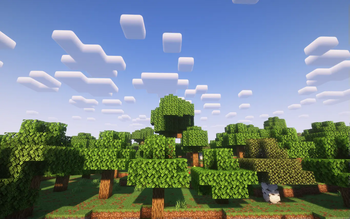
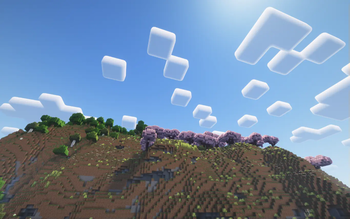
- ✨ Shaders support — immersive lighting and graphics
- 🖼️ Built-in resource pack installer — drag & drop made easy
- 💡 Dynamic Lights — light up the world with items in hand
- 🧾 Jade HUD — see block/item info instantly
- 📹 Replay Mod — record and replay your gameplay
- 📦 OptiFine-like features — without the mess
- 🧱 WorldEdit — creative building made powerful
- 🧭 Minimap and World Map — never get lost again
- 📜 Improved command block UI — cleaner and more functional
- 🌐 Join servers from older or newer Minecraft versions seamlessly.
⚡ Performance Improvements
- 🧪 Built on Sodium, Lithium and more for max FPS
- 🔄 Smooth gameplay on low-end PCs and high-end rigs alike
🔴 Redstone Improvements
- ⏩ Redstone Tweaks — improve redstone usability and behavior
- 🕹️ Game4speed to slow down and see your builds
🗡️ PvP Improvements
- ⌨️ Keystrokes overlay (disabled by default — toggle on if needed by pressing f10)
- ⏱️ Status effect timers — know when your buffs/debuffs end
- 🎯 UI changes like lower fire and shields to see your opponets while protecting yourself
🎮 But here’s the best part:
Dynamic Client is a hybrid modpack-client, meaning:
- You can add your own favorite mods (like a mod that adds more mobs).
- You can install your own resource packs or data packs to match your vibe.
- You can tweak it, customize it, and truly make it your Minecraft.
- And you can do all these IN GAME!
🔧 How to Install the Dynamic Client on Modrinth
There are two ways to install the Dynamic Client depending on whether you have the Modrinth App installed or not. Follow the guide below for your case:
✅ Case 1: You Have the Modrinth AppInstalled
- Open modrinth app.
- Click on the browse icon on the bar on the left.
- Search for "Dynamic Client".
- Click "install".
- Once installed, click "Play" in the Modrinth App and enjoy the Dynamic Client!
🚫 Case 2: You Don't Have the Modrinth App
- Go to the modrinth website and download the Modrinth App .
- Once downloaded run the installation file.
- After installation Open the Modrinth app.
- Sign into your minecraft/microsoft account
- Click on the browse icon on the bar on the left.
- Search for "Dynamic Client".
- Click "install".
- Once installed, click "Play" in the Modrinth App and enjoy the Dynamic Client!
🙌 Credits
- Massive thanks to all the mod developers whose amazing work powers this client.
Dynamic Client
2025 Core Studios
All Rights Reserved
Галерея
Последние версии
Все версии →release
Dynamic Client v2.1
2.125 мая 2025 г.775Minecraft: 1.21.5fabric
Что нового
---
### ✅ What’s New
- ➕ **ViaFabric Plus** has been added to the Dynamic Client!
- 🌐 Join servers from **older or newer Minecraft versions** seamlessly.
- 🔁 Play with friends on different versions **without switching clients**.
release
Dynamic Client v2.0
2.024 мая 2025 г.134Minecraft: 1.21.5fabric
Что нового
---
### 🔄 **Complete Rebrand!**
- Starting from now: `CraftyCrafting Client` is now **Dynamic Client**
- Updated mods, features, and GUI elements
### 💻 New Features
- 🌟 Sleeker Gameplay UI
- 🧩 Improved mod selection
---

beta
Legacy: CraftyCrafting Client 1.4
1.418 сент. 2024 г.303Minecraft: 1.21fabric
Что нового
<details>
<summary>Original changelog:</summary>
Minimap
- slightly different gui
- vc
- more animations
- carpet
- dyanic lights](https://i.ytimg.com/vi/LKw_2rj7hLc/hq720.jpg?sqp=-oaymwEhCK4FEIIDSFryq4qpAxMIARUAAAAAGAElAADIQj0AgKJD&rs=AOn4CLAD9rMruoo4qydOvKr8GE7D7NWPKQ)
</details>
beta
Legacy: CraftyCrafting Client 1.3
1.322 авг. 2024 г.110Minecraft: 1.21fabric
Что нового
<details>
<summary>Original changelog:</summary>
- new GUI
</details>
alpha
Legacy: CraftyCrafting Client 1.0
1.027 июн. 2024 г.175Minecraft: 1.21fabric
Что нового
**The start of:**
- Currenty: Dynamic Client
- Formerly: CraftyCrafting Client
<details>
<summary>Original changelog:</summary>
### first ever version of CraftyCrafting client
---
<details>
<summary>Credits to xSpinHDx</summary>
The GUI in our old versions (1.0.0 - 1.1.0) includes a modified version of Transparent-Inventorys-Addon (GUI & HUD) by xSpinHDx.
1.2.0 and after dont have this
Original resource pack : [https://modrinth.com/resourcepack/transparent-inventorys-addon](https://modrinth.com/resourcepack/transparent-inventorys-addon).
**Changes:**
- Some buttons have no borders
- The resource pack is merged with our own textures
**The original resource pack was licensed under CC-BY-SA.**
</details>
</details>