COWMODSКаталог модов

DLDS Unofficial

Recreation of the DLDS Streamer Event hosted by PietSmiet.

Автор: TheJD5346обновлён 10 апр. 2025 г.
ПриключенияМини-игры

Описание

DLDS Unofficial

This plugin is a fan-made recreation of the one used in a streaming event hosted by PietSmiet. The event is an advancement run in which teams of streamers are given points for each advancement they obtain. Their points will count towards a leaderboard. The goal is to get the most amount of points within 12 hours without dying. The first player in a team to complete an advancement is also given a reward, which differs for each advancement. The type of reward is determined by the difficulty of the advancement. You can learn more about DLDS here (in german).

Features

The plugin currently contains all the core mechanics of the event:

  • Automatic tracking of advancements and points
  • Automatic rewarding of the first team member who gains an advancement
  • Playing alone or with any number of friends (the point cap adjusts automatically)
  • Custom day/night cycle (15m/5m)
  • Automatically adjusting all required settings (gamemode, difficulty, world border, player spawn)
  • Permadeath (can be turned off)
  • Customization (see below)
  • Time measurement (also the ability to change the time during a game)
  • Automatic Ender Dragon respawn after 10 minutes (can be configured)
  • Multiple teams on one server

Usage

The plugin offers five commands to control and interact with the game:

  1. /dlds team: This command is used to manage teams and assign players to existing teams.

    If this is your first time starting a game of DLDS, you want to use this command to create one or more teams. Use the following sub-commands:

    • /dlds team create <teamname>: Creates a team with the given name. The team name must be one word and must not contain special characters.
    • /dlds team delete <teamname>: Deletes the team with the given name.
    • /dlds team addplayer <player> <teamname>: Adds the given player to the given team. A player can only be in one team at a time.
    • /dlds team removeplayer <player>: Removes the given player from its current team.
    • /dlds team list: View a list of all existing teams and their assigned players.
  2. /dlds start <teamname>: This command is used to start the game for the given team.

    Before you can use this command, you need to create a team and add players to it. Look at the /dlds team command above for instructions.

  3. /dlds stop <teamname>: This command is used to stop the game for the given team.

  4. /dlds time set <player> <hours> <minutes> <seconds>: This command is used to set the remaining time for a given player.

  5. /dlds leaderboard: This command shows the current leaderboard.

    Note, that it only contains teams that have players assigned to them and that the teams are ordered by the percentage of achievable points. This is done to make sure that teams with fewer players don't have a disadvantage.

Example

Peter and Dennis want to play a game of DLDS with their friend Jay, who is sure that he can win alone against both of them. Peter starts by creating two teams, one called PietSmiet and one called Salzmine by using the following commands:

  • /dlds team create PietSmiet
  • /dlds team create Salzmine

He then assigns himself and Dennis to PietSmiet and Jay to Salzmine:

  • /dlds team addplayer Peter PietSmiet
  • /dlds team addplayer Dennis PietSmiet
  • /dlds team addplayer Jay Salzmine

He now uses /dlds team list to confirm that he didn't make any mistakes. To start the game for his own team and Jay, he runs:

  • /dlds start PietSmiet
  • /dlds start Salzmine

During the game, all players can check the leaderboard by running /dlds leaderboard to see which team is in first place. Of course, Jay dies immediately and wants to start over because his death was just bad luck. To this end, Peter executes:

  • /dlds stop Salzmine: To stop Jay's running game of DLDS.
  • /dlds start Salzmine: To start a new game for Jay. This will reset his score and advancements.

Customization

Note: By default, all settings are chosen such that they reflect the official rules. You might, however, want to change settings such as permadeath if you play with friends.

Once the server has been started, you can find multiple configuration files in the plugins/DLDS folder. The file config.yml is for general customization. It contains many settings you can change, along with an explanation for each of them.

The file rewards.yml contains all advancements and their rewards. Only change this file if you know what you are doing!

The file gamestate.json only exists when a game of DLDS is currently running (and the server is offline). Do not touch this file. It contains the current game state.

After modifying the files, restart the server to apply your changes.

Галерея
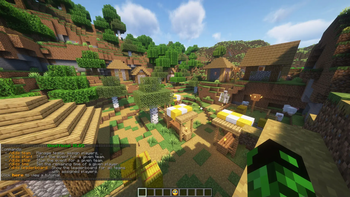
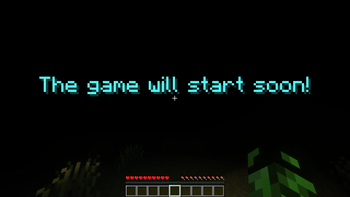
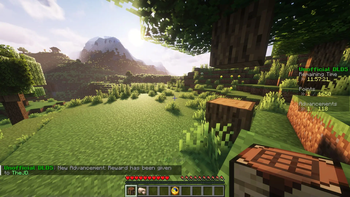
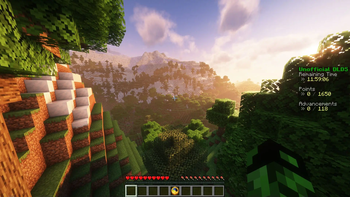
CommandsStarting the eventFirst AdvancementScoreboard

Последние версии

Все версии →
release

DLDS Unofficial - v1.0

v1.0
10 апр. 2025 г.192Minecraft: 1.21.4paper, purpur
Скачать
Что нового
This is the first stable version of the plugin. With the addition of multi-team support, I consider the plugin to be mostly feature complete, which means that the frequency of updates will decrease in the future. I will continue to fix any bugs that are brought to my attention and update the plugin once new Minecraft versions get released. Expect a new plugin next year for season three of DLDS! ## Features - Multi-team support (you can now compete with your friends on the same server) - Small quality of life improvements
beta

DLDS Unofficial - v0.4 (beta)

v0.4-beta
30 мар. 2025 г.64Minecraft: 1.21.4paper, purpur
Скачать
Что нового
## Bug fixes Three advancements were not recognized by the plugin, resulting in the player not being rewarded any points or items upon completion. This was due to the german wiki (where I got the internal advancement names from) containing small naming mistakes. I've confirmed that all achievements are now functional. The list of affected advancements is (german name in parentheses): - Birthday Song (Geburtstagslied) - The Power of Books (Spannung in jedem Band) - Two by Two (Paarweise) Thanks [@Geforced](https://github.com/Geforced) for finding these broken advancements. ## Important: Manual steps required If you currently have an old version of the plugin installed, just replacing the old .jar-file with the new one is not enough: 1. Stop the server 2. Go to the `DLDS` folder inside the `plugins` folder and delete the file `rewards.yml` 3. Start the server 4. In case you made manual changes to the `rewards.yml` file in the past, you need to reapply them now (and restart the server again). ## I am reading this because I got one of the advancements above and didn't get my points/items. Can I somehow get my rewards after the fact? Yes! First, update to the newest version of the plugin (see above for instructions). Now, you need to join the server, revoke the advancement and give it to yourself/the affected player again. Use the following commands depending on which advancement you were not rewarded for (making sure to replace `<playername>` with the ingame name of the affected player): - Birthday Song (Geburtstagslied): 1. `/advancement revoke <playername> only minecraft:husbandry/allay_deliver_cake_to_note_block` 2. `/advancement grant <playername> only minecraft:husbandry/allay_deliver_cake_to_note_block` - The Power of Books (Spannung in jedem Band): 1. `/advancement revoke <playername> only minecraft:adventure/read_power_of_chiseled_bookshelf` 2. `/advancement grant <playername> only minecraft:adventure/read_power_of_chiseled_bookshelf` - Two by Two (Paarweise): 1. `/advancement revoke <playername> only minecraft:husbandry/bred_all_animals` 2. `/advancement grant <playername> only minecraft:husbandry/bred_all_animals` **Note: You need certain permissions to run the /advancement command. Players with op-permissions can definitely run the command.** I am sorry for the inconveniences caused by this mistake!
beta

DLDS Unofficial - v0.3 (beta)

v0.3-beta
27 мар. 2025 г.76Minecraft: 1.21.4paper, purpur
Скачать
Что нового
## Features - Nearly every aspect of the plugin was polished (colored text, sound effects, smoother game start, ...) - Give every player a clock on game start - Stop players from getting damaged, breaking blocks or moving while the countdown is running - Randomly offset each players' spawn by a few blocks for better visuals ## Bug fixes - Burning players were not extinguished at game start - Saturation was not reset at game start - The plugin can no longer spawn you in water or lava - Under specific circumstances, the scoreboard was shown to players despite the game not having started yet
alpha

DLDS Unofficial - v0.2 (alpha)

v0.2-alpha
23 мар. 2025 г.76Minecraft: 1.21.4paper, purpur
Скачать
Что нового
## Features - Added time tracking - Added the "/dlds time" command to set the remaining time for a player - Added automatic ender dragon respawn - Added several configuration options for the new features ## Quality of life - Pregenerate chunks while the countdown is running to ensure smooth teleport ## Bug fixes - On game start, player experience and status effects were not cleared - Fixed a bug that denied players from joining the game after disconnecting, falsely stating that the player died - World border was not reset after ending the game ## New contributors - [@Geforced](https://github.com/Geforced) made their first contribution in [#1](https://github.com/JonasDju/DLDS-Unofficial/pull/1)
alpha

DLDS Unofficial - v0.1 (alpha)

v0.1-alpha
14 мар. 2025 г.126Minecraft: 1.21.4paper, purpur
Скачать
Что нового
The core concepts are working, but the plugin is very rough around the edges. Still missing / incomplete: - Automatic Ender Dragon respawn (you'll get 4 end crystals as compensation instead) - Time measurement - Polishing (Colorful text, Soundeffects, ...) - Multiple teams on one server