DialogWindow
A powerful, fully configurable dialog UI system for version 1.21.6+. Create dynamic, interactive GUI dialogs entirely from YAML files
Описание
DialogWindow
Turn any command into a clean in-game GUI — no code required.
DialogWindow lets server admins build fully custom dialog menus for Minecraft using simple YAML files. Built on top of Minecraft's native Dialog API (1.21.6+), it gives commands that normally just print text in chat a proper graphical interface instead: buttons, checkboxes, dropdowns, sliders, text fields, and custom item displays.
Perfect for warp menus, rule acceptance screens, shop confirmations, settings panels, rank pickers, PvP toggles, or any admin tool that deserves more than a wall of chat text.
What it does
- Define entire GUIs in YAML — no plugin development needed
- Add labels, buttons, checkboxes, select menus, sliders, and text inputs
- Show custom items with names, lore, skull textures, glow effects, and more
- Trigger console and player commands based on what the user picks
- Plug in PlaceholderAPI placeholders anywhere — titles, labels, item lore, commands
- Organize dozens of menus in subfolders without losing track of anything
- Works on both Paper and Spigot
Examples


Requirements
- Minecraft 1.21.6 or newer
- Java 17+
- PlaceholderAPI (optional, but recommended)
Older versions aren't supported since the plugin relies on Minecraft's built-in Dialog API.
Getting started
- Drop the jar into your
pluginsfolder - Restart the server
- DialogWindow generates
config.yml,messages.yml, and aninterfaces/folder with working examples - Edit or add your own interface files
- Run
/dwreload— done, no restart needed
Commands
| Command | What it does | Permission |
|---|---|---|
/dw reload | Reloads config, messages, and all interfaces on the fly | dialogwindow.reload |
/dw open | Opens a configured dialog interface manually | dialogwindow.open |
/dw close | Closes the currently open dialog | dialogwindow.close |
/dw icons [filter] | Show a list of icons (not all supported) | dialogwindow.icons |
/dw report | Generates a diagnostic report for support requests | dialogwindow.report |
Manual opening and closing
Besides the custom commands generated from your interface files, DialogWindow also includes /dw open and /dw close.
Use /dw open when you want to open an interface directly without running its registered command. This is useful for command blocks, NPCs, other plugins, join actions, admin tools, or scripted server flows.
Use /dw close to close an active dialog again. This is useful when switching between menus, cleaning up scripted flows, or giving admins a direct way to close a player's current dialog.
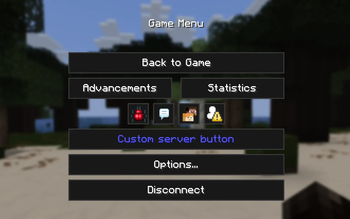
Quick Menu and ESC Menu
DialogWindow can optionally expose configured interfaces through Minecraft's Quick Menu and ESC Menu.
This makes important server menus available without players having to remember commands. Use it for hub navigation, rules, settings, player profiles, support menus, warp menus, or other interfaces that should always be easy to reach.
Quick Menu and ESC Menu entries are optional, so you can decide which interfaces should appear there and which ones should stay command-only.
How an interface looks
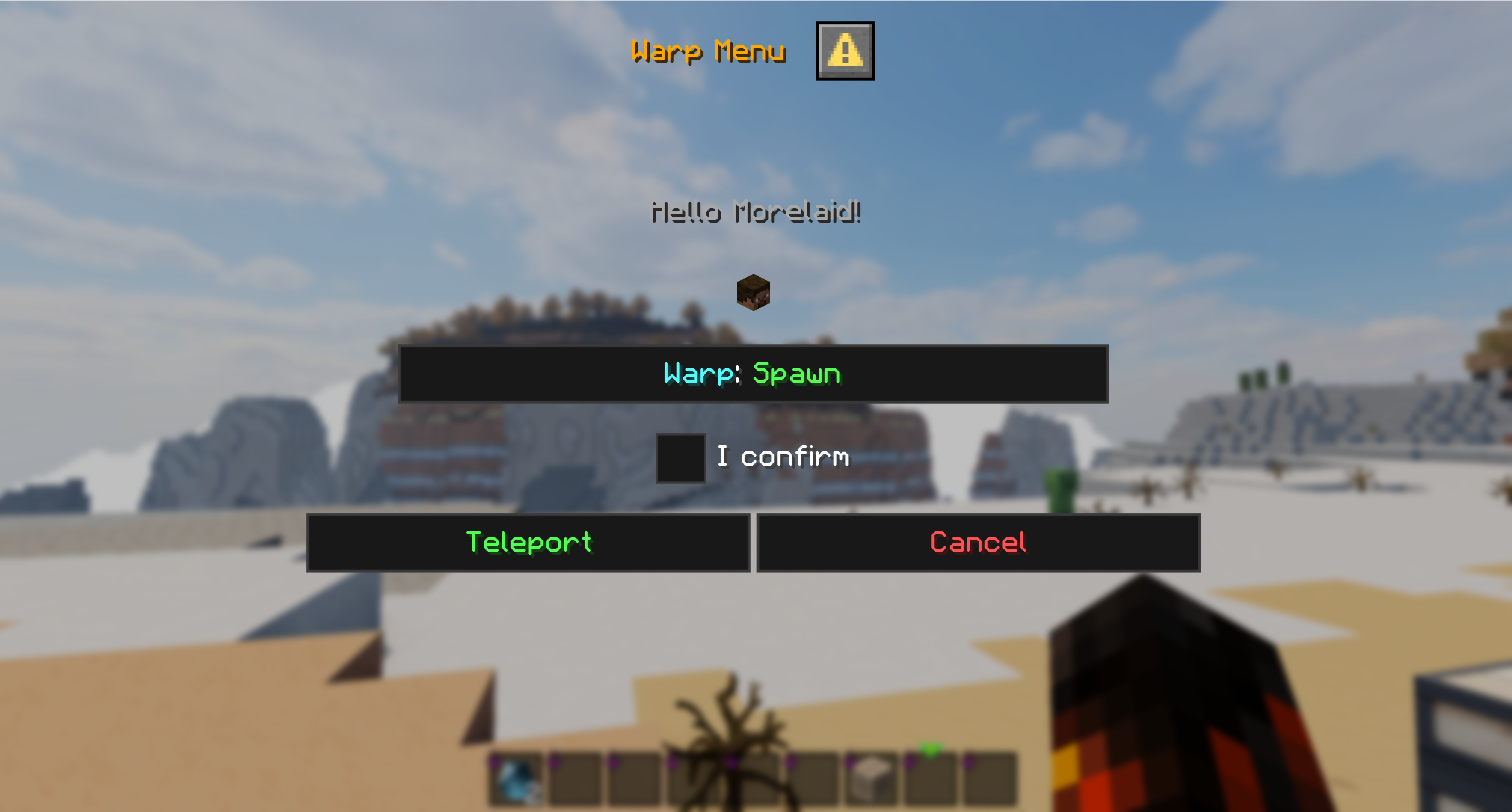
Each YAML file in interfaces/ defines one command and its dialog. A minimal warp menu:
command:
  name: "warpui"
  description: "Warp selection menu"
  permission: "dialogwindow.warpui"

dialog:
  title: "<gold>Warp Menu</gold>"
  can-close-with-escape: false

ui:
  - label: "<yellow>Select your destination:</yellow>"

  - item:
      type: item
      material: PLAYER_HEAD
      name: "<gold>%playername%</gold>"
      skull-owner: "%playername%"
      glow: true

  - input:
      type: checkbox
      key: confirm
      label: "<green>Confirm teleport</green>"

  - buttons:
      - label: "<green>Teleport</green>"
        console-commands:
          - "warp ${destination}"
Elements render top to bottom, exactly as listed: labels, items, inputs, buttons — mix and match freely.
Inputs you can use
- text – free text field
- checkbox – on/off toggle with custom return values
- single_option – select menu / dropdown
- number_range – slider with min/max/step
Item display (Paper only)
Material, amount, name, lore, skull owner, glow, custom model data, enchantments, item flags, unbreakable — all configurable, all support placeholders.
Placeholders
Built-in: %playername%, %uuid%, %world%
Plus full PlaceholderAPI support in titles, labels, item names/lore, input defaults, button commands, and hover text — if PAPI is installed, it just works.
Use cases
Warp menus · shop confirmations · rule acceptance dialogs · PvP toggles · rank selection · settings panels · command configuration UIs · admin tools
Web Editor
Build your YAML visually instead of by hand: morelaid.com/dwe
Support
Discord: https://discord.gg/5zuC36R
Before reaching out, please run /dwreport and bring the result with you — it speeds up troubleshooting a lot. Questions are welcome in German or English.
Галерея